-
-

Logo
-
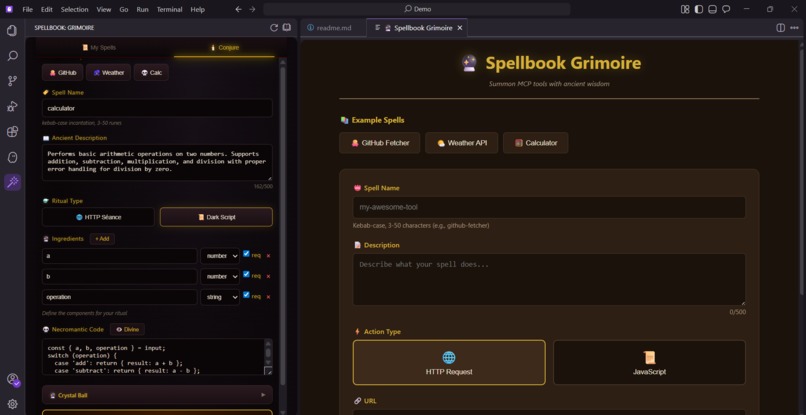
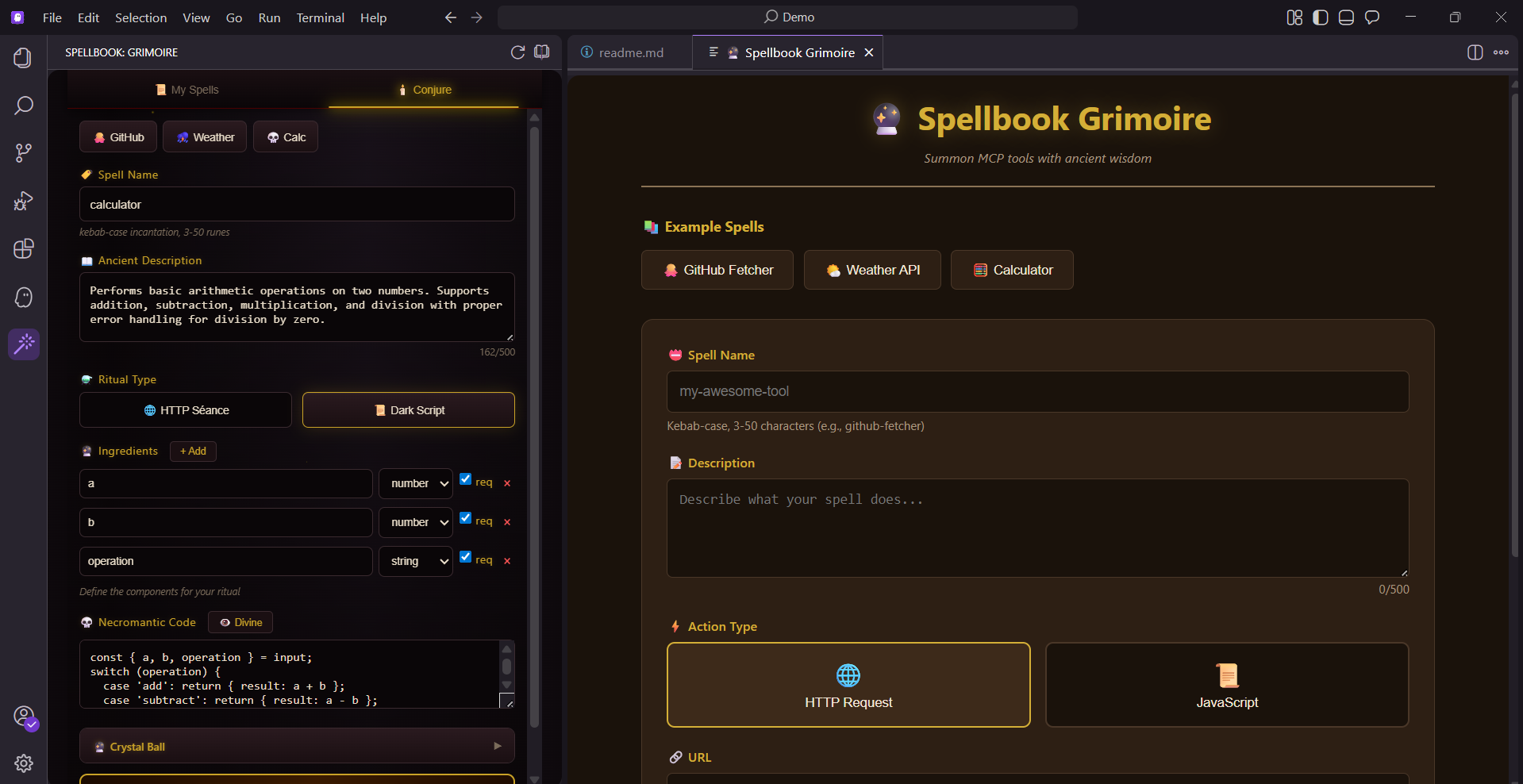
Spellbook: Extension
-
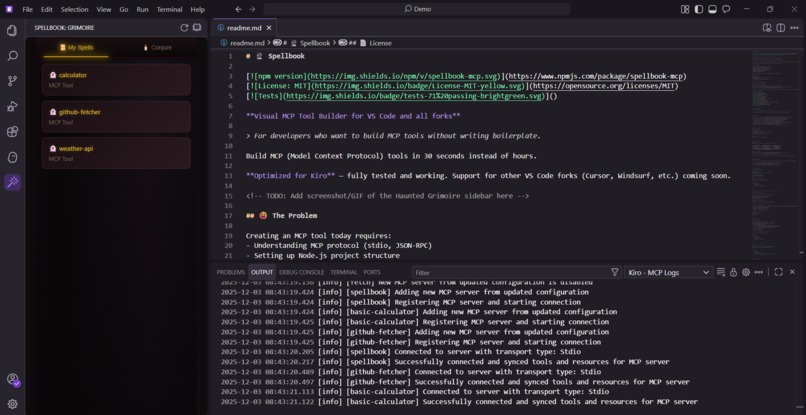
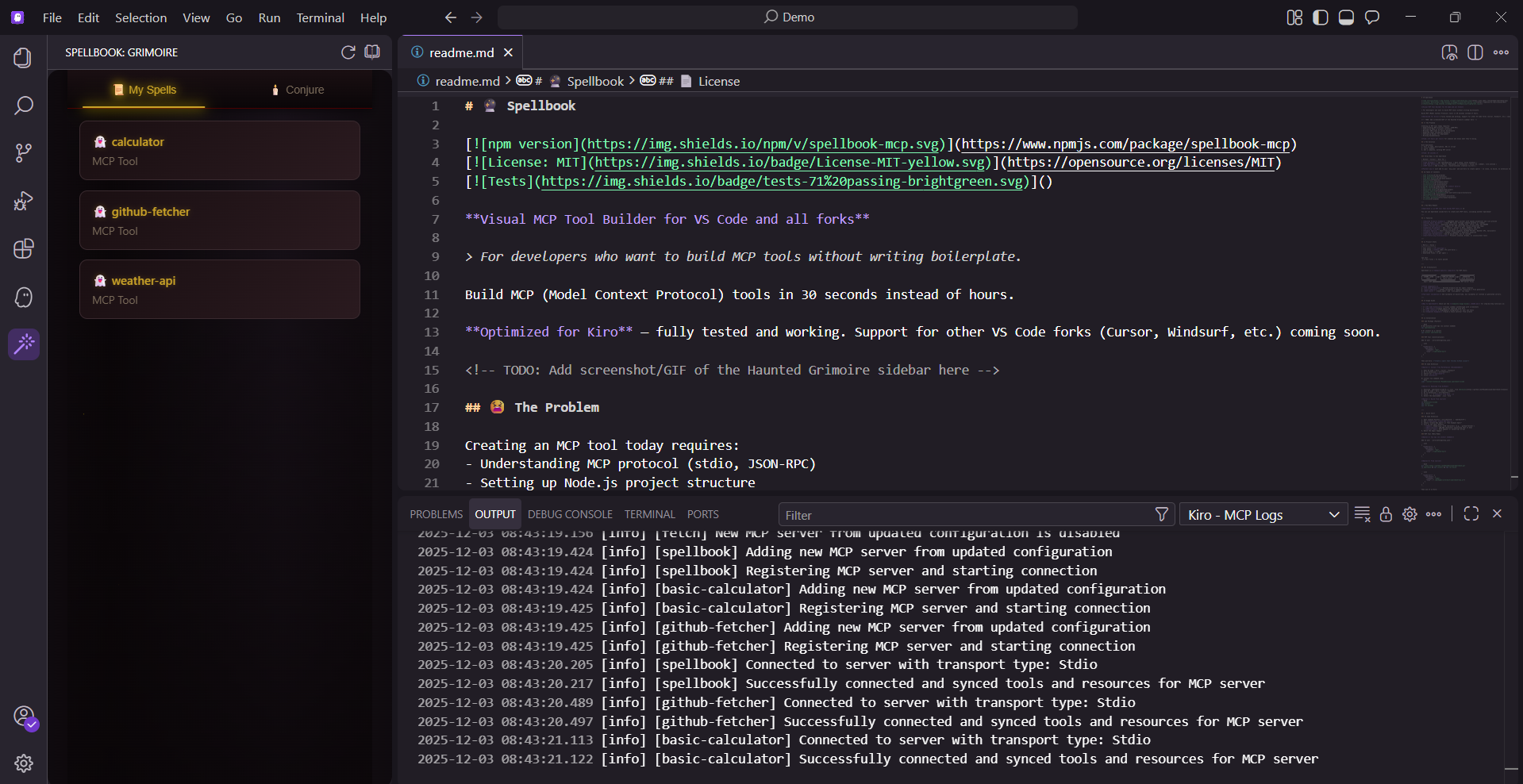
MCP server
-
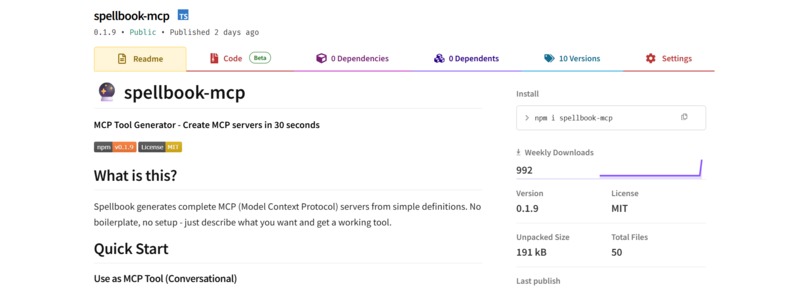
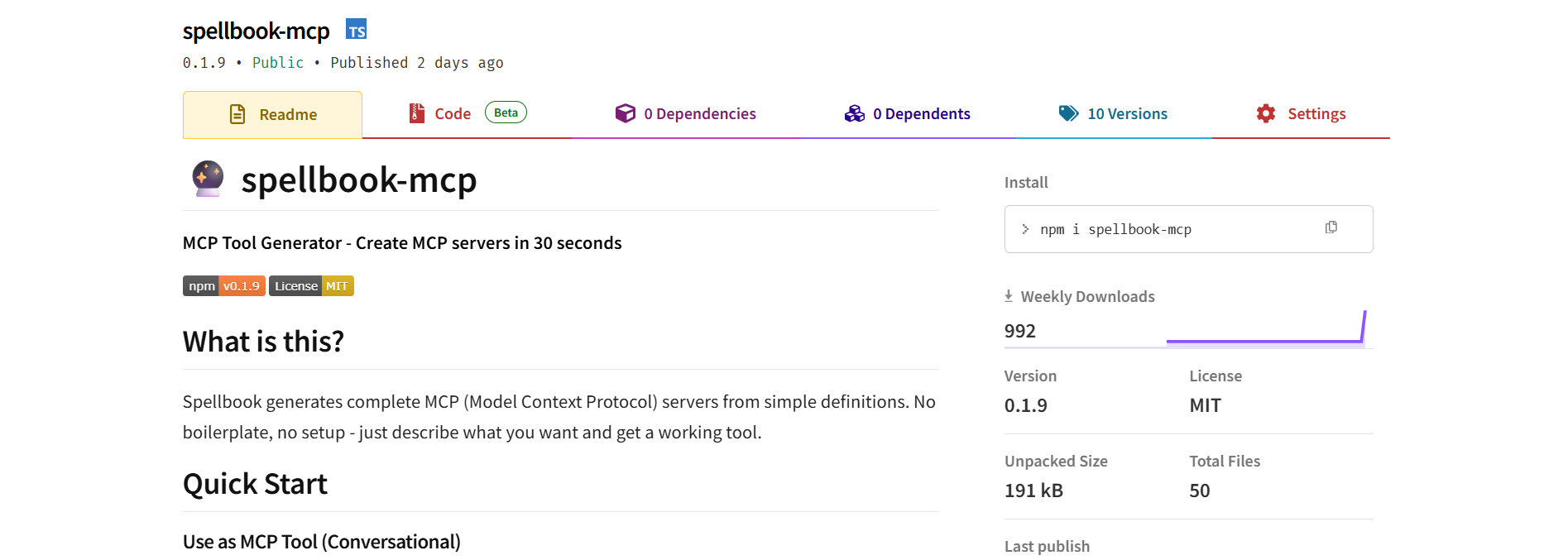
NPM-Spellbook
-
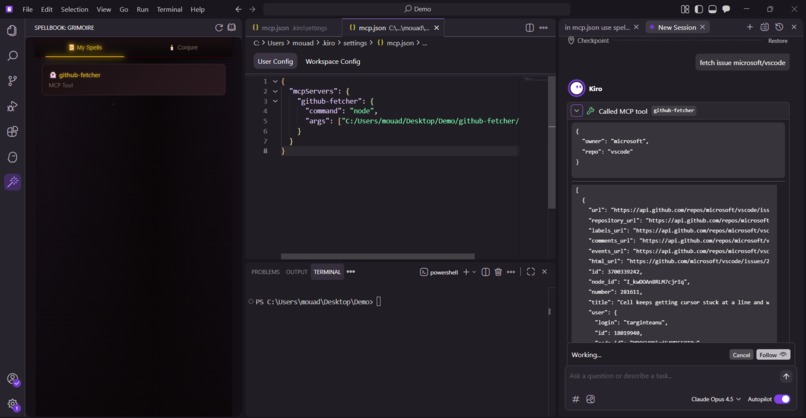
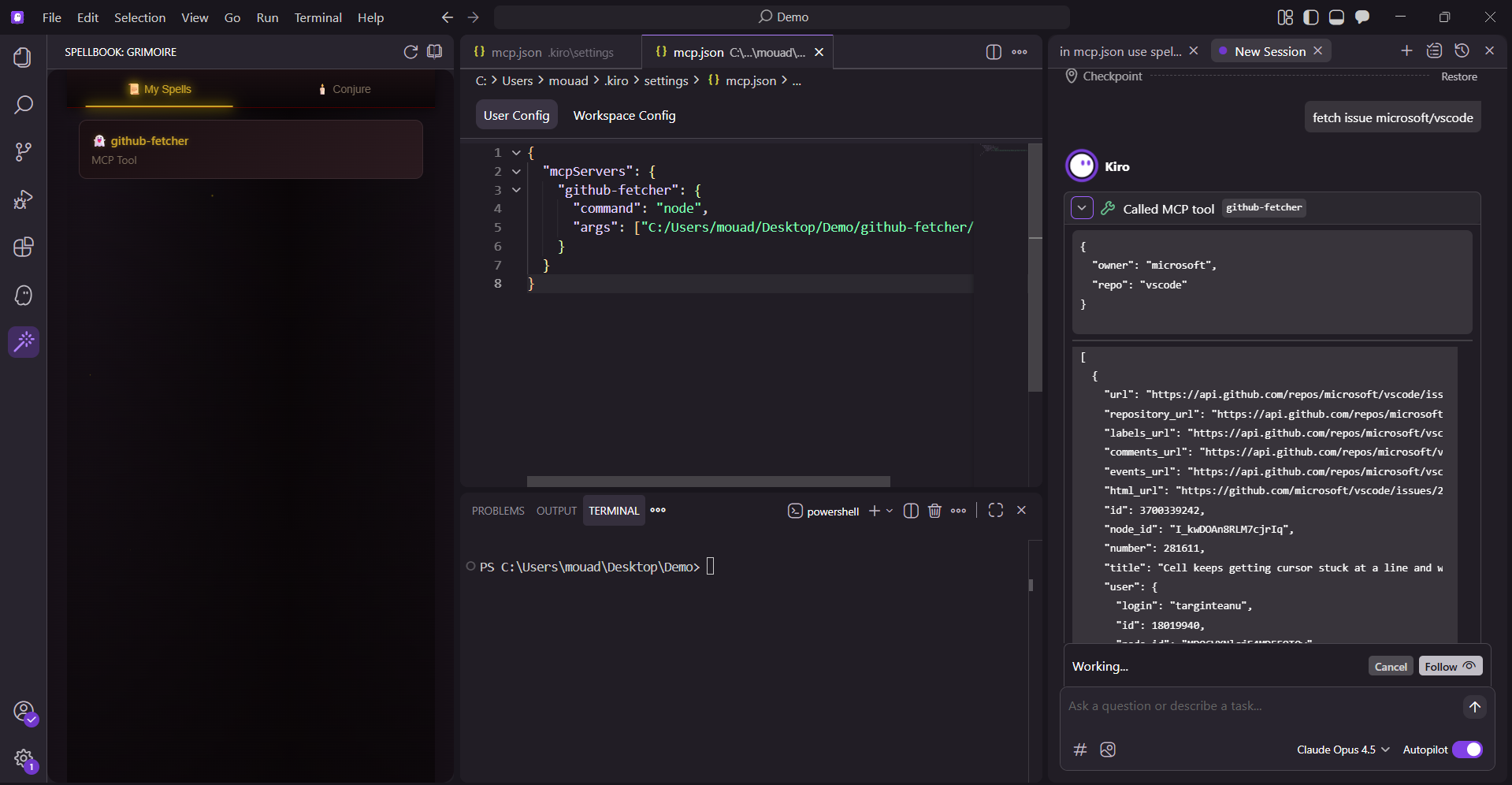
Kiro uses an MCP build that was created by Spellbook

🔮 Spellbook: The Story
Inspiration
Building MCP tools is tedious. Every time I wanted to create a simple tool for Kiro, I had to:
- Understand the MCP protocol (stdio, JSON-RPC)
- Write 100+ lines of boilerplate
- Set up validation manually
- Configure Docker
- Write documentation
2-4 hours per tool. For something that should take minutes.
I thought: "What if there was a tool that builds tools?"
That's when Spellbook was born — a visual MCP tool builder that generates complete, working MCP servers in 30 seconds.
And then the meta moment hit me: Spellbook itself could be an MCP tool. An MCP tool that builds MCP tools. 🤯
What I Learned
1. Kiro's Spec-Driven Development is Powerful
I structured the entire project as 12 milestones with requirements, design, and tasks. Kiro implemented each one systematically. No scope creep, no wandering — just focused execution.
2. Steering Docs Prevent Architecture Drift
My spell-architect.md steering doc caught issues before they became bugs:
- Stopped Kiro from using
console.login MCP code (breaks stdio protocol) - Enforced consistent file naming (
Dockerfile, notdockerFile) - Maintained the two-layer validation strategy (Zod + Ajv)
3. Agent Hooks Are Underrated
I set up hooks to run tests on every file save. They caught 4 critical bugs automatically — bugs I would have spent hours debugging manually.
4. MCP Protocol Quirks
type: "json"doesn't exist — onlytype: "text"worksconsole.logcorrupts the stdio transport- Generated servers need runtime validation (Ajv), not just build-time (Zod)
5. The Power of Meta-Tooling
Building a tool that builds tools creates a recursive loop of productivity. Once Spellbook worked, I could create new MCP tools in seconds — including variants of Spellbook itself.
How I Built It
Architecture: A Domain-Specific Compiler
Spellbook is architecturally a compiler for MCP tools:
┌─────────────────┐     ┌─────────────────┐     ┌─────────────────┐
│  SCHEMA LAYER   │ ──▶ │ TEMPLATE ENGINE │ ──▶ │   GENERATOR     │
│     (Zod)       │     │  (Pure funcs)   │     │ (File emission) │
└─────────────────┘     └─────────────────┘     └─────────────────┘
- Schema Layer: Zod validates spell definitions at build-time
- Template Engine: Pure functions generate Dockerfile, package.json, index.js, README
- Generator: Orchestrates validation and file emission
Three Delivery Methods
I didn't want to force users into one workflow:
| Method | Best For |
|---|---|
npm package (npx spellbook-mcp) |
Zero setup, works anywhere |
| VS Code Extension | Visual UI with haunted grimoire theme |
| MCP Tool | Conversational creation via Kiro |
Tech Stack
- TypeScript with strict mode
- Zod for build-time validation
- Ajv for runtime validation in generated servers
- esbuild for fast extension bundling
- Vitest + fast-check for property-based testing
- Docker for generated server deployment
Kiro Features Used
| Feature | How I Used It |
|---|---|
| Specs | 12 milestones with EARS requirements |
| Steering | Architecture guide preventing drift |
| Hooks | Auto-run tests on save |
| Vibe Coding | 3-prompt pattern for complex features |
| MCP | Spellbook as an MCP tool (meta!) |
Challenges I Faced
Challenge 1: JSON Schema ≠ Zod
Problem: I initially tried to use Zod for runtime validation in generated servers. But Zod expects Zod validators, not JSON Schema objects.
Solution: Two-layer validation — Zod at build-time (in Spellbook), Ajv at runtime (in generated servers).
Challenge 2: MCP Content Types
Problem: Generated servers returned type: "json" which doesn't exist in the MCP spec.
Solution: Changed to type: "text" with JSON.stringify(). Caught this late, but fixed it.
Challenge 3: TypeScript in Generated JavaScript
Problem: The template had (err as any) — TypeScript syntax that breaks in plain JavaScript.
Solution: Removed the cast, used plain err.name instead.
Challenge 4: Extension Bundling
Problem: The VS Code extension bundles dependencies at build time. After fixing the core package, the extension still had the old code.
Solution: Rebuild and republish the extension after every core package update.
Challenge 5: Proving It Works
Problem: Generating files is one thing. Proving the generated code actually runs is another.
Solution: Added outputDir parameter to write files to disk, then demonstrated the full loop — generate, build, configure, use.
The Meta Moment
The most satisfying part of this project:
- I built Spellbook
- Spellbook became an MCP tool
- I used Spellbook (via Kiro) to create more MCP tools
- Those tools work in Kiro
- I could theoretically use Spellbook to create another Spellbook
A tool that builds tools that can build themselves.
This recursive capability is only possible because of MCP + Kiro. Traditional code generators can't be invoked contextually within an AI conversation. The loop closes: Kiro ↔ Spellbook ↔ Generated Tools ↔ Kiro.
Why Frankenstein?
Spellbook stitches together seemingly incompatible parts:
| Component | Domain |
|---|---|
| VS Code Extension | Frontend UX |
| MCP Stdio Server | Backend Protocol |
| Template Engine | Code Generation |
| Ajv JSON Schema | Runtime Validation |
| Docker | Containerization |
| Recursive Meta-tooling | 🤯 |
These domains normally never live together. Spellbook merges them into a single system that builds tools that build tools.
Results
| Metric | Value |
|---|---|
| Tests | 71 passing |
| Time Saved | 75% (36h → 9h with Kiro) |
| Lines of Code | ~1,400 |
| Generated Files | 4 per spell |
| npm Versions | 10 releases |
Final Thoughts
"Sure, Kiro can write an MCP server from scratch. But Kiro can also write a web server from scratch — that doesn't mean we don't use Express or Fastify."
"Spellbook is like a framework. It encodes best practices, security patterns, and consistency so you don't have to think about them every time."
Spellbook — because life's too short for boilerplate.
Links
- GitHub: github.com/MouadAssouam/Spellbook
- npm:
npx spellbook-mcp - VS Code Marketplace / Open VSX Registry: Search "Spellbook")
Built with 🔮 and Kiro for Kiroween.

Log in or sign up for Devpost to join the conversation.