-
-
Pixelated Cover Page
-
Pixelated Cover Page
-
Working Image
Inspiration
During the summer, I saw a fact online that piqued my curiosity: millions of people around the world face physical limitations that make them unable to use a mouse or keyboard. In the modern era, almost everything, ranging from school to healthcare to work, happens on a computer. When I researched existing tools, I found they were often expensive, required special hardware, or made you memorize rigid commands. My motivation to build SpeechPoint was so that anyone, no matter their financial circumstances, could use their browser without using their hands.
What it does
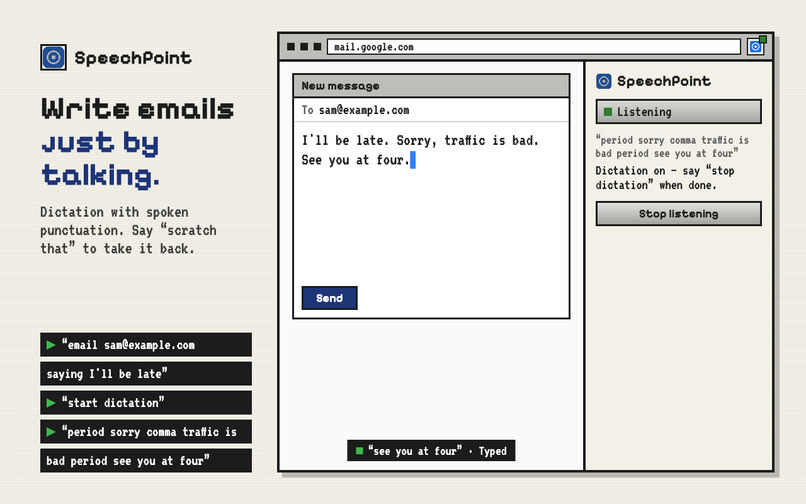
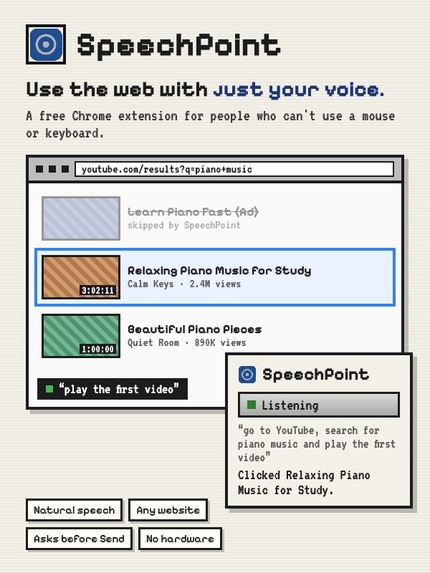
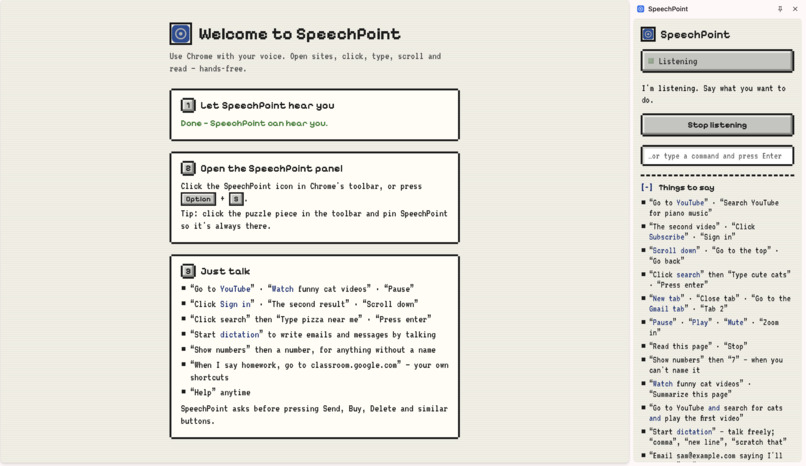
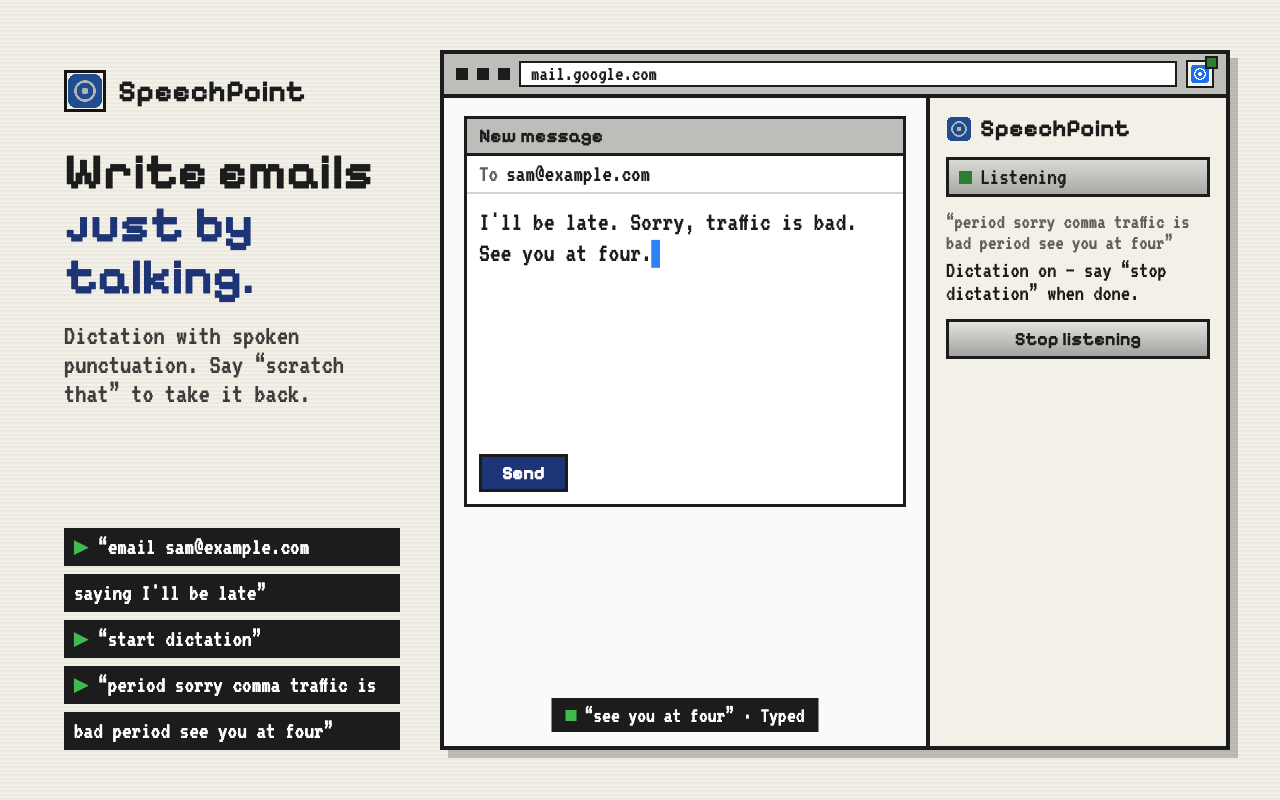
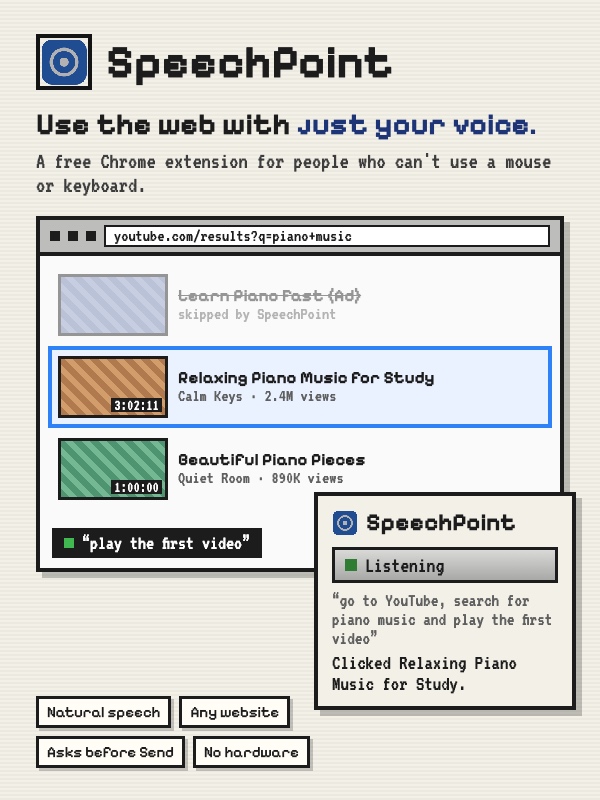
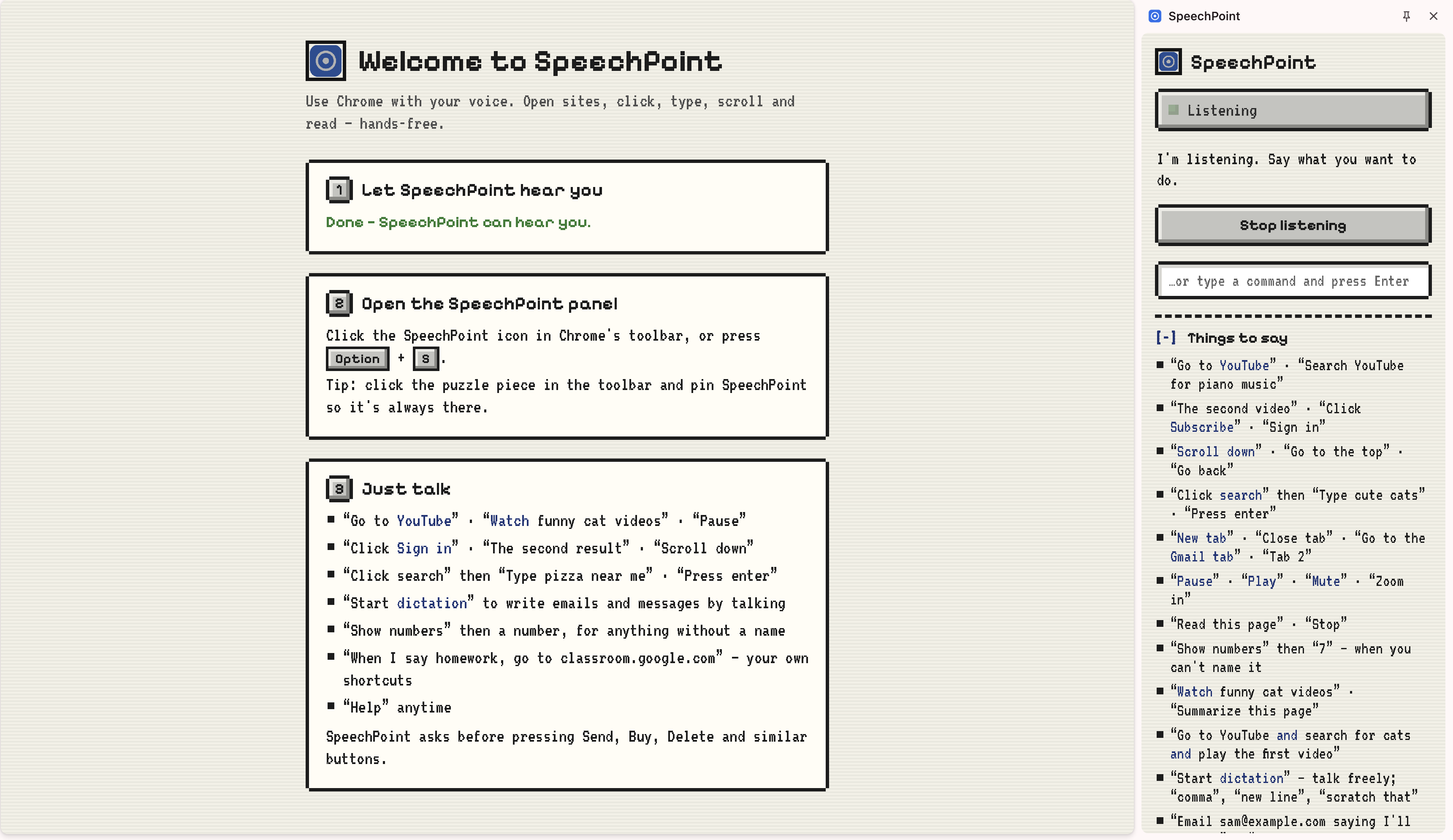
SpeechPoint is a Chrome extension that lets people who can't use a mouse or keyboard, as a result of paralysis, ALS, or arthritis, use the web entirely with their voice. Instead of requiring users to memorize special commands, users can speak naturally: "Go to YouTube and search for piano music and play the first video," or "Email Sam saying I'll be late." SpeechPoint understands these natural requests and splits them into a queue that runs automatically through clicks, scrolls, typing, and reading on any website. It also asks for confirmation before risky actions like Send, Buy, or Delete. Furthermore, it offers dictation with spoken punctuation, a spelling mode, number labels for unnamed buttons, and custom voice shortcuts that users can optionally use. Lastly, it works in the user's own Chrome browser with their own existing accounts, so it needs no special hardware, and it has no servers or tracking.
How I built it
SpeechPoint is a Chrome extension written in JavaScript, HTML, and CSS. It uses Chrome's built-in speech recognition to hear the user, works out what they meant, and splits the sentence into steps; code running inside the web page then finds the right element and clicks, types, scrolls, or reads it. I built it mostly my self as I came up with the idea, decided the features and how it should behave, designed the pixel-style interface, tested it in Chrome, and directed every change.
Challenges I ran into
Throughout building SpeechPoint into a coherent browser extension, I faced many problems, out of which the biggest problem I had was the app hearing itself. When SpeechPoint talked back, the microphone received its voice as input, which caused SpeechPoint to treat it as a new command. However, turning off the microphone while it spoke meant that users would not be able to interrupt it. I solved this by having it ignore everything while speaking except the word "stop." The second challenge I faced was finding the correct button on real websites, which generally hide buttons inside internal components or cover them with ads or pop-ups. SpeechPoint checks that each element is actually visible and clickable, and matches what the user sees on the screen to what they say, like "log in" for a "Sign in" button. Lastly, the third challenge was understanding several steps in one sentence. For instance, "go to YouTube, search for cats, and play the first video" is a command that becomes three actions, whereas "search for salt and pepper" must stay as one, so SpeechPoint only splits a sentence where the next part starts with an action word.
Accomplishments that I'm proud of
- Anyone can use the web by speaking naturally, with no special commands to memorize
- One sentence can carry out several steps at once
- It works on any website, in the user's own browser, for free and without special hardware
- It protects users by asking before risky actions like Send, Buy, or Delete
What I learned
I learned that it is important to be willing to change direction when creating projects. Before I built SpeechPoint, I spent a lot of my time trying to build an academic tracker that helped students study with their personal AI agents, like Grok, Gemini, Claude, or ChatGPT. As I worked on the project and began to research similar software, I realized that tools like this already existed and that I was not solving a problem that truly mattered, but recreating something that was already widely used. This realization caused me to step back and reflect on what would help people use technology no matter their physical circumstances, and that direction led to SpeechPoint. At first, I imagined that creating this speech software would be much easier, but every time I completed something, another problem arose in another part of the app. SpeechPoint isn't perfect yet, but creating it taught me that pivoting is not always the worst idea, even when the original idea seemed perfect.
What's next for SpeechPoint
In SpeechPoint 2.0, my priority would be testing the software with people who live with paralysis and rebuilding based on their feedback, since they are the people who know what is missing. Furthermore, I would make speech recognition work fully offline on the user's computer, so it no longer needs the internet, making it even more private. I also want it to adapt to each user's voice, especially for people whose speech is affected by conditions like ALS or cerebral palsy. Additionally, I could expand it beyond Chrome so that it can control all aspects of the computer, like opening apps, managing files, and typing in any program. Finally, to further SpeechPoint's goal of bringing technology to people with disabilities, I would create a companion called LookPoint that lets people control the web or their laptop using their head or eyes.
