Inspiration
The inspiration behind our project was to create a user-friendly and efficient tool that enables seamless conversion of speech into text. We envisioned a platform where users can easily dictate their thoughts or commands, and the system effortlessly transcribes them into text, enhancing accessibility and productivity.
What it does
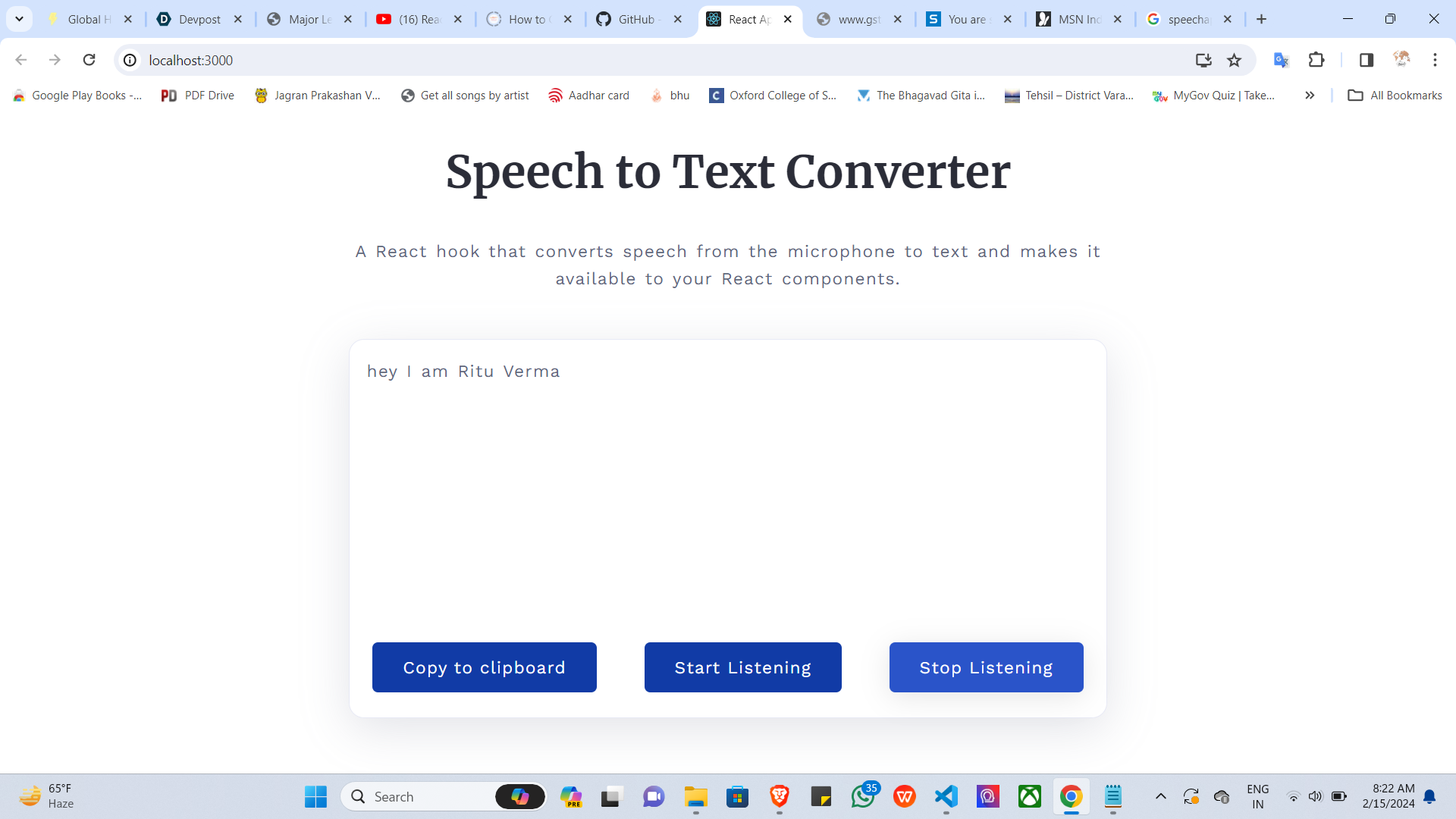
Our React project serves as a speech-to-text converter, utilizing the browser's built-in SpeechRecognition API to capture audio input from the microphone and convert it into text in real-time. The converted text is then made available to React components, allowing for further processing or integration into various applications.
How we built it
We built our speech-to-text converter using React.js, a popular JavaScript library for building user interfaces. We leveraged the SpeechRecognition API provided by modern web browsers to capture audio input. The project's architecture involves setting up event listeners to capture speech input, processing the audio data, and updating the React components with the transcribed text.
Challenges we ran into
- Cross-browser compatibility: Ensuring compatibility across different web browsers posed a challenge due to variations in the implementation and support of the SpeechRecognition API.
- Real-time transcription: Achieving real-time transcription with minimal latency required optimizing the audio processing pipeline to handle audio data efficiently.
- User interface design: Designing an intuitive user interface that seamlessly integrates with the speech-to-text functionality while maintaining a responsive and visually appealing layout was a challenge.
Accomplishments that we're proud of
- Functional speech-to-text conversion: We successfully implemented a functional speech-to-text converter that accurately transcribes speech input into text in real-time.
- Robust user interface: We designed a user-friendly interface that provides clear feedback to users while capturing audio input and displaying the transcribed text.
- Cross-browser compatibility: Despite challenges, we achieved cross-browser compatibility, ensuring our application works seamlessly across different web browsers.
What we learned
- SpeechRecognition API: We gained a deep understanding of how to utilize the SpeechRecognition API provided by modern web browsers to capture and process audio input.
- Real-time data processing: Implementing real-time data processing techniques taught us how to optimize performance and reduce latency in audio processing pipelines.
- React component communication: We learned effective strategies for communicating between React components to update the user interface in response to speech input changes.
What's next for speech to text converter
- Enhanced functionality: We plan to enhance the functionality of our speech-to-text converter by adding support for additional languages, punctuation recognition, and improved accuracy through machine learning.
- Customization options: We aim to provide users with customization options such as adjusting the transcription speed, choosing different voice recognition models, and integrating with third-party services for advanced features.
- Integration with other platforms: We envision integrating our speech-to-text converter with other platforms and applications, such as text editors, note-taking apps, and virtual assistants, to extend its usability and reach.

Log in or sign up for Devpost to join the conversation.