-
-
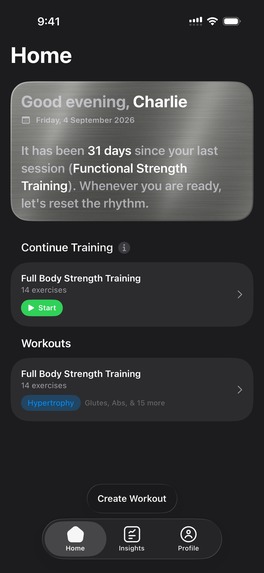
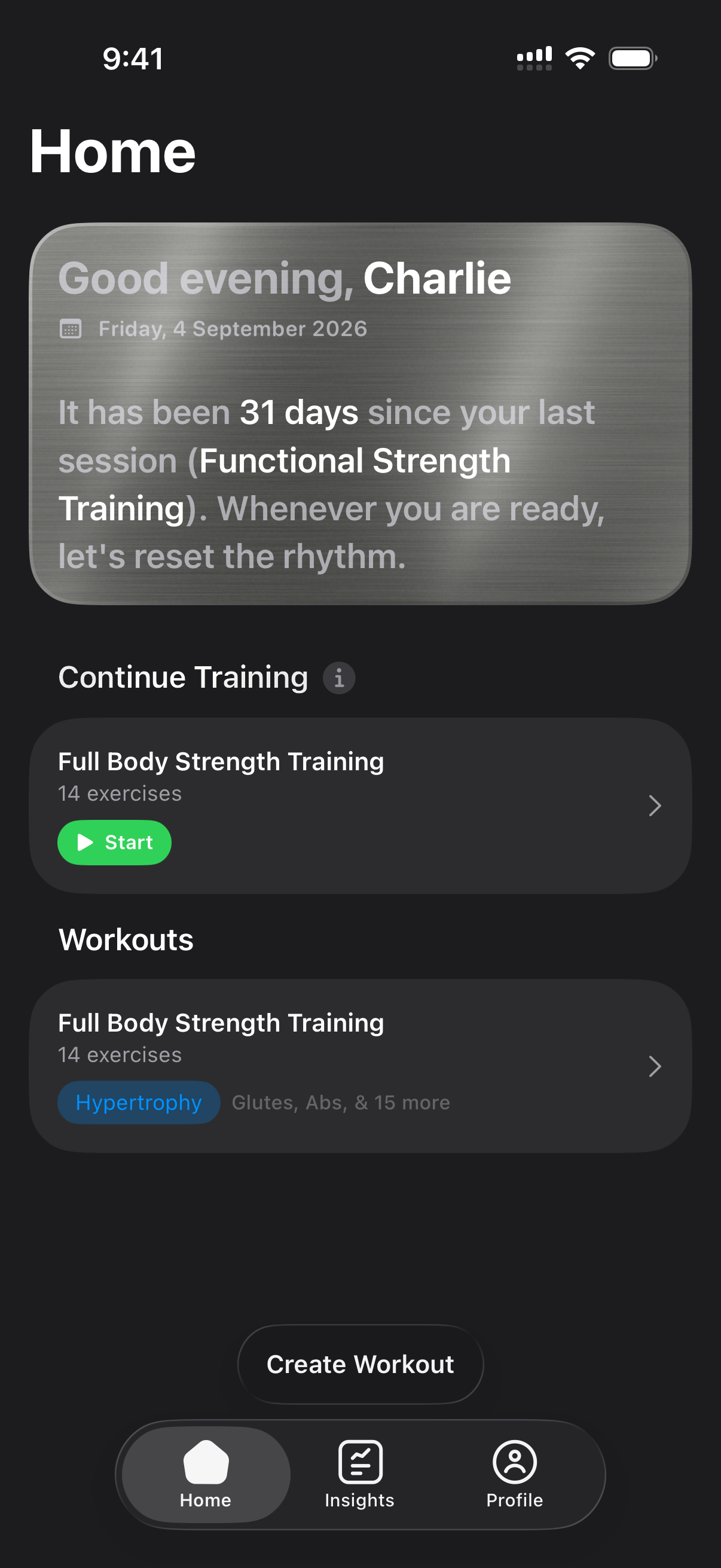
Specular's Home Screen: Greeting summary and workout suggestions based on muscle load with built-in scoring engine.
-
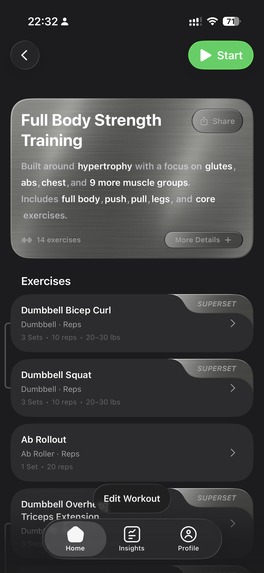
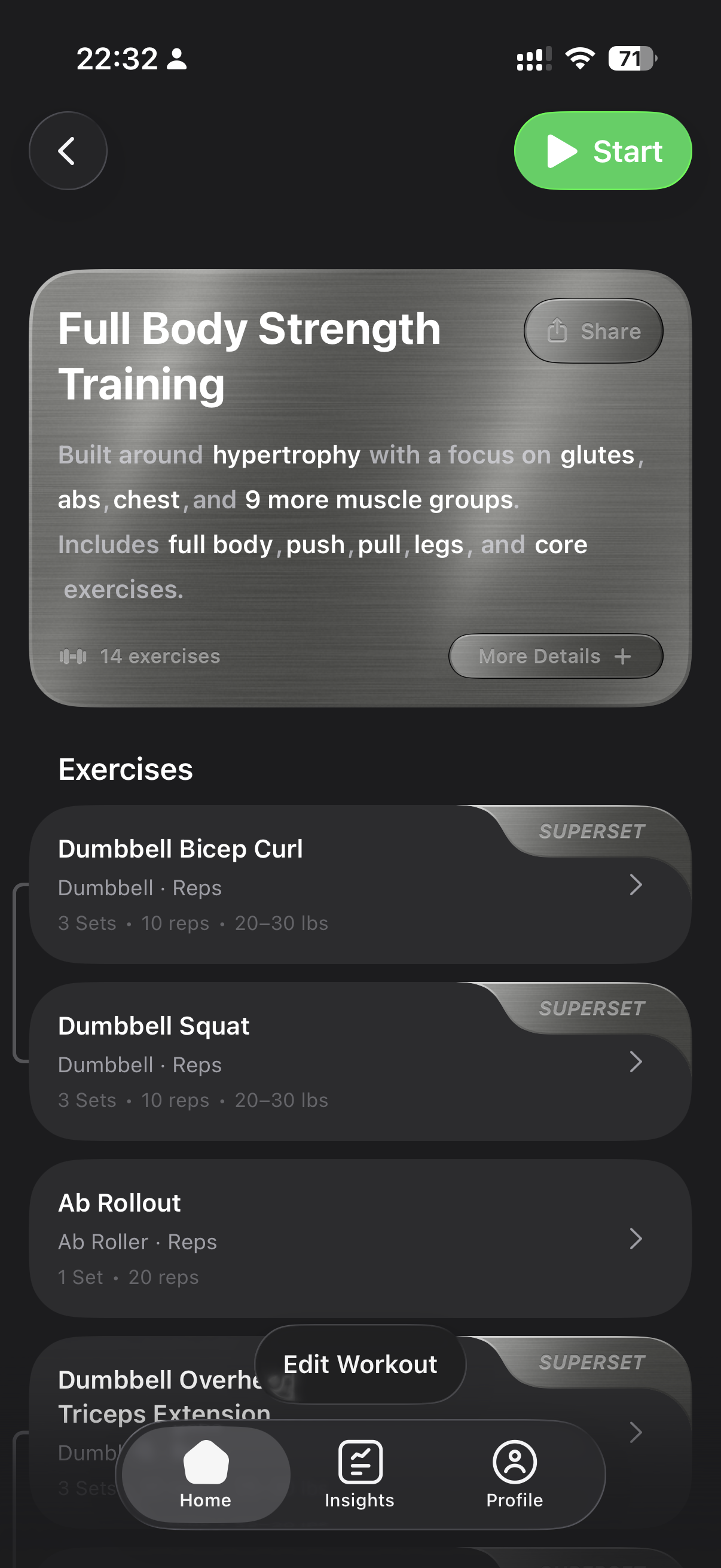
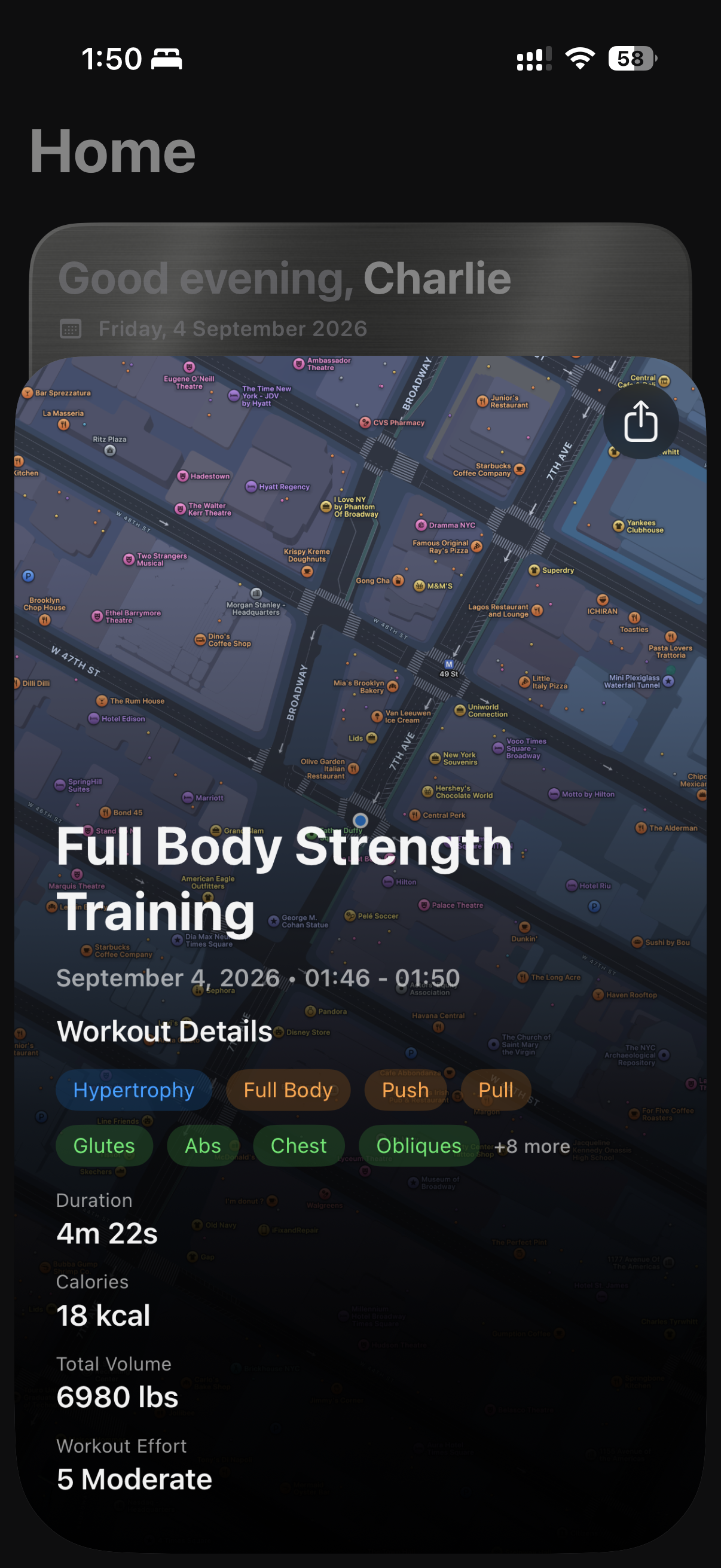
Workout Details screen showing the workout details card, which includes workout name, workout summary, exercises, muscle groups targeted
-
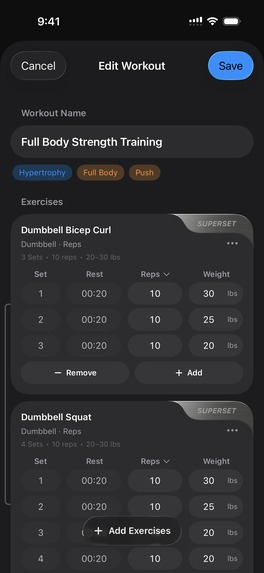
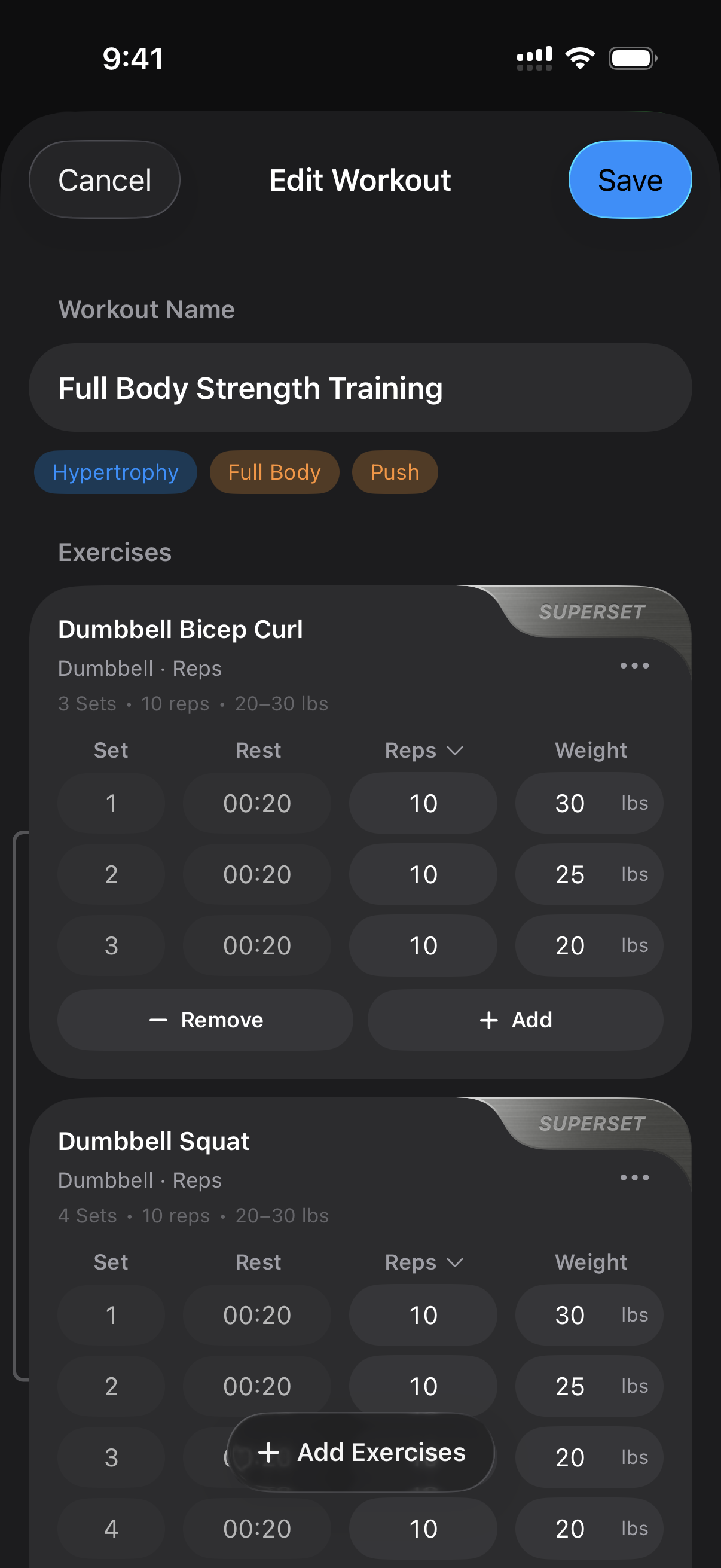
Workout configuration showing supersets and editable sets with tracking types: reps-distance-time, and weight fields.
-
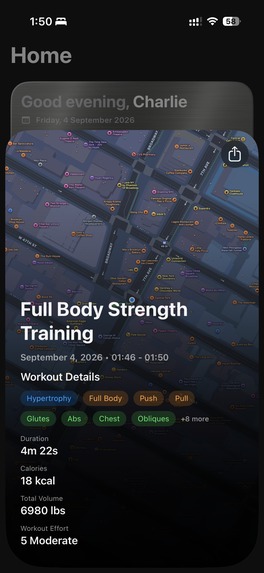
Workout summary after session log showing the user a summary of how the session went.
-
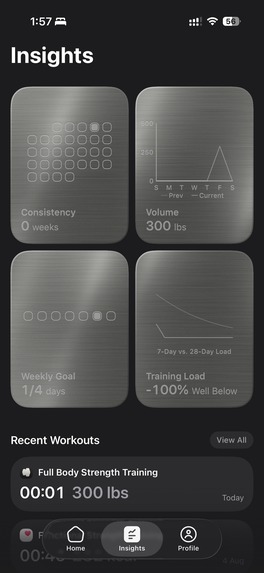
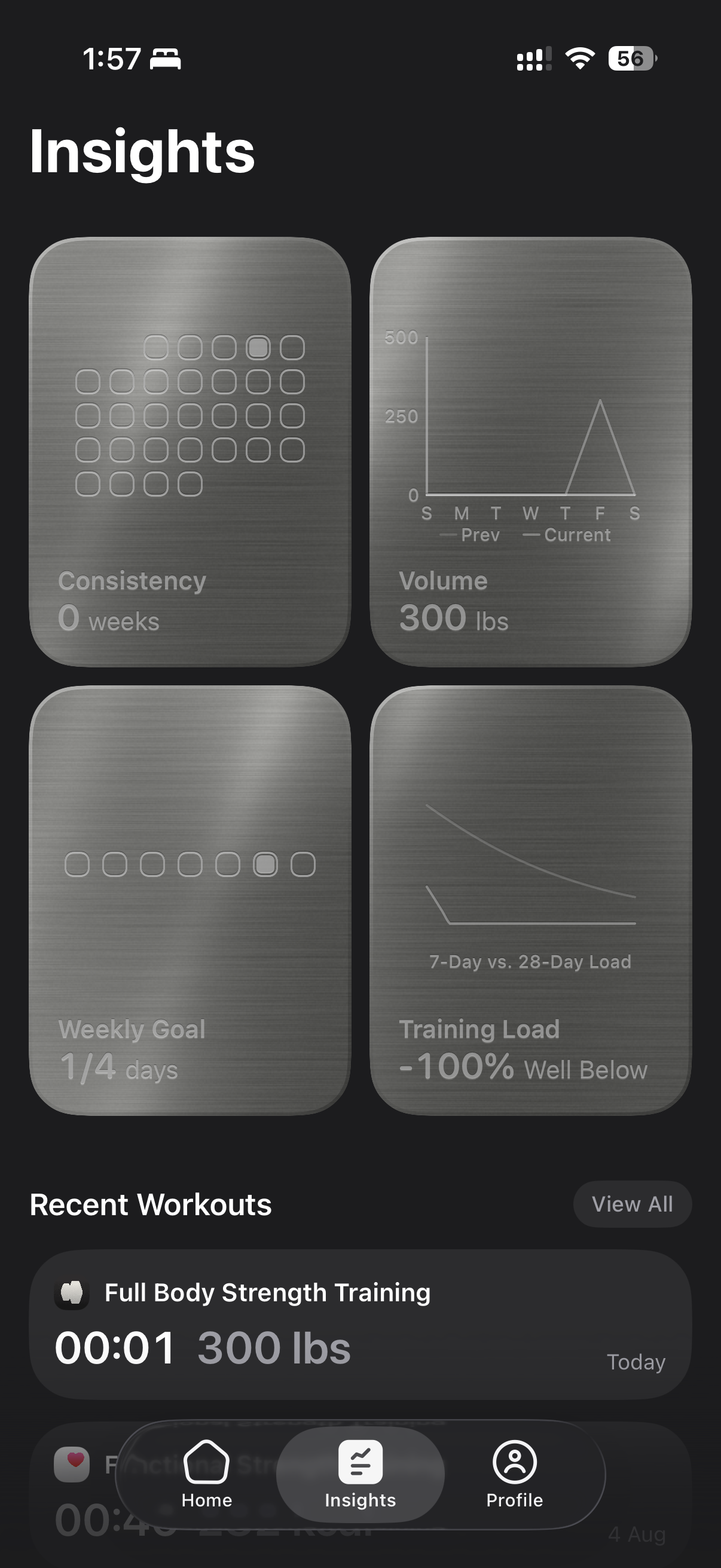
Insights screen showing consistency, volume over time, weekly goal and recovery metric using built-in recovery load
-
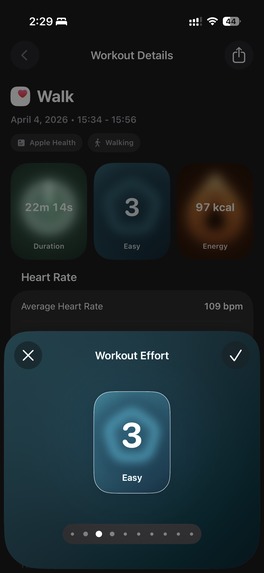
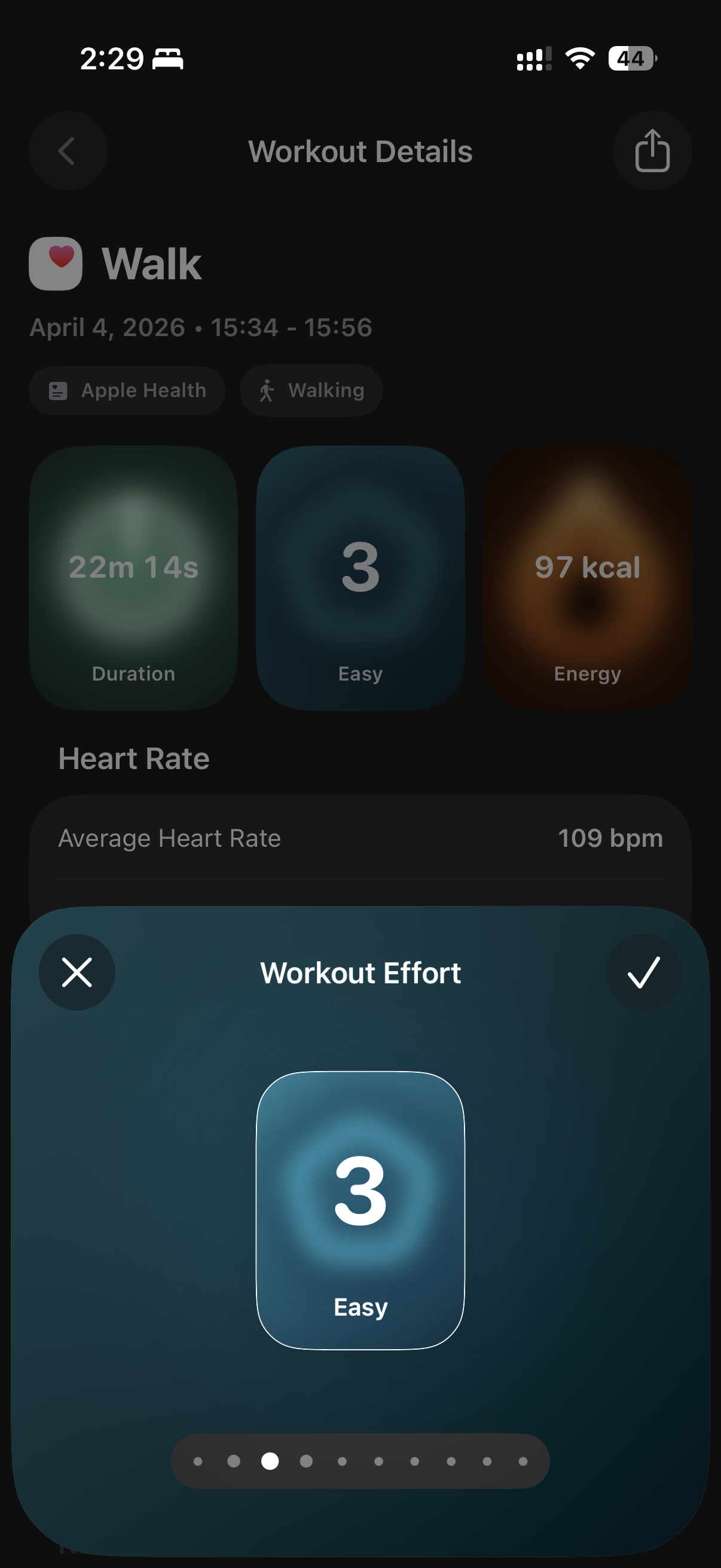
Workout details screen with post-workout effort picker synced with apple health and apple fitness.
-
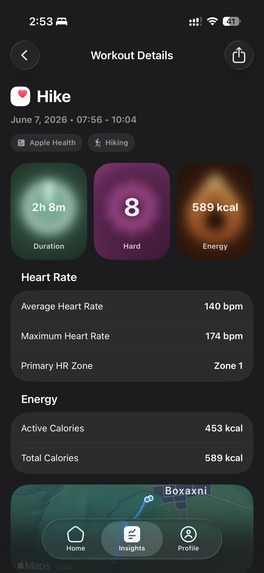
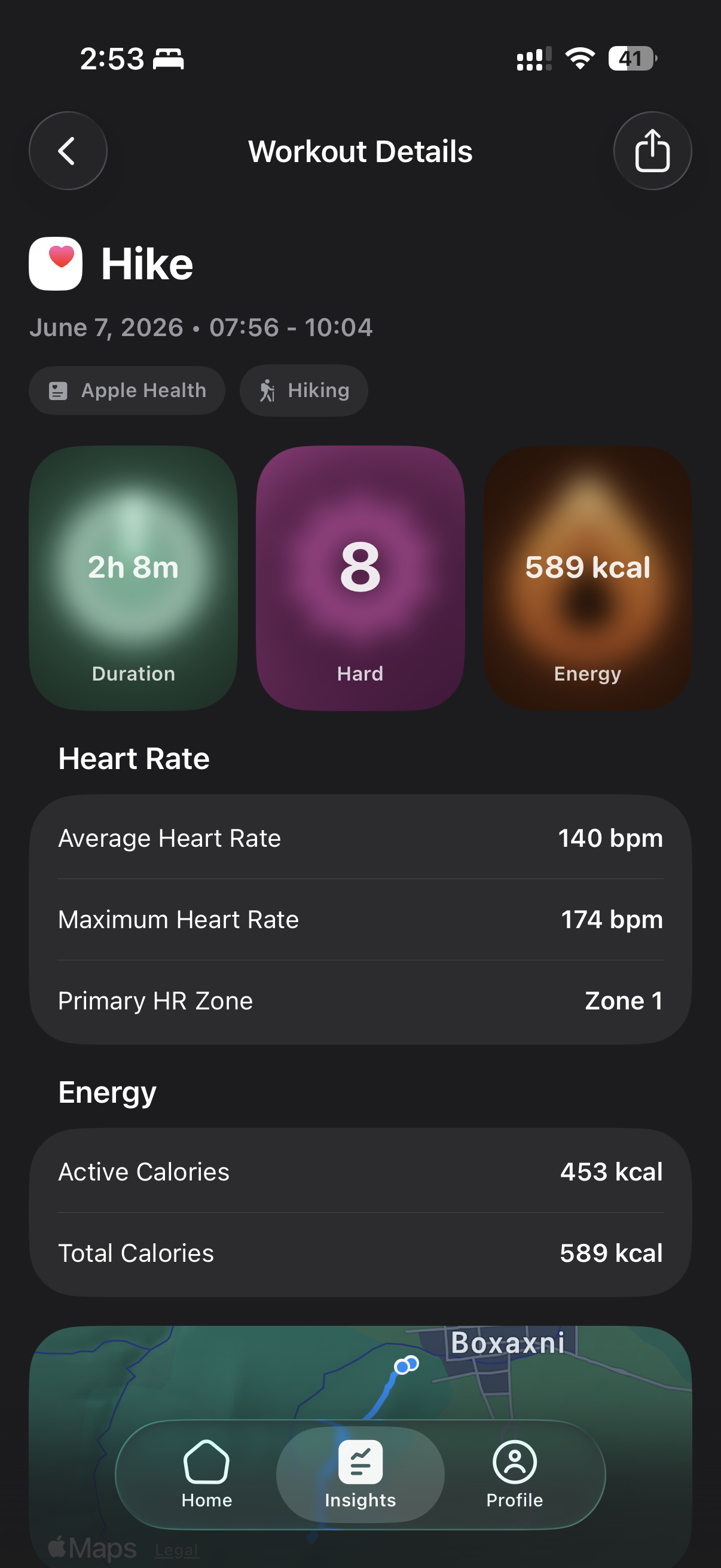
Workout details screen with main metrics in custom cards, leaving the rest of the data in sections.
-
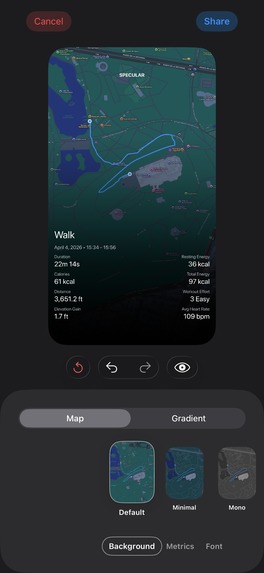
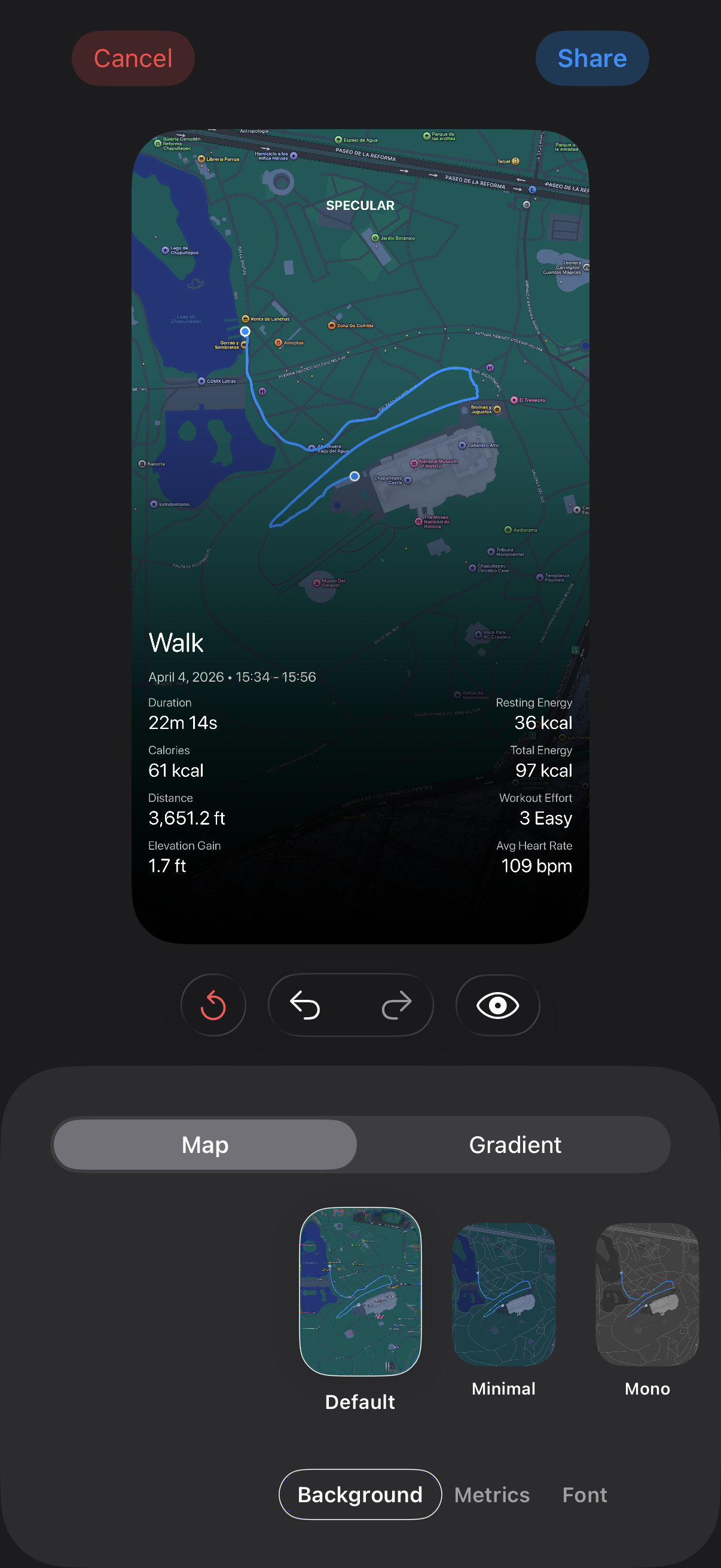
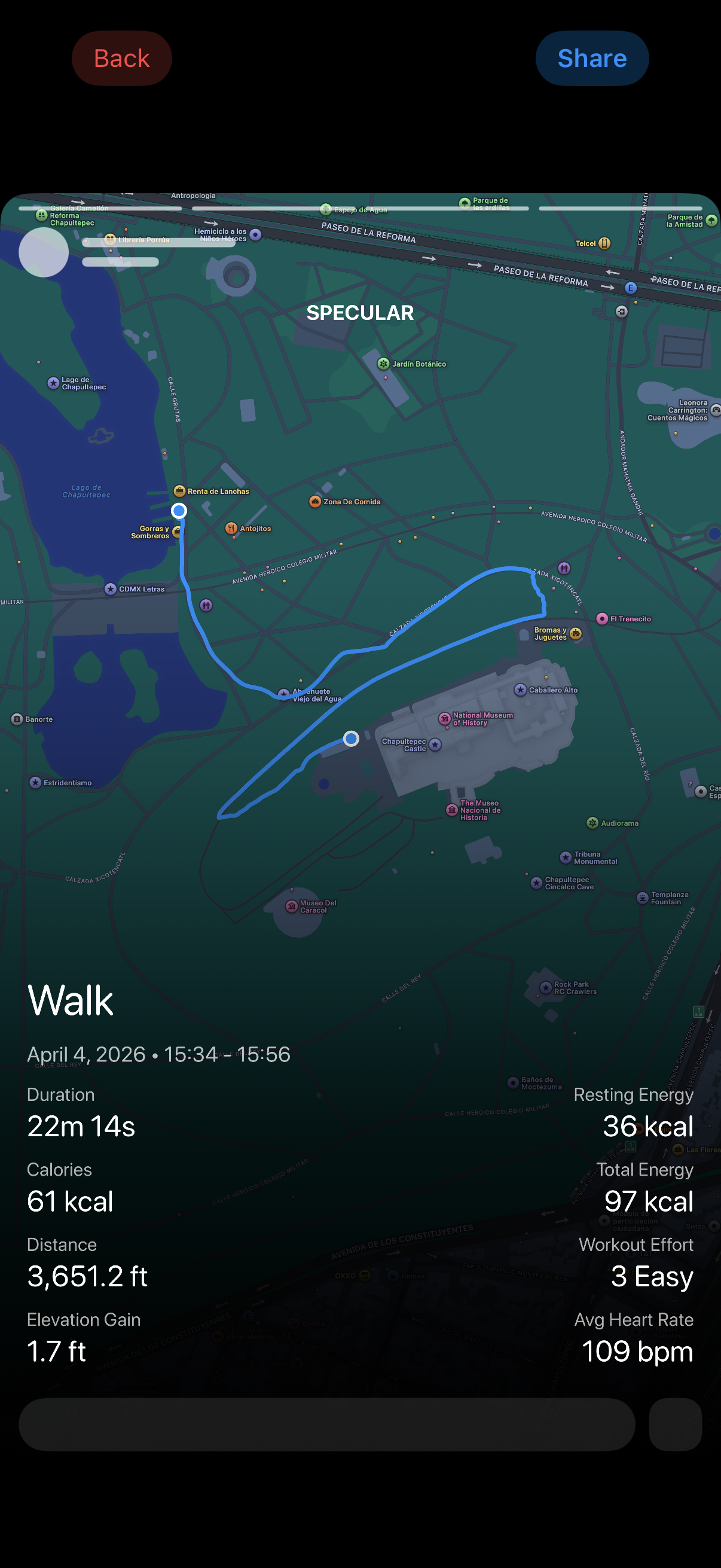
In-house story composer
-
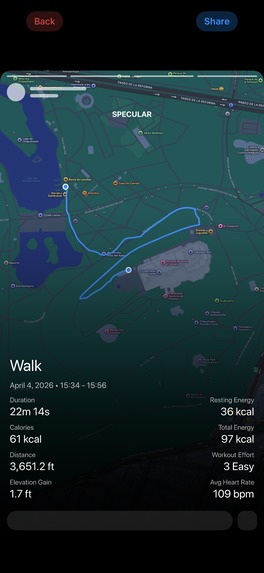
Preview of story user-generated
-

logo

Inspiration
Most workout trackers let you adjust everything, all the time — add a set mid-session, bump the weight because today felt easy, restructure the plan on a whim. In my experience, that flexibility works against consistency. If a session's targets can shift the moment you feel good, you never actually test whether you can hit them, and you never build the discipline of sticking to a plan for a few weeks before increasing volume or load. I wanted a tracker that treats the session itself as fixed: you show up, you log what's already set, and you save the adjustments for before or after — not in the middle of a set.
The other half of it was simpler: I wanted to build the UI I actually pictured, not the one that's fastest to ship. It's not going to be everyone's idea of the best-designed app, and it's not finished — but it's mine, and I'm going to keep pushing on it.
What it does
Specular is a workout tracker built around one idea: while you're training, the app should get out of your way. There's no account system — everything lives locally on-device — and the active-session flow is deliberately narrow: log sets, hit rest, move on, with editing and reconfiguration pushed to before or after the session rather than competing for attention mid-set. Apple Health syncs in the background for heart rate, calories, and distance, so a session's numbers and its subjective log live in the same place. Specular Pro unlocks unlimited exercises/templates, full workout history, recovery insights, smarter workout suggestions, and a richer post-workout review — including editable post-workout effort logging.
How we built it
Native SwiftUI/SwiftData throughout, no backend database — the only server-side piece is a small Cloudflare Worker that backs the workout-share-link feature (upload to R2, get back a random unguessable link) and doubles as the host for the marketing site. HealthKit powers the two-way health sync, RevenueCat manages the Pro subscription tiers (monthly/yearly), and accessibility was treated as a first-class concern: VoiceOver, Voice Control, contrast, and Dynamic Type support across the app.
Challenges we ran into
Two stand out. First, a background HealthKit sync could overlap with itself: SwiftUI's .task(id:) restarts on every scene-phase change, but Swift's task cancellation is cooperative — an in-flight HealthKit fetch doesn't actually stop just because a new task started, so two overlapping syncs could each try to import the same not-yet-matched workout and crash on a duplicate-identifier collision. Second, one exercise table's header truncated in an oddly inconsistent way at certain Dynamic Type sizes — it turned out SwiftUI's layout engine treats a bare Text as "cheap to shrink" and a compound cell (a value plus a non-shrinking unit label) as "protected," so whichever column had no internal floor took the entire squeeze. Fixing it meant measuring the row's real width once and assigning explicit, equal pixel widths rather than trusting automatic negotiation.
Accomplishments that we're proud of
Shipping a fully-featured, solo-built app with no backend dependency beyond a lightweight Cloudflare Worker; real accessibility coverage (contrast, color difference, VoiceOver, Voice Control, and partial Dynamic Type support) rather than an afterthought; and tracking down and fixing a genuine, hard-to-reproduce concurrency bug before it ever reached users.
What we learned
That SwiftUI's automatic layout negotiation has real, non-obvious edge cases — equal-looking flexible columns aren't guaranteed equal space, and sometimes the reliable fix is to stop negotiating and compute explicit values instead. And that Swift's cooperative task cancellation means "this task was cancelled" is not the same guarantee as "this task's work stopped."
What's next for Specular: Workout Tracker
A Lifetime tier (currently built but intentionally held back until it's wired into the UI) for gifting via codes, full Reduce Motion support across the app's animated surfaces, and continued refinement based on real usage once it's live.
Built With
- swiftui
- uikit


Log in or sign up for Devpost to join the conversation.