-
-
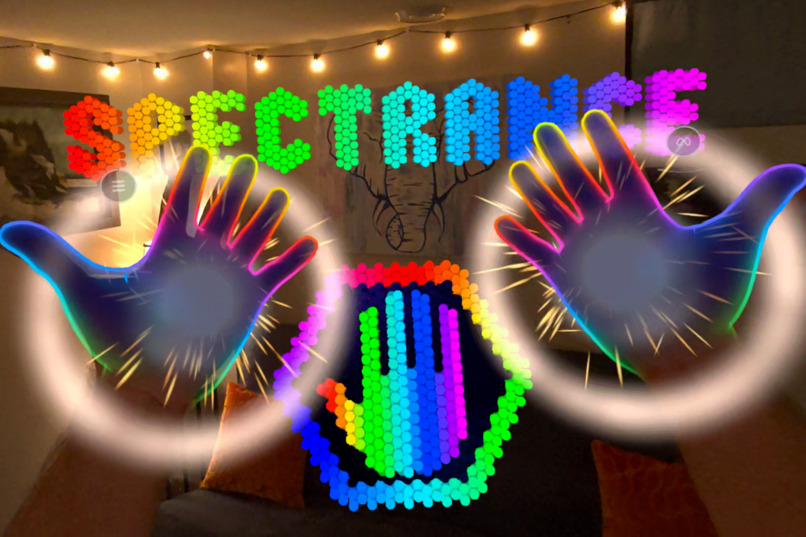
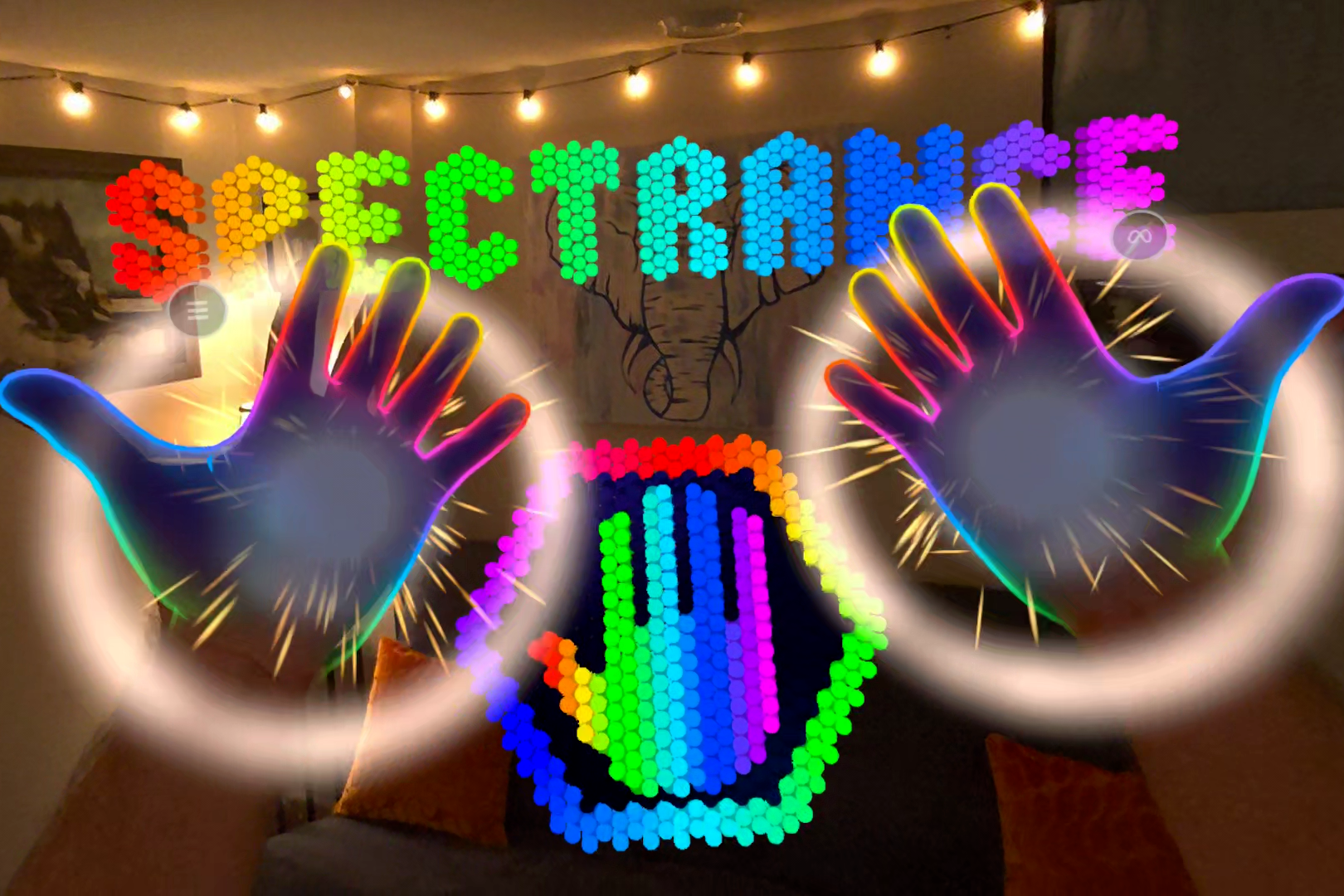
Spectrance title screen
-
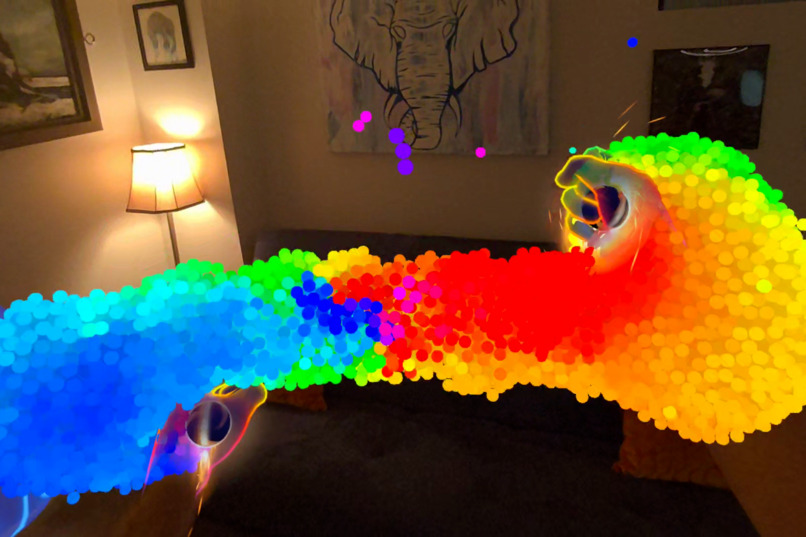
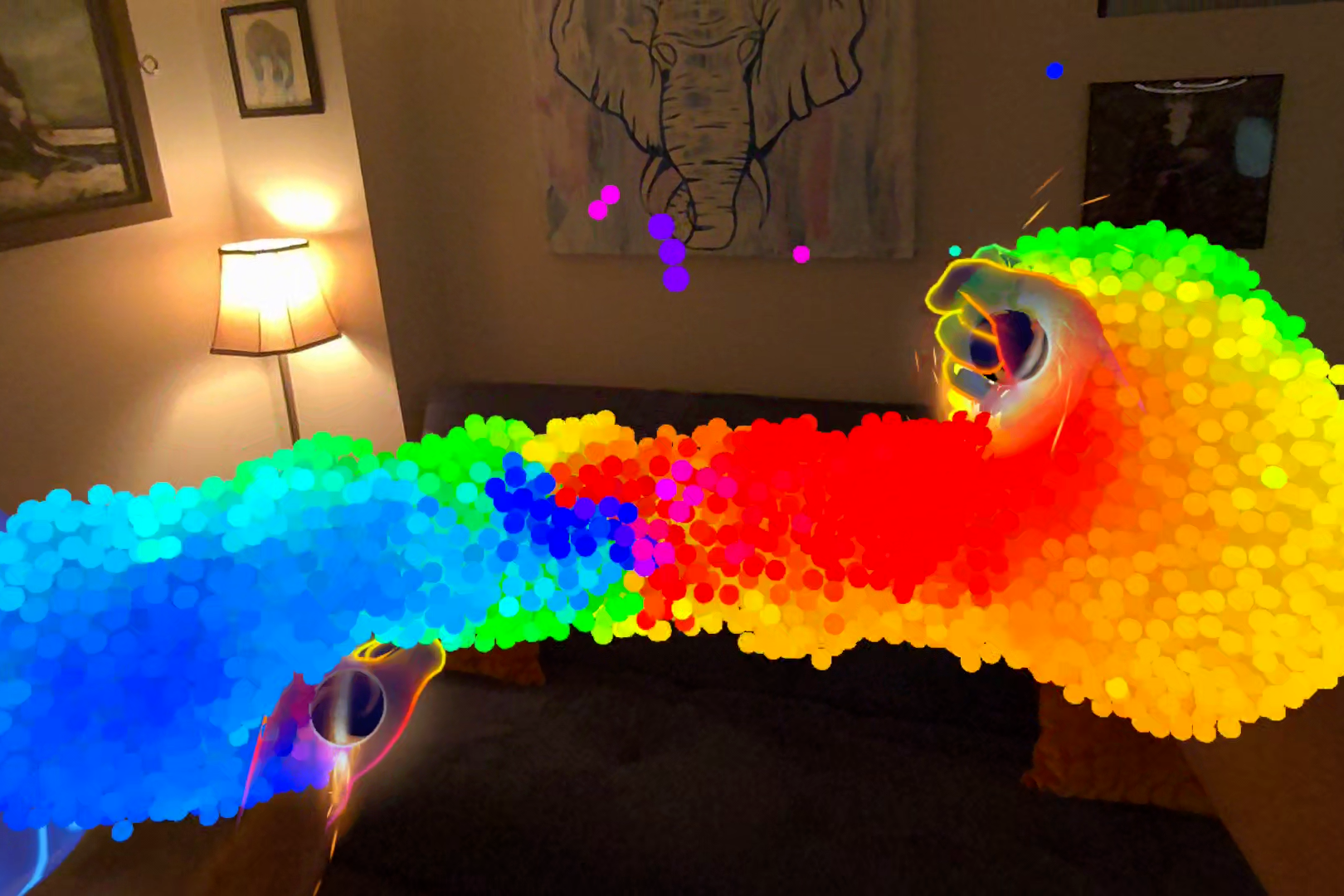
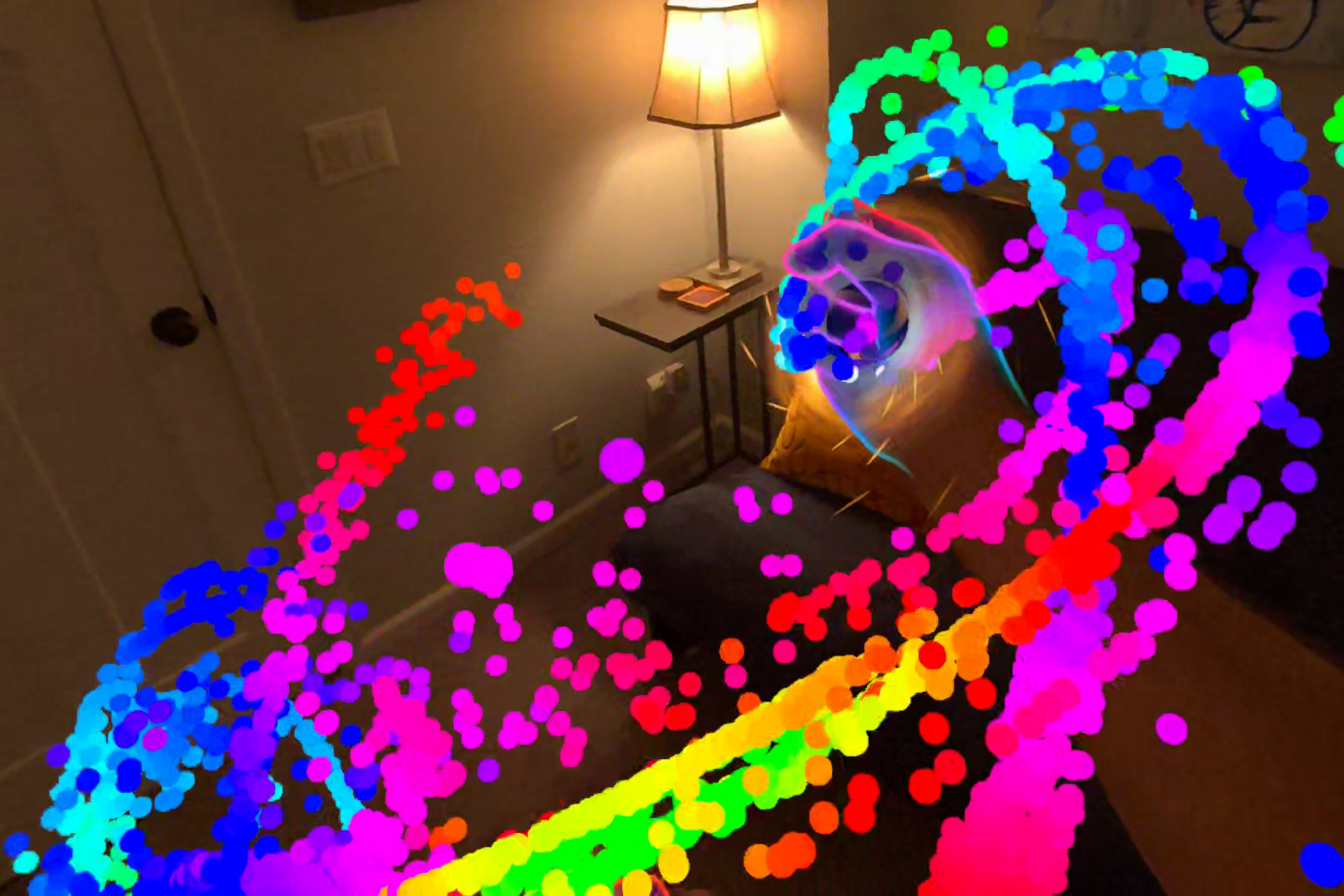
Attracting particles
-
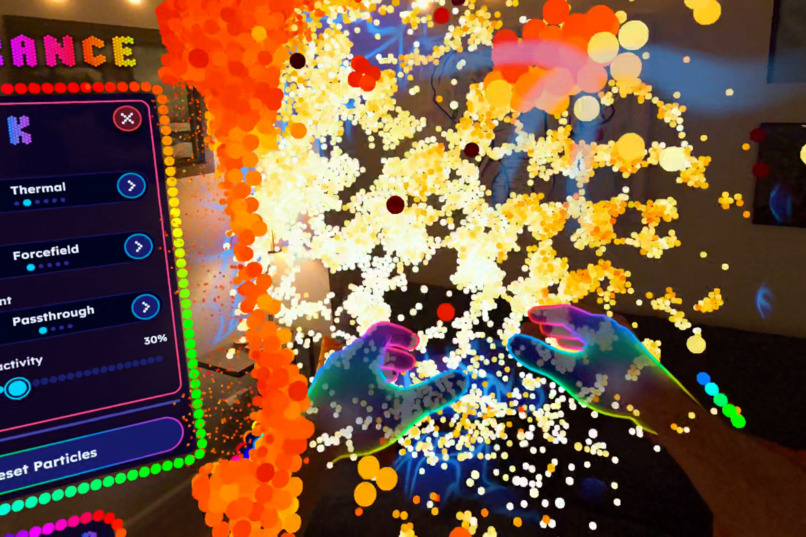
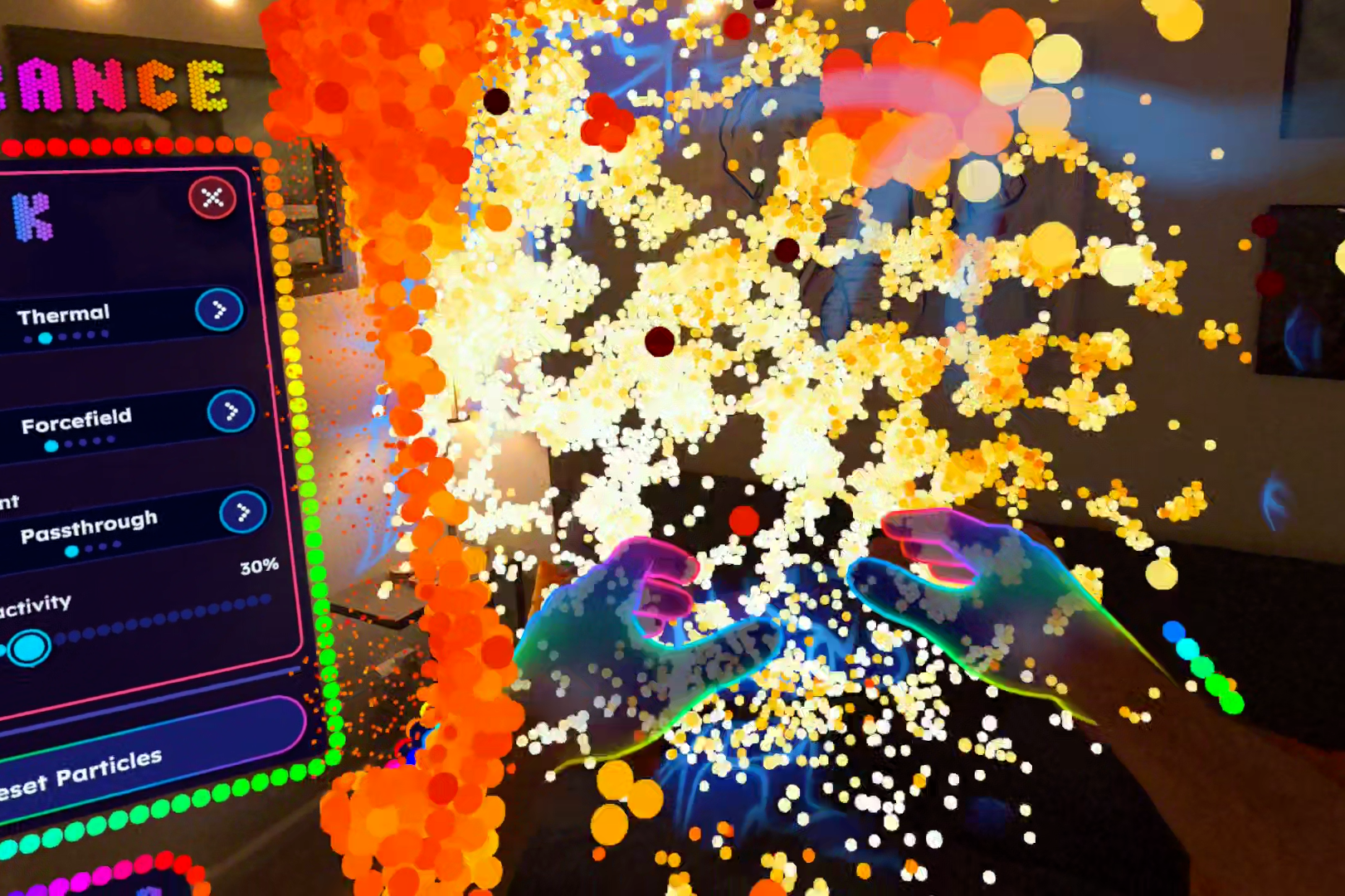
Thermal color mode
-
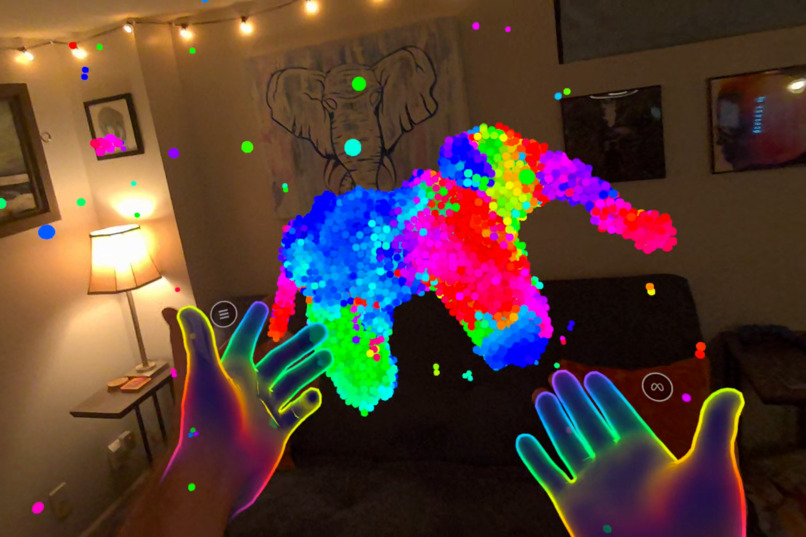
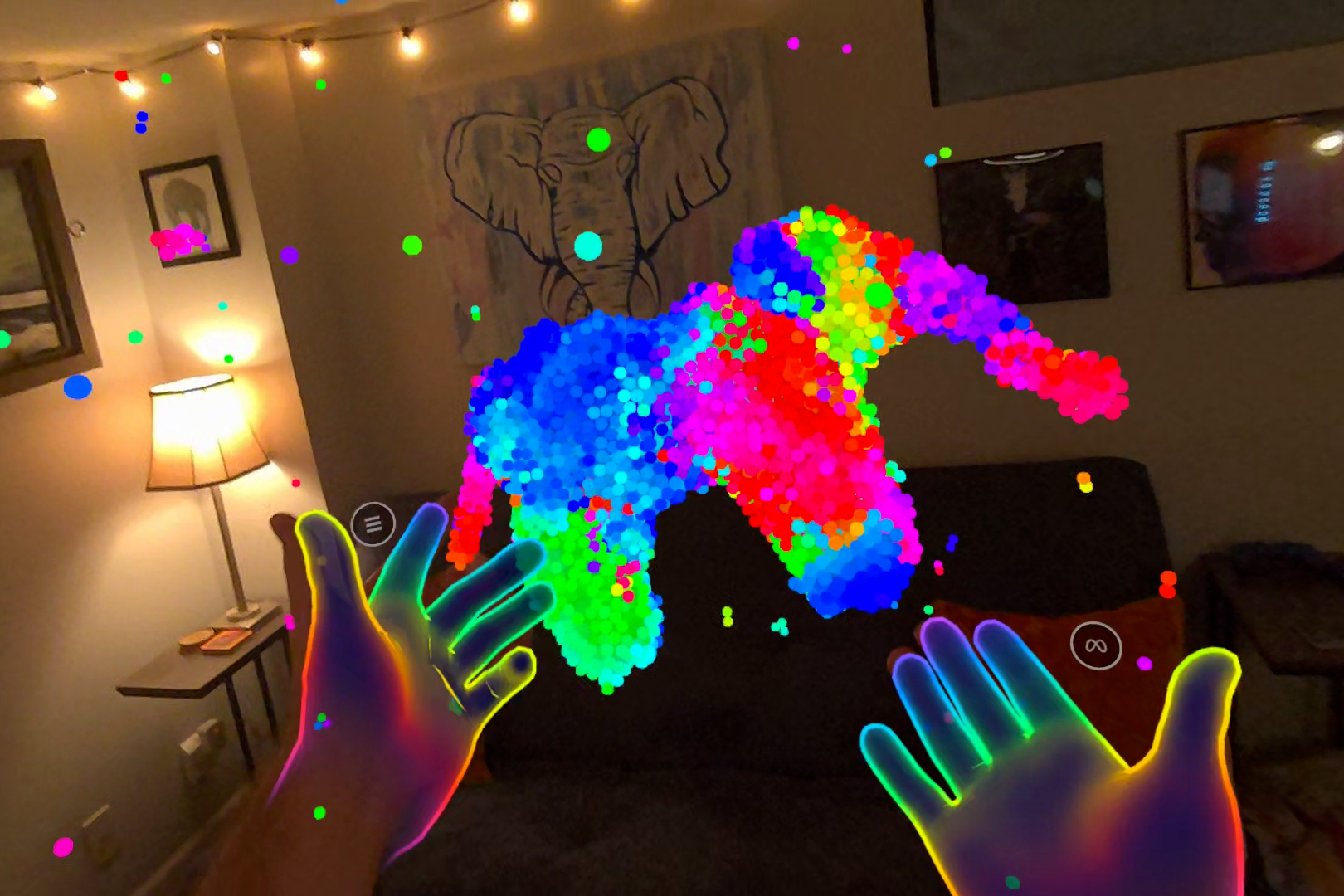
Sculpting an elephant
-
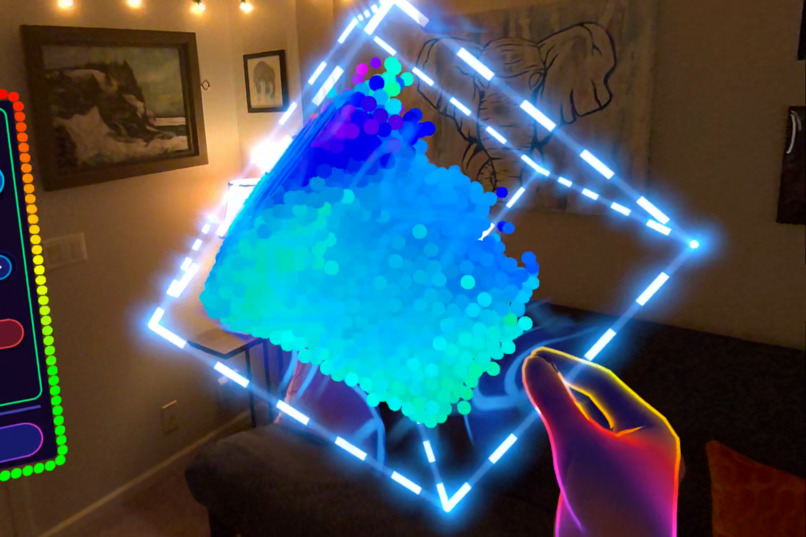
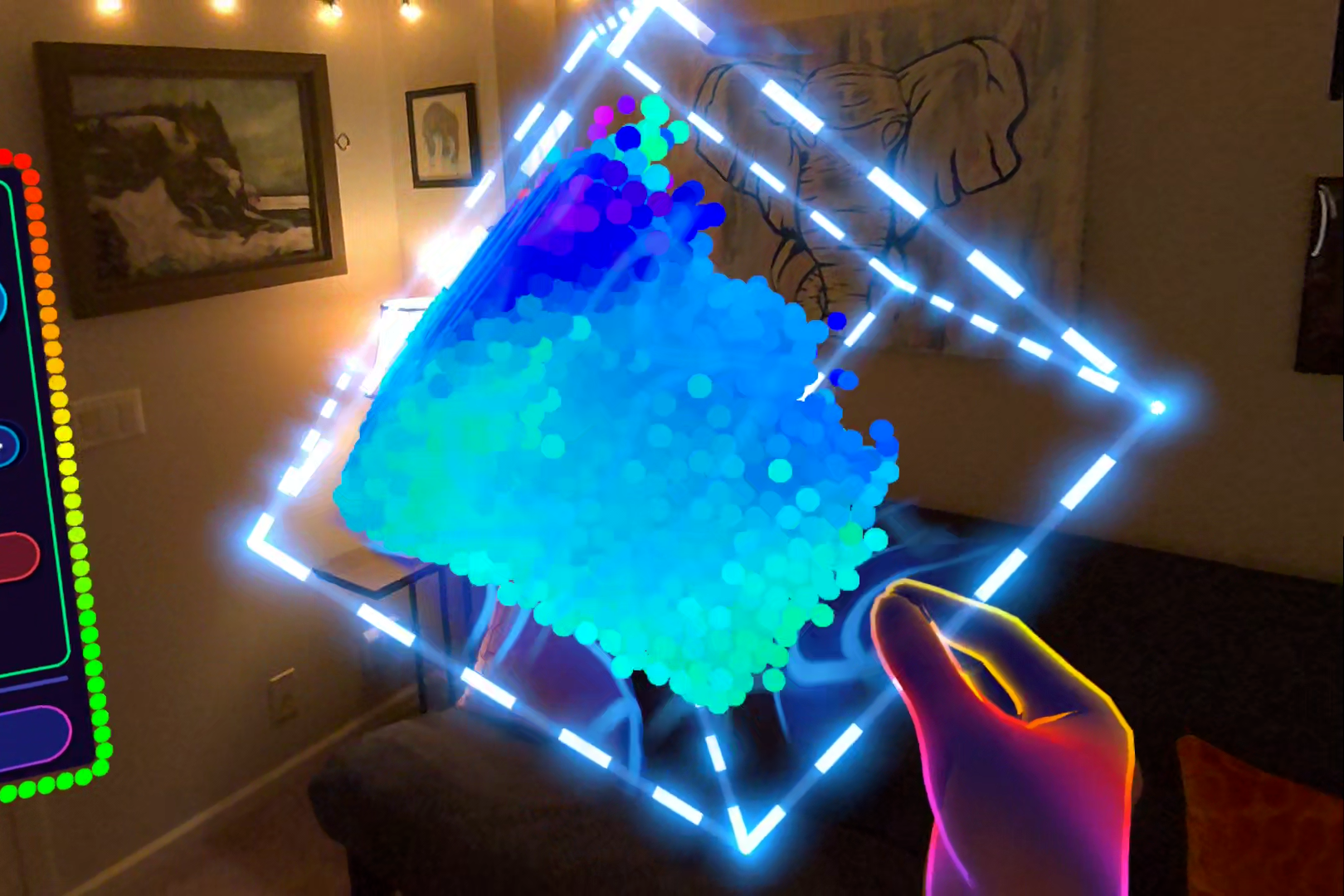
Small box mode
-
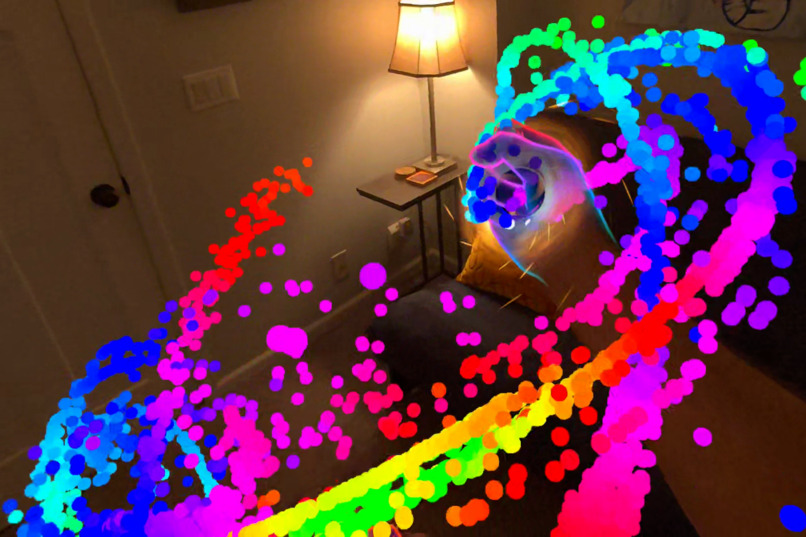
Swirling particles
-
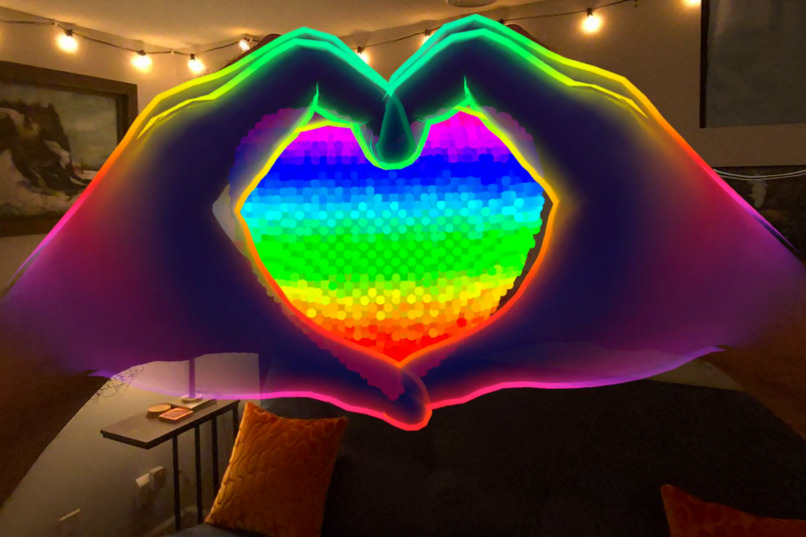
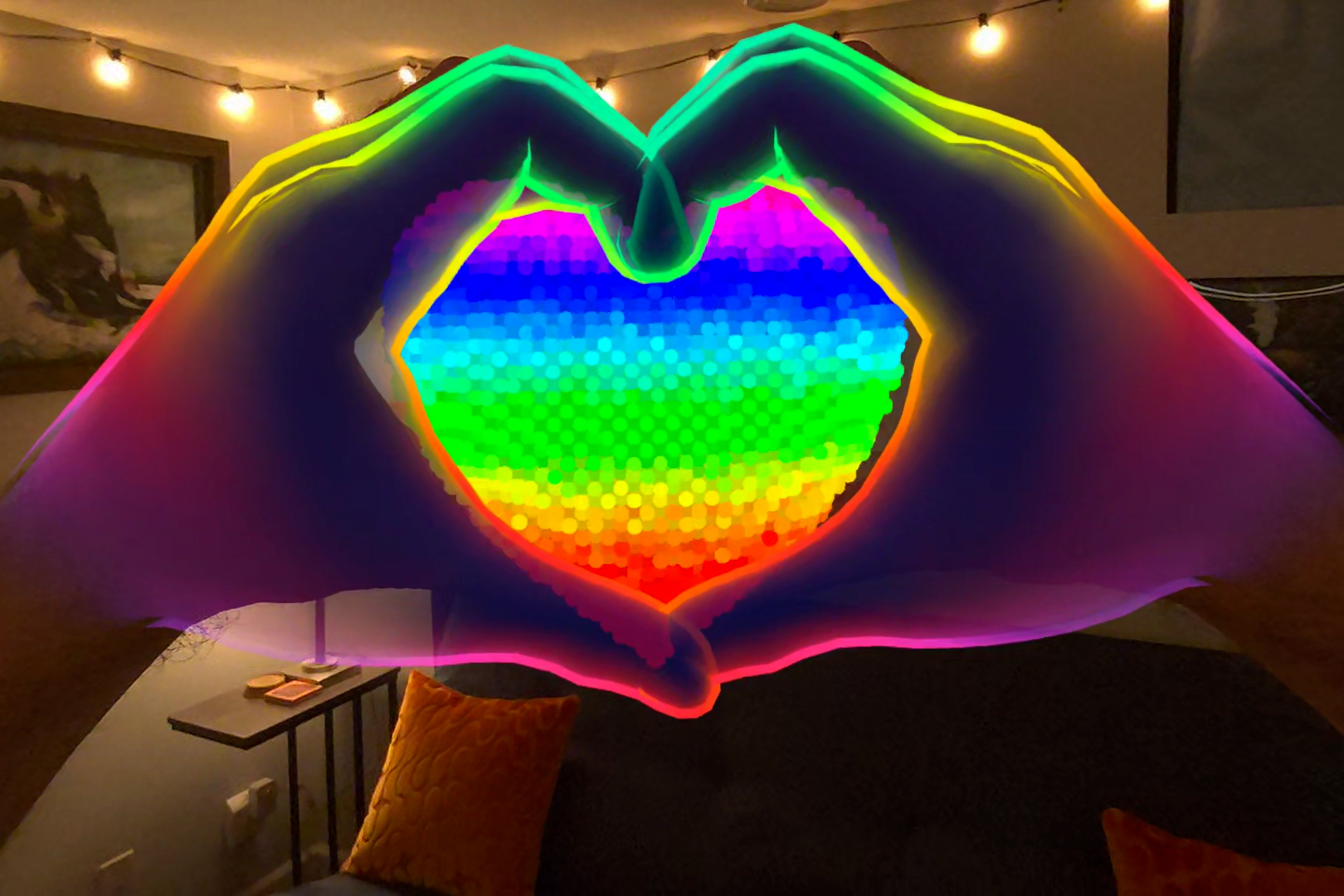
Heart easter egg
✨ Inspiration
Spectrance was born out of a love for the fusion of art and technology, as well as the positive impact that stimulating and creative immersive experiences can have on the body and soul. XR can be a powerful tool for relieving anxiety and promoting emotional regulation. So, using advanced shaders and particle physics, I set out to make something colorful, creative, fun, and most importantly, instantly enjoyed by anyone who tries it - even first-time VR users. UX above all.
I've always been fascinated by particle sandboxes, but too often they look and feel like tech demos. With Spectrance, I inverted the approach. I started with a vision for the user experience and let that shape the design, focusing on natural and intuitive hand interactions. Make a fist to attract particles, open your hand to repel, or shape the particles like midair clay with your hands. The particle simulation tech is the driving force behind it, and it's really cool, but what matters more is that the experience itself feels natural and positive.
🌈 What it does
Physically play with living color using your bare hands! Spectrance is a creative sensory experience where you can attract, repel, and shape thousands of colorful particles floating in midair.
Make a fist to form a black hole and attract particles. Quickly open your hand to repel. Dance or flow with the color spectrum by moving your hands, or just vibe out and relax with music reactivity. Control the physics and psychedelic visuals to customize how the particles look, move, and react. Turn on Sculpt Mode to shape the particles with your hands and create a work of art!
Features:
- Hand tracking, with precise hand physics to interact with thousands of floating particles
- Music Reactivity: The particles pulse to the beat! Includes an amazing soundtrack + the ability to add custom music.
- 6 Color Modes: Flow, Thermal, Speed, Color Cycle, Collision, and Fixed Colors
- 4 Environments: Passthrough (mixed reality), Outer Space, Liminal, and Black Void
- 4 Wall Styles: Forcefield, Grid, Voxels, and Outline
- Sculpt Mode: Create a work of art! Shape the particles with your bare hands, like forming clay but in midair.
- A particle physics sandbox: Customize inter-particle forces, thermal jitter, and more
- Adjust the Box: Grab the particles' container to move and resize it, or even shake it like a snow globe!
- Supports seated or standing play
- Great for introducing people to VR. Put on the headset and it's instant fun with no learning curve!
🛠 How we built it
Spectrance was built using Unity 6.3 with URP, OpenXR, the new Meta v207 SDK, Claude, the Meta VR CLI, Unity CLI, XR Interaction Toolkit, XR Hands, and the Meta XR Simulator. It uses Vulkan, IL2CPP (ARM64), and dynamic foveated rendering. RenderDoc and the OVR Metrics Tool were used to thoroughly optimize it to run smoothly on Quest 2, Quest Pro, Quest 3, and 3S. (And it should be ready for the Meta VR Glasses once they arrive!) The particle simulation uses compute shaders to parallel-process the particle physics on the GPU, allowing thousands of particles to be simulated smoothly on standalone VR hardware.
🤔 Challenges we ran into
- User Experience: The goal was for Spectrance to be instantly intuitive and fun for anyone - even first-time VR users. The app was tested with non-VR users, giving them no instructions, to see how they'd react. UX issues were identified and fixed - for example, several testers naturally preferred to use their middle finger instead of their index finger for the poke interaction, thus the interaction logic was customized to support this.
- Optimization: A particle simulation is computationally expensive, so on standalone/mobile hardware, every fraction of a millisecond of GPU time we could save meant more particles could be rendered and simulated. RenderDoc and the OVR Metrics Tool were used to profile the app and find specific performance wins (like optimizing GPU memory and shaders) without degrading quality whatsoever.
- Particles Getting in the Way: An issue that kept surfacing was particles blocking vision of important UI, like the menu or the tutorial cards. Since transparent rendering couldn't be used due to GPU performance, the solution was to detect all particles between the user's eyes and anything important, and shrink those particles to 15% size (only visually, not physically), meaning the gaps between the particles are large enough to effectively see through and guarantee an unobstructed view of anything important.
✅ Accomplishments that we're proud of
- The Tutorial: I'm really proud of how the tutorial came together. I wanted users to experience Spectrance for themselves the first time they open the app. There is a sense of discovery, surprise, and delight in discovering that you can touch and influence the particles with your hands. So, a delay was added before the tutorial is shown to allow for initial "free play" so that those special moments of discovery aren't ruined by a tutorial prompt. The tutorial consists of unobtrusive "hint cards" shown by a little particle-based butterfly that flutters into your view, drawing your eye towards the tutorial when it's time to pay attention to it. The tutorial is also passive in that it won't interrupt what the user is doing. It simply needs to aid them, and it does that job well.
- The Particle Simulation: 10,976 particles are simulated 180 times per second and rendered at 90 Hz on a Quest 3. That was no small feat. But more importantly, it feels right. The particles respond to your hands instantly and naturally. It doesn't feel like a tech demo - it's a polished, colorful, surreal experience for anyone.
- The UI: The UI needed to fit the particle-based style of Spectrance. A "typical" flat UI didn't contrast well against all the particles, so to make it fit better with the visual style, a custom colorful title font was created, and all the menus are bordered with actual physical particles that animate and even react to your touch in a playful manner. The border particles are also purposeful - they're used to indicate the state of the menu, for example doing special particle animations when grabbing and moving around the menu. A particle-based wrist button was also implemented as an unobtrusive way to quickly and easily open and close the menu when using hand tracking.
🧠 What we learned
- Don't assume it can't be done due to mobile/standalone hardware. Apps based on particle simulation are often assumed to be desktop-only due to processing power limitations. If the right optimization techniques are used, impressive things are possible on standalone hardware!
- Prioritize the user experience because it benefits everything else. Spectrance was tested with people unfamiliar with VR, to see how they'd use it unprompted. UX issues were identified early, which informed design direction. The result was a smoother development experience and an app that is friendly to first-time VR users.
- Lean into the resources available to you. The Meta VR Start program provided excellent resources that were leveraged to improve this app throughout its creation. The playtest workshops were great for getting constructive feedback, and the other presentations were super helpful. For example, the session about tutorials came at the perfect time when I was trying to figure out what made sense for Spectrance.
📈 What's next for Spectrance
- Launch! Spectrance came together so quickly, and it's already well-polished. I'm eager to launch it!
- Meta VR Glasses support. Spectrance was designed as a hands-first experience to work well for the Meta VR Glasses, so I'm excited to add official support when I'm able!
- Saving and sharing sculpted creations. Sculpt Mode is already implemented in the app, but I'd love to create a system similar to Tilt Brush where users can save and share their beautiful sculpted works of art!
- Enhanced capture tools. I'd love to add the LIV Creator Kit tablet to Spectrance so that content creators can more easily share it, or stream it, which will help it grow. It would also help my own marketing.
- Implementing community feedback. I plan to do a beta before launch to gather feedback, and will continue to listen and improve the app after launch.
Thank you so much for checking out Spectrance! 🌈😁✨


