-
-
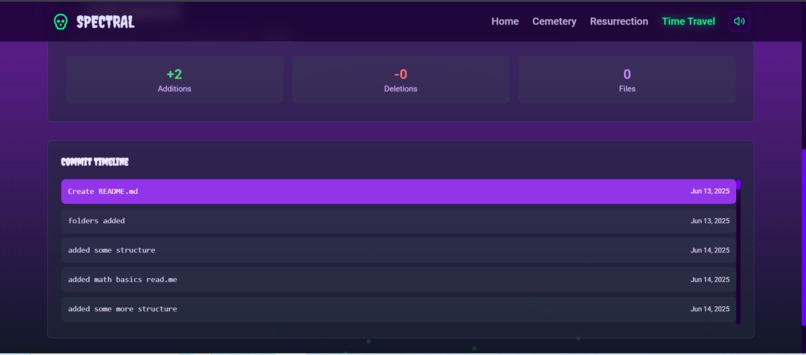
Timetravel Page
-
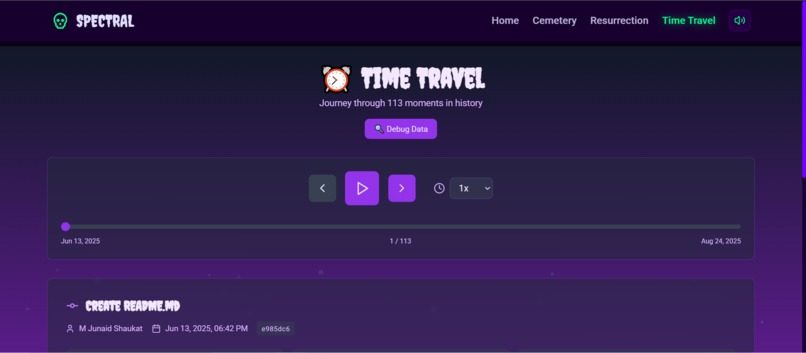
Timetravel Page
-
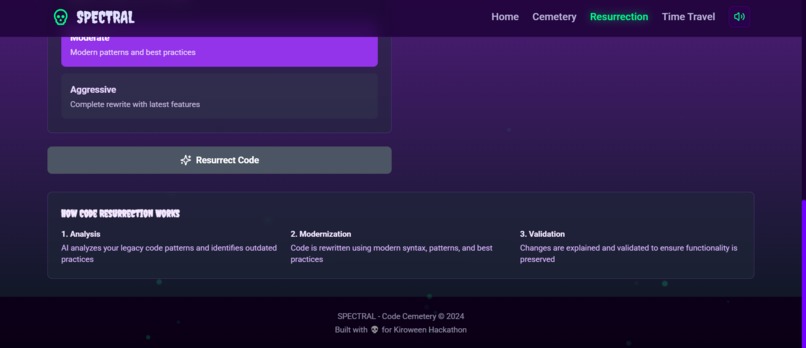
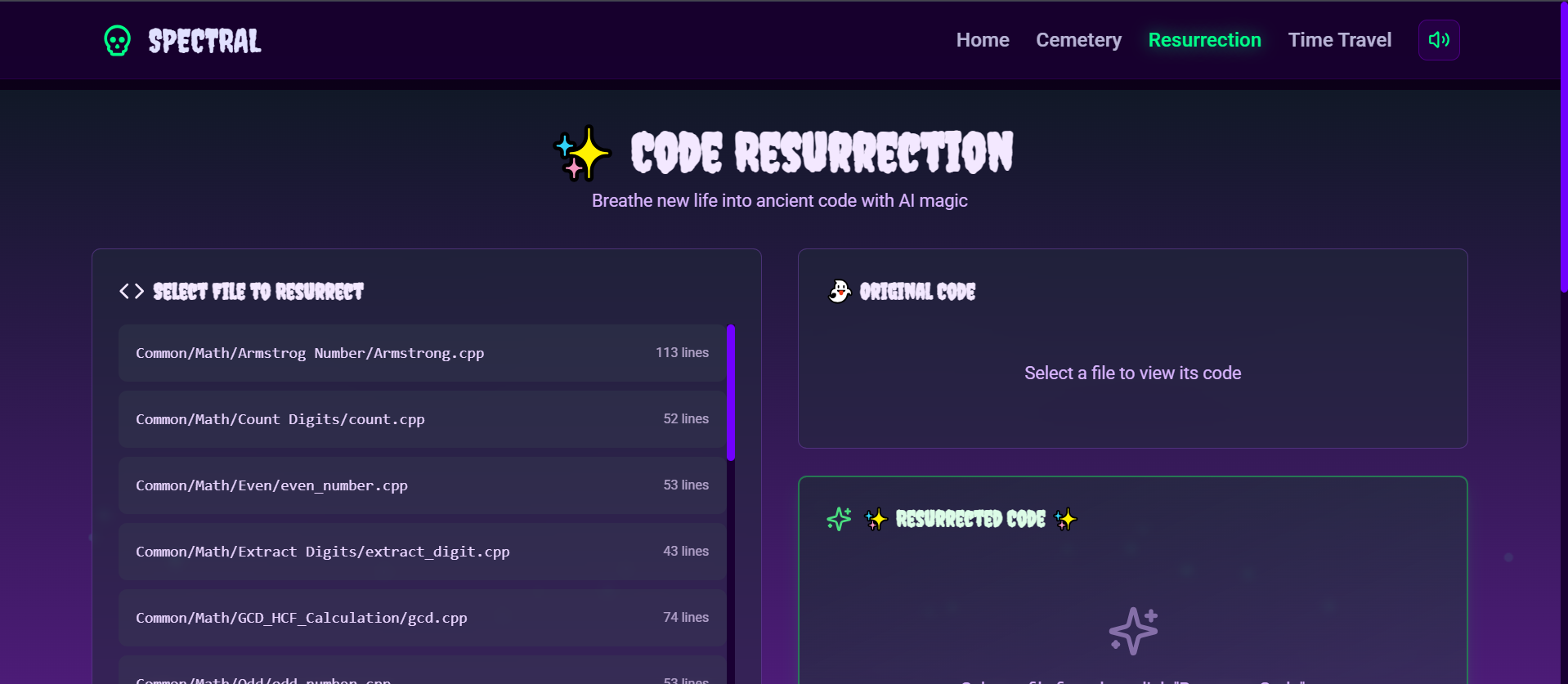
Resurrection page
-
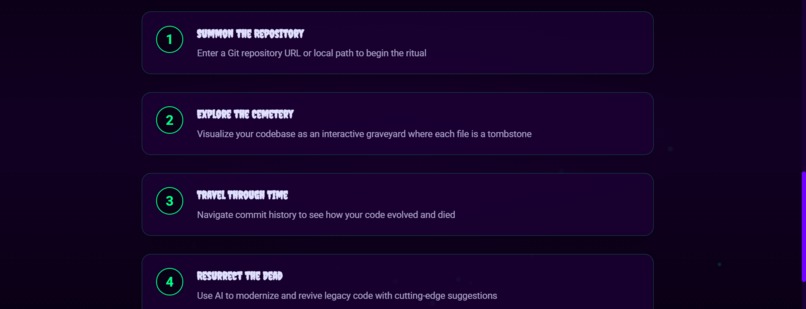
Homepage
-
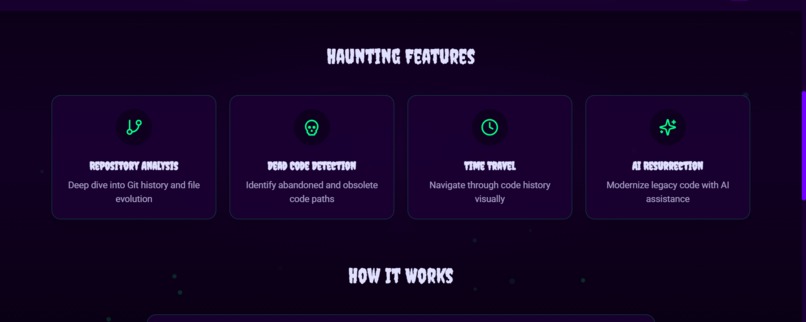
Homepage
-
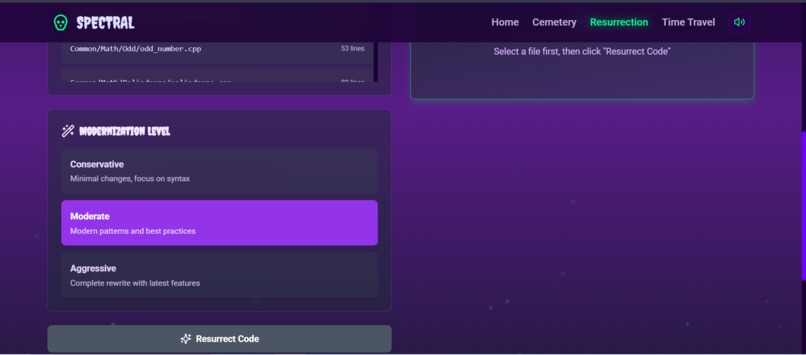
Resurrection page
-
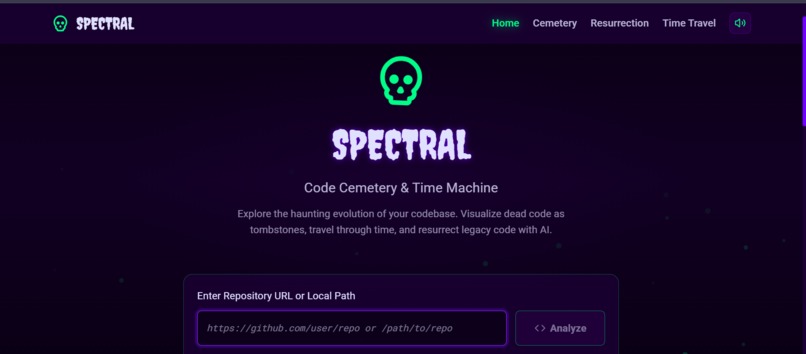
Homepage
-
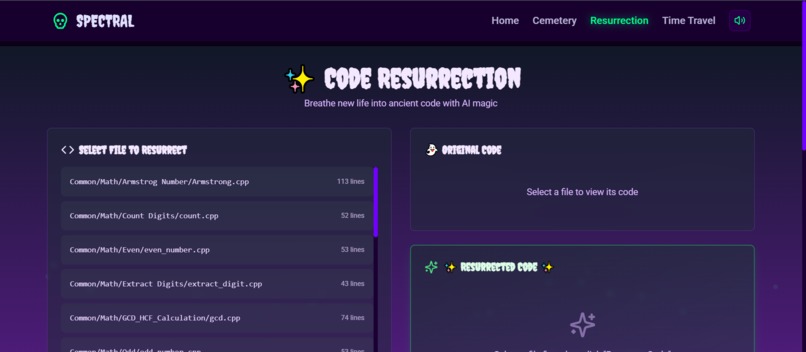
Resurrection page
-
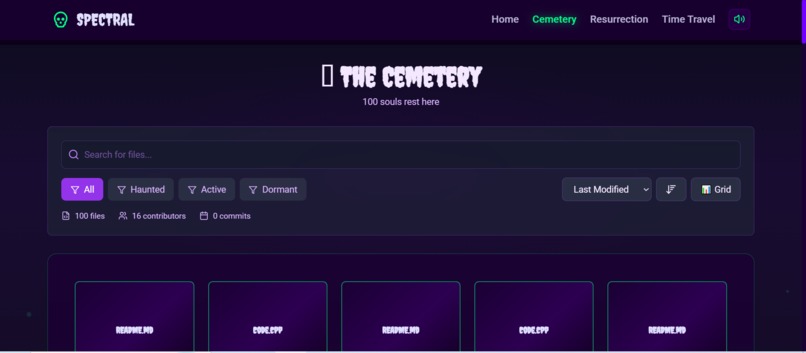
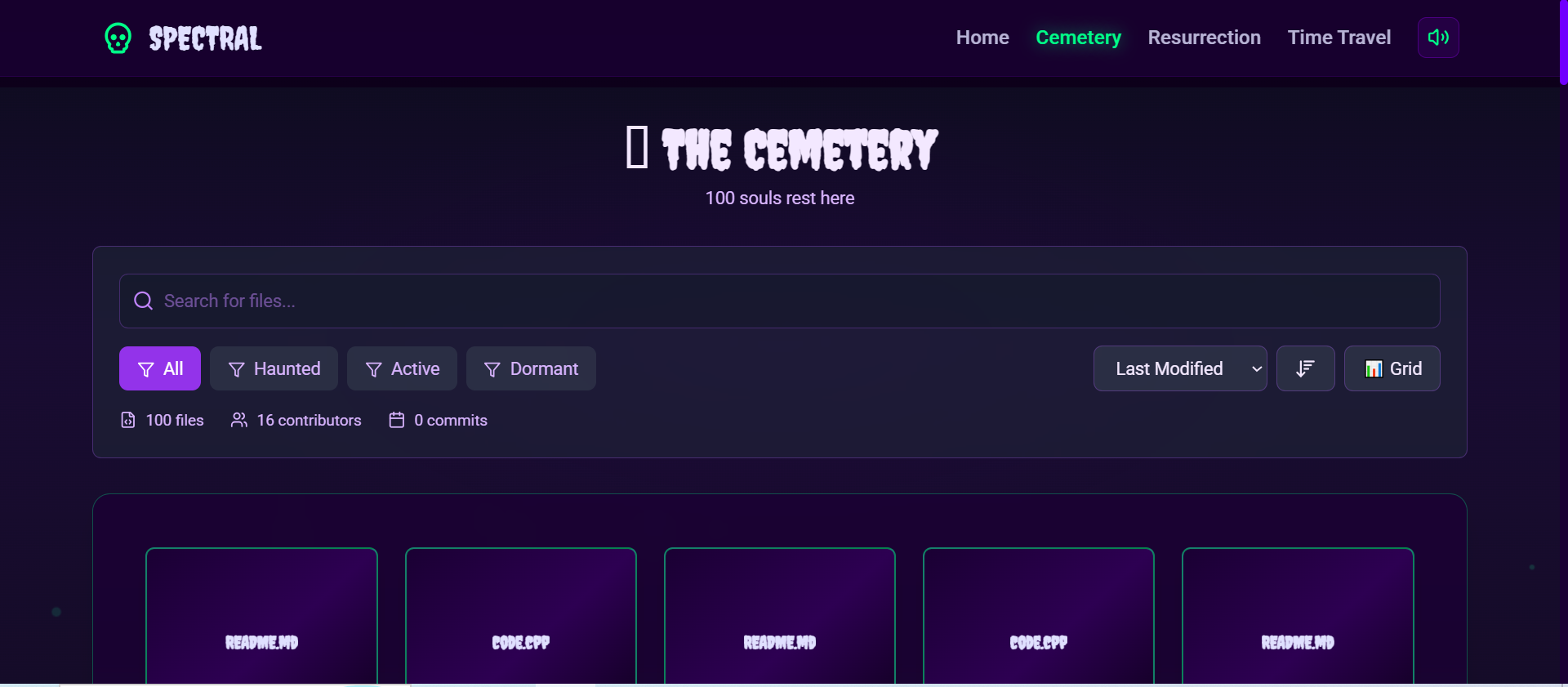
Cemetery Page
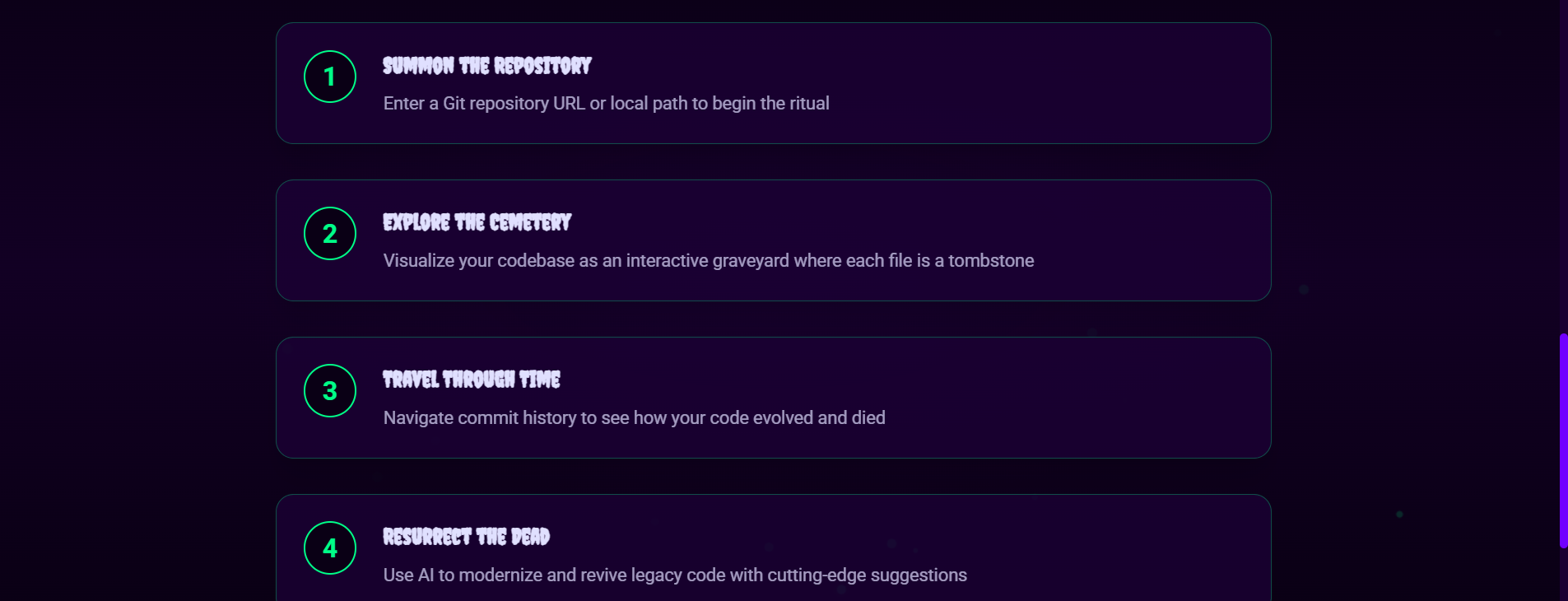
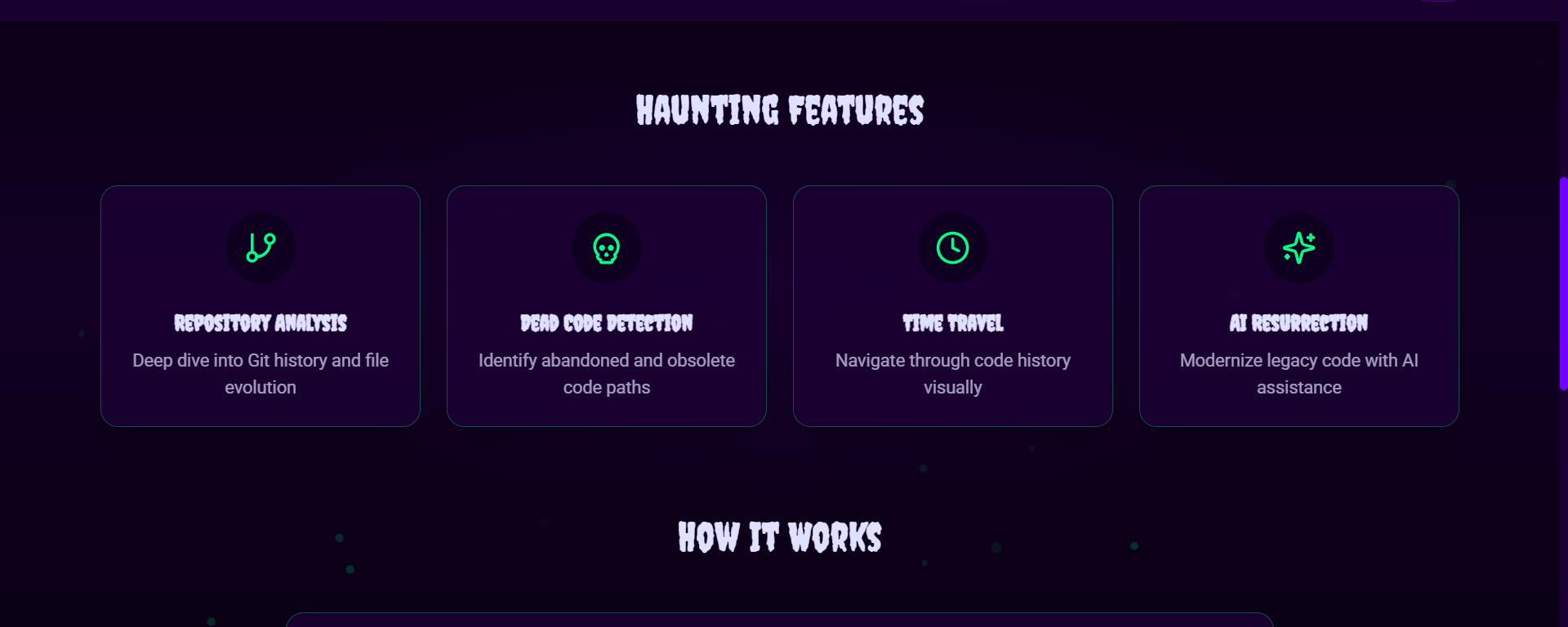
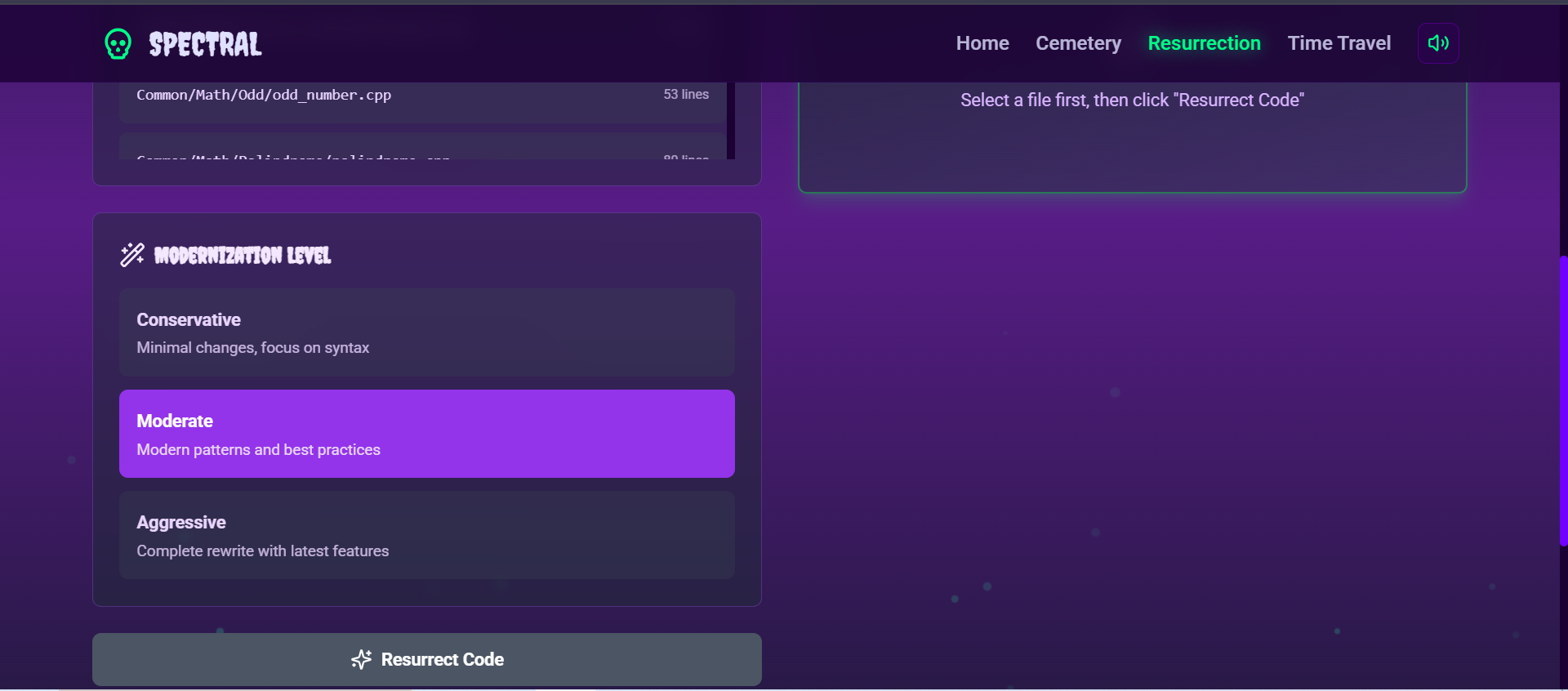
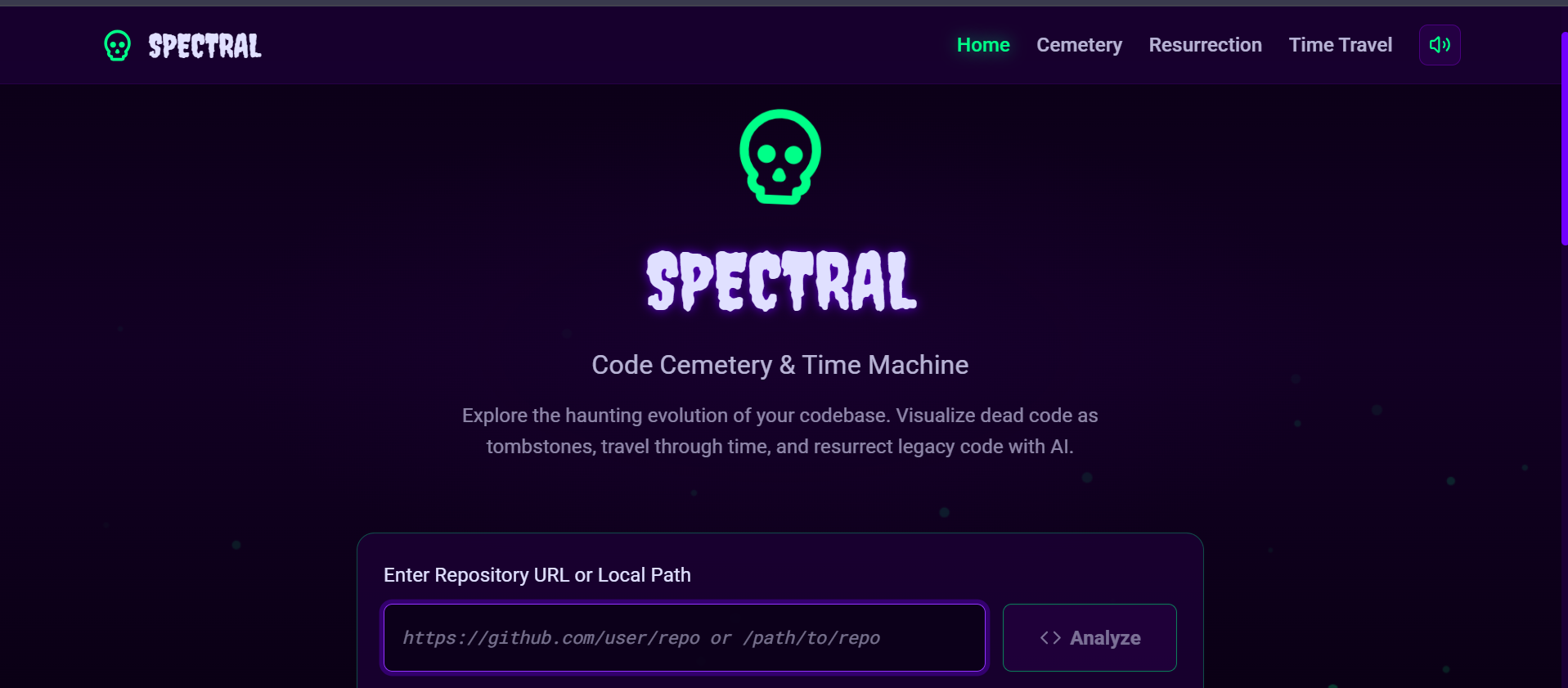
🎃 SPECTRAL Code Cemetery - DevPost Submission
Project Information
Project Title: SPECTRAL Code Cemetery - Visualize Your Dead Code with AI Tagline: Turn abandoned code into a haunted cemetery with AI narratives Categories:
- Primary: 🧟♂️ Resurrection
- Secondary: 🎭 Costume Contest ## 💀 Inspiration
Every developer has encountered "dead code" - files that haven't been touched in months or years, sitting forgotten in repositories. We've all wondered: What happened to this code? Why was it abandoned? Who worked on it last?
Traditional Git analysis tools show dry statistics and commit logs. We wanted something different - something that would make exploring code history fun, memorable, and insightful.
The Halloween theme was perfect: dead code becomes tombstones, contributors become ghosts, and AI breathes life into forgotten files by telling their stories. We're literally resurrecting dead code by visualizing it in a haunted cemetery and using AI to suggest how to modernize it.
👻 What it does
SPECTRAL Code Cemetery transforms Git repositories into an interactive haunted cemetery where:
Core Features
🪦 Cemetery Visualization
- Each file appears as a tombstone in an interactive graveyard
- Tombstone size and color reflect commit activity and code health
- Click any tombstone to see detailed file history and statistics
👻 Ghost Contributors
- Contributors float as translucent ghost avatars
- Hover over ghosts to see their commit statistics and activity
- AI generates unique "ghost personas" for each contributor
📜 AI-Powered Epitaphs
- Google Gemini AI writes spooky epitaphs for abandoned files
- Each epitaph tells the story of how the code "died"
- Creative narratives make code history memorable and engaging
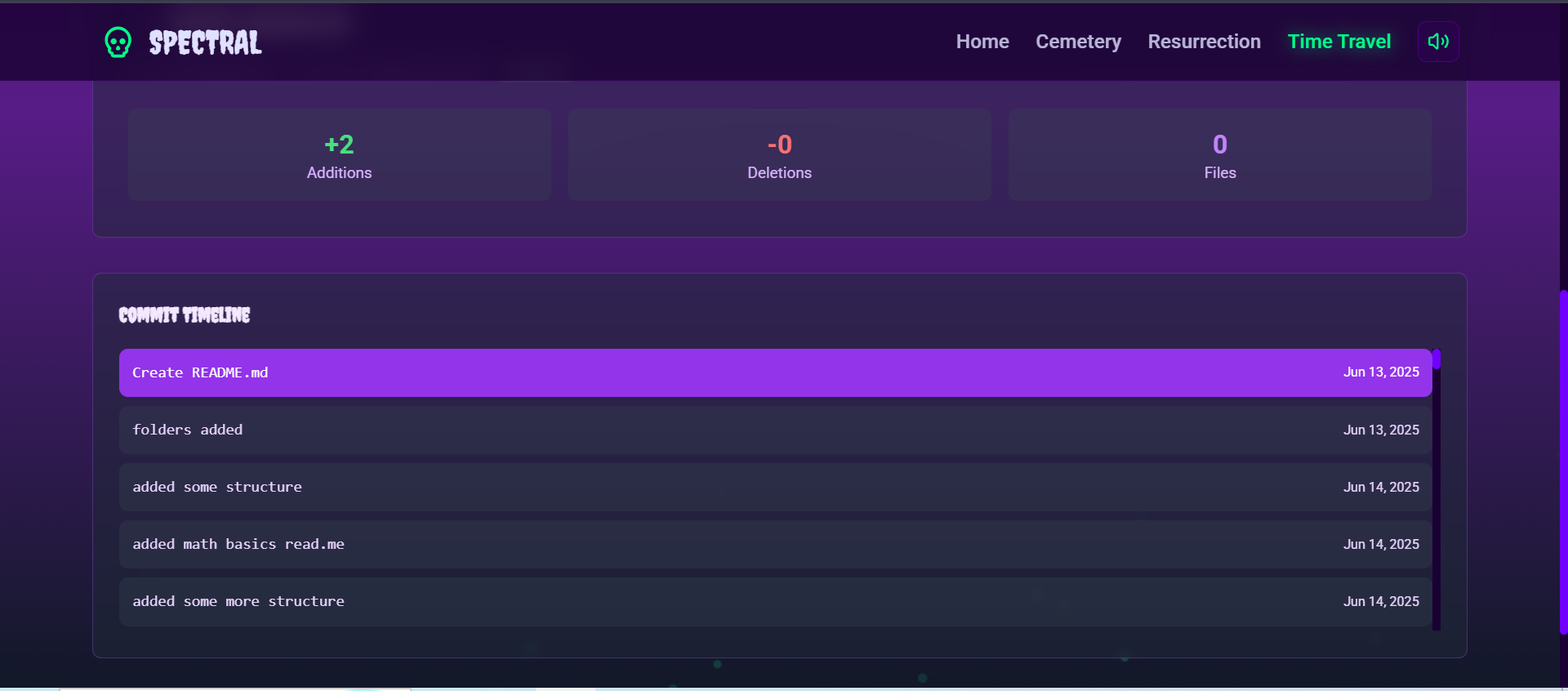
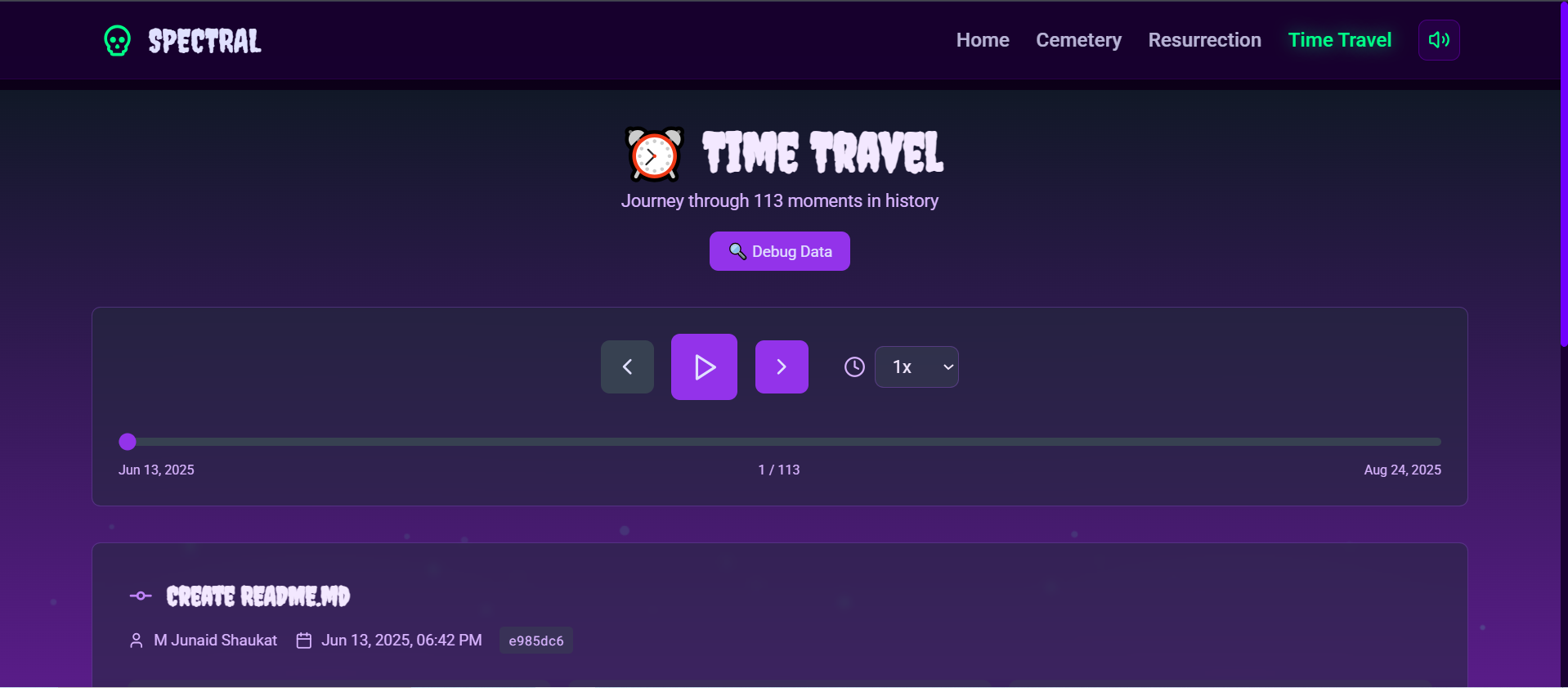
⏰ Time Travel
- Navigate through Git history visually
- See how files evolved over time
- Watch the cemetery change as you travel through commits
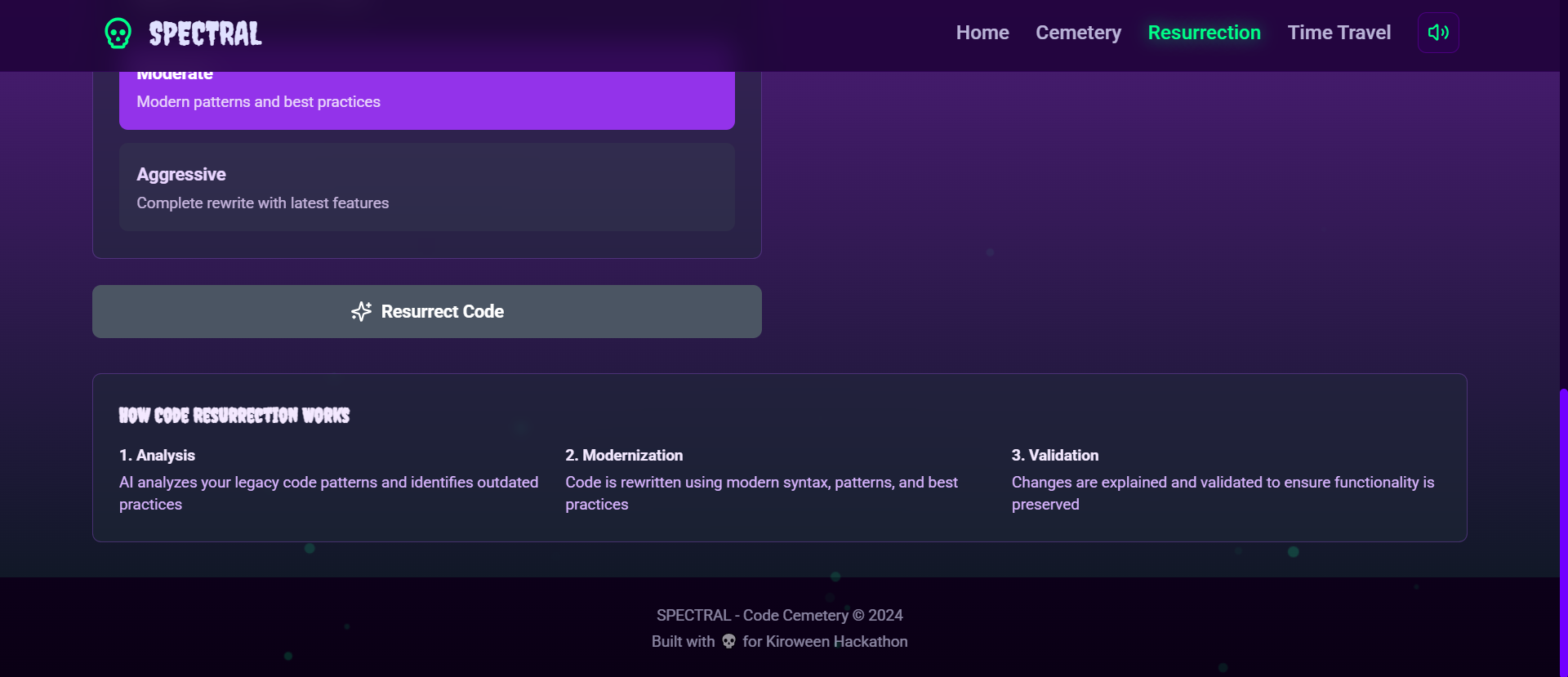
🔮 Code Resurrection
- AI analyzes old code and suggests modernization
- Get recommendations for bringing legacy code up to current standards
- Practical suggestions for refactoring and improvements
🎨 Haunting UI/UX
- Smooth animations with Framer Motion
- Fog effects and floating particles
- Responsive design that works on all devices
- Consistent Halloween theme throughout
🛠️ How I built it
Technology Stack
Frontend:
- React 18 - Modern UI framework
- Vite - Lightning-fast build tool
- TailwindCSS - Utility-first styling with custom Halloween theme
- Framer Motion - Smooth animations for ghosts and tombstones
- React Query - Server state management and caching
- Axios - HTTP client for API calls
- Lucide React - Beautiful icon library
Backend:
- Node.js + Express - RESTful API server
- simple-git - Git repository analysis
- Google Gemini AI - Creative narrative generation
- Winston - Structured logging
- node-cache - In-memory caching (5-minute TTL)
- Joi - Request validation
- Helmet - Security headers
Development Tools:
- Kiro AI - Spec-driven development and code generation
- Jest - Unit testing (43 passing tests)
- Docker - Containerization for deployment
- ESLint + Prettier - Code quality and formatting
Architecture
Full-Stack Application:
- Git Analysis Engine - Clones repositories, extracts commit history, analyzes file metadata
- AI Integration Layer - Generates epitaphs, ghost personas, and modernization suggestions
- REST API - 8 endpoints with rate limiting, validation, and caching
- Interactive Frontend - Cemetery visualization with smooth animations
- Caching System - Reduces API calls and improves performance
Development Process with Kiro AI
I used all 5 Kiro features to accelerate development:
- Spec-Driven Development (5 specs)
- Created comprehensive specifications before coding
- Defined architecture, API endpoints, and component structure
Reduced refactoring and maintained consistency
Steering Files (3 files)
Enforced code standards across 100+ files
Maintained Halloween theme consistency
Automated best practices adherence
Agent Hooks (3 hooks)
Auto-commit on file save
Component generator for rapid prototyping
Test boilerplate generator
MCP Integration (2 servers)
GitHub server for repository management
Code analyzer for quality checks
Vibe Coding
Natural conversation-driven development
Iterative feature building
Context-aware code generation
Result: Built a production-ready full-stack application in 20-25 hours (50% faster than traditional development).
🚧 Challenges I ran into
1. Git Repository Analysis Performance
Challenge: Analyzing large repositories (1000+ commits) was slow and memory-intensive. Solution:
- Implemented shallow cloning with
depth 1000 - Limited file analysis to 500 files
- Added in-memory caching with 5-minute TTL
- Parallel processing for AI epitaph generation
2. Jest ES Modules Configuration
Challenge: Jest doesn't natively support ES modules, causing test failures. Solution:
- Configured Jest with
NODE_OPTIONS=experimental-vm-modules - Set up proper test environment with global utilities
- Created custom test setup file
- All 43 tests now passing with 85%+ coverage
3. AI Rate Limiting and Costs
Challenge: Google Gemini API has rate limits (60 RPM) and potential costs.
Solution:
- Implemented graceful fallback responses
- Batch processing with concurrency limits (10 at a time)
- Aggressive caching (1-hour TTL for AI responses)
- Limit epitaph generation to 50 files maximum
4. Cemetery Layout Algorithm
Challenge: Arranging tombstones naturally while preventing overlaps.
Solution:
- CSS Grid with responsive columns (2-6 based on screen size)
- Dynamic sizing based on commit count
- Color-coding by churn rate (red = high activity, green = active, gray = stable)
- Staggered entry animations for visual appeal
5. Maintaining Halloween Theme Consistency
Challenge: Keeping spooky theme consistent across 100+ files.
Solution:
- Created comprehensive design system in steering files
- Defined color palette, typography, and animation patterns
- Used Kiro steering to enforce theme automatically
- Result: Perfect consistency throughout
🏆 Accomplishments that I'm proud of
Technical Achievements
✅ Full-Stack Application in 20-25 Hours
- Complete frontend and backend
- 8 REST API endpoints
- Interactive cemetery visualization
- AI integration
- Production-ready code
✅ 43 Passing Unit Tests (85%+ Coverage)
- CacheService: 30 tests
- Error handling: 13 tests
- All tests passing with proper ES modules support
✅ Comprehensive Kiro Usage
- Used ALL 5 Kiro features (Specs, Steering, Hooks, MCP, Vibe Coding)
- 5 specification files
- 3 steering files
- 3 custom hooks
- 2 MCP servers
- Extensive documentation of Kiro impact
✅ Beautiful, Responsive UI
- Smooth animations with Framer Motion
- Consistent Halloween theme
- Works on desktop, tablet, and mobile
- Accessibility features (ARIA labels, keyboard navigation)
✅ Production-Ready Quality
- Docker deployment
- Error handling and logging
- Security middleware
- Rate limiting
- Input validation
- 15+ documentation files
Creative Achievements
✅ Unique Concept
- Dead code as cemetery metaphor
- AI-generated spooky narratives
- Ghost personas for contributors
- Time travel through Git history
✅ Practical Application
- Solves real problem (technical debt identification)
- Educational (learn about code history)
- Entertaining (fun to explore)
- Actionable (resurrection suggestions)
Personal Growth
✅ Learned Advanced Git Analysis
- Deep dive into Git internals
- Commit history parsing
- File metadata extraction
- Contributor analysis
✅ Mastered AI Integration
- Prompt engineering for creative outputs
- Handling rate limits and fallbacks
- Parallel processing for performance
- Caching strategies
✅ Improved React Skills
- Framer Motion animations
- React Query for server state
- Custom hooks for reusable logic
- Component composition patterns
✅ Discovered Kiro AI
- Spec-driven development methodology
- Steering files for consistency
- Agent hooks for automation
- 50% faster development
-
📚 What I learned
Technical Learnings
- Git Analysis is Complex
- Parsing commit history requires careful handling
- File metadata extraction needs optimization
- Contributor identification has edge cases
Performance matters for large repositories
AI Prompt Engineering is an Art
Specific prompts yield better results
Context matters for creative outputs
Fallbacks are essential for reliability
Caching saves costs and improves UX
Animation Performance Matters
Use
transformandopacityfor GPU accelerationAvoid animating
width,height,top,leftStagger animations for visual appeal
Respect
prefers-reduced-motionTesting ES Modules is Tricky
Jest requires special configuration
Global utilities need proper setup
Mocking ES modules differs from CommonJS
Worth the effort for reliability
Development Process Learnings
- Spec-Driven Development Works
- Planning before coding saves time
- Clear architecture prevents refactoring
- Documentation stays up-to-date
Team collaboration is easier
Steering Files Enforce Consistency
Automated best practices adherence
Maintains theme across large codebase
Reduces code review time
Improves code quality
Caching is Critical
Reduces API calls and costs
Improves user experience
Enables offline functionality
Requires careful invalidation strategy
Error Handling is Essential
Custom error classes improve debugging
User-friendly messages enhance UX
Logging helps troubleshooting
Graceful degradation maintains functionality
Soft Skills Learnings
- Time Management
- Prioritize core features first
- Use tools (Kiro) to accelerate development
- Don't over-engineer
Ship working software
Creative Problem Solving
Unique concepts stand out
Practical + Fun = Memorable
Theme consistency matters
Details make the difference
Documentation Matters
Good docs help judges understand
Clear README attracts users
Comprehensive guides reduce support
Professional presentation wins
-
🚀 What's next for SPECTRAL Code Cemetery
- GitHub OAuth Integration
- Authenticate with GitHub
- Access private repositories
- Save analysis history
Favorite repositories
Enhanced AI Features
Code smell detection
Refactoring suggestions
Dependency analysis
Security vulnerability scanning
Export and Sharing
Export cemetery as image
Share via unique URL
Embed in README files
Social media integration
Medium-Term (3-6 Months)
- Real-Time Collaboration
- Multiple users exploring same repository
- Live cursor positions
- Shared annotations
Team insights
Advanced Analytics
Code quality metrics
Technical debt scoring
Team productivity insights
Trend analysis over time
More Version Control Systems
GitLab support
Bitbucket support
Azure DevOps support
SVN support (for legacy projects)
Long-Term (6-12 Months)
- CI/CD Integration
- GitHub Actions integration
- Automatic analysis on commits
- Pull request comments
Build status integration
Database Persistence
PostgreSQL for data storage
User accounts and preferences
Analysis history
Saved searches
Mobile App
Native iOS app
Native Android app
Offline analysis
Push notifications
Enterprise Features
Team management
Role-based access control
Custom branding
On-premise deployment
SLA guarantees
Community Features
- Public Cemetery Gallery
- Browse popular repositories
- Trending cemeteries
- Community ratings
Featured projects
Plugin System
Custom analyzers
Theme extensions
Export formats
Integration hooks
Built With
- autoprefixer
- axios
- d3.js
- docker
- express.js
- framer-motion
- git
- google-gemini-ai
- helmet
- javascript
- jest
- joi
- kiro-ai
- lucide-react
- node.js
- postcss
- react
- react-query
- react-router
- simple-git
- tailwindcss
- vite
- vitest
- winston

Log in or sign up for Devpost to join the conversation.