Every team turns specs into tickets by hand — and loses the plot. Someone reads the PRD, copies sentences into Jira, guesses the acceptance criteria, and creates a story that already exists. Three sprints later nobody remembers why a ticket exists: the link back to the decision is gone.
SpecTrace is a Rovo agent for Jira, built with Atlassian Forge, that turns a product spec into a backlog you can trust — and makes every ticket remember where it came from.
What it does
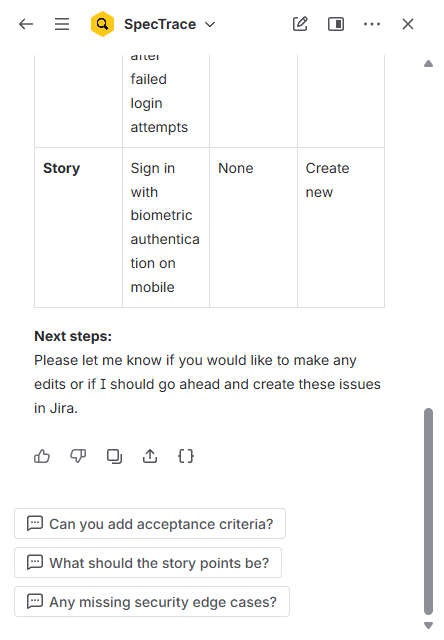
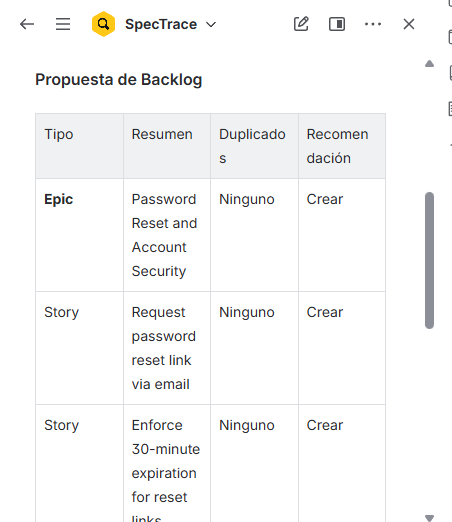
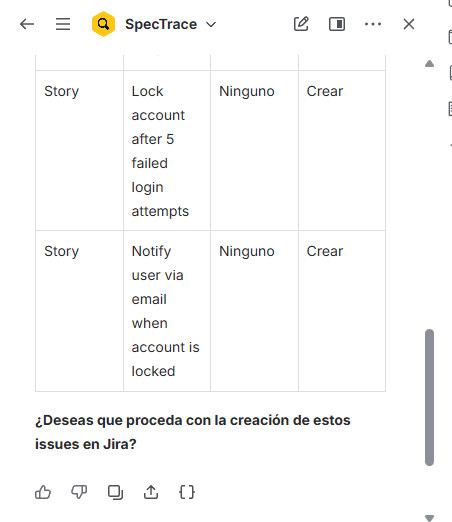
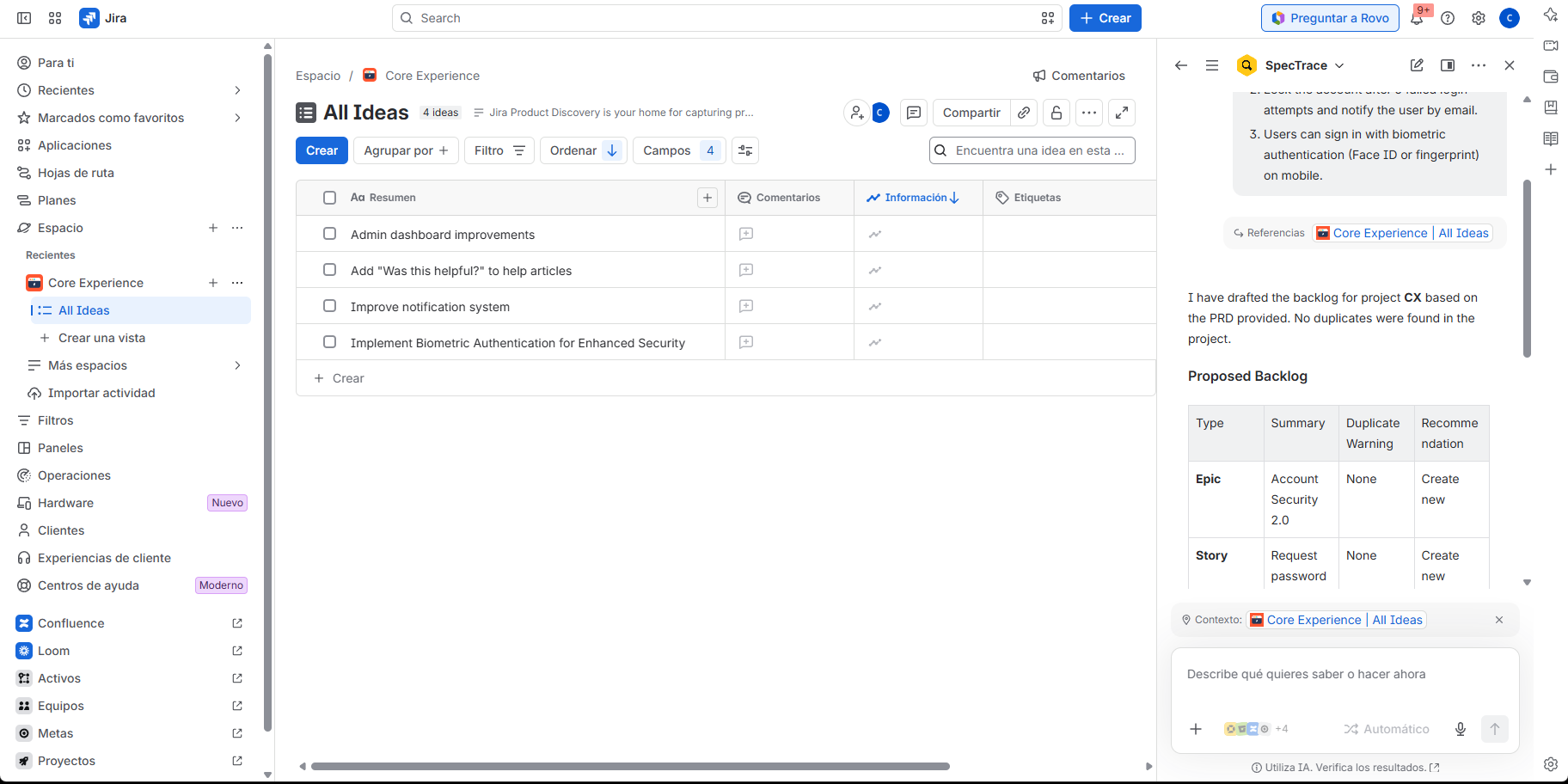
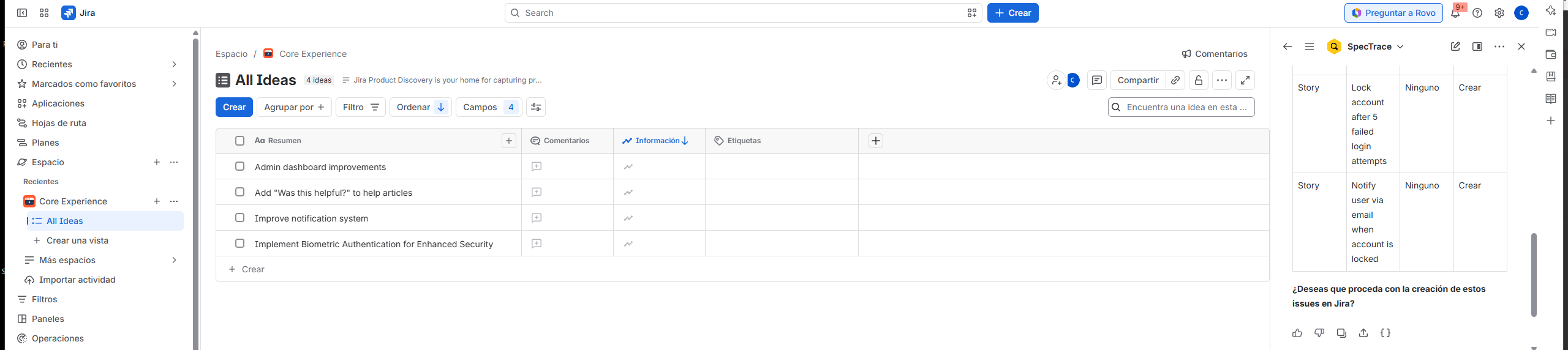
Ask the SpecTrace agent in Rovo chat: "Turn this PRD into a backlog for project PAY." You get:
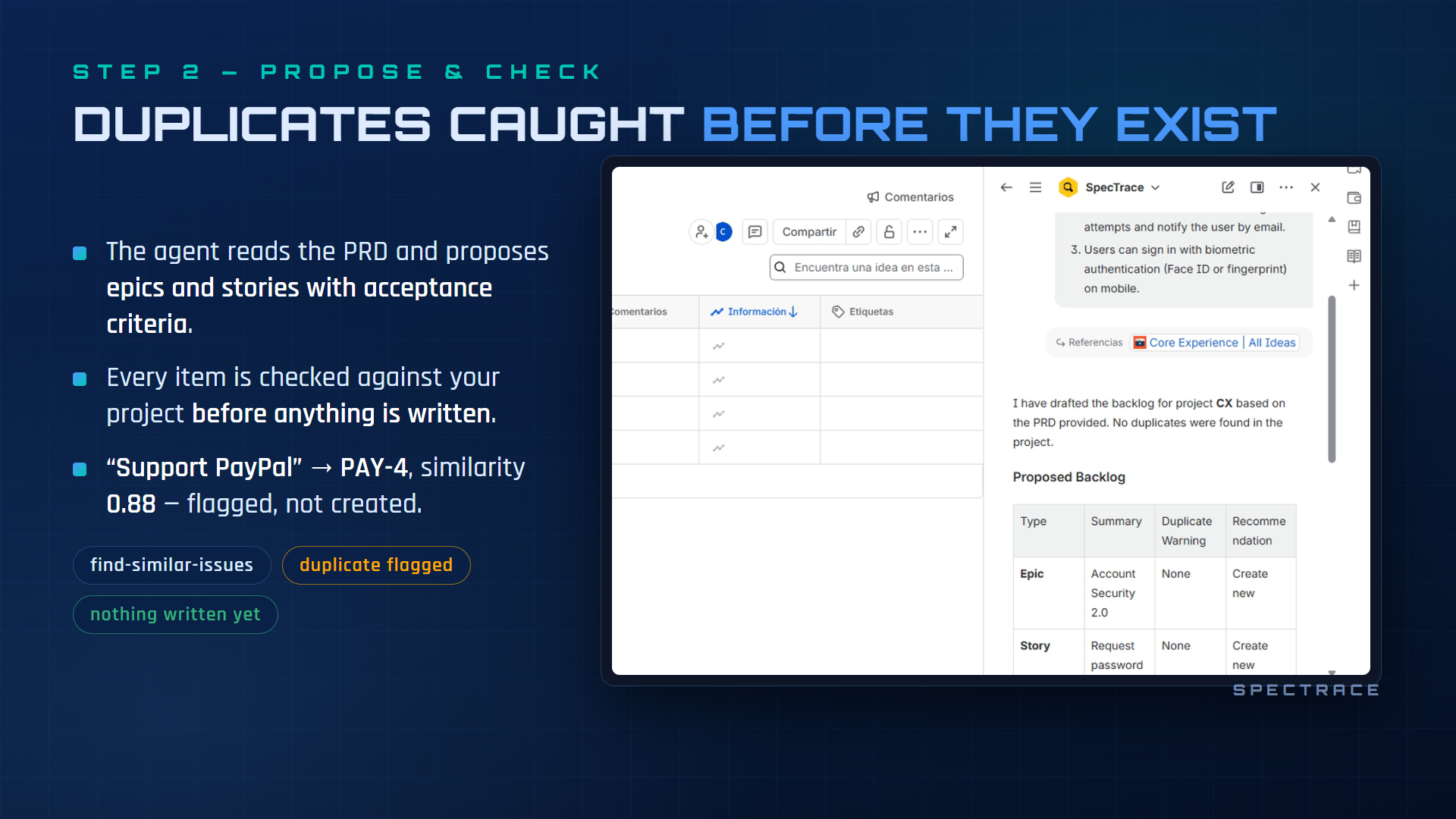
- A proposed backlog — epics and user stories with acceptance criteria, each carrying the exact sentence of the spec it came from.
- Duplicate warnings — every draft item is checked against the existing backlog (JQL text search + similarity score); likely duplicates are flagged and linked instead of created.
- A hard confirmation gate — nothing is written until you say yes, and the gate is enforced in code, not just in the prompt.
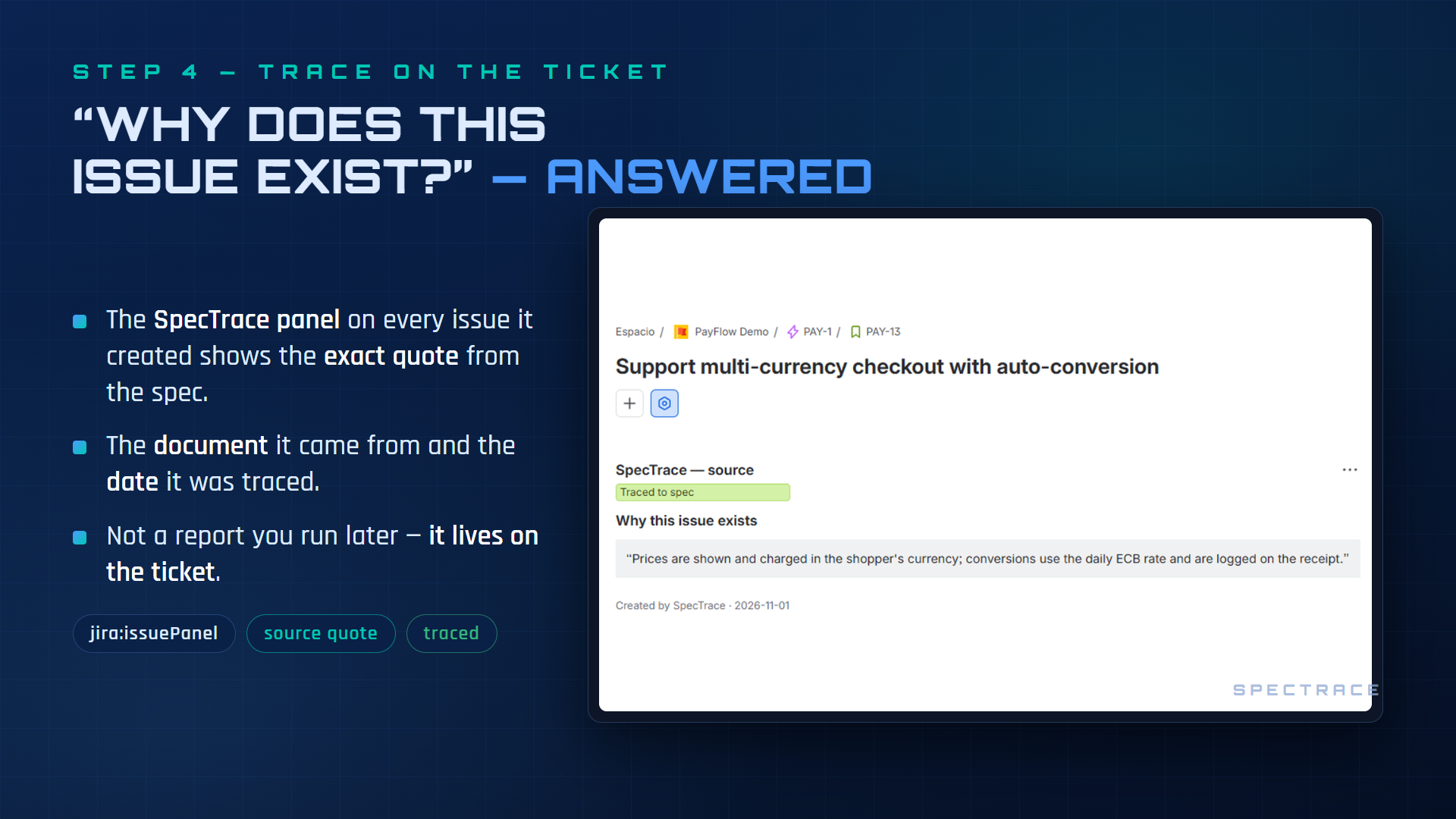
- A trace panel — every issue created by SpecTrace shows a "Why this issue exists" panel with the source paragraph and a link back to the document.
The same four actions are also exposed as a remote MCP server (rovo:mcp),
so Claude Code, Cursor or any MCP client can drive the same workflow with your
own permissions.
How we built it (Forge only)
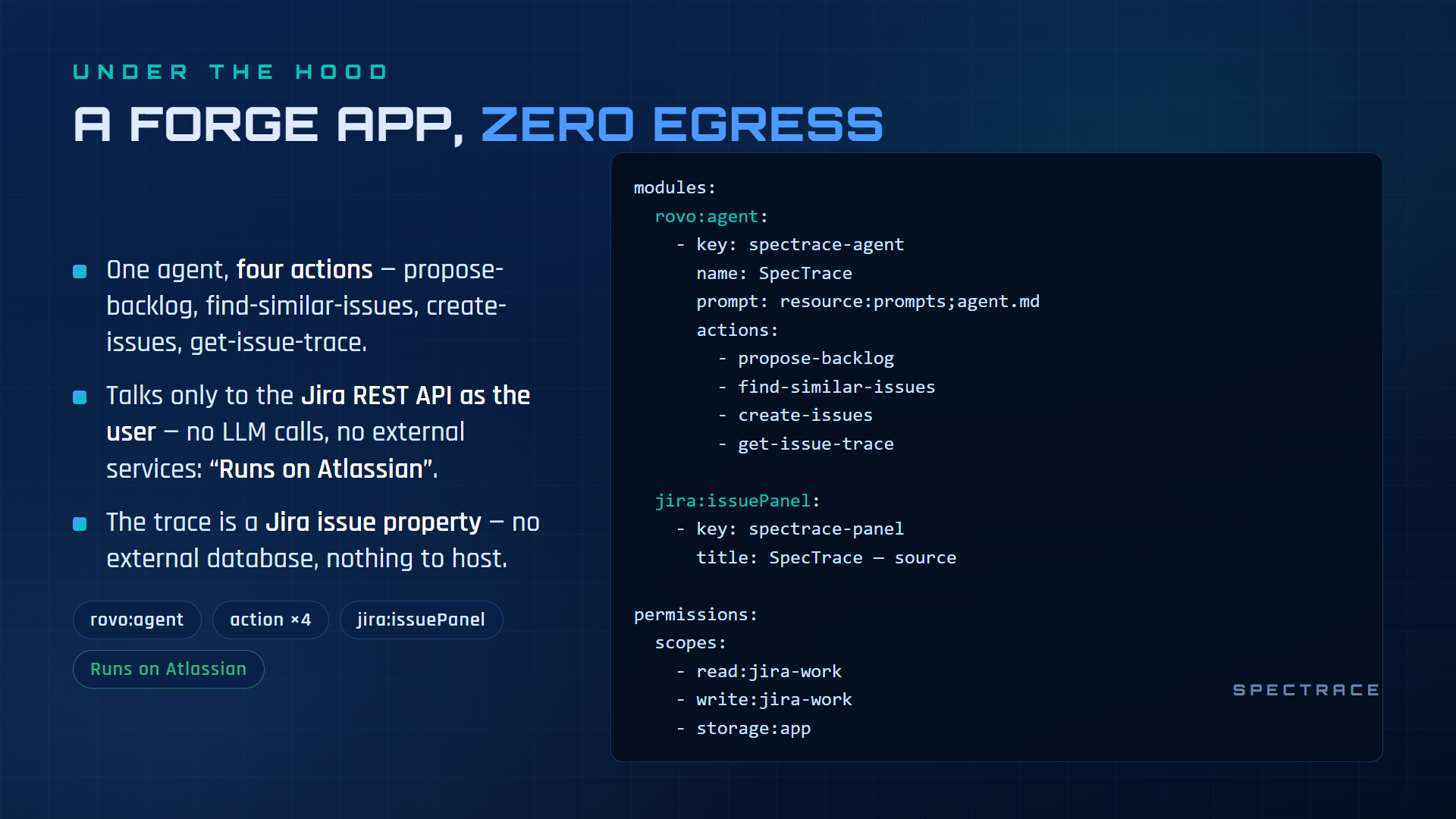
| Module | Purpose |
|---|---|
rovo:agent |
the SpecTrace agent (prompt in prompts/agent.md) |
action ×4 |
propose-backlog · find-similar-issues · create-issues (CREATE, confirmation-gated) · get-issue-trace |
rovo:mcp |
all 4 actions as tools on Atlassian's remote MCP server |
jira:issuePanel (UI Kit) |
the trace panel |
- Runs on Atlassian: zero egress, no external servers, no third-party AI keys. Rovo does the reasoning; our actions are deterministic TypeScript.
- Confirmation enforced in three layers: the prompt never creates in the
proposal turn;
create-issuesrequiresconfirmed: trueor it errors out without touching Jira; and a duplicate safety net re-checks every item right before creation (similarity ≥ 0.8 → held back unless explicitly overridden per item). - Runs as the user (
asUser): the agent never sees more than you can. - The trace travels with the issue: source quote + link stored as a Jira
issue property (
spectrace.trace), so an issue explains itself forever. - Locale-proof: issue types are resolved by hierarchy level (epic = 1, story = 0), never by name — localized Jira sites work the same.
Challenges we ran into
- Making "wait for confirmation" real. A prompt-only gate can be talked out of, so the gate moved into the action contract itself.
- Jira sites are localized: "Story"/"Epic" names can't be trusted — hierarchy ids can.
- Real specs are huge; the trace lives on the issue (description ADF + issue property), so quotes are capped and the panel truncates gracefully.
Accomplishments
- 27 unit tests + 15 end-to-end checks green against a real Jira site: duplicate detection, epic→story parenting, localized issue types, trace storage, confirmation gate, duplicate safety net.
- The MCP server verified end-to-end from Claude Code (OAuth 2.1 consent, tools listed, propose → confirm → create → trace).
- Production deployment shared via a direct install link, installed and verified through the exact flow a judge will use.
What we learned
An agent that writes to a shared tracker needs its safety to live in code, not in prose. And traceability is what separates an agent that summarizes from one teams can trust: the value isn't the generated tickets — it's being able to answer "why does this exist?" three sprints later.
What's next
Confluence pages as sources (multi-app), batch trace audits of pre-existing backlogs, and smarter duplicate matching (embeddings on top of text similarity).
Note for judges: Rovo
The SpecTrace Rovo agent needs an Atlassian site with Rovo activated (for example a Forge developer or demo site created with forge site provision). On Free sites without Rovo, the Rovo chat does not appear; the SpecTrace issue panel and the MCP endpoint still work. The demo video and the gallery show SpecTrace answering live in Rovo chat on a Forge demo site.
Install SpecTrace (production): https://developer.atlassian.com/atl-connect/install/direct/f8c09ddd-6109-44fe-b2f0-8eadfd994369?signature=b0e6135802dc41f395e0781af5954496
Built With
- atlassian-forge
- jira
- mcp
- node.js
- rovo
- typescript
