-
-
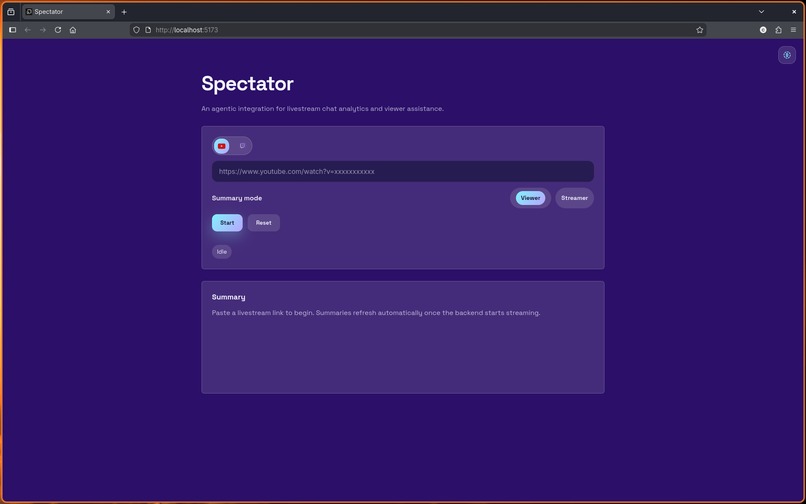
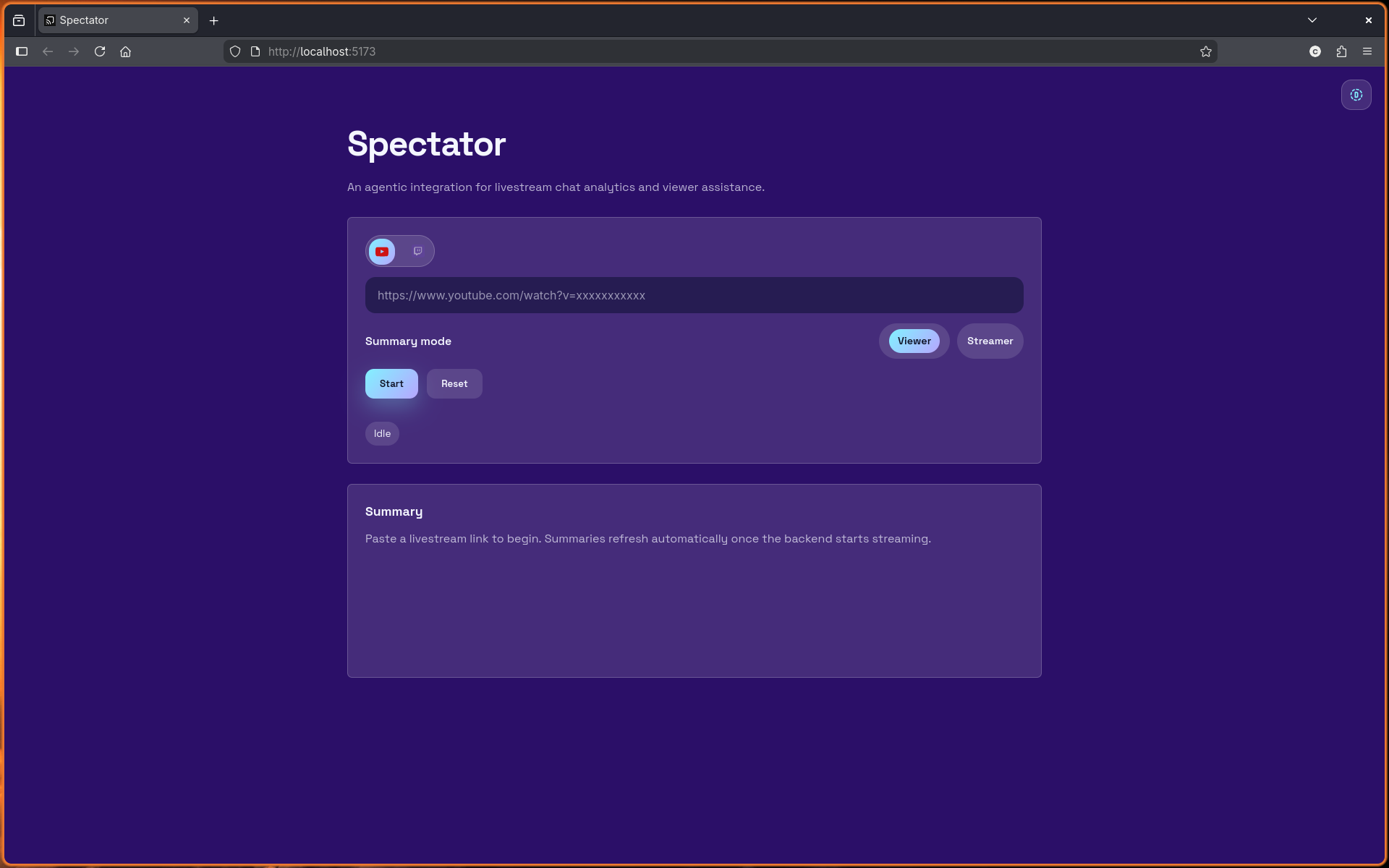
Starting Screen
-
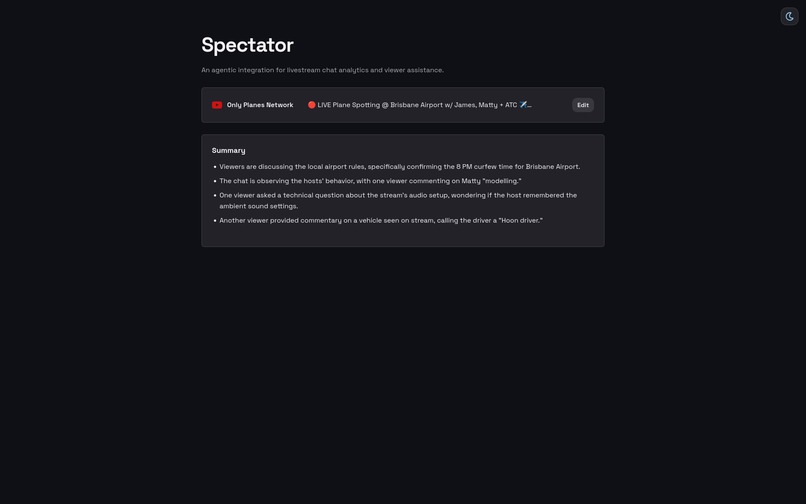
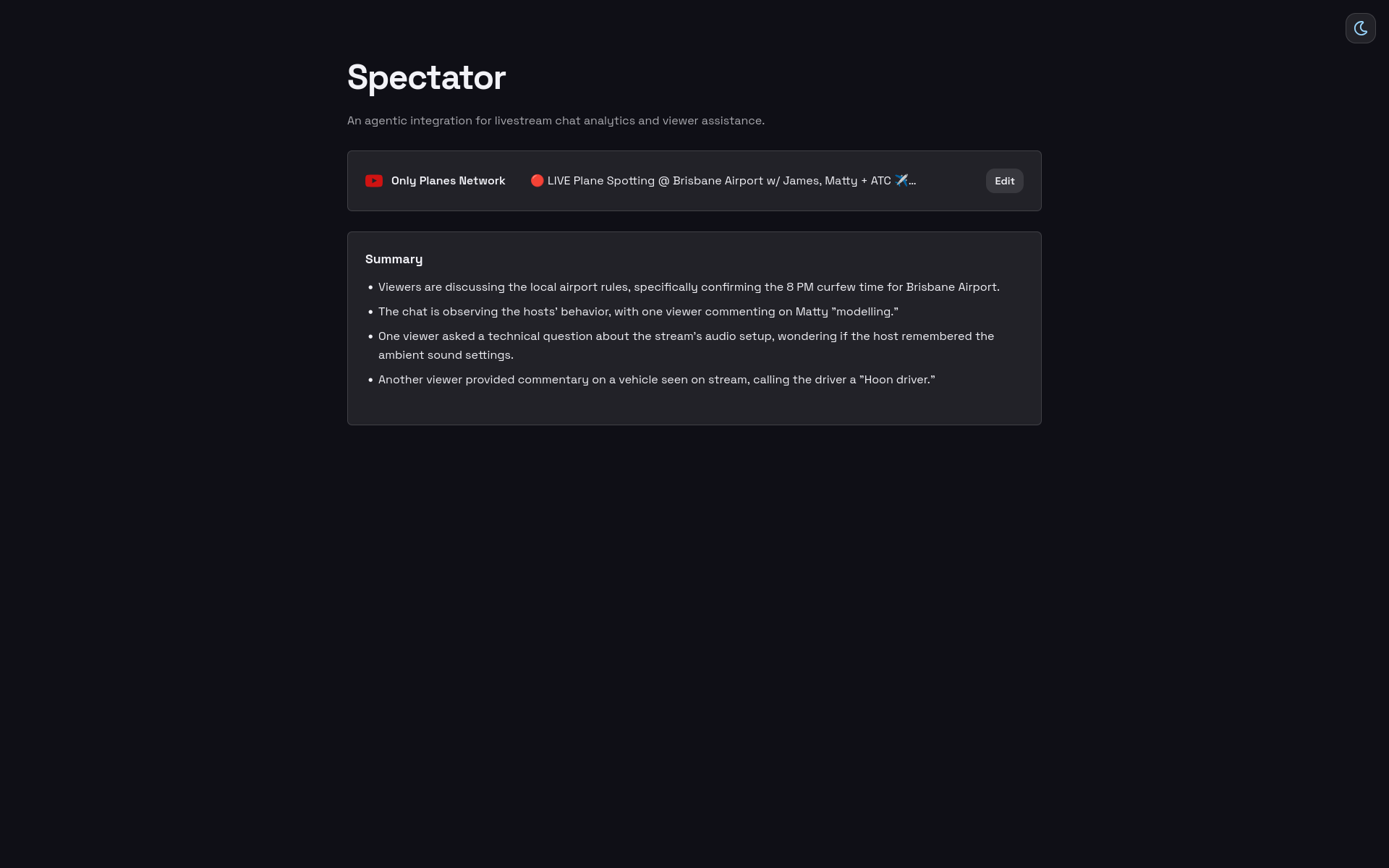
Viewer Mode Summary (Dark Mode)
-
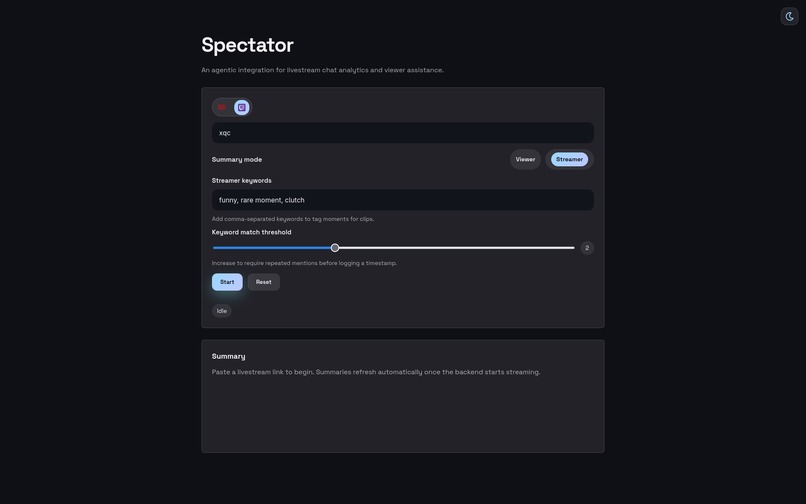
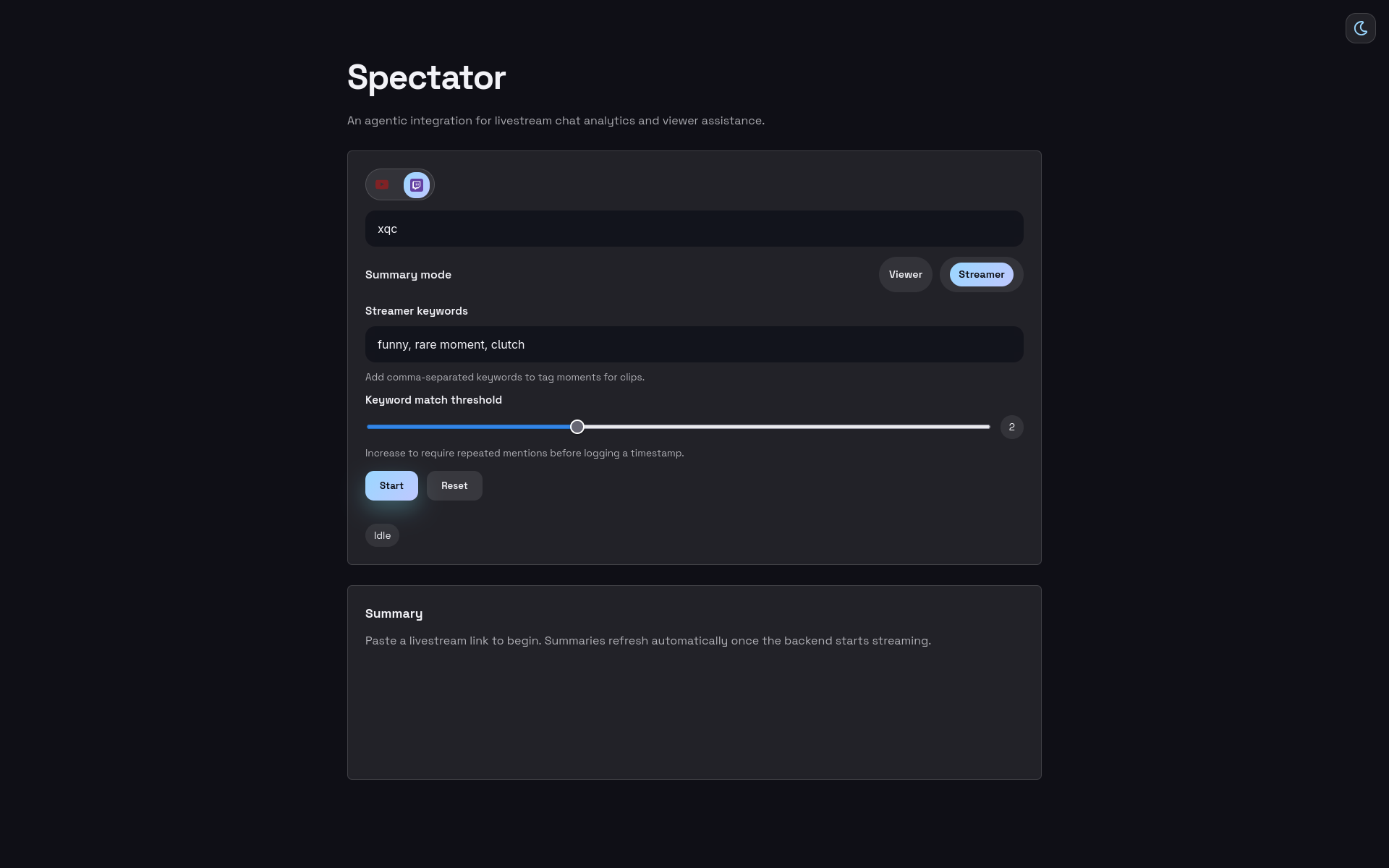
Streamer Mode Selection Screen (Dark Mode)
-
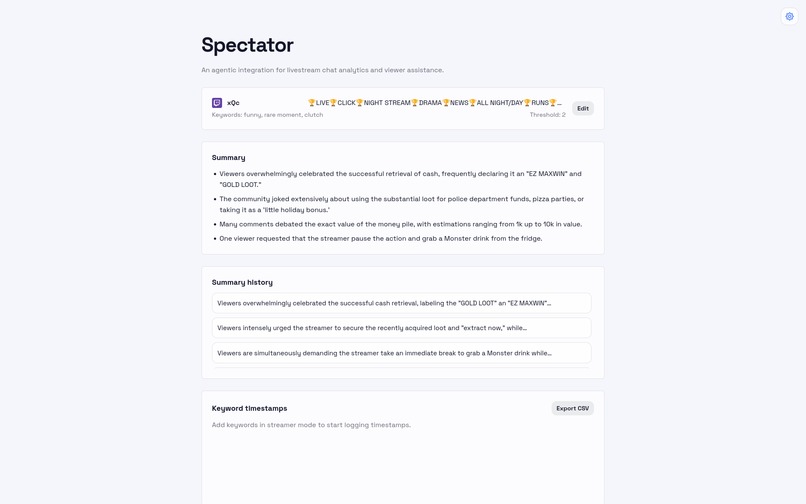
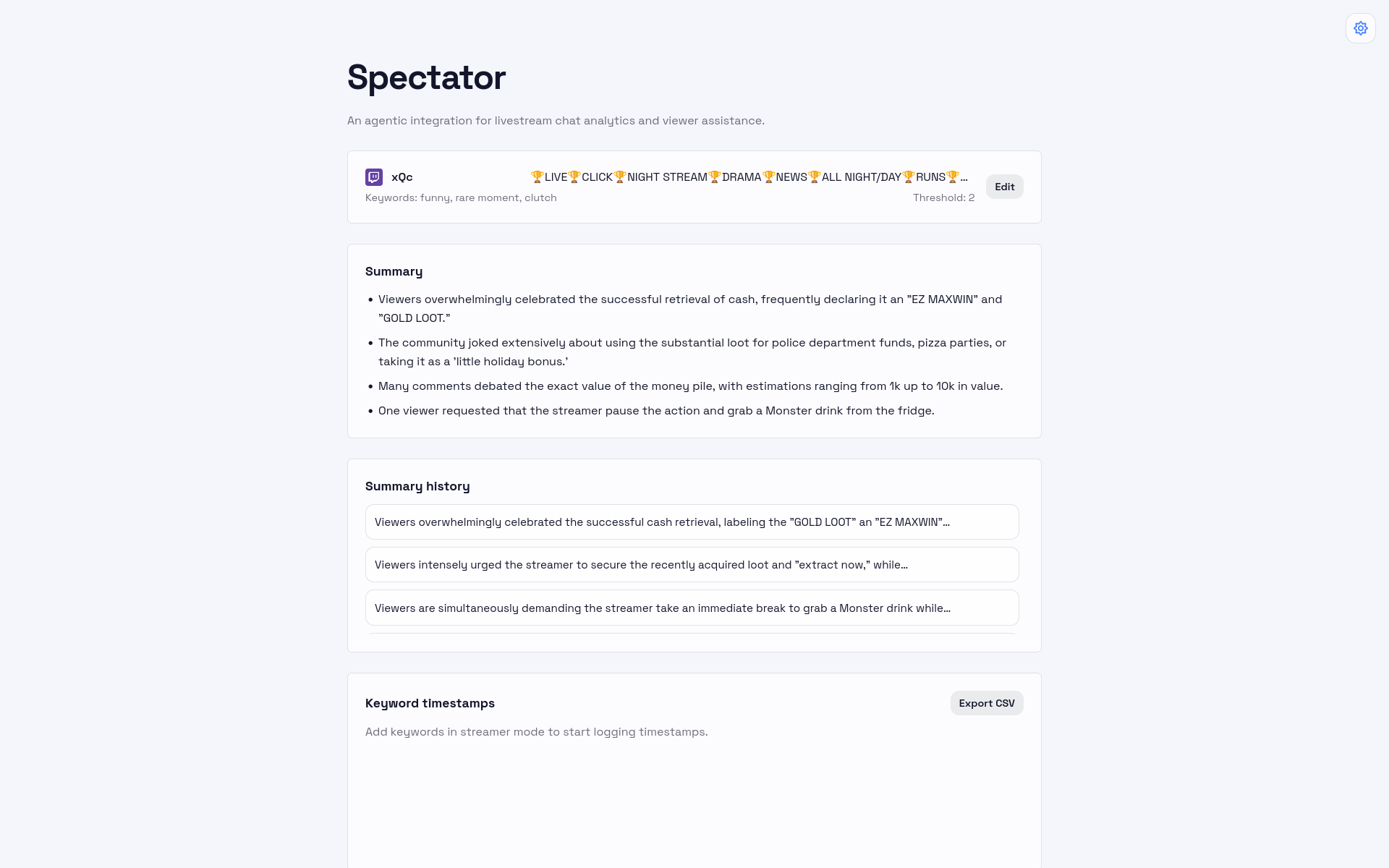
Streamer Mode Summaries (Light Mode)
-
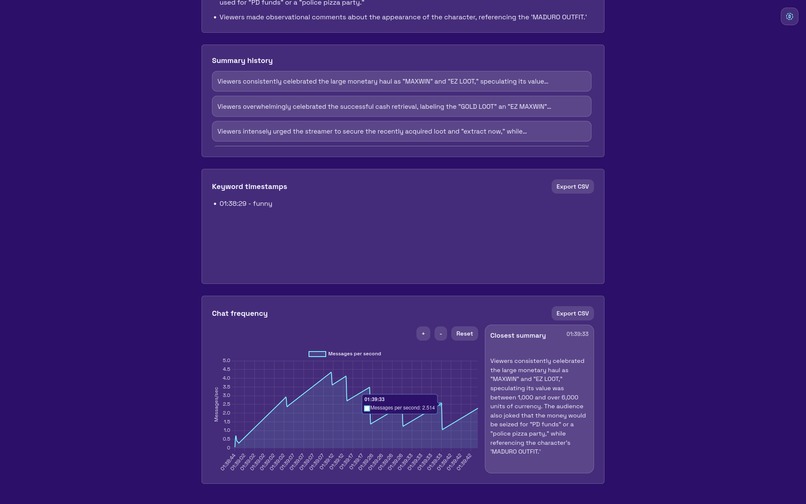
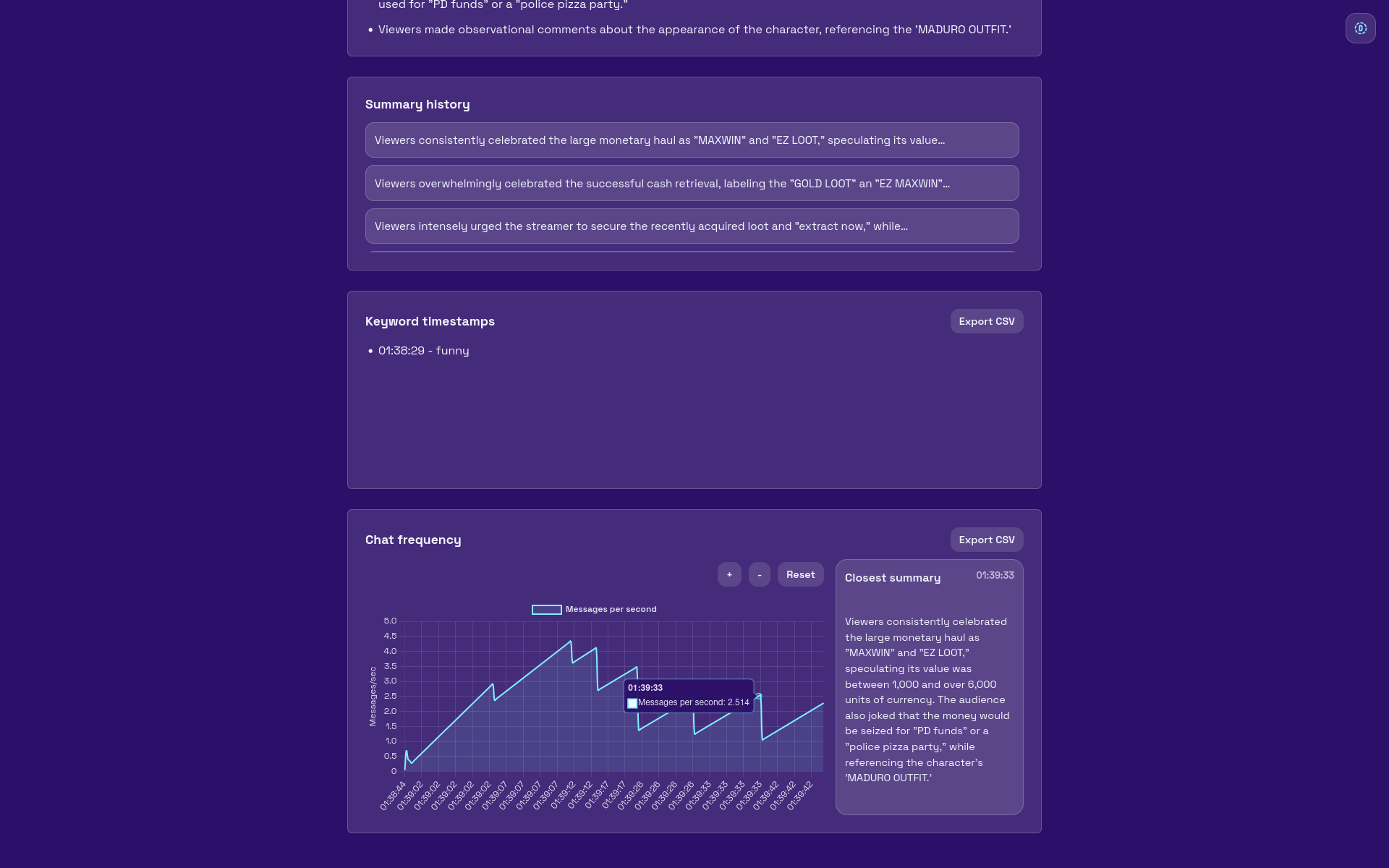
Streamer Mode Analytics
Inspiration
Ever tuned into a livestream with thousands of viewers, wanted to see what people were saying in the chat, and got immediately overwhelmed by a stream of messages that leave your sight faster than they enter? This sparked our initial idea for Spectator, to summarize chat messages so that viewers can easily follow along the chat. Along the way, we realized that the streamers themselves, not just viewers had the most to gain. Live chats provide a supervised dataset for how viewers are reacting to a specific moment of the stream. Spectator exploits this to provide analytics to streamers about when certain events occur in their stream based on how the chat is reacting at that point. Then, they can easily find clips to post on other platforms, and know exactly how to make the crowd go wild.
What it does
Our app has two modes - viewer and streamer. In both modes, the user pastes in their livestream link (either YouTube or Twitch). In viewer mode, Spectator provides simple functionality, a live updating summary of the chat so viewers can understand each others' reactions. In streamer mode, Spectator goes advanced. Instead of a generic summary, Spectator tells the live streamer exactly what viewers are demanding. A flood of messages is suddenly deciphered into broad viewer demands to be glanced at and followed. Streamers can also set keywords of what moments it wants Spectator to log, like 'funny' or 'sad.' Then Spectator saves the timestamps for when these moments occur, along with associated summaries and how fast the chat is. Then, streamers can export this data for further analysis.
How we built it
Spectator's backend is built entirely in Python, using Flask as a framework to build the webapp. We call the YouTube and Twitch APIs to collect the messages from the specified livestream. Then, we run an algorithm that measures the velocity of chat messages (chat messages per second) to determine how many of the last messages to synthesize. This is so that if their are many chatters reacting at once, more messages would be synthesized to capture the moment more precisely. If there are just a few chatters, less messages are required. Then, we called Gemini's latest Flash model to create a summary of the messages, and determine if chat messages are to be logged under a certain keyword timestamp. The frontend is built with the ReactJS framework with the Vite build-tool. We also use chart.js to display graphs for data that the user can export.
Challenges we ran into
Working on code simultaneously as a team proved to be difficult to due merge conflicts arising with GitHub. Additionally, we had to ensure efficient API query usage to not exceed quotas.
Accomplishments that we're proud of
We're proud of learning to use new APIs and creating a very aesthetically pleasing UI.
What we learned
We learned how to use GitHub almost on-the-go, figuring out merge commands and dealing with conflicting merge requests and incorrect settings. Additionally, to deal with API usages and make queries more efficient.
What's next for Spectator
In the future, Spectator will go from just logging to providing more complex data analysis. It will analyze chat velocities and provide specific recommendations on how the streamer can increase engagement.

Log in or sign up for Devpost to join the conversation.