Inspiration
Every great project starts as a thought — usually at the worst possible moment. On a walk. In the shower. During a commute. The idea is vivid, the architecture is clear, you can see exactly how it should work. Then you sit down at a computer and half of it is gone, most people wait too much for build something, struggle because maybe they dont have the complete picture of the project.
The problem is not creativity. It is the gap between thinking and building. The tools we use to create software — keyboards, IDEs, pull requests — require you to stop being in the world and sit down to translate thought into code. That translation is slow and lossy.
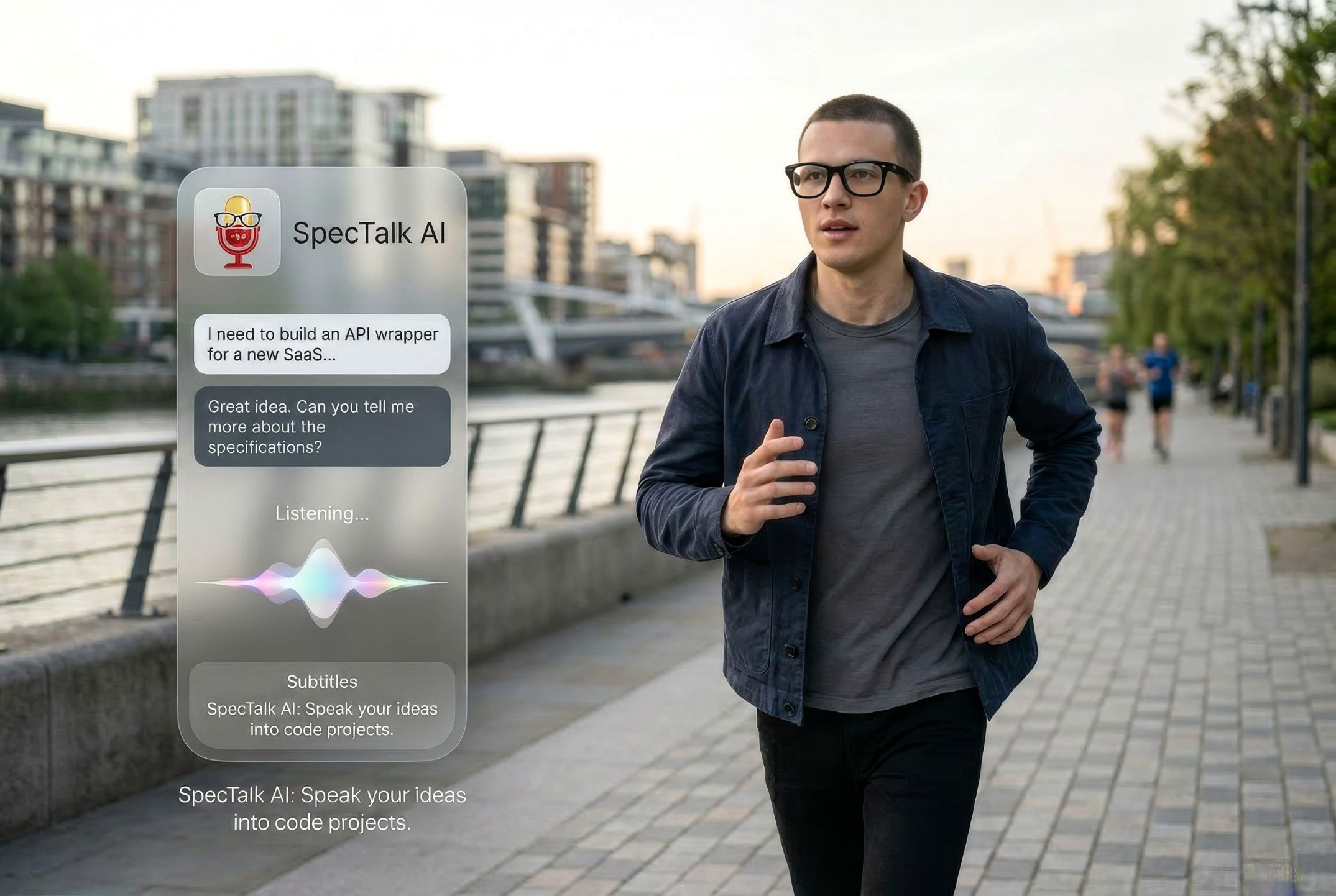
We asked a different question: what if you could spec, design, and ship a real project just by talking — while walking, while doing anything else — without ever touching a screen?
That is SpecTalk. You talk to Gervis, the AI inside SpecTalk, through your Meta Ray-Ban glasses or AirPods. Gervis shapes your raw idea into a proper project brief by asking one smart question at a time. You confirm the plan. Gervis executes it in the background. You get a notification when it is done and pick up right where you left off — hands-free, uninterrupted, natural.
The name came from the workflow: you talk to spec things. SpecTalk.
What It Does
SpecTalk is a hands-free project creation tool that runs on Meta Ray-Ban glasses and AirPods. The AI assistant inside is called Gervis.
The core flow:
- Say "Hey Gervis" — a soft chime confirms it is listening
- Describe what you want to build in plain language: "Build me a landing page for my coffee shop, clean design, online ordering button, mobile first"
- Gervis asks one clarifying question at a time: "What is the name and what colors represent your brand?" — no questionnaire dumps, one question, spoken naturally
- Gervis summarizes the plan and asks for confirmation before doing anything: "I'll generate a Next.js landing page with your branding. Should I go ahead?"
- You say yes. The job starts in the background.
- A push notification arrives when the work is done.
- You say "Hey Gervis" again. Gervis welcomes you back with the result: "Your landing page is ready. The PR is open for review."
Supporting capabilities — Gervis can also search the web, check Maps, answer questions, and hold natural multi-turn conversations. These features exist to support the project creation flow. You can ask about an API while speccing an integration, check a competitor's location while planning a local app, or just ask a factual question mid-conversation.
Security by design — the phone holds no API keys. All AI models, credentials, conversation memory, and project state live in the backend. The phone is a microphone and a speaker.
How We Built It
SpecTalk is a two-layer system with a deliberate architectural boundary: the phone captures audio/image and plays audio. Everything else is the backend.
Android App (Kotlin, Jetpack Compose)
The app is essentially a thin audio terminal. It captures PCM audio from the device mic (or
Meta Glasses / AirPods audio when connected) using Android's AudioRecord API with acoustic
echo cancellation, noise suppression, and automatic gain control applied before any audio
leaves the device.
A local Vosk model runs a lightweight wake-word detector in a foreground service, listening for "Hey Gervis" (or whatever the user configured). On detection, it plays a short activation chime through the active audio output — so the user gets immediate audio confirmation without needing to look at their phone — then streams raw PCM audio to the backend over a persistent WebSocket.
Response audio streams back in real time and plays through PcmAudioPlayer. The app also
processes JSON control messages for transcripts, state updates, job status, and barge-in events.
An inactivity timer automatically ends the session after 10 seconds of silence from both sides,
returning to wake-word listening mode.
Backend Voice Agent (Python, Google ADK, FastAPI)
The backend owns the Gemini Live session. When the phone connects, the backend opens a bidirectional audio bridge: phone PCM forwards to Gemini Live, and Gemini's response audio streams back to the phone. The bridge is zero-copy — raw bytes forwarded immediately — keeping added latency under 80ms.
A Google ADK orchestrator agent runs alongside the audio bridge. When Gemini decides a tool is needed, the backend intercepts the tool call and executes it natively — Google Search, Google Maps, the project creation pipeline, job dispatch — then injects the result back into the Gemini session as a voice-friendly summary. The phone is never involved in tool execution.
The project creation pipeline (team_code_pr_designers) is a multi-agent workflow: four
specialized subagents (frontend, backend, security, architecture) collaboratively shape a rough
voice request into a thorough, executable project brief. The user only ever hears a single clean
next question — the internal subagent coordination is invisible.
Infrastructure (Google Cloud)
- Firebase Authentication — email registration; phone carries only a product JWT
- Cloud Run — FastAPI backend, min 1 instance warm, 3600s WebSocket timeout
- Cloud SQL (PostgreSQL) — all project state, conversation history, jobs, users
- Cloud Tasks — background job queue for project execution
- Firebase Cloud Messaging — push notifications when jobs complete
- OpenClaw + Claude Code CLI — the actual code execution layer for shipped projects
- Secret Manager — every API key stays server-side
Challenges We Ran Into
Moving Gemini Live to the backend. The conventional approach puts Gemini Live on the phone directly. We moved it server-side for security and because having the orchestrator in the same process as the Gemini session eliminates the tool-forwarding round-trip that would otherwise flow phone → backend → phone → Gemini. This required careful zero-copy audio forwarding and same-region deployment to keep the added latency imperceptible.
Echo and barge-in correctness. When Gervis is speaking, the microphone picks up that audio
and sends it back, which can confuse Gemini's VAD into thinking the user is speaking. Combining
Android's AcousticEchoCanceler with Gemini's low-sensitivity VAD settings took significant
tuning. Equally tricky: when Gemini emits an interrupted event on barge-in, the backend must
forward it to the phone before any further audio — otherwise stale audio plays over the user's
new speech.
Natural single-question pacing in voice. The team_code_pr_designers multi-agent system
can generate many clarifying questions at once. Forcing it to surface exactly one strong
question per turn — spoken naturally through Gemini — required careful system instruction design
and state management to avoid voice-mode questionnaire dumps.
WebSocket persistence on Cloud Run. Cloud Run's defaults are built for stateless HTTP. Keeping voice sessions alive required: min 1 instance always warm, 3600s request timeout, CPU always allocated, and TCP_NODELAY on all connections. Each of these was a non-obvious production discovery.
Accomplishments That We're Proud Of
The project creation pipeline is genuinely novel. Describing a project by voice while walking, having an AI ask exactly the right clarifying questions, and returning later to a working prototype — that workflow does not exist anywhere else today.
Zero credentials on the phone. A fully functional AI project creation tool where the phone holds no API keys, no model credentials, no conversation state. The phone is a microphone and a speaker, by design.
The resume flow works naturally. Leave mid-project, come back via push notification, say "Hey Gervis," and the conversation picks up with a natural spoken summary of what happened while you were gone. No UI hunting, no re-reading a thread — just voice.
Smooth barge-in. Interrupting Gervis mid-sentence works correctly: the audio queue clears, the mic takes over immediately, and the conversation continues without artifacts. This is harder to get right than it sounds.
What We Learned
The hard problems in a real-time voice agent are latency, echo, and barge-in correctness — not the AI model. Getting the audio pipeline right accounts for 80% of the UX quality.
Moving the Gemini session server-side is architecturally cleaner than it first appears. The alternative — phone-side Gemini with tool forwarding — creates a fragile three-hop protocol that breaks on every network interruption. Owning the session on the backend eliminates the entire category of bugs.
Multi-agent systems in voice mode require completely different UX constraints than in text mode. In text, you can show a long structured output. In voice, you have one spoken sentence. Designing an agent that is thorough internally but speaks one clear question at a time is a distinct skill.
The ambient form factor of wearables amplifies focused tools far more than general assistants. "Search Google with my glasses" is underwhelming. "Spec and ship a project while on a walk" is a genuinely new human capability.
What's Next for SpecTalk
Richer project types. SpecTalk currently targets software projects. The same pipeline applies to design briefs, content strategies, business plans, and research documents — any artifact that benefits from a structured creation conversation.
Glasses-native multimodal input. The Meta Glasses camera can stream video to the backend. The next version lets you point at something — a whiteboard sketch, a competitor's UI, a physical space — and use it as the starting point for a project spec.
Long-term project memory. SpecTalk currently remembers everything within a session. The next version builds a persistent project memory so Gervis knows your stack preferences, your design system, your team conventions — without being told again.
Collaborative specs. Multiple users contributing to the same project brief through separate voice sessions, with Gervis merging and reconciling their inputs into a single execution-ready document.
Expanded wearables platform. As the Meta DAT SDK supports new devices, SpecTalk is architected to run on any DAT-compatible hardware without changes to the voice agent layer.

Log in or sign up for Devpost to join the conversation.