-
-
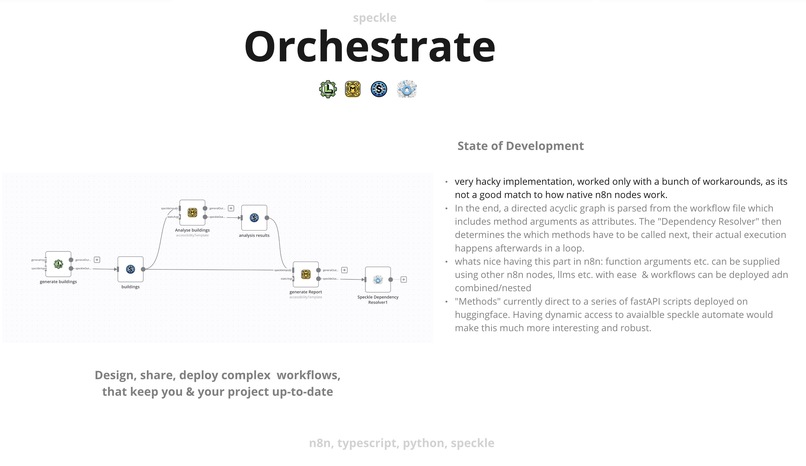
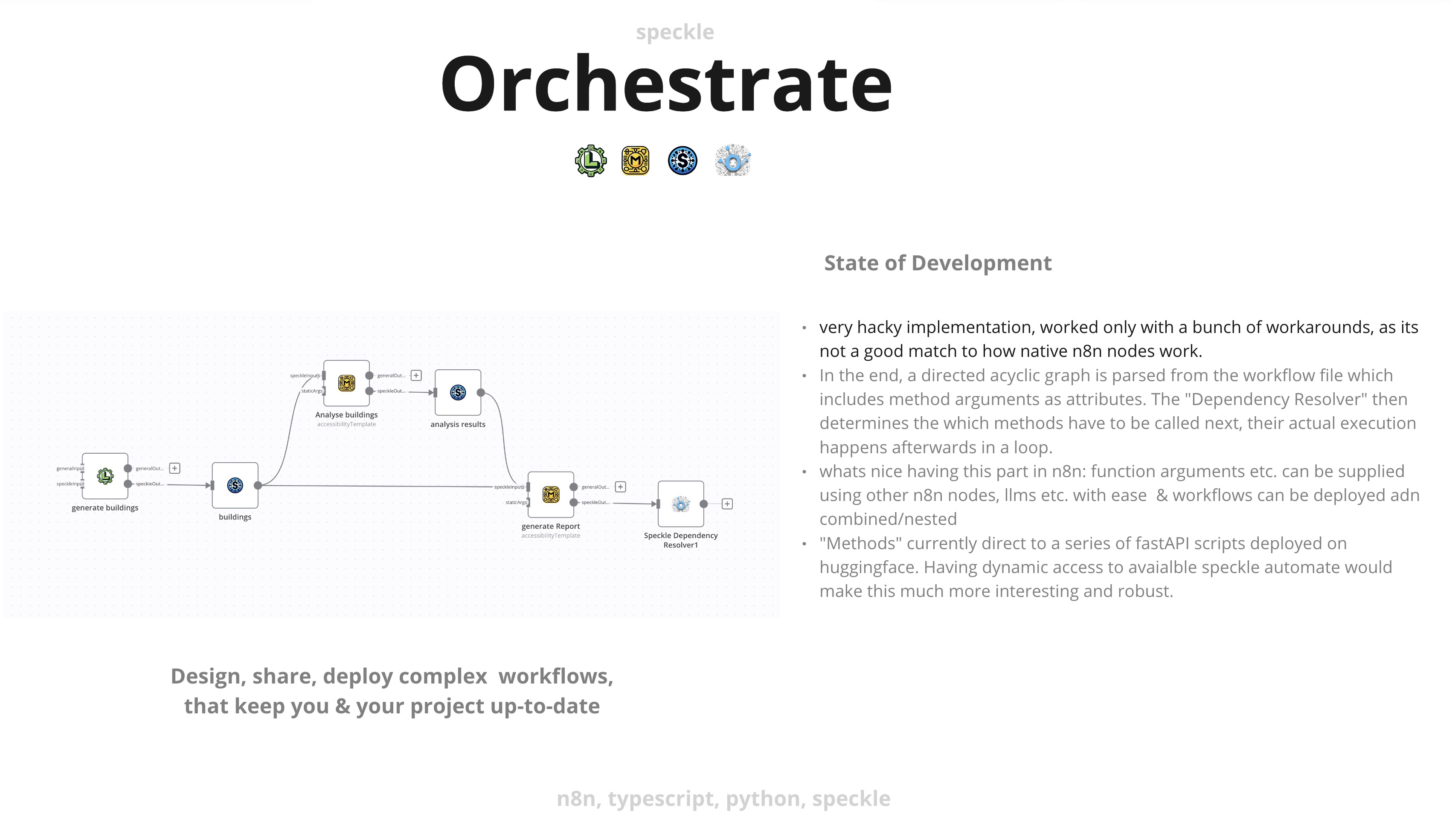
Orchestrate overview - chaining up automatations/scripts
-
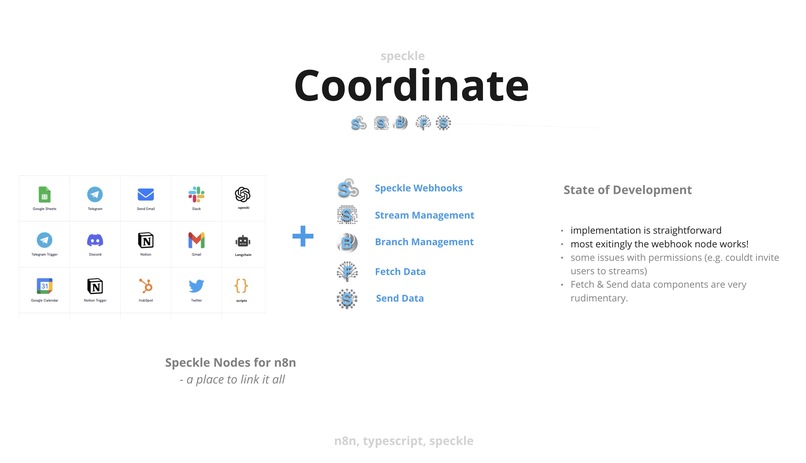
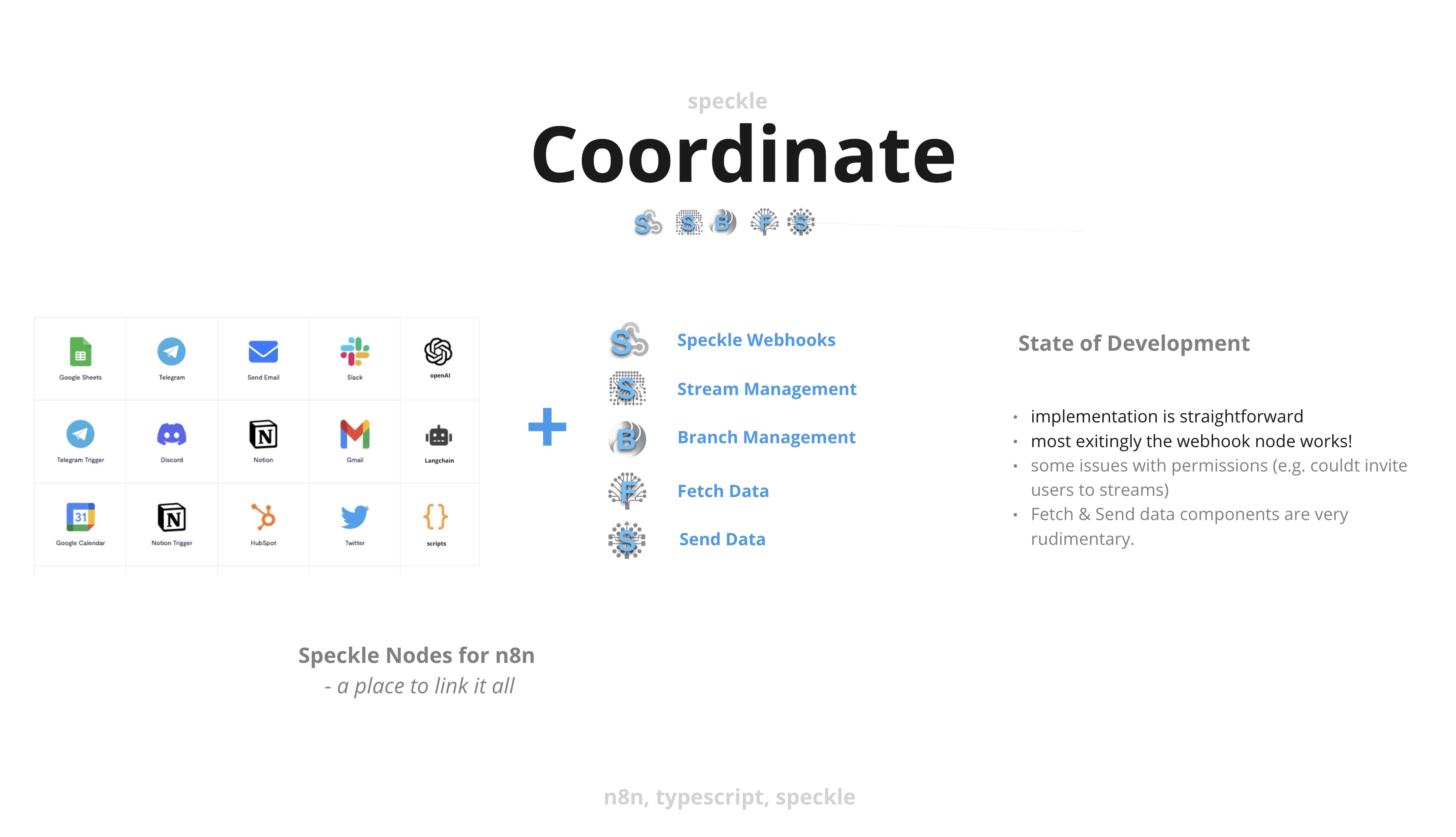
Coordinate overview - combine speckle nodes + over 200 other integrations
-
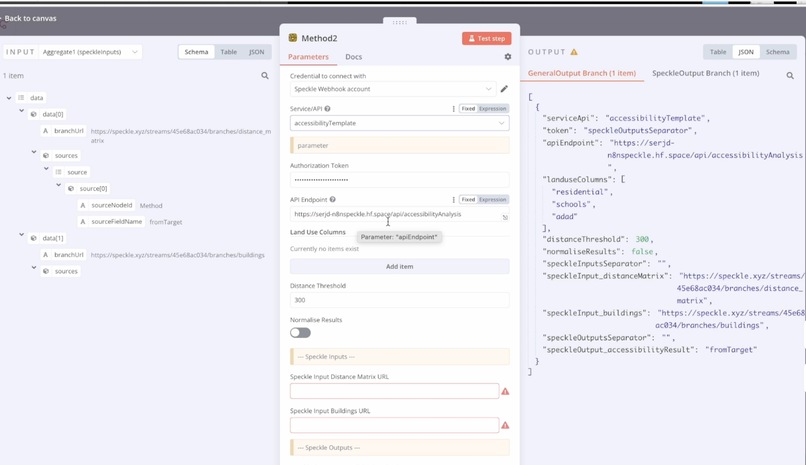
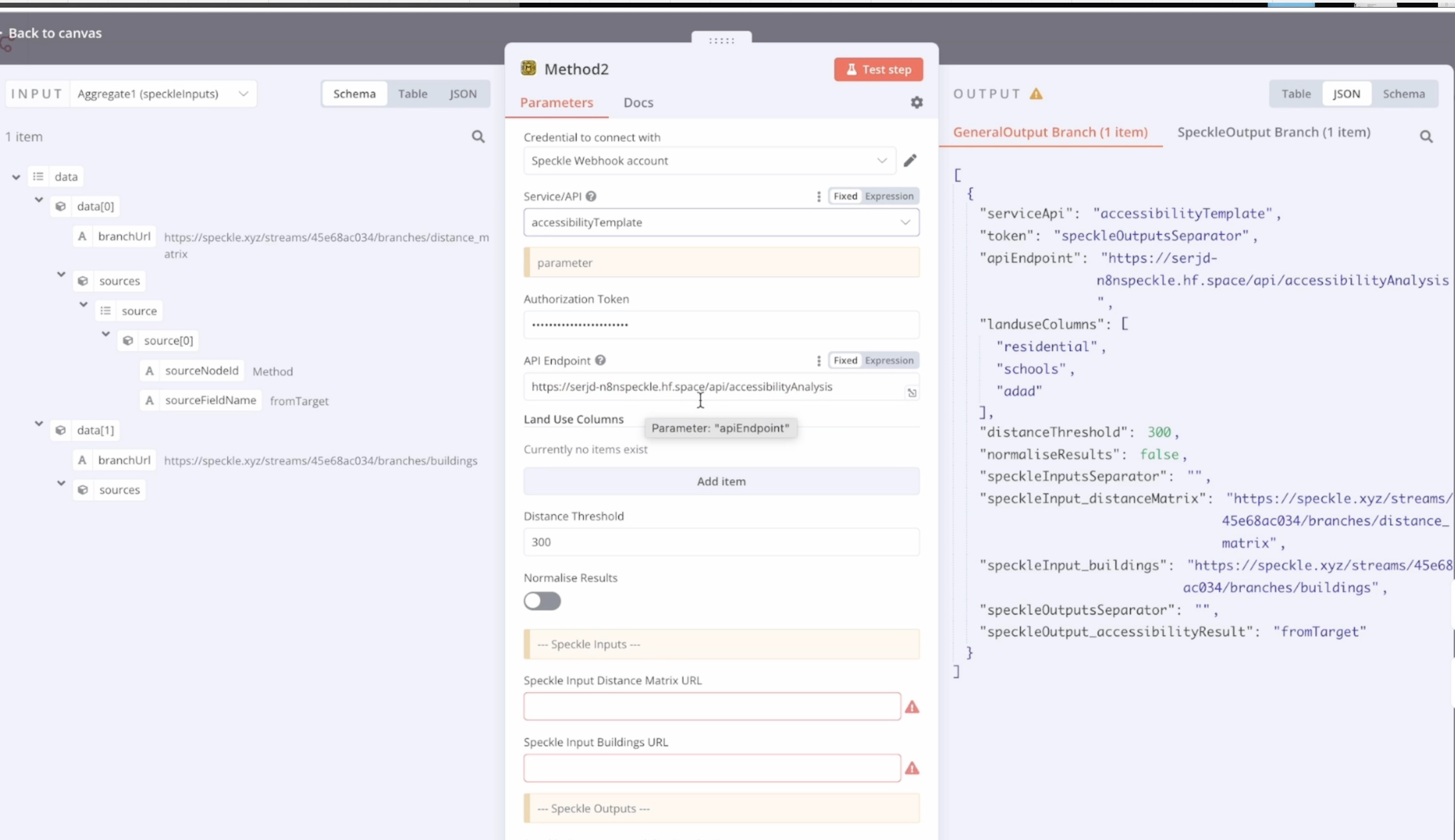
n8n custom method node UI. The user can choose between predefined services/endpoints. Inputs can be assigned manually or by referencing.
-
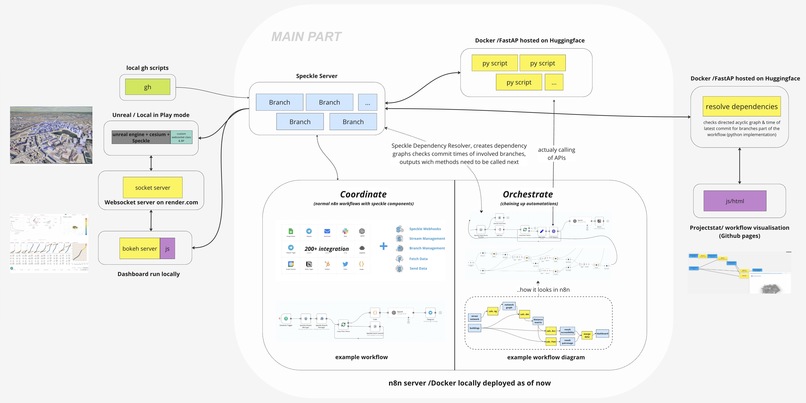
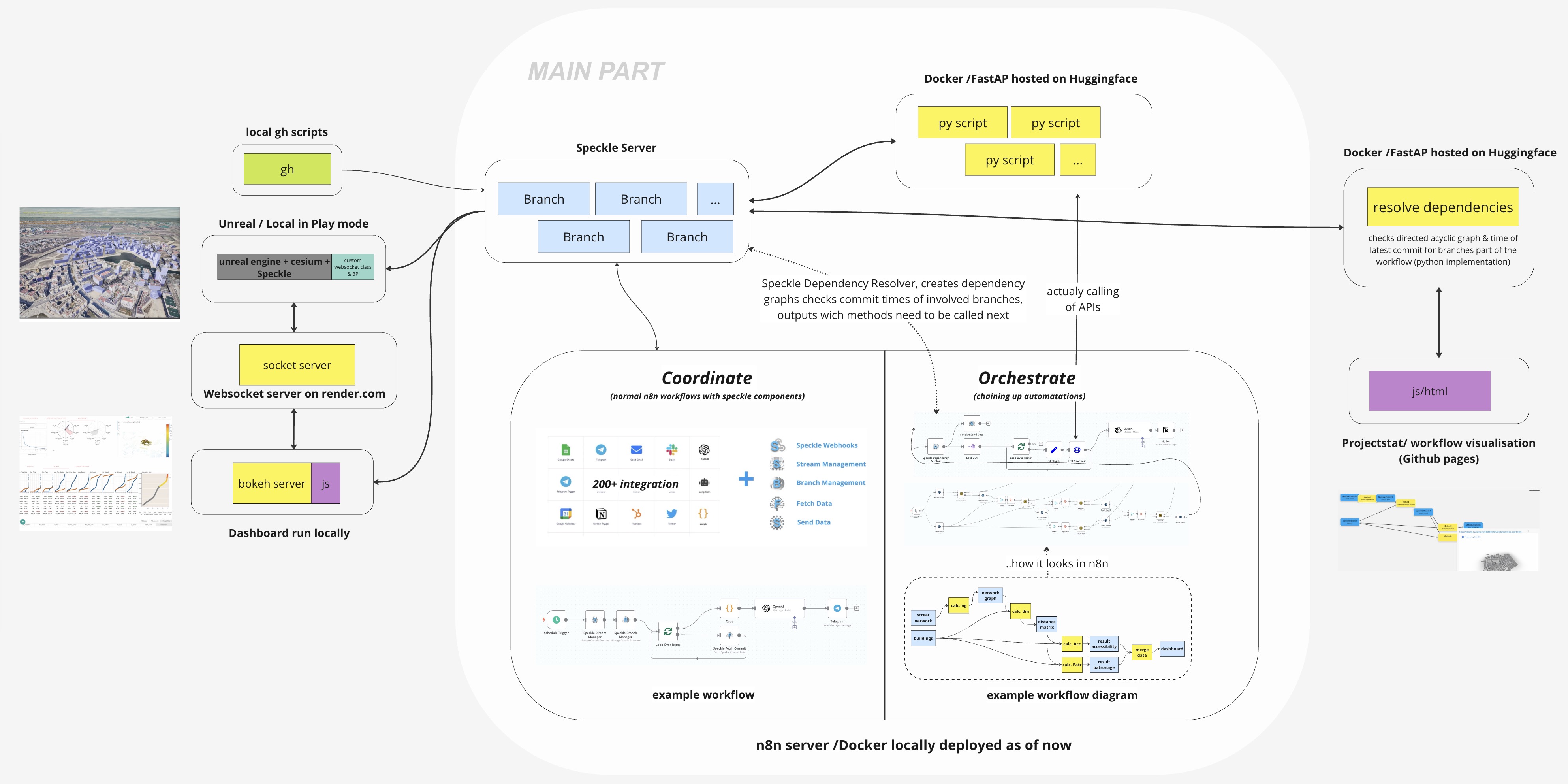
Technical diagram of what was shown in the video.
Speckle Hackathon Project: Coordinate and Orchestrate
Inspiration
This project was inspired by my personal experience working on a large, dynamically evolving project with constantly changing requirements and specifications. We relied heavily on Speckle for data management, handling manual inputs, CAD drawings, simulations, result storage, data transformation, and report delivery. However, our attempts to automate workflows revealed the fragility of our setup, with hard-coded values and assumptions making updates and deployment a nightmare.
What We Learned
Through this project, we learned the importance of flexible and reusable workflows. The existing solutions, like Speckle Automate, were helpful but lacked the visual orientation and integration capabilities we needed. We realized that platforms like Make.com, Zapier, and Power Automate simplify chaining APIs and services into automation workflows, but we needed something tailored to Speckle and more robust for our specific needs.
Building the Project
We developed Speckle Coordinate and Orchestrate to address these challenges, leveraging the n8n framework. Here's a breakdown of the key components:
Speckle Coordinate
- Speckle Nodes for n8n: We created 5 Speckle nodes for n8n, allowing users to fetch and send data to Speckle, manage streams, users, and branches, and trigger workflows via Speckle webhooks.
- Ease of Setup: Users can recreate Notion pages, set up streams and branches, and invite team members with a single click.
- Automation: Automate report generation and notifications using Speckle, GraphQL, OpenAI, and Telegram Chatbot, providing a low-code backend that is easily deployable.
Speckle Orchestrate
- Visual Workflows: We designed Speckle Orchestrate to allow users to define processing logic through diagrams. This visual approach makes it easy to keep an overview, adjust, and reuse workflows.
- Node Types: We included four node types: Speckle Branches, Methods, Deployed Scripts, and Local Methods (e.g., Grasshopper definitions that cannot be called automatically).
- Dependency Resolver: This component determines which branch is outdated and which method needs to be executed next, with parameters supplied from external sources, making workflows parameterizable.
- Visualization and Real-Time Updates: The Speckle Orchestrate graph can drive external visualizations embedded in Notion. Users can see the entire project at a glance, with outdated branches highlighted in red, real-time status updates, and the ability to dive into the numbers.
Challenges Faced
- Integration Complexity: Integrating multiple APIs and ensuring seamless communication between Speckle and other services posed significant challenges.
- Workflow Flexibility: Developing a system flexible enough to handle various project requirements without hard-coded values required innovative solutions.
- User-Friendly Design: Ensuring the GUI was intuitive and user-friendly while offering powerful automation capabilities was a delicate balance to achieve.
Conclusion
Speckle Coordinate and Orchestrate empower users to automate boring tasks, unleash creativity, and ensure data is always up-to-date. By connecting Speckle to other APIs, providing a user-friendly GUI, and allowing visual workflow design, these tools transform project management and data handling, making complex processes more manageable and efficient.
Built With
- n8n
- python
- speckle
- typescript


Log in or sign up for Devpost to join the conversation.