Inspiration
I wanted to lay the foundation for creating a desktop BIM tool for Windows using the Speckle platform. I was a one-person team, so realistically my goals were to learn the basics of the Speckle API and try to make a 3D viewer.
What it does
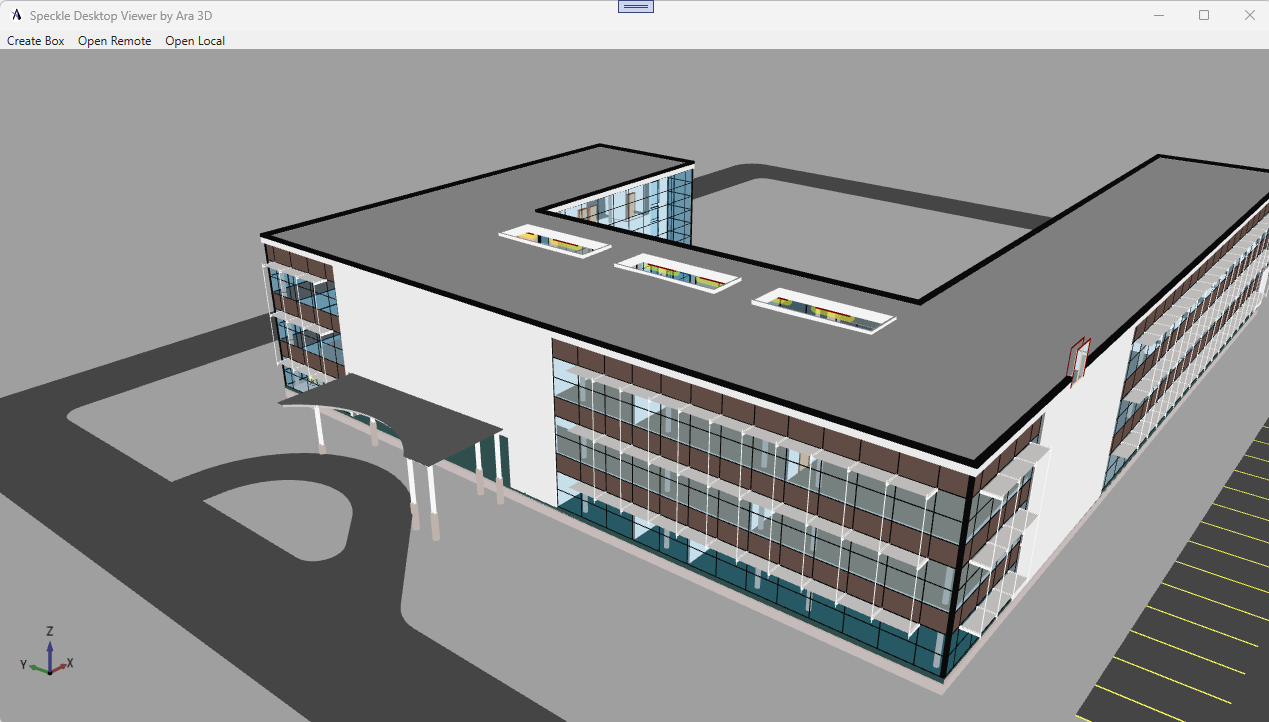
The tool can connect to a Speckle server, or to a Speckle snapshot stored on a local SQL lite database, converts it into a generic C# representation, and then displays it in a 3D viewer.
How we built it
I started by studying the Speckle Unity connector and the XBim toolkit. I decided to use the Helix WPF 3D Toolkit, as a basis to create a C# 3D viewer for Windows. I built some console applications on the way to try and study
Challenges we ran into
The biggest challenge was time. A weekend isn't much time, and I had other commitments. Affecting the ability to add features was that the API documentation is not very extensive, and there are multiple ways of doing things that have changed a bit over time.
Accomplishments that we're proud of
I think that the code is reasonably clean for a 48 hour hackathon, and could potentially be of use in other Windows based tools.
What we learned
I learned primarily about the Speckle API and data layout.
What's next for Speckle Desktop Viewer for Windows
If there is interest in the tool some of the following features might be worth working on:
- Tree view
- Model selection
- Improved performance
- Asynchronous loading
- Editing transforms and creating new commits
I look forward to hearing from others, if this project inspires some ideas!


Log in or sign up for Devpost to join the conversation.