-
-

SpecDock app icon
-
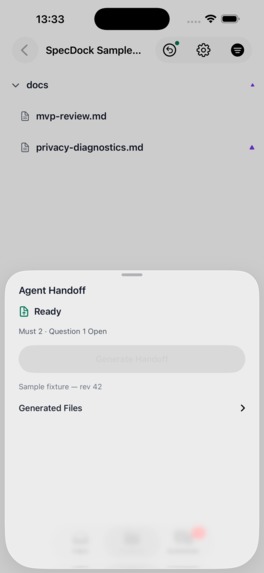
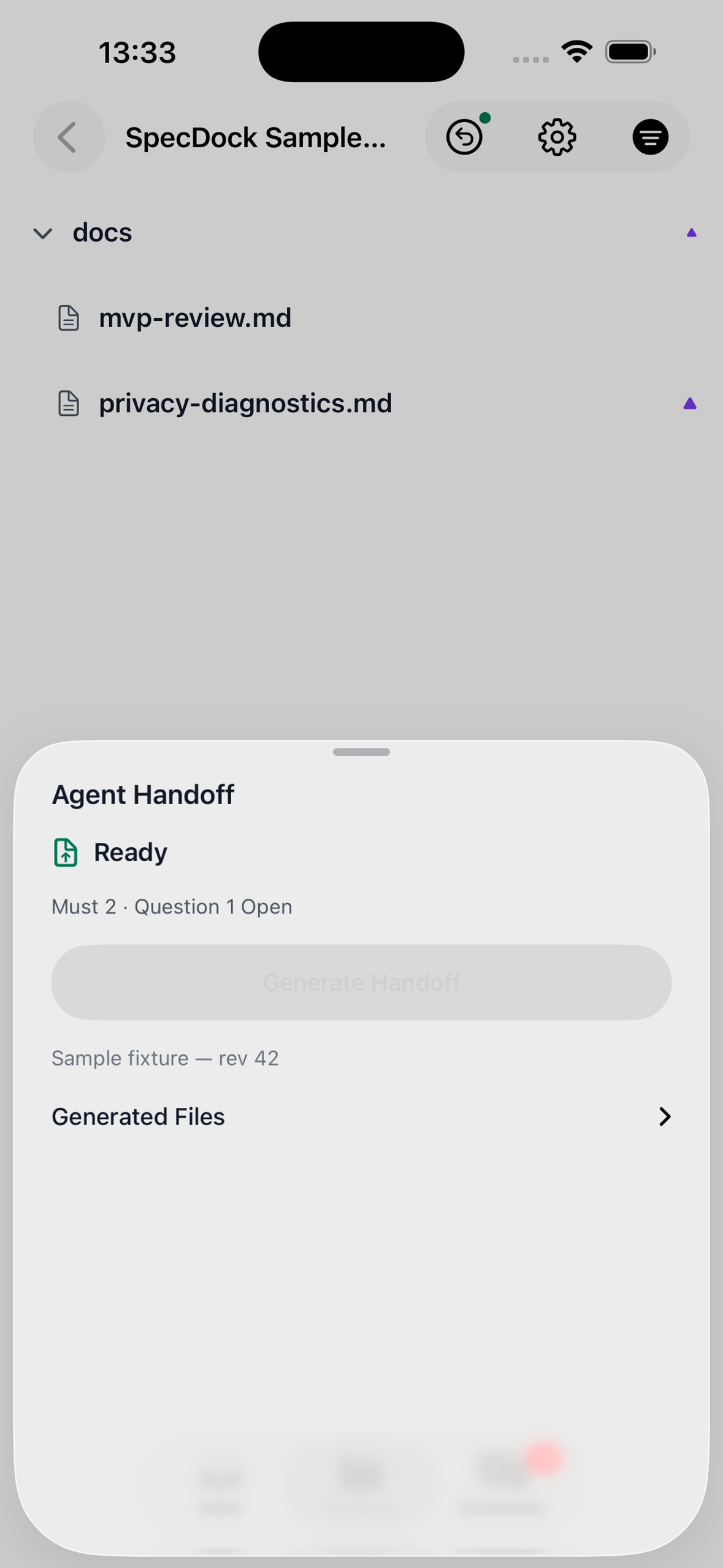
Agent Handoff packages review for the Mac coding agent
-
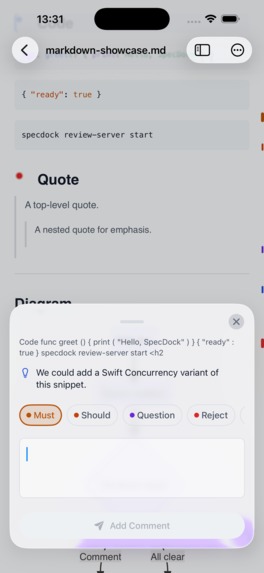
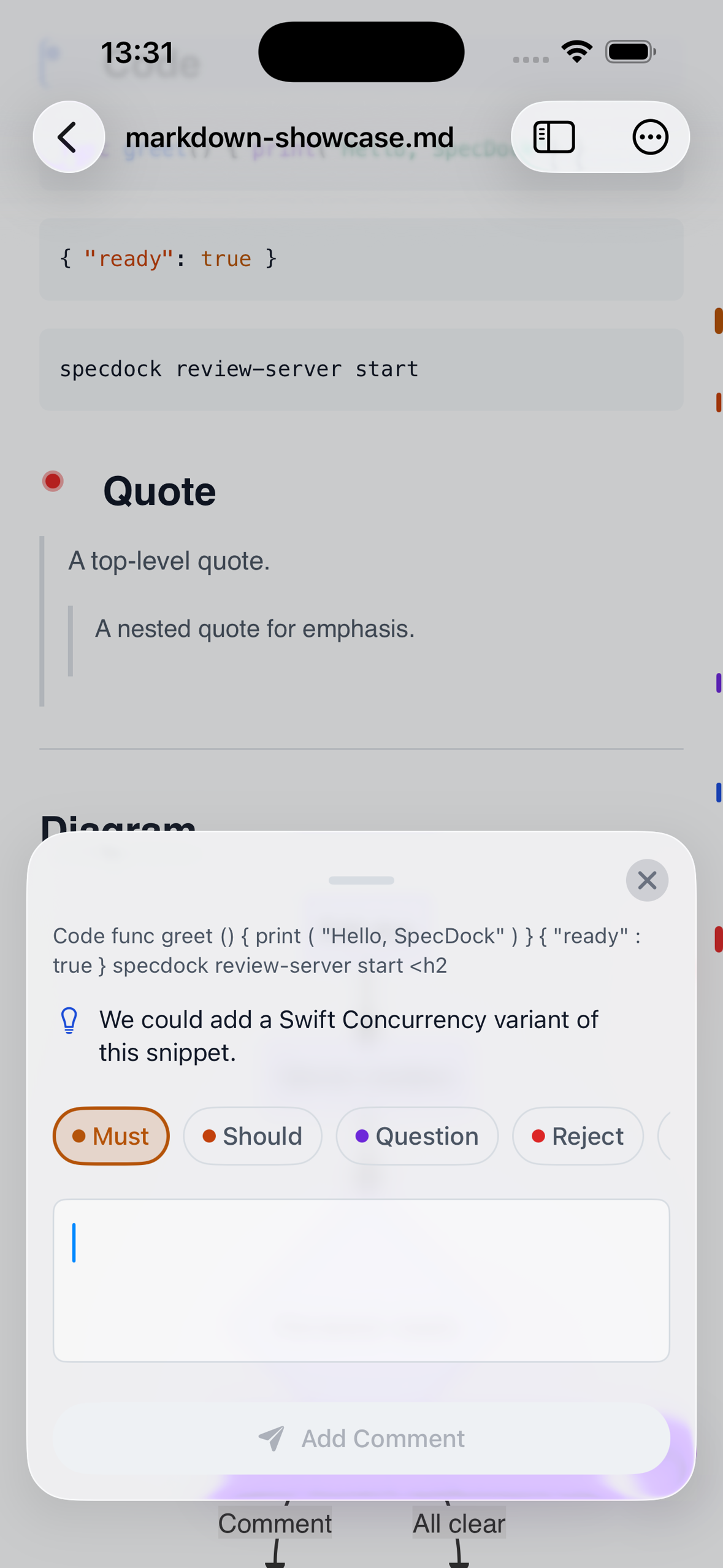
Comment on the exact passage and label the intent
-
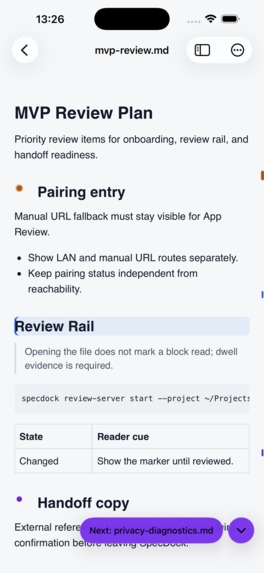
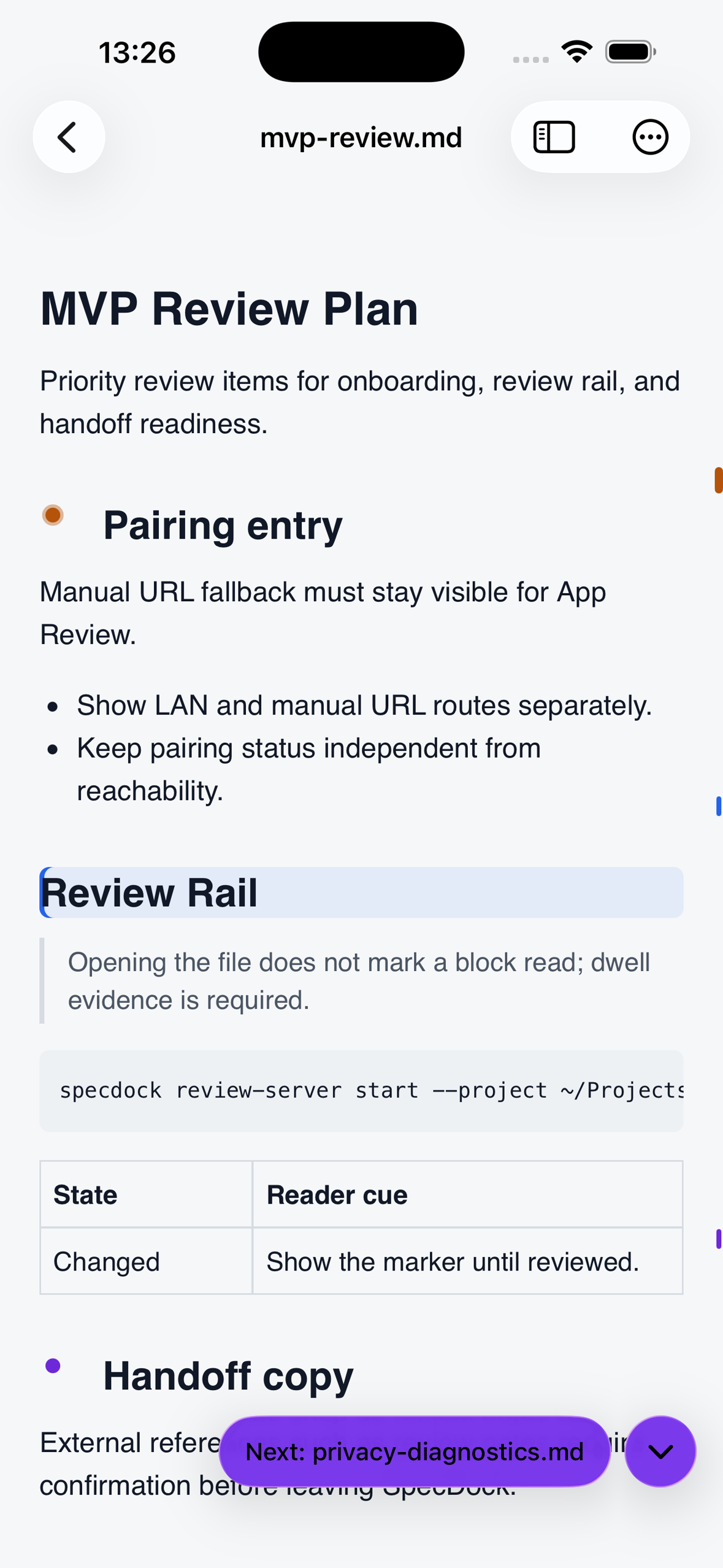
Review Rail maps changed and commented passages
-
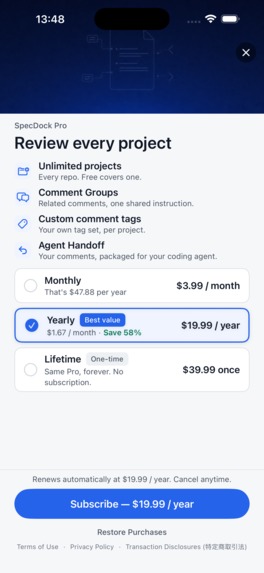
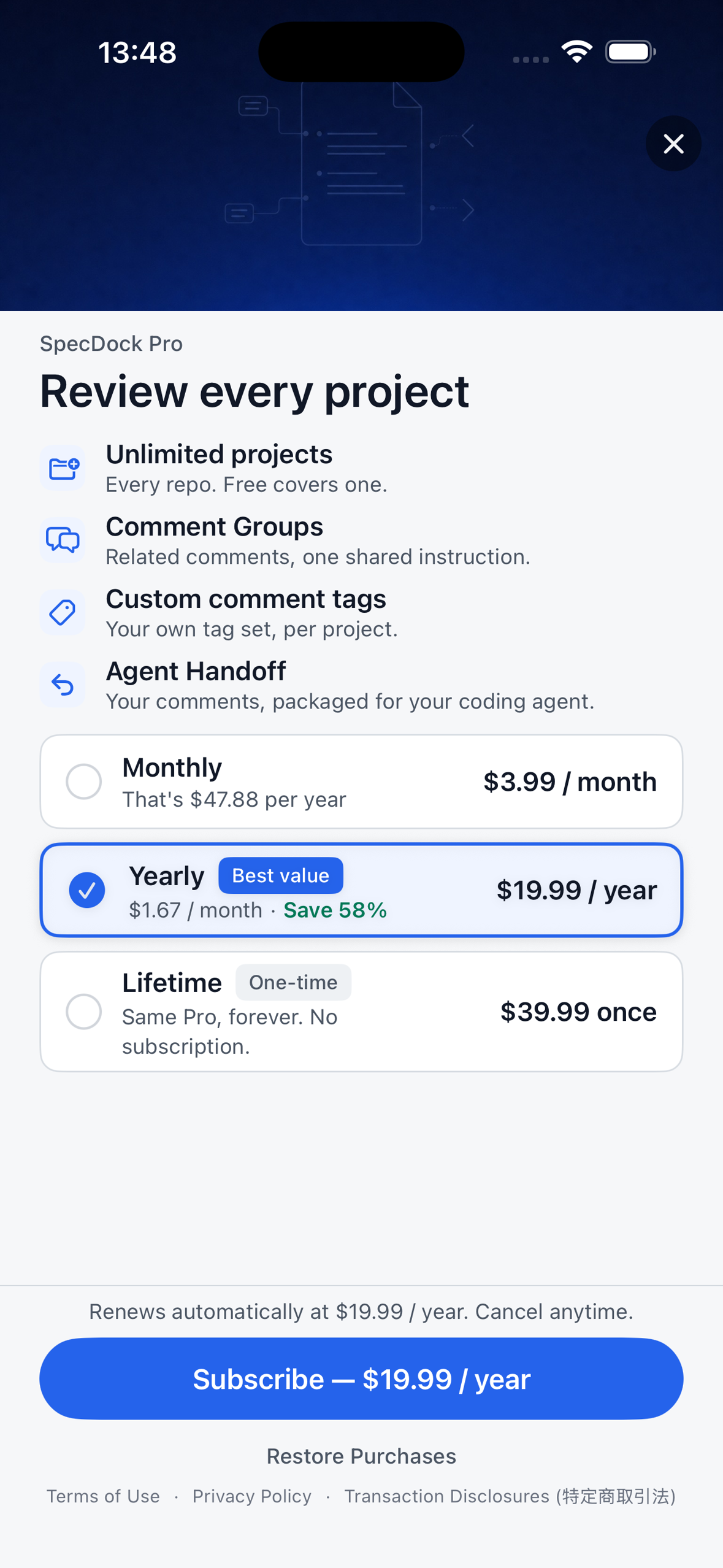
Pro paywall: monthly, yearly, or one-time

Inspiration
My commute to school takes about four hours round trip. I wanted to use that time to review the plans and specifications my AI coding agents had written on my Mac. But a crowded train is a poor place to open a laptop, and the connection often drops. A mobile GitHub view was not enough for careful reading, especially when I needed to comment on a precise passage.
I do not write the code myself; my contribution to the build is deciding what the software should do and reviewing the natural-language documents that guide the agents. The slow part was finding a bad assumption in a long Markdown spec and then trying to explain in chat which paragraph needed to change. I built SpecDock to make that review possible on a phone, including on the train without a reliable connection.
SpecDock is an iPhone and iPad review inbox for the Markdown in projects on your Mac. It is designed for the moment between “the agent wrote the plan” and “the agent starts building.”
What it does
Run the free Mac companion to add a project, then open its specs, plans, and design notes on your iPhone or iPad. The inbox brings documents that need attention together. In the reader, the outline and a slim Review Rail help you move through long files and spot unread, changed, and commented passages. You can comment on the passage itself and label the intent: Must, Should, Question, Reject, or Idea.
When your review is ready, Agent Handoff writes an AI-readable review file into the project for a coding agent to consume. SpecDock does not claim that the agent automatically applies a fix or that a comment has been resolved. The handoff makes your intent and its location explicit. Downloaded projects can be read and commented on without a connection; queued comments sync when the Mac connection returns.
How it was built
The product has two parts: a native SwiftUI iOS/iPadOS app and a Mac companion distributed through npm. AI coding agents implement the software; I direct the work and review the decisions. The companion serves project Markdown over a paired local connection and writes review artifacts back into the project. RevenueCat powers the Pro entitlement, offerings, purchase, and restore flows. A custom SwiftUI paywall presents those offerings in context.
The free version includes one project, reading, the inbox, and basic comments. Pro adds more projects, Agent Handoff, comment groups, and custom tags. Monthly, yearly, and one-time purchases unlock the same Pro capability set. The yearly subscription is the default selection; a one-time option remains for people who do not want another recurring subscription.
Challenges and lessons
Precise feedback is harder than attaching a text box to a screen. A selection comment initially competed with the system text-selection menu; after two placement attempts, the action moved into iOS's own edit menu. That changed the interaction from a fragile floating control to a familiar native action.
The Mac-to-phone connection also needed real-world repair. An early pairing path produced HTTP addresses even though the server required HTTPS. Fixing the pairing contract mattered more than polishing a connection error screen. Long documents, offline review, and changes made by the agent all forced the same question: can the reviewer still tell what needs a decision, and can the agent tell exactly where that decision belongs?
The result is a deliberately narrow tool. It does not generate specs or replace a coding agent. It helps the human read, decide, and send a review the agent can act on.

Log in or sign up for Devpost to join the conversation.