-
-
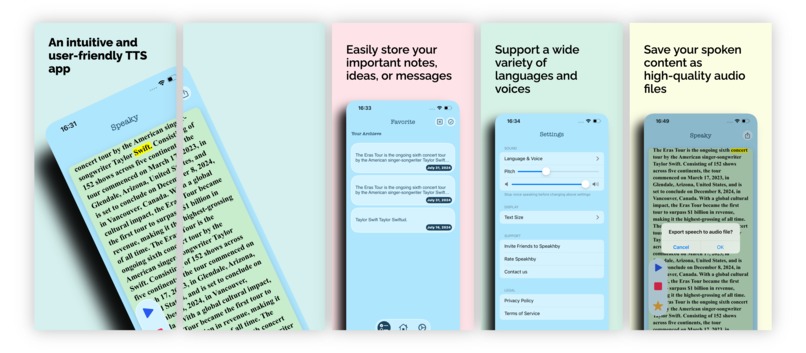
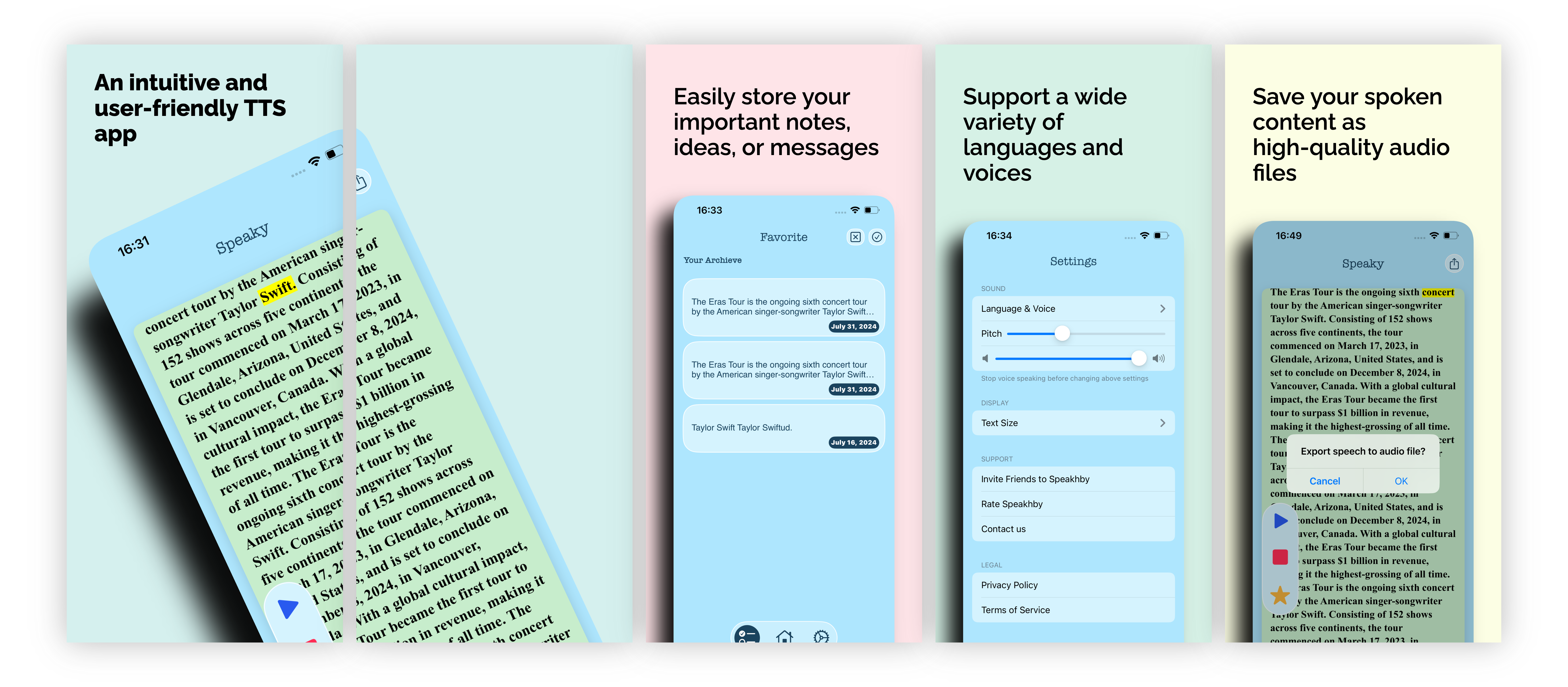
app preview
-
app icon
Inspiration
My former college classmate published an iOS app named "Voice" which is a voice to text speech, and he made a profit from it. That is a very simple app utilized Apple's Speech framework. Thus, the idea came to me to create an TTS app allow people listening the story or novel without looking at the screen.
What it does
Speakhby is an intuitive and user-friendly iOS app that transforms any text into clear, natural-sounding speech. It supports a variety of languages and voices, giving you the flexibility to customize your listening experience.
How we built it
Planning and project management with Trello. It is built with SwiftUI and Apple's Speech Synthesis framework and MVVM. Use CoreData for data persistency, and created subscriptions as purchase mode. Also use RevenueCat SDK to create the payment part and used its Paywall too.
Challenges we ran into
- SwiftUI's
TextEditorcannot fill all my requirement, so I roll back to UIKit'sTextView - Had a re-catch about how to use CoreData, I found that I forget it every time :)
- Export TTS to audio file, solved by SO and ChatGPT
- Hardest one, created subscriptions on Apple Connect, but unable to find it on version page. The answer is I must add screenshot for each subscription then it will appear on version page. I cannot believe it.
Accomplishments that we're proud of
As an indie app developer, I spend 5 months time outside my work to create Speakhby.
What we learned
Get used to SwiftUI develop flow. Planning is important before you start to code, begin with small, don't think too much features or functions, you are unable to accomplish that as an indie dev. Publish it first, then we still can add more features after it.
What's next for Speakhby
Next would be add support to speak text from pdf or other formats. And a further wish is to support AI voice, which is more attractive.
Also, add CI testing could be valid to find bugs.

Log in or sign up for Devpost to join the conversation.