-
-
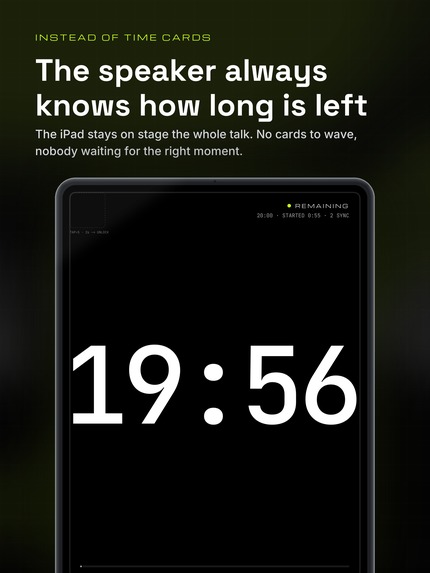
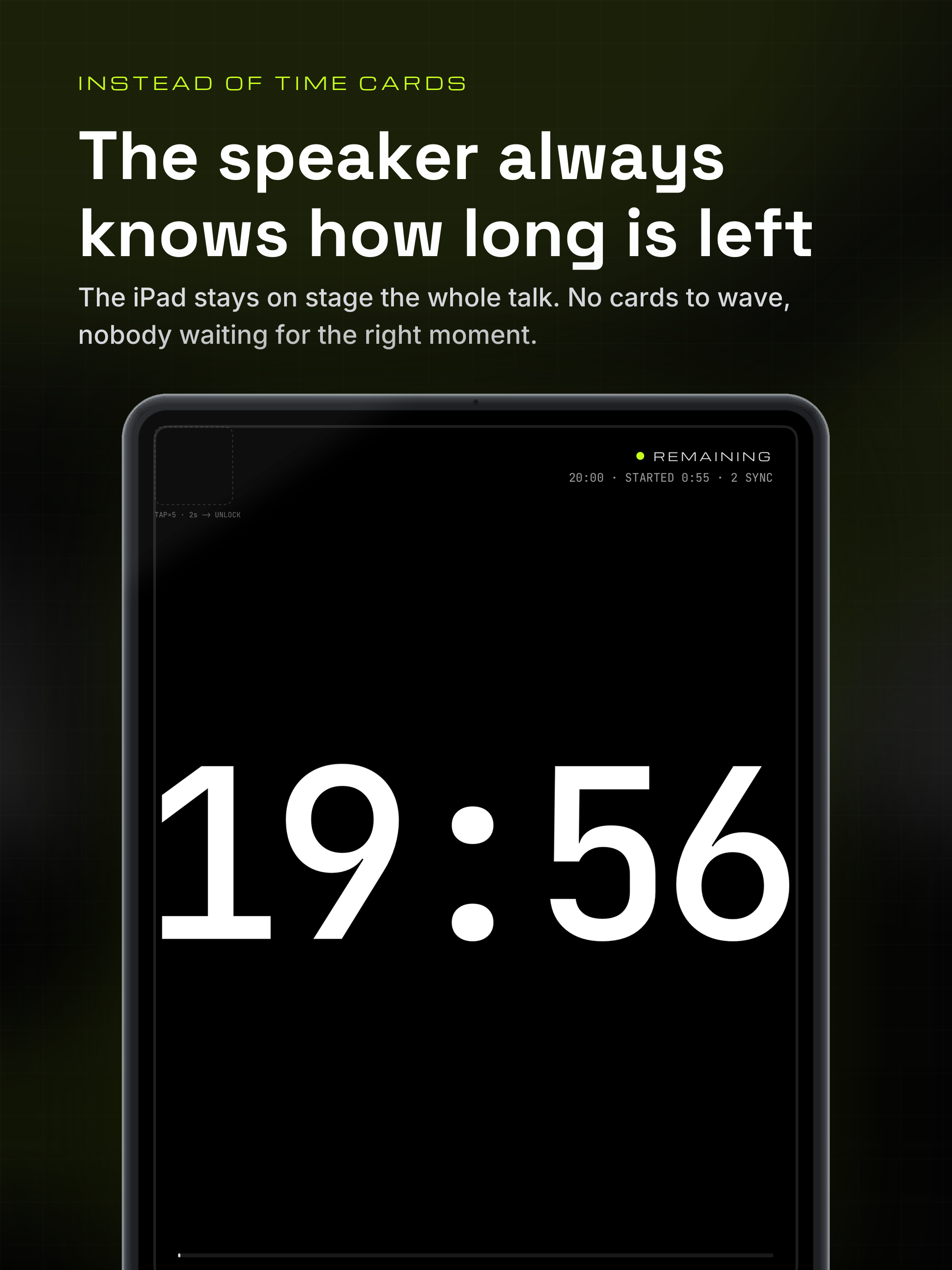
On stage: the iPad shows the remaining time for the whole talk, so nobody has to hold up a card.
-
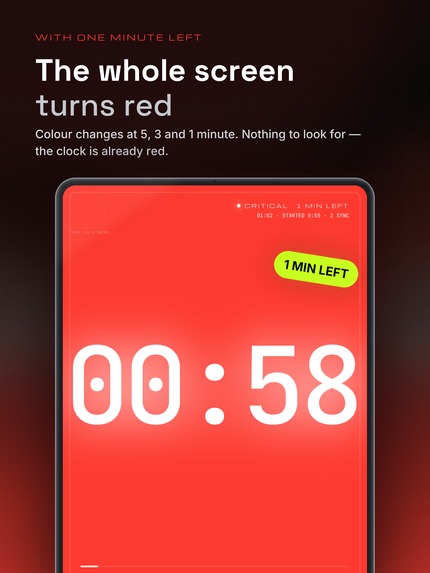
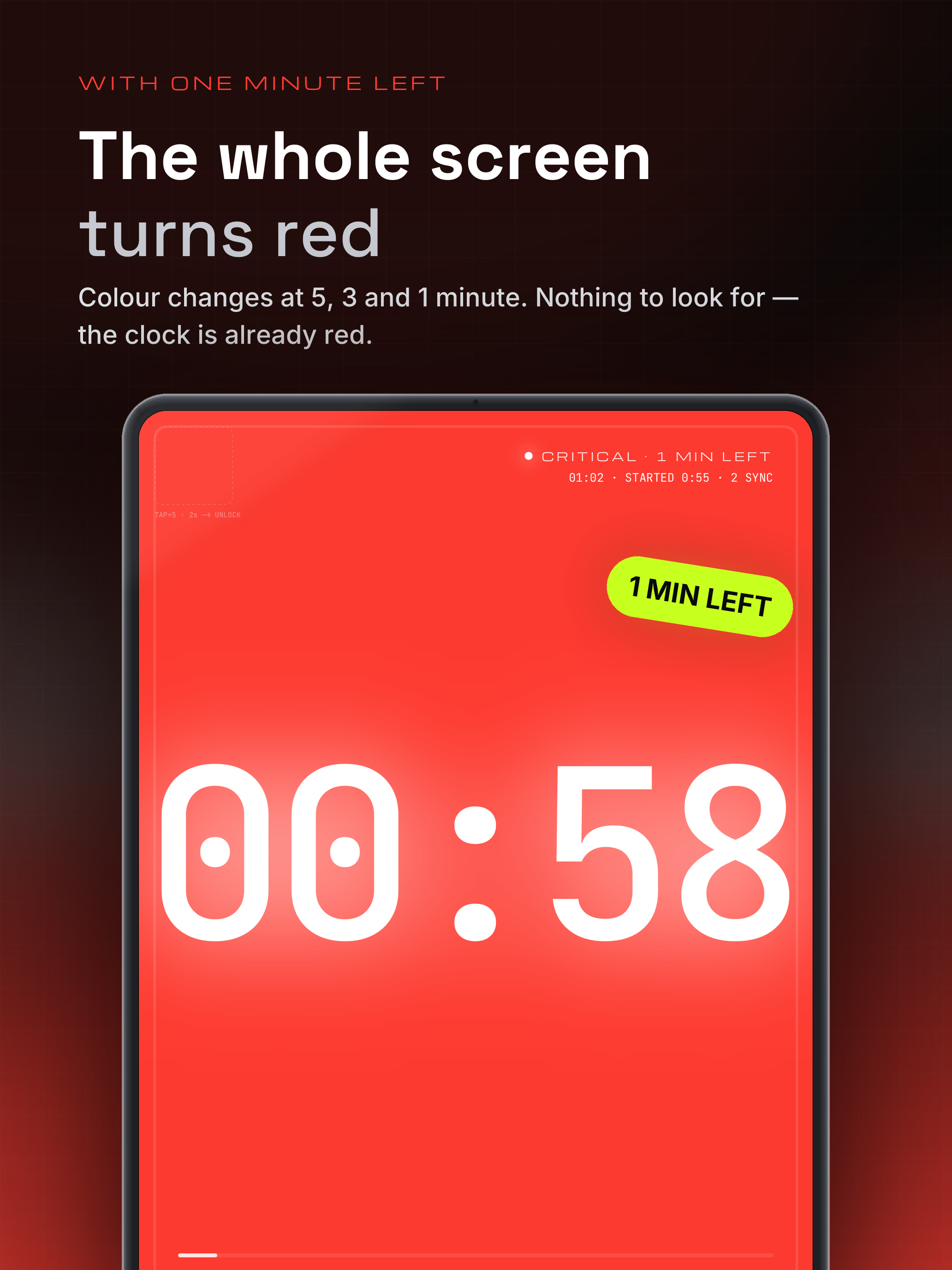
At 5, 3 and 1 minute the entire screen changes colour; the last tier flashes. The speaker sees it without reading anything.
-
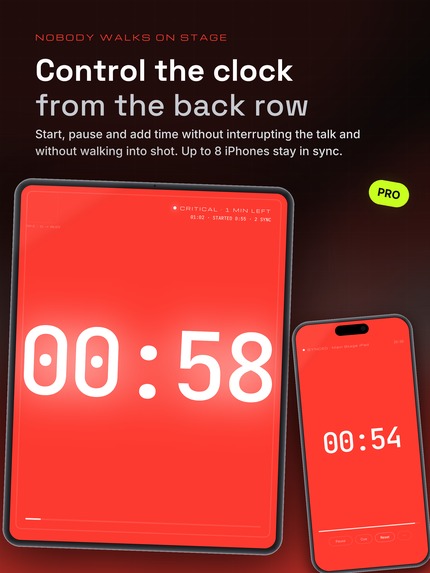
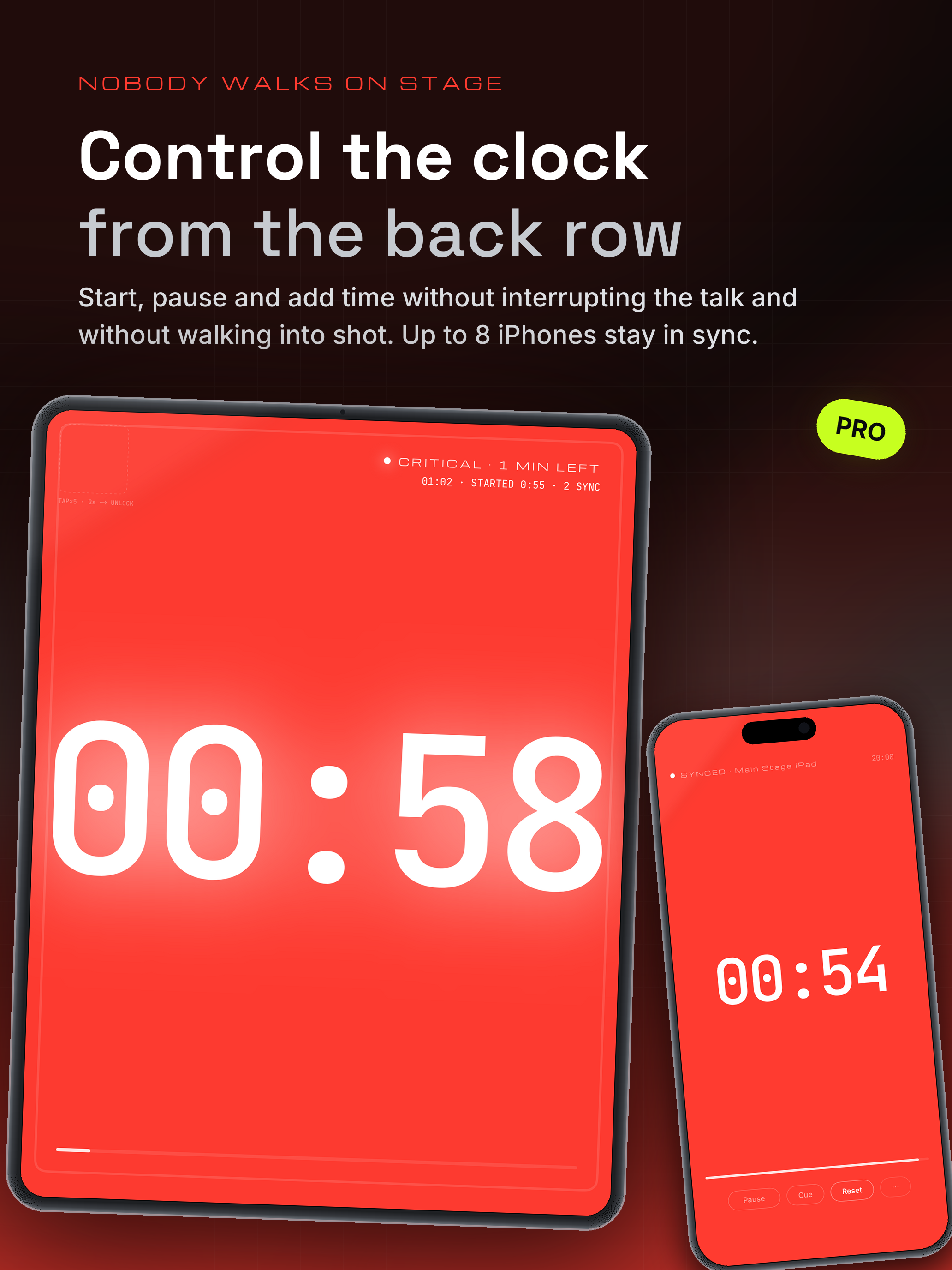
The crew starts, pauses and adds time from an iPhone in the audience. Nobody walks on stage, nobody ends up in the shot.
-
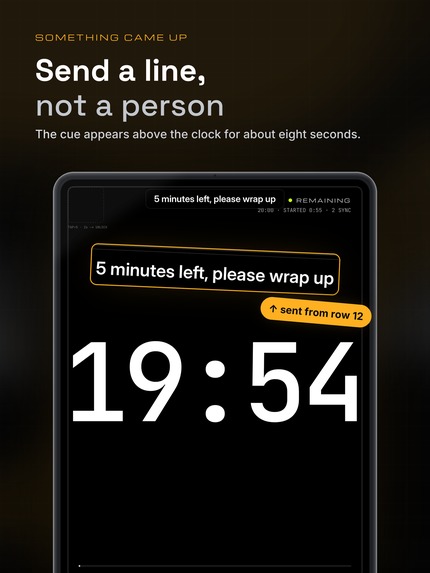
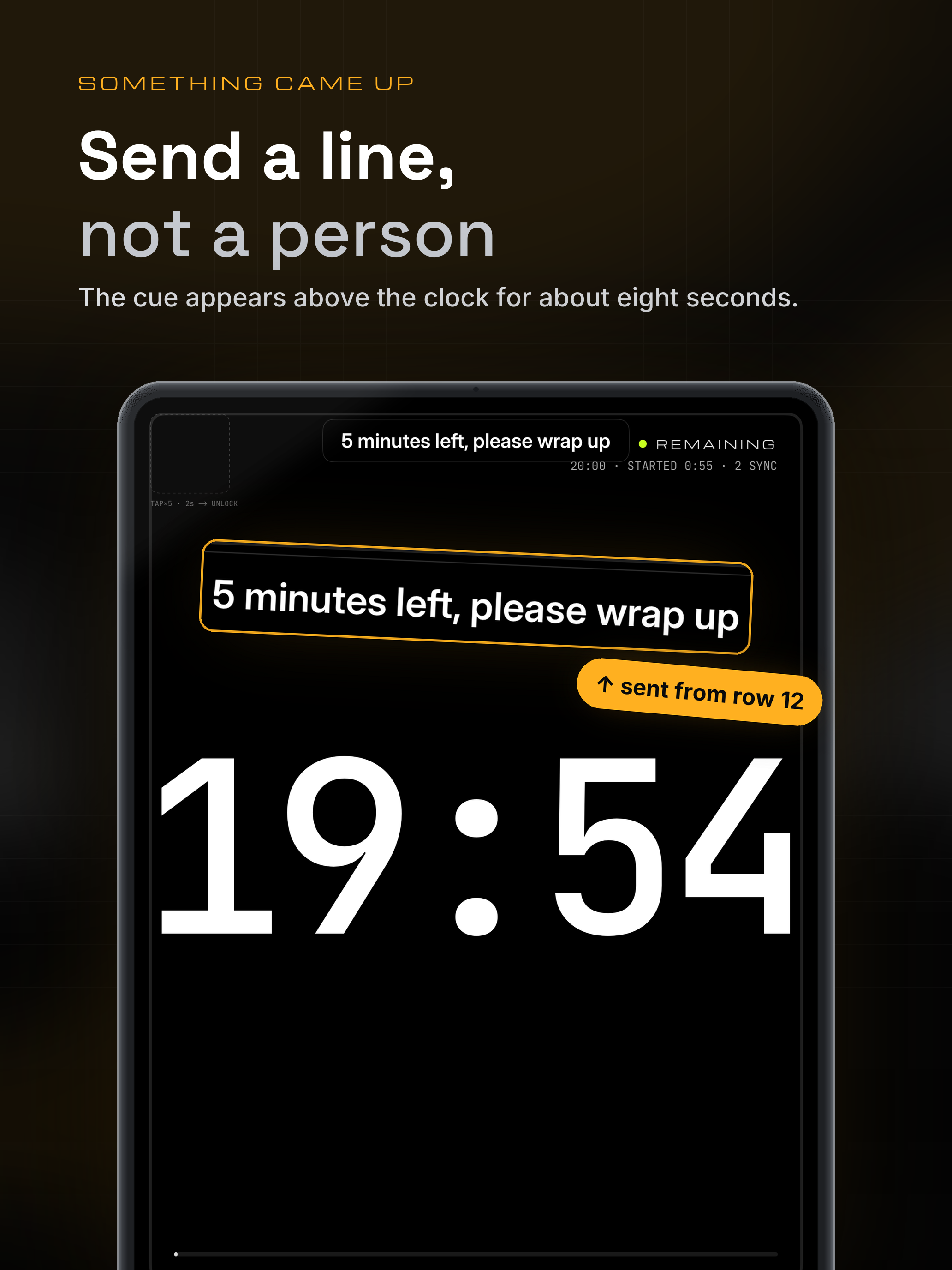
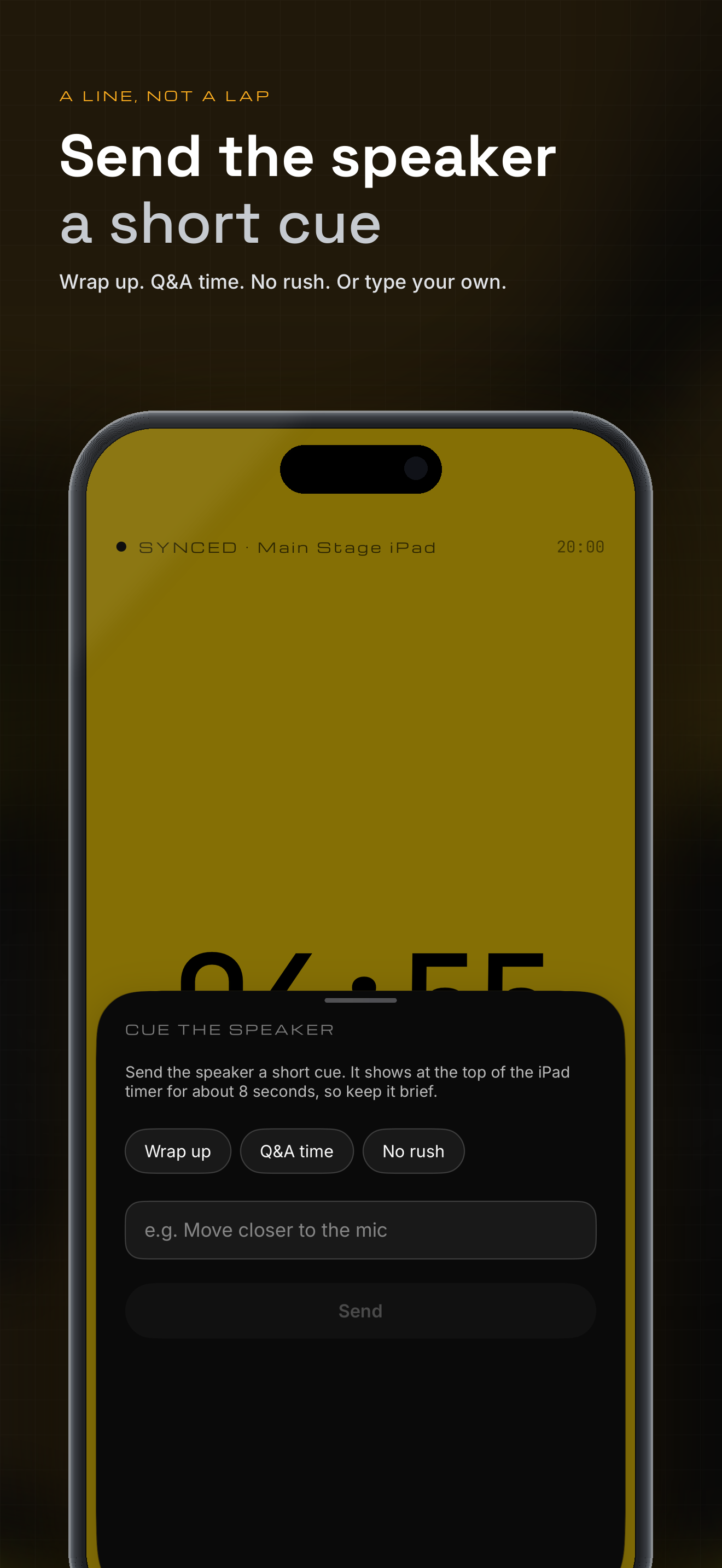
A stage message sent from an iPhone appears above the clock for a few seconds — "Wrap up" instead of a whisper at the podium.
-
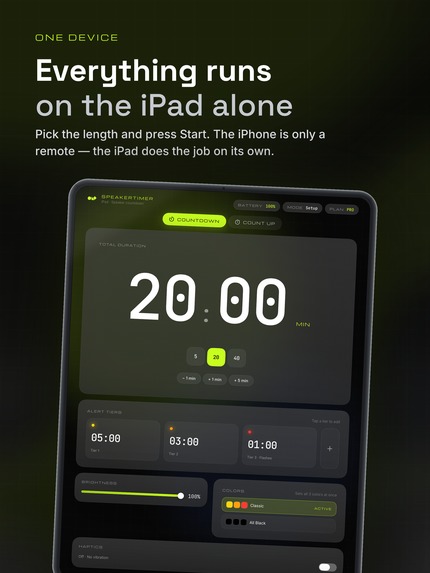
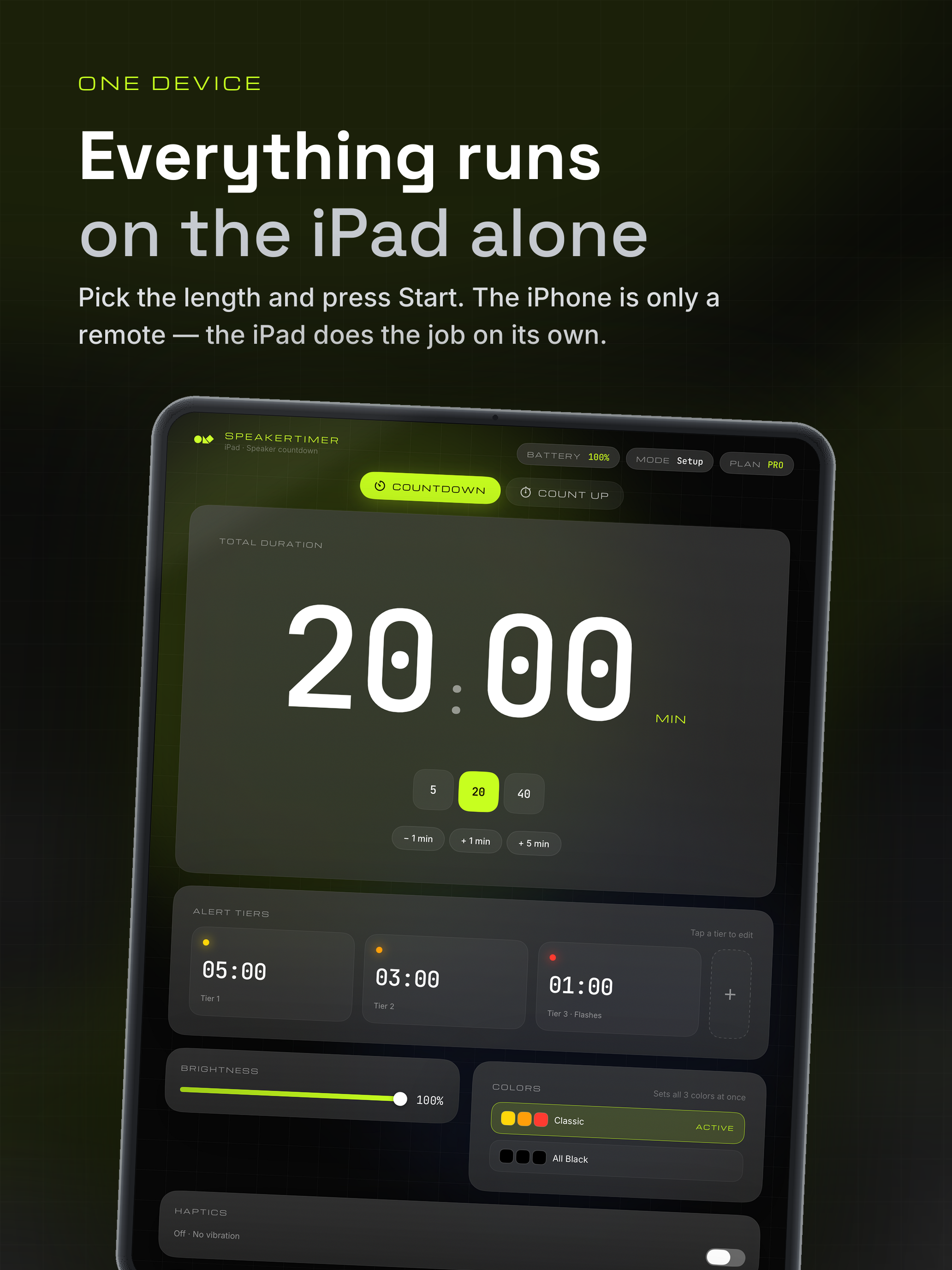
Setup on the iPad: talk length, alert tiers, colours. Everything runs on the iPad alone; the iPhone is only a remote.
-
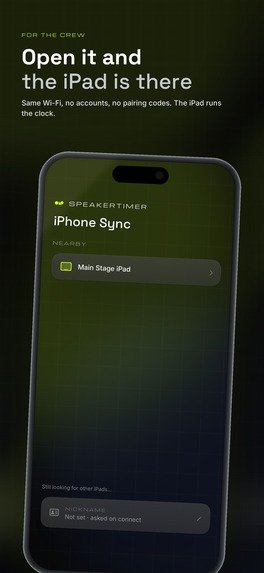
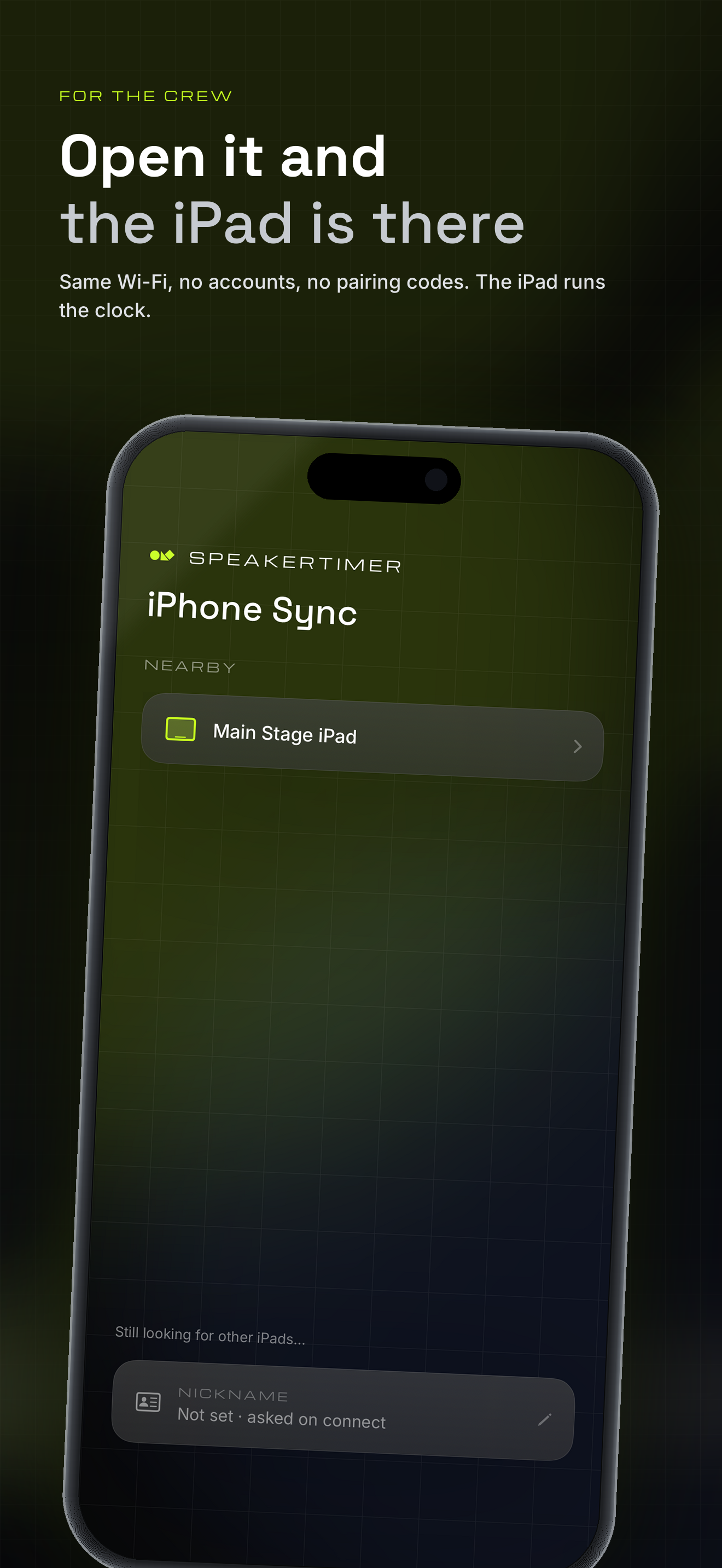
For the crew: open the app and the iPad on stage is already there. Same Wi-Fi, no accounts, no pairing codes.
-
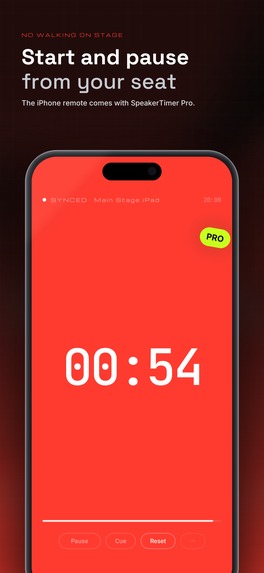
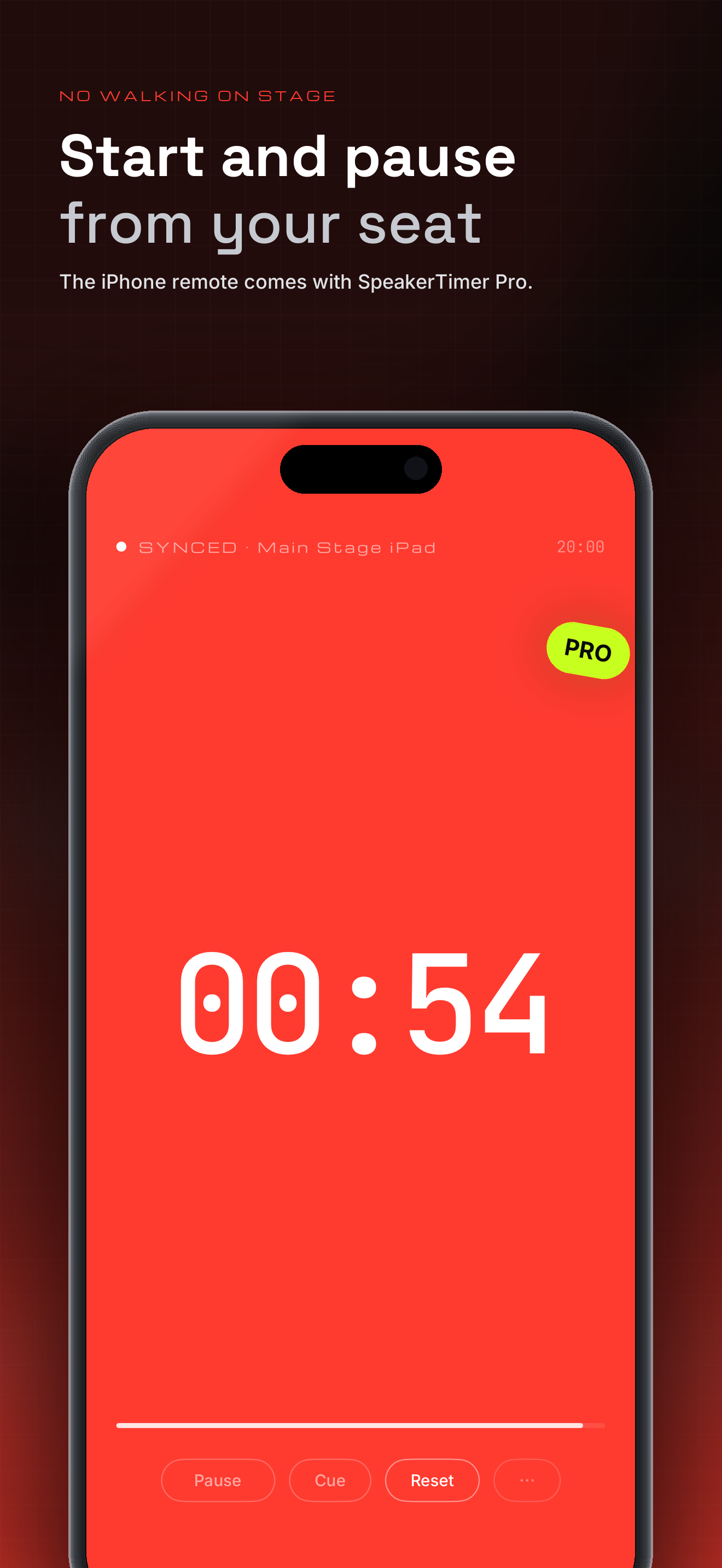
The iPhone remote (SpeakerTimer Pro): start, pause, reset and adjust the time from your seat.
-
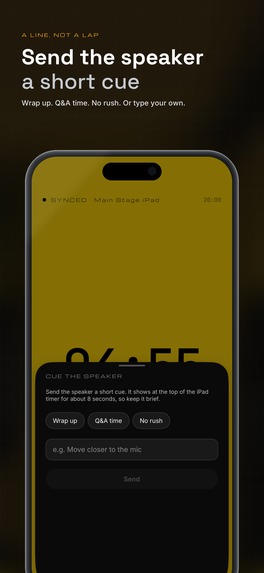
Send the speaker a short cue — Wrap up, Q&A time, No rush — or type your own.
-
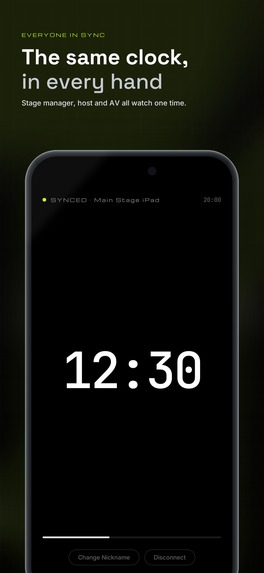
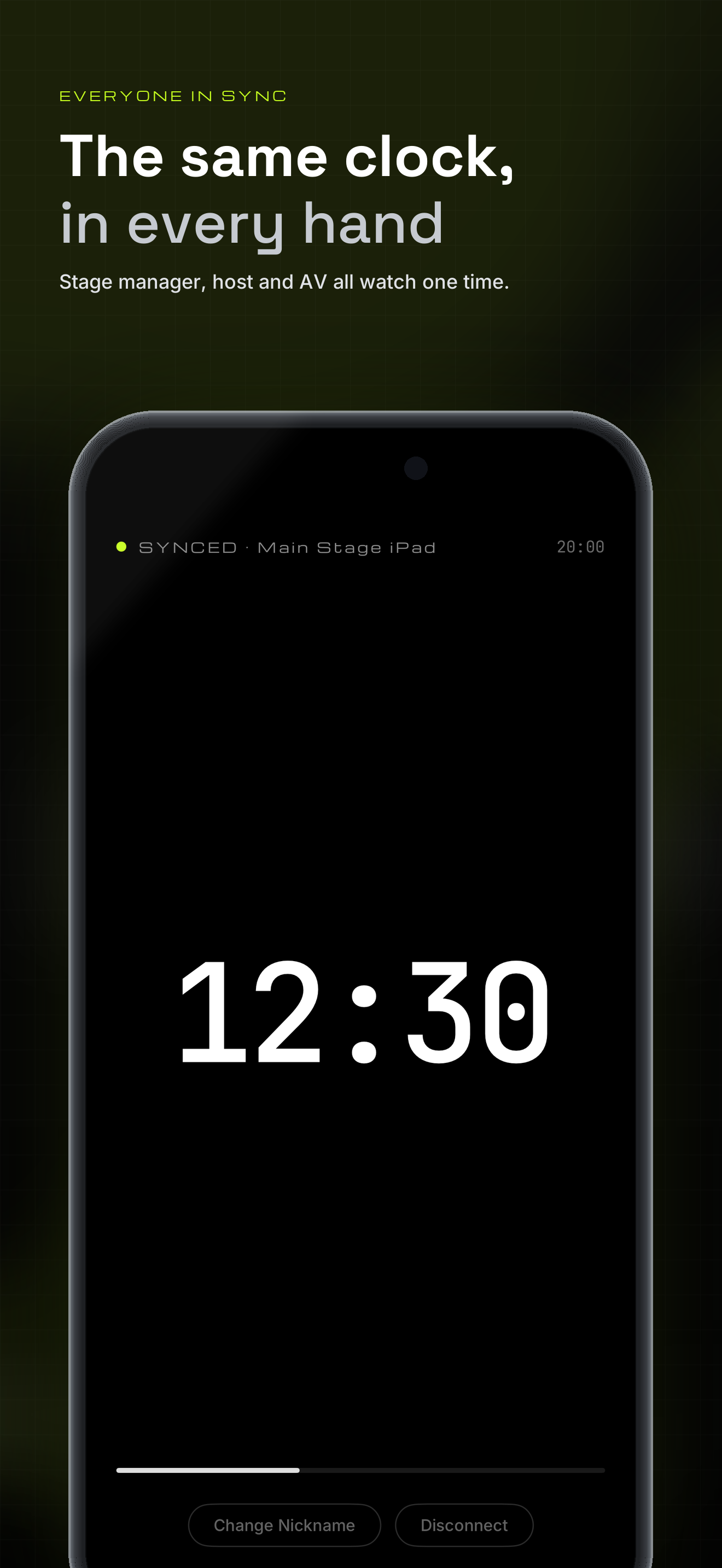
Every connected iPhone shows the same clock, so the host, the AV desk and the stage manager read one number.
Inspiration
At every conference I've helped run, someone stands at the edge of the stage holding time cards. It works, until it doesn't. The speaker is looking the other way. The card only goes up twice — at 5 minutes and at 1. And the person holding it has to step into the speaker's field of view, and into the photographer's shot, to deliver it.
A speaker doesn't need a card twice per talk. They need a clock that is always there. And the crew shouldn't have to walk on stage to start it, pause it, or say "please wrap up."
What it does
SpeakerTimer turns an iPad into a stage clock the speaker can read from across the room, and turns the crew's iPhones into its remote control and second screen.
On stage (iPad)
- Set the talk length and press Start. The iPad switches to a full-screen countdown that can't be closed by accident — the way out is five taps in the top-left corner within two seconds.
- The whole screen changes color at the thresholds you choose (5 / 3 / 1 minute by default), and the last tier flashes, so the speaker catches it out of the corner of their eye.
- When time runs out the clock keeps going as overtime (+MM:SS), so everyone knows exactly how far over the talk is. Count-up mode works the same way.
From your seat (iPhone)
- Open SpeakerTimer on iPhone and it finds the iPad on the local network. No accounts, no pairing codes, no server.
- Every connected iPhone mirrors the same clock, so the host, the AV desk and the stage manager read the same number.
- Make one iPhone the controller and it can start, pause, reset and adjust the time. Nobody walks on stage, and nobody ends up in the shot.
- Send a short message to the stage screen — "Wrap up", "Q&A time", "No rush" — instead of walking up to whisper it.
Free and Pro
- Free: talks up to 20 minutes, one iPhone mirroring the clock.
- SpeakerTimer Pro is a one-time purchase powered by RevenueCat: unlimited length, up to 8 iPhones, and the iPhone remote with stage messages.
- Losing Pro never interrupts a live event. Already-connected iPhones and a running timer are left alone until the talk ends.
How I built it
- SwiftUI on iOS and iPadOS — one app that is the stage clock on iPad and the remote on iPhone.
- Device-to-device sync over Bonjour and Network.framework. The iPad is the single source of truth and broadcasts state to every viewer; viewers send intents, never state.
- Swift 6 concurrency throughout, with an explicit ownership contract for every async job: who starts it, who cancels it, and what invalidates an old result.
- RevenueCat for the one-time Pro purchase: entitlement check at launch, a paywall that degrades to the free experience when the store is unreachable, and limits enforced at connection time rather than mid-event.
- Fully localized in English and Traditional Chinese with String Catalogs, plus a layout regression suite that runs the same UI tests in both languages on the smallest iPad — an English string that overflows turns a test red.
Challenges I ran into
- A stage clock must be impossible to close by accident and still easy to escape. The unlock gesture is five taps in the top-left corner; making that hit area reliable meant fixing a layering bug where the giant digits were swallowing part of it.
- Sync has to be honest about failure. Every disconnect reason says what happened and what to do next, and the rules for when not to reconnect are written down as decision records so they can't quietly drift.
- Free limits must never punish a speaker mid-talk. The rule became: enforce limits when a connection is made or a timer is started, never in the middle of a running event.
- English is longer than Chinese. Localizing revealed layout that only fit because the original copy was short — which is why the layout tests now run in both languages.
Accomplishments that I'm proud of
- The screen the speaker sees has nothing to think about: a number, a color, and nothing that can be tapped by mistake.
- The whole crew shares one clock with no server, no account and no QR code.
- Purchases, revocation and store outages all have defined behavior, and none of them can interrupt a talk that is already running.
What I learned
- Design the failure states first. Most of the work in a sync feature is deciding what to show when it stops working.
- Keep product limits in one place. Every free/Pro gate reads the same constants, so "20 minutes" and "1 iPhone" exist once, in code and in copy.
- Automated layout checks pay for themselves the moment you add a second language.
What's next for SpeakerTimer
- Presets per track, so a moderator can switch between 5-minute lightning talks and 40-minute sessions in one tap.
- An Apple Watch companion for the person running the room.
- More languages, now that every string is externalized.
For the judges
- Pro is a one-time purchase, and a promo code is included with this submission.
- Everything except the length limit, the extra iPhones and the remote works without paying.
- The main feature needs two devices: run the app on an iPad, then open the same app on an iPhone on the same Wi-Fi.

Log in or sign up for Devpost to join the conversation.