-
-
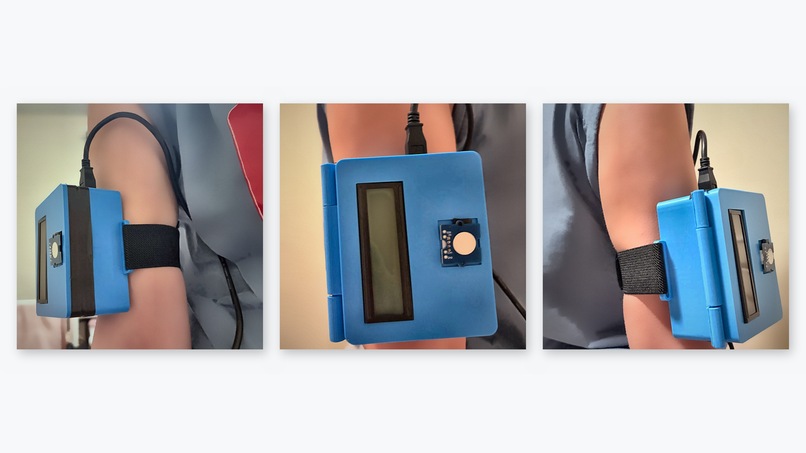
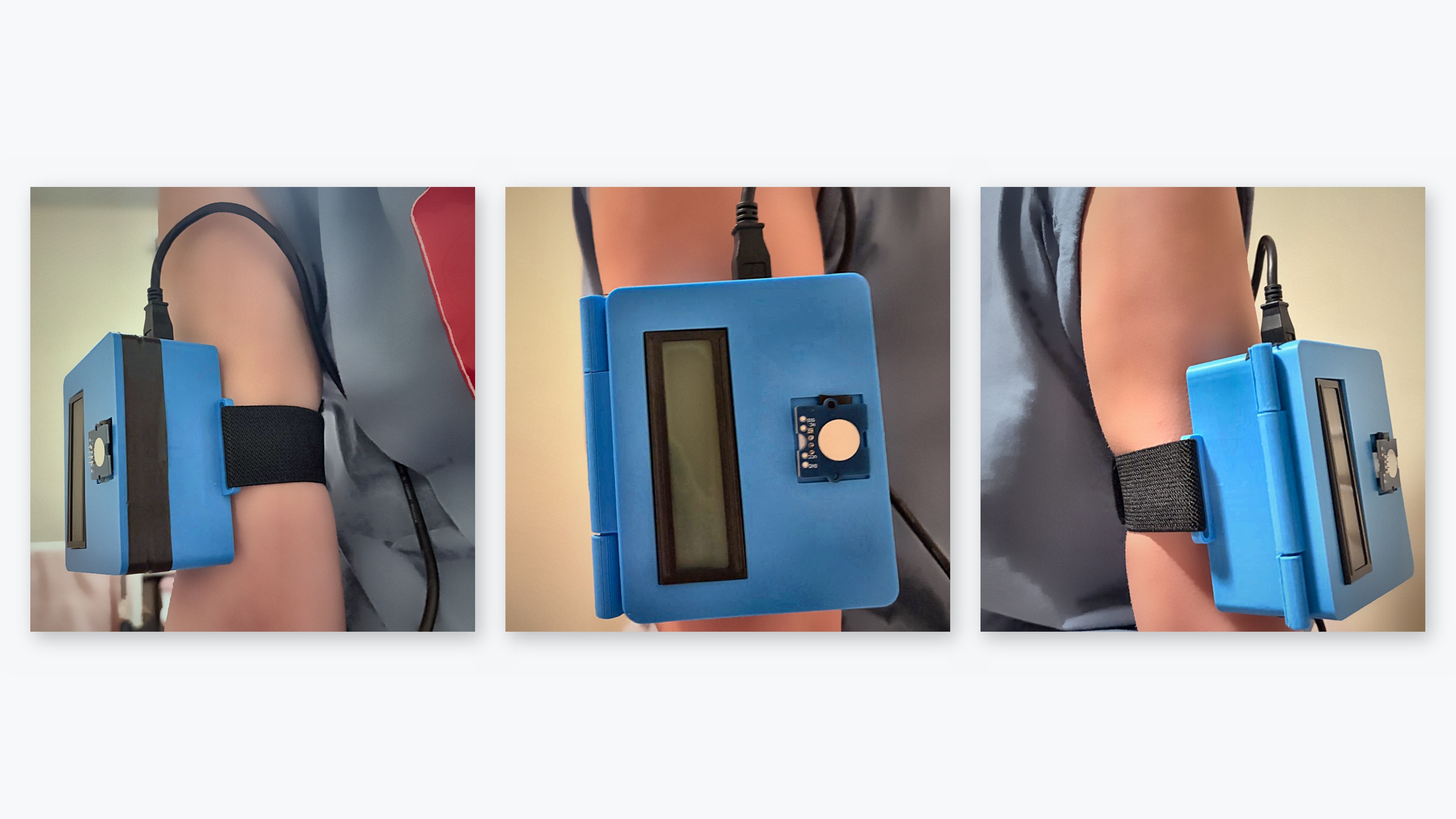
Device turned off
-
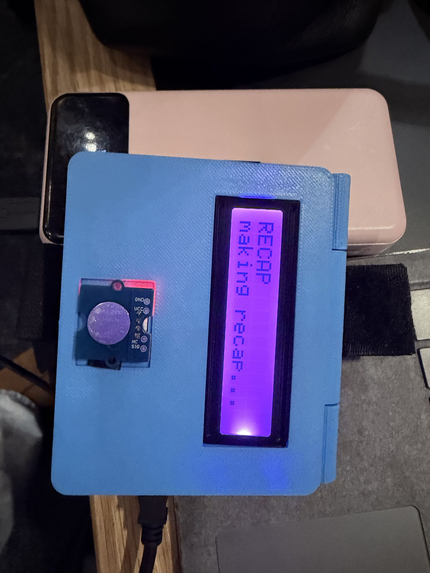
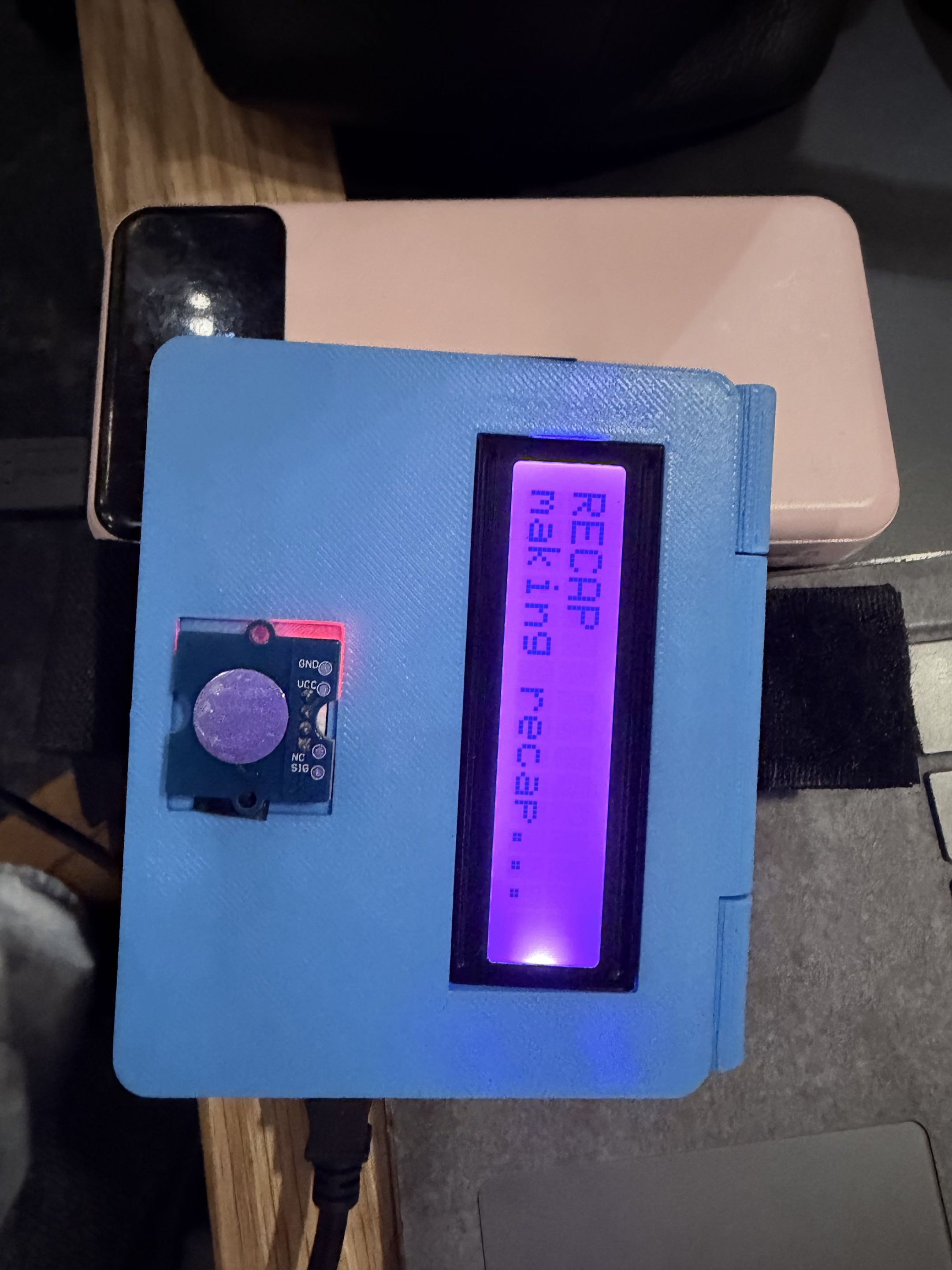
Recap loading - LCD screen
-
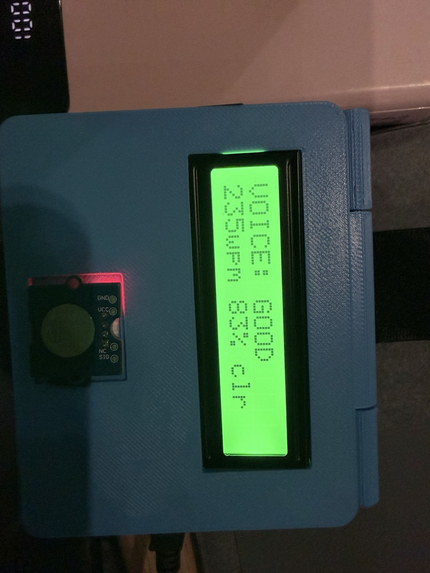
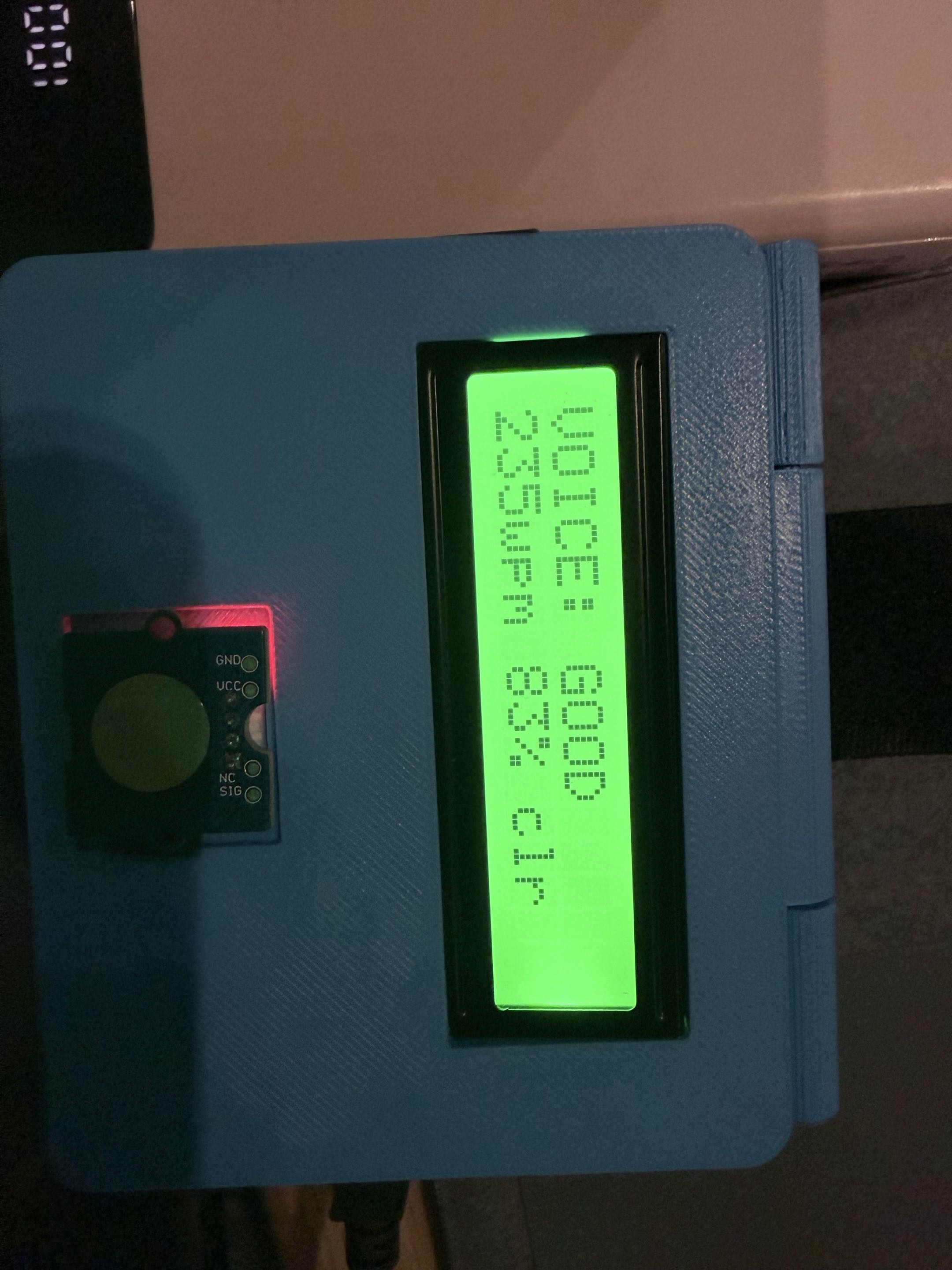
Voice: GOOD - LCD screen
-
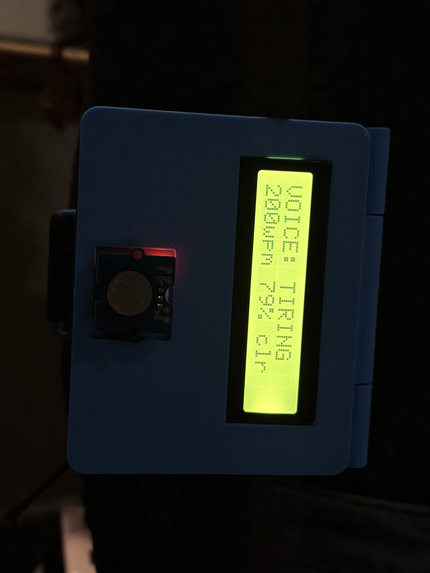
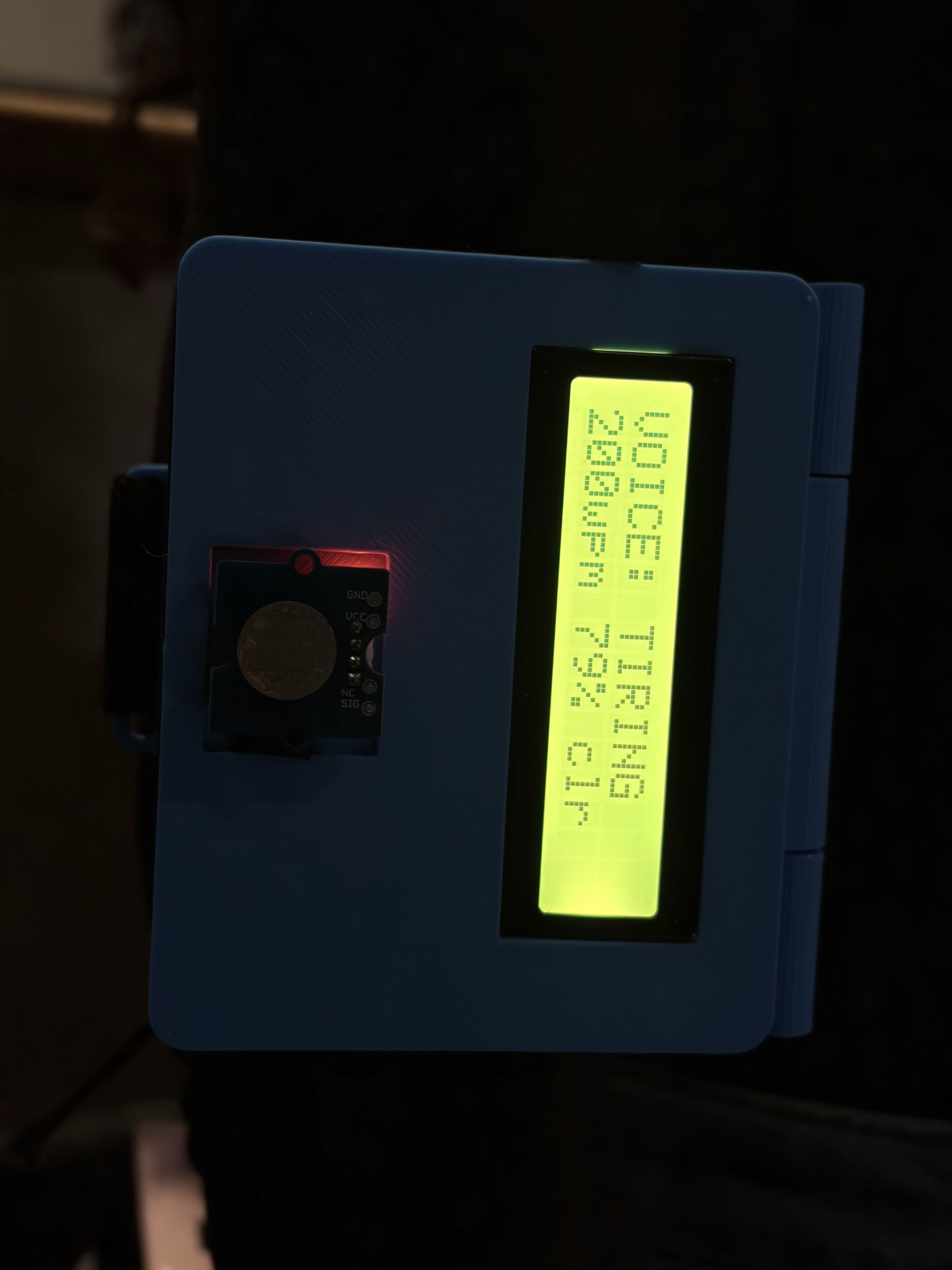
Voice: tiring - LCD screen
Inspiration
Alex has taught biology on the Hamilton mountain for 19 years. In July 2026 he was diagnosed with ALS, two years and four clinicians after his handwriting first started fading on the whiteboard. His speech still works, but it wears out. At 9 AM he talks at 165 words per minute and 98% intelligibility. By 4 PM he's down to 118 words per minute and 91%. Students at the back ask him to repeat himself after lunch, and he quietly stopped giving his end-of-day recap.
His letter asked for one thing above everything else: to still be in a classroom in June. He ended it with "I am still me."
At the opening ceremony we heard about an eye-gaze device that took five minutes per sentence, and that most assistive devices end up in a drawer. So we set ourselves a narrow goal. We wanted to protect the one thing he wants to keep, his voice in front of his class, with something he never has to think about using.
What it does
SpeakEasy is a 3D-printed armband Alex wears on his upper arm. It listens to him teach and changes how it helps as his voice tires over the day.
- Morning, while he's fresh: captions run, and SpeakEasy quietly saves clean clips of his speech. Those clips build a clone of his voice in the background, so he gets voice banking without ever sitting down to do it. He told his care team voice banking "feels like giving up". This way he never has to have that moment.
- All day: live captions of what he's saying appear on the classroom projector, so the back row can follow even when his speech slurs.
- As he tires: SpeakEasy tracks his speaking rate and how clearly each word comes through, compared with his own morning baseline. The small LCD on the armband shows it at a glance: green "VOICE: GOOD" with his words per minute and clarity, amber "VOICE: TIRING" when he starts to slow down, and purple "VOICE: LOW / HOLD = RECAP" when it's time to let the recap take over. It's a cue only he notices.
- End of class: he holds the touch pad. SpeakEasy summarizes the day's lesson and plays it back in his own cloned voice through the classroom speaker. His end-of-day recap comes back.
We never re-voice him live. What the class hears in the moment is always his real voice, and the clone is only used for the recap.
The touch pad takes zero force, so it keeps working as his grip weakens. Tap it to turn captions on or off, hold it for a recap.
For his care team, the app logs a speech score every minute, so his speech-language pathologist and neurologist could see how his voice changes between his three-month clinic visits. Audio never leaves the laptop. Only the lesson text goes to Gemini to write the recap.
How we built it
Hardware. The armband is an Arduino 101 with a Grove Base Shield: a capacitive touch pad that needs no force, a Grove RGB LCD for the colour cue and live speech numbers, the 101's built-in motion sensor, and an optional vibration motor for a private buzz, all inside a 3D-printed case we designed and printed on a Bambu Lab printer. The LCD sits behind a window and the touch pad sits flush with the lid, the lid opens on a printed hinge for access to the electronics, and an elastic strap holds it on the arm. It connects to the classroom laptop over USB for now. The 101 has Bluetooth LE built in, which is how it goes wireless next. A single AirPod is the mic, so it hears Alex and not the room, and the recap plays through the classroom speaker. We started with a Raspberry Pi wearable and designed a case for it in CadQuery, then moved the computing to the laptop when the Pi was no longer available.
Software. One Python app on the laptop, split into modules that talk over a small event bus. That let four of us build in parallel and test each piece with fake events.
- Speech to text runs offline with Vosk: no network lag in class, and a confidence score for every word.
- The fatigue score compares each minute's speaking rate and clarity with Alex's own baseline, calibrated on his first minutes of talking. It's scaled so his documented 4 PM numbers land at the top of the range, and it moves one step at a time (green, amber, purple) so the cue never flickers. A passage mode scores word accuracy against a known text, which is closer to how clinicians measure intelligibility.
- Captions are served as a web page, so any projector laptop just opens a link. They scroll like TV captions: three lines, newest at the bottom.
- Recaps: Gemini summarizes only the current class, in Alex's first-person style and for any subject, and ElevenLabs reads it in his cloned voice. Built-in fallbacks (model switching, time limits, a backup text and a stock voice) mean the recap always plays.
- Voice banking keeps only clean, confident speech and clones the voice automatically once it has 90 seconds, so Alex never has to sit down and record.
- A control panel shows the armband, mic and voice status, the live fatigue score and the transcript, with demo controls for judging.
Data. The transcript and every minute's speech metrics are saved in a local SQLite database on the laptop. The sync code for a cloud time-series database is written but switched off for now.
Challenges we ran into
- The hardware kept changing under us. A lapel pod became a Raspberry Pi wristband, then a Pi armband with its own case, then an Arduino armband with the laptop doing the computing once the Pi was no longer available. Keeping every module behind one event bus is why the switch took an evening instead of a rewrite.
- One USB port and a noisy room. The laptop mic heard everyone, which put judges' voices in the captions and mixed two of us into one voice clone. Moving to an AirPod mic and adding New speaker and Pause recording controls fixed both.
- Real-world API limits. A Gemini model name stopped existing and a preview model wasn't allowed on our free key, so the app now tries models in order until one works. Turning off Gemini's extra thinking step cut recaps from over 20 seconds to about 5. ElevenLabs flagged clones made in quick succession for verification, so a blocked clone now falls back to a stock voice instead of failing.
- Recaps about the wrong lesson. An old background draft and a 45-minute window once produced an enzymes recap after a photosynthesis lesson. A New class boundary, and drafts that expire as soon as new speech arrives, fixed it.
- Measuring fatigue without a clinic. Speech recognition confidence is only a stand-in for intelligibility, and VOC-ALS has vowels and syllable repetition rather than lesson-style speech, so we could only validate parts of the score against it.
Accomplishments that we're proud of
- A working end-to-end demo: live captions, a touch pad on the arm that toggles them, a colour cue and live speech numbers driven by real speech, and a recap of whatever was taught, in the speaker's own cloned voice, about 10 seconds after a single hold.
- A wearable that looks like a product: a 3D-printed armband case with a hinged lid, a window for the display and a flush touch pad.
- Designed around Alex's actual numbers, goals and letter, not a generic ALS patient.
- Built to fail gracefully: if Wi-Fi, Gemini or the voice clone has a problem, the recap still plays.
What we learned
- The best assistive tech is the one nobody has to remember to use. Every design choice came back to zero effort for Alex.
- Dignity is a design requirement. Never re-voicing him live, and turning voice banking into something that just happens, mattered as much as any feature.
- Matching the build to the parts on hand forced better decisions than an ideal spec would have.
What's next for SpeakEasy
- A wireless armband. The Arduino 101's built-in Bluetooth LE plus a small battery removes the last cable, so Alex can walk the rows freely.
- Recognising Alex's voice. Speaker recognition would let SpeakEasy ignore students talking, keep his voice bank and fatigue baseline clean, and switch voices automatically.
- Validating the fatigue score with real classroom speech from people with ALS, alongside their SLP, and checking whether it tracks the speech items of the ALSFRS-R between clinic visits.
- A clinic dashboard. Every minute's speech metrics are already saved; syncing them to a secure dashboard would give his neurologist a trend between visits.
- Fall detection. The motion sensor is already in the armband. Alex has fallen twice, both after 6 PM, and is home alone until 4:30. A fall alert to his partner Jordan is the natural next feature.
- Getting it into classrooms. School boards already buy accessibility tech for staff, and the Ontario Assistive Devices Program covers communication aids. Built from off-the-shelf parts, the armband stays cheap, and the software runs on the laptop a teacher already has.
