-
No content
-
After trying speak soft
Inspiration
Learning English can feel stressful, especially when every mistake feels like a judgment. Many learners already know what they want to say, but they hesitate because they are unsure about grammar, phrasing, or pronunciation.
SpeakSoft was inspired by that exact feeling.
We wanted to build a gentle English speaking companion that helps people improve without making them feel embarrassed. Instead of acting like a strict grammar checker, SpeakSoft acts more like a supportive coach: it listens, corrects, explains, and encourages the user to try again.
The goal was simple: help users learn gently, not perfectly.
What it does
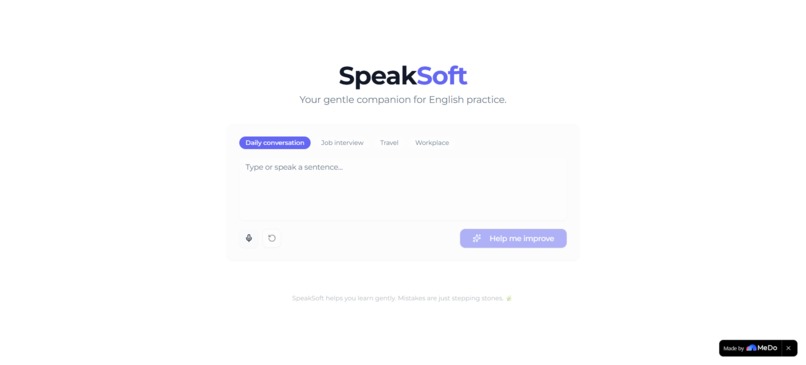
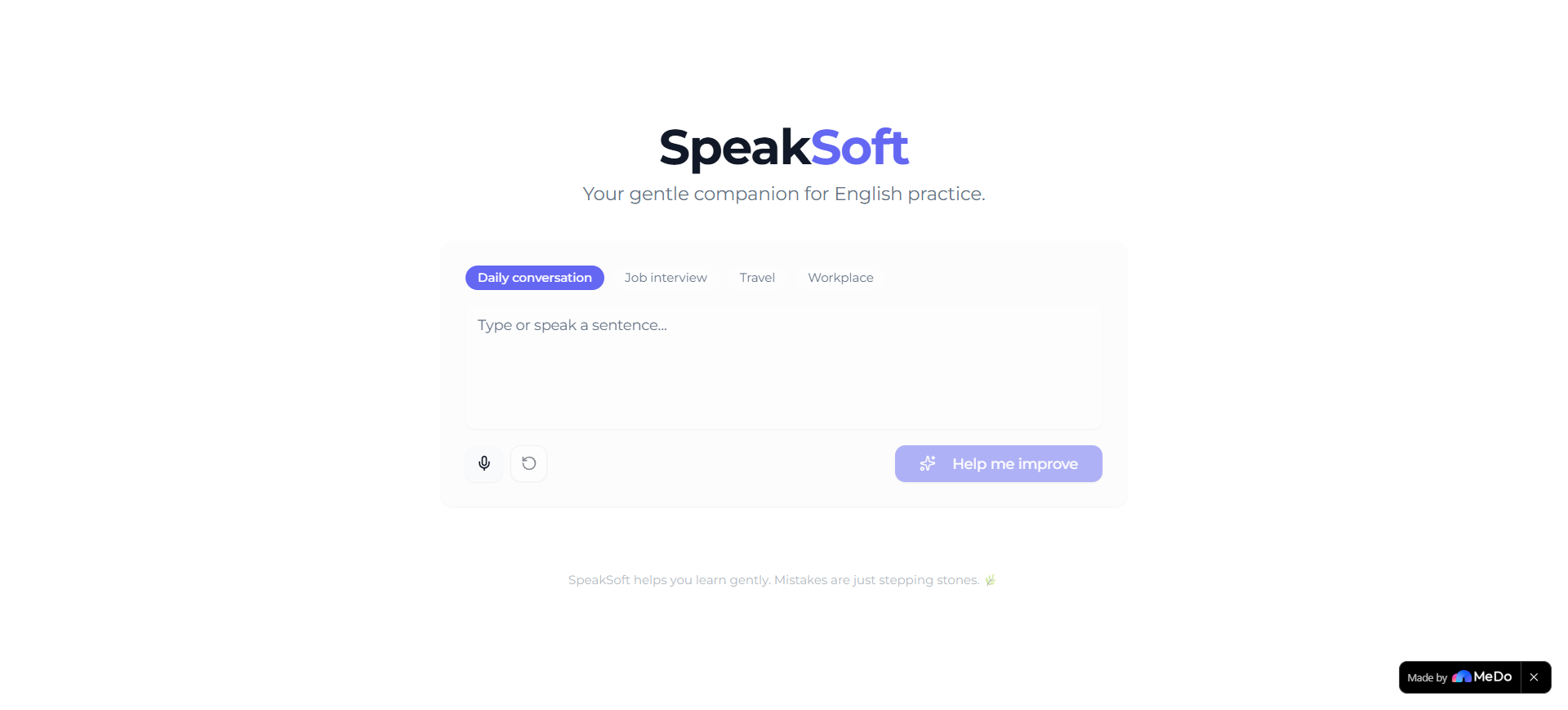
SpeakSoft helps beginner and intermediate English learners practice spoken or written English in a calm, supportive way.
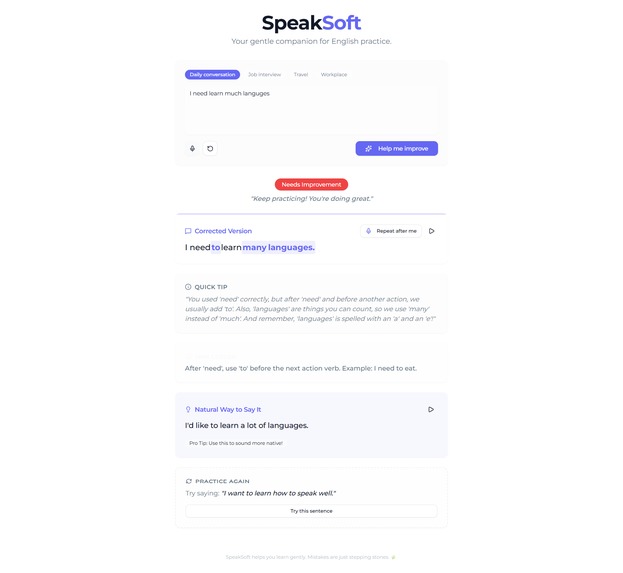
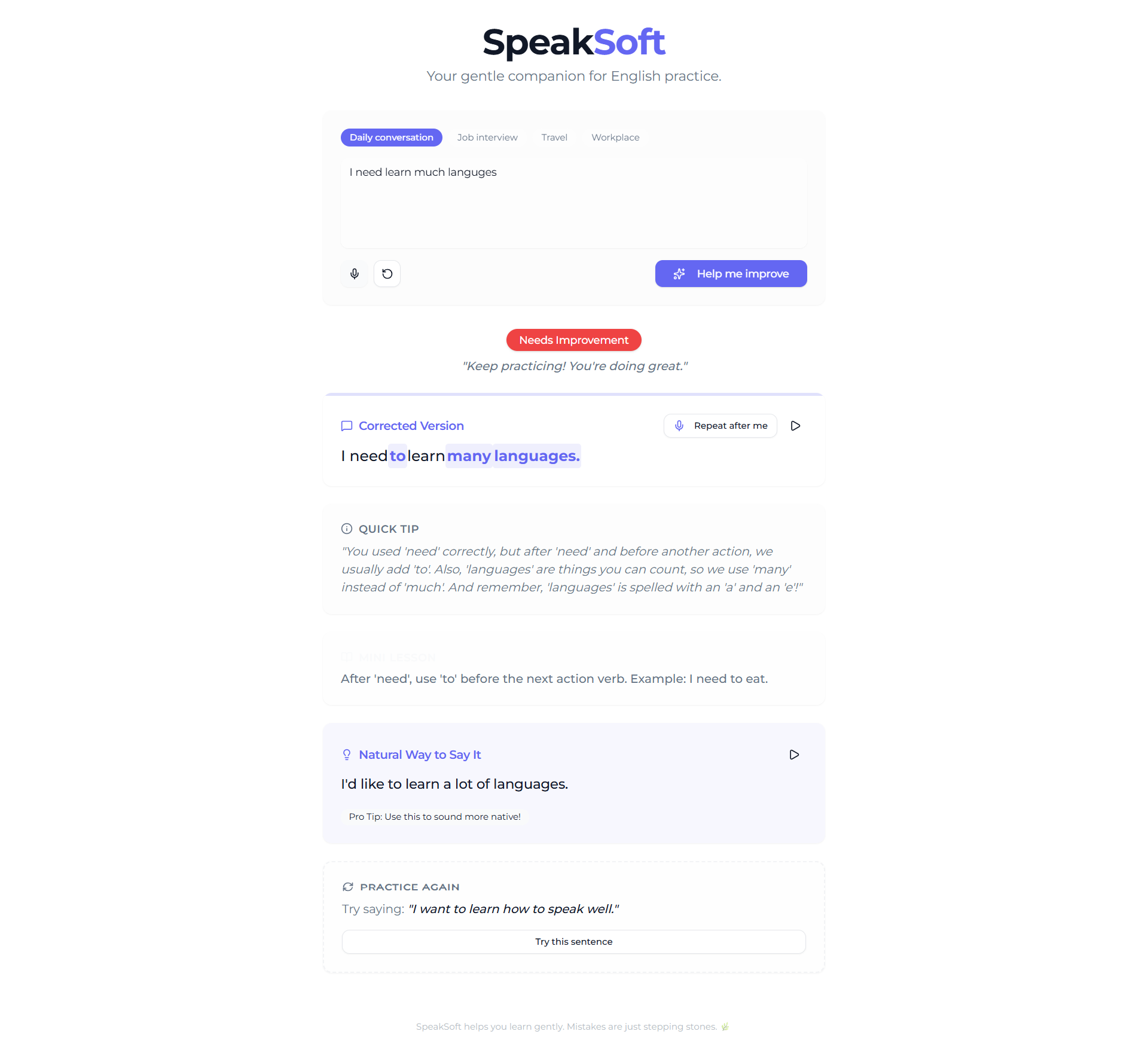
Users can either speak or type a sentence. SpeakSoft then provides:
- A corrected version of the sentence
- A short, beginner-friendly explanation
- A more natural way to say the same idea
- Mistake highlighting so users can see what changed
- A simple feedback label such as Good, Minor Issues, or Needs Improvement
- Audio playback so users can hear the corrected sentence
- A “Practice Again” suggestion for continued learning
- A “Repeat After Me” flow where users can listen, speak again, and receive gentle feedback
- Scenario-based phrasing for contexts like daily conversation, travel, workplace, or job interviews
- A mini lesson card that teaches one small concept at a time
The experience is intentionally lightweight. There are no dashboards, accounts, or complicated lessons. The app focuses on one useful loop:
Speak → Improve → Listen → Practice Again.
How we built it
We built SpeakSoft using MeDo as the main no-code application generation platform.
The process started with a focused requirements document instead of jumping straight into features. We kept the scope small: a single-page app with voice input, text input, feedback cards, pronunciation playback, and guided practice.
We structured the MeDo build in stages:
- First, we defined the core MVP: speech/text input, correction, explanation, natural phrasing, and audio playback.
- Then we generated and tested the working app.
- After the core flow worked, we added small high-impact features one by one, such as mistake highlighting, simple feedback classification, Practice Again, Repeat After Me, scenario mode, and mini lesson cards.
- We used targeted prompts for each change so the app stayed clean and did not become bloated.
SpeakSoft uses MeDo’s plugin-style capabilities for:
- Speech-to-text: converting spoken input into text
- AI text generation: correcting sentences, explaining mistakes, and suggesting natural phrasing
- Text-to-speech: reading corrected and improved sentences aloud
We kept the design calm and minimal, with clear sections for each learning step. The interface was built to feel encouraging instead of academic or intimidating.
Challenges we ran into
One of the biggest challenges was keeping the app small.
It was tempting to add many features like accounts, progress dashboards, leaderboards, full lessons, and analytics. But those features would have made the app heavier and less focused. We decided the best version of SpeakSoft should stay simple and immediately useful.
Another challenge was making the feedback feel human. A normal grammar tool can correct a sentence, but SpeakSoft needed to explain mistakes in a way that beginners could actually understand. We refined the feedback style so it stayed short, encouraging, and focused on only the most important issue.
We also had to balance correction with confidence. If the app is too strict, learners may feel discouraged. If it is too soft, they may not learn clearly. SpeakSoft tries to sit in the middle: honest correction, but with a supportive tone.
A final challenge was iteration control. Since we were working within a credit-based platform, every change had to be planned carefully. We avoided broad prompts like “make it better” and instead used small, targeted improvements.
Accomplishments that we're proud of
We are proud that SpeakSoft feels like more than a grammar checker.
The app creates a complete learning loop:
- The user speaks or types
- The app corrects the sentence
- The app explains the mistake
- The app gives a natural version
- The app reads it aloud
- The user practices again
We are especially proud of the supportive tone. SpeakSoft does not make users feel wrong. It makes them feel like they are improving.
We are also proud of the small details:
- Mistake highlighting makes corrections easier to understand
- Scenario mode makes the improved sentence more practical
- Repeat After Me turns passive feedback into active speaking practice
- Mini lessons help users learn one idea at a time
- The single-page design keeps the experience fast and focused
Most importantly, the app solves a real problem in a gentle way.
What we learned
We learned that a strong hackathon project does not need to be huge. It needs to be clear, useful, and well-executed.
While building SpeakSoft, we learned the value of starting with a tight product scope. By focusing on one user problem, we were able to make each feature support the core experience instead of distracting from it.
We also learned that emotional UX matters. For language learners, the feeling of the product is just as important as the functionality. A correction can either make someone feel embarrassed or encouraged. The words, layout, and interaction flow all matter.
We also learned how to work with MeDo more effectively. The best results came from structured requirements and small, specific iteration prompts. Instead of trying to build everything at once, we improved the app step by step.
What's next for SpeakSoft
Next, we would like to make SpeakSoft even more useful for real learners while keeping the same gentle experience.
Future improvements could include:
- Personalized practice paths based on repeated mistakes
- Optional saved practice history
- Daily speaking challenges
- More real-life scenarios such as customer service, school, interviews, and travel
- Pronunciation-specific feedback
- Support for learners from different native-language backgrounds
- A lightweight progress view that shows improvement over time
- More natural voice options for listening practice
The long-term vision is to make SpeakSoft a calm daily speaking companion for people who want to become more confident in English, one sentence at a time.
Built With
- medo


Log in or sign up for Devpost to join the conversation.