-
-
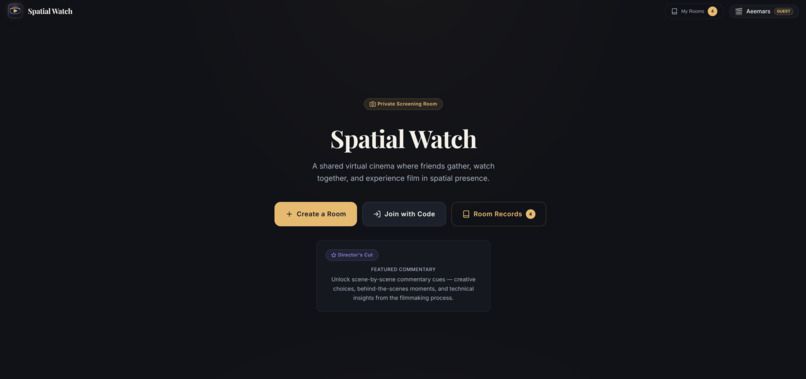
Dashboard
-
Inspiration
Watching a film with friends is social, but online watch parties often reduce that feeling to a chat box beside a video player. I wanted to explore what changes when the shared space itself becomes part of the experience: a quiet cinema, people present around you, reactions that inhabit the room, and optional commentary that makes a screening feel more intentional.
Spatial Watch was inspired by the idea that VR entertainment can be both social and calm. Rather than asking people to learn a complex game or navigate a crowded virtual world, it creates a seated, hands-first place to gather around a story.
What it does
Spatial Watch is a social virtual cinema built for Meta Quest and modern web browsers.
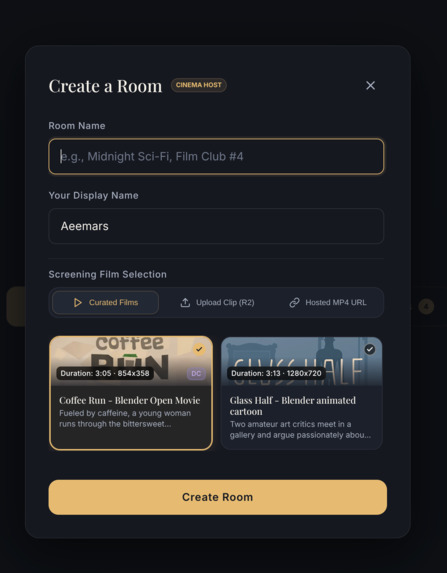
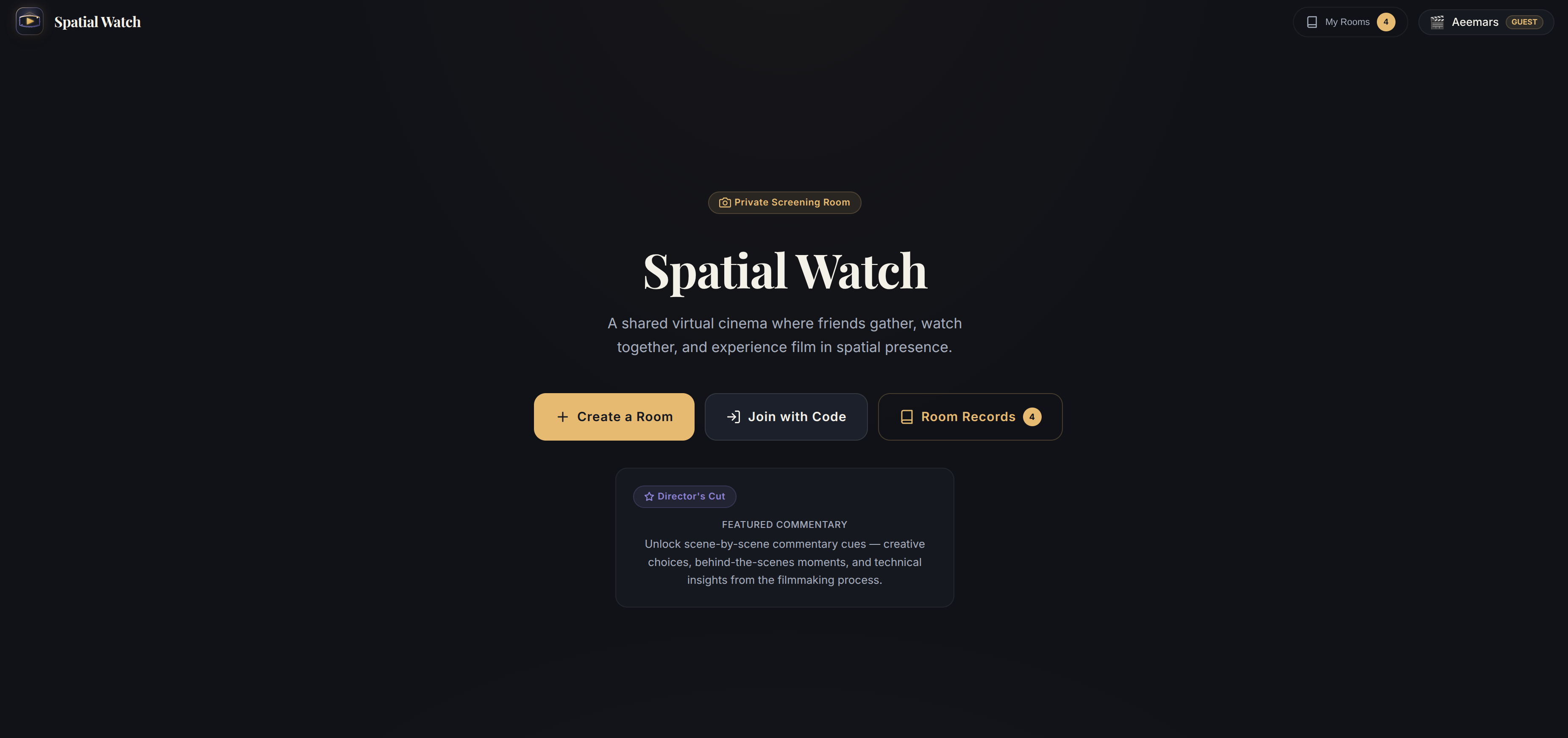
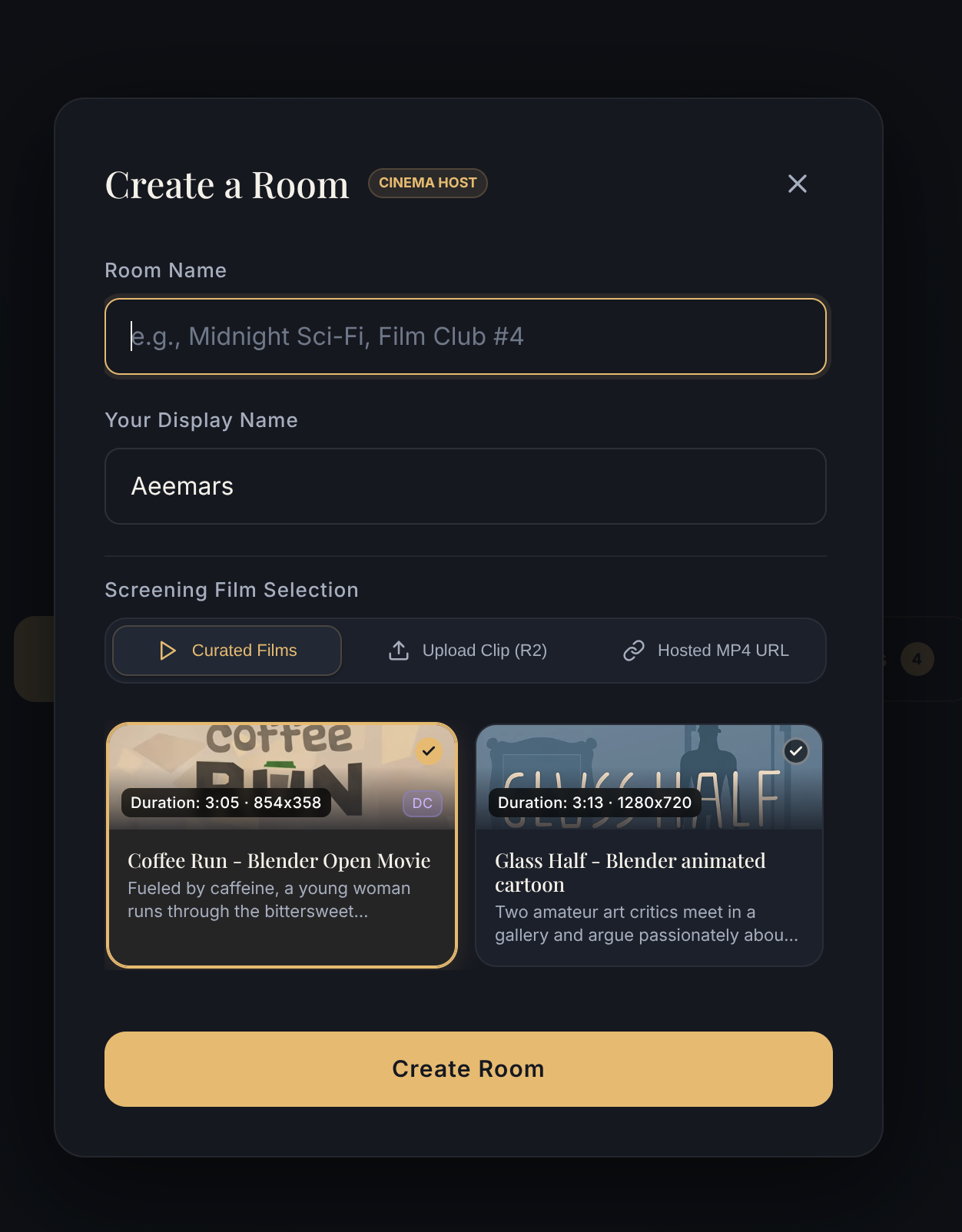
A host creates a private screening room and shares a short room code. Guests join the same room, enter a virtual cinema, and watch synchronized video together. The host controls playback, while everyone can send spatial reactions such as applause, laughter, hearts, surprise, and popcorn.
The experience includes Director’s Cut mode, which reveals timed commentary cards during a film. These can explain creative choices, technical details, or behind-the-scenes moments without interrupting the screening.
Spatial Watch supports direct video files and curated short films, with a desktop preview for non-VR users and an immersive WebXR path for Quest Browser.
How I built it
I built Spatial Watch with Vanilla JavaScript, HTML, CSS, Three.js, and WebXR on the frontend. Three.js creates the seated virtual cinema environment, renders the video onto a 3D screen through a native video texture, and displays participant markers and spatial reactions.
The backend is written in Go, with Gorilla Mux and Gorilla WebSocket for HTTP and realtime room communication. MongoDB Atlas stores rooms, participants, reactions, commentary cues, and guest-session data. The app also has an in-memory fallback for simple local testing.
For realtime synchronization, the host broadcasts play, pause, seek, and Director’s Cut events through WebSockets. I added secure guest sessions so every visitor receives a server-issued identity without requiring a sign-up flow. Media is delivered through direct, CORS-enabled MP4 sources, including a Cloudflare R2 upload path.
Challenges I ran into
The biggest challenge was making synchronized media feel reliable while keeping the experience lightweight enough for a browser-based VR application. Video playback must remain synchronized across participants, while the 3D cinema, controls, and reactions all stay responsive.
Another challenge was media compatibility. A VR video texture needs a direct video source that the browser can load safely, so I moved away from relying on embedded streaming services and focused on direct, CORS-enabled MP4 delivery.
I do not currently own a Meta Quest headset, so physical-device testing remains the most important final validation step. I used desktop preview and WebXR capability checks during development, while designing hand-pinch and gaze-dwell interaction as controller-free paths for Quest.
Accomplishments that I'm proud of
I am proud that Spatial Watch is more than a video player in VR. The core experience combines synchronized rooms, spatial presence, reactions, hands-first interaction design, guest identity, and Director’s Cut commentary into one focused entertainment product.
I am also proud of the low-friction onboarding. A guest can enter without creating an account, join with a short room code, and quickly reach a shared screening. The app also includes a polished dark cinema-inspired interface, secure cookie-based sessions, and media-readiness feedback before entering the cinema.
What I learned
I learned that WebXR is not only about rendering a 3D scene. A good immersive experience depends on media delivery, input fallback, connection state, comfort, and a clear user journey.
I also learned the importance of designing for constraints. Supporting direct video sources, secure sessions, realtime synchronization, and a seated interaction model required careful tradeoffs. Building for hands-first VR means every important action needs a natural controller-free path, while desktop users still need a useful fallback.
What's next for Spatial Watch
Next, I will complete physical Meta Quest testing for hand tracking, gaze dwell, media rendering, performance, and seated comfort. I will improve the VR input lifecycle so hand availability is verified from real headset input sources rather than assumed.
I also plan to expand the curated short-film catalog, improve Director’s Cut authoring tools, add richer social presence, and let creators build their own commentary experiences. Longer term, I want Spatial Watch to become a flexible space for film clubs, creator premieres, interactive screenings, and shared spatial storytelling.
Built With
- cloudflare
- css3
- golang
- html5
- javascript
- mongodb
- r2-object-storage
- webxr

Log in or sign up for Devpost to join the conversation.