-
-
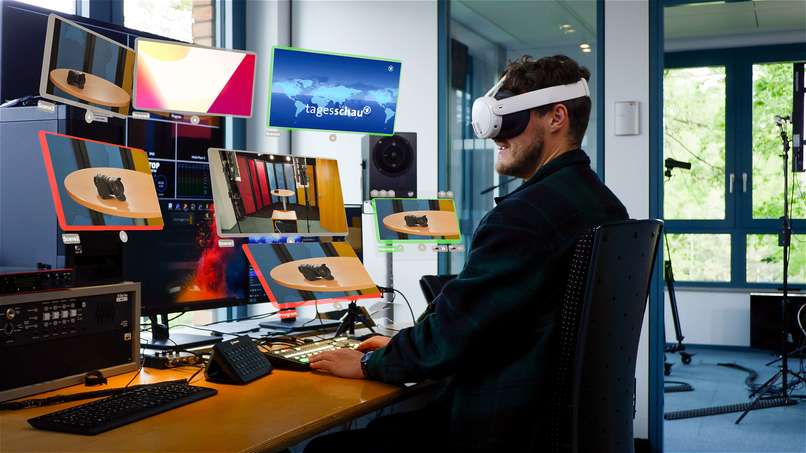
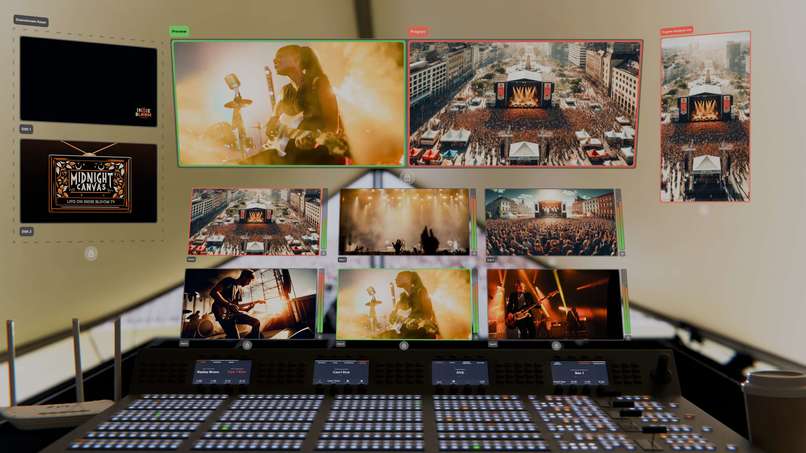
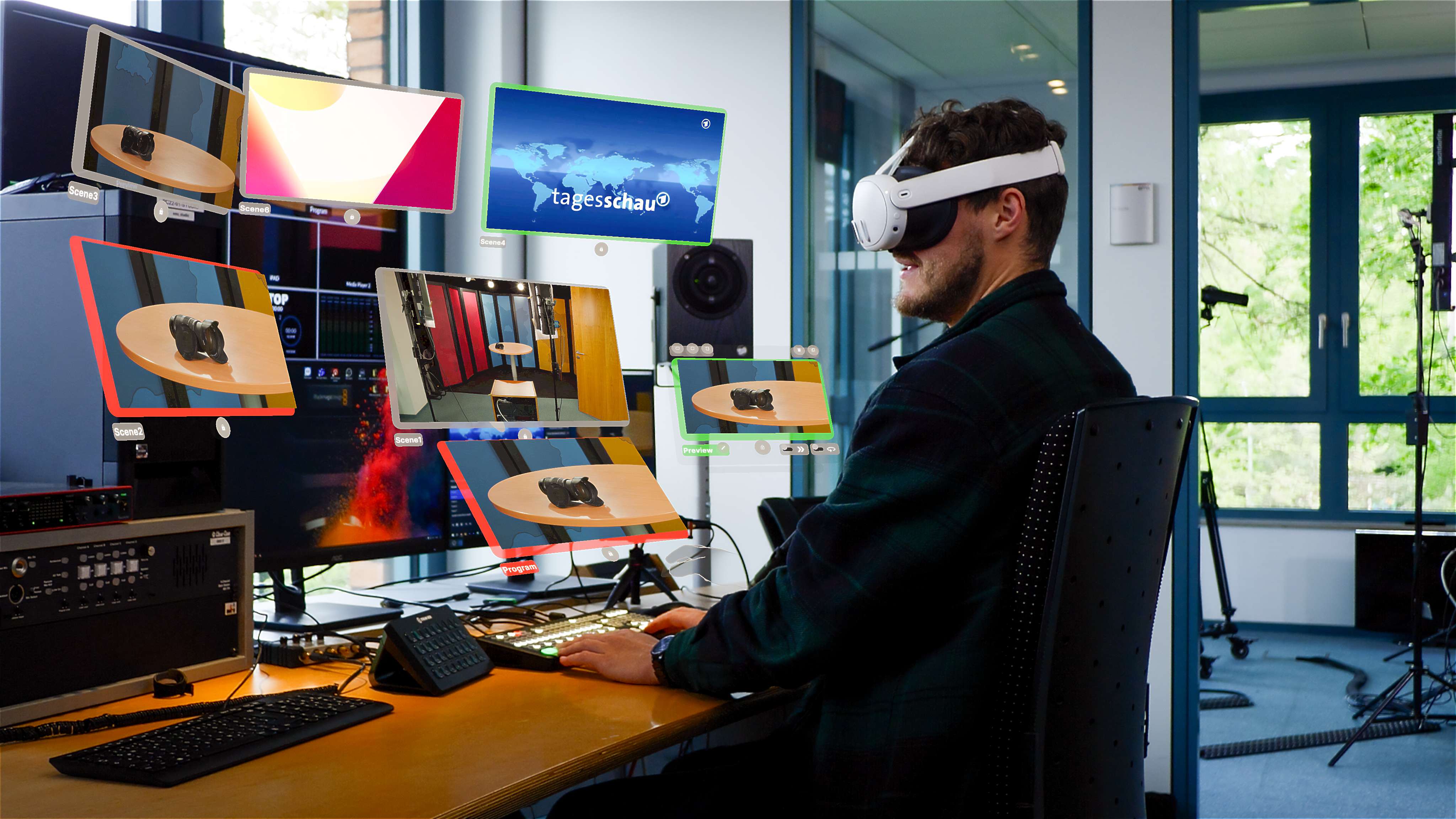
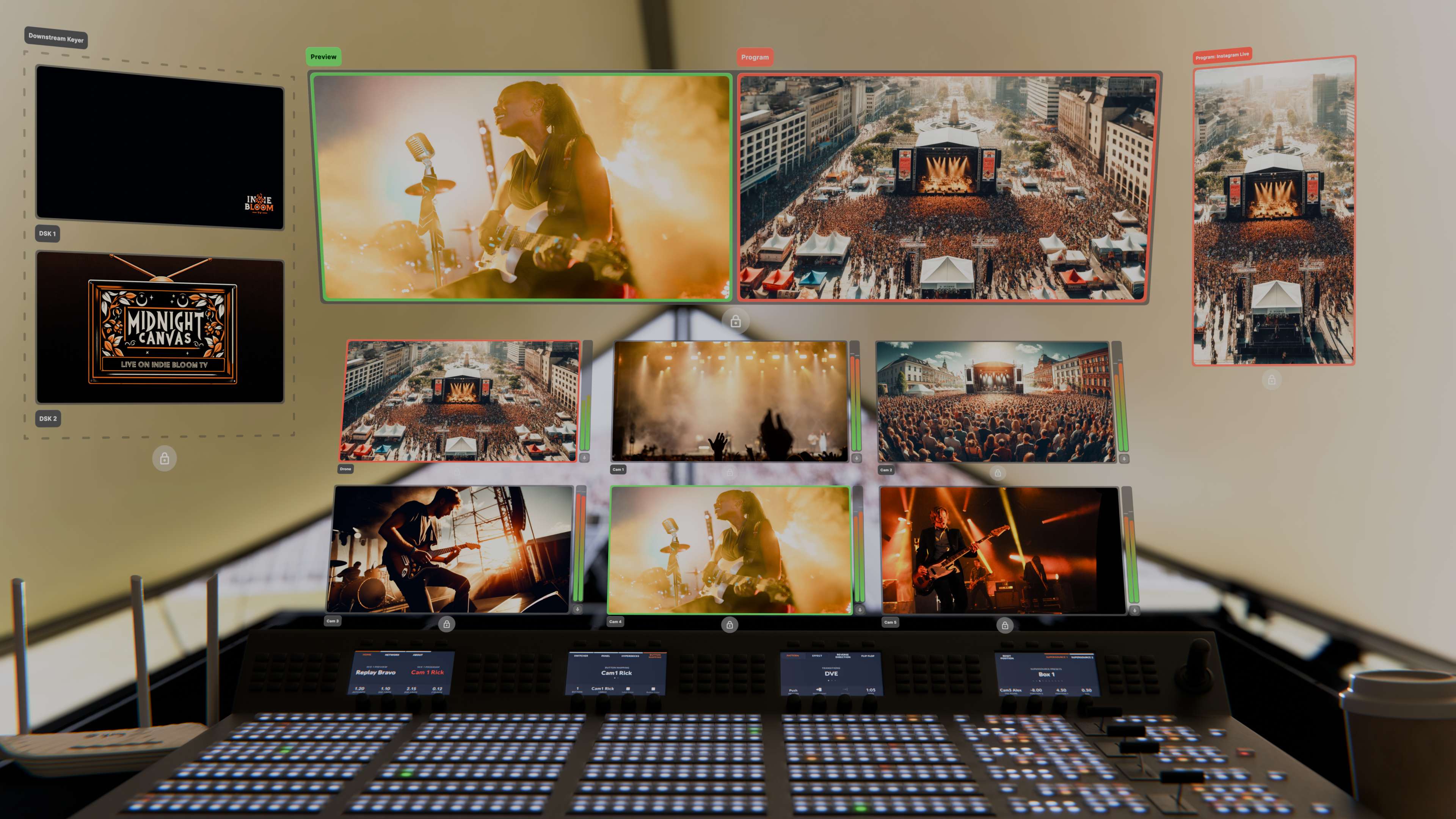
Spatial Control Room can display up to 10 individual OBS scenes as well as the preview and the program feed
-
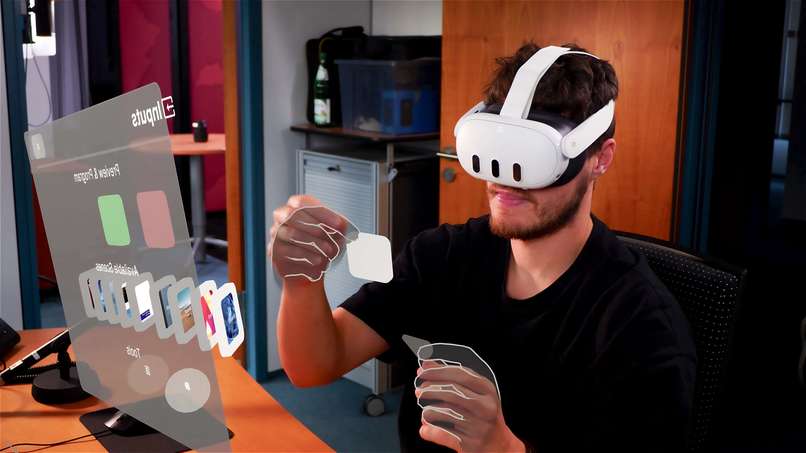
Scenes can be placed anywhere in the environment, allowing you to create an ergonomic setup
-
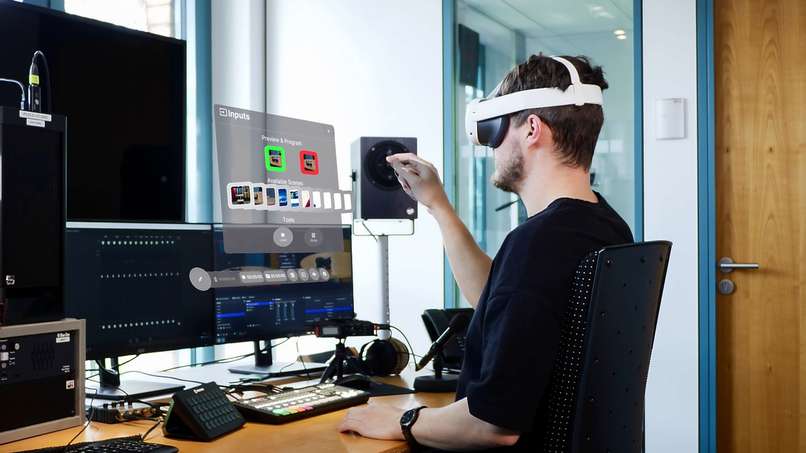
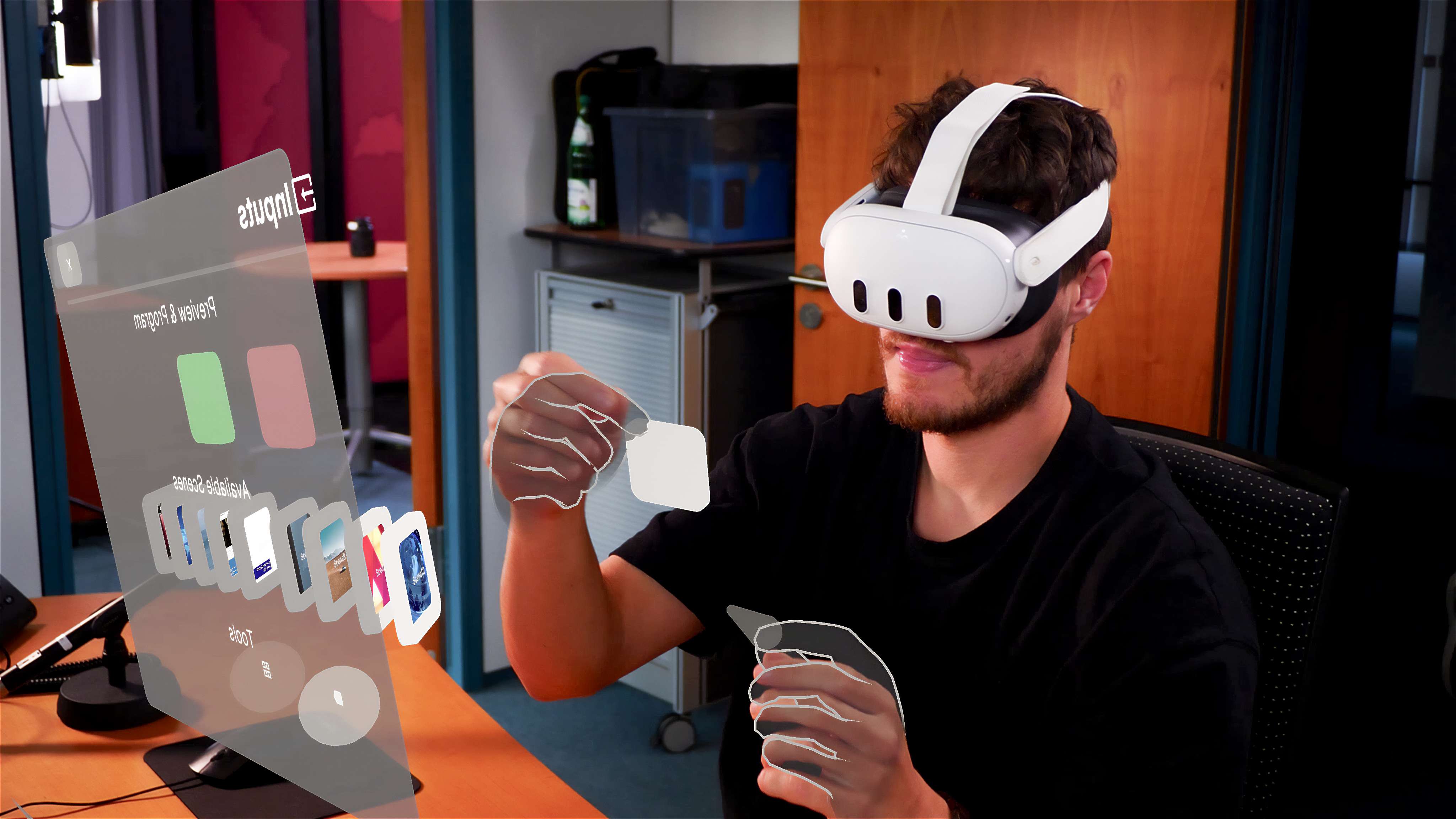
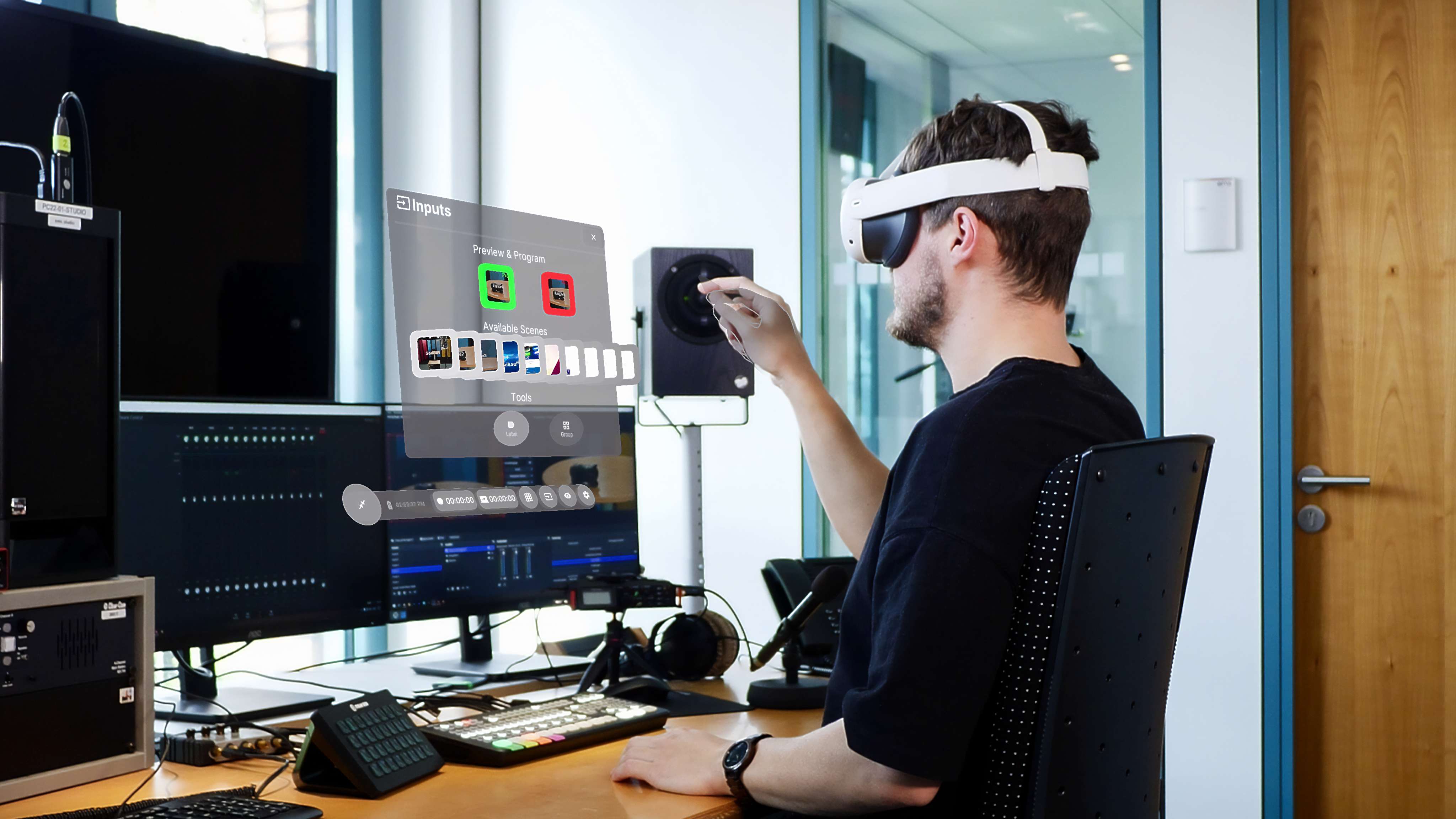
Overview of all available scenes
-
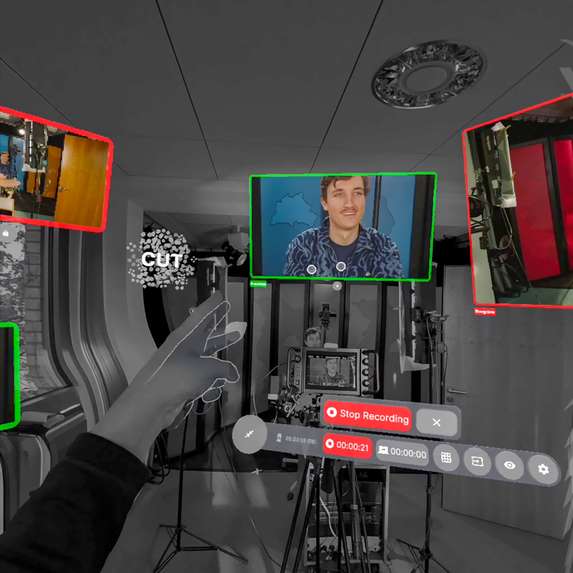
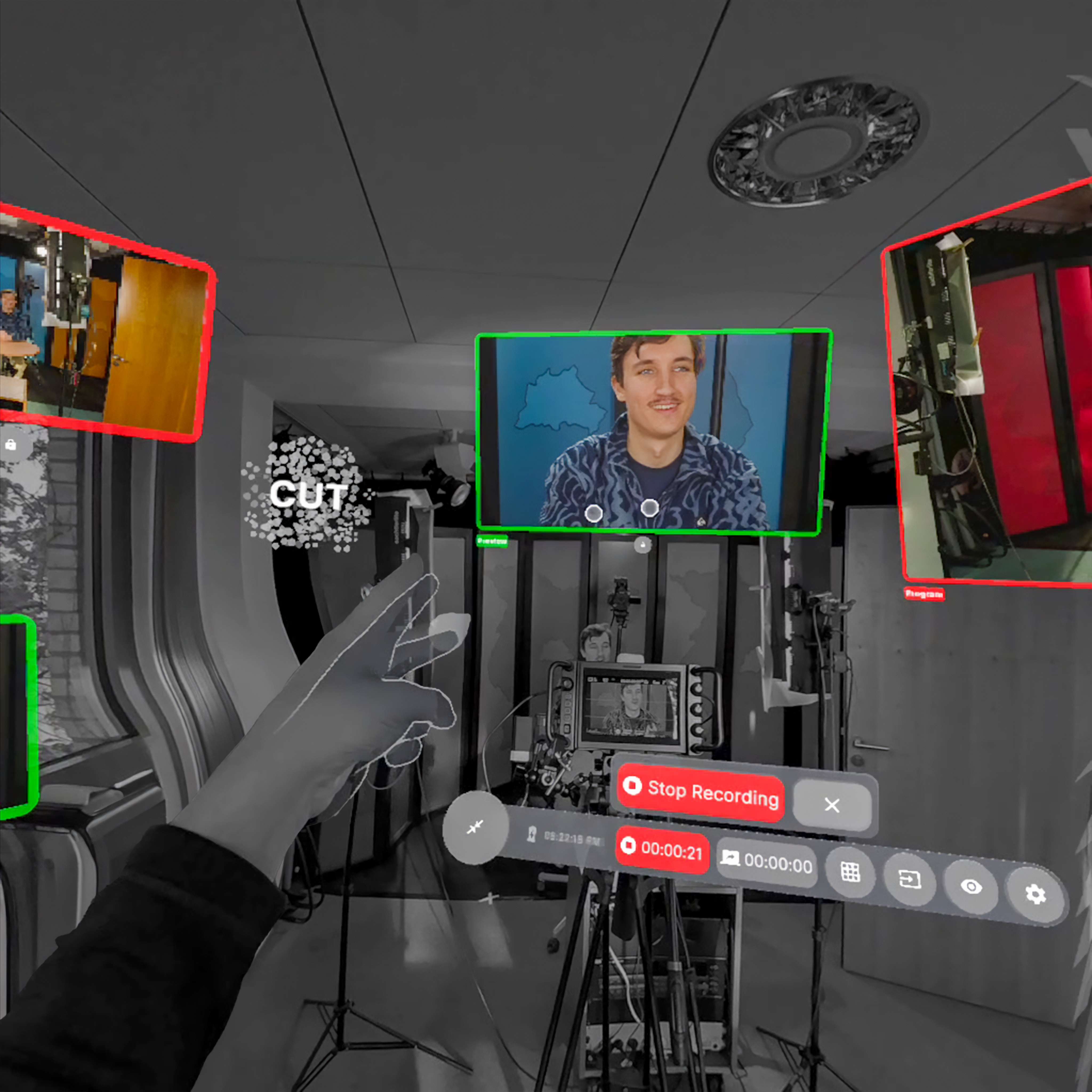
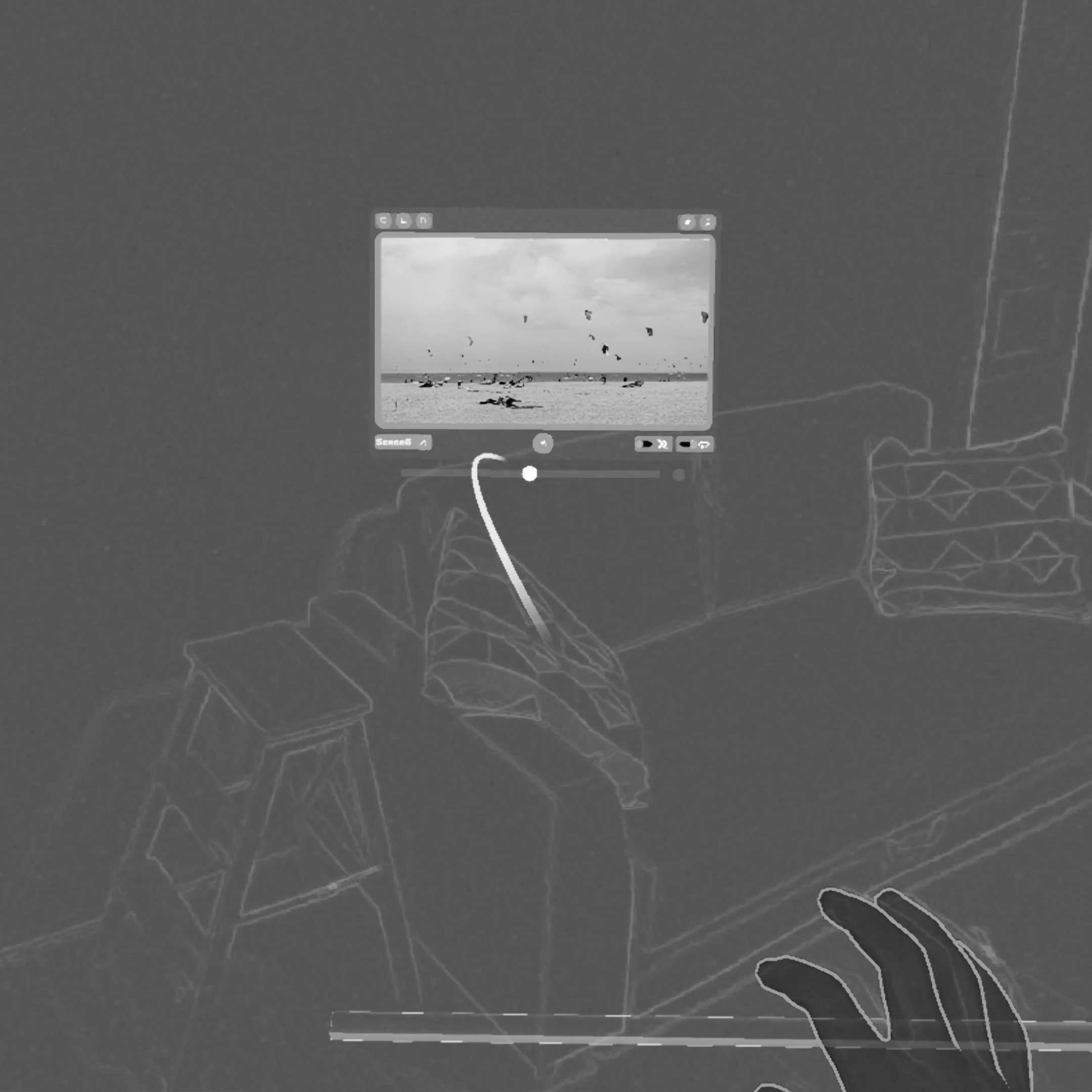
A scissors hand gesture can be used to cut between scenes
-
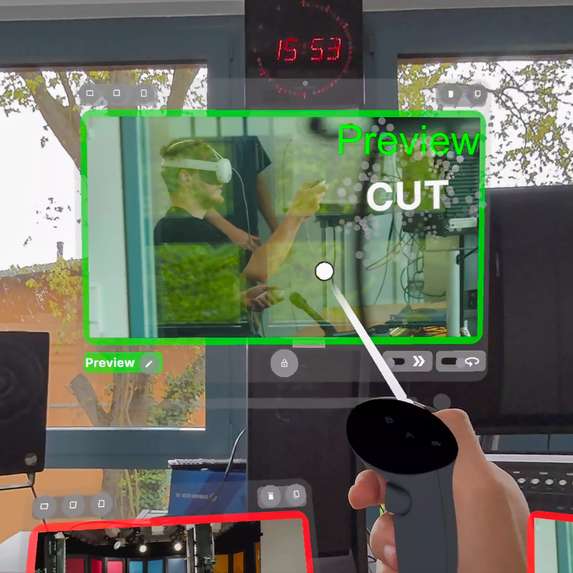
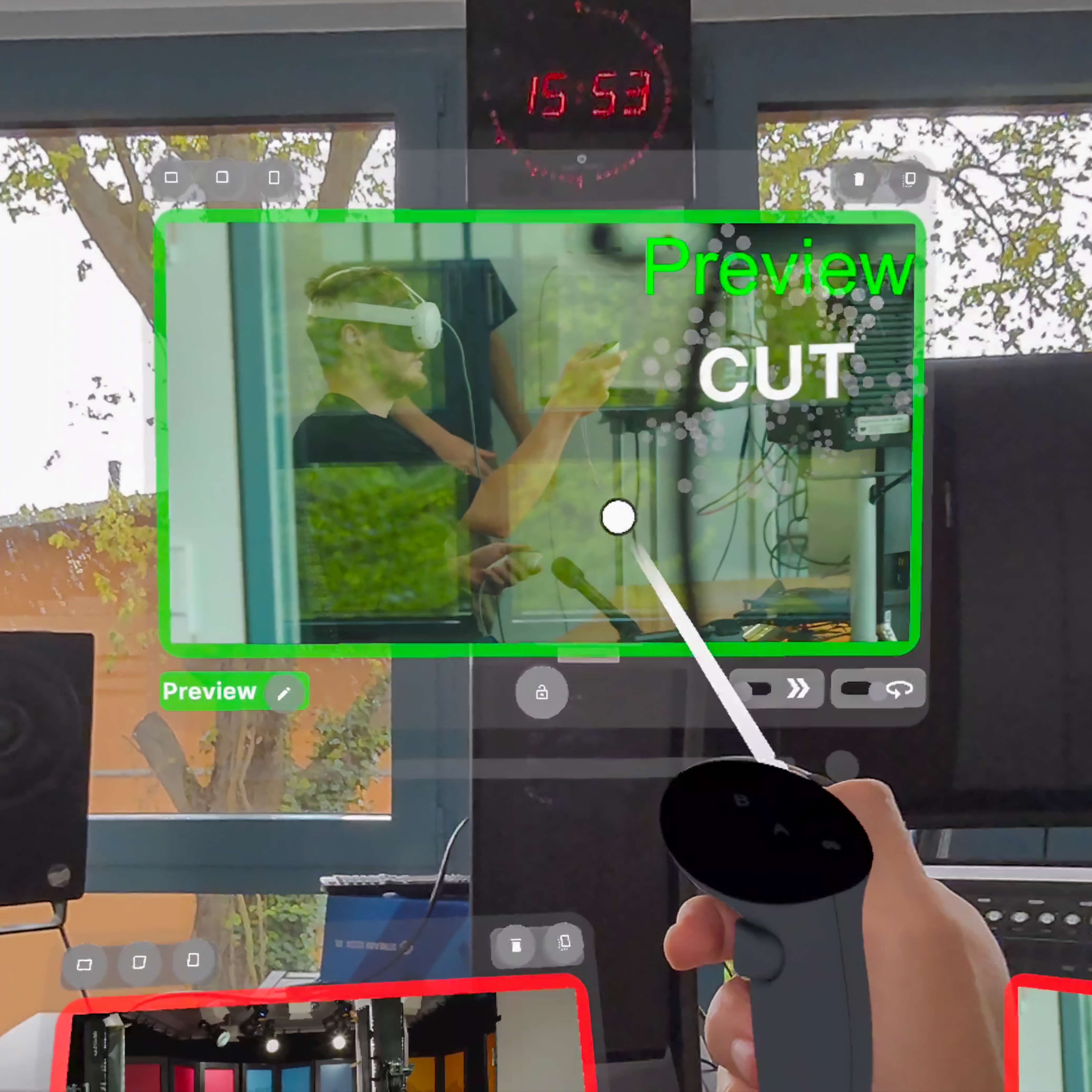
In addition to hand tracking, the controllers can also be used
-
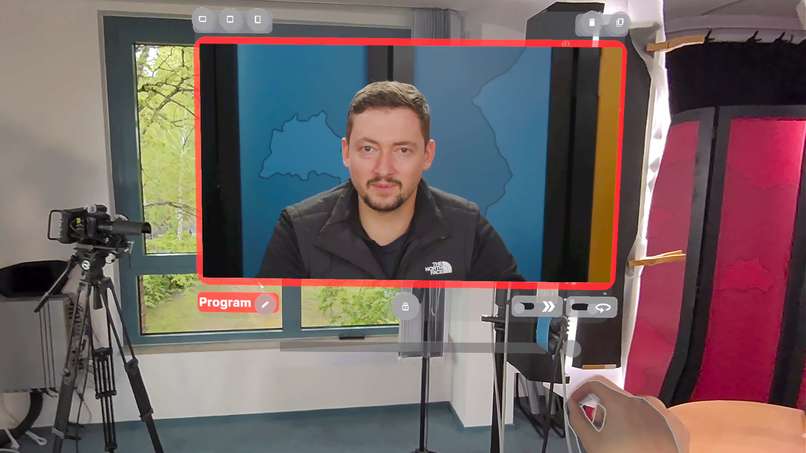
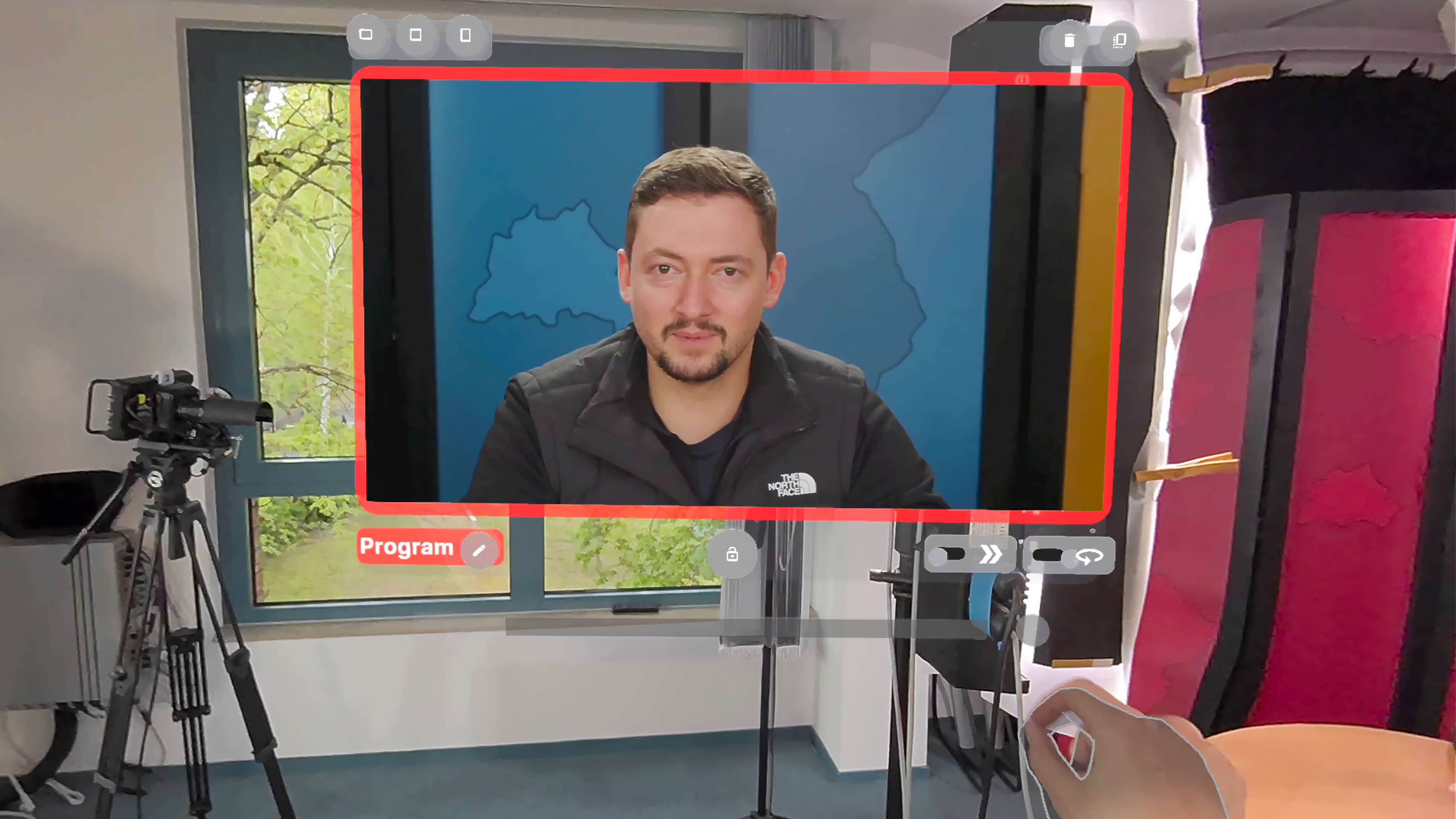
Video panels can be freely positioned, resized and locked
-
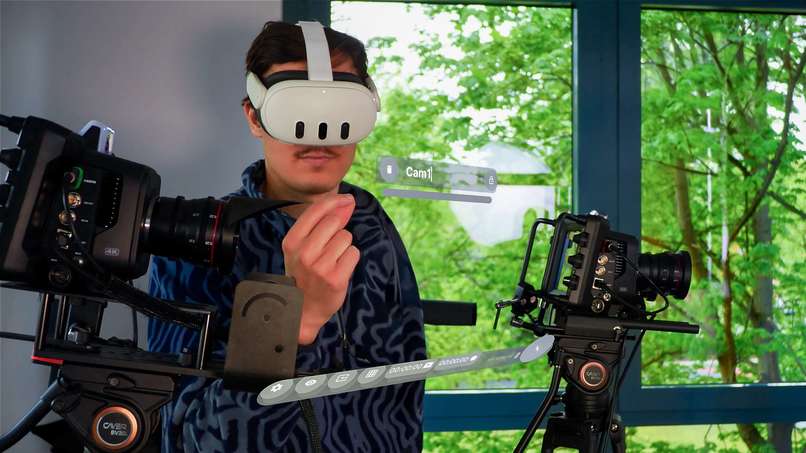
Physical devices can be supplemented with virtual labels
-
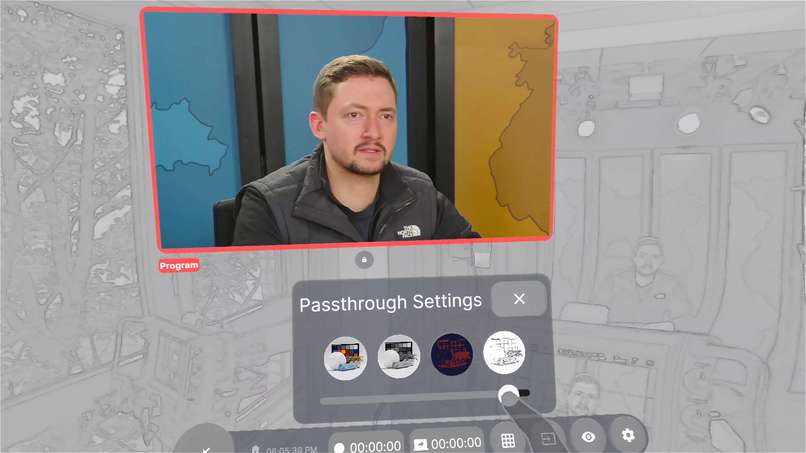
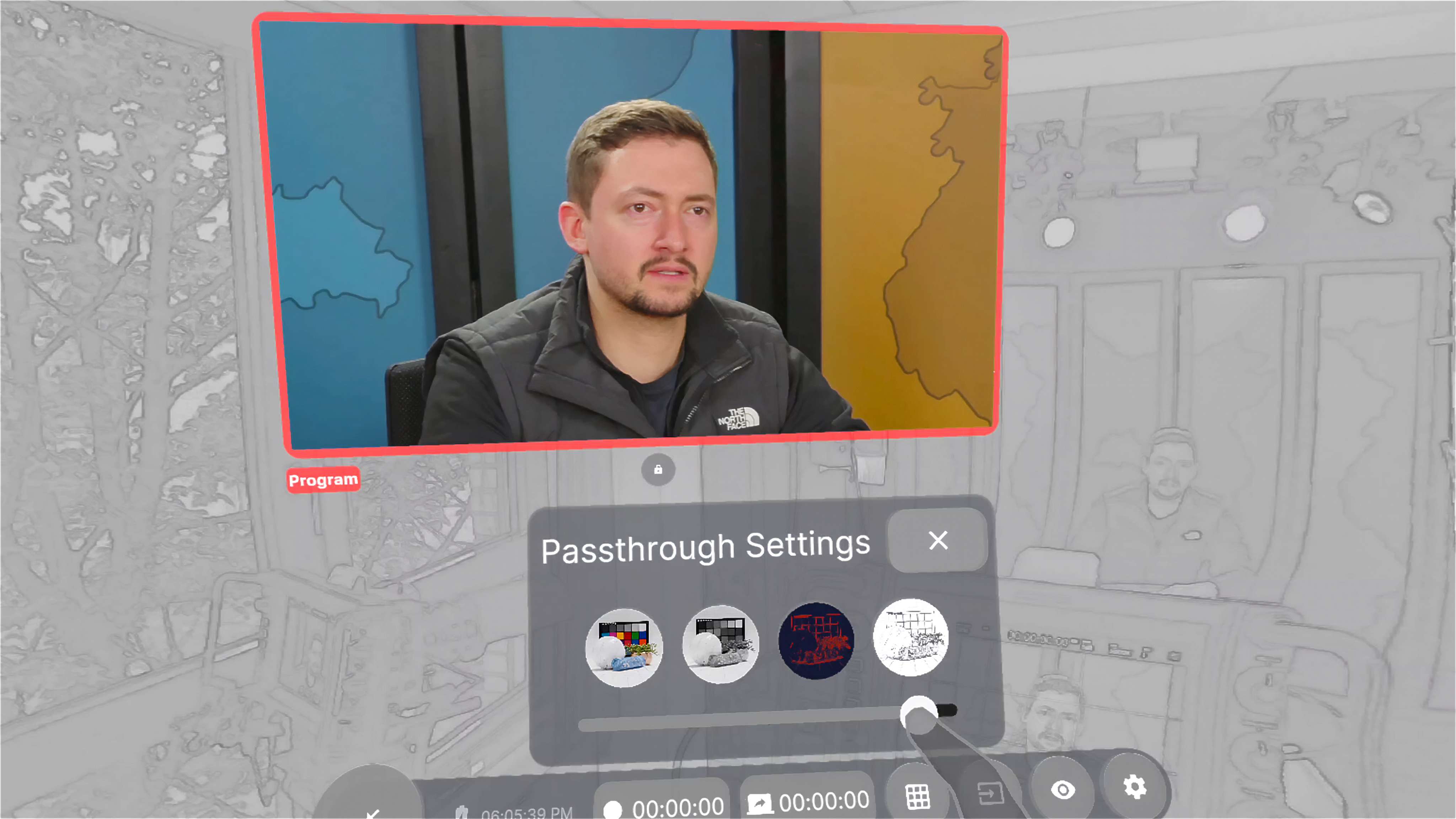
Distracting environments can be hidden with the passthrough settings
-
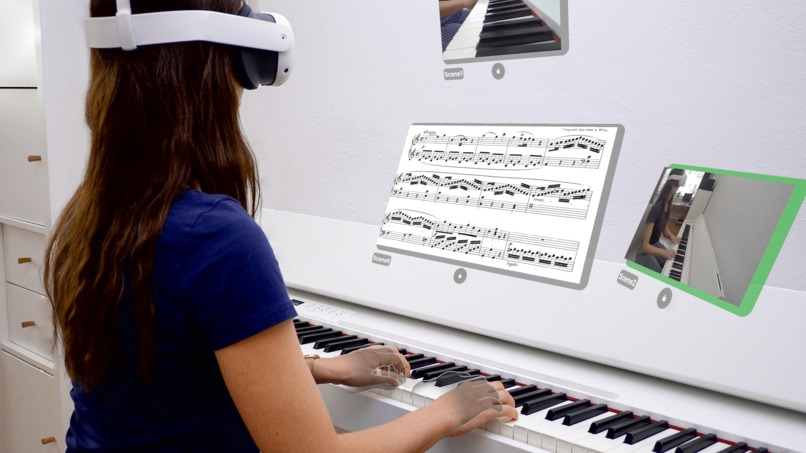
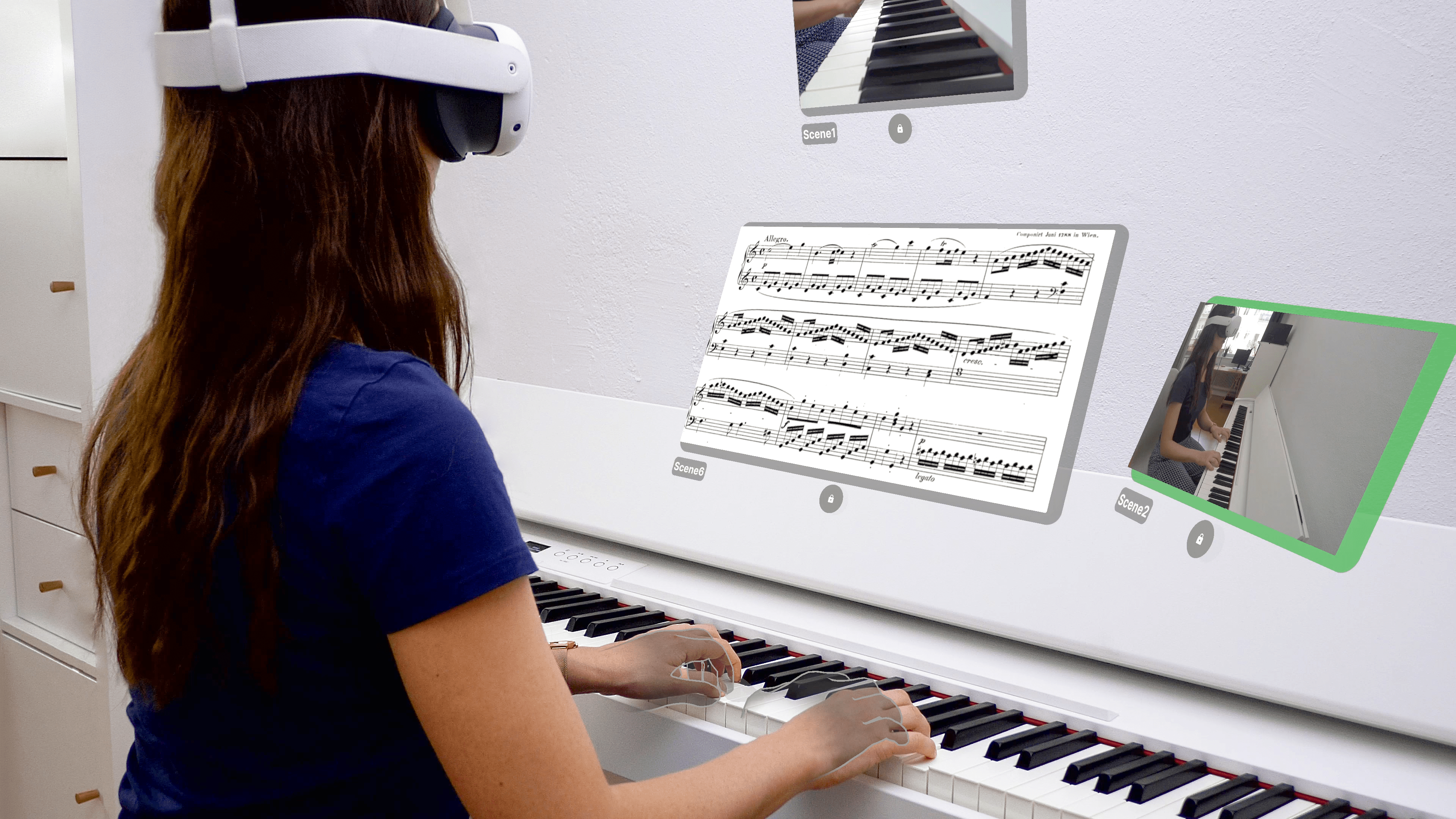
Can also be used for non-broadcast applications
-
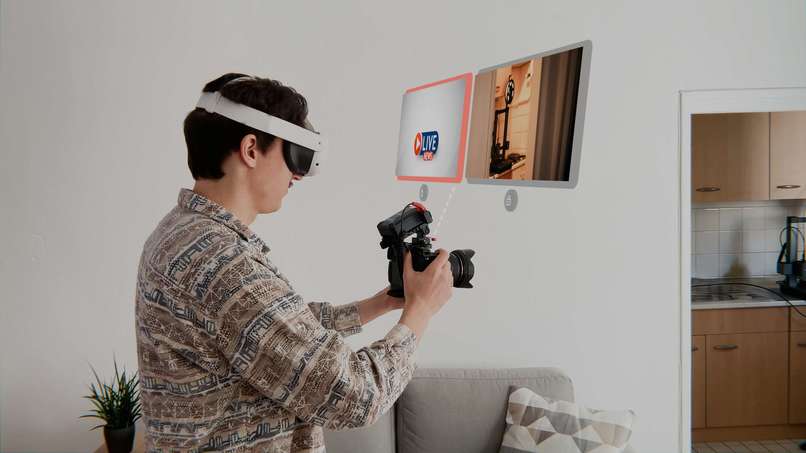
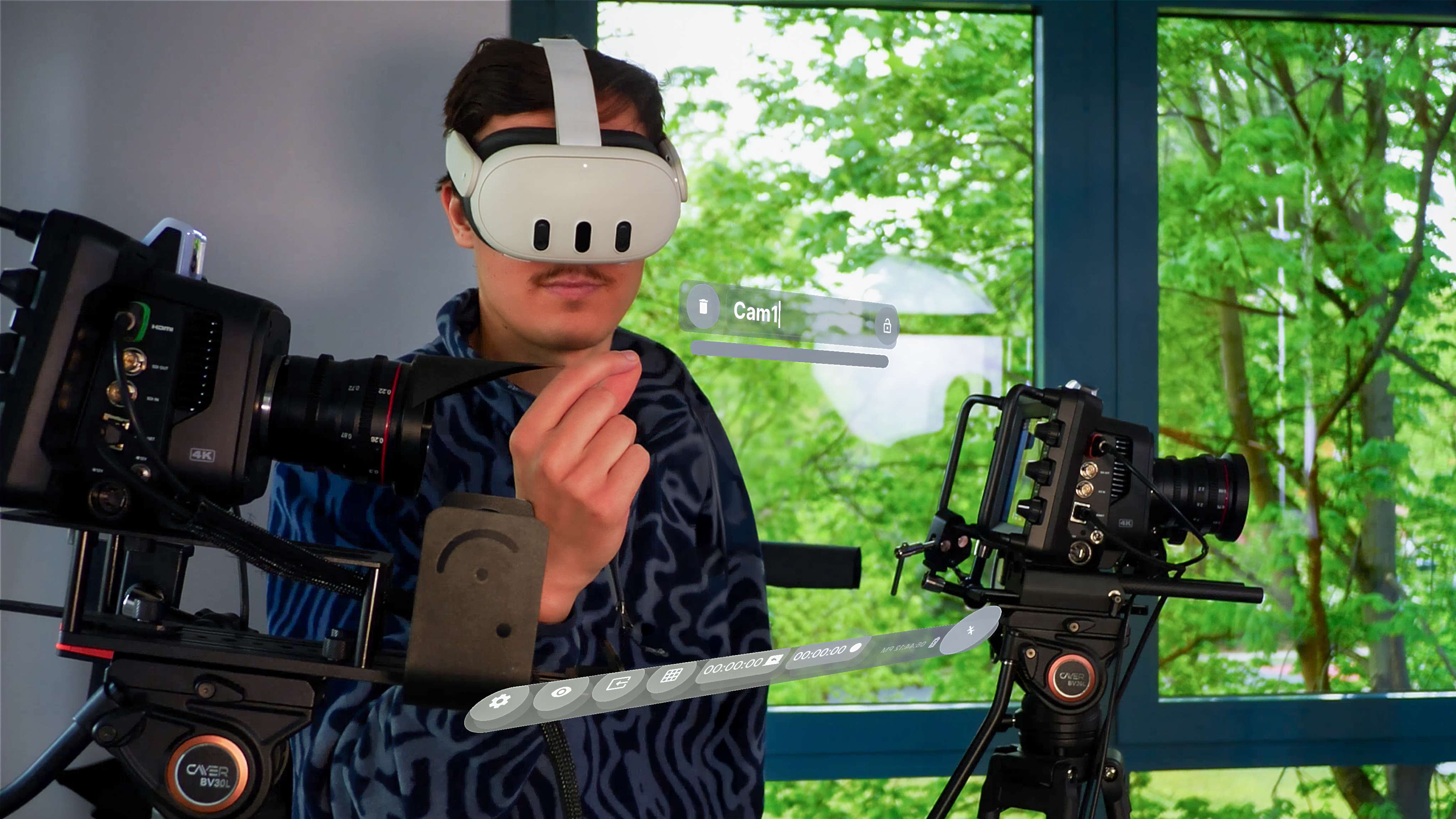
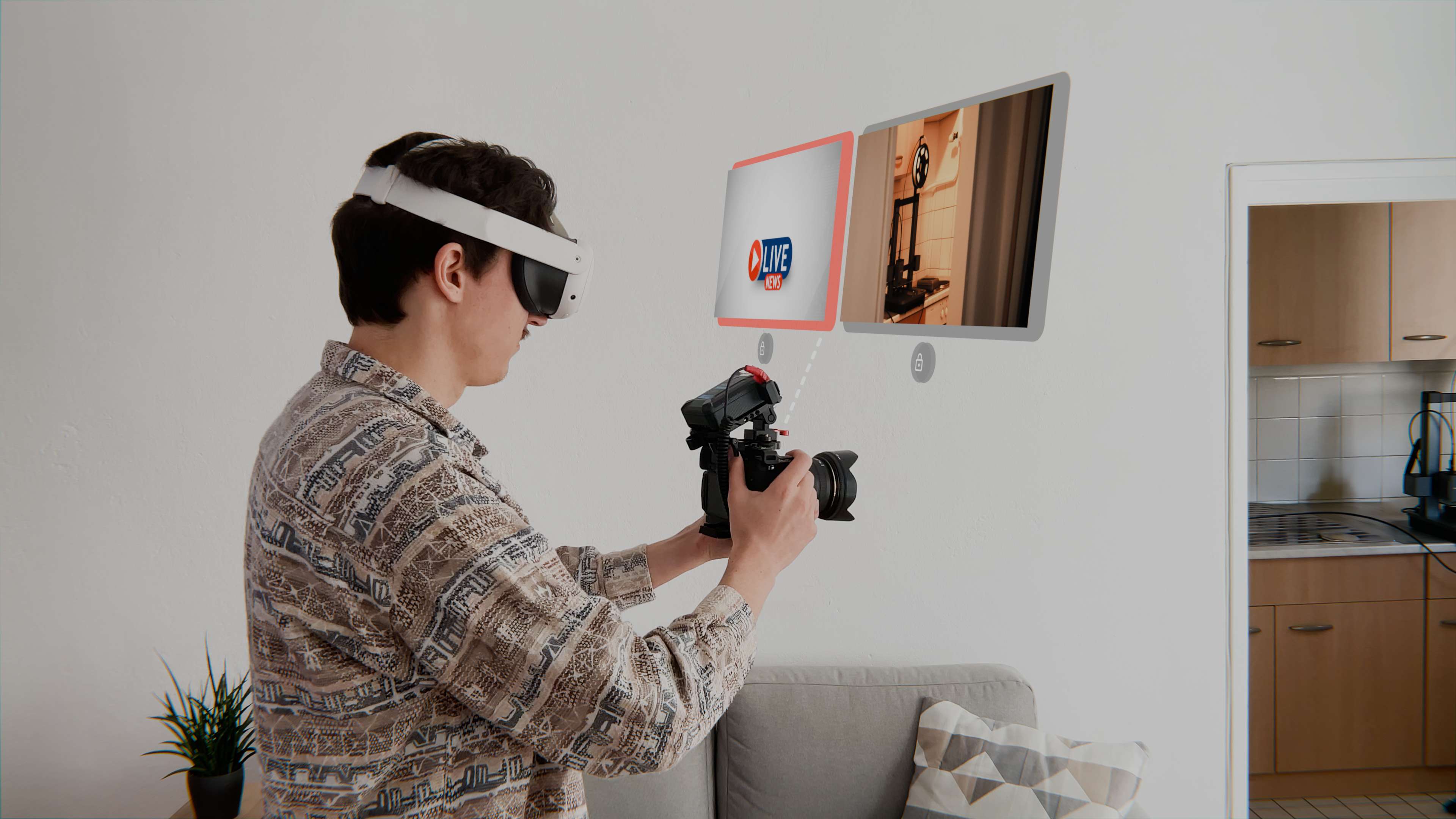
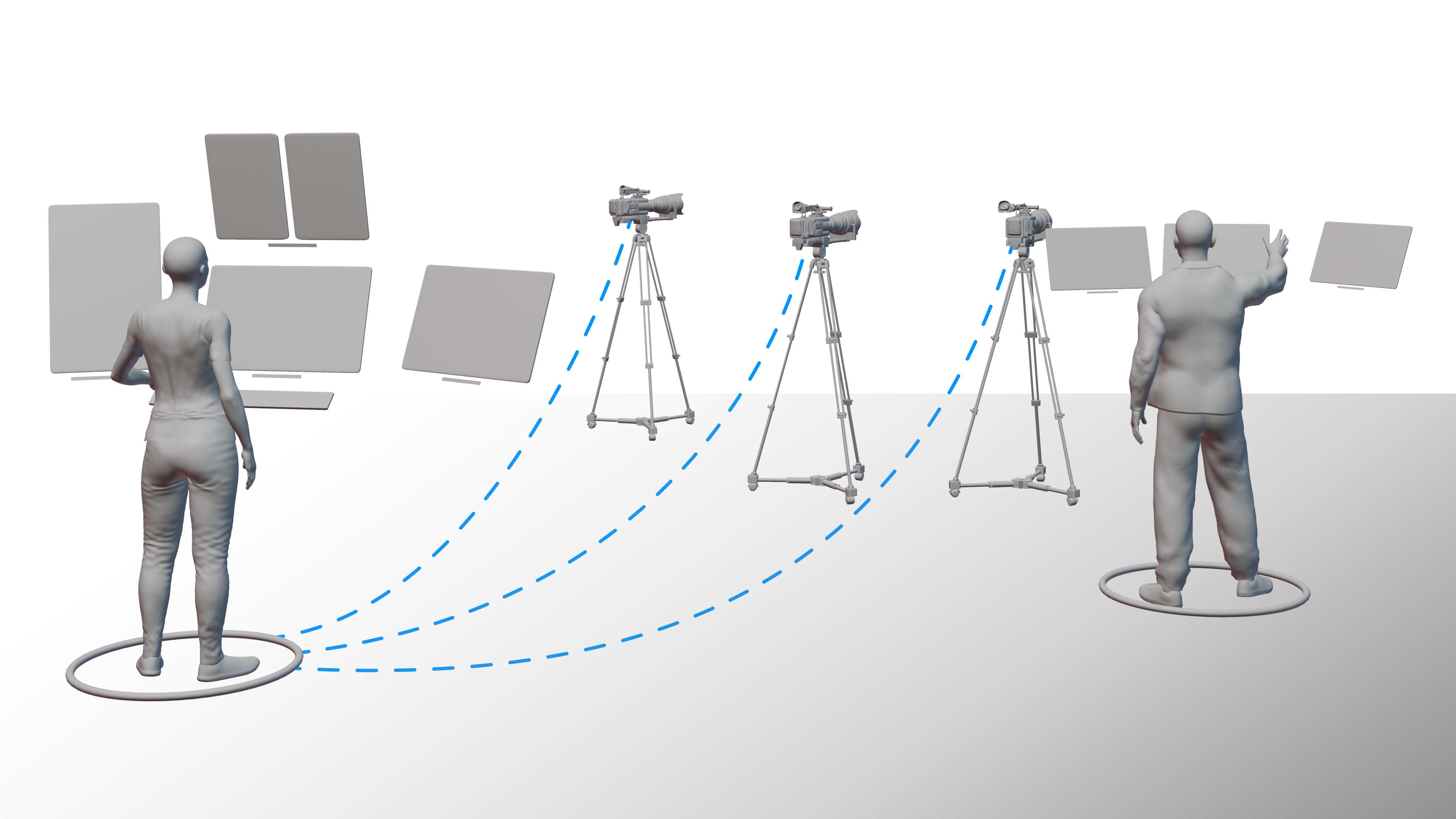
Spatial Control Room enables the simultaneous use of a camera and cutting between different perspectives
-
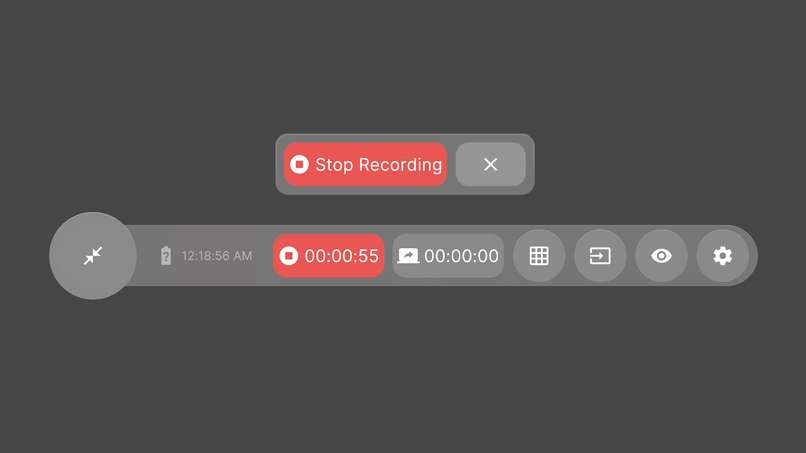
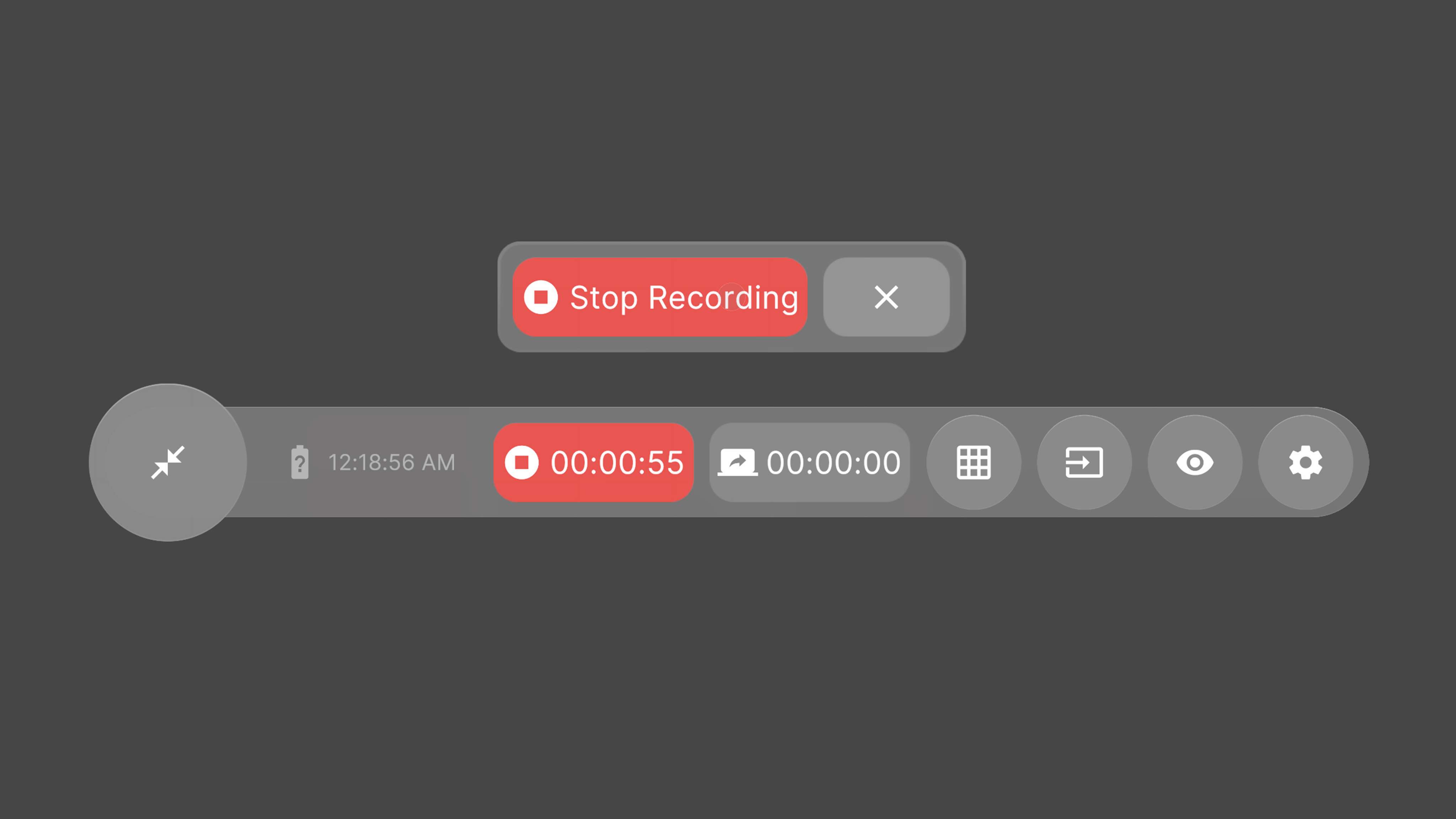
The action bar provides quick access to all important functions
-
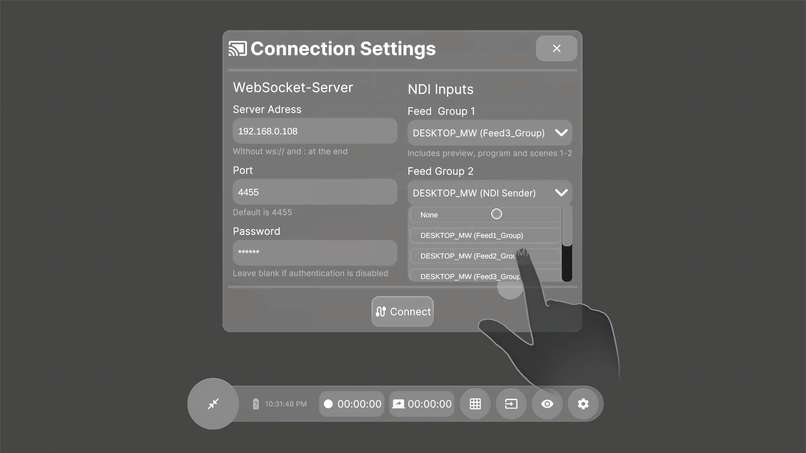
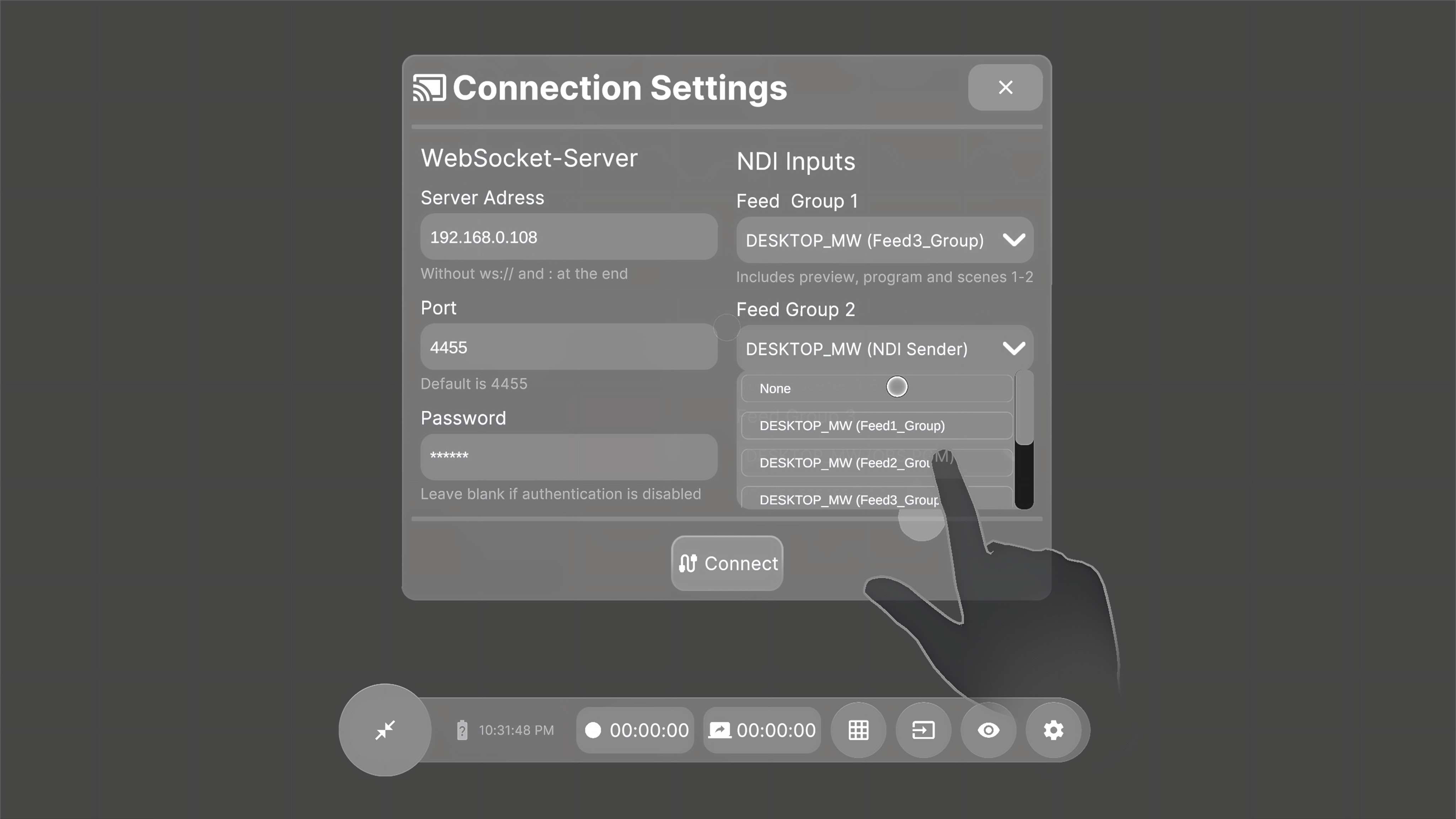
Connection settings panel
-
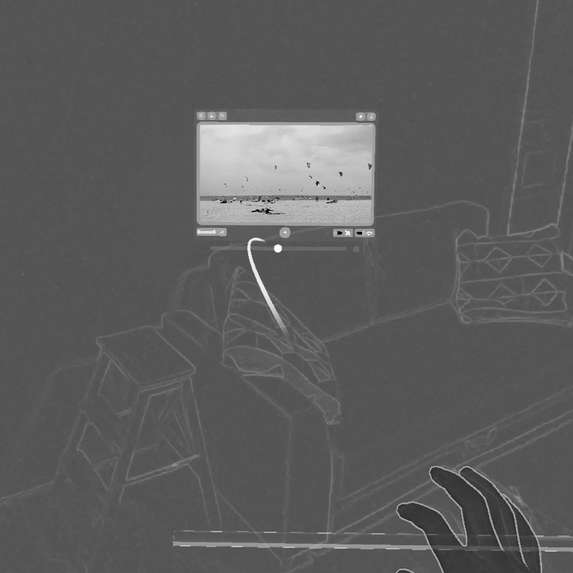
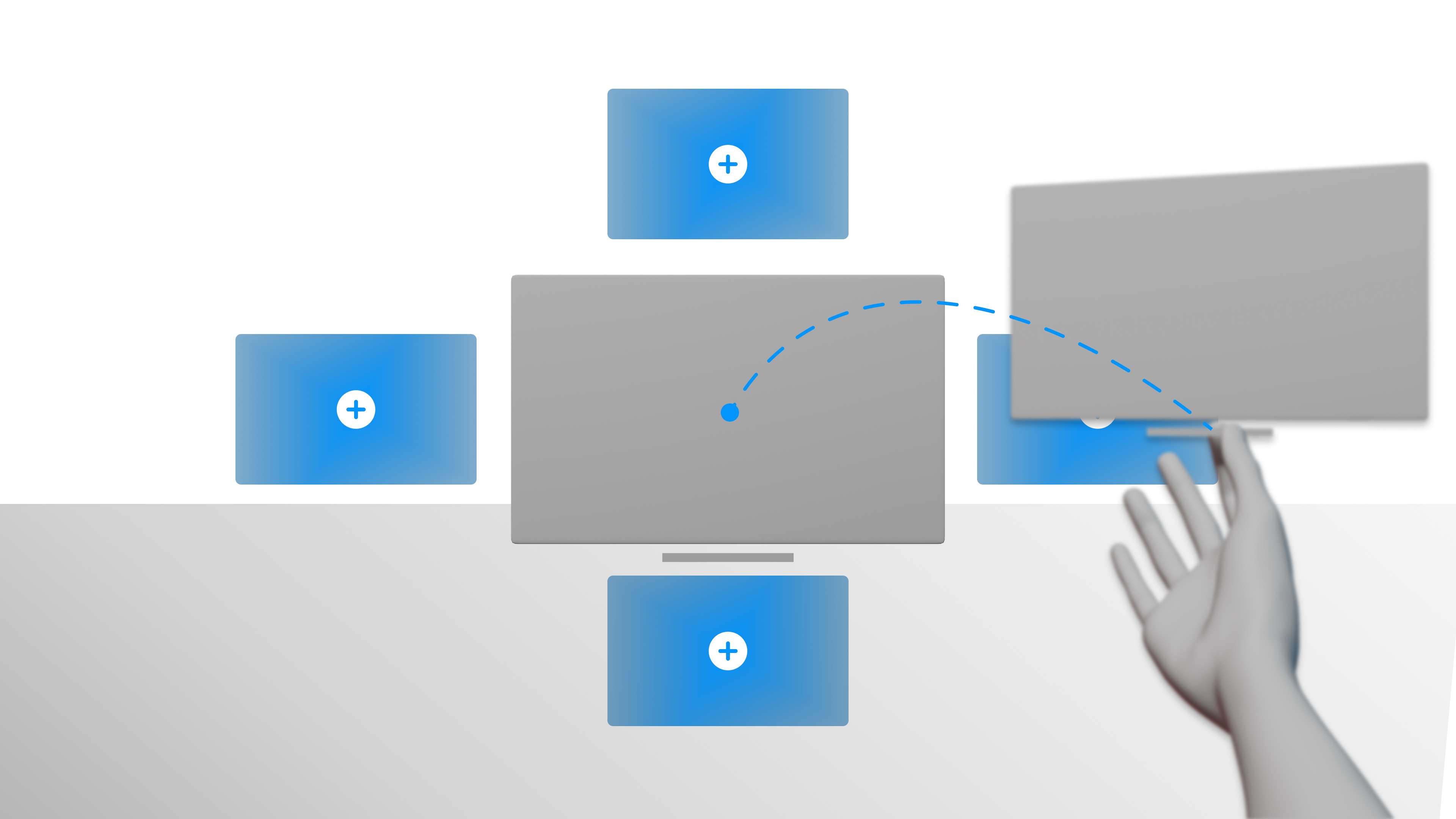
Remotely teleport unlocked panels to you
-
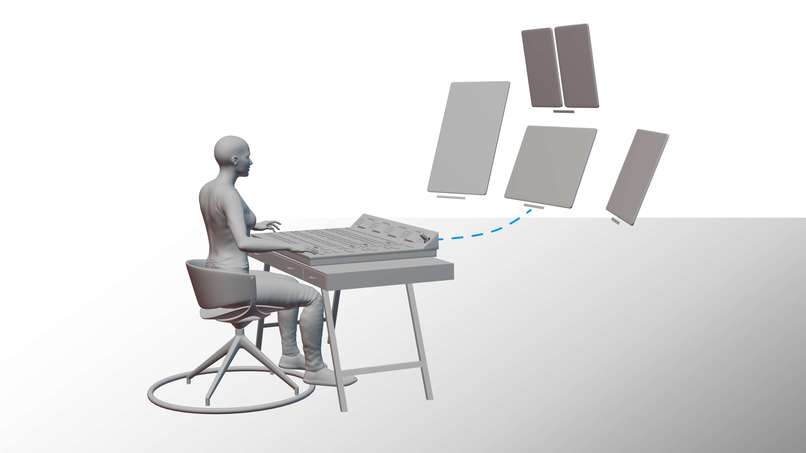
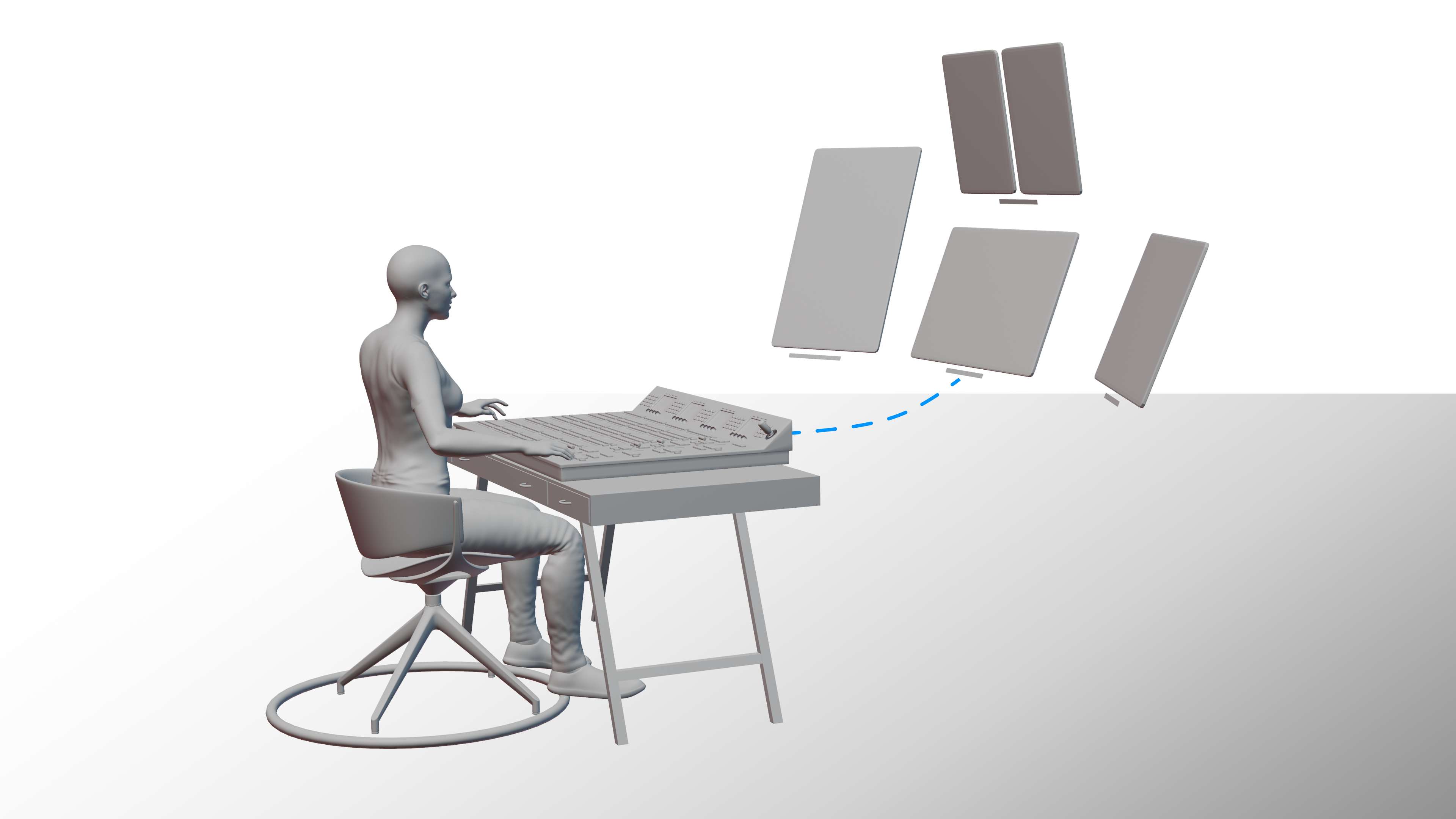
Spatial Control Room enables working while sitting or standing
-
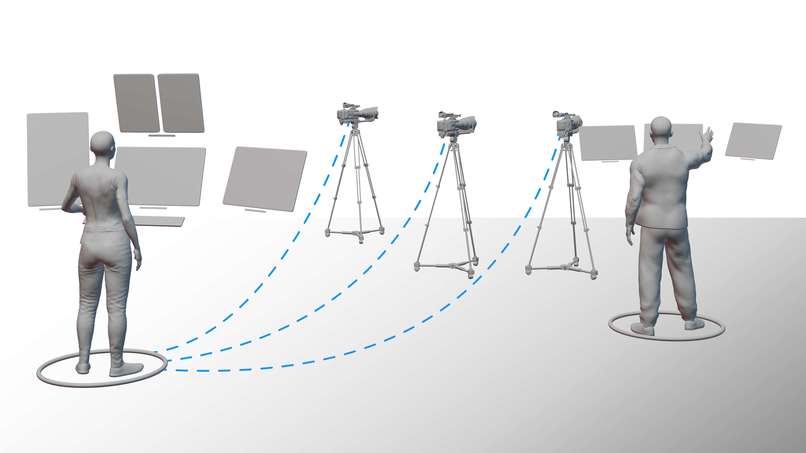
Work together with multiple users
-
A more advanced version could also transmit sound and be connected to the intercom system
-
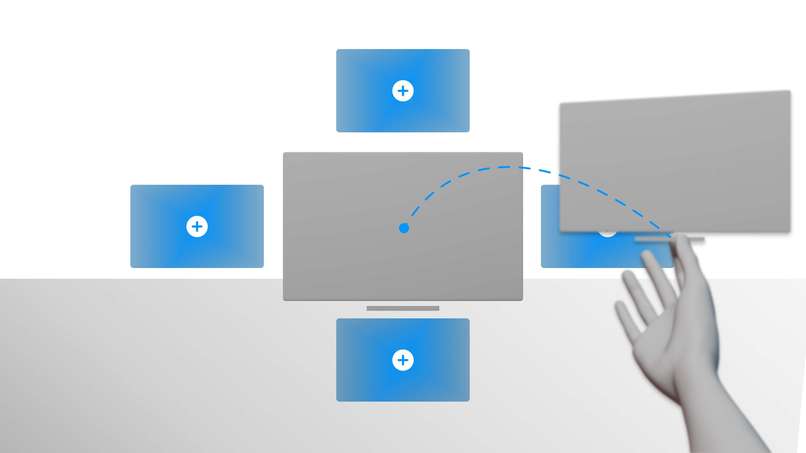
Future versions could automatically arrange panels logically
Background
Spatial Control Room was developed as part of my bachelor's thesis. It is a mixed-reality operating concept for use in production control rooms (PCR), which are mainly found in television productions. The focus was on developing an alternative to conventional vision mixers and monitor walls. I came up with the idea when I was working on a production myself. I noticed that although augmented reality and similar technologies are already being used in film and television to add virtual studios or additional information in sports, immersive technologies have so far mainly been used as a medium and not as a tool for actual content creation. I was therefore interested in whether the existing processes in a production control room could be improved and optimized through the integration of Extended Reality.
What it does
Spatial Control Room connects to a computer running OBS (Open Broadcaster Software) and enables the simultaneous streaming of 10 individual scenes to a Quest 3 headset, along with the preview and program buses. Like professional vision mixers, the program bus (marked with a red frame) displays the outgoing video signal, while the preview bus (marked with a green frame) shows the source targeted for the next cut. Instead of pressing buttons on a physical control panel, users can simply tap a video panel to mark it as preview. With a hand gesture resembling scissors, users can signal a cut, causing the video panel to switch to the program state.
The different panels, each displaying various scenes, can be freely positioned and scaled within the environment, offering a clear advantage over traditional physical monitor walls. To improve ergonomics, panels automatically turn towards the user or follow their head position if desired. Another benefit is that the video panels can be duplicated infinitely, allowing placement in various locations, such as directly on cameras, thereby saving on additional hardware costs. The aspect ratio can be adjusted, which is particularly useful for productions that are also broadcast on social media channels with vertical or square video formats.
All basic functions of the application are controlled via a fold-out action bar. This includes a menu for placing individual scenes, virtual labels for labeling hardware, and controls to start or stop OBS's recording and streaming functions. Furthermore, various passthrough modes can be selected to change the real environment, enhancing concentration.
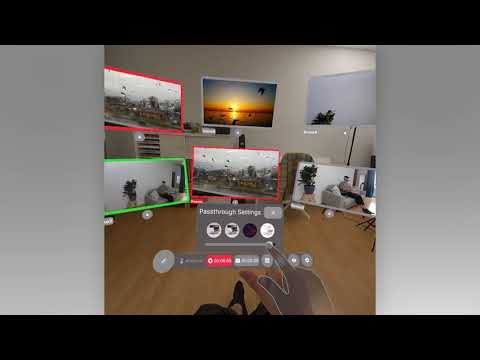
Video Overview:
https://www.youtube.com/watch?v=tE26fSZl2Fs
How I build it
The development of the Spatial Control Room prototype began with the analysis of the needs and workflows in live production environments, which I collected in detail through theoretical research and interviews in my bachelor's thesis. The prototype is designed to work both standalone and as a supplement to hardware vision mixers.
I used Figma and Blender to create the first interface mockups, focusing on intuitive design elements that would be familiar to professionals and therefore required minimal relearning. The elements were then imported into ShapesXR, an immersive prototyping app that allowed me to refine the interface components in a virtual environment to ensure optimal usability and spatial arrangement.
I chose OBS as the source for the video feeds because it is very similar to professional broadcast systems and can be easily expanded with plugins. To enable remote control of OBS, I integrated a WebSocket package into Unity. The individual video scenes are transmitted to the headset via a protocol called NDI (Network Device Interface). To do this, I used a plugin called KlakNDI by Keijiro Takahashi, which I adapted slightly. To enable the best performance and transmit as many scenes as possible at the same time, I developed a simple compression method in which four scenes are combined into one NDI stream and then split again. To address the specific needs of the Meta Quest 3 headset and optimize user interaction, I switched from Unity's XR Interaction Toolkit to Meta's XR All-in-One SDK, which provides better support for the required hardware-specific features. For the different interface components, I used a plugin called Flexalon Pro, which offered greater design flexibility than Unity’s integrated system. Since I'm not a trained developer, I wrote some of the necessary scripts with the help from GitHub Copilot. Throughout the development process, I iteratively tested the prototype directly on the Meta Quest 3. The prototype is more of a proof of concept than a finished product.
Challenges
Since I had a lot of ideas, it was a particular challenge for me to prioritize the features that could best convey my idea. Due to lack of time and experience, it would have been impossible to implement all of my original plans and write my thesis at the same time. Due to hardware limitations, implementing a suitable streaming solution was particularly difficult and therefore involved a lot of trial and error.
Accomplishments
I am very proud of developing a functional prototype, especially as my background is in design, not computer science. Additionally, it was gratifying to see initially skeptical experts acknowledge the potential of extended reality within their working environment, thanks to the capabilities demonstrated by my prototype.
What I learned
Through developing the prototype, I gained invaluable experience and extensive skills that have significantly deepened my understanding of both technology and design. Writing scripts without a formal development background pushed me to expand my problem-solving skills and challenged my logical understanding. It also helped me to come up with better workflows so that I could implement design drafts into reality more quickly. The project also showed me how important interface design is in immersive applications and how few tools and good user-centered designs currently exist in this area. Overall, the trip was a challenging but rewarding experience that gave me solid skills for my future career in technology and encouraged me to implement further extended reality projects.
What’s next
The next live presentation will take place at my bachelor's final presentation. If my prototype is well received, future developments will focus on improving the interface, system reliability and the possible expansion of the system to include more complex production tasks such as sound mixing and lighting control. Further research and testing with end users in real production environments will be crucial to further develop the prototype into a fully functional product.
This project not only serves as a foundation for my professional development, but also contributes to a broader discussion about the future of technology in the broadcast industry.


Log in or sign up for Devpost to join the conversation.