Inspiration
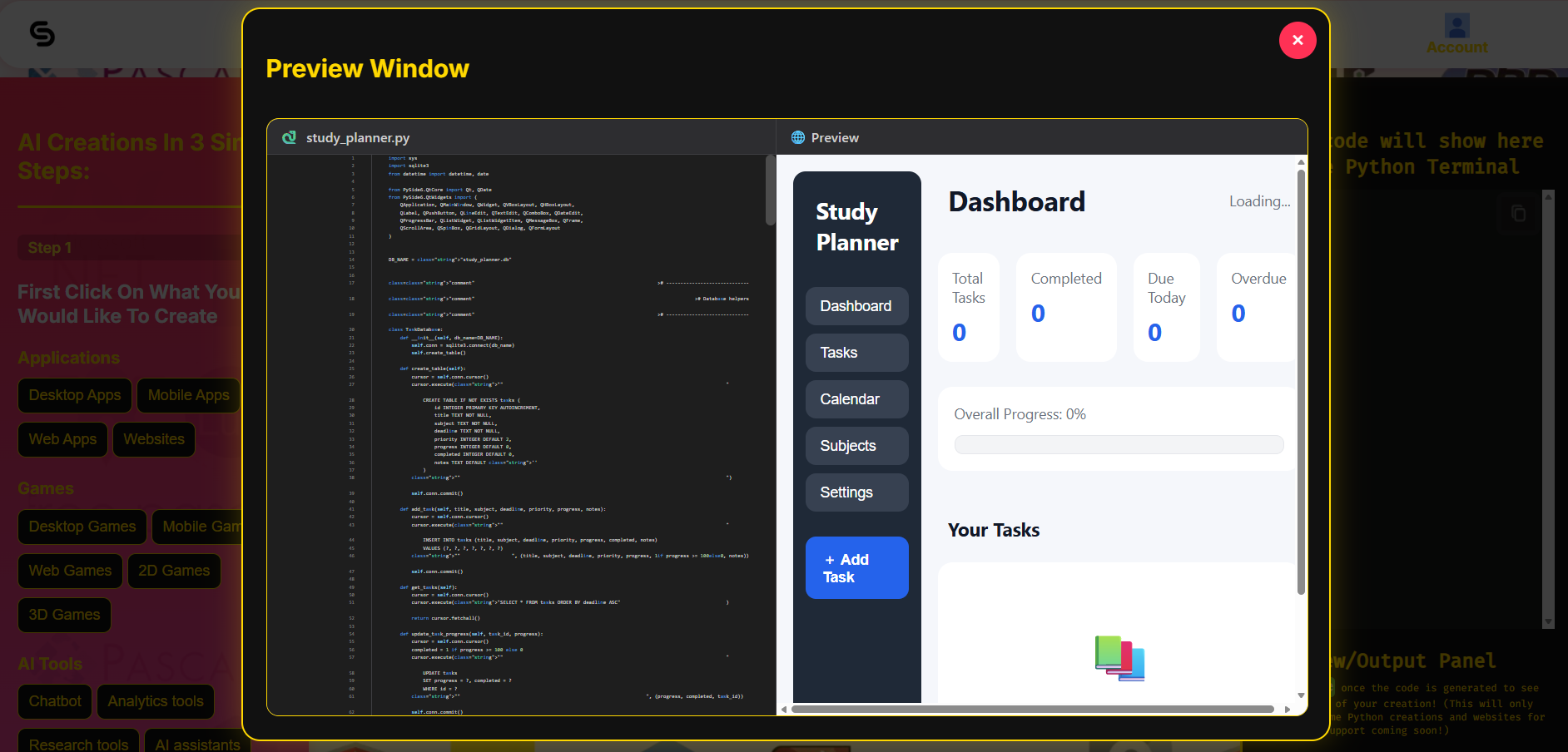
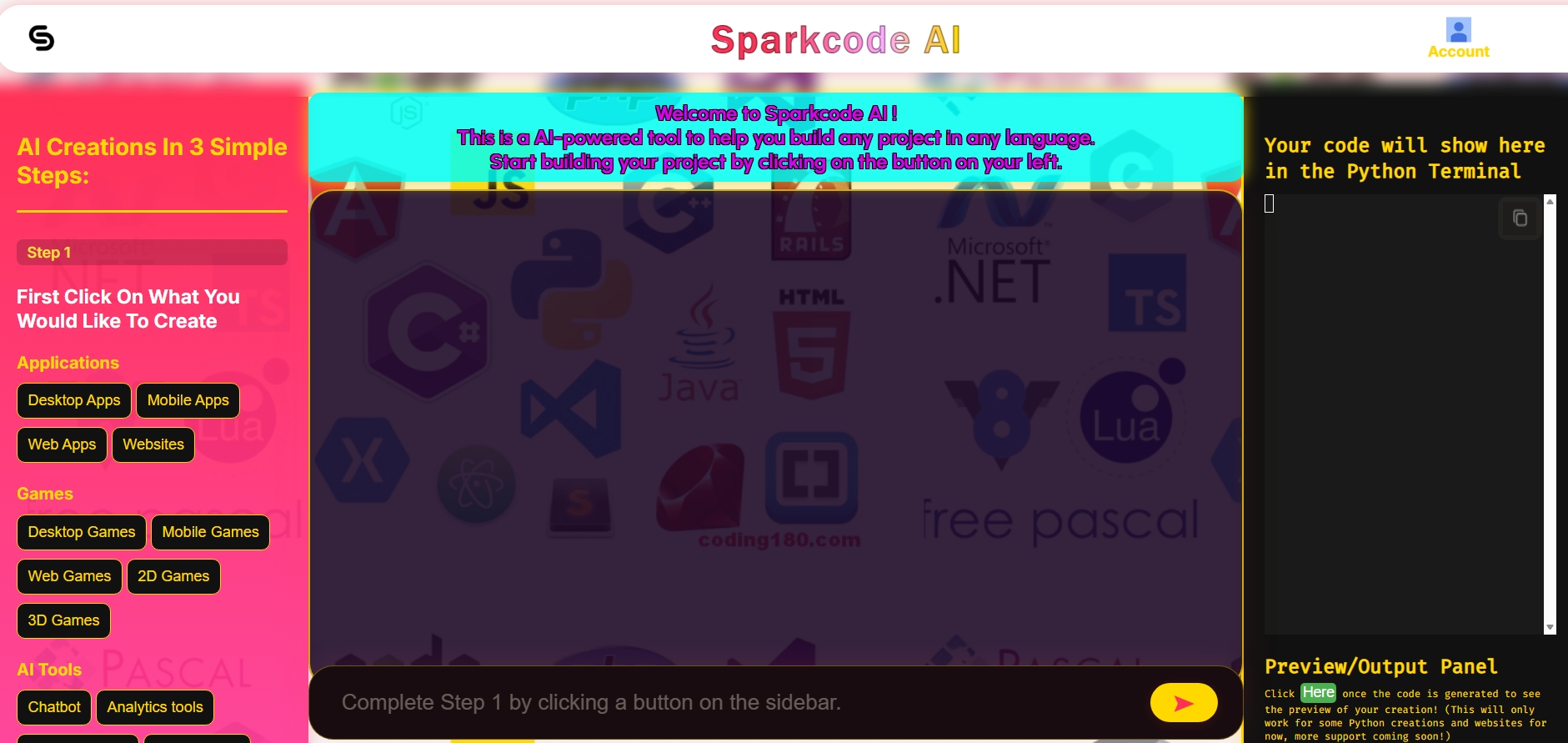
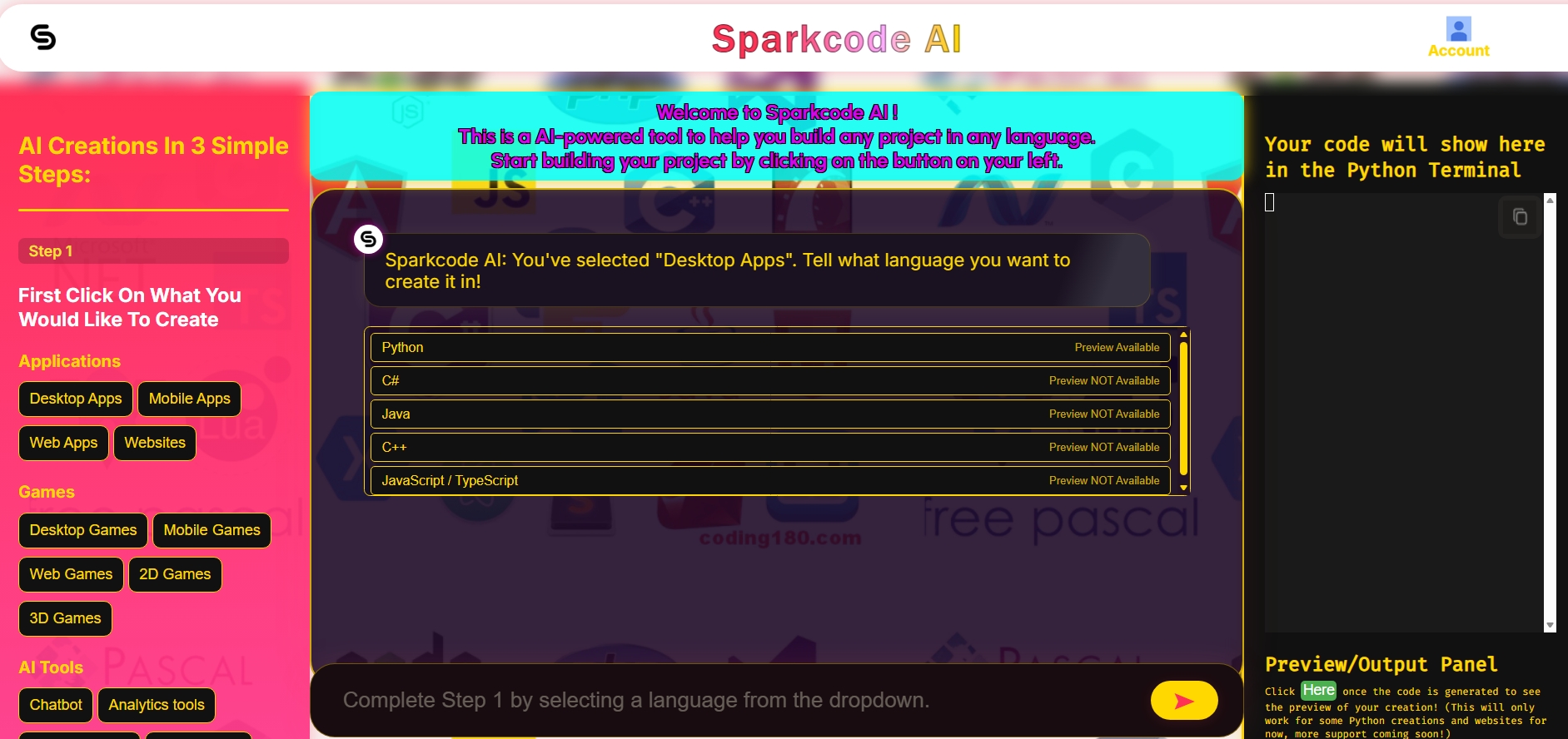
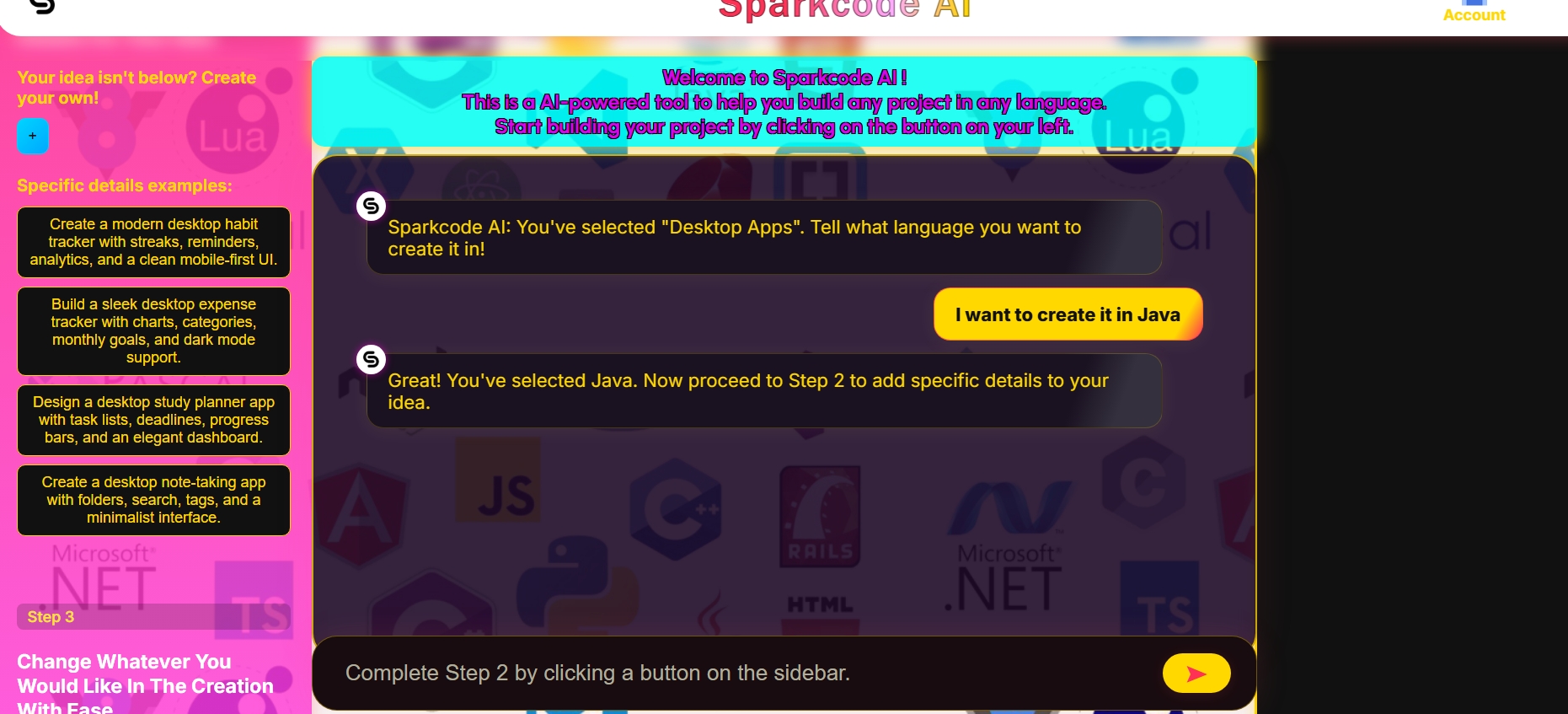
Since I frequently build projects in Python, Java, CSS, and C#, I needed a way to kick things off quickly—almost like having quick links ready for those languages. That's why I added buttons to the UI instead of requiring users to type out their entire idea, making it really fast to start. I also included a preview feature. Though it's somewhat limited, I tried my best—at least for Python, it offers something most AI tools lack. While a few have this feature, most don't.
Obviously, there are countless amazing AI tools out today. Ultimately, my inspiration for this project was to create an AI designed to streamline the initial project setup for my use case and other similar specific workflows, as well as to add that preview feature.
What it does
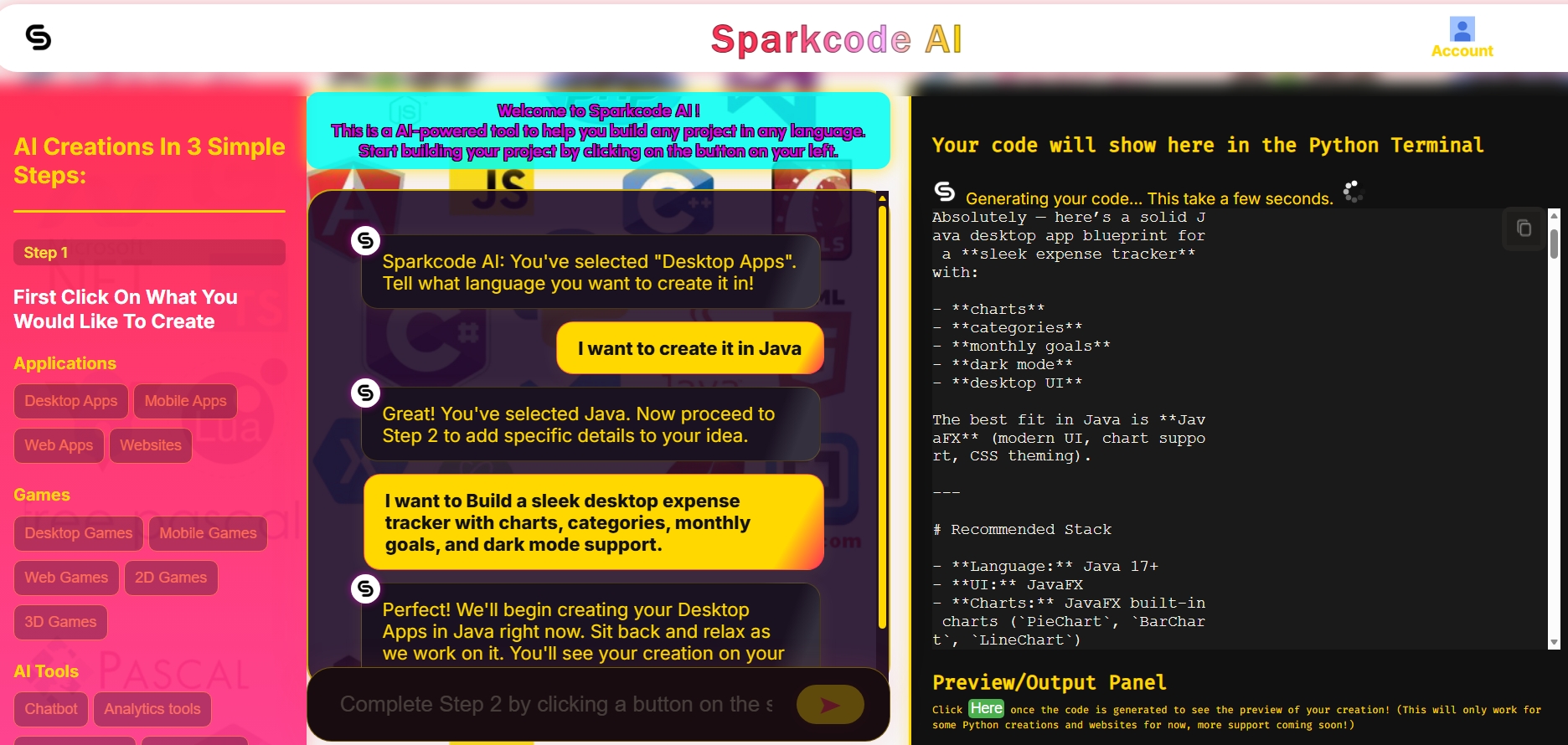
SparkCode AI is an AI-powered app builder that can create (desktop mobile web) apps, websites, (desktop Mobile Web 2D 3D) games and other AI tools in multiple languages. Users describe what they want and choose their preferred language, and the platform turns their idea into a working project in seconds. Something unique about this project it that unlike many other AI development tools it includes a built-in preview feature, so users can instantly see and interact with the generated result. Additionally, it features a Step 3 section, which allows the user to change any aspect of the project, once it have been created; all you do is enter in the change through the buttons or the text box, reopen the preview, and you'll be able to see the change.
How Python was used
- Frontend: purely HTML, CSS, and JavaScript.
- Backend: purely Python using
@whendecorators from PyScript. I connected them together using PyScript. I used significantly more Python for the preview feature than for the actual AI component, which simply called an API to answer questions, although using an API in Python and connecting it to HTML proved quite difficult.
Challenges I faced
I ran into a lot of challenges, especially with the preview section and initially figuring out how PyScript works. I also had trouble correctly receiving data from the API and balancing it with the code, while ensuring everything ran in JavaScript without causing crashes. Another challenge I encountered was getting the Step 3 project to update the design correctly. I had to separate the code from the answer variable, request a new response, apply the modification, and then regenerate the preview.
How I solved them
I solved these challenges by breaking the project into smaller parts and testing each one separately. For the preview section, I focused on understanding how PyScript connects Python to the browser and used that to make the interface work more smoothly. When handling API data, I made sure to separate the response logic from the code logic so the information could be processed correctly in JavaScript without causing errors. For the Step 3 design update, I separated the code from the answer variable, requested a new response, applied the change, and then regenerated the preview so the final result matched the new design.
What I learned
I learned a lot about using PyScript, gained better insight into retrieving high-quality information from an API and working with it in Python, and explored how to connect it with the Python terminal and JavaScript callers. I also learned how to convert Python code and code from other languages into HTML, which was the whole logic behind preview feature.
Accomplishments that I'am proud of
One accomplishment I’m especially proud of is how I built the system to support multiple programming languages and frameworks. I also successfully connected Python with HTML via PyScript (I was really wasn't familiar with), which allowed for a more dynamic and interactive experience. The code editor itself, which was a python terminal, was powered by Python, enabling it to retrieve data from an API, display results in real time, and even coordinate with the JavaScript functionality. Overall, I’m proud of how I integrated HTML and Python using PyScript to create a seamless interaction between the frontend and backend.
What's next for Sparkcode AI
Next, I plan to expand support for additional frameworks and languages, adjust the AI's typing speed, and most importantly, add the preview feature to more languages beyond just HTML and Python. I also want to implement an account system so users can log in, create projects, and save them.

Log in or sign up for Devpost to join the conversation.