-
-
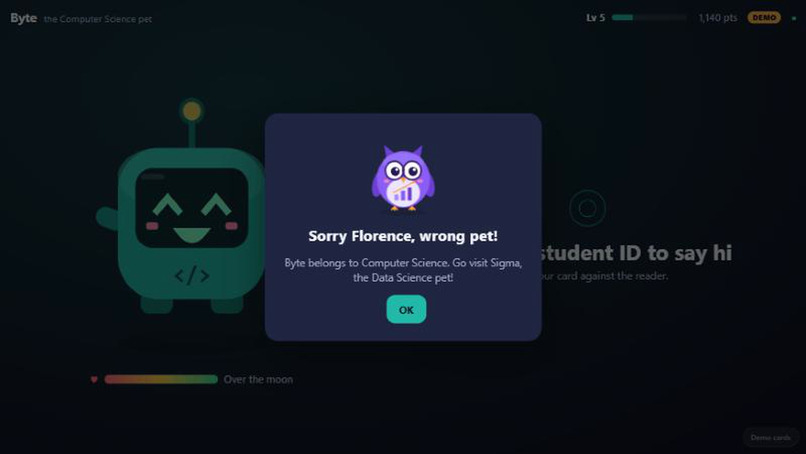
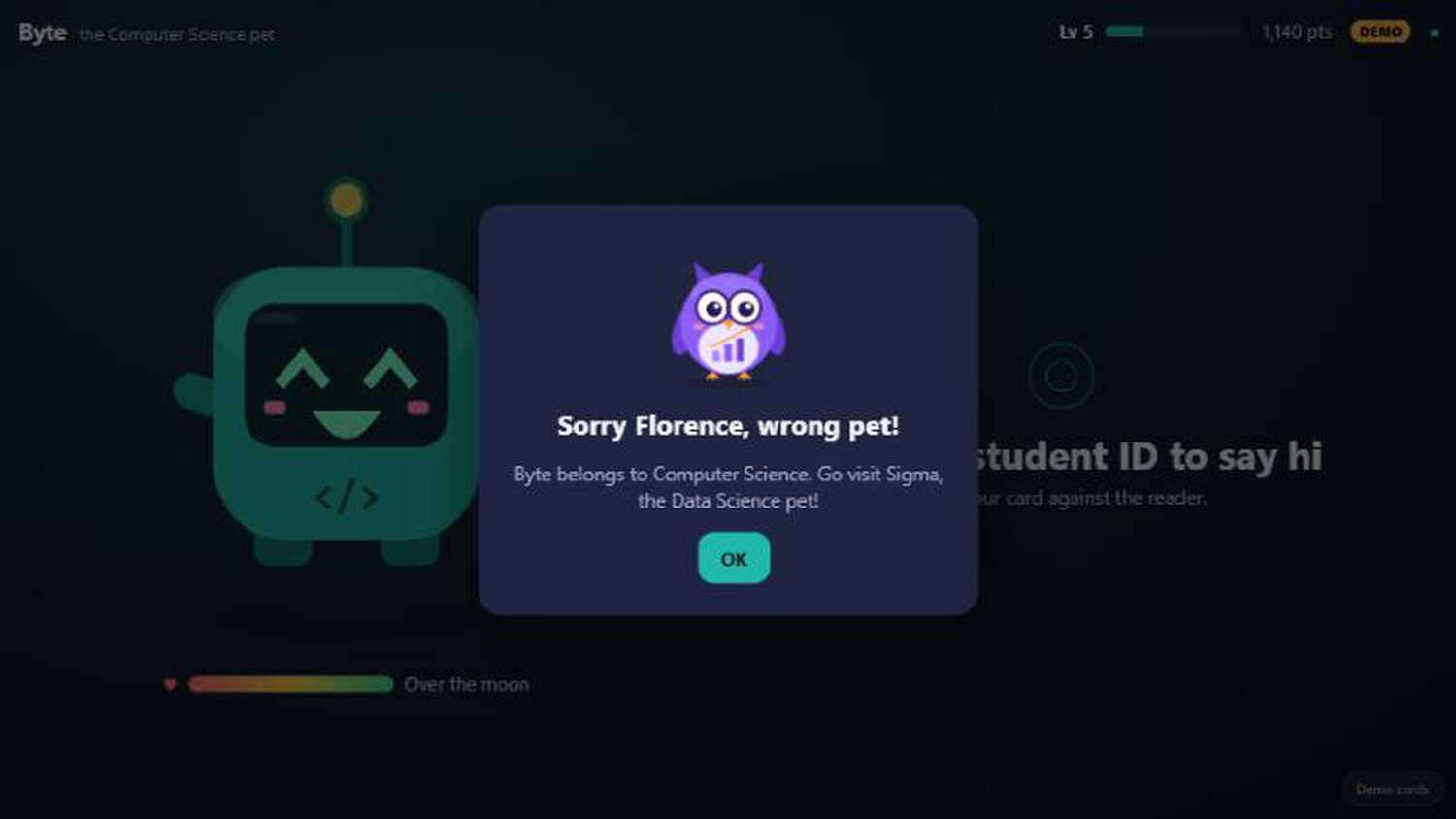
the major lock
-
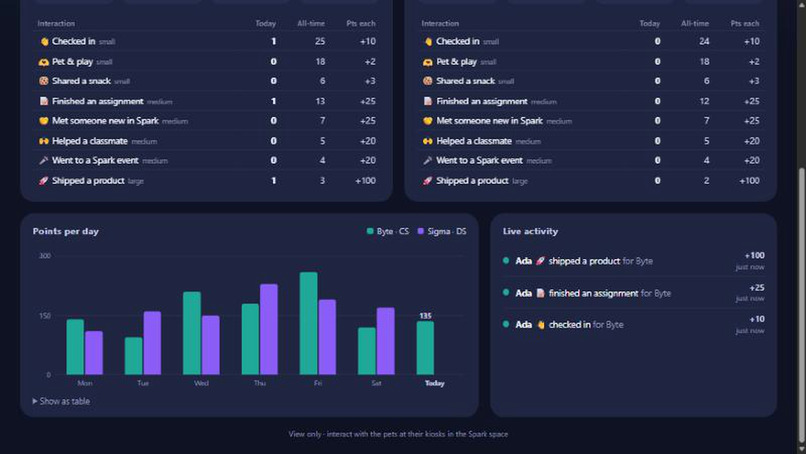
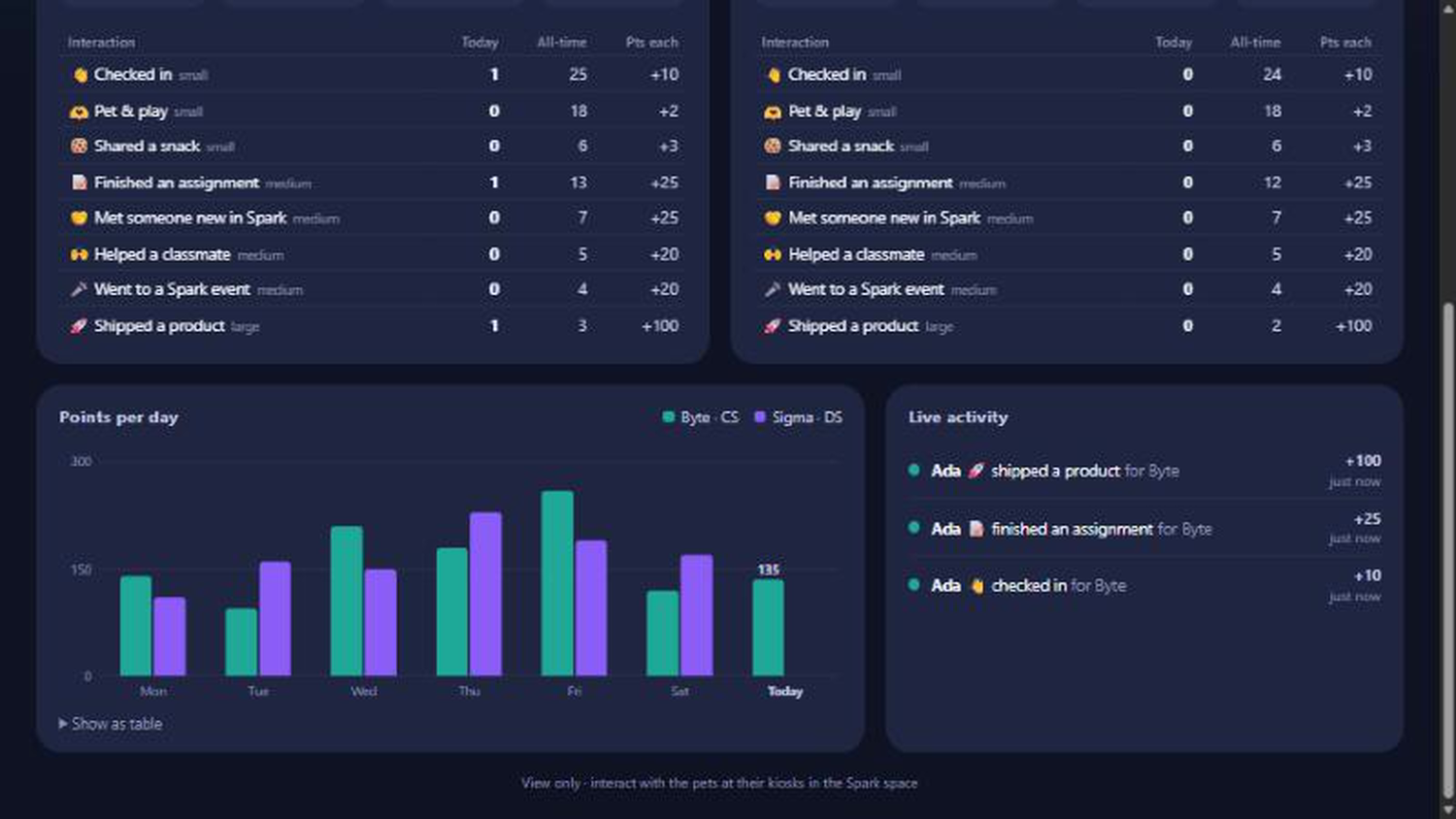
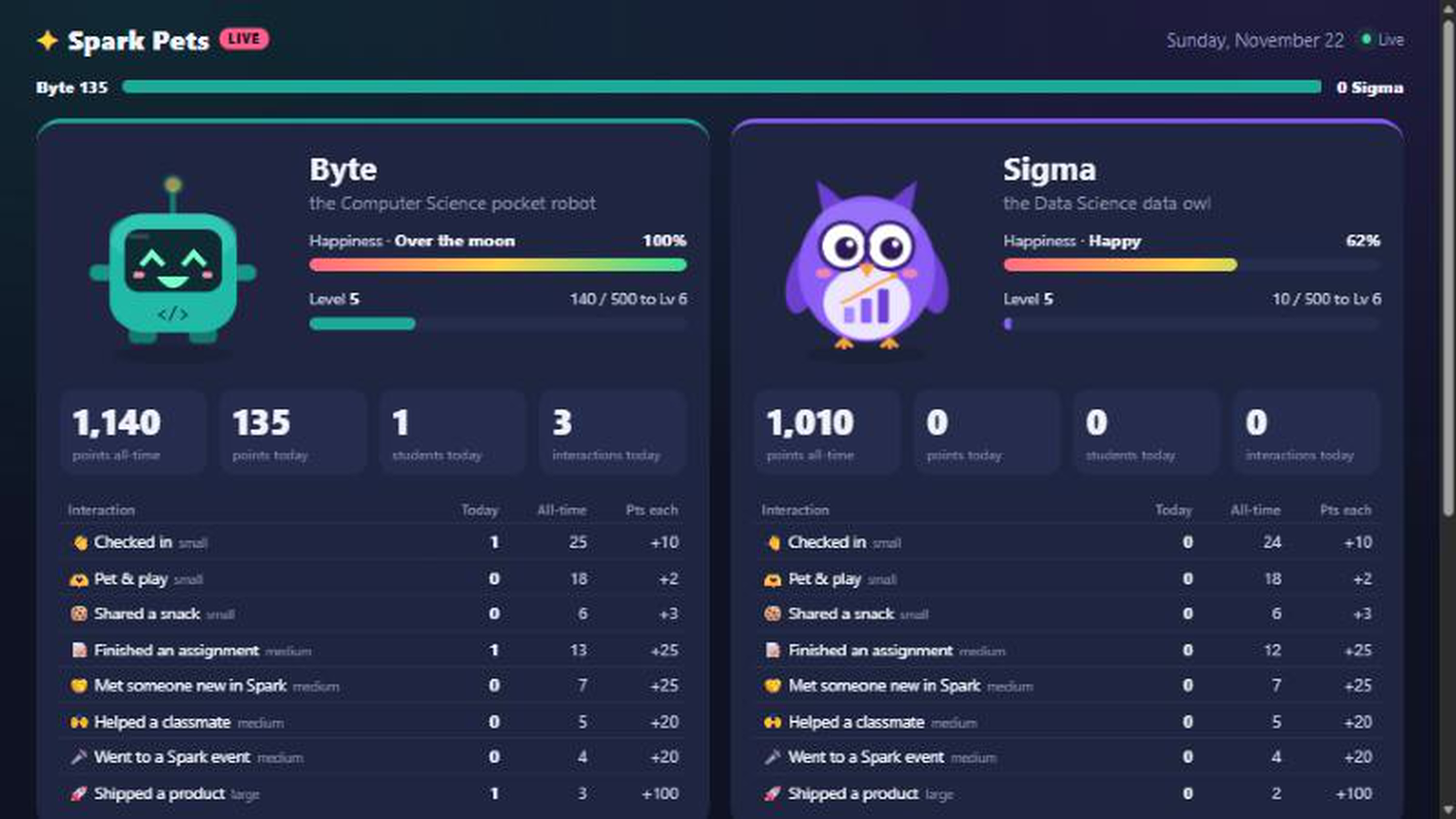
today and all-time counts, the 7-day chart and the live feed
-
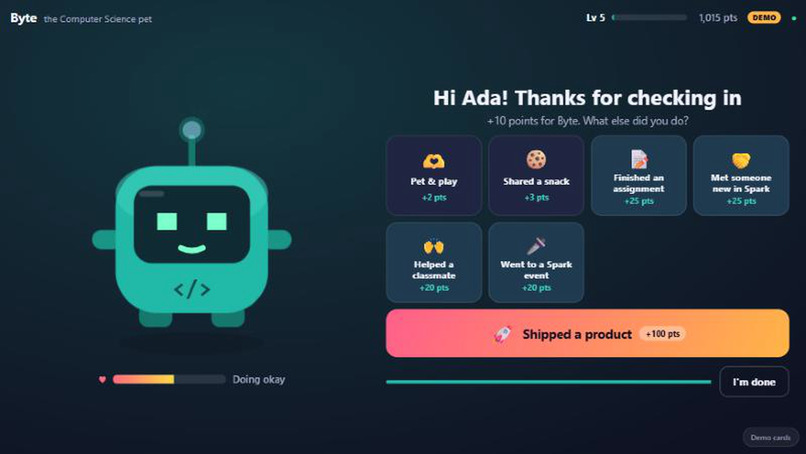
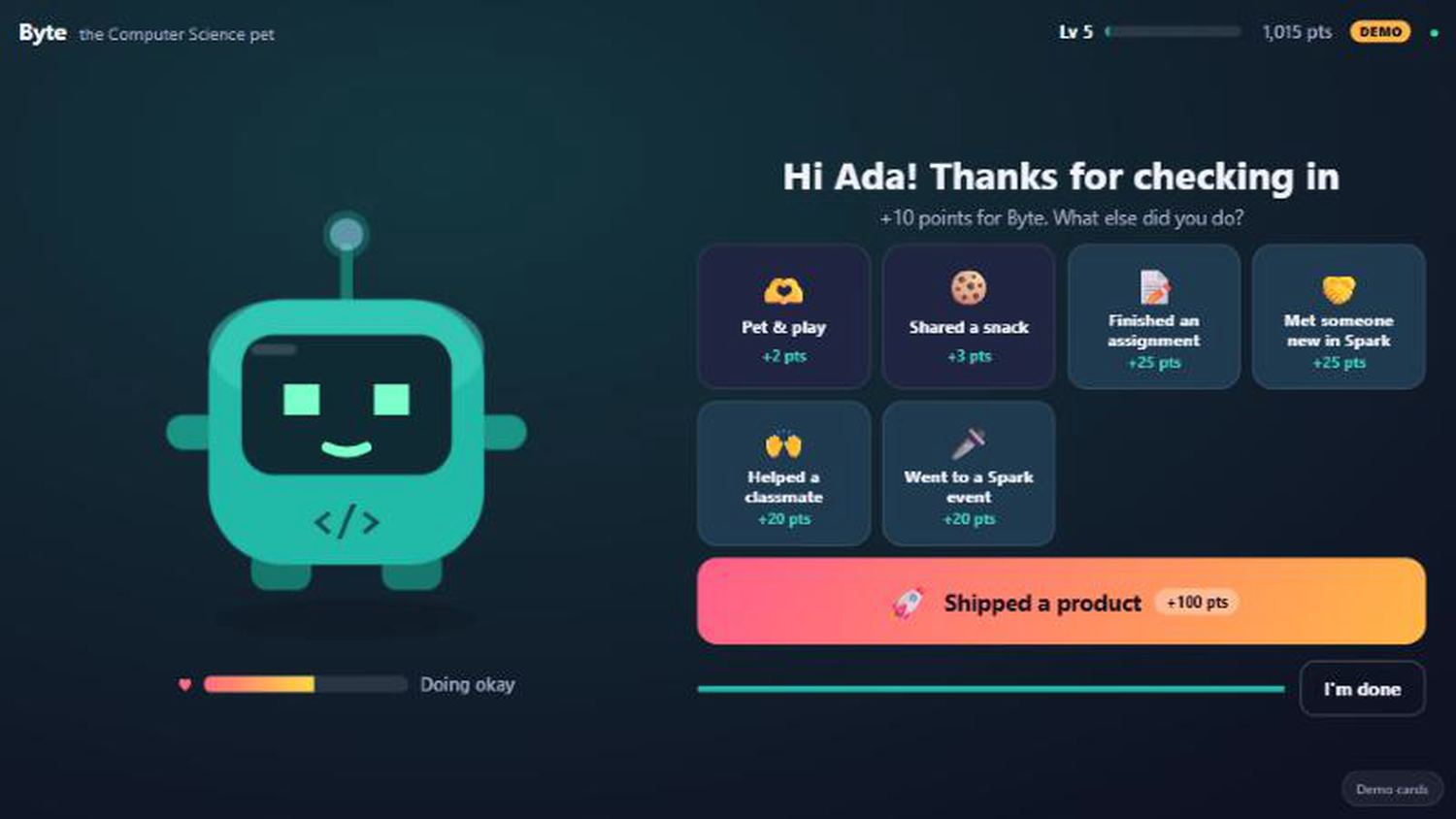
a check-in with the action buttons
-
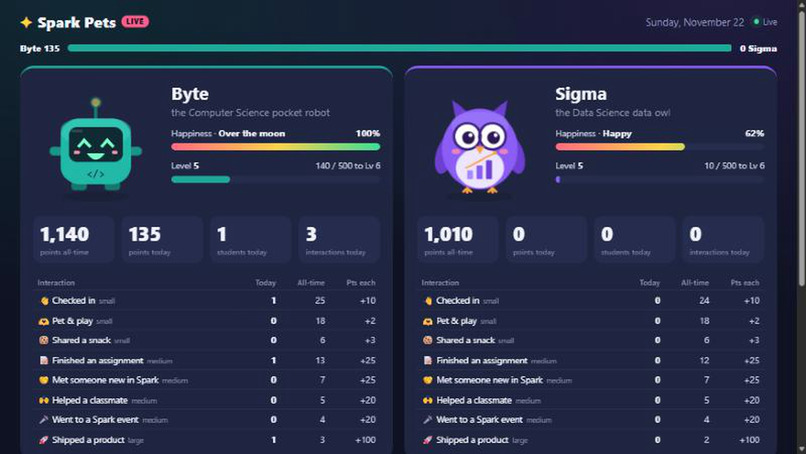
both pets with happiness, level and points
-
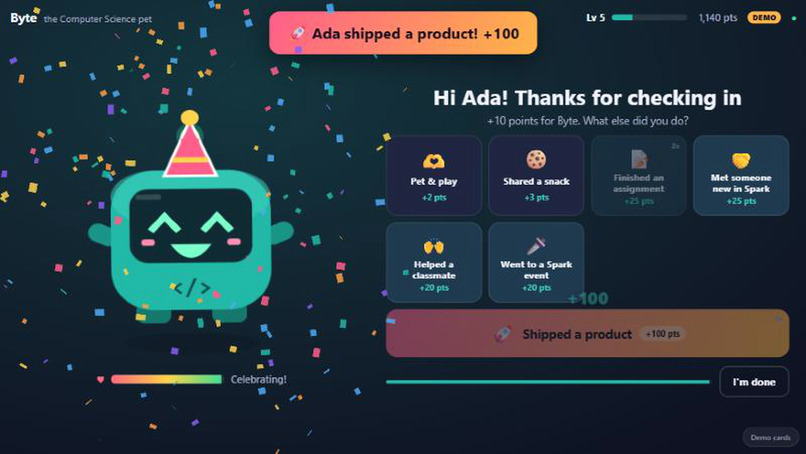
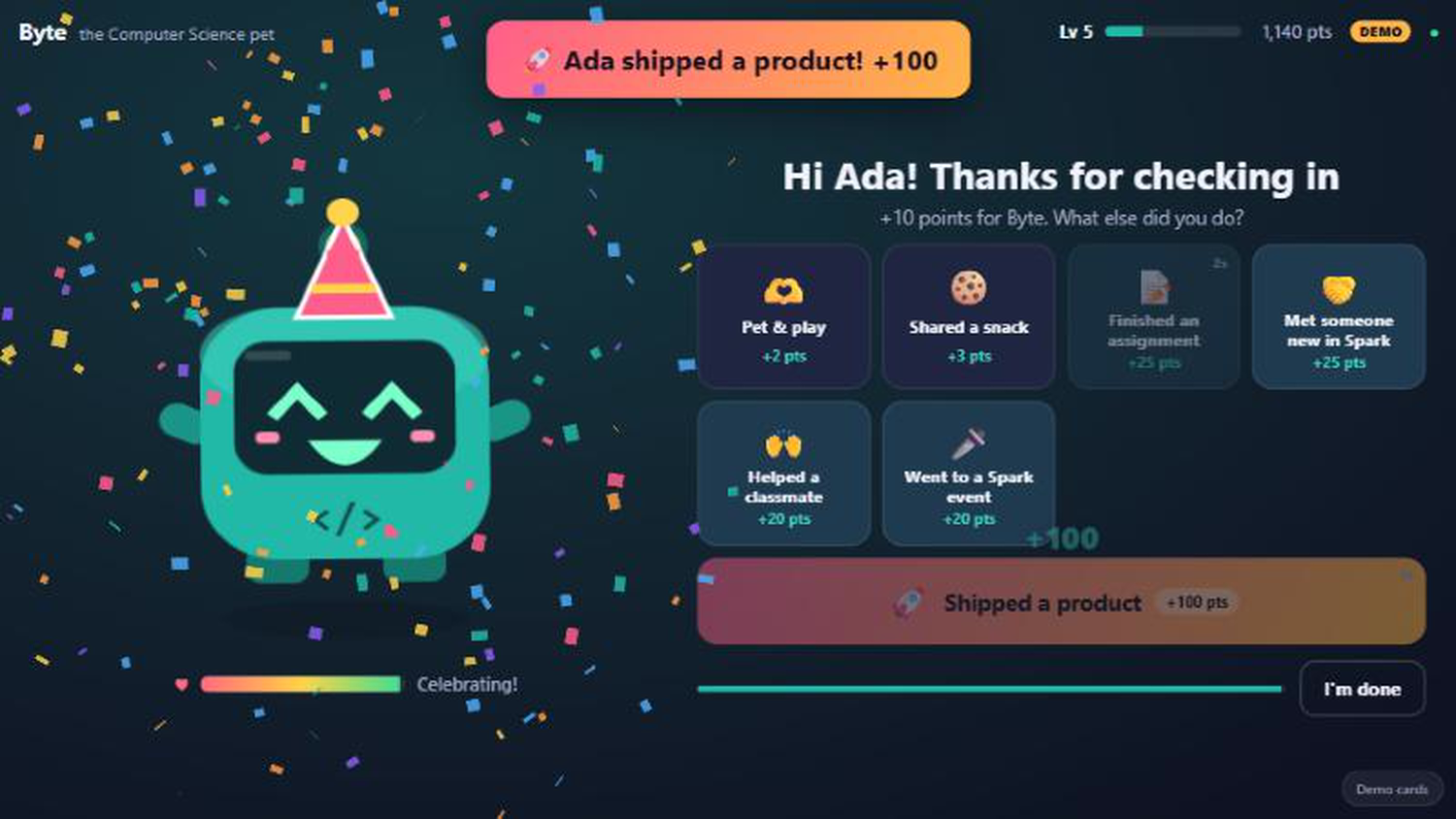
the "shipped a product" party
-
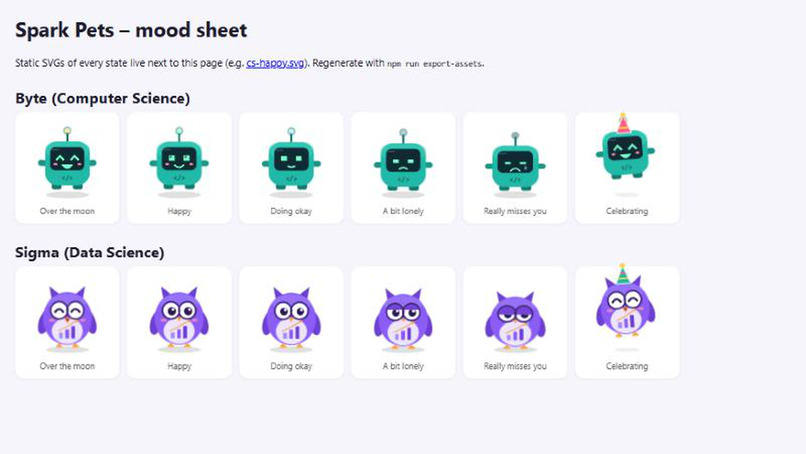
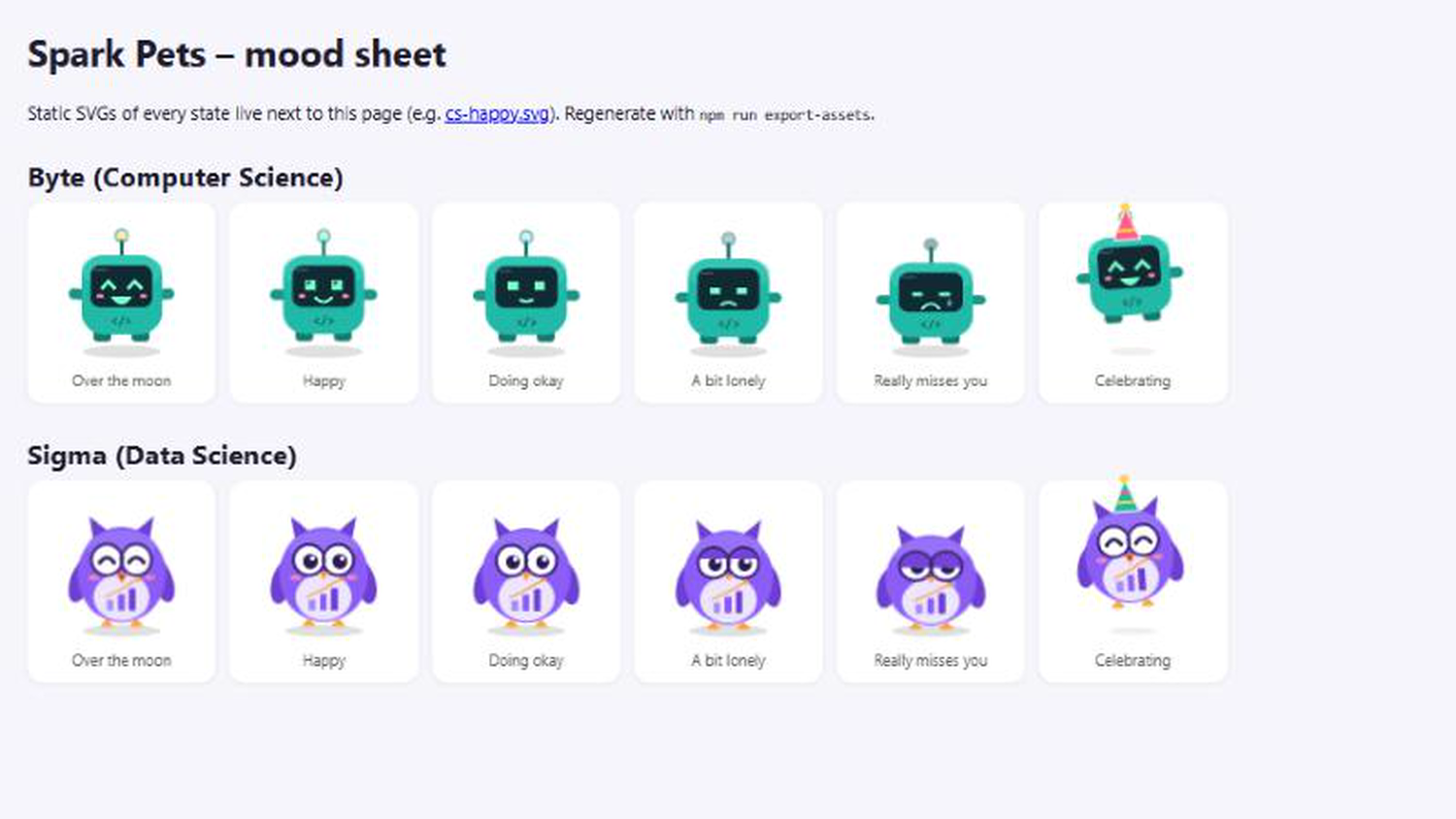
every mood for both pets
! Please use password spark-staff to access the kiosk and add an NFC tag
Inspiration
Every student who walks into Spark! already carries a small piece of hardware: their student ID. Tapping it usually opens a door and nothing else. We wanted that everyday tap to feel like coming home to a pet that's glad to see you.
We also noticed that the lab's best moments are mostly invisible: someone finishes a hard assignment, meets a new collaborator or finally ships a project, and nobody in the room knows. Spark Pets turns those moments into something the whole space can see and celebrate.
What it does
Two pets live in the lab, each on its own kiosk:
- Byte, a teal pocket robot, belongs to Computer Science majors.
- Sigma, a purple data owl, belongs to Data Science majors.
At the kiosk
- A student taps their NFC student ID. The pet greets them by name, and the first tap of the day counts as a check-in (+10 points).
- Each student can only care for their own major's pet. Tap the wrong one and it points you to the right pet.
- The student then logs what they've been up to, and each action makes the pet happier and earns points:
- Small: pet & play, share a snack
- Medium: finished an assignment, met someone new in Spark, helped a classmate, went to a Spark event
- Large: shipped a product (+100). The pet puts on a party hat, jumps around, confetti flies and it plays a little fanfare.
- Cooldowns stop button-mashing, and an unregistered card can be registered on the spot by an organizer.
On the big screen
A read-only live dashboard shows both pets and:
- each pet's mood and happiness, level and points (today and all-time)
- how many times each interaction happened, today and all-time
- students who visited today, a 7-day points chart, a CS-vs-DS rivalry bar for the day, and a live activity feed
- a celebration banner and confetti whenever someone ships
Happiness slowly drains over time, so a neglected pet looks lonely and then sad. That gives everyone a playful reason to stop by.
How we built it
- Kiosk and dashboard: plain HTML, CSS and JavaScript (ES modules), no framework, so they run on any phone, tablet or laptop browser.
- NFC: the Web NFC API reads the ID card's serial number in Chrome on Android. The kiosk also accepts USB NFC readers that type the card id, and has "demo cards" for testing without hardware.
- Pet art: both pets are original, drawn as parametric SVG in code. One function renders five moods plus a celebration pose, animated with CSS (blinking, bouncing, sulking, jumping). Sounds are generated with the Web Audio API.
- Backend: Firebase Hosting (HTTPS, which Web NFC requires), Cloud Firestore for data, and Firebase Authentication for the kiosk password.
- The dashboard uses Firestore's live listeners, so updates appear instantly with no refresh.
- Each interaction is written in one Firestore transaction that updates the pet, the day's totals, the activity log and the student's cooldowns together, so two kiosks can't double-count.
- Firestore security rules make the dashboard truly read-only: anyone can read the pet stats, but only the signed-in kiosk account can write or see the student roster. The public feed shows first names only.
Challenges we ran into
- Web NFC only works over HTTPS. A phone pointed at a laptop on the local network isn't a secure context, so we moved hosting to Firebase.
- No server on the free plan. Cloud Functions require Firebase's paid plan, so we moved the game rules (major lock, cooldowns, once-a-day check-in) into the kiosk, wrapped them in transactions, and let security rules decide who may write.
- "Display only" had to be enforced, not just implied. We made sure the dashboard can't write even if someone opens the browser console, and tested that anonymous writes are rejected.
- A native SQLite driver crashed on our Windows machine in our first prototype, which pushed us to a WebAssembly SQLite and later to Firestore.
Accomplishments that we're proud of
- The pets have real personality: moods you can read from across the room and a celebration that makes people turn their heads.
- The whole loop is live. Tap a card at the kiosk and the big screen reacts within a moment.
- It runs on hardware students already own: an Android phone becomes a pet's home and every student ID is its key.
- Privacy and security got real attention for a weekend project: password-protected kiosks, a locked-down student roster and first names only in public.
What we learned
- How the Web NFC API works and what it requires (HTTPS, a user gesture, Chrome on Android).
- Designing Firestore data and security rules when there's no server to trust.
- Small touches like blinking, a wobble when you tap the pet and a "+25" that floats up make an interaction feel alive.
What's next for Spark Pets
What we built at the hackathon: two phone or tablet kiosks with NFC, original animated pets, points and moods, and a live dashboard, all on Firebase.
What we'd build with the $1,000 equipment budget: give the pets bodies in the lab.
| Item | Purpose | Est. cost |
|---|---|---|
| 2 × Raspberry Pi 5 kits | Dedicated always-on kiosk for each pet | $240 |
| 2 × 7" touchscreens | The pet's face and action buttons | $160 |
| 2 × USB NFC readers (e.g. ACR122U) | Reliable card taps, no phone needed | $80 |
| 2 × LED rings + small speakers | Pets glow in their mood color and chirp when you arrive | $80 |
| 3D-printed / laser-cut enclosures | A physical robot and owl housing for each kiosk | $100 |
| Monitor or TV (~43") | Always-on dashboard by the lab entrance | $250 |
| Mounts, cables, power | Installation | $60 |
| Total | ≈ $1,000 |
(Costs are rough estimates.)
With that hardware, we'd like to:
- Greet people at the threshold: put a pet by the door so tapping in lights up its ring and it says hello.
- Let the room react: whole-lab light or sound moments when someone ships, and a "rescue the lonely pet" alert when happiness gets low.
- Add more pets and events: pets for more majors and clubs, seasonal costumes, and weekly CS-vs-DS challenges.
Built With
- cloud-firestore
- css3
- firebase
- firebase-authentication
- firebase-hosting
- html5
- javascript
- nfc
- svg
- web-audio-api
- web-nfc
