Inspiration
You order clothes online that look great on the model, only to find they clash with everything in your closet. Or they don't fit right and go straight into the returns pile. Online fashion returns sit around 30-40%, and each one means more shipping, more packaging, more waste.
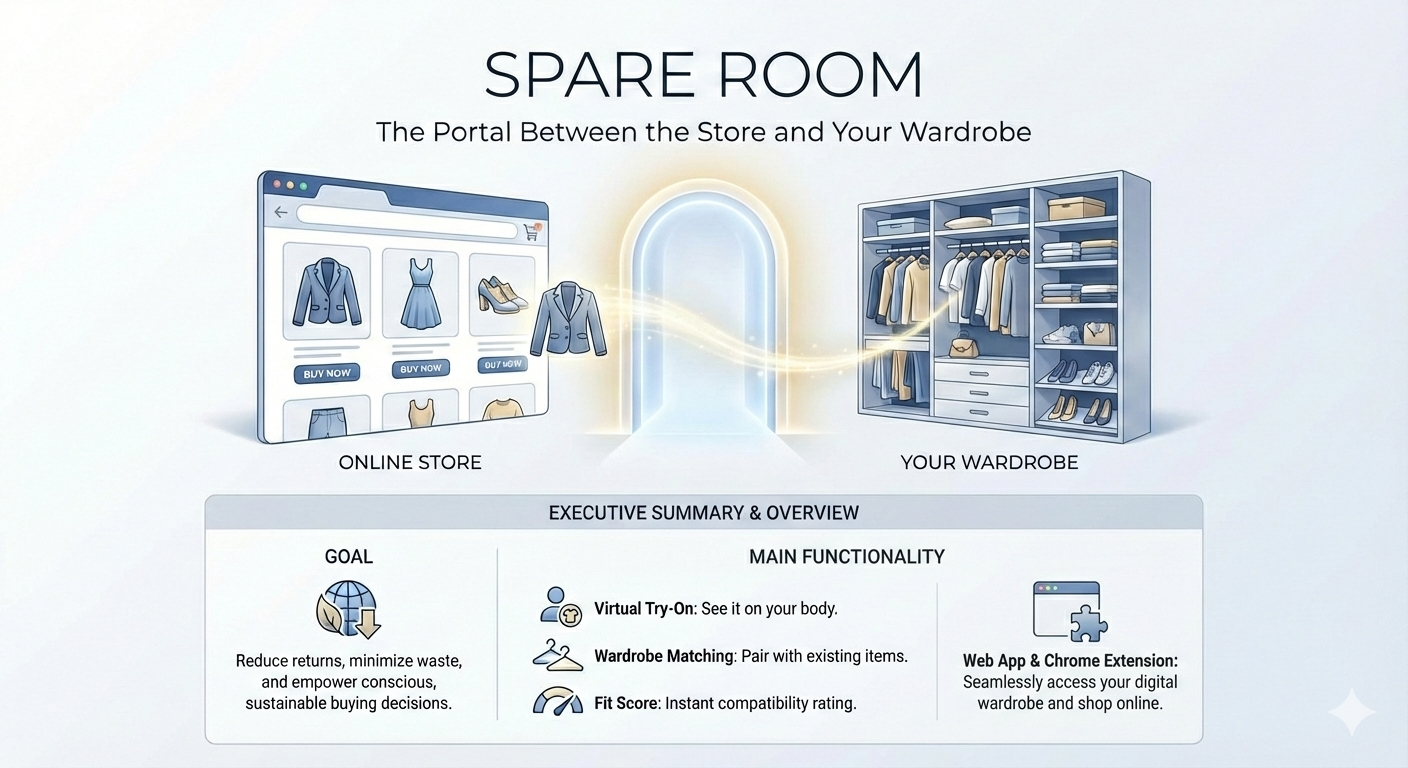
I kept thinking: what if you could see how a piece looks on you and whether it actually goes with what you own — before buying? That's Spare Room. The name is a nod to Narnia, where the spare room holds a wardrobe that's a portal to another world. This app is a portal between the store and your closet.
What It Does
Spare Room connects online stores to your wardrobe using AI. Two parts work together:
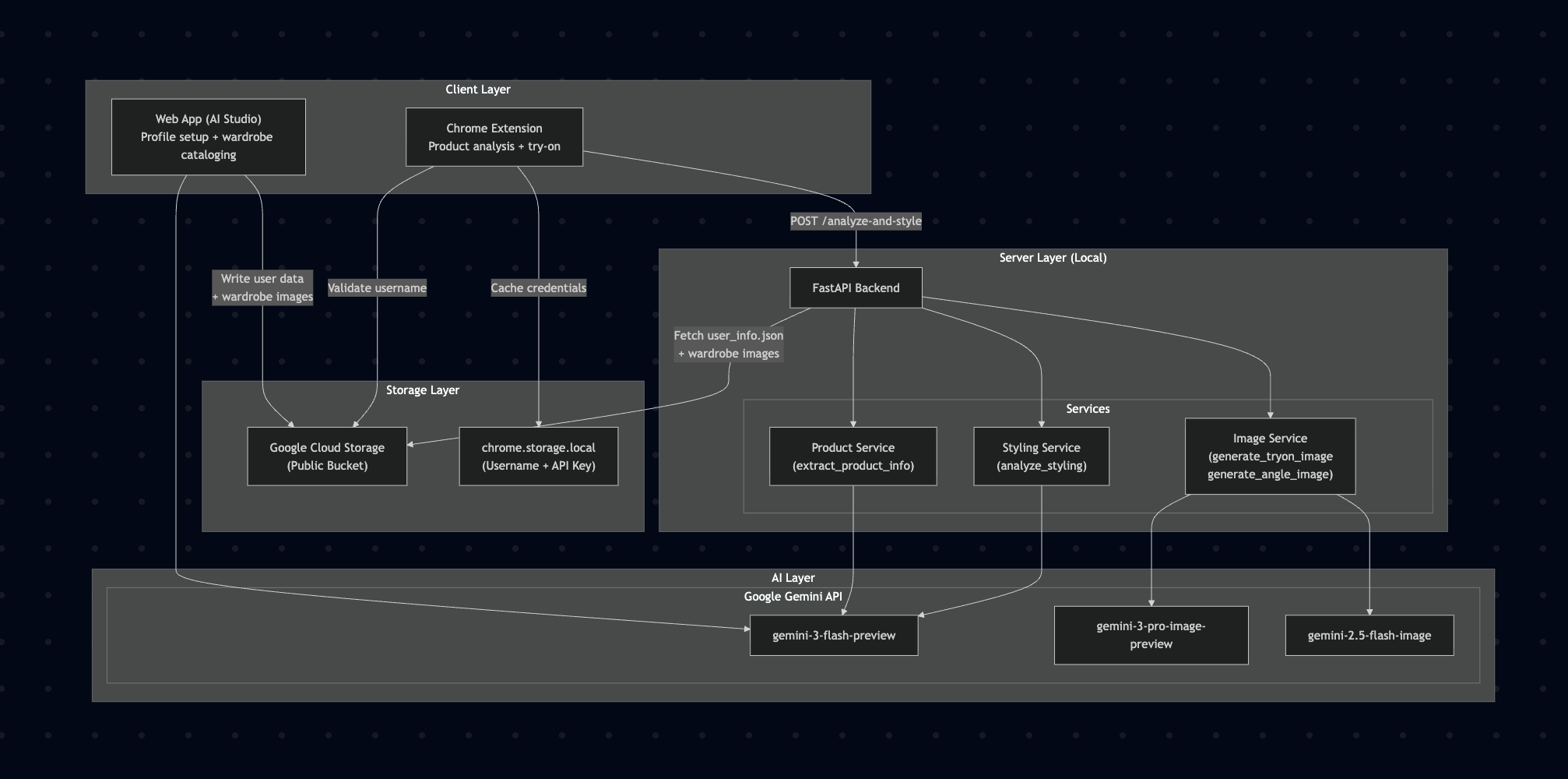
Web App (profile setup): Built with Google AI Studio. You upload a selfie, enter your measurements and sizes, note any style preferences ("no skinny jeans", "mostly streetwear"), and snap photos of your wardrobe items. Gemini 3 Flash analyzes each item photo and catalogs it — name, color, type, style. Everything gets stored in Google Cloud Storage under a unique username.
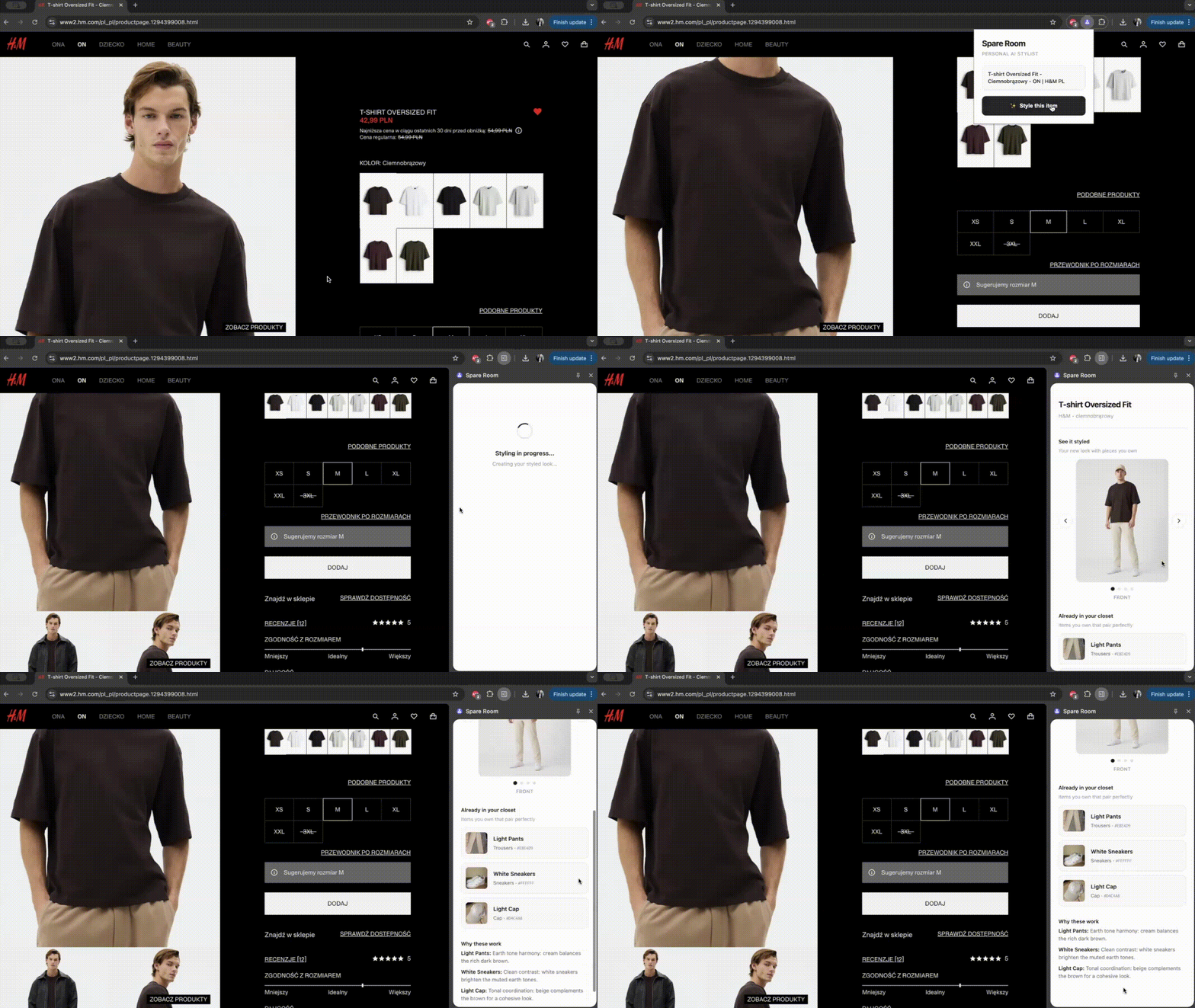
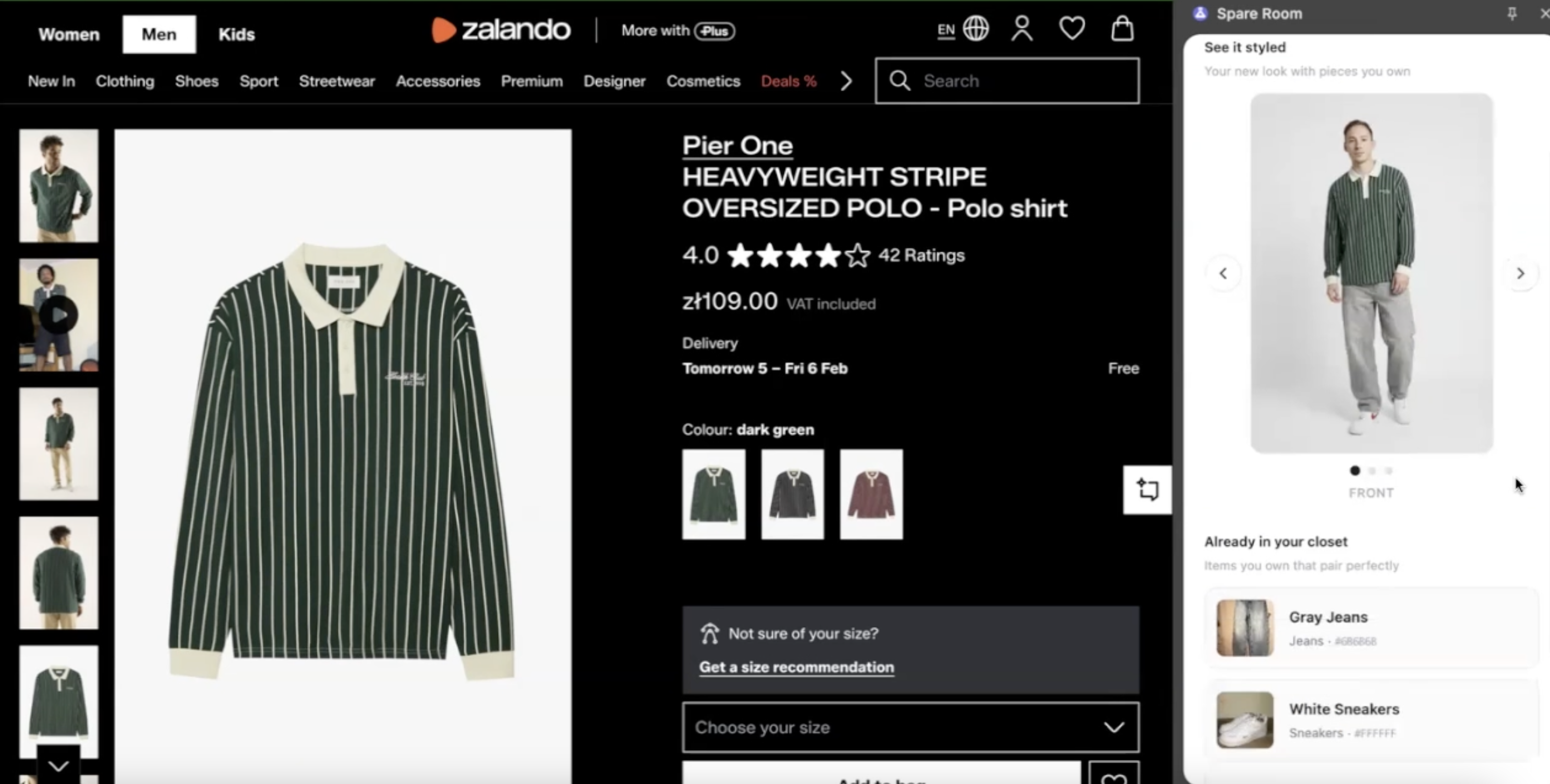
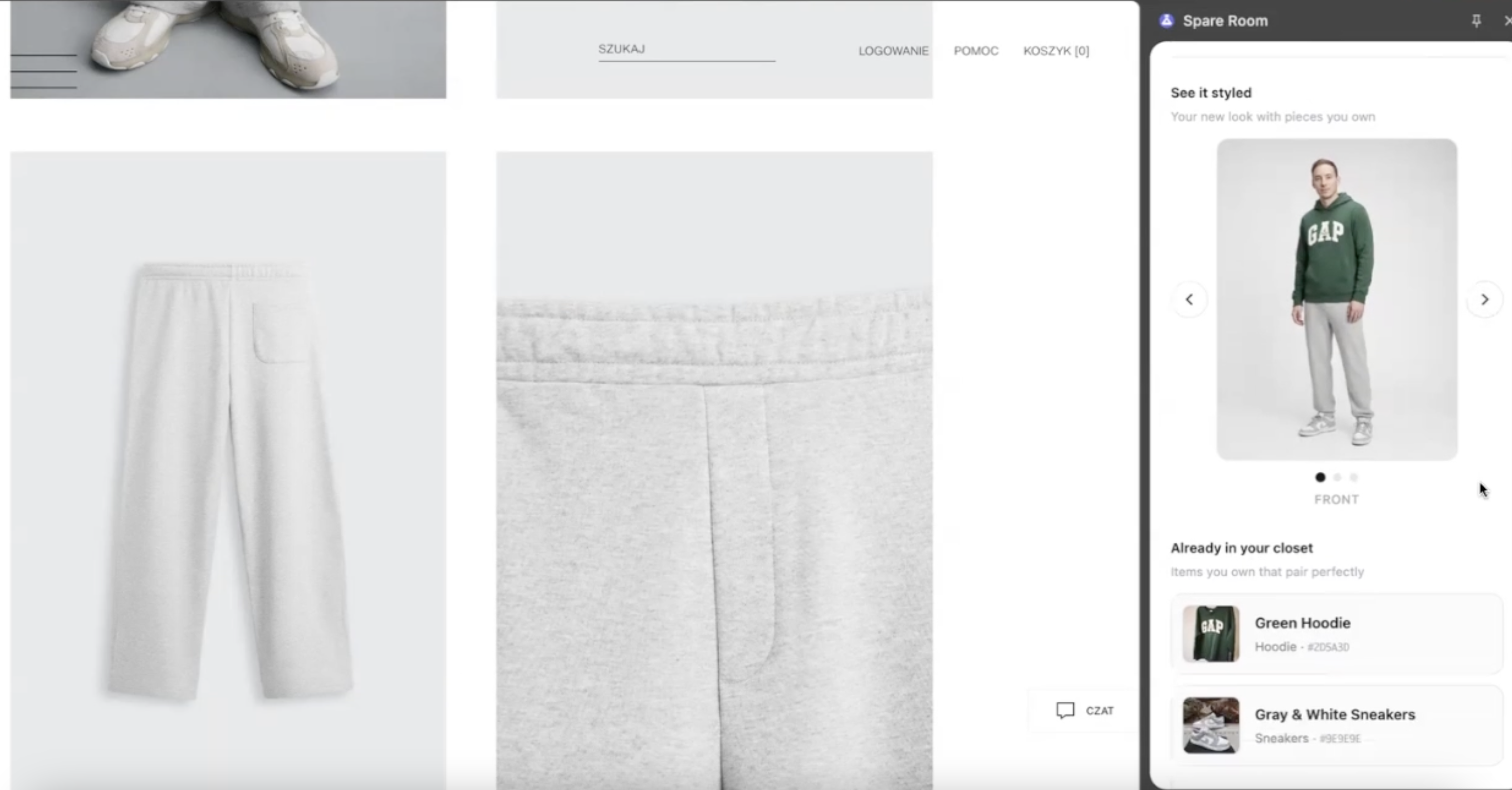
Chrome Extension (shopping): This is where you spend your time. Browse any clothing store, click the extension on a product page, and get:
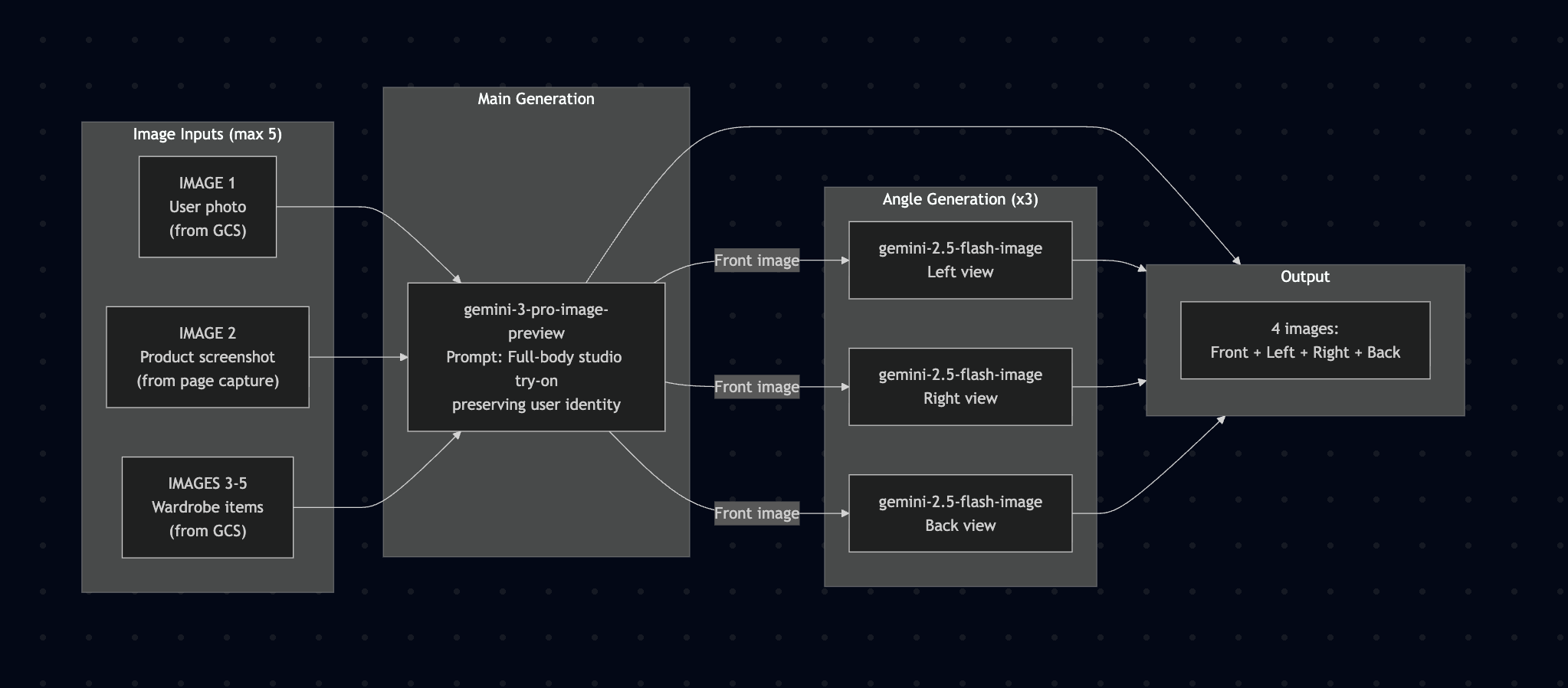
- Virtual Try-On — see the item on your body from 4 angles (front, left, right, back)
- Wardrobe Matching — which items you already own pair well with this piece
- Fit Score — 0-100 compatibility score based on your wardrobe and style
- Styling Tip — a short note on why the combination works (or doesn't)
You make better purchases, wear what you buy, and return less.
How I Built It
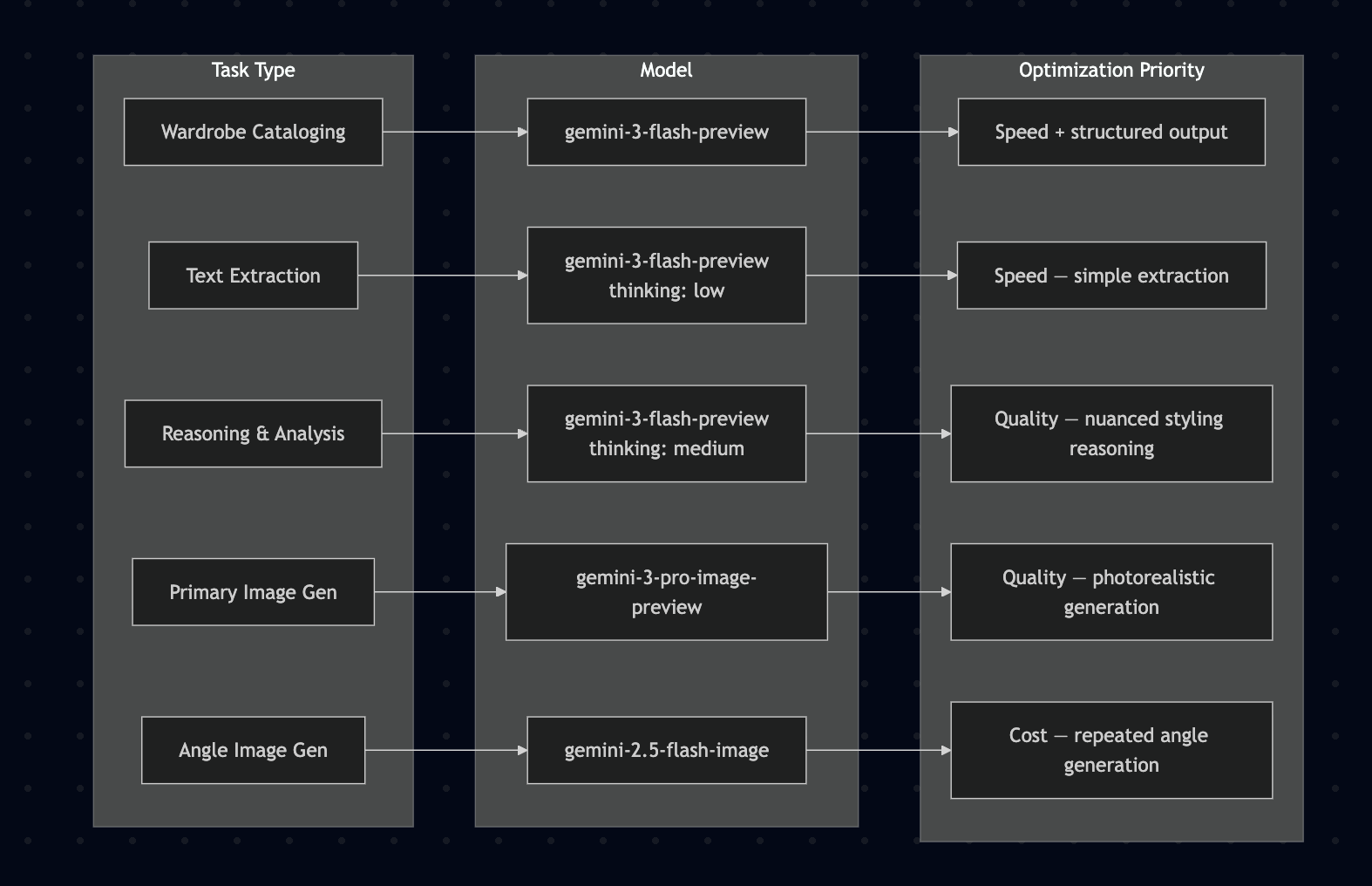
Four Gemini 3 models, each doing what it's best at:
| Step | Model | What It Does |
|---|---|---|
| Onboarding | gemini-3-flash-preview |
Analyzes wardrobe photos → structured metadata |
| 1. Extract | gemini-3-flash-preview (thinking: low) |
Screenshot + HTML → product info (name, color, brand, price) |
| 2. Analyze | gemini-3-flash-preview (thinking: medium) |
Product + wardrobe + user profile → fit score, best matches, tip |
| 3a. Try-On | gemini-3-pro-image-preview |
User photo + product + wardrobe items → front-view try-on image |
| 3b. Angles | gemini-2.5-flash-image |
Front image → left, right, back views (3 separate calls) |
Web App (AI Studio)                    Chrome Extension
┌──────────────────┐                  ┌──────────────────┐
│ Upload photo     │                  │ Capture page     │
│ Upload wardrobe  │──► GCS Bucket    │ screenshot + HTML│
│ Enter sizes      │    (user data)   └────────┬─────────┘
└──────────────────┘         │                 │
                             │                 ▼
                             │        ┌──────────────────┐
                             └───────►│ FastAPI Backend   │
                                      │ (runs locally)   │
                                      └────────┬─────────┘
                                               │
                         ┌─────────────────────┼──────────────────┐
                         ▼                     ▼                  ▼
                   Extract Product      Analyze Styling     Generate Try-On
                   (Flash, low)        (Flash, medium)     (Pro Image + Nano)
The key idea: use the right model for each job. Flash handles text tasks fast and cheap. Pro Image does the heavy lifting for the main try-on where quality matters. Nano-Banana fills in the extra angles without burning through the budget.
The extension itself makes zero AI calls — it captures page content and shows results. All the intelligence runs in the Python backend. The user's Gemini API key is stored locally in the browser and passed per-request to the backend, never sent anywhere else.
Challenges
- Speed vs. quality trade-off. Users want instant results, but good image generation takes time. Splitting work across models with different thinking levels was the solution.
- Cross-site compatibility. Every retail site has different HTML. Instead of parsing specific DOM structures, I rely on screenshots + raw HTML and let Gemini figure it out.
- Body representation. Making try-on images that look realistic across different body types took a lot of prompt iteration.
- Wardrobe cataloging. Getting consistent, structured metadata out of random wardrobe photos (crumpled hoodies, shoes on the floor) required careful prompting.
What I Learned
- Thinking levels are a great lever. Low for extraction, medium for reasoning — same model, very different behavior and cost.
- Structured output with Pydantic eliminates parsing headaches. JSON schema in, clean data out.
- Model selection matters more than prompt tuning. Using Flash for text and Pro for images kept costs down while quality stayed high where it counts.
- Multimodal AI is genuinely useful now. Complex fashion understanding across photos, text, and generated images actually works.
What's Next for Spare Room
Faster generation. The try-on pipeline currently takes 30-60 seconds. Optimizing image sizes, caching wardrobe embeddings, and parallelizing angle generation can cut this significantly.
Auto-add purchases to wardrobe. When you buy something online, automatically detect it from order confirmation emails or retailer integrations and add it to your wardrobe — no manual photo uploads needed.
Mix & match mode. Let users drag and drop high-scoring wardrobe items to build their own outfits, not just see what the AI suggests.
Share outfits. Send a try-on image to a friend on WhatsApp or iMessage and ask "what do you think?" before buying.
Retail partnerships. Work with retailers to embed Spare Room directly into their product pages — fewer returns for them, better experience for shoppers.
Sustainability dashboard. Track how many returns you've avoided and see your CO2 savings over time.

Log in or sign up for Devpost to join the conversation.