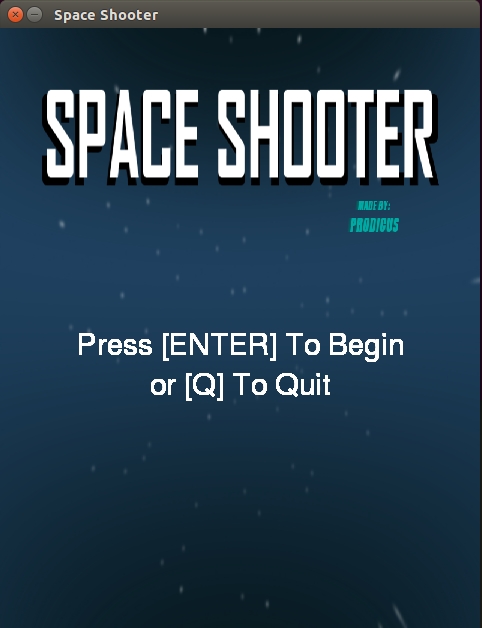
Space Shooter
The classic retro game recreated using Pygame and python.
Demo
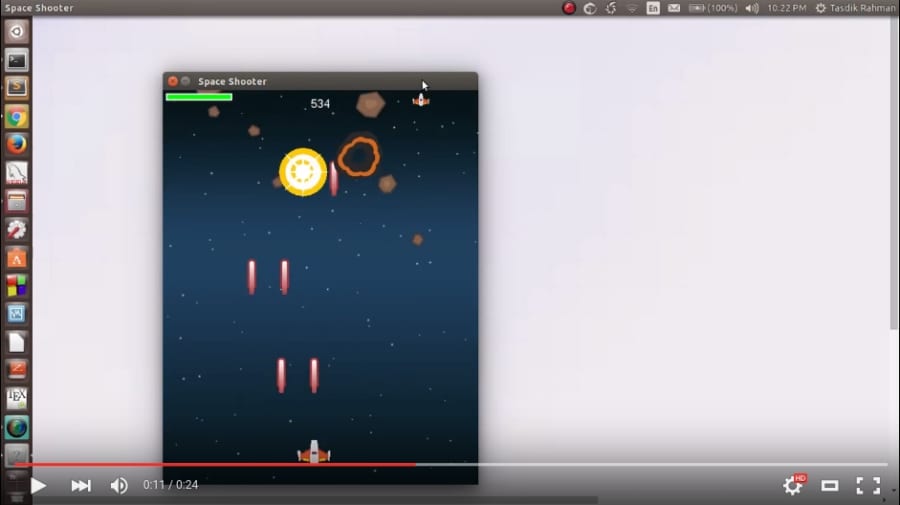
Follow the youtube video to see how I fared on spaceShooter
Screenshots
 |
 |
|---|---|
 |
 |
Game Features
- Health bar for the space ship
- Score board to show how you are faring so far
- Power ups like
- shield: increases the space ships life
- bolt: increases the shooting capability of the ship by firing 2 to 3 bullets instead of one at time.
- Custom sounds and sprite animation for things like
- meteorite explosion
- bullet shoots
- player explosion
- 3 lives per game
- Fun to play :)
Controls
| Button | |
|---|---|
| Move Left | left |
| Move right | right |
| Fire bullets | spacebar |
| Quit game | Esc |
Installation
For Windows
- Download the prebuilt
zip filefrom here and extract the file to your preferred destination by using 7-zip or winzip or any other similar program of your choice. - Run the executable named
spaceShooterinside the extracted file.
For MAC OS X
You have to build from source to get it up and running on OS X. Reason?
I don't have an OS X system to build the executable! So I would love for a Pull request on that one.
Building from source will do the trick though
$ pip3 install hg+http://bitbucket.org/pygame/pygame
Install Pygame specific dependencies
$ brew install sdl sdl_image sdl_ttf portmidi libogg libvorbis
$ brew install sdl_mixer --with-libvorbis
Clone the repo
$ git clone https://github.com/prodicus/spaceShooter.git
$ cd spaceShooter/
$ python spaceShooter.py
Linux/Debian based systems
Option 1: Download the zipped executable file
- Download the latest zip file
- Unzip the file
If your download was saved on the ~/Downloads folder
Press Ctrl + Alt + T to open the shell if you are on GNU/Linux based systems and type
$ unzip ~/Downloads/SpaceShooter-0.0.1.Linux.zip -d ~/Desktop
$ cd ~/Desktop
$ ## navigate to the unzipped file and change the file permissions for the executable
~/Desktop $ chmod +x spaceShooter
~/Desktop $ ./spaceShooter
This will unzip the file on your Desktop, you can replace it with the directory of your choice
NOTE : If it gives you an error, you probably don't have unzip installed in your system.
$ sudo apt-get install unzip
That should fix the error.
- Run the executable named
spaceShooter
A Similar process would be followed for OS X
Option 2: Build from source
You need to have pygame installed for this option.
Ubuntu/Debian
$ sudo apt-get install python-pygame
Clone the repo
$ git clone https://github.com/prodicus/spaceShooter.git
$ cd spaceShooter/
$ python spaceShooter.py
Enjoy the game!
Known issues
- The game music doesn't play on
OS Xas described in #1
Contributers:
- @bardlean86 for adding the third missile powerup and the main menu
To-do:
- [x] Add the
windowsexecutable file - [ ] Add
OS Xexecutable file as theDebianbased one fails to execute on it - [x] Add main menu for the game
- [x] Fix bug which stops the background music from looping
- [ ] Add support for
WAVgame music file asoggformat is not playable as described in #1 - [ ] add feature to replay the game after all players die
Contributing
This game was written in one day, so the coding standards might not be up the mark. Don't be shy to make a Pull request :)
For details, please refer the Contributing page
Issues
You can report the bugs at the issue tracker
OR
You can tweet me if you can't get it to work. In fact, you should tweet me anyway.
Similar
- Bullethell.py : A fork of prodicus/spaceShooter which adds fancy shooting capabilities
License
You can find a copy of the License at http://prodicus.mit-license.org/
- The images used in the game are taken from http://opengameart.org/, more particulary from the Space shooter content pack from @kenney.
License for them is in Public Domain
- The game sounds were again taken from http://opengameart.org/. The game music, Frozen Jam by tgfcoder licensed under CC-BY-3

Log in or sign up for Devpost to join the conversation.