-
-
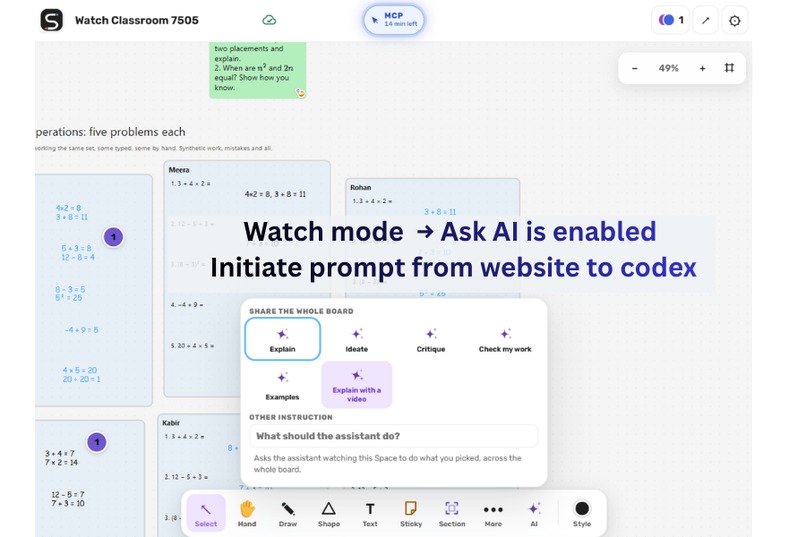
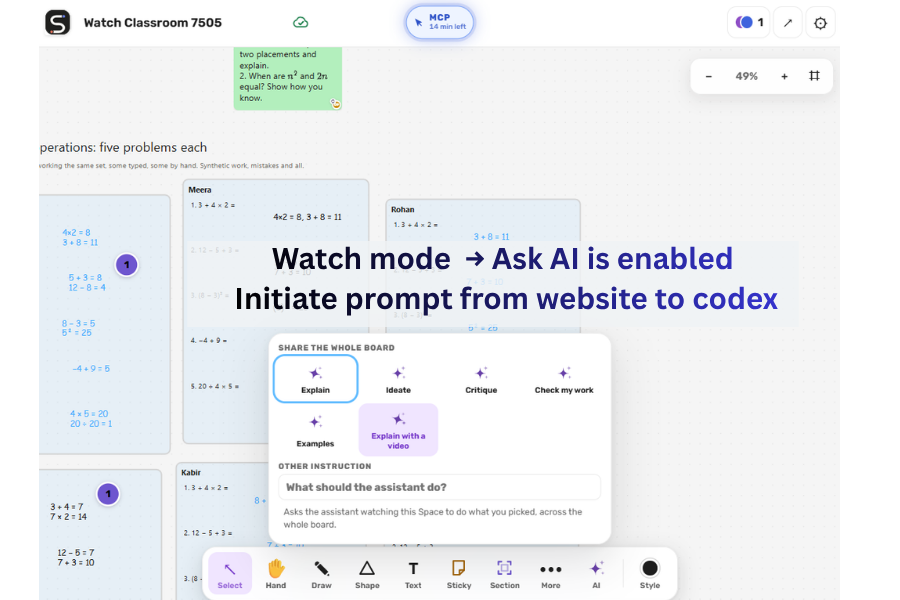
Watch mode -> 2 way communication in webmcp
-
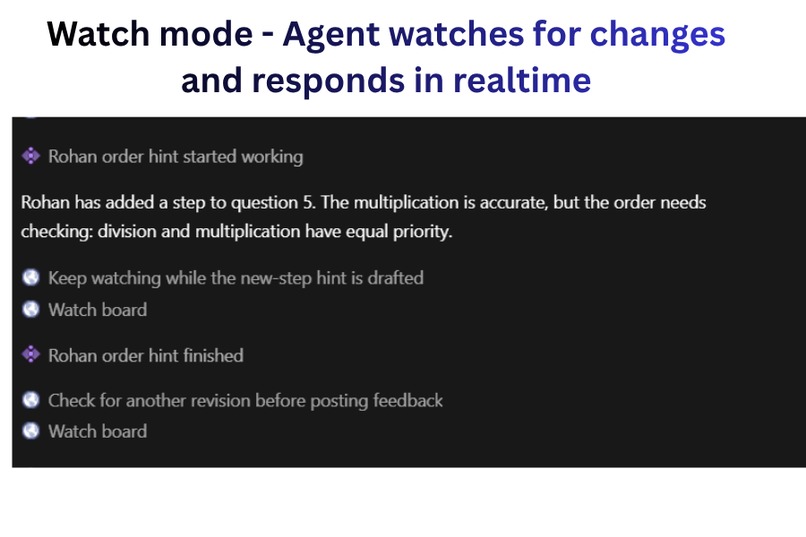
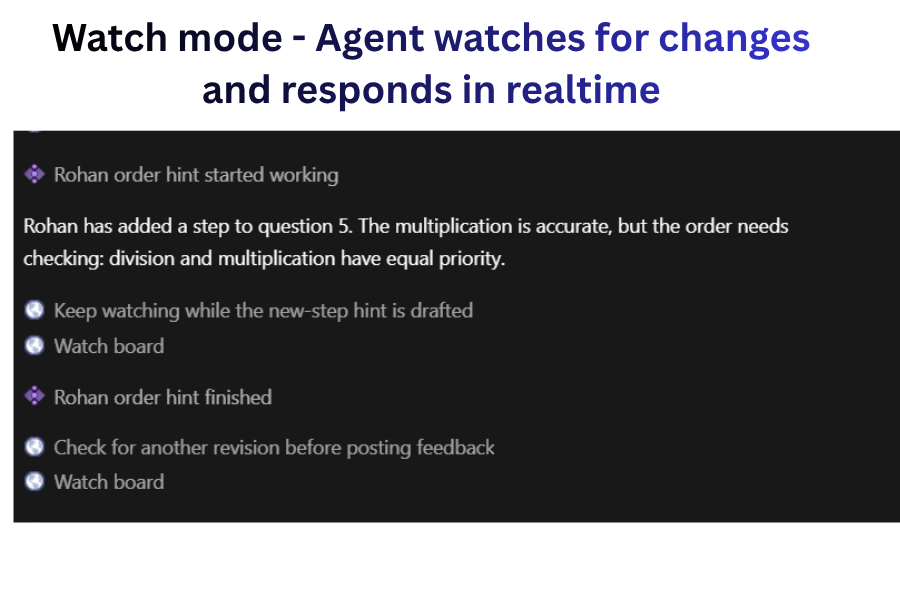
Watch mode - Automatic monitoring and actions based on long poll
-
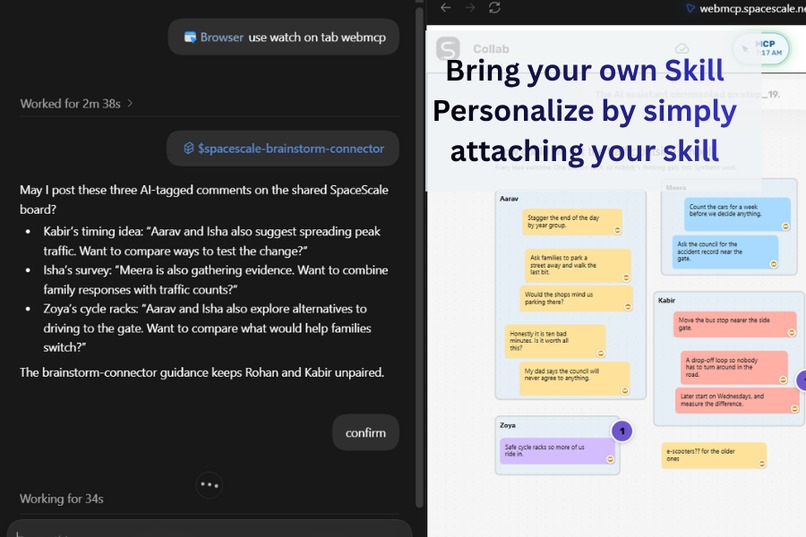
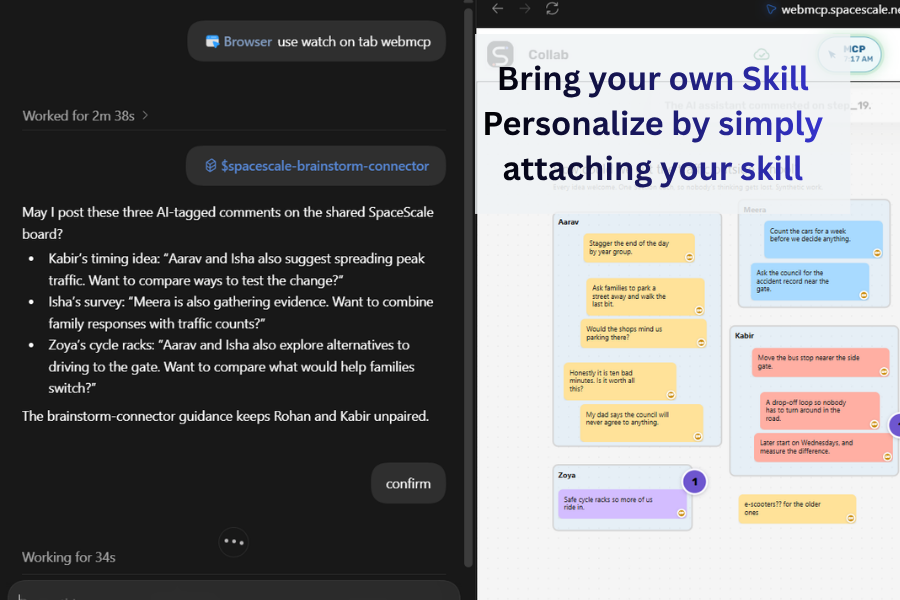
Portable skills for expandable usecases
-
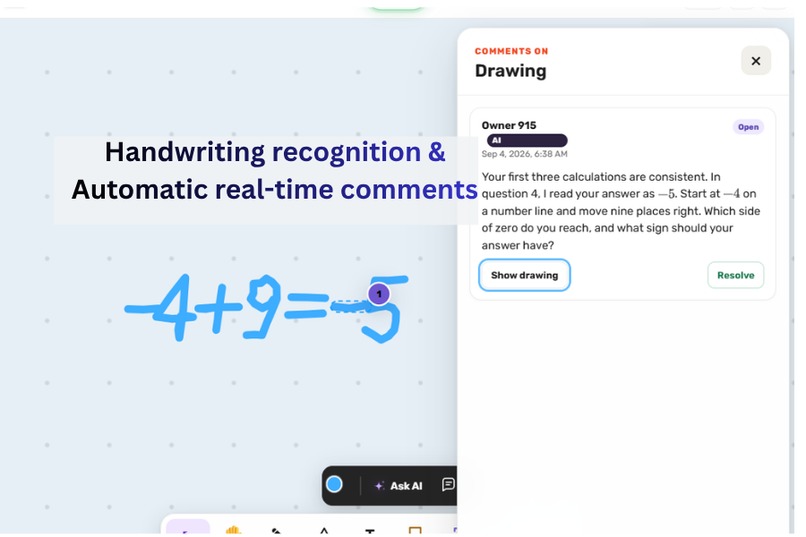
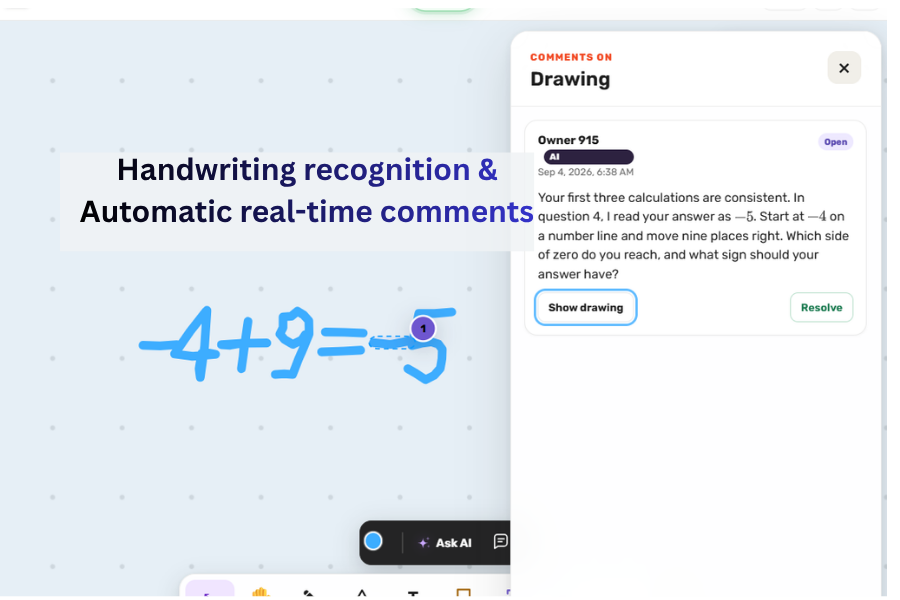
Handwriting detection - table and smart note compatible
-
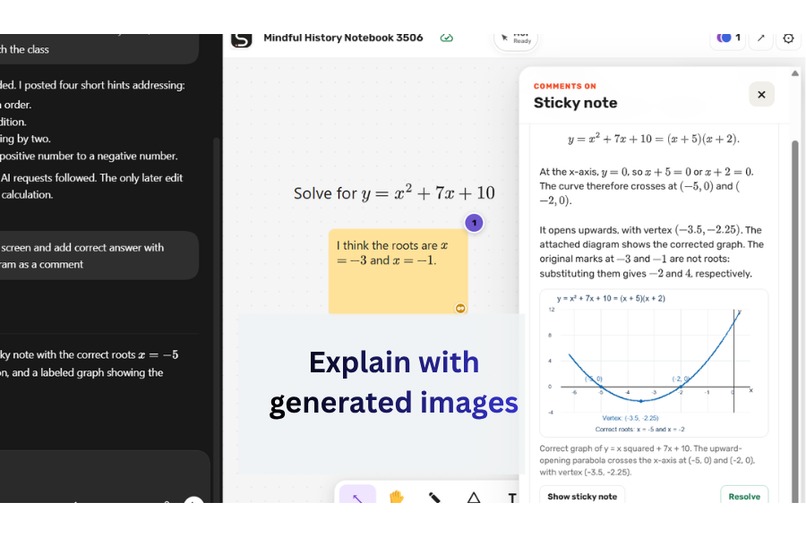
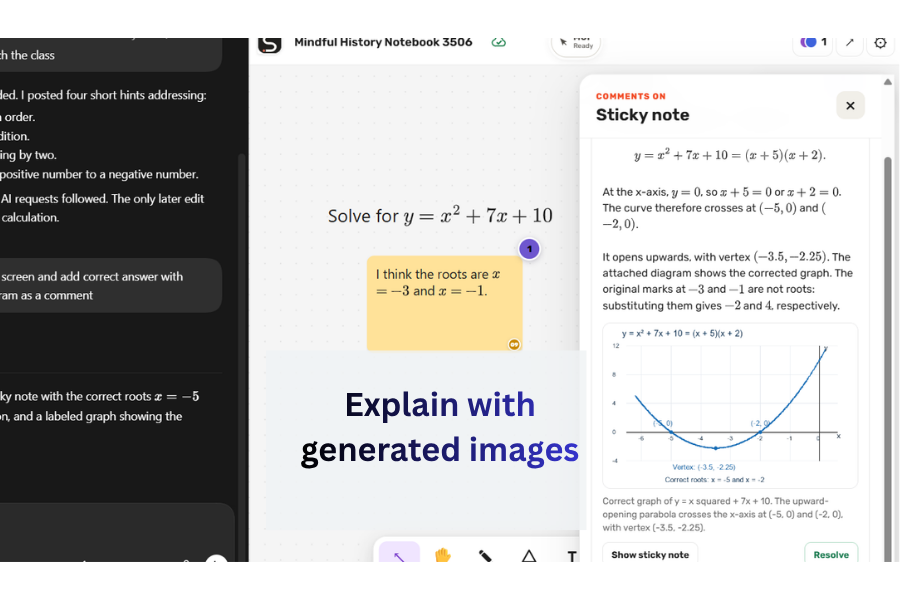
Image generation and passing to website
-
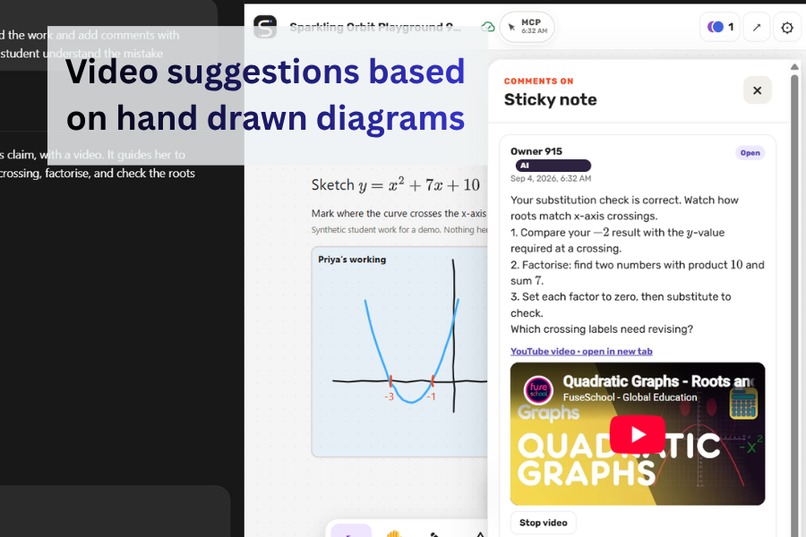
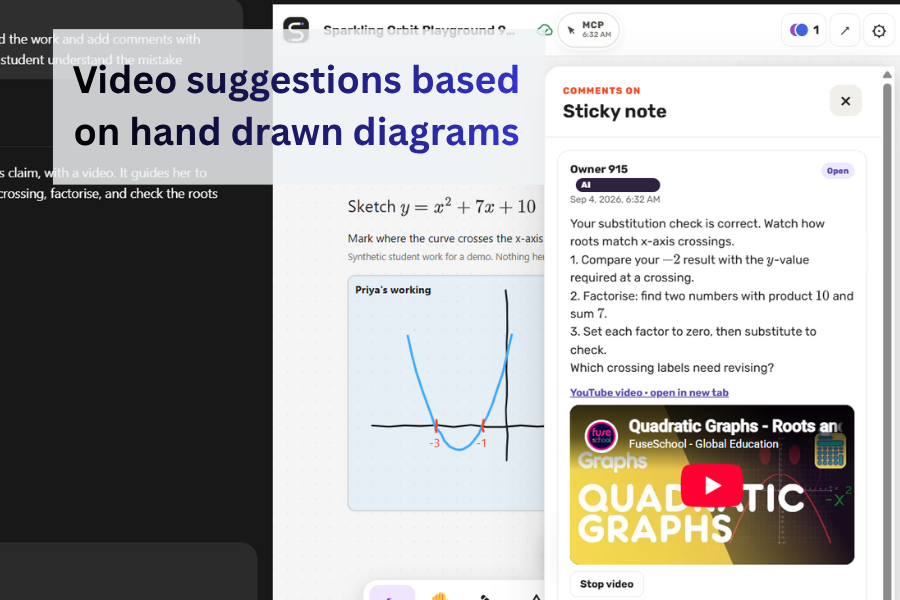
Drawing detection and Video suggestion
-
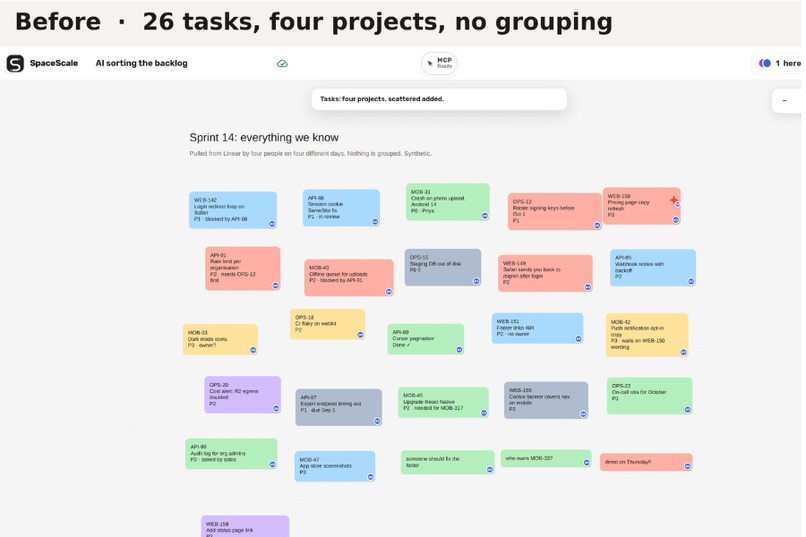
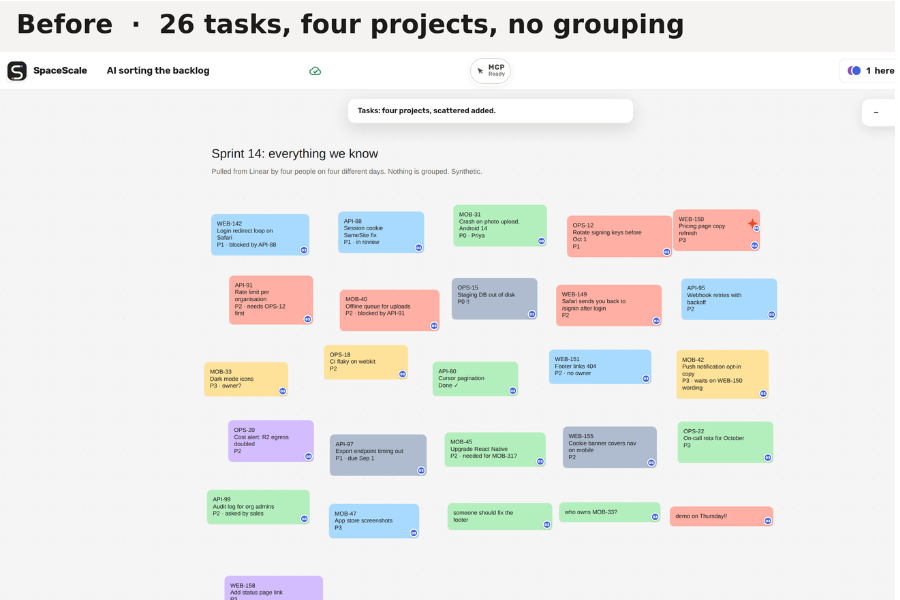
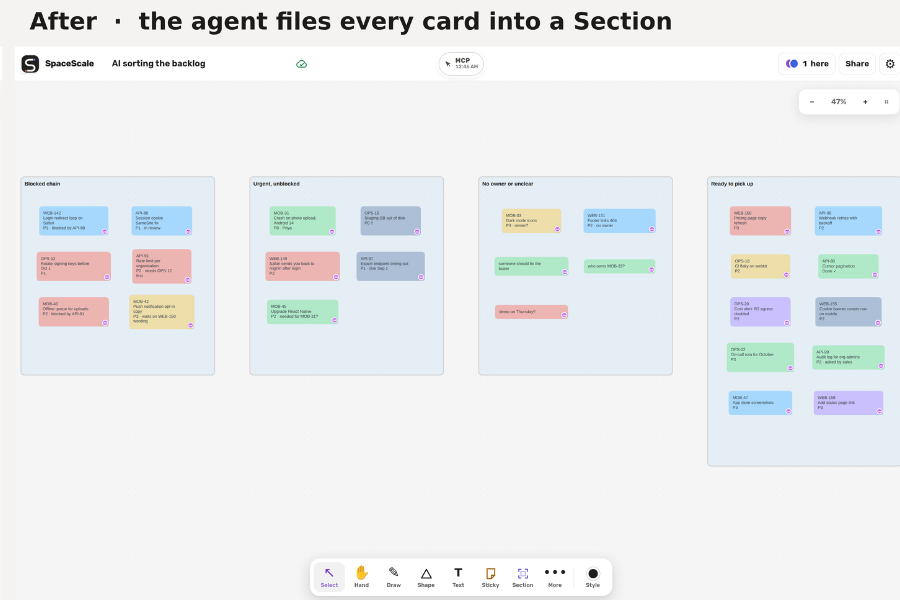
Before -disorganised
-
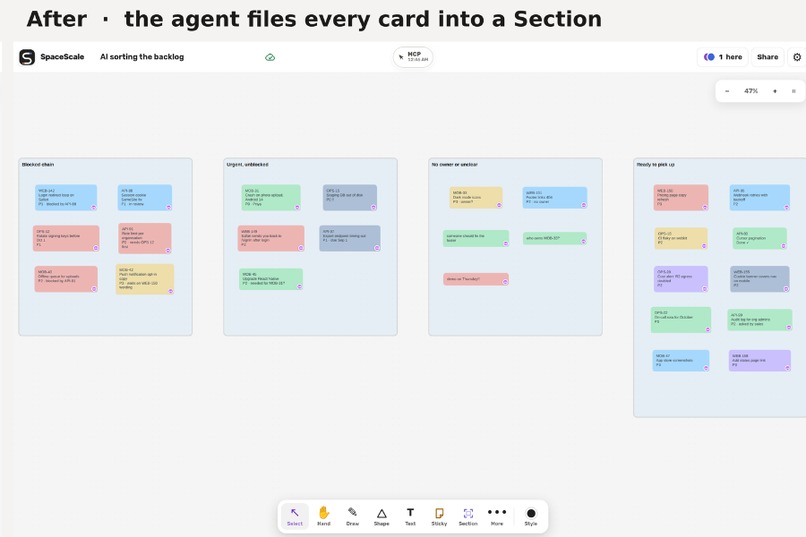
Organised and categorised
-
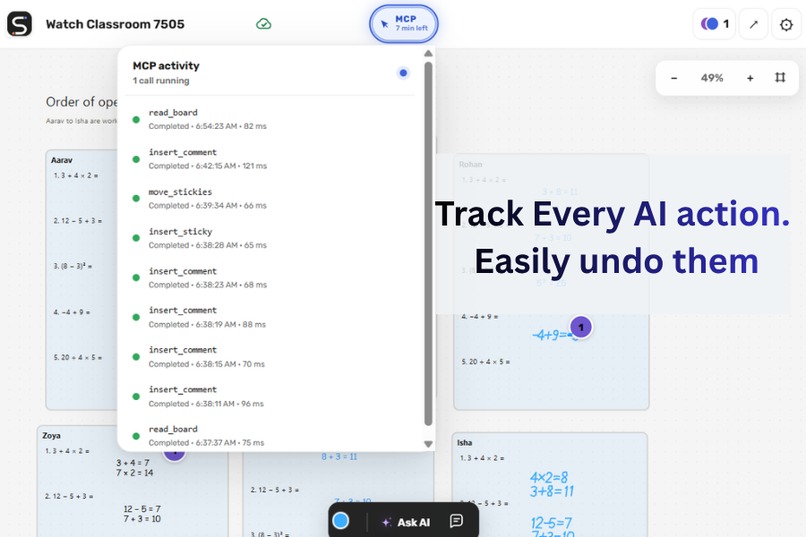
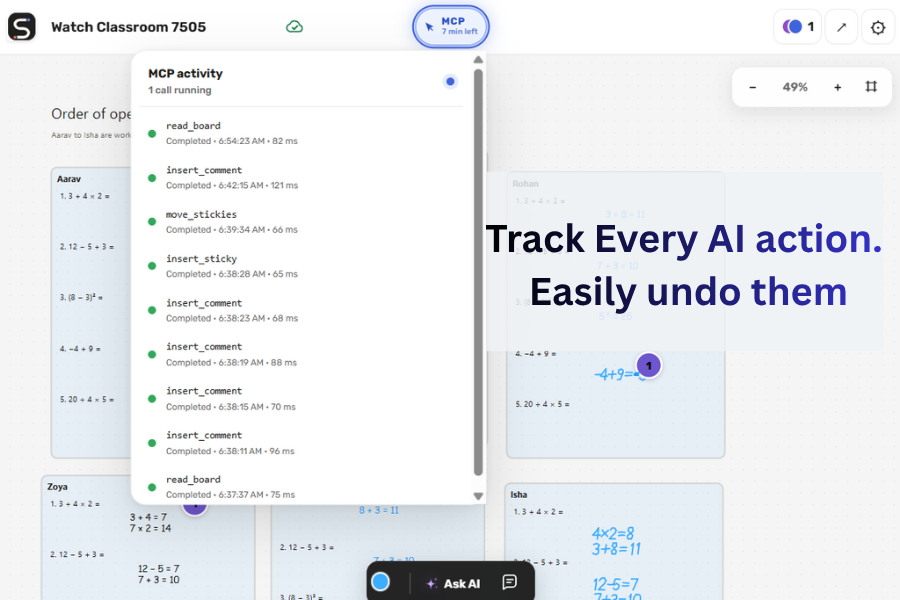
Fully tracked and authenticated
The problem
Most AI tools are designed for one person in a private chat. A classroom works differently: students learn together, progress at different speeds, and express their thinking through handwriting, diagrams, equations, sticky notes, and discussion.
Effective classroom AI must also understand the teacher’s intent. The same response may be helpful in one lesson and disruptive in another. The AI should reflect the teacher’s lesson plan, terminology, examples, learning objectives, and rules about when to give a hint, ask a question, show a video, or explain a concept.
That context is difficult to capture in a generic prompt. Without it, AI can give premature answers or teach in a way that conflicts with the lesson. Teachers need an assistant personalized by their own plans and knowledge while retaining control over how it responds and what it may change.
How SpaceScale started
I created Cloudflare Collab Canvas and made it open source from the beginning because I saw its potential beyond StayQrious. It is still a young foundation, but it was designed with AI collaboration in mind and runs entirely on the Cloudflare stack.
Cloudflare Collab Canvas could already share board state through server-side calls, but that approach still required a central integration. A centralized AI system is difficult to personalize around each teacher’s lesson plans, knowledge, and preferred teaching style.
SpaceScale builds on that foundation and uses WebMCP to move the AI interaction into the browser. Teachers can use their own Codex, skills, and knowledge files instead of depending on a centrally configured assistant.
What SpaceScale does
SpaceScale is a live, multiplayer canvas where students, teachers, and AI agents work in the same shared environment.
Students and teachers can draw, write, organize ideas, comment, vote, use activity templates, and embed lesson videos. A WebMCP-capable agent can understand the board, follow saved work as it changes, and place useful material directly beside the work it relates to.
Instead of disappearing into a private chat, AI assistance becomes part of the shared canvas. It can appear as a hint attached to a calculation, a counterexample beside an incorrect graph, a relevant video near a lesson, a filled activity template, or a clearer arrangement of sticky notes.
Every AI-assisted contribution is visible to collaborators, synchronized in real time, attributed to the teacher who authorized it, and reversible with normal undo.
Why WebMCP matters
The most useful classroom context already exists inside the page: the current selection, handwritten working, diagrams, spatial relationships, saved changes, participant-authored objects, and aggregate class votes.
WebMCP gives the teacher’s agent structured access to that live context without DOM scraping, a browser extension, or a separate SpaceScale AI backend.
SpaceScale exposes fourteen WebMCP tools:
- Six reads inspect the board, current selection, one participant’s work, participant list, aggregate class votes, and available activity templates.
- Two watches follow the board, a fixed selection, or named participants for up to fifteen minutes through bounded polling.
- Six writes add comments, sticky notes, images, videos, filled templates, or atomically rearrange existing sticky notes.
The tools are intentionally generic. The teaching behavior comes from the teacher’s own skill and knowledge files. Those files determine how the agent should coach, which material it should use, what it should avoid, and when it should intervene.
Changing the skill allows the same canvas to support problem-set coaching, brainstorming, debates, design critiques, project retrospectives, and other collaborative work.
Ask AI as a teacher coaching tool
Ask AI is designed as a coaching tool for the teacher, not as a shortcut that gives students answers.
A teacher can use it to quickly understand what is happening across the class: check responses from multiple students, identify a shared misconception, bring a relevant video onto the board, or suggest peer pairings based on the work students have shown.
The teacher can also select a specific student’s Section and request focused assistance through their own Codex. The agent receives the selected classroom context and responds using the teacher’s lesson plan, knowledge files, coaching approach, and permissions.
This creates a two-way WebMCP workflow. The agent can read and act on the page, while the teacher can send a request from the page back to the agent through the next watch poll. The result then returns to the shared canvas through a permission-bound WebMCP action.
The teacher remains in control throughout the process.
Permission-bound by design
SpaceScale does not give the AI a privileged bot identity. Every WebMCP action uses the permissions of the participant who authorized it.
A viewer’s agent remains read-only. An editor’s agent can create content but cannot rewrite another participant’s work. Owners and co-owners retain their normal controls.
Before saving a WebMCP action, the Cloudflare Worker revalidates the participant’s role, ownership, section locks, object versions, and the complete action batch. Accepted changes follow the same acknowledged, real-time path as human edits.
AI-assisted content carries visible provenance and remains undoable. Watches use temporary aliases rather than exposing stable internal object identifiers.
What I built during the challenge
SpaceScale is an existing project built on the open-source Cloudflare Collab Canvas foundation. During the WebMCP Challenge, I extended it into an AI-enabled collaborative learning environment.
I added the fourteen-tool WebMCP surface, board and participant watches, teacher-initiated Ask AI requests, permission-bound acknowledged writes, visible AI provenance, handwriting and diagram support, comments containing pictures or videos, activity templates, shared video cards, per-student Sections, classroom roles, demonstration boards, automated test coverage, and five installable Codex teaching skills.
The application uses TypeScript, Cloudflare Workers, Durable Objects, SQLite, R2, Vite, and Playwright. A `BoardRoom` Durable Object validates, sequences, stores, and broadcasts each durable action. The application continues to work as a complete collaborative canvas when WebMCP is unavailable.
How I used AI, Claude Code, and Codex
The visiting WebMCP agent provides the reasoning; SpaceScale provides the structured live context and safe actions. In the classroom examples, the agent checks handwritten working, identifies reasoning errors, gives hints instead of complete answers, compares responses, connects related ideas, suggests peer support, and brings relevant learning material onto the board.
I used both Claude Code and Codex extensively while building SpaceScale. They supported product exploration, architecture, WebMCP tool design, implementation, automated testing, debugging, code review, documentation, demo preparation, and submission writing.
Codex is also the reference agent for the live demonstration. It runs with teacher-authored skills and local knowledge files, discovers SpaceScale’s tools through WebMCP, and acts under the teacher’s existing permissions.
Try it
Open the live SpaceScale demo in ChatGPT’s in-app browser or Google Chrome with WebMCP enabled.
Create a Space and insert Graph check: one student’s working from Templates. Select the graph and equation and ask the agent whether they agree. Then select the student’s claim and ask for a counterexample at `x = -4`.
The AI should add feedback beside the work showing that `16 - 28 + 10 = -2` and asking the student to plot `(-4, -2)`.
Open a viewer invitation in a second session to confirm that the feedback synchronizes, the viewer cannot perform the same write, and the owner can remove the contribution with one undo.
The public repository contains the source code, setup instructions, automated tests, technical specification, screenshots, and complete demo runbook.
Built With
- cloudflare-durable-objects
- cloudflare-r2
- cloudflare-workers
- codex
- playwright
- sqlite
- typescript
- vite
- webmcp

Log in or sign up for Devpost to join the conversation.