-
-
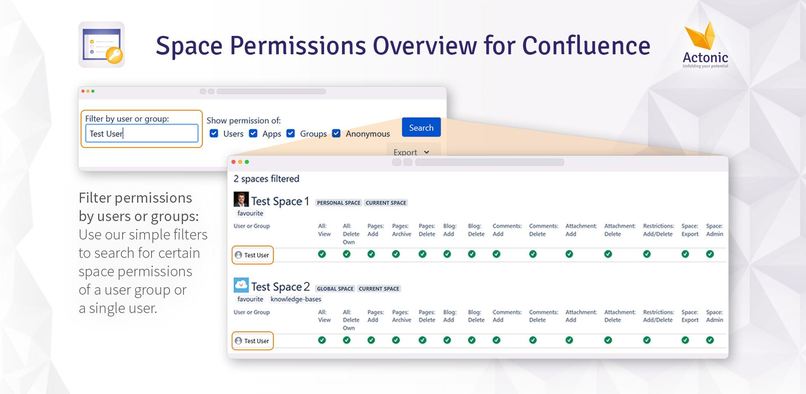
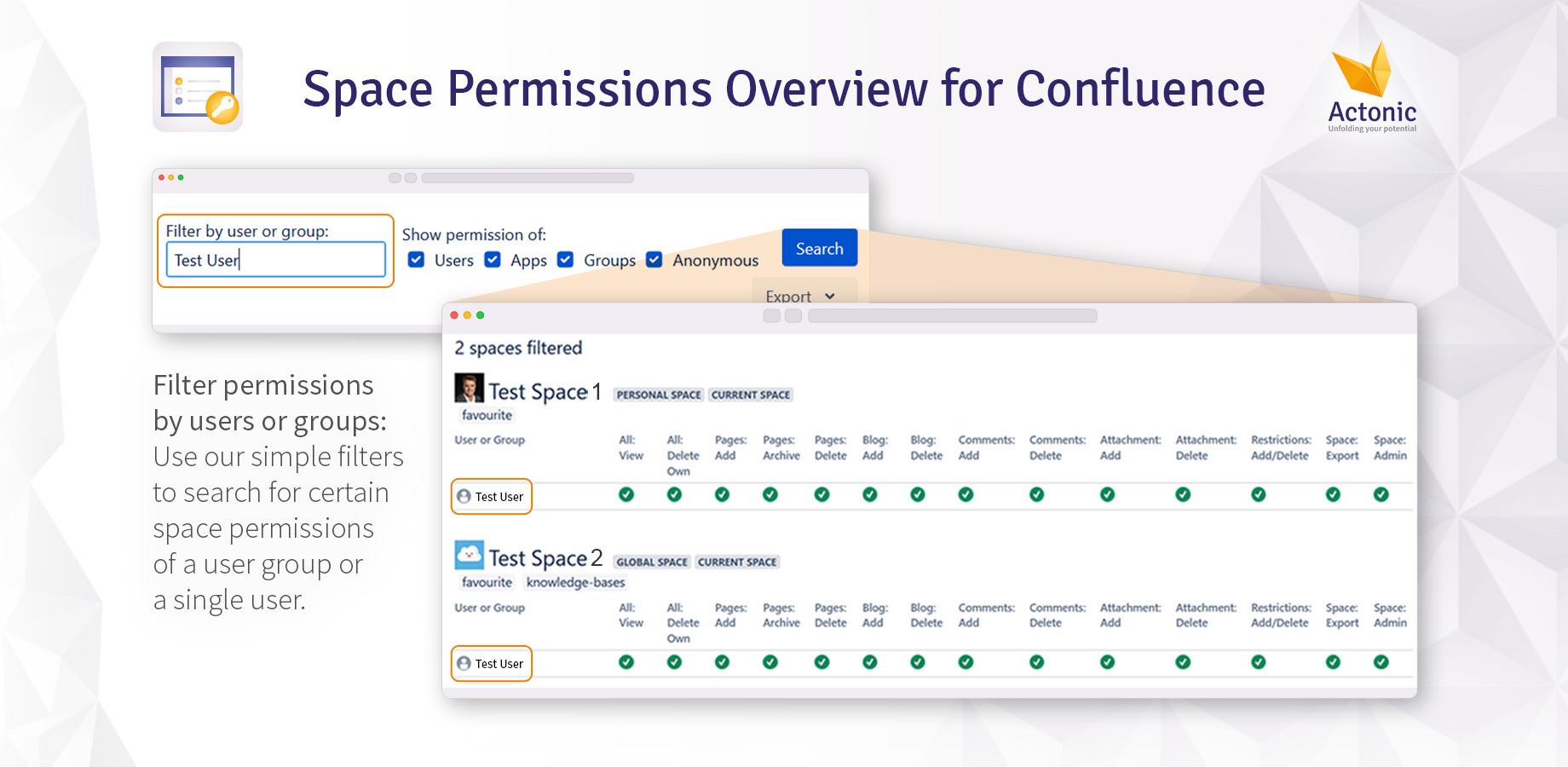
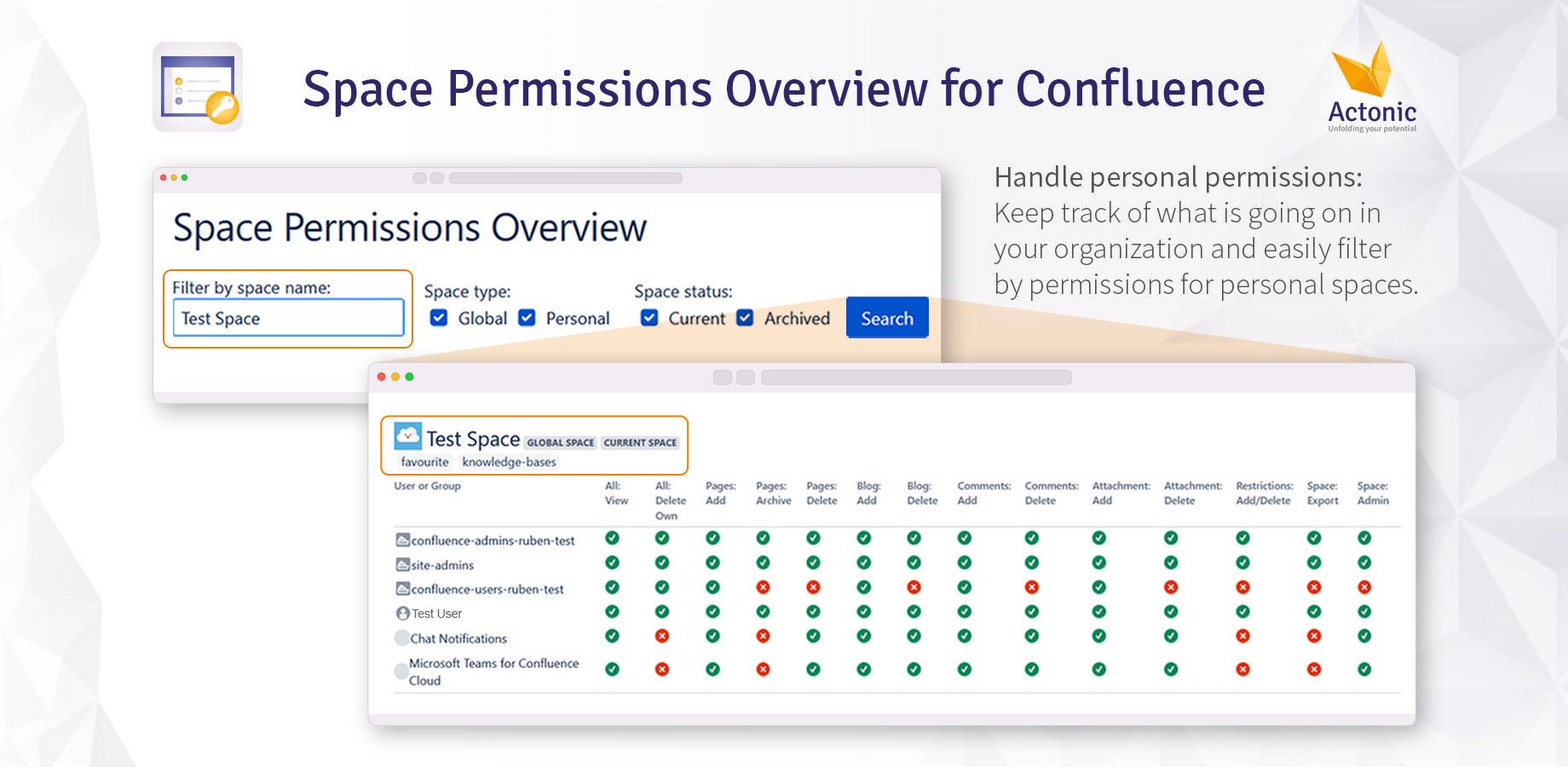
Filter permissions by users or groups
-
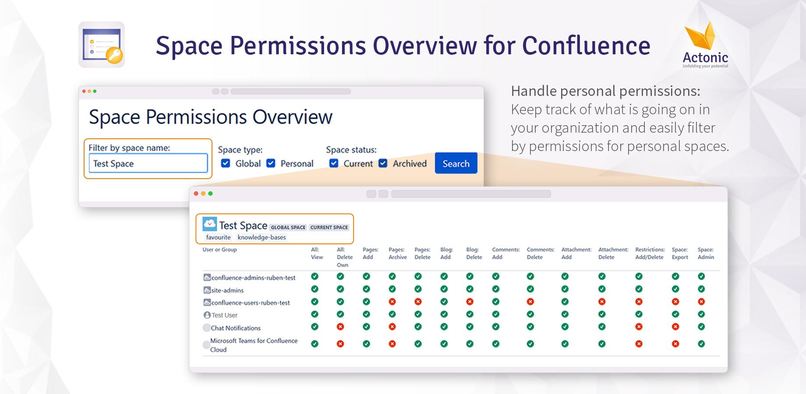
Handle personal permissions
-
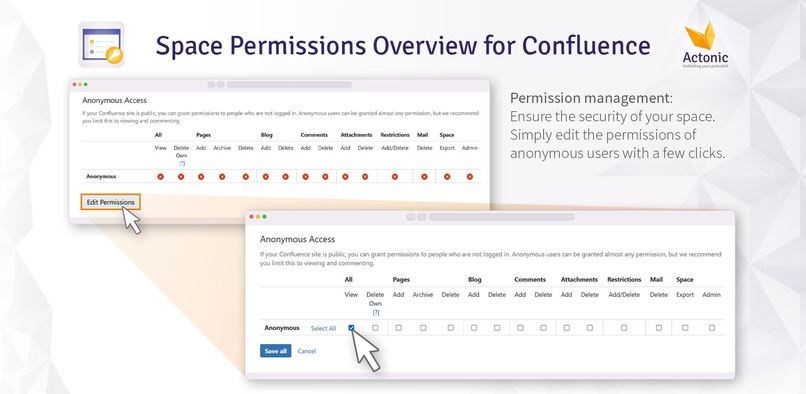
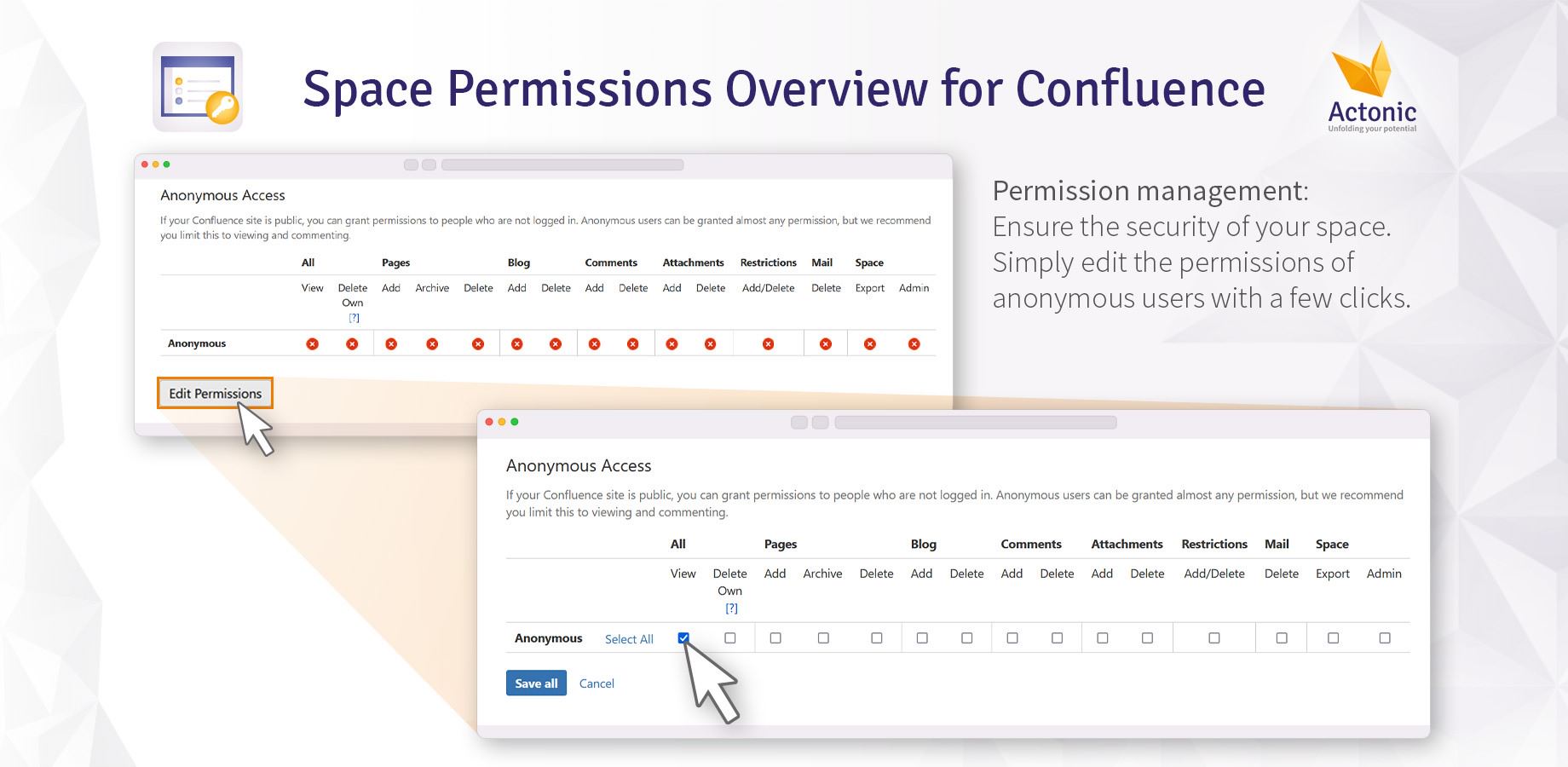
Permission management
About Us
Actonic is a modern IT consulting and software development company. Our solutions for creating efficient IT Infrastructures, processes optimization, ensuring GDPR compliance are based on advanced technologies and more than 20 years of experience in the area. Moreover, with our unique add-ons we make working with Jira and Confluence easy, comfortable and even inspiring.
Website: https://actonic.de/en/products
Discover our apps: https://marketplace.atlassian.com/vendors/1214306/actonic-gmbh
Inspiration
Data security is becoming more and more crucial in these times. Due to high penalties for non-compliance with some guidelines, the word “data security” alone is now frowned upon, arousing fears and concerns. One of our customers felt the same way. Their Confluence Cloud administrators approached our consultants looking for solutions to easily manage space permissions in Confluence Cloud and view them on one clearly structured page.
Turns out: there is no such app on the Atlassian marketplace.
That's why we created one.
After all, Confluence Cloud is a great tool when it comes to asynchronous knowledge sharing. Therefore, we want to maximize the benefits and save space admins who manage permissions an immense amount of time while helping them to overcome fears of data security issues.
What it does
As a Confluence Cloud administrator, you are responsible for many spaces and instances and want to manage the space permissions effectively? Then Space Permissions Overview is just what you need!
Because for permission management, the problem starts when multiple space admins are changing space permissions. Errors happen quickly, are difficult to find with built-in solutions from Confluence Cloud and require intensive, manual work. For large organizations managing numerous instances and Confluence spaces, this app is the solution.
Here's what this app can do:
- Filter for global or personal spaces
- Easily find what you’re looking for
- Find spaces with anonymous access
- Ensure that no unauthorized users or search engines access critical information
- Handle personal permissions
- Keep track of who shares which information
- Filter permissions by users or groups
- Detect and manage permissions for former employees
- Easily export
- all your permissions to JSON
- the list of spaces to CSV
How we built it
It all started with a bet ...
Our consultants approached our development team and described the concern of Confluence Cloud space permissions. For our customer, it happened several times that critical spaces were shared with anonymous and external sources. This can easily occur unintentionally, but should be avoided to ensure data security across the organization.
As an Atlassian Marketplace Vendor, we are always happy to develop individual solutions for our customers. Everything is just a matter of time.
And time is a precious resource.
At the status meeting, we considered how much effort we would have to put into this smart solution and all our senior full-stack developers, universally, said that you couldn't develop such an app in less than a week. Some of our team felt that the Forge framework would be ideal for developing brilliant apps within a very short time. “Just figuring out how forge works takes a week,” said the senior developers. “We bet no one can develop such an app as a solution to the customer's problem under a week.”
However, this statement appealed to our development team and to add extra thrill to this bet, we assigned the task to our developer newbie, who joined us recently.
Challenge accepted.
And challenge won: One person alone could develop this app in just a few hours.
Which techniques we used to build it
We started digging into Forge and discovered the UI kit for ourselves. With components, hooks, and event handlers, it provides solutions for simple use cases. However, our developer quickly realized that our application was too complex for this UI. The limitations of the UI kit are absolute and offer no possibilities for workarounds. For such more complex needs, Forge delivers the custom UI, which provides greater developer flexibility. With it, you can create your own user interface with static resources. We chose React.js to build it and connected our app to Confluence Cloud by using the custom UI bridge.
Challenges we ran into
For our newbie developer, it was a bit of a drawback that the Forge UI kit has such a limited functionality. However, the other Forge variant of the custom UI could quickly remedy the situation.
Accomplishments that we're proud of
First and foremost, we at Actonic are particularly proud to have developed an app that enables Confluence Cloud space permission management in a privacy-compliant way – something that was not offered on the marketplace like this before. Then there is the bet among our developers. We are overwhelmed by how committed and motivated a single person can be to work on a project to solve a large-scale problem once and for all.
What we learned
- Data security is becoming more and more important in companies, and we should not forget about it
- Even without much experience, you can build a complex app easily with Forge
- Just because you're a senior doesn't mean you're right :wink:
What's next for Space Permissions Overview
- Automated rules/checks will be implemented to see if permissions are changed
- If some space that should not be public gets shared, admins will receive a notification
- Final goal: view permissions and detect changes by automation
- Something similar for Jira Cloud project permissions overview will be developed as well


Log in or sign up for Devpost to join the conversation.