-
-
-
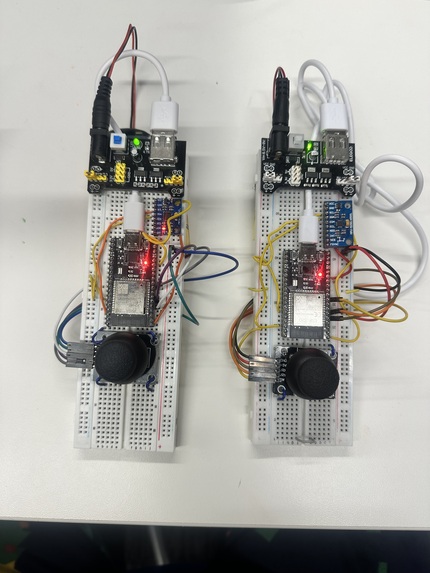
2 Custom-made wireless controllers
-
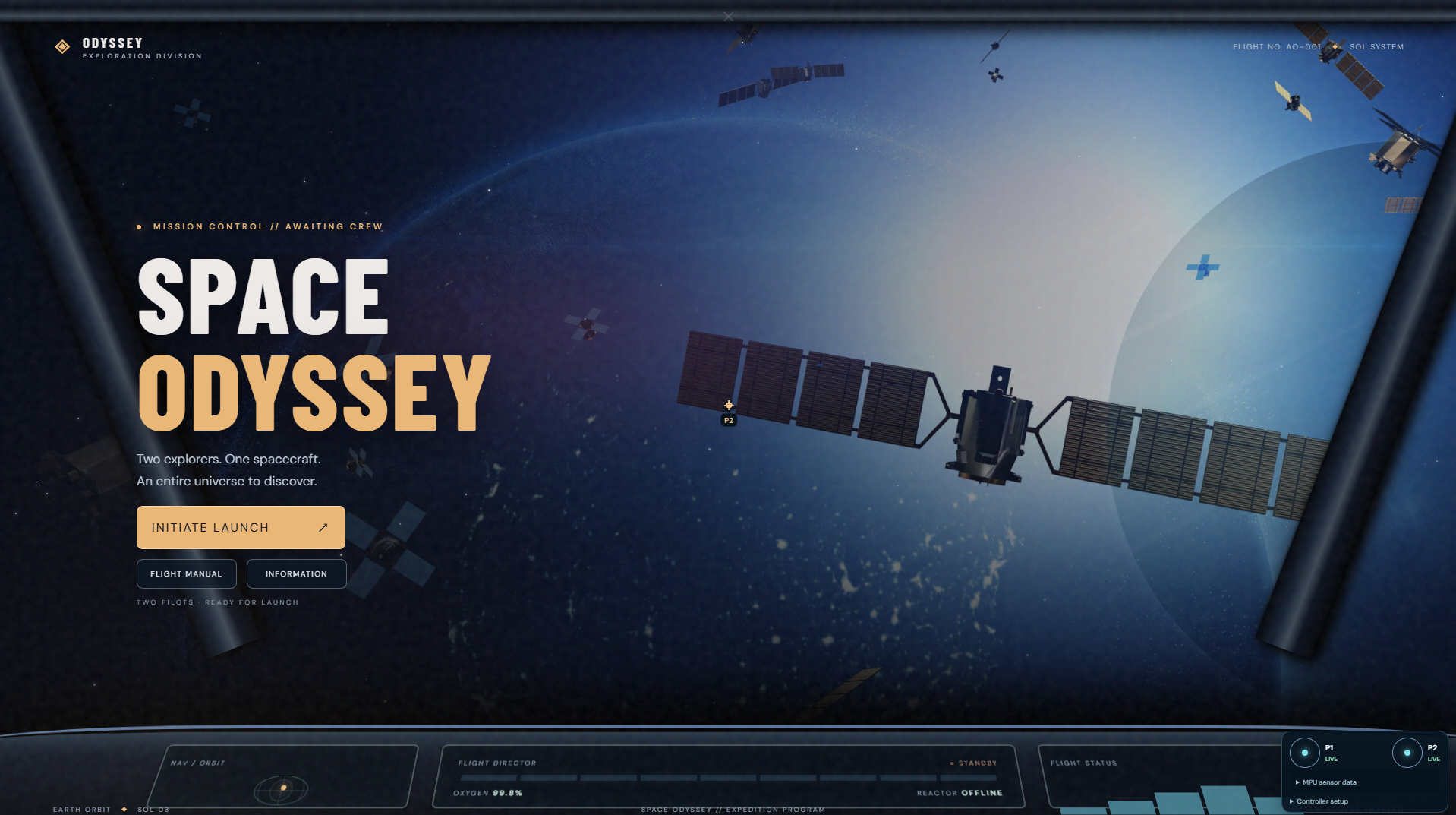
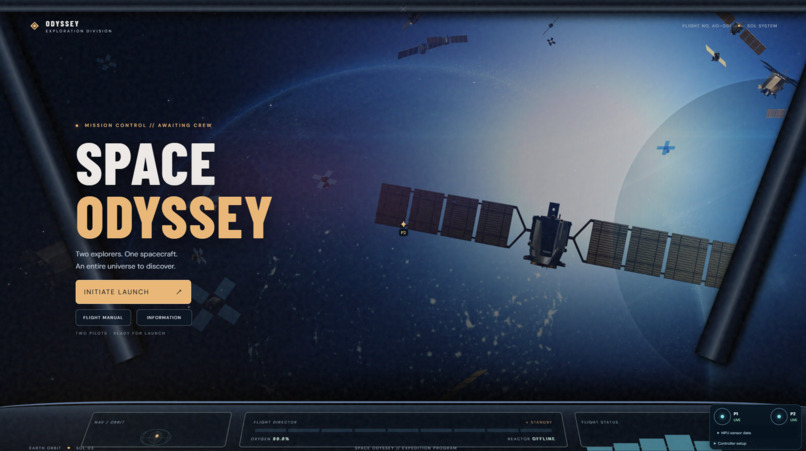
Space Odyssey 🚀
Two pilots. One mission. A universe of possibilities.
Inspiration 🌌
Growing up, motion-controlled games like those on the Nintendo Wii made gaming feel different. Instead of just pressing buttons, players could physically interact with what was happening on the screen. We wanted to bring back that excitement and combine it with something we've always found fascinating: space exploration.
That's how Space Odyssey was born.
We imagined a cooperative game where two players could become space explorers, travel across the solar system, and overcome challenges using controllers they could actually move, tilt, and shake.
But we wanted to go beyond simply creating another video game. We challenged ourselves to build the controllers from scratch, develop the game they would control, and integrate generative AI to make each planetary adventure feel unique.
Our goal was to create an experience that combined the nostalgia of motion-controlled gaming with the possibilities of modern technology.
What It Does 🪐
Space Odyssey is a two-player, AI-powered space adventure controlled through custom-built wireless motion controllers.
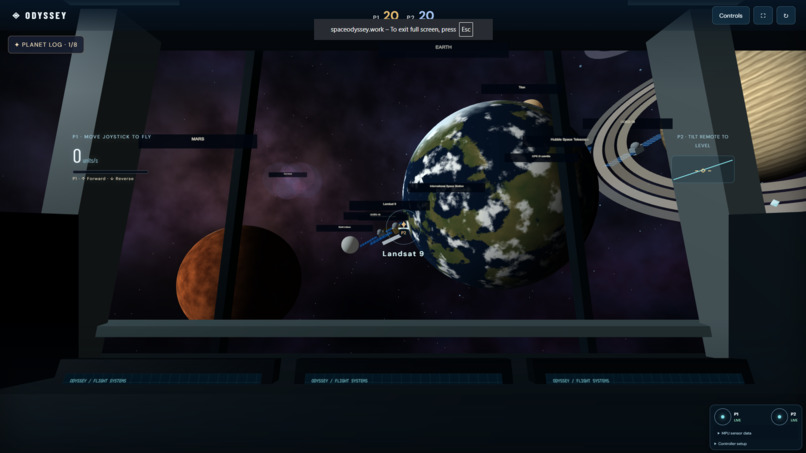
Players embark on a journey through the solar system, exploring planetary environments and completing interactive mini-games inspired by the planets they visit.
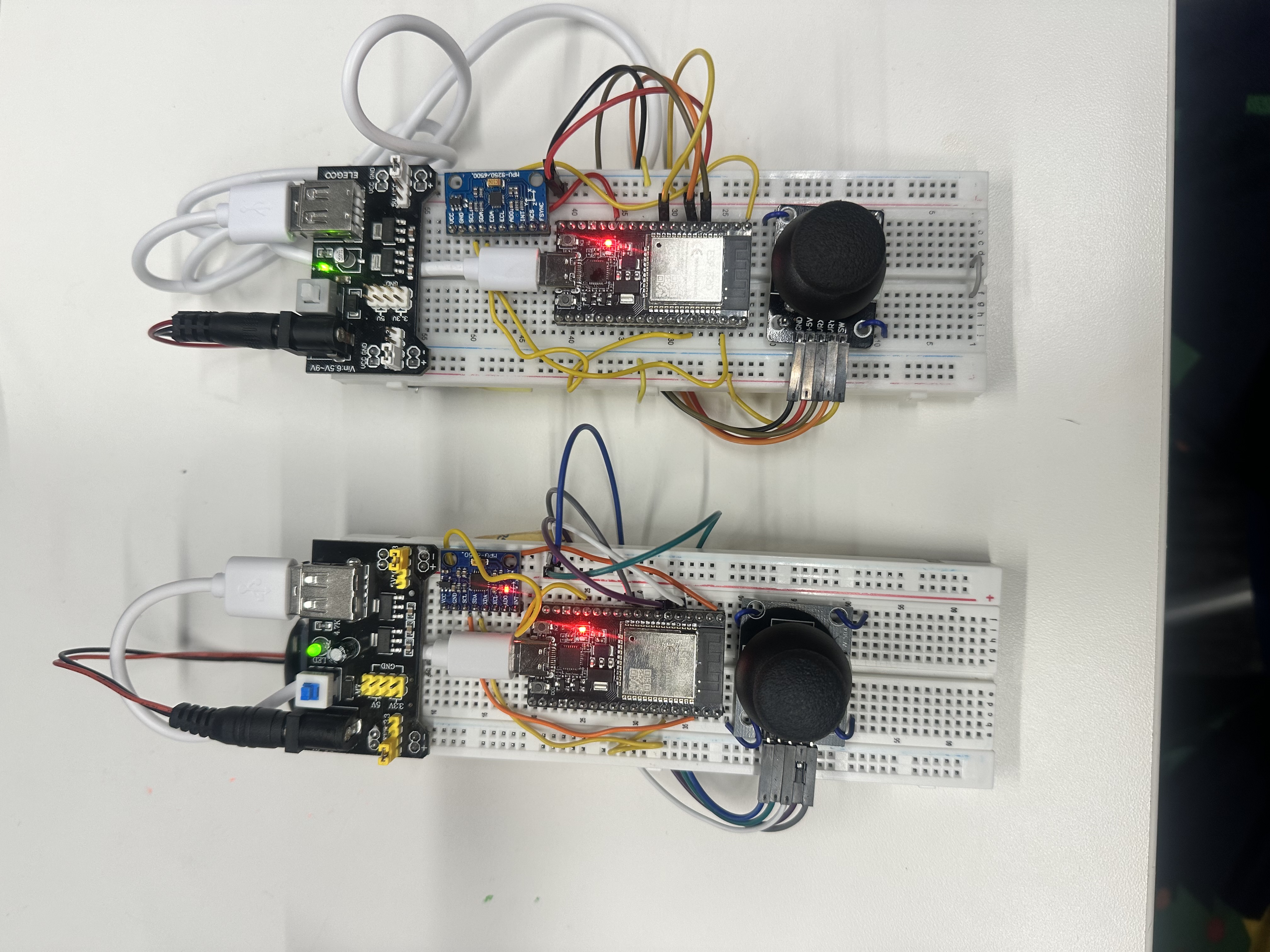
Each player has a handmade controller with a motion sensor, joystick, and built-in button, allowing them to perform actions such as:
- Shaking the controller to activate attacks or destroy asteroids.
- Flicking upward to trigger special actions.
- Tilting left or right to dodge obstacles and maneuver.
- Moving the joystick to navigate and steer.
- Pressing the joystick button to select options or activate abilities.
Cooperative gameplay encourages both players to work together, including challenges that require coordinated actions.
Space Odyssey also uses Google Gemini to generate planet-themed mission content, helping provide creative objectives and variety while the game handles the actual gameplay mechanics.
Rather than sitting back and watching an adventure unfold, players become active participants in their own journey through space.
How We Built It 🛠️
Space Odyssey combines embedded systems, wireless communication, software development, AI, and 3D graphics.
Building Our Own Motion Controllers
One of the most exciting parts of this project was designing and programming two custom wireless controllers.
Each controller uses an ESP32 microcontroller connected to an inertial measurement unit (IMU) and an analog joystick.
For our motion sensors, we used an MPU6050-compatible sensor for one controller and an MPU9250 for the other. These sensors contain accelerometers and gyroscopes that measure movement and rotation.
Using Arduino C++, we programmed the ESP32s to read motion data and interpret physical gestures, including shaking, upward flicking, and tilting.
We also incorporated joystick movement and button presses to make the controllers useful for both navigation and gameplay.
By building the hardware ourselves, we were able to design a control system specifically for our game's challenges instead of being limited to a traditional gamepad.
Connecting the Controllers Wirelessly
To communicate with the game, our ESP32 controllers broadcast their inputs using Bluetooth Low Energy (BLE).
A Raspberry Pi Pico 2 W acts as the receiver, listening for transmissions from both controllers and forwarding the data to our computer through USB serial communication.
We developed a packet format that identifies the player, action, and controller state.
Our Python backend processes the incoming information and connects the physical controller inputs to the game's actions.
This communication system was a major part of the project because the game needed to respond to two players while they performed different movements.
Creating the Space Adventure
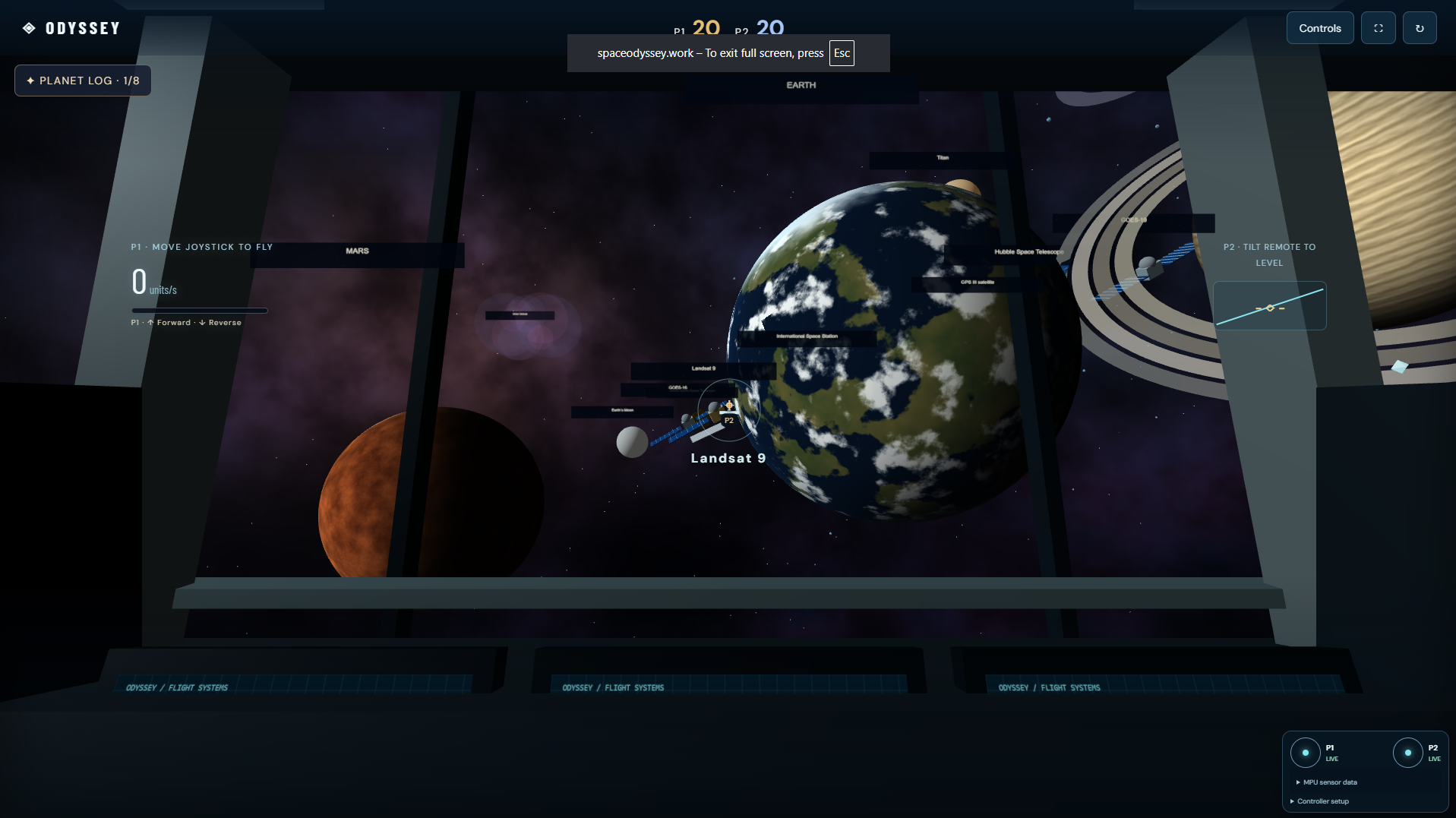
We built the game interface using React, Vite, Three.js, and React Three Fiber, creating an interactive 3D experience inspired by space exploration.
The game is designed around a two-player experience with planetary scenery, navigation, and mini-games that challenge players to use different controller gestures.
By combining space visuals with real physical controls, we wanted the experience to feel closer to an interactive mission than a traditional browser game.
Integrating Google Gemini
We used Google Gemini to help generate planet-specific mission content and briefings.
Our approach separates AI-generated mission descriptions and configurations from the predefined game mechanics.
This lets Gemini introduce creative variation while allowing the game to validate mission information and execute challenges through controlled, predictable gameplay systems.
We wanted AI to enhance the experience without making the game dependent on unpredictable AI-generated code.
Challenges We Faced 🧩
Getting Two Different Motion Sensors to Work
Our two controllers used different IMUs, which made hardware integration more complicated than expected.
One of our MPU6050-compatible sensors did not initialize correctly with a standard Arduino library, even though the ESP32 could detect it over I²C.
We eventually worked with direct sensor-register communication, which gave us more control over how we initialized the device and collected motion data.
We also encountered wiring problems, including SDA and SCL connections on incorrect pins, which prevented the motion sensor from communicating.
Learning to troubleshoot the hardware at this level was one of our biggest breakthroughs.
Distinguishing Between Shakes, Flicks, and Tilts
Turning raw motion readings into game commands was much more difficult than we initially expected.
The accelerometer measures physical movement, but a sudden gesture does not automatically translate into one clear action.
For example, a flick can resemble a shake, and small variations in how someone holds a controller can change sensor readings.
We experimented with calibration, acceleration thresholds, gesture timing, cooldown periods, and filtering to make our controls more consistent.
Making Bluetooth Responsive
We discovered that transmitting controller input reliably is not as simple as broadcasting an action once.
BLE advertisement packets can be missed, and this initially caused delayed actions or joystick movements that were not reflected accurately in the game.
We worked on asynchronous BLE scanning, packet sequencing, and controller-state updates to make communication more reliable.
This challenge taught us how important low-latency communication is when hardware becomes a real-time game controller.
Integrating Multiple Technologies
Perhaps our biggest challenge was making everything work together.
A player shaking a controller starts a chain of events: the ESP32 detects motion, broadcasts a BLE message, the Pico receives it, Python interprets it, and the game responds.
When something went wrong, we had to determine whether the issue was the sensor, gesture detection, wireless transmission, serial communication, or gameplay code.
Breaking the system into smaller parts and testing them individually helped us identify problems much more effectively.
What We Learned 📚
Building Space Odyssey taught us how different fields of engineering come together to create one interactive experience.
We learned how to work with microcontrollers, I²C sensors, accelerometers, gyroscopes, BLE communication, USB serial data, and real-time input processing.
We also gained experience building interactive 3D applications, connecting hardware to a Python backend, and using generative AI within a structured game system.
One of our biggest lessons was that getting a component to work individually is very different from getting an entire system to work reliably.
We learned to approach debugging systematically, communicate across different parts of the project, and adapt our original ideas when the hardware or software presented unexpected challenges.
Accomplishments We're Proud Of 🏆
We're especially proud that we built our own controllers instead of relying on commercially available gaming hardware.
From reading accelerometer measurements to broadcasting controller actions wirelessly, we developed a physical interface designed specifically for Space Odyssey.
We're also proud of combining embedded programming, wireless communication, interactive graphics, and generative AI into one project.
What started as an idea inspired by motion-controlled gaming became a multidisciplinary project that pushed us to learn new technologies and solve problems we hadn't encountered before.
What's Next? ✨
We see Space Odyssey as the beginning of a much larger interactive space adventure.
In the future, we'd love to expand the game with additional planets, new mini-games, more sophisticated cooperative missions, and a wider variety of motion-based interactions.
We also hope to improve the physical design of our controllers, refine gesture recognition, and expand the possibilities of AI-generated planetary challenges.
Our long-term vision is to turn Space Odyssey into an immersive, cooperative experience that makes exploring the universe feel active, exciting, and accessible.
Space Odyssey is more than a game about exploring space. It's about creating a new way to play.
Two pilots. One mission. The universe is waiting. 🚀

Log in or sign up for Devpost to join the conversation.