Inspiration
I've been developing Alexa skills for quite a few years now, and I was interested in what MCP Apps might add to the mix for Alexa+, particularly in the games area where most of my skills sit. How could they be used creatively?
I could see how MCP Apps might work for smart-home controls: Ask Alexa to turn on a light, then use a touchscreen to adjust its colour or brightness. "On" and "Off" are good voice commands, but you don't necessarily want to describe an exact shade of blue out loud.
So how could this work in a game context? Controlling the lighting and other systems in a house wouldn't make a very interesting game... but what if instead of a smart home we were controlling the systems in a spaceship?
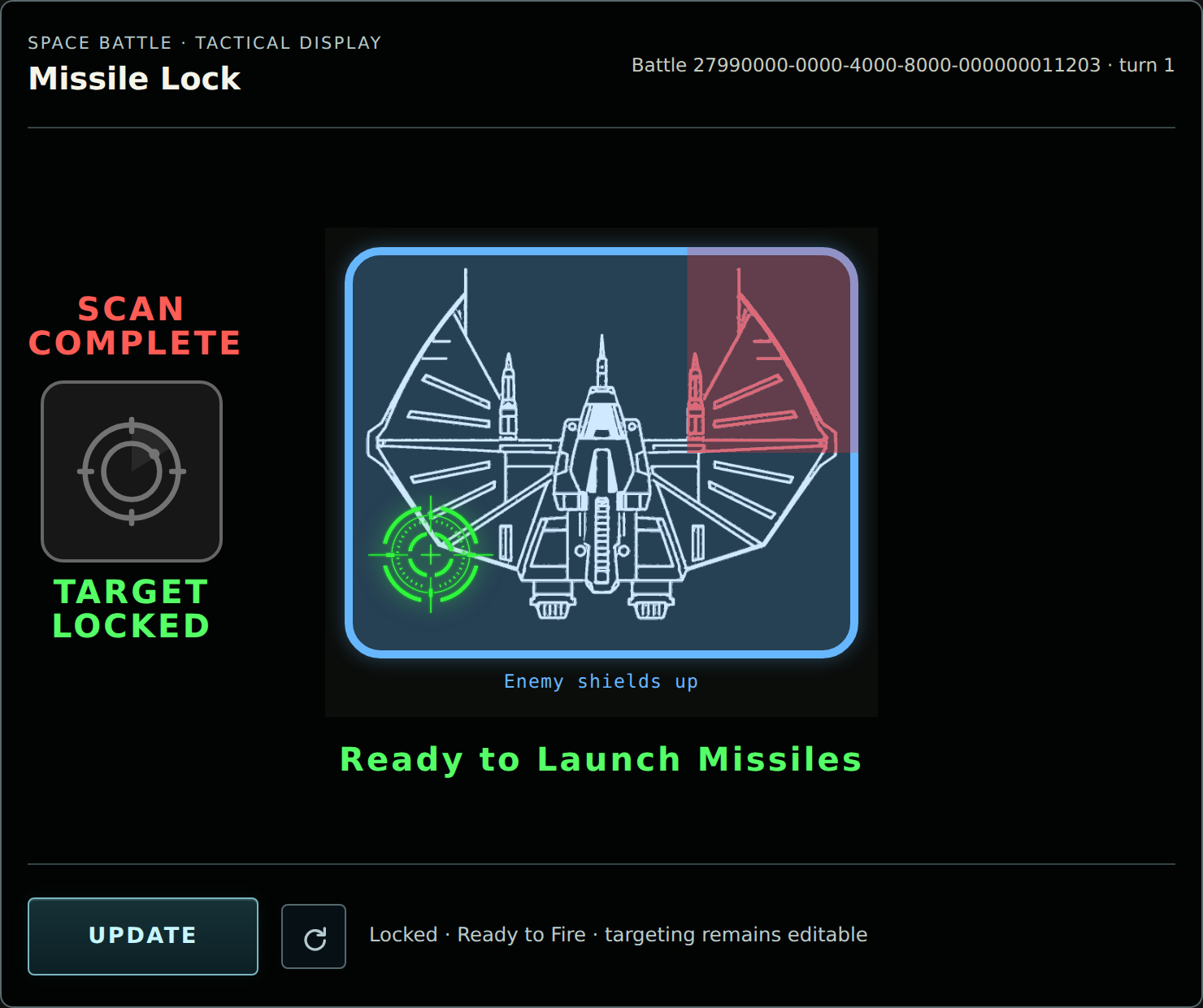
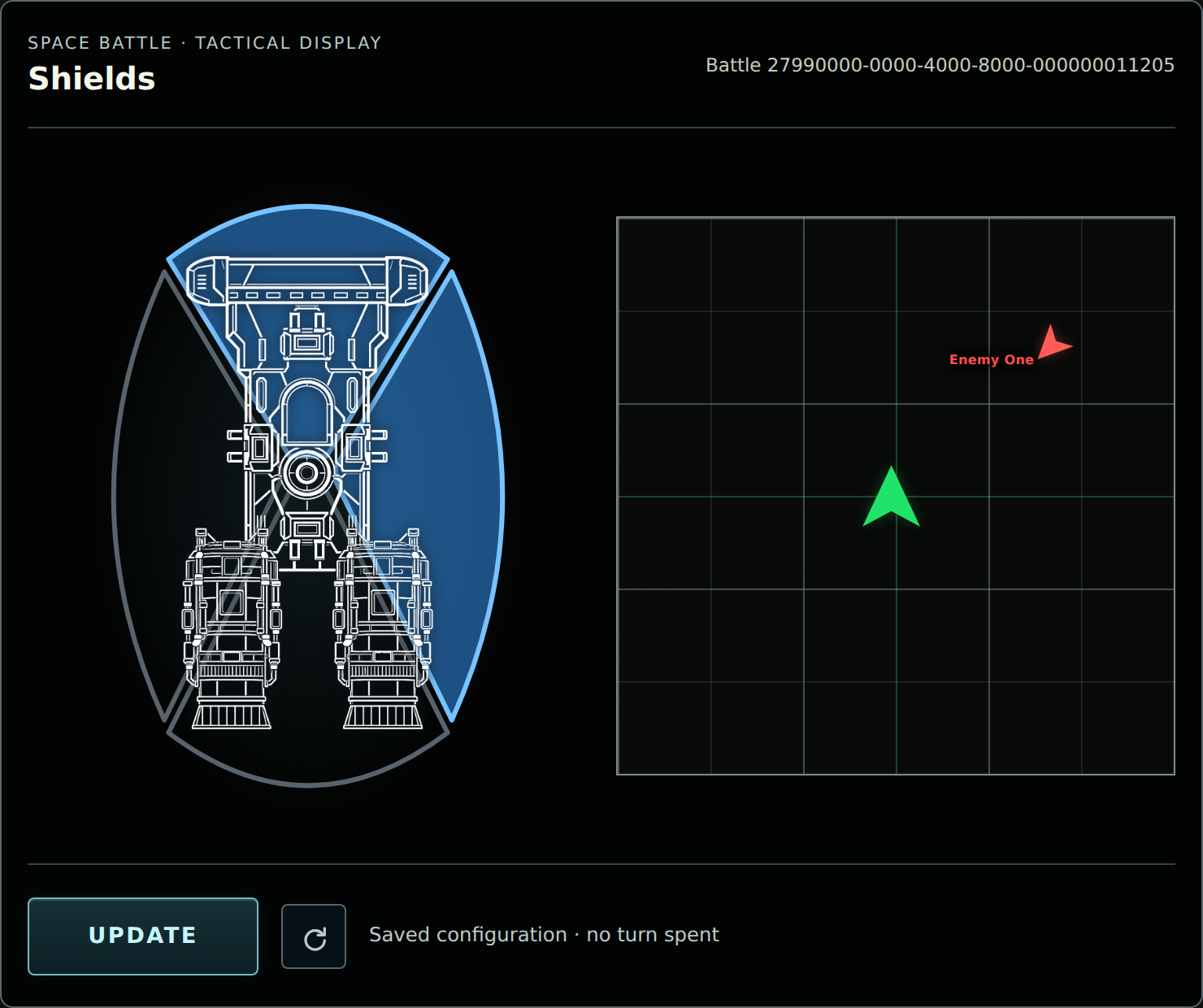
I could order the shields to be raised by voice, then use a panel to choose which parts of the ship they protect. I could ask to lock missiles on an enemy ship, then use a panel to fine tune that locking for maximum damage!
Space Battle became my way to explore that idea: a real turn-based game where the language model interprets the captain's orders, while the ship and its enemies follow actual rules.
What it does
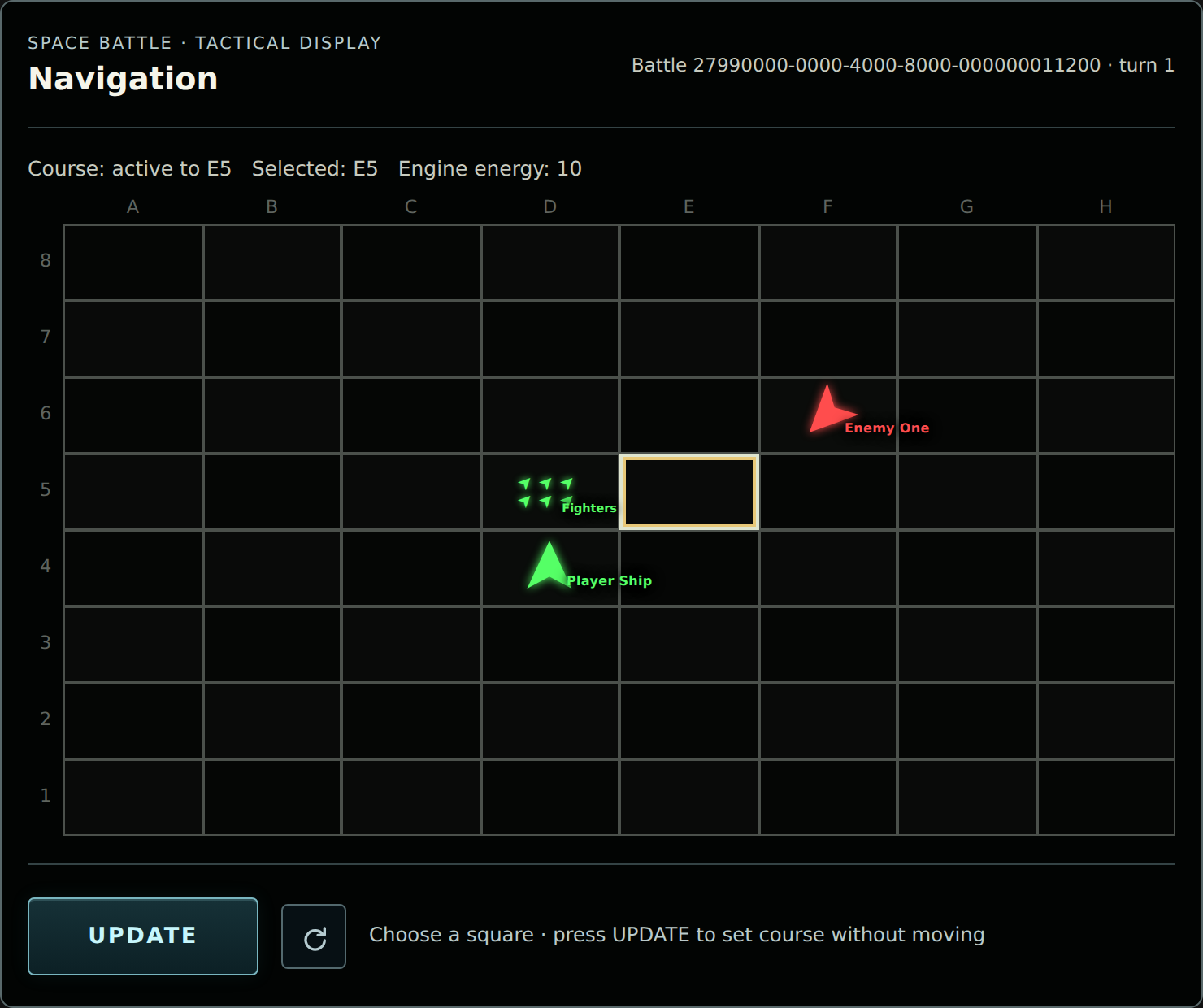
Space Battle puts the player in command of a ship on an 8×8 tactical battlefield. There's an enemy ship to deal with, reinforcements can arrive, and energy is split between systems that all seem to need it at once. Naturally, there isn't enough to do everything - and whilst you can command your ship via voice, you need touch to make the most of what you have.
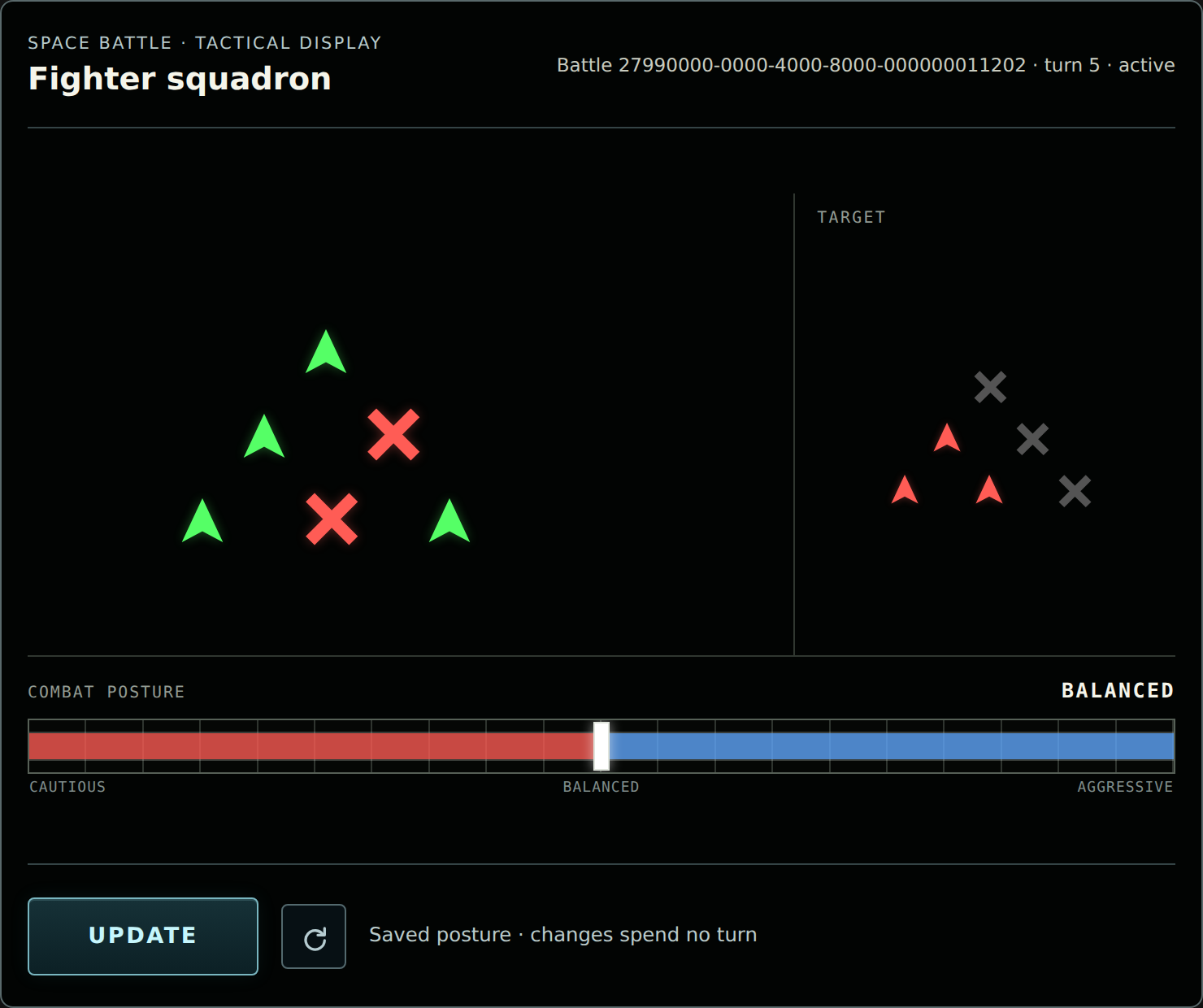
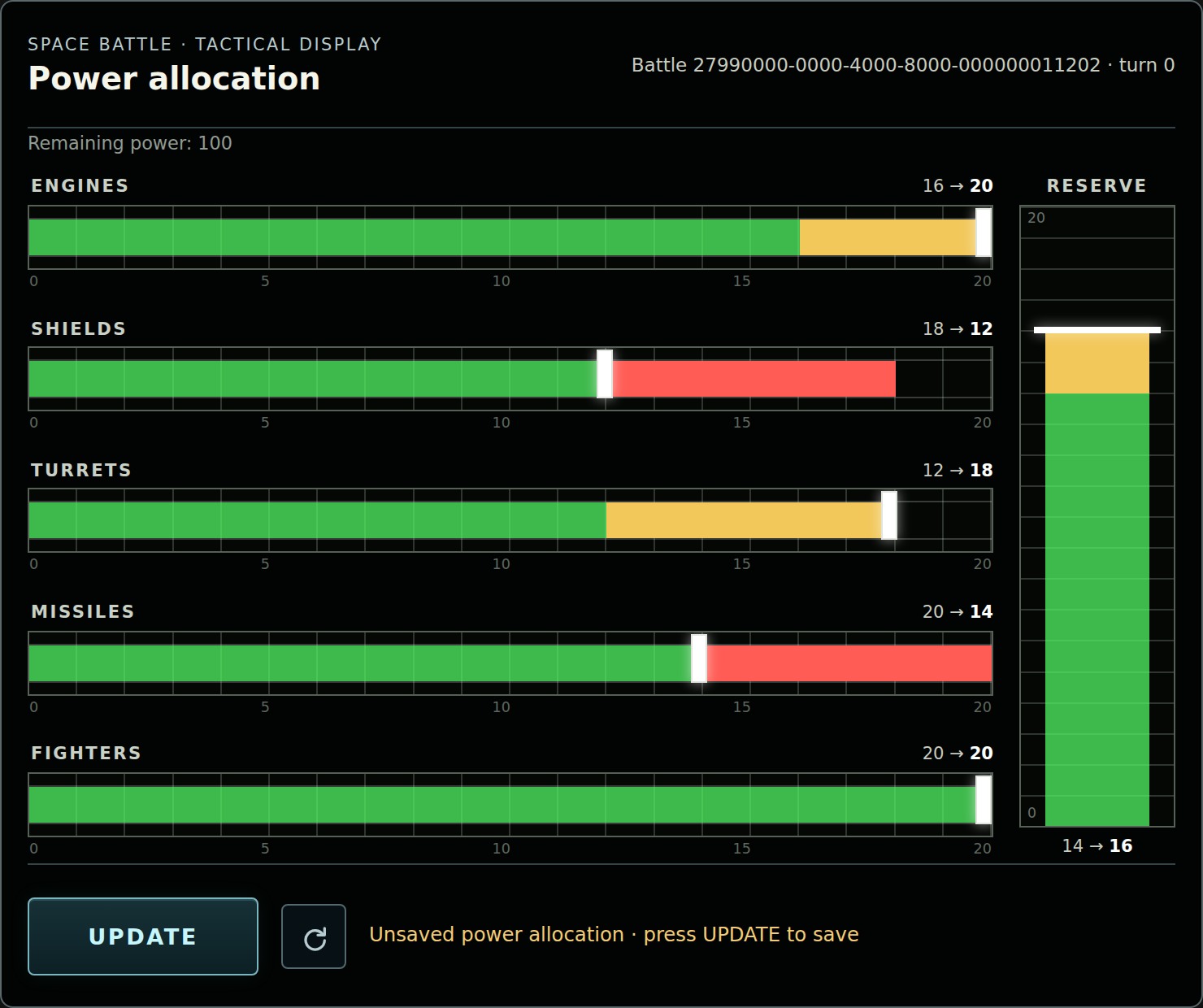
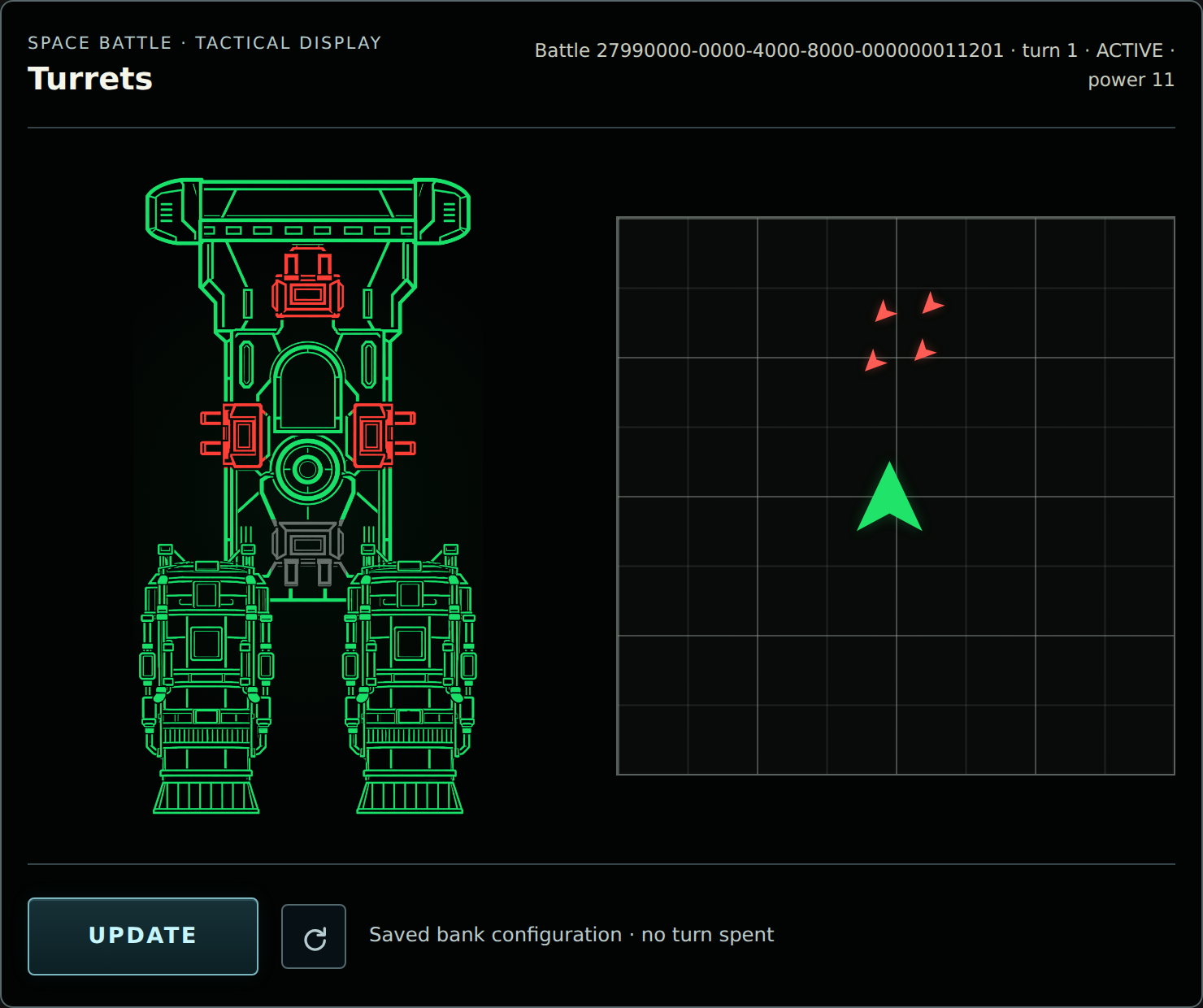
I built six interactive MCP Apps as the bridge controls: Navigation, Shields, Power, Fighters, Turrets and Missile Lock. They let the player plot a course, redistribute energy, configure defences and prepare weapons. Flight, Weapons, Tactical and Operations Officers offer suggestions based on the battle, leaving the captain to decide what to do.
Gameplay orders advance the battle; configuration changes don't. Selecting a destination via the MCP App doesn't move the ship, and adjusting shield coverage doesn't give the enemy a free shot simply because the player used the touchscreen.
The game works through compatible MCP clients such as Goose. I also built a separate Alexa+-inspired Demo Host to explore spoken conversation alongside the real game Apps.
How I built it
The game engine is written in TypeScript, with the MCP SDK exposing its tools and interactive App resources. Accepted gameplay orders are validated and resolved on the server, which returns what actually happened in the game. The LLM can't decide that an enemy has been destroyed because it sounds like a good ending.
AWS Lambda runs the hosted MCP server, and Amazon DynamoDB stores battles between requests. Turn checks and conditional writes help prevent repeated or outdated commands from being applied again. The Apps read and update that same server-owned state, so the touchscreen and conversation refer to the same battle.
The bridge officers' recommendations also come from game logic. I wanted useful alternatives based on the current situation, rather than an officer just repeating the rules. Their tactical decisions aren't delegated to the language model, but how they are presented absolutely is.
As Alexa+ development is not available for all but a select few, I needed a way to make this project feel like an Alexa+ game - I decided to build a Demo Host. As a starting point I adapted the official MCP Apps basic-host example and added browser speech input and output. Amazon Bedrock provides access to Anthropic Claude for interpreting requests, selecting MCP tools and narrating their results. That gave me a way to explore the voice-and-screen experience while keeping the game server independent of the host.
Challenges I ran into
Perhaps the biggest surprise was getting the conversation to carry on after the player touched an App.
During early testing in Goose and Claude, I could give an instruction, adjust an App and return to the chat box. The route back was sitting right there - start typing in the chat again. But in a voice-first experience, there isn't necessarily a chat box waiting for you when you've finished using the touchscreen. How do you get back into the conversation? Building a voice-first host made me think harder about what should happen after I'd finished adjusting the shields. Saving the settings was only part of the interaction; I wanted to carry on talking.
The clue came from Amazon's documentation for Alexa+ checkout. A purchase button in an MCP App sends a standard ui/message, which Alexa+ handles like a spoken purchase request. I wondered whether I could adapt that handoff for finishing an adjustment to my spaceship controls, and continuing the game.
In the Demo Host, changing a setting and pressing Update saves it to the server, then sends a message back to the conversation. The host retrieves fresh crew advice, speaks the reply and resumes listening. None of that spends a combat turn. The captain still has to give the next gameplay order.
This is my implementation of the handoff in an Alexa+-inspired host, not a demonstration on production Alexa+. Amazon's example documents checkout, rather than promising microphone behaviour for every App. I'm hoping this is representative of the Alexa+ MCP interface options that will be available to developers.
There were more traditional challenges too: keeping turn progression and saved state consistent, rejecting stale App changes, and ensuring repeated requests didn't repeat an action. I used automated checks alongside playtesting to work through those cases. I've recorded the main integration lessons in a separate developer friction log.
Accomplishments that I'm proud of
The thing I'm happiest with is that Space Battle feels like a game. The six panels belong to the same ship, the officers respond to its situation, and choices about movement, energy and weapons have consequences. The detailed controls are there without requiring every setting to be described out loud.
I'm also pleased that the Demo Host connects to the actual MCP server and displays its actual Apps. The voice-and-touch interaction is working behaviour, with the battle continuing from stored state. Building that companion turned out to be a useful part of investigating the experience, as well as a way to demonstrate it.
What I learned
An MCP App is part of a conversation, and how the player returns from it deserves as much attention as how it opens. This became clear once I deployed the demo-host and moved on from testing through a chat box.
I also found a useful division of responsibilities. Conversation makes it easy to express an intention; touch makes precise adjustments easier; deterministic game logic keeps the results consistent. I can let the model explain a missile impact without asking it to calculate the damage.
I think the lesson about continuing the conversation will be key when Alexa+ add-ons become available to developers - and I'm looking forward to building games for the new platform.
What's next for Space Battle
The hackathon version is one complete mission. I'd like to add more, with spaceship upgrades between missions and different environments to navigate: gas nebulae, asteroid belts, perhaps a black hole.
Eventually, multiplayer would be fun, with different people commanding their own ships. For now, though, I've kept things simple for this hackathon submission!
Built With
- amazon-bedrock
- amazon-dynamodb
- aws-lambda
- mcp
- mcp-apps
- node.js
- typescript

Log in or sign up for Devpost to join the conversation.