-
-
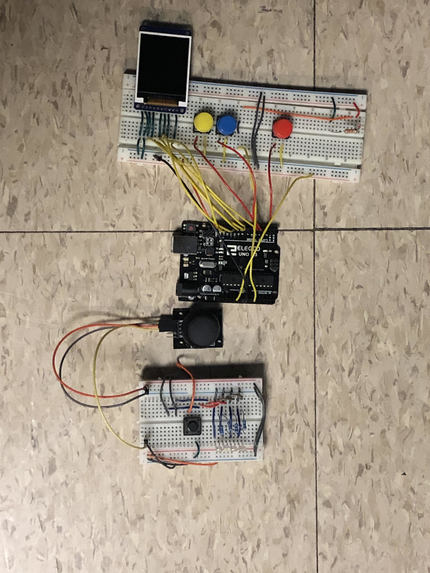
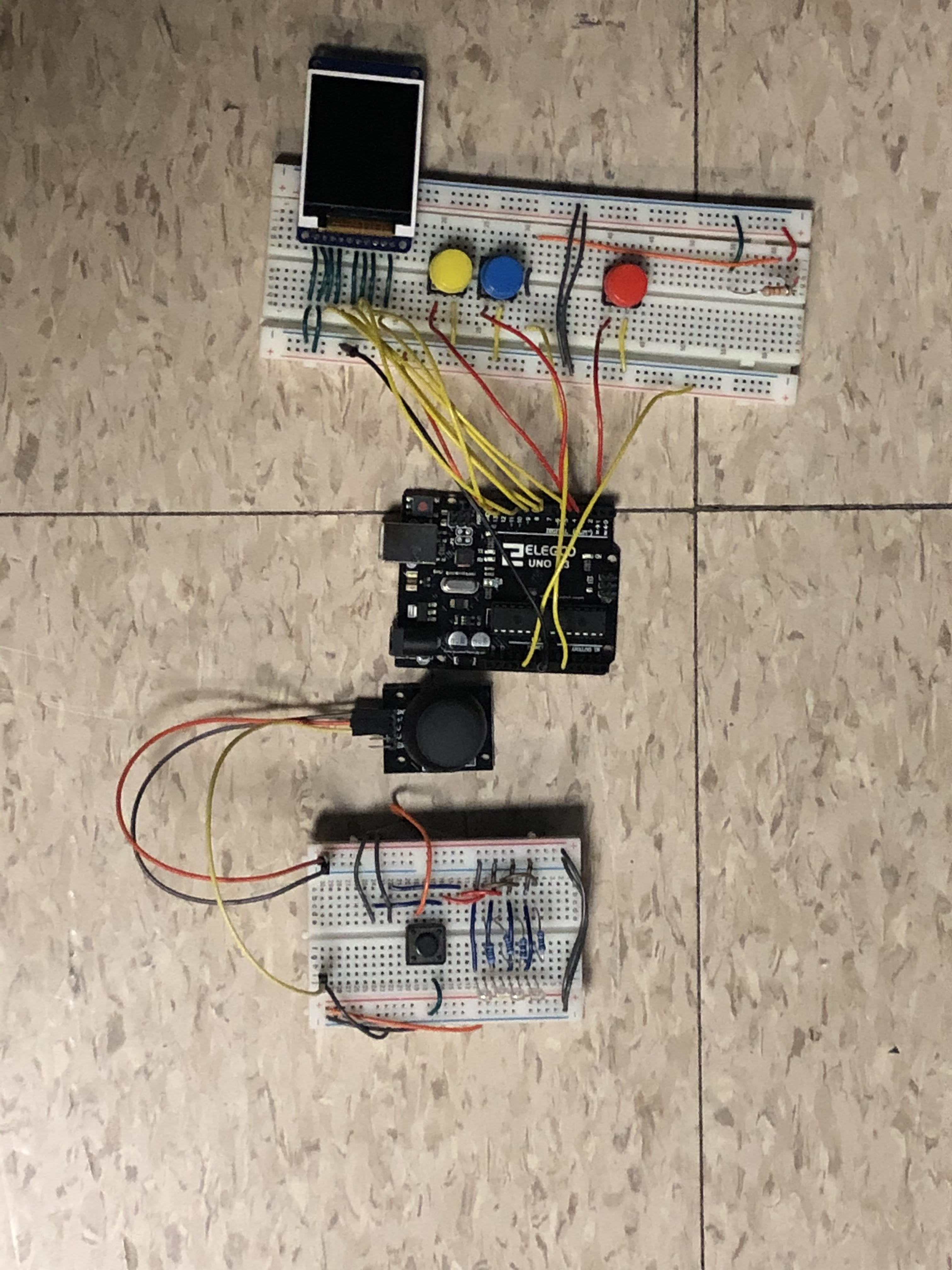
Pic of circuit!
Inspiration
I have always liked old video games and I love doing things the “analog” way so I thought controlling this game through light would be pretty cool. I loved the idea of expanding on Lab 4 to make a more intricate game which can then be controlled with simple diodes and a photodetector. You don’t always have to have the newest technology to have a cool project!
What it does
Spac3 Invad3r$ is a game operated with a remote controller that uses light to determine a player’s movements. Using photodiodes and a photodetector I am able to manipulate the intensity of light sent out from a controller and receive this intensity which I then associate to a distinct movement by the player. This allows the player to control the game wirelessly, without the use of bluetooth or WiFi! The game is my take on space invaders, with alien’s having random movement instead of the basic left - right movement in the initial game. You have several lives and must try to survive as many rounds as possible!
How we built it
The Controller: The controller was made with the process of transmitting the data I need in an analog fashion, with light (instead of a digital fashion over WiFi / Bluetooth). To do this, I mapped the continuous output of my Joystick in the range [0, 5] to 4 discrete outputs that determine a PWM signal from the controller’s Arduino. Essentially, I created the mapping {(still controller -> DC = 0%), (left controller -> DC = 33%), (right controller -> DC = 66%), button press -> DC = 100%) where DC is the duty cycle of the PWM wave. The PWM wave generated then passes over photodiodes that emit infrared light to modulate the intensity of light emitted from my controller.
The Receiver: On the LCD display’s breadboard, I read in this intensity with a photodetector that is biased with the ambient light in the room. When more light shines on the photodetector, the current through it increases and I read this out as a voltage by the Arduino’s ADC (this is a different Arduino, not in the controller anymore). Since these values change depending on the ambient light / where the controller is pressed, I initialize my game with a calibration mode where the user inputs all of the required joystick ranges and I average the output ADC value out over 15 cycles in order to create thresholds for what determines a left, right, button press, or still joystick. This allows you to be able to play the game with different levels of varying light / controller distance, provided it stays constant throughout the duration of the game. With ways to determine controller inputs, this now reduces down to my first Milestone - the game can now be played the exact same way. For a quick recap of the game, you can move your spaceship and use the button to shoot aliens. Hitting aliens with a shot removes them from the game and if you get hit with their shots then you lose a life in the corner of the screen. After killing all the aliens you progress to the next round (harder, with more aliens!). You can reset the game by either reaching 0 lives or clicking the red reset button on the receiving end. As I will soon discuss, I encountered MANY difficulties when taking the hard route (controlling my game with analog light instead of wifi / bluetooth, mostly the difficulty of verifying information transfer).
Challenges we ran into
My first obstacle was realizing that depending on the initial ambient light, my threshold for what determines a left joystick, right joystick, or button press would change each time. To account for this, I needed some way to calibrate these thresholds every time the controller was placed. I thus added a calibration phase to my game where users would hold down the correct joystick position along with its corresponding calibration button. My code would average the ADC output values to give you the new threshold for each iteration. This allowed me to fix this problem.
The second obstacle was the nonlinearity of controller distance. Light intensity is an inverse square law in perfect ideality, but non perfect geometry of my diodes / room meant that moving my controller forward / backward gave me very nonlinear behavior (AKA, if I was 2 inches away the jump from left -> right might be .80V but if I was 1 inch away it might be 2V). Unfortunately, this is very difficult to digitally correct for - I would have to have an equation that accurately describes the intensity / geometry which is impossible, so I stuck with keeping the controller at a constant distance from the receiver.
Finally, the hardest obstacle to cross was the ambient light biasing of the photodetector. Since the photodetector detected any light, walking in front of the sensor decreased its reading and changed the initial bias point, which, if already calibrated, would mess up the game. The easy solution was to just put an enclosure over the “cool” circuit part of the project, but I didn’t want to do this as I thought seeing the circuit was one of the cooler parts. However, digitally correcting this in code turned out to be extremely difficult and I was ultimately unsuccessful. I tried to update the ambient light “still” controller position and then find its difference with the original calibrated value to re-calculate new thresholds, but this made it easy for the system to “latch up”. This means that sometimes it would get stuck in either left, right, or still and you could not change it. After spending like ~10 hours working on this I ultimately gave up and made the requirement that you could not move during the game.
Accomplishments that we're proud of
I am really happy with how my project turned out overall. I thought my game would be too laggy but with the improvements in my code for FPS Modification (only looping over what was needed and minimizing drawing) it ran fairly well! I am really proud of my light detection circuit as I feel like, although “old fashioned” it was exactly what I like about EE. If I had to re-do the project, I think I would have 3D printed an enclosure which would have allowed me to still have the project look cool and also not worry about ambient light concerns. A next step for this project would be to do exactly that & then figure out how to account for the non-linearity so the game could be played at any distance and with any ambient light setting. Overall, I’m super happy - thank you for the great semester Kim!

Log in or sign up for Devpost to join the conversation.