-
-
SousChef: a hands-free voice cooking assistant. Say what’s in your kitchen, get recipes, then cook step by step with timers.
-
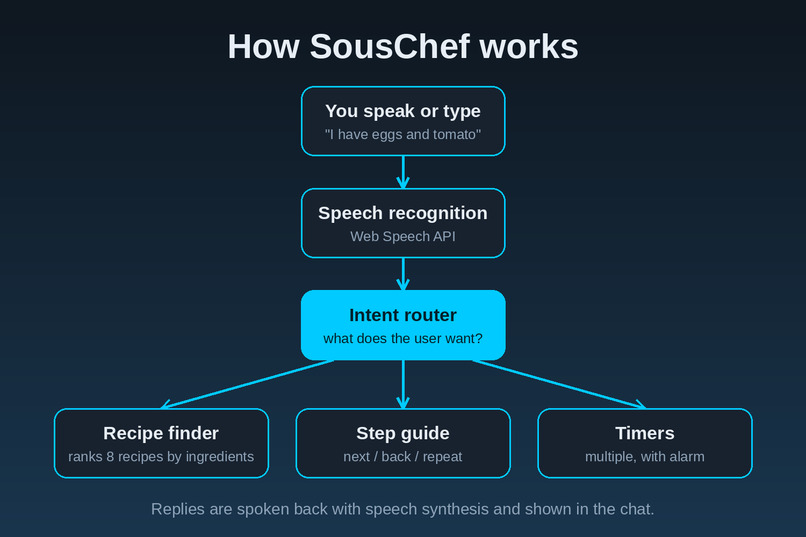
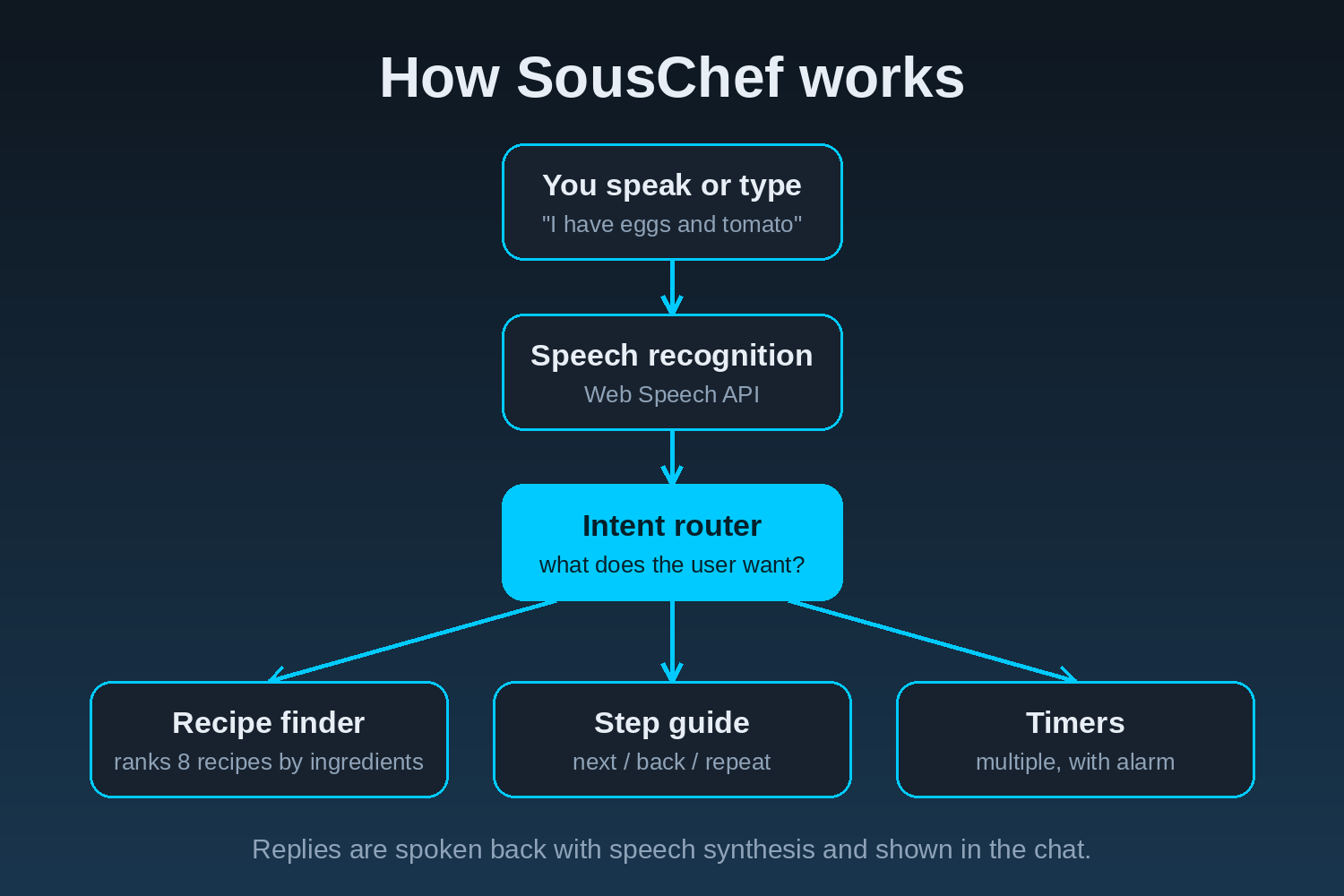
shows the flowchart of how the project works
-
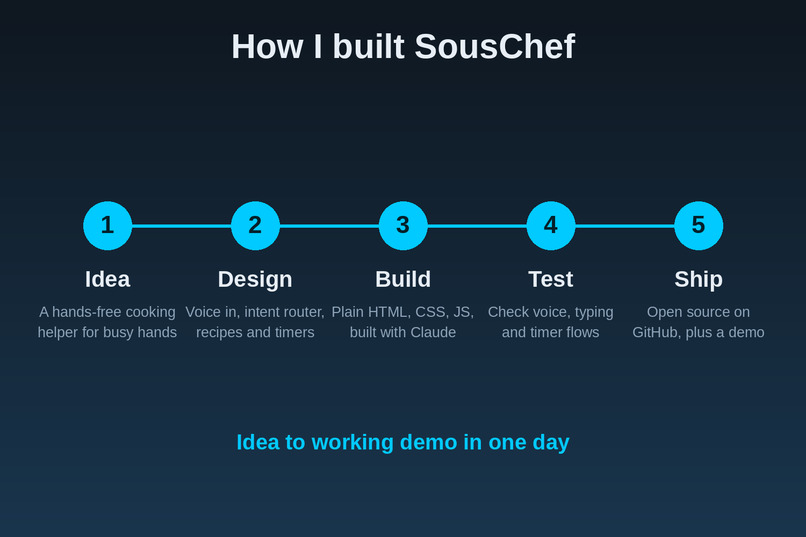
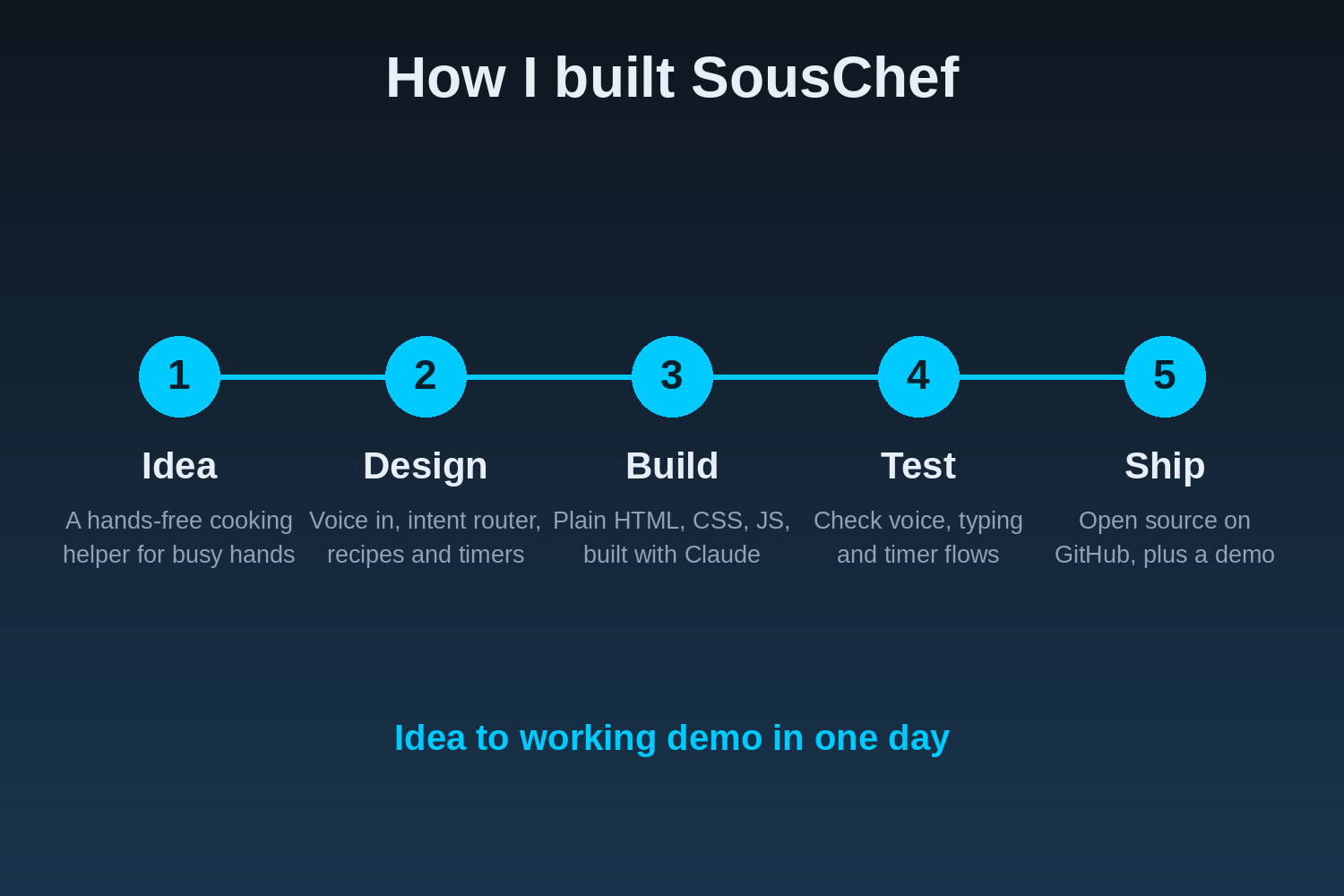
shows the process of building the project
-
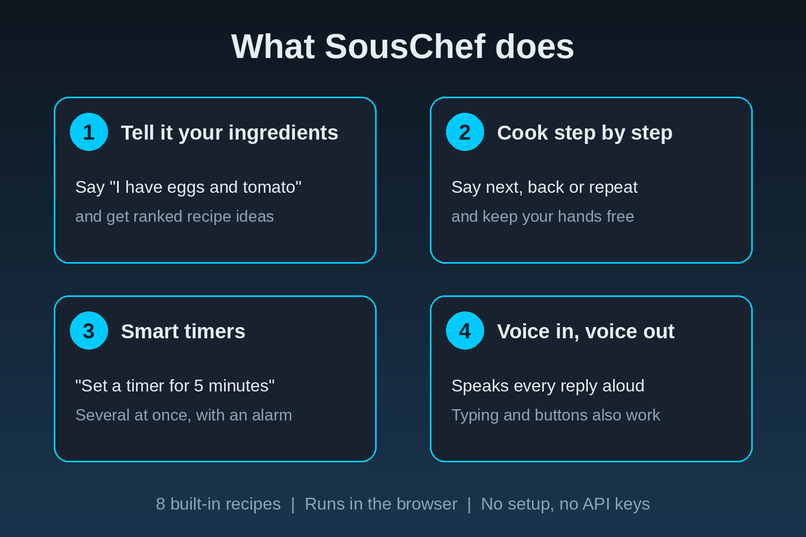
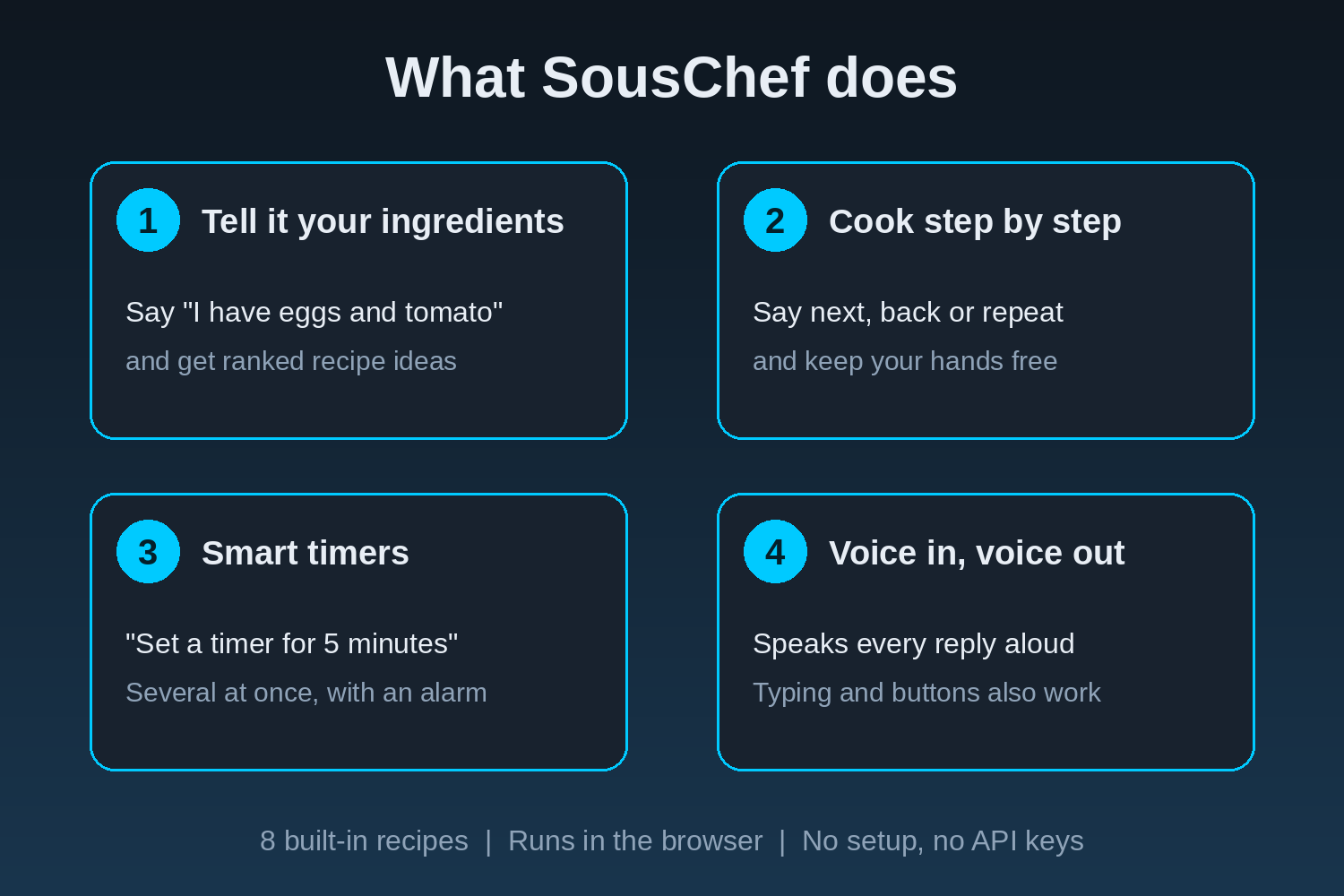
shows the features of the project
Inspiration
Cooking is a hands-busy activity. When your fingers are covered in flour or oil, you can’t scroll a recipe on a phone without making a mess. A voice assistant in the kitchen is exactly the kind of everyday help Alexa+ is built for. I wanted to see how far I could get with a simple idea: tell it what’s in your kitchen, and it tells you what to cook and walks you through it, hands-free.
What it does
SousChef is a voice cooking companion that simulates the Alexa+ experience.
Ingredient-based suggestions: say “I have eggs and tomato” and it ranks the best-matching recipes and tells you what you’d still need. Guided cooking: say “start omelette”, then “next”, “back” or “repeat” to move through each step. Smart timers: steps that need timing offer a timer, or you can say “set a timer for 5 minutes”. Several timers can run at once, and an alarm sounds when each one finishes. Voice in, voice out: it listens and speaks back. Typing and one-tap suggestion chips work as a fallback. 8 built-in recipes, including aloo jeera, dal tadka and poha, alongside omelette, pasta and pancakes.
How I built it
SousChef is a single web app in plain HTML, CSS and JavaScript, with no backend and no API keys.
The browser’s Web Speech API handles speech recognition (voice in) and speech synthesis (voice out). A small intent router reads each sentence and decides what you want: a timer, next step, previous step, repeat, stop, a recipe name, or a list of ingredients. Ingredient matching scores every recipe by how many of your ingredients it uses, ignoring staples like oil and salt, and shows the closest matches first. The Web Audio API plays the alarm when a timer ends. I built it with Claude as my agentic coding tool, and the code is open source under the MIT license. Challenges Natural phrasing. “I have eggs” and “start omelette” can look similar to a program. I had to make the router tell apart a list of ingredients from a request to cook a recipe. Timers during conversation. Timers keep running while you move through the recipe, so I had to keep the countdowns and the chat from interfering with each other. Browser speech differences. Speech recognition works best in Chrome and Edge, so I added typing and quick buttons as a fallback. Time. I wanted a complete, working demo more than a long feature list, so I focused on one smooth cooking flow.
What I learned
A voice interface needs short, clear replies, because a long answer is hard to follow when your hands are busy. Simple rules and good fallbacks can make a voice demo feel reliable. Browser speech APIs make it quick to prototype voice ideas.
What’s next
More recipes, dietary filters, and “what can I substitute?” questions. A real Alexa+ skill or self-hosted MCP server version, so SousChef can run on an actual Alexa+ device
Built With
- claude
- css
- html
- javascript
- web-audio-api
- web-speech-api


Log in or sign up for Devpost to join the conversation.