-
-
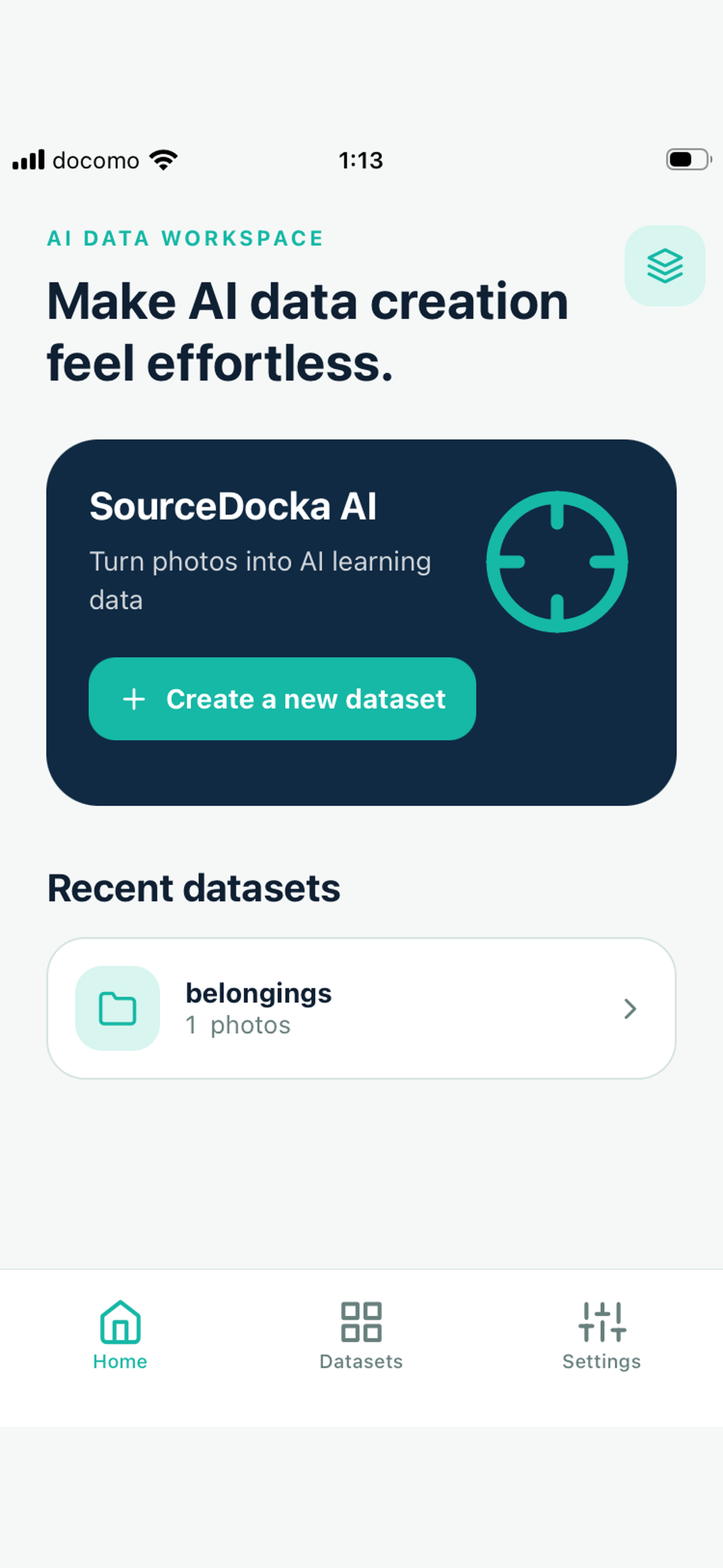
SourceDocka AI app icon
-
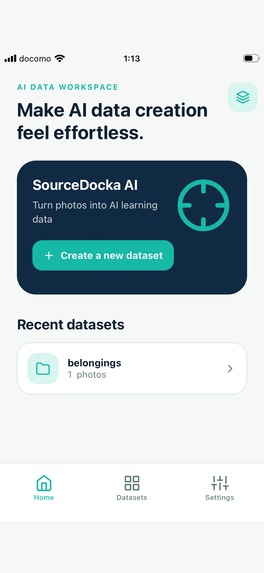
Home / Main screen
-
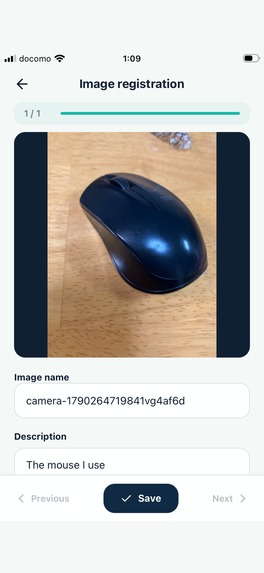
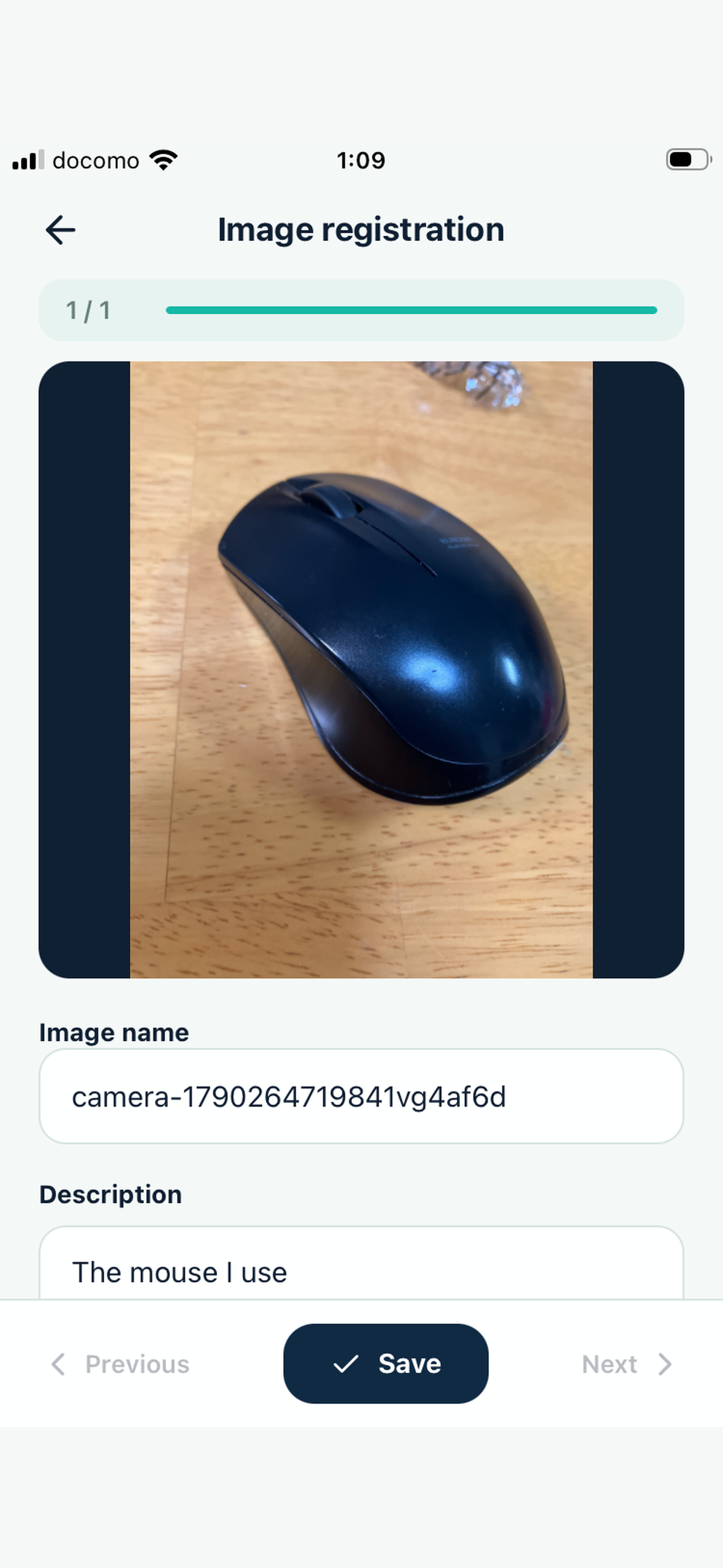
Create RAG data with images and descriptions
-
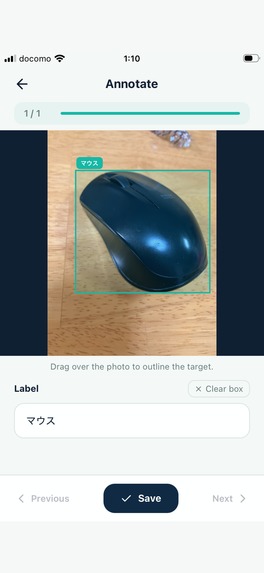
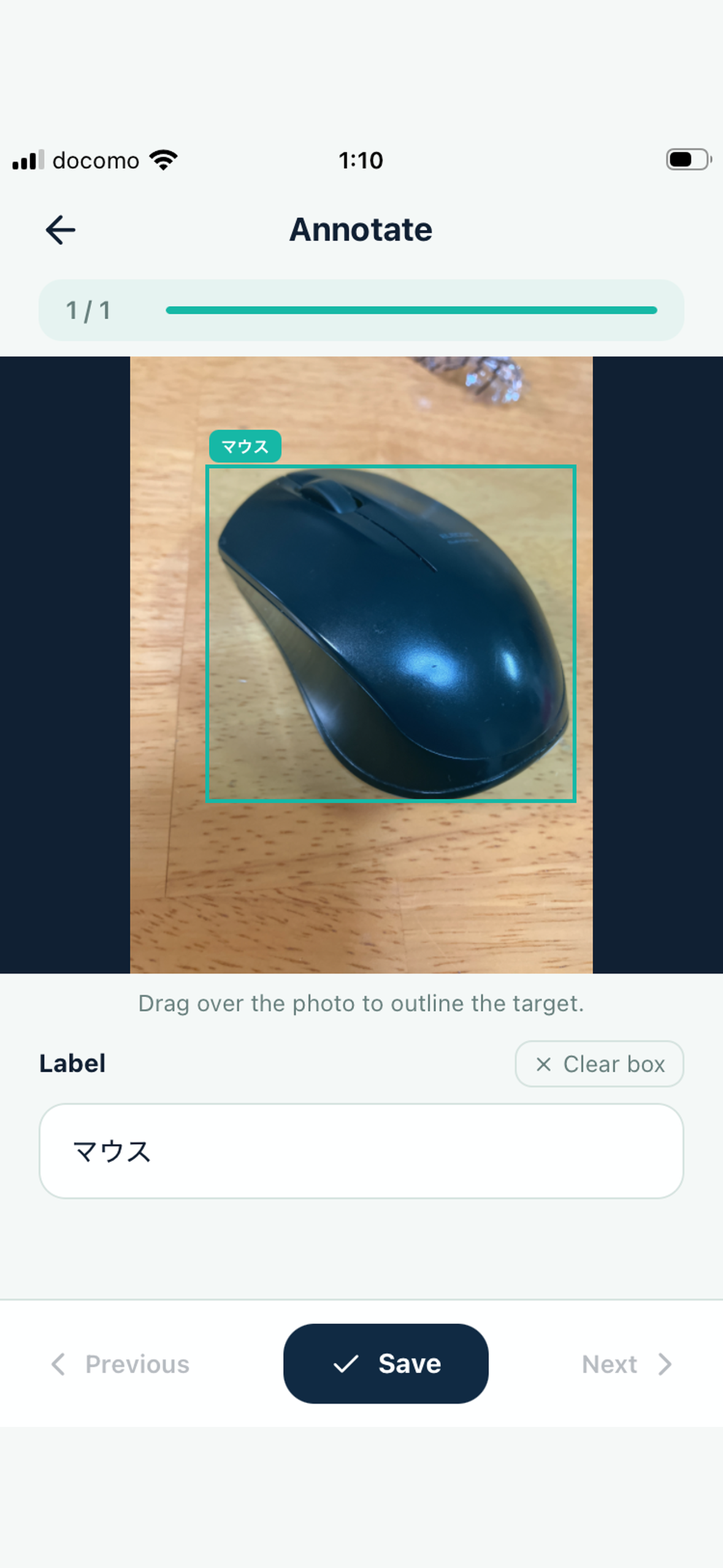
Create training data with image annotations
-
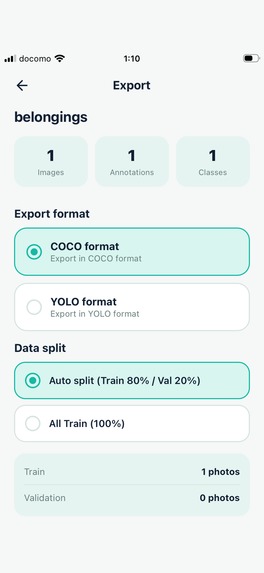
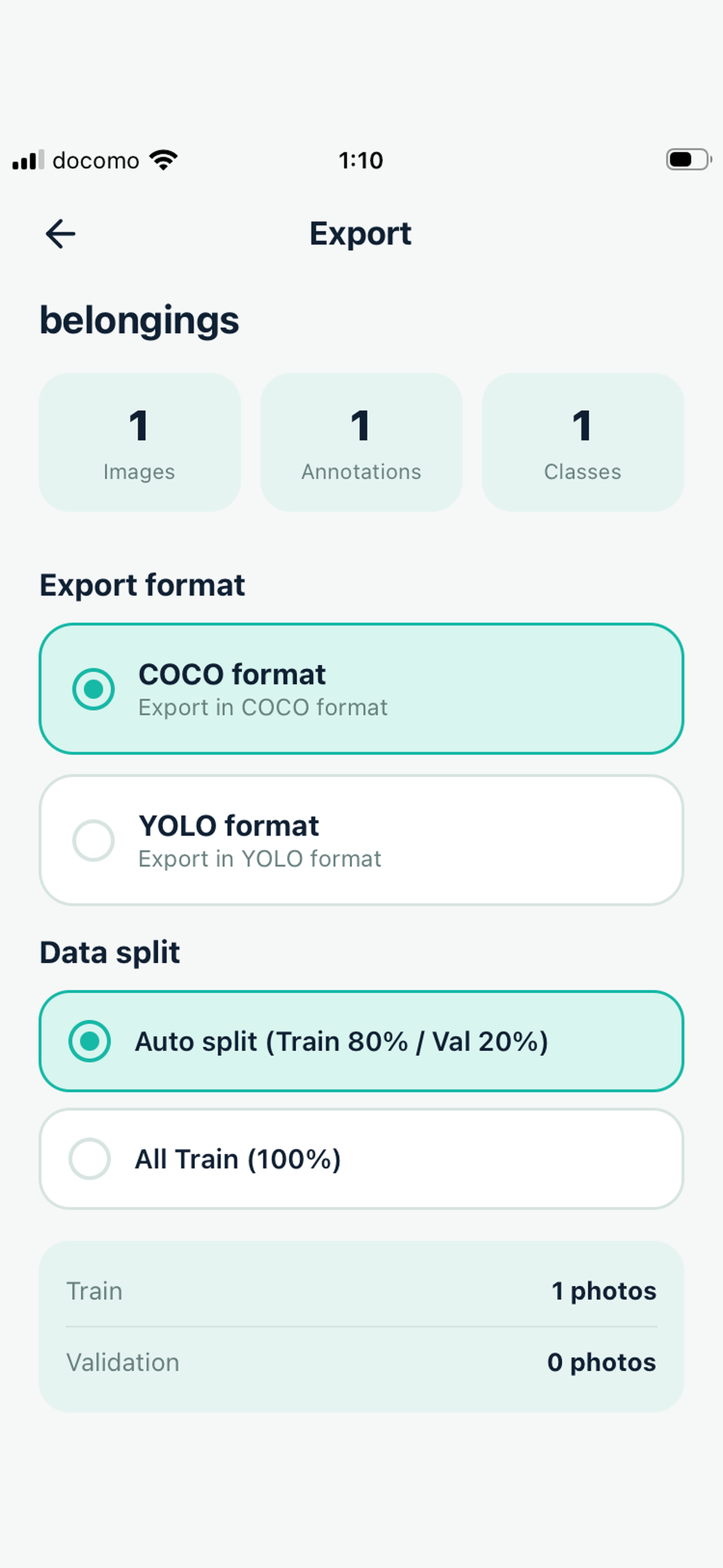
Export datasets in COCO / YOLO format
-
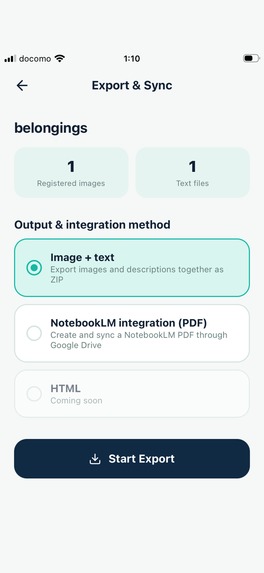
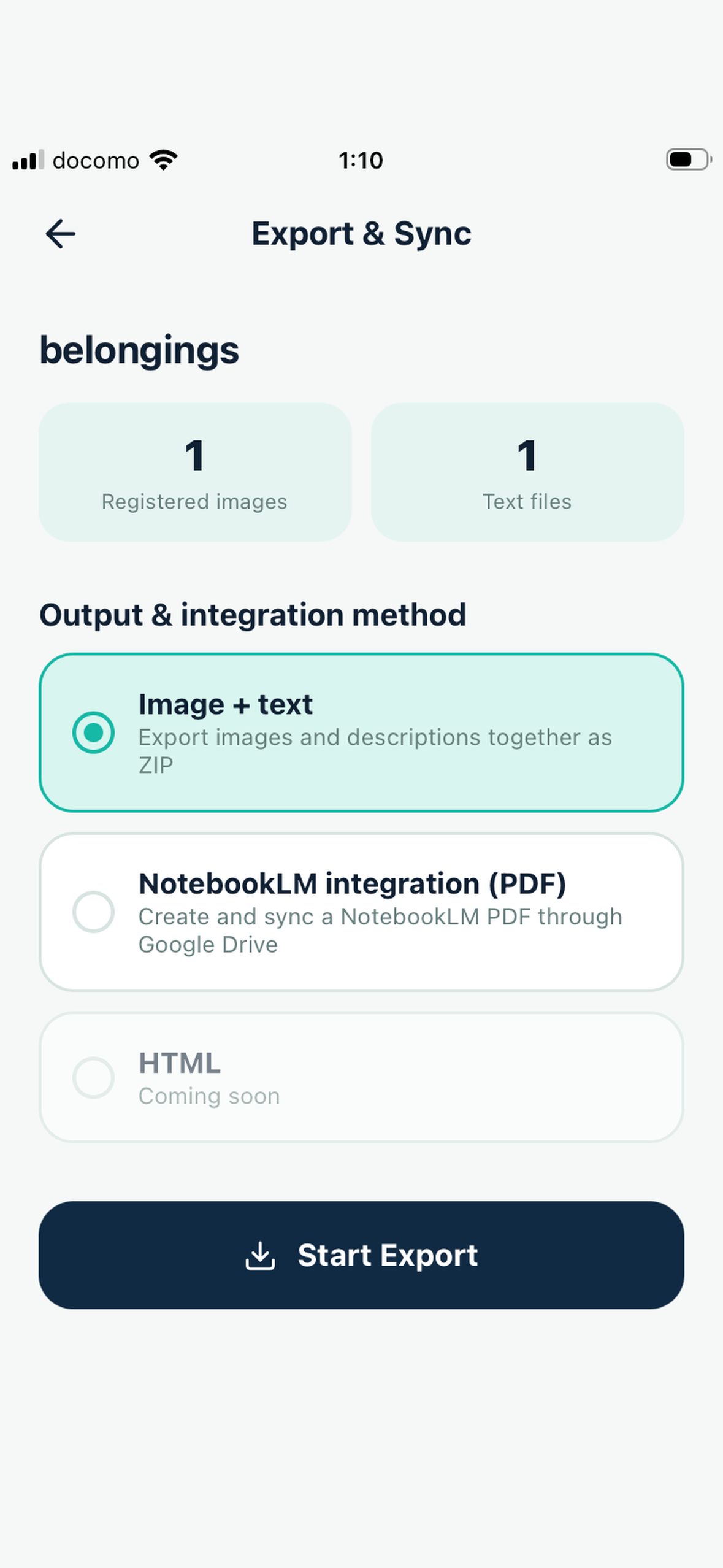
Export images and text as a ZIP file
-
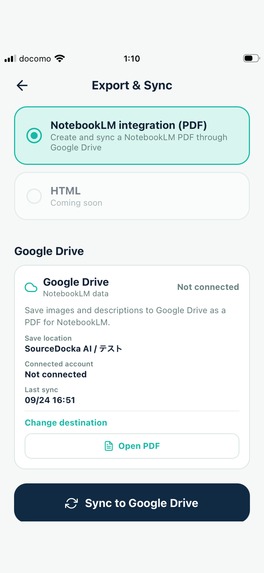
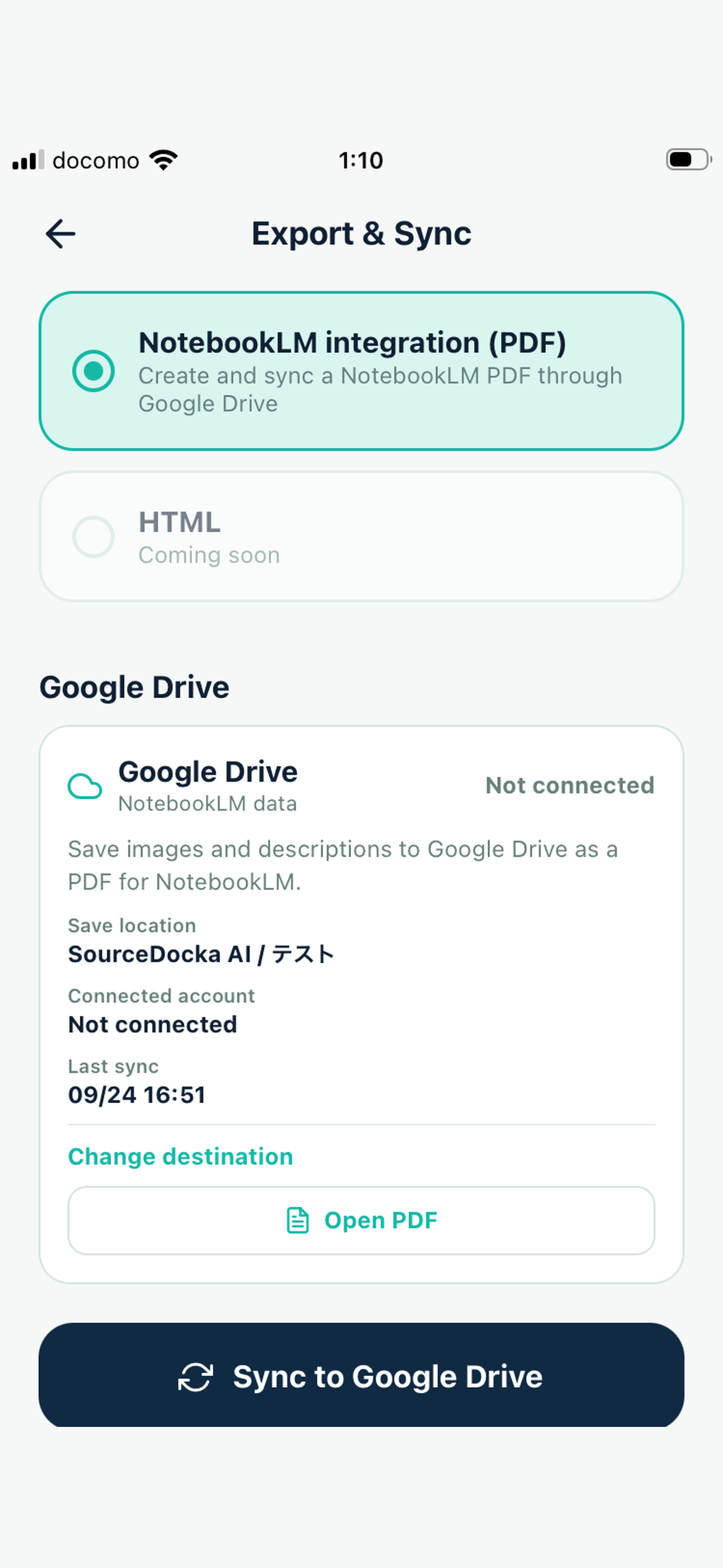
NotebookLM PDF integration and Google Drive sync
Inspiration
Creating useful datasets for AI usually means moving between a camera, a computer, file-management tools, annotation software, and cloud storage.
I wanted to make that workflow much simpler: capture or select images on a smartphone, add the information needed for RAG or machine learning, and export the result directly from the same device. That idea became SourceDocka AI.
https://sakuraforge.net/sourcedocka
What it does
SourceDocka AI is a mobile workspace for creating RAG and machine-learning datasets directly on an iPhone.
For RAG data, users can:
- Capture photos or import images from the photo library
- Add image names and descriptions
- Export images and matching text together as a ZIP
- Generate PDFs containing images and descriptions
- Sync those PDFs to Google Drive so they can be used as sources in NotebookLM
For machine-learning datasets, users can:
- Register images
- Add labels and bounding-box annotations
- Export datasets in COCO or YOLO format
The app supports Japanese and English and is designed to make AI dataset creation approachable without requiring a desktop development environment.
How I built it
SourceDocka AI was built with React Native and Expo, using TypeScript.
I used Replit throughout development to iterate on the application, UI, testing, and release preparation.
Google Drive integration uses Google OAuth and the Drive API with the drive.file scope, so the app only works with files it creates or manages.
RevenueCat powers the Premium subscription experience and free trial.
The iOS app is built and distributed with Expo EAS and is published on the Apple App Store.
Challenges I ran into
One challenge was making Google Drive authentication work reliably in a production iOS build rather than only during development.
Another challenge was generating PDFs that preserve both the original images and searchable text so they work well as knowledge sources.
I also had to design the export workflow so that RAG users and machine-learning users could share the same simple mobile experience while still supporting different output formats.
Accomplishments that I'm proud of
- At age 63, with almost no prior programming experience, I used Replit and AI-assisted development to build and successfully release my first iOS app on the App Store during Shipaton 2026.
- Integrated RevenueCat subscriptions
- Built Google Drive PDF synchronization for RAG datasets
- Added exports for RAG ZIP, COCO, and YOLO
- Added Japanese and English localization
- Created the entire workflow so dataset creation can be completed from a smartphone
What I learned
I learned how much work is involved beyond writing application code: App Store distribution, subscriptions, OAuth configuration, privacy disclosures, localization, production builds, and real-device testing all matter.
I also learned that AI-assisted development with Replit can make it possible to turn an idea into a real, published product even without a traditional mobile-development workflow or extensive programming experience.
Through this project, I learned that tools like Replit can lower the barrier to software development, but successfully shipping an app still requires careful testing, iteration, and attention to the complete user experience.
What's next for SourceDocka AI
Next, I want to improve how datasets are structured for AI knowledge tools, expand export options, improve annotation workflows, and continue making SourceDocka AI easier for people who want to create their own AI-ready data from a smartphone.
Built With
- api
- drive
- eas
- expo.io
- native
- oauth
- react
- replit
- revenuecat
- typescript

Log in or sign up for Devpost to join the conversation.