-
-
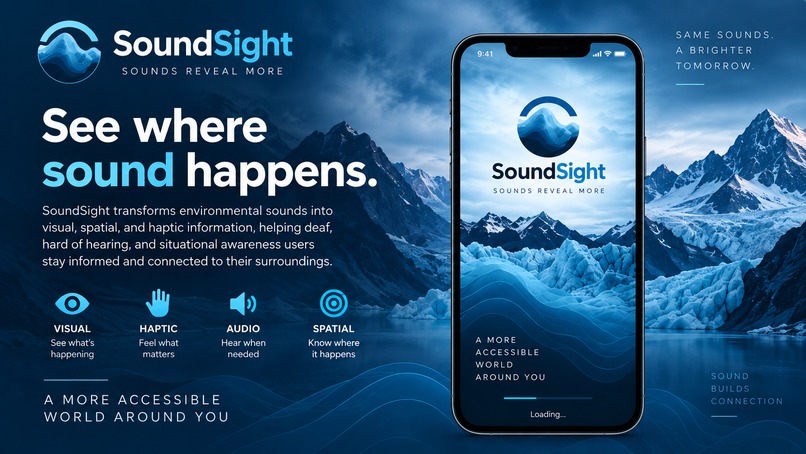
SoundSight — See Where Sound Happens
-
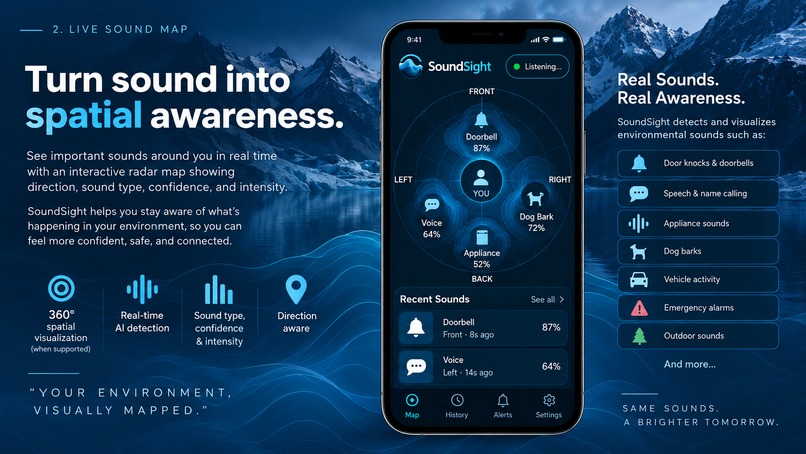
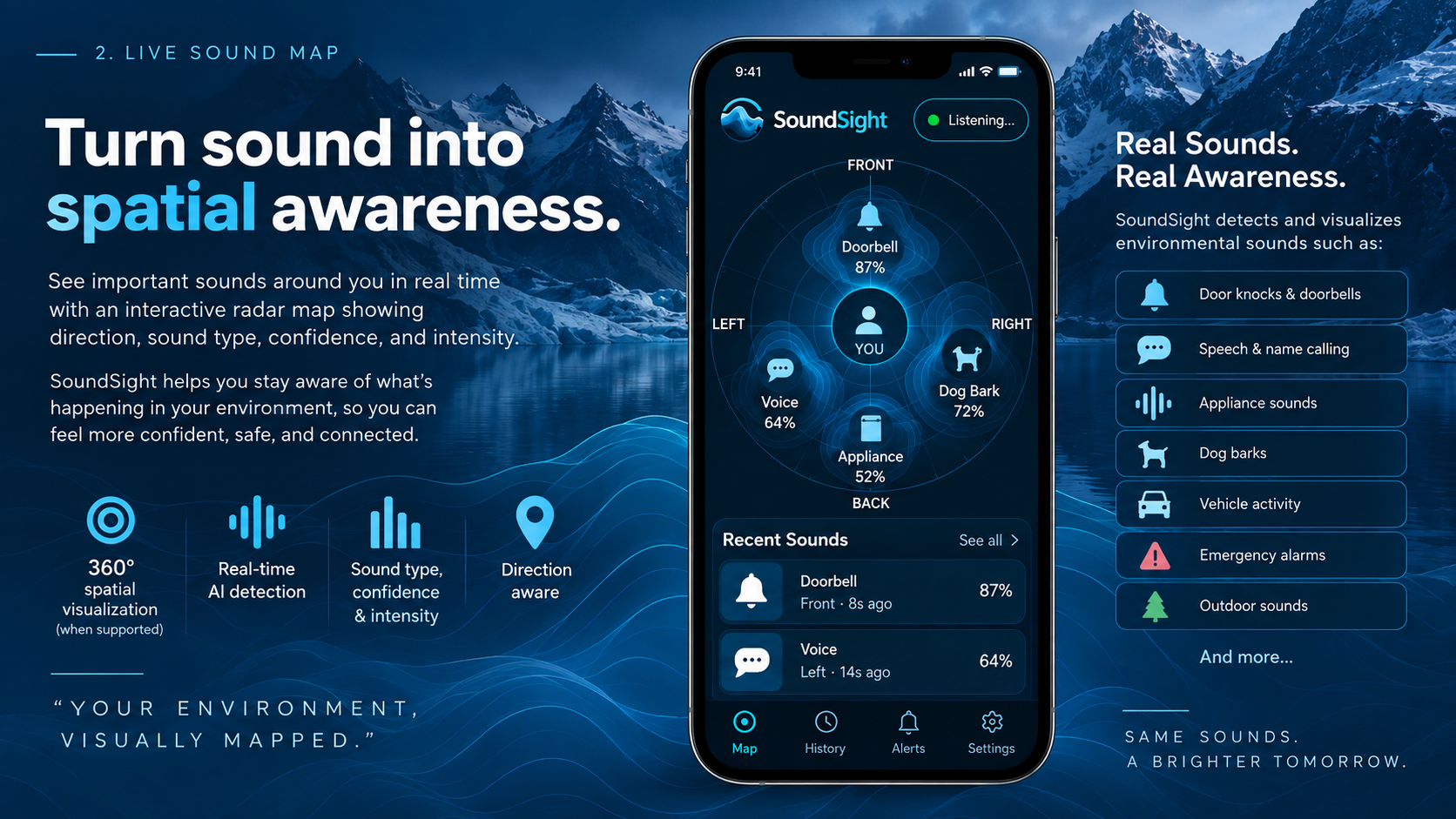
Live Sound Map — Turn Sound Into Spatial Awareness
-
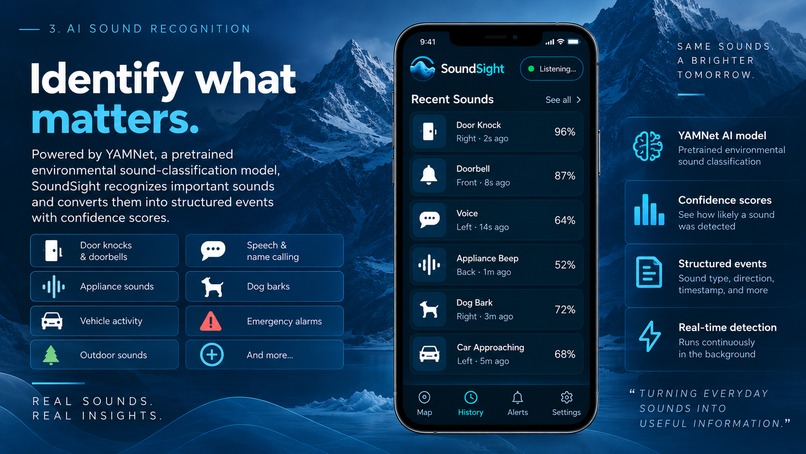
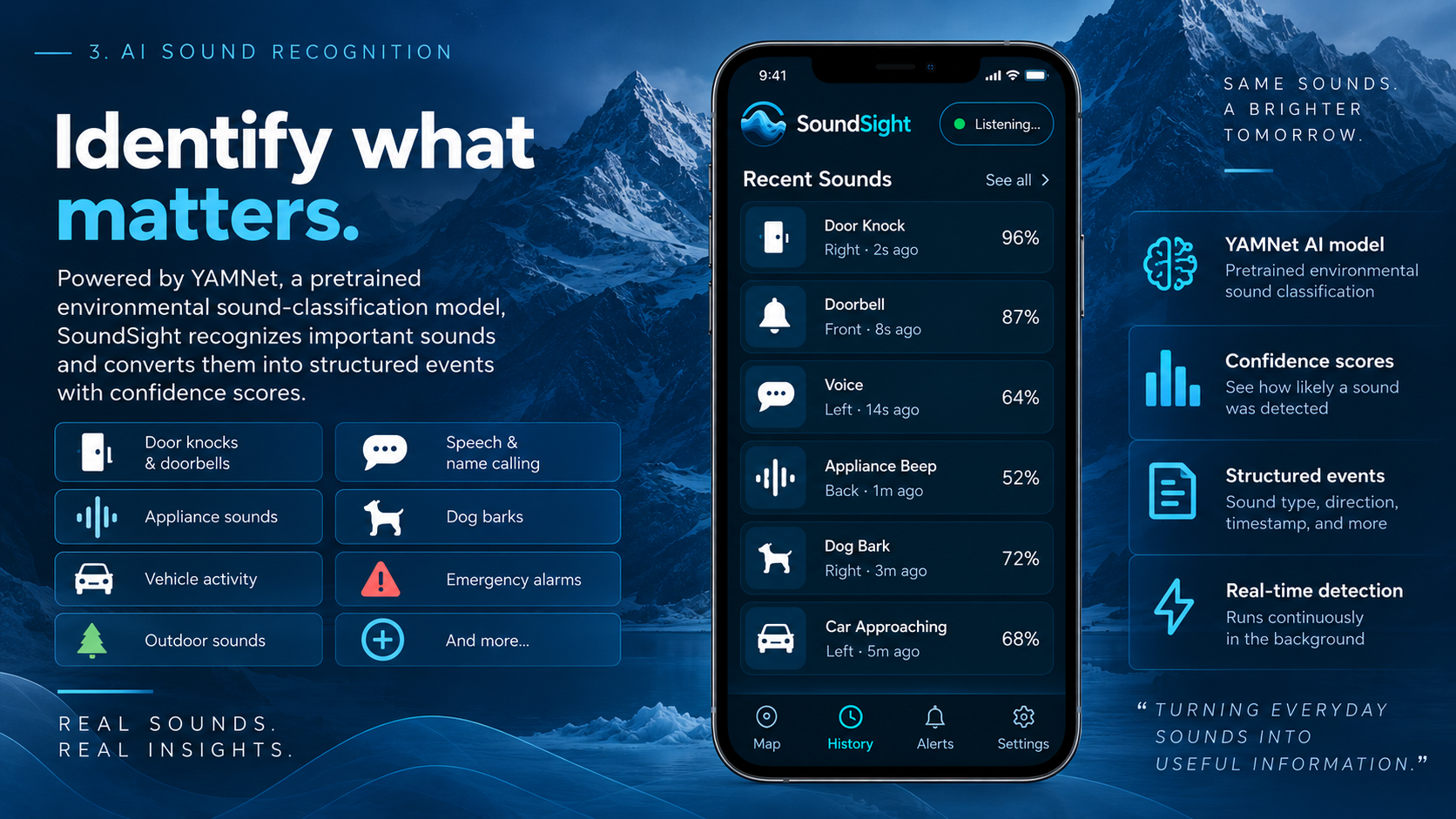
AI Sound Recognition — Identify What Matters
-
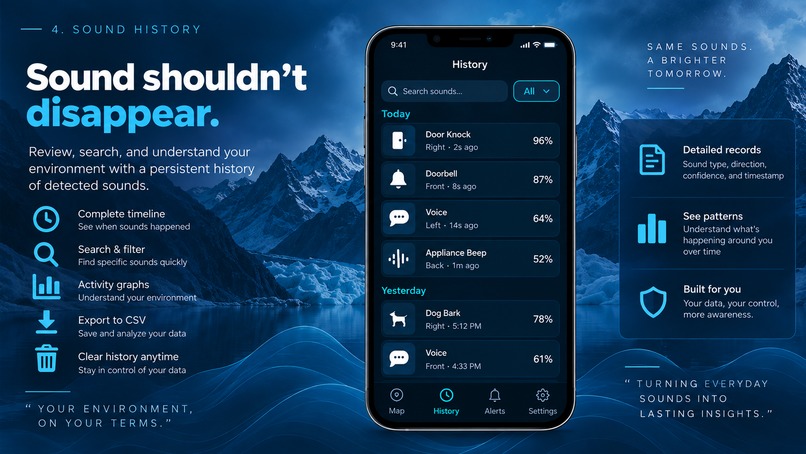
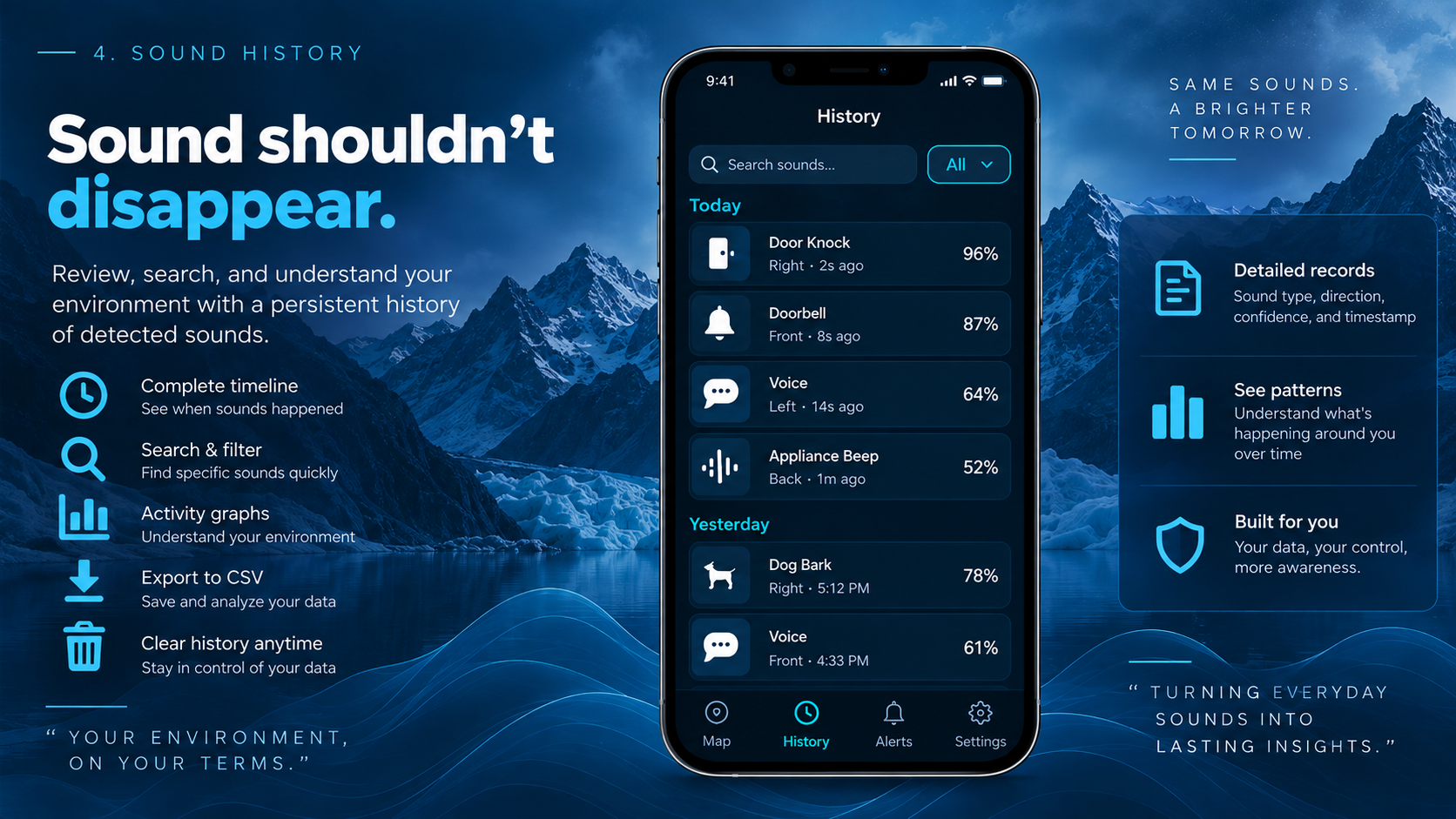
Sound History — Sound Shouldn’t Disappear
-
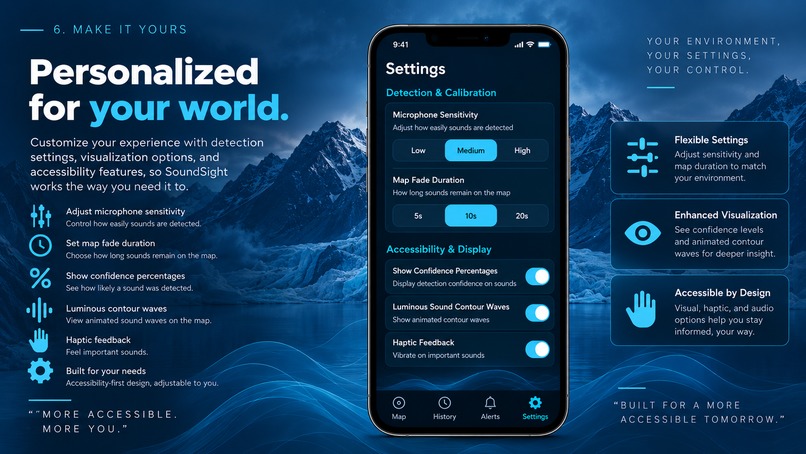
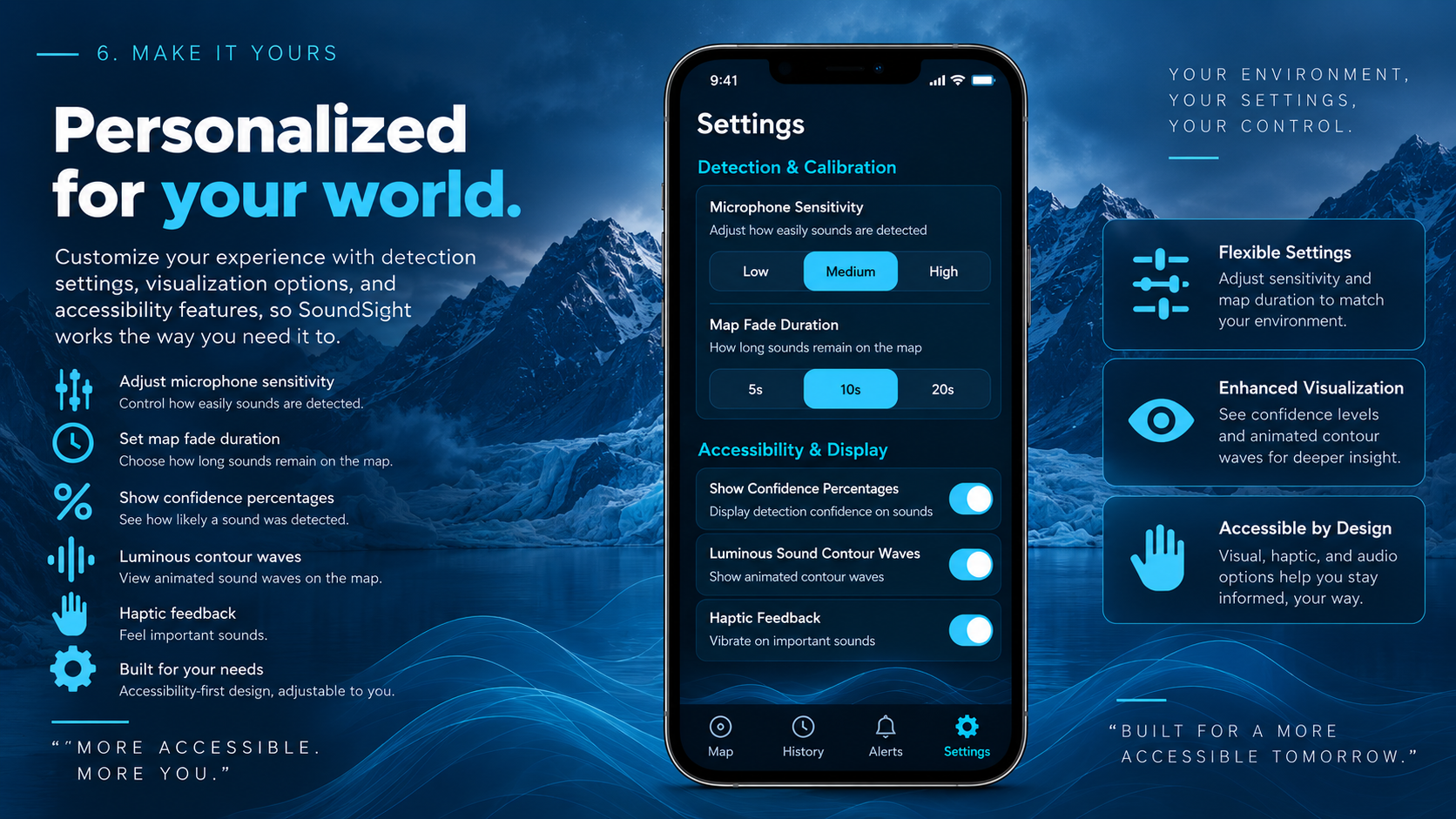
Personalized Accessibility — Built for Your World
-
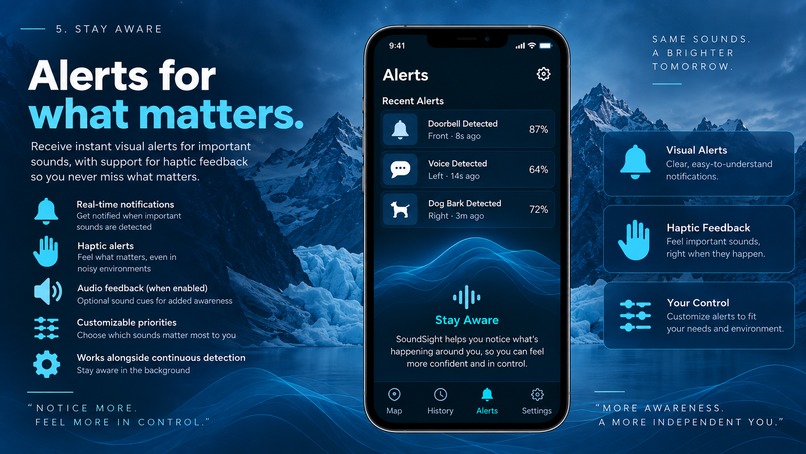
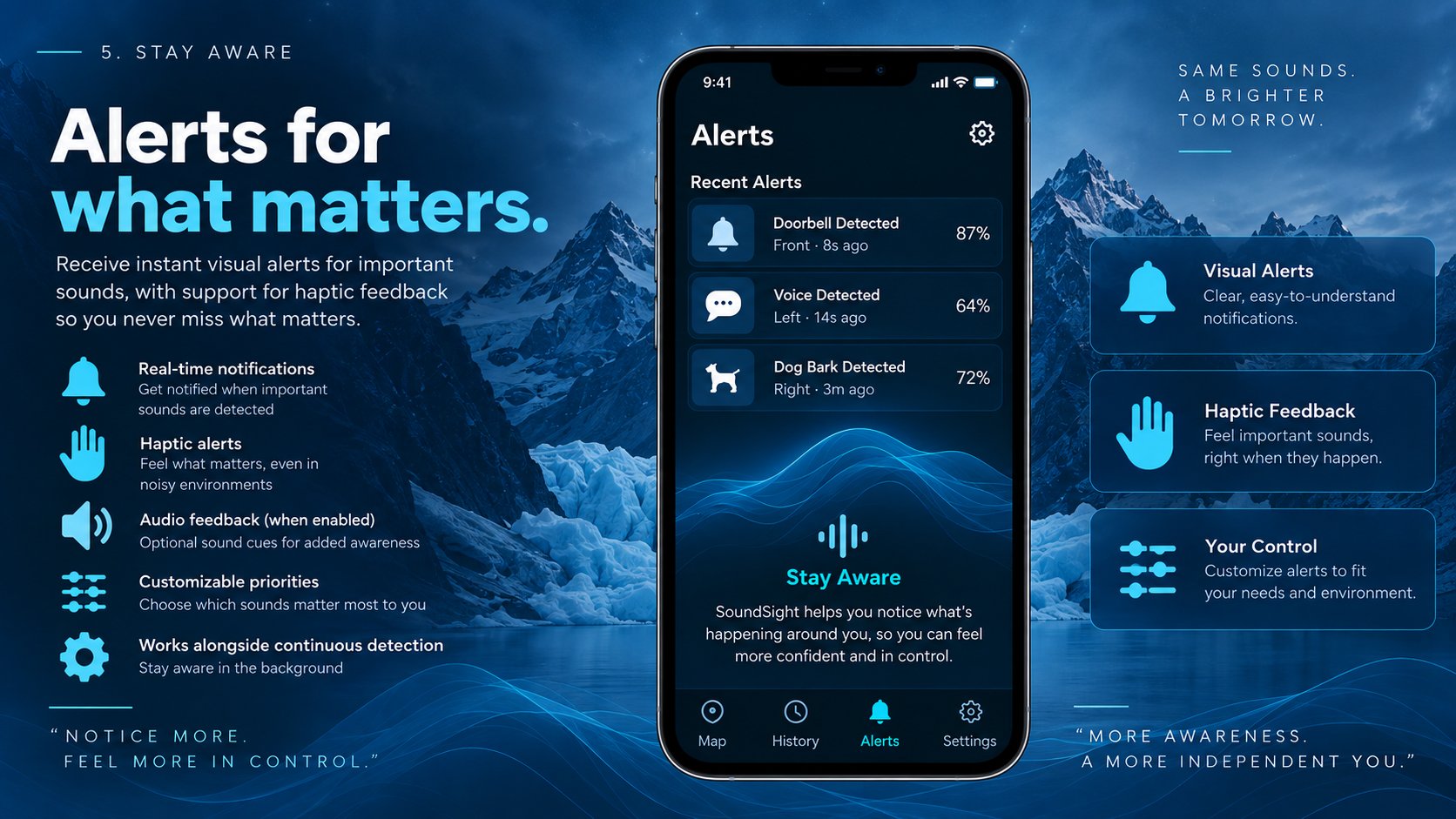
Accessible Alerts — Know When It Matters
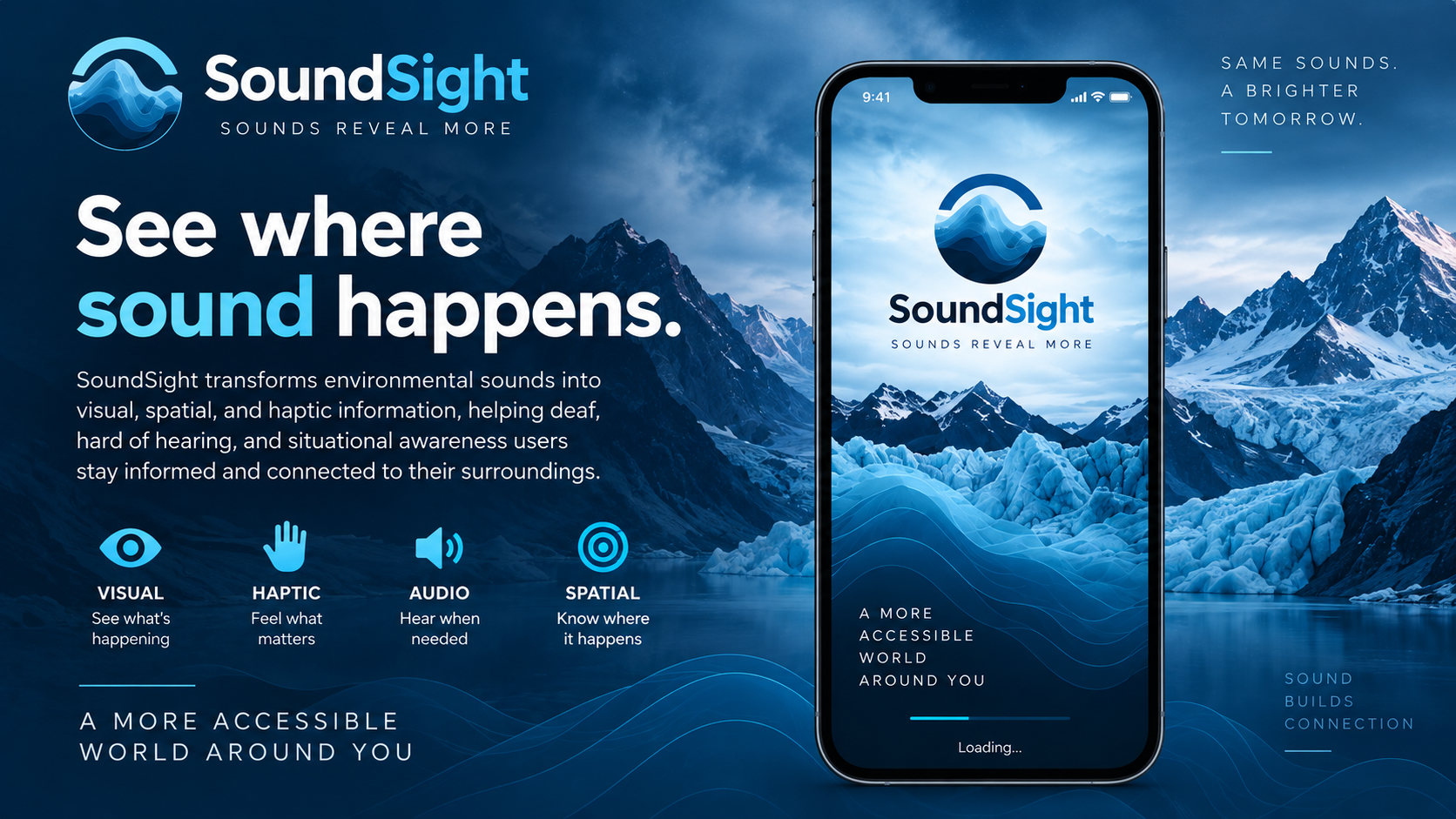
SoundSight
SOUNDS REVEAL MORE.
SoundSight is an accessibility and environmental-awareness platform that transforms important sounds into visual, spatial, haptic, and contextual information.
Built for HyperBloom Hacks 2026.
Try SoundSight
Launch SoundSight
SoundSight can be explored through Demo Mode or used with microphone access for live environmental sound detection.
Inspiration
Sound carries much more information than just what happened. A knock can tell you someone is at the door. A voice can tell you someone nearby is trying to communicate. An appliance beep, alarm, dog bark, or approaching vehicle can change how you respond to your surroundings.
For Deaf and hard-of-hearing people, some of that environmental information may not be readily accessible. Many existing tools can identify a sound and send a notification, but we wanted to explore something more spatial, persistent, and contextual.
That led to one question:
What if you could see the sounds happening around you?
SoundSight was built around the idea that accessibility does not have to replace a person's senses. It can transform information into another form they can perceive.
What It Does
SoundSight turns environmental sound into visual and spatial awareness.
The app listens for environmental audio, uses AI to classify important
sounds, and converts detections into structured SoundEvents. These
events appear on a radar-inspired Live Map with information such as
sound type, classification confidence, relative intensity, direction
when supported, priority, timestamp, and how recently the sound
occurred.
Instead of simply displaying:
Doorbell detected.
SoundSight is designed to communicate:
Doorbell · Front · 92% confidence · 3 seconds ago
The goal is to move beyond sound recognition toward environmental awareness.
Live Map
The Live Map provides a visual representation of detected environmental sounds. The user remains at the center while active SoundEvents appear around them. When directional information is available, the interface can communicate where the sound originated in addition to what was detected.
Recent Sounds and History
Sounds do not disappear from SoundSight as soon as the event ends. Users can review recent detections and persistent history, making environmental information available even after the original sound has stopped. History also provides a way to understand patterns in detected sounds over time.
Alerts
Higher-priority environmental sounds can be surfaced through dedicated visual alerts. SoundSight can also provide configurable haptic feedback on supported devices, giving users another way to notice important events.
Conversation Mode
SoundSight includes Conversation Mode, extending the same accessibility philosophy to speech. Conversation Mode provides live transcription so spoken information can be represented visually.
Recent transcripts can be retained locally for up to seven days, allowing users to revisit recent conversation context while keeping transcript storage local to the device.
Demo Mode
SoundSight includes a guided Demo Mode that demonstrates the experience without requiring specific environmental sounds to happen naturally. Demo Mode generates realistic SoundEvents using the same event architecture as live detections.
This means the Live Map, History, Recent Sounds, and Alerts respond to demo events in the same way they respond to real AI-generated events.
How We Built It
SoundSight combines an Expo/React Native frontend with a Python AI audio engine.
The architecture separates microphone capture, machine-learning inference, event processing, and presentation while connecting everything through a shared SoundEvent model.
Architecture
Browser Microphone
        ↓
getUserMedia
        ↓
Web Audio API
        ↓
AudioWorklet
        ↓
16 kHz Mono PCM
        ↓
WebSocket
        ↓
Python Audio Engine
        ↓
YAMNet
        ↓
Confidence Filtering
        ↓
Temporal Stabilization
        ↓
SoundEvent
        ↓
SoundSight
        ↓
Live Map / History / Alerts
Environmental Sound Classification
SoundSight uses YAMNet, Google's pretrained environmental sound-classification model.
Rather than displaying every raw model prediction directly to the user, SoundSight adds an application-level processing layer. Predictions pass through sound-category mapping, confidence filtering, temporal stabilization, event aggregation, duplicate suppression, priority assignment, and SoundEvent generation.
Raw Audio
    ↓
Model Prediction
    ↓
Is the sound relevant?
    ↓
Is confidence sufficient?
    ↓
Is the prediction stable?
    ↓
Is this already an active event?
    ↓
Create / Update SoundEvent
    ↓
Display to User
SoundEvent Architecture
One of the core technical decisions behind SoundSight was creating a
centralized SoundEvent model.
{
  "id": "event-001",
  "soundType": "door_knock",
  "label": "Door Knock",
  "direction": "right",
  "confidence": 0.96,
  "intensity": 0.82,
  "priority": "normal",
  "timestamp": "2026-09-14T12:00:00Z",
  "isActive": true
}
Demo Mode and Live Mode both converge on this shared event architecture, allowing the Live Map, Recent Sounds, History, and Alerts to operate without separate implementations for simulated and real events.
Real-Time Browser Audio
Our original implementation allowed Python to directly control a computer microphone. That worked locally, but it did not translate cleanly to a hosted web application.
We redesigned the system so the client owns the microphone. On the
web, SoundSight uses getUserMedia, the Web Audio API, AudioWorklet,
PCM audio streaming, and WebSockets.
The browser converts microphone input into mono 16 kHz PCM audio and streams it to the Python inference engine. The server processes incoming audio and sends structured results back to the application.
Spatial Localization
Recognizing what happened is only part of the SoundSight concept. We also explored how SoundSight could estimate where a sound originated.
For this, we implemented a GCC-PHAT/TDOA localization pipeline. With synchronized multi-channel microphones, differences in the time at which sound reaches each microphone can be used to estimate coarse left/center/right direction.
Our current development hardware exposes mono microphone input. A single mono microphone cannot reliably determine 360-degree sound direction, so SoundSight intentionally falls back to Front/Center for live mono detections rather than presenting directional accuracy that the hardware cannot support.
Privacy
Privacy is especially important for an application that interacts with microphone data.
Process what is necessary. Store as little as possible.
Environmental SoundEvents store structured metadata rather than raw microphone recordings. Conversation transcripts can be retained locally for a limited period and cleared by the user.
Long term, our goal is to move classification and speech processing increasingly on-device, reducing dependence on remote audio inference.
Challenges We Ran Into
The hardest part was moving from a polished accessibility concept to a functioning real-time audio system.
Our first architecture had Python directly controlling the computer's microphone. That worked locally but did not translate cleanly to a hosted web application. We redesigned the pipeline so the client owns the microphone and streams audio to the AI engine.
Real-time audio introduced challenges involving sample rates, PCM conversion, buffering, WebSocket reconnection, model inference windows, false positives, and preventing unstable predictions from constantly appearing in the interface.
Spatial localization was another major challenge. A radar interface can visually represent 360-degree space, but reliable direction cannot be inferred from a single mono microphone. Rather than fabricate precision, we built a fallback and designed the localization pipeline to take advantage of synchronized multi-channel hardware when available.
We also had to make Demo Mode and real AI detections use the same event architecture so the product would not become two separate applications underneath the interface.
Accomplishments We're Proud Of
We're especially proud that SoundSight became more than a UI prototype.
We built an end-to-end pipeline where microphone audio can travel from the browser to Python, be processed by an ML model, converted into structured events, and returned to the application in real time.
The Python audio pipeline reached 29/29 passing tests, alongside passing TypeScript validation, linting, and Expo web export.
We're also proud of the centralized SoundEvent architecture. Whether
an event originates from YAMNet or Demo Mode, the rest of SoundSight
receives the same structure.
SoundSight includes working live environmental sound classification, Demo Mode, Live Map, Recent Sounds, persistent History, Analytics, Alerts, haptic feedback, Conversation Mode, live transcription, local transcript retention, and accessibility settings.
Most importantly:
Sound accessibility can be about environmental awareness, not just notifications.
What We Learned
We learned that recognizing a sound is only one part of making sound information useful.
An ML model can output a label and confidence score, but an accessibility product still has to determine when that prediction is stable enough to show, how long it should remain visible, whether it deserves an alert, how it should be represented spatially, and how much information the user actually needs.
We also learned about real-time audio engineering, WebSockets, PCM processing, ML inference, speech transcription, state synchronization, deployment, and the limitations of microphone hardware.
One of our biggest lessons was knowing when not to claim something. A mono microphone cannot reliably provide 360-degree localization, and an uncalibrated microphone cannot provide laboratory-grade sound-pressure measurements.
Building a trustworthy accessibility product means communicating those limitations instead of hiding them.
Tech Stack
Frontend
- React Native
- Expo
- Expo Router
- TypeScript
- NativeWind
- React Native SVG
Audio and AI
- Python
- TensorFlow
- TensorFlow Hub
- YAMNet
- NumPy
- SciPy
- WebSockets
- GCC-PHAT / TDOA
- Speech transcription pipeline
Web Audio
-
getUserMedia - Web Audio API
-
AudioWorklet - 16 kHz mono PCM streaming
Deployment
- Vercel for the SoundSight web application
- Render for the Python AI/WebSocket engine
Running SoundSight Locally
Requirements
- Node.js
- pnpm
- Python 3.11
- A modern browser with microphone access
Install the Frontend
pnpm install
Install the Python Audio Engine
cd audio-engine
python3.11 -m venv .venv
source .venv/bin/activate
pip install -r requirements.txt
Start the AI Engine
python main.py --serve --source websocket --host 0.0.0.0 --port 8765
The local WebSocket endpoint is:
ws://127.0.0.1:8765/events
Start the Frontend
EXPO_PUBLIC_AUDIO_ENGINE_WS=ws://127.0.0.1:8765/events pnpm exec expo start --web
Demo Mode
The frontend can run without the Python AI engine when using Demo Mode:
pnpm exec expo start --web
Demo Mode generates deterministic SoundEvents so the main SoundSight experience can be explored without requiring environmental sounds to occur naturally.
Production Architecture
SoundSight Web App
Vercel
      ↓
Browser Microphone
      ↓
AudioWorklet
      ↓
PCM Stream
      ↓
Secure WebSocket
      ↓
Python AI Engine
Render
      ↓
YAMNet
      ↓
SoundEvent
      ↓
SoundSight UI
Production frontend:
https://soundsight-eight.vercel.app
Hosted AI engine:
https://soundsight-d7l3.onrender.com
Testing
Python Tests:       29/29 PASS
TypeScript:         PASS
Lint:               PASS
Expo Web Export:    PASS
Current Hardware Limitation
Environmental sound classification: WORKING
Real-time browser audio streaming:   WORKING
SoundEvent generation:               WORKING
Live Map:                            WORKING
History / Alerts:                    WORKING
Conversation Mode:                   WORKING
Live transcription:                 WORKING

Mono live localization:
Falls back to Front / Center

Multi-microphone GCC-PHAT localization:
Implemented, but requires appropriate synchronized hardware
We intentionally communicate this limitation rather than simulating directional accuracy during live mono input.
Accessibility Philosophy
SoundSight is not intended to replace hearing. It is designed to make environmental information available in another form.
For Deaf and hard-of-hearing users:
Sound → Visual information
For DeafBlind users, future versions could place greater emphasis on:
Sound → Haptic information
For blind and low-vision users, future multimodal versions could explore:
Sound → Contextual spoken information
The broader idea is to make useful environmental information available through the modality that works best for the person receiving it.
AI Disclosure
AI tools were used during the development of SoundSight for programming assistance, debugging, architecture iteration, documentation, and development support.
The environmental sound-classification system uses the pretrained YAMNet model.
The SoundSight application architecture, accessibility concept, product design, SoundEvent system, integration decisions, testing, and final implementation were developed specifically for this project.
What's Next
The long-term goal is to make SoundSight increasingly local, private, personalized, and multimodal.
We want to move environmental sound classification and speech processing onto the device so SoundSight can eventually work offline without sending microphone audio to a remote inference engine.
Future development includes:
- Improving spatial localization with synchronized multi-microphone hardware
- Expanding customizable sound categories and alerts
- Developing richer haptic patterns
- Improving false-positive filtering and classification accuracy
- Improving Conversation Mode with better transcription and speaker context
- Exploring smartwatch, earbud, and wearable integrations
- Adding personalized accessibility profiles
- Exploring additional experiences for DeafBlind, blind, and low-vision users
- Moving toward fully on-device AI inference
The larger vision is for SoundSight to become an accessibility layer for the physical world, transforming environmental information into the form that is most useful to each person.
The Vision
Sound is temporary.
It happens, carries information, and disappears.
SoundSight asks what happens when that information does not have to disappear with it.
SOUNDS REVEAL MORE.
Same sounds. A brighter tomorrow.
Built With
- accessibility
- api
- asyncstorage
- audio
- audioworklet
- expo.io
- gcc-phat
- hub
- learning
- machine
- native
- nativewind
- numpy
- processing
- python
- react
- router
- signal
- svg
- tdoa
- tensorflow
- typescript
- web
- websockets
- yamnet

Log in or sign up for Devpost to join the conversation.