Inspiration
What it does
How we built it## Inspiration
Every captioning tool solves the same problem the same way: transcribe everything, put it on screen, let the user read instead of listen. That treats deafness as an absence of sound.
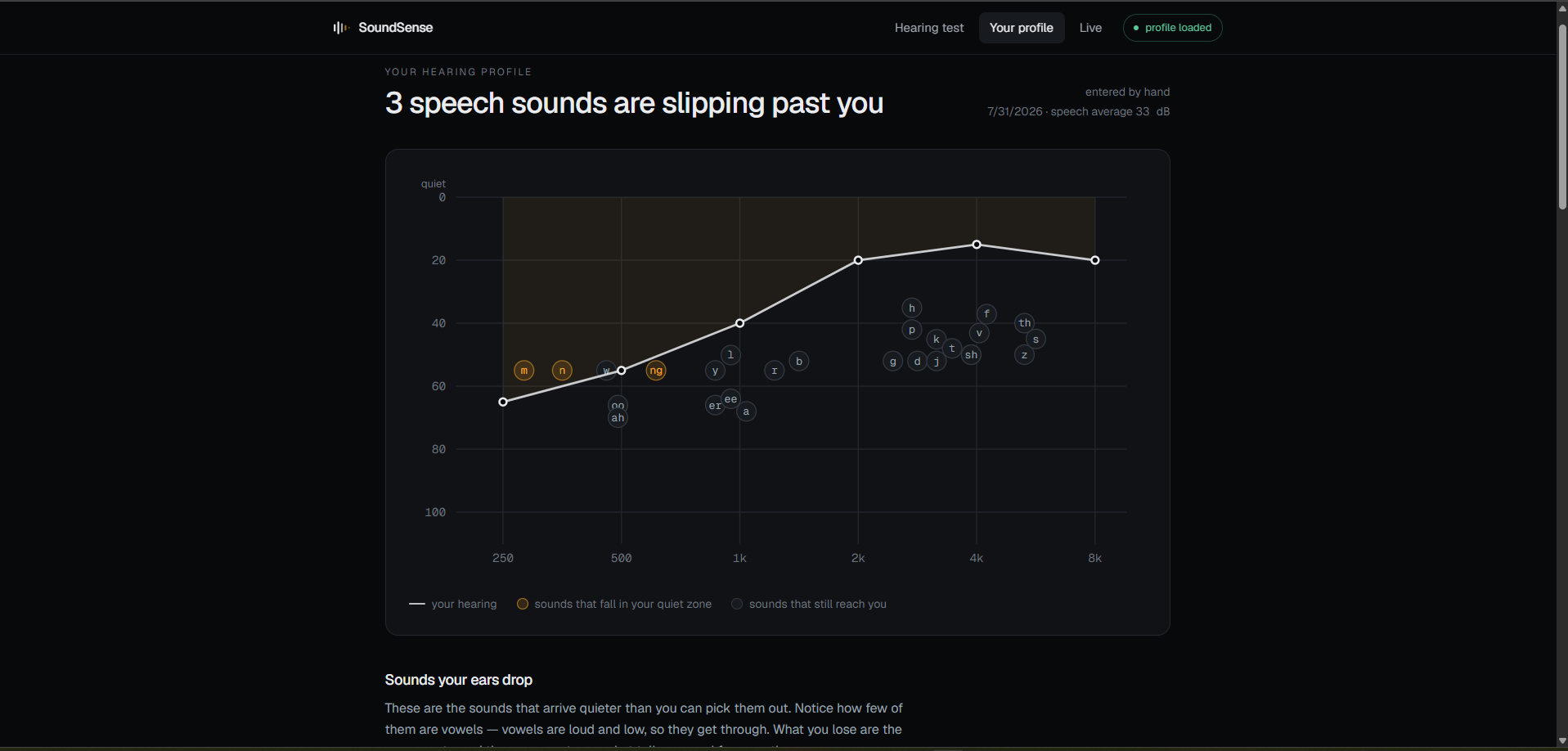
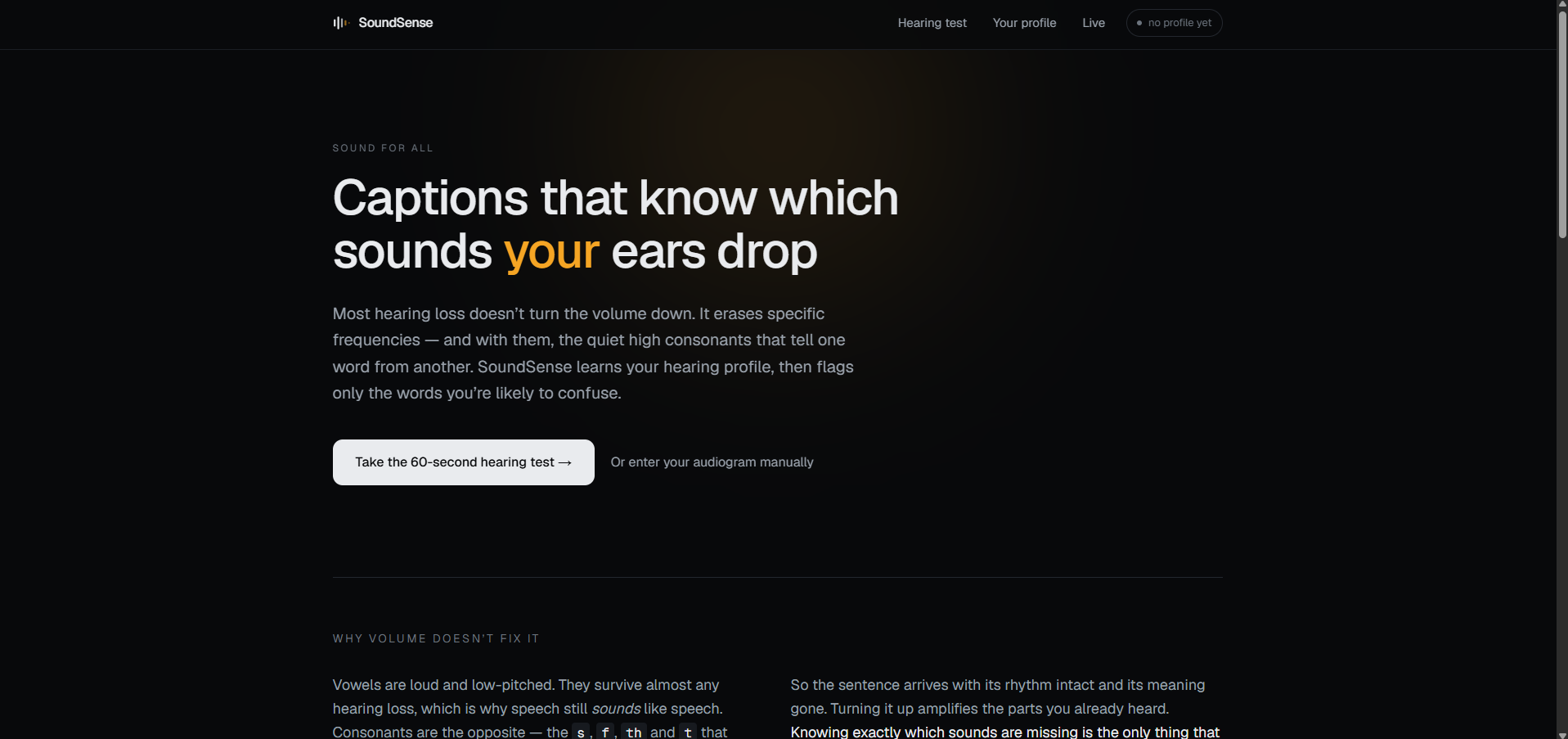
It isn't. The common pattern is that the loud low-frequency vowels come through fine and the quiet high-frequency consonants — s, f, th, t — disappear. Speech still arrives with its rhythm intact. It just stops being reliably decodable. That's why "speak up" doesn't help: amplification replays the parts you already heard.
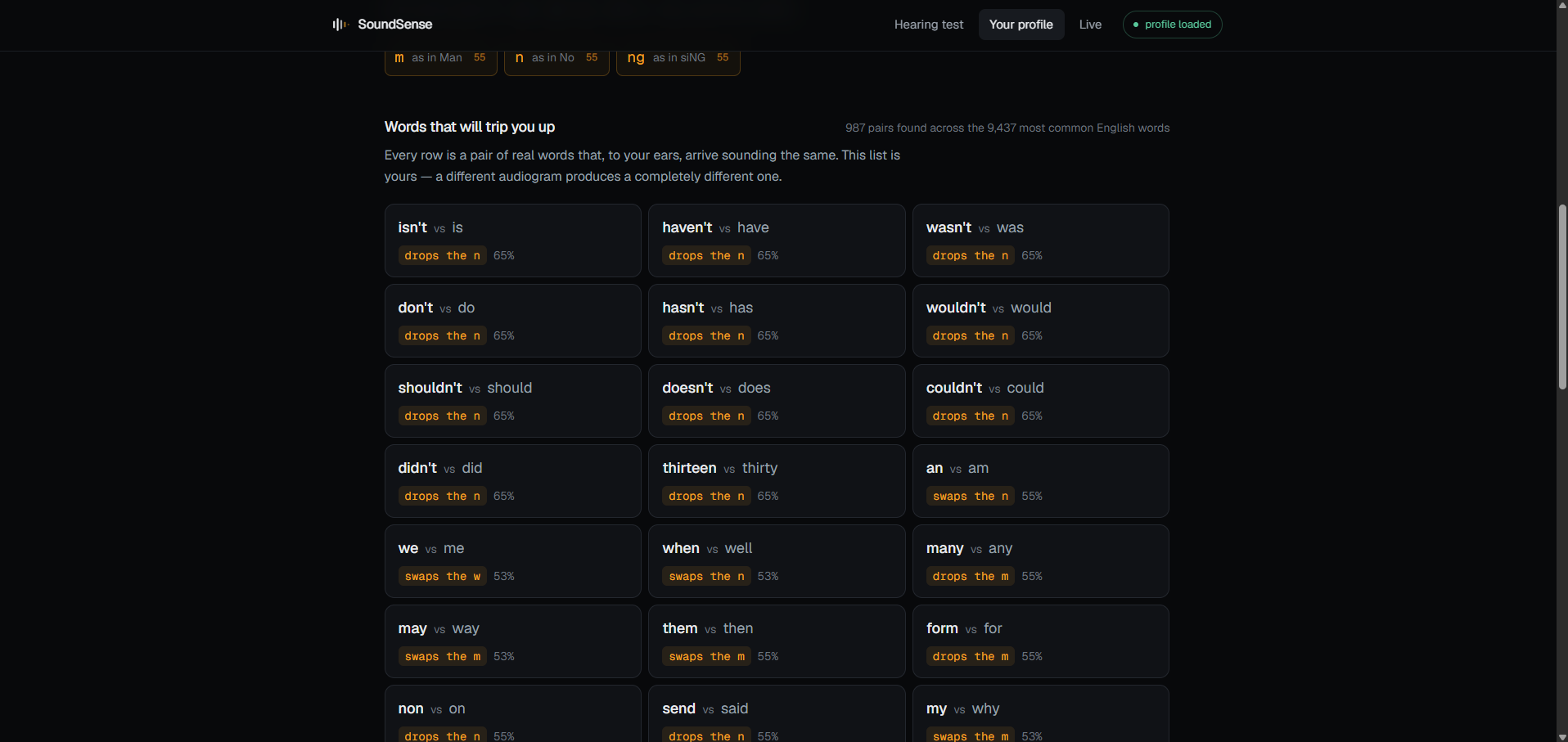
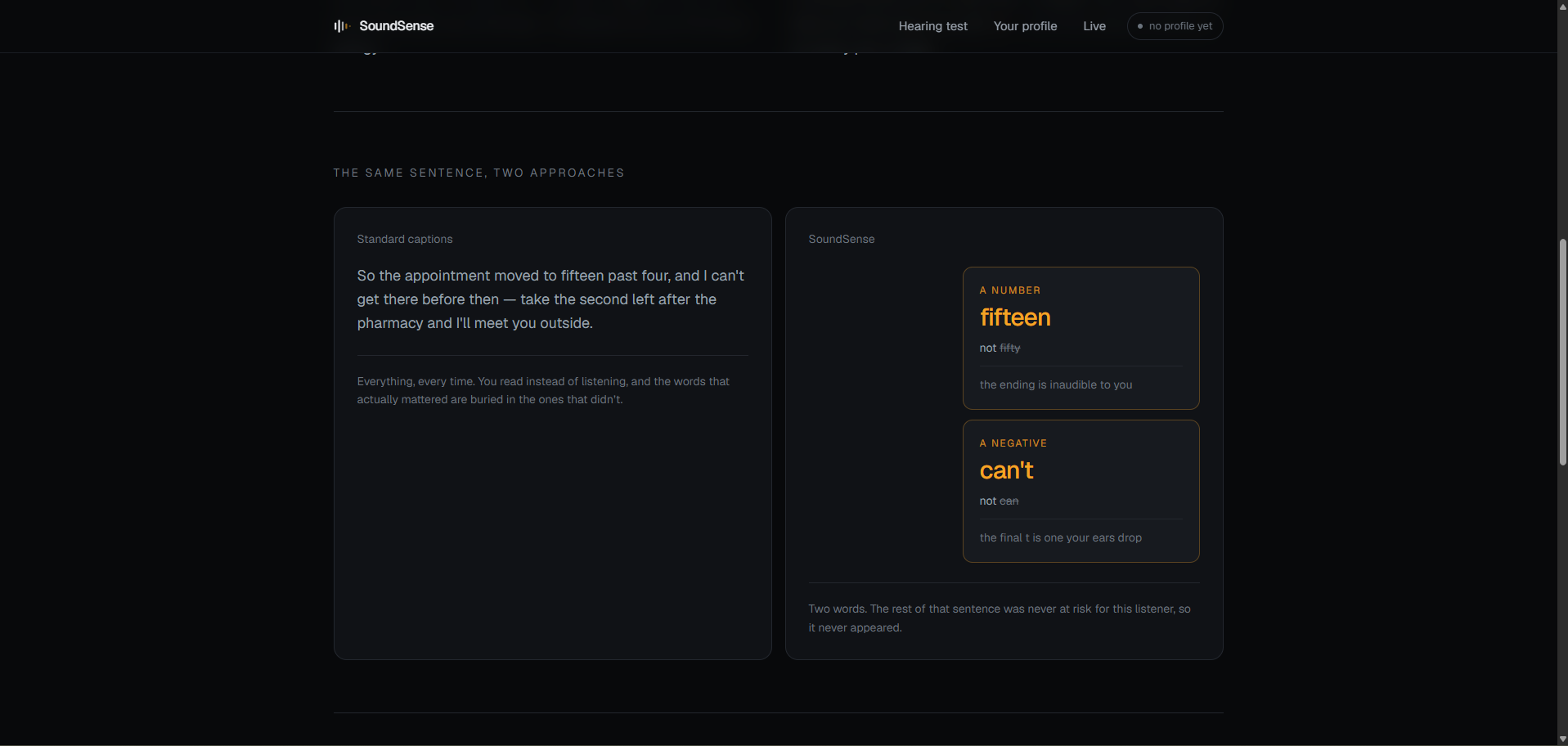
Two things follow. First: which words are at risk is different for every pair of ears. Someone losing the top of the range confuses fifteen and fifty. Someone with a reverse-slope loss confuses sun and sum. A caption stream that shows everything to everyone throws that information away.
Second: half the conversation is happening in someone else's mouth. Nobody is building for them.
What it does
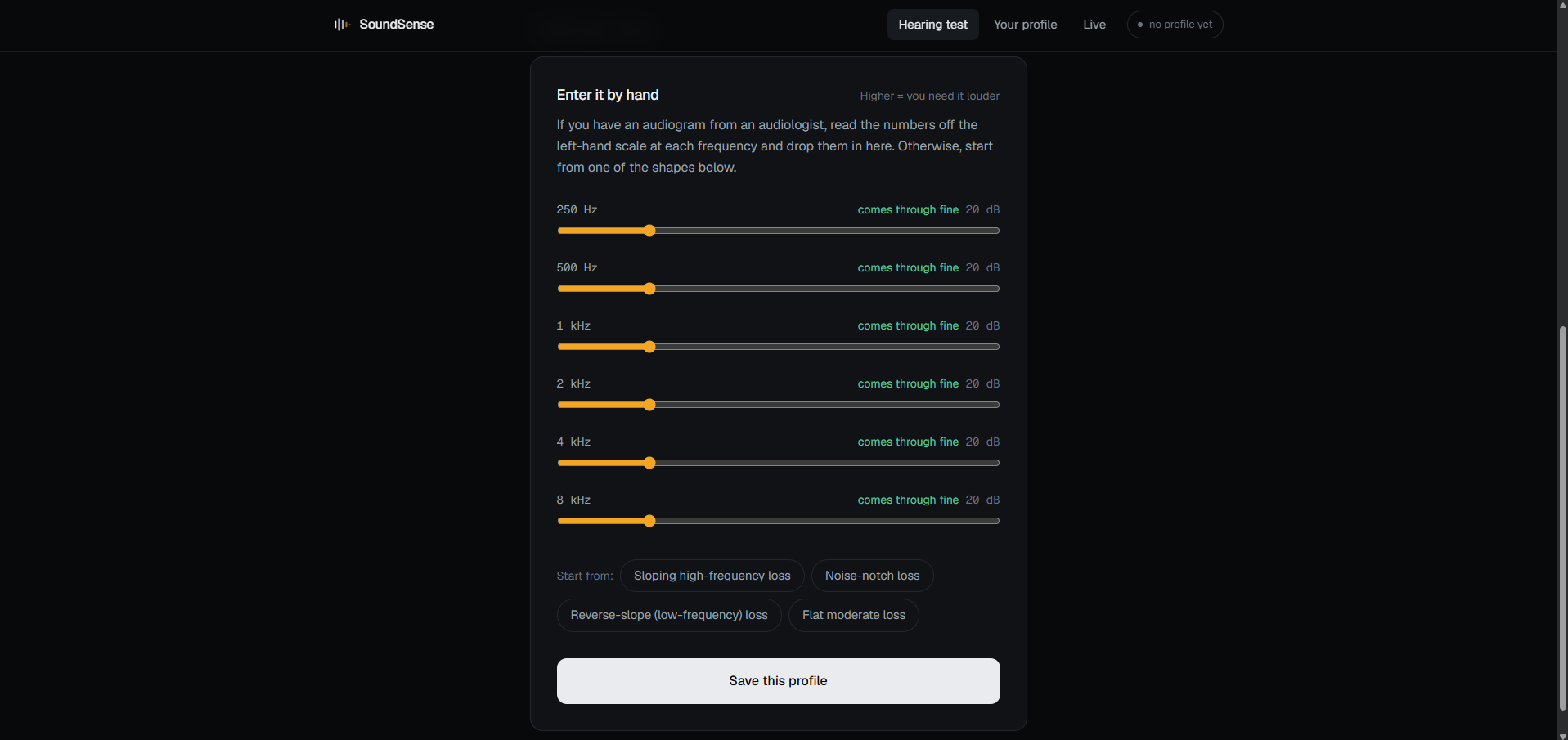
1. Learns your hearing. A 60-second in-browser tone test across six frequencies, using the same adaptive staircase audiologists use. Or paste in the audiogram you already have.
2. Builds your personal confusion list. From your thresholds it scores every English speech sound for how likely you are to miss it, then searches 9,437 common English words for every pair those losses fail to keep apart — by substitution (thin/sin), by deletion (can't/can), and by curated classics (fifteen/fifty).
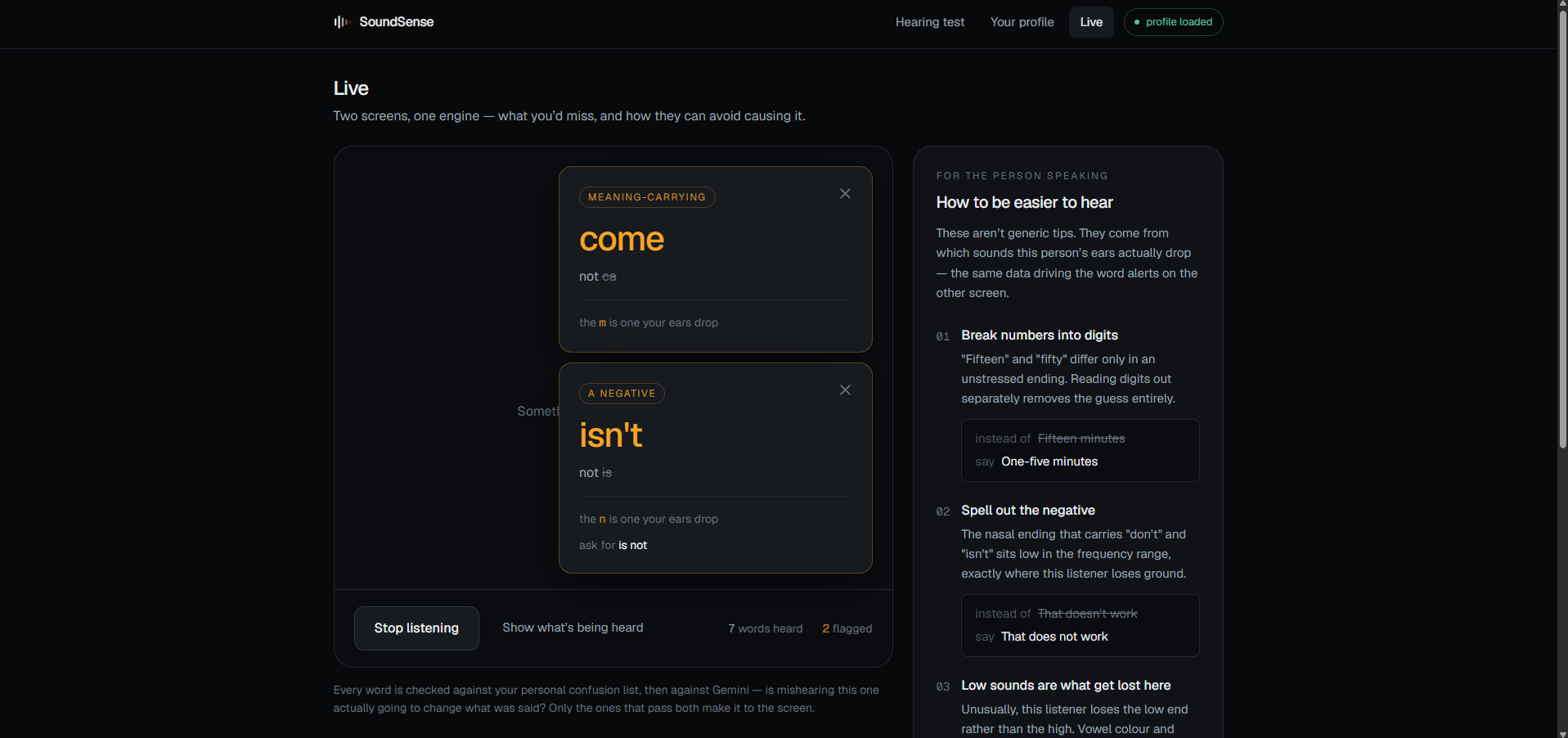
3. Flags only what matters. During a live conversation, speech recognition feeds each sentence to that list. Candidates go to Gemini with the surrounding sentence: would mishearing this one actually change the meaning? A number, a negation, a dosage — yes. Nearly everything else — no, and nothing appears. The screen is empty almost all the time. The emptiness is the feature.
4. Coaches the other person. The same phoneme risk scores drive a coaching panel — not "speak up" but don't contract the negative, read the digits separately, face them while you talk. Plus live nudges when the pace passes 160 wpm or when a word trips the filter repeatedly.
How we built it
Next.js (App Router) + TypeScript + Tailwind, deployed on Vercel. The whole pipeline runs client-side except the load-bearing check.
- Web Audio API for the tone test — OscillatorNode into a GainNode with 20ms ramps so the onset click doesn't give away a tone you couldn't otherwise hear.
- A phoneme frequency table mapping 39 ARPAbet phonemes to their dominant band and intensity. Risk = the gap between your threshold and the sound's intensity, plus a 12 dB identification margin.
- The CMU Pronouncing Dictionary, preprocessed to ~9.4k words plus high-stakes additions (contractions, numbers, dosages).
- Hash-indexed confusion search — indexing every word under each of its one-position-masked pronunciations turns O(n²) into hash lookups: ~150ms for the full list.
- Gemini 2.5 Flash for the load-bearing gate, with structured output and thinking disabled for latency.
- Web Speech API for live transcription.
Challenges we ran into
The first risk formula said a flat 55 dB loss had no problems. It compared threshold directly against phoneme intensity, but a sound at threshold is detectable, not identifiable. Adding a 12 dB identification margin fixed it.
Function words drowned the list. the/a and is/it genuinely collapse together and they're the most frequent words in English. But mishearing grammatical glue almost never changes meaning. Demoting pairs where both words are top-60 frequency turned noise into something worth reading.
Silence is hard to demo. The best version of this product shows you nothing. We added a "show what's being heard" panel so viewers can watch sentences stream past and see the app decline to flag them.
What we learned
Hearing loss is not a volume problem — it's a frequency problem, and that means it's a per-person problem. Generic accessibility tools that treat everyone the same are leaving the most useful information on the table.
What's next
- Audiogram photo upload via vision AI
- Browser extension for Zoom and Google Meet
- Phoneme-level audio enhancement — boost the exact bands a person is missing
- Longitudinal tracking: does the profile drift over months?
- Other languages (different phoneme inventories and dictionaries)
Built With
- google-gemini
- next.js
- react
- tailwind-css
- typescript
- vercel
- web-audio-api
- web-speech-api

Log in or sign up for Devpost to join the conversation.