-
-
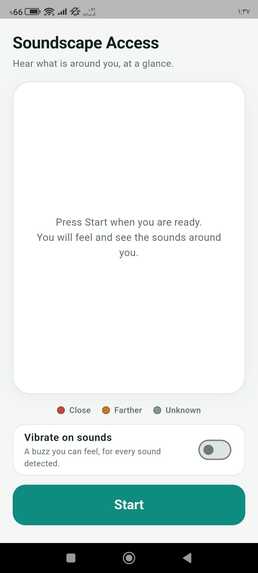
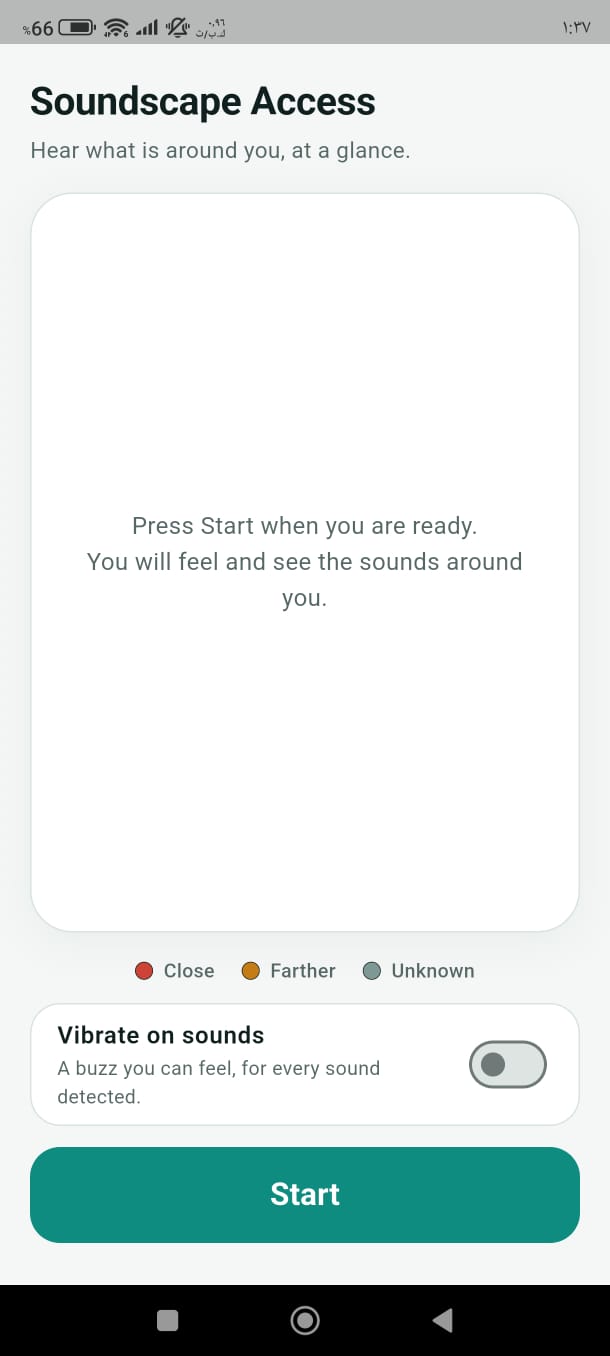
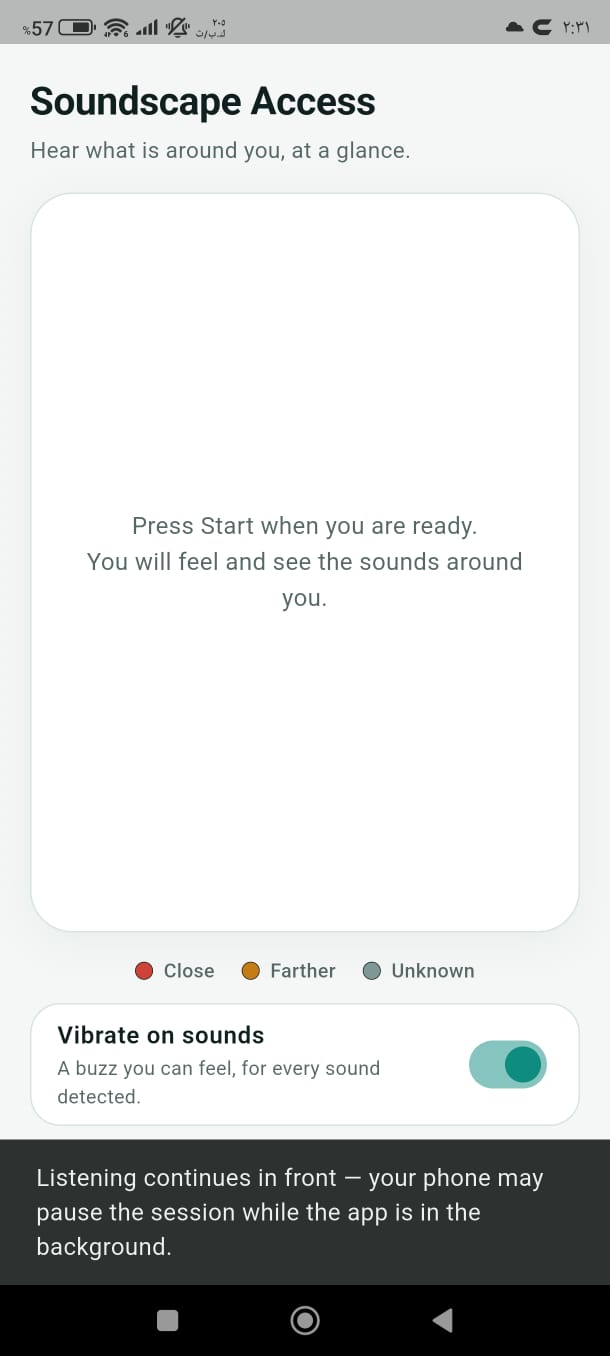
The clean main screen before starting: single-tap Start, sound level color key, and settings.
-
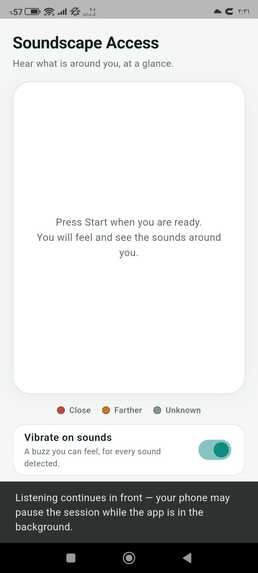
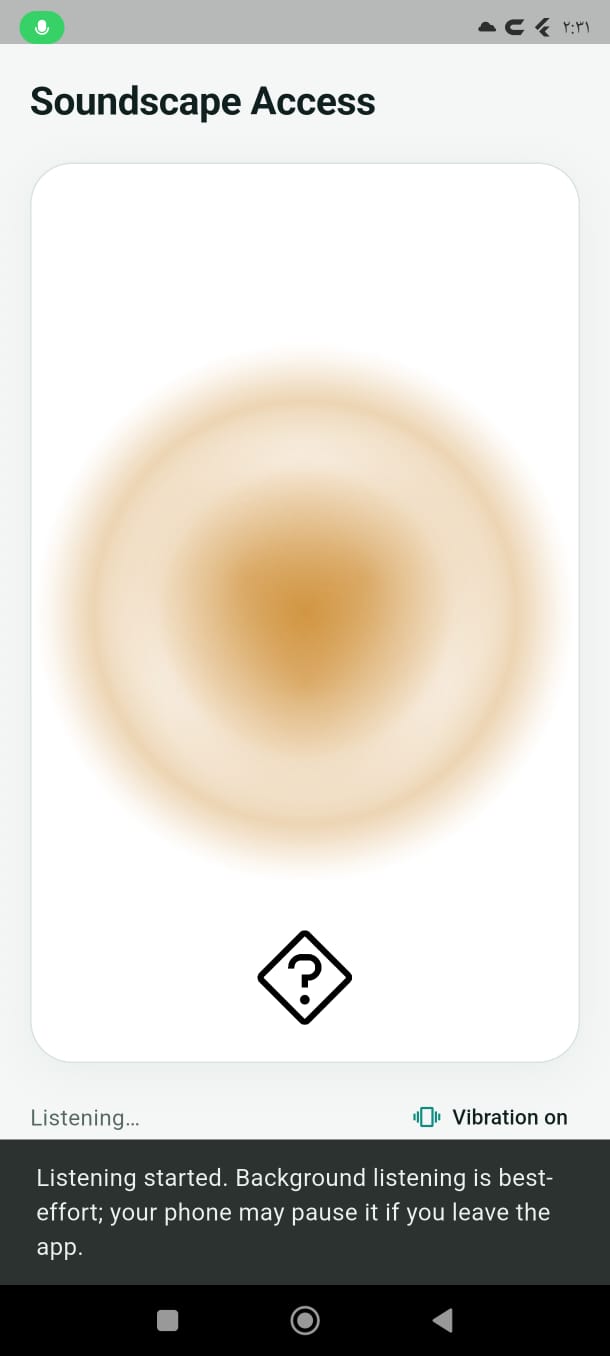
In-front live mode: active listening session displaying real-time visual pulse and sound artwork.
-
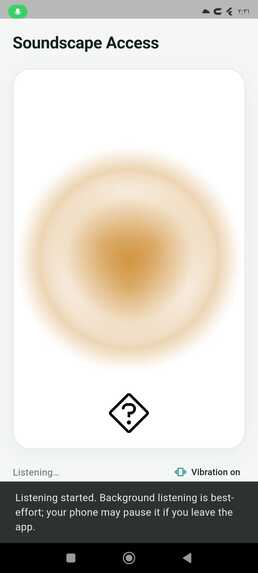
Background mode: listening session continues actively in the background with clear status guidance.
Inspiration
I belong to the community of people with physical disabilities, and my continuous motivation when building technology is to create tools that make everyday life more accessible. For this hackathon, I chose to support deaf and hard-of-hearing individuals.
I was deeply inspired by the Korean drama Twinkling Watermelon, where light and visual cues serve as a vital channel of awareness for deaf characters. Existing assistive tools often focus purely on loud emergency sirens or jarring vibration alerts. Soundscape Access was born from a desire for calm, continuous presence—giving users an intuitive visual sense of their room or environment in ordinary moments (such as footsteps, speech, birds outside, or someone knocking on the door) without shouting at them or inducing panic.
What it does
Soundscape Access is a Flutter Android application designed for glanceable, distraction-free environmental sound awareness:
- Visual Sound Pulse: Displays an organic, fluid mist pulse on a calm, high-contrast canvas. Its size and brightness reflect the sound's loudness, its shape shows onset behavior (sudden bang vs. gradual rise), and its rhythm reveals repetition.
- On-Device Sound Classification: Categorizes environmental sounds into 5 key categories (Cars/Traffic, Speech, Door/Knocking, Alarms, Birds) using dedicated, swipeable artwork bubbles.
- Honest Fallback: When a sound is captured but confidence is low or unlisted, it clearly displays an Unknown (
?) mark rather than guessing an incorrect label. - Tactile Haptic Feedback: An optional vibration toggle provides a physical buzz corresponding to detected sound events for in-pocket awareness.
- Privacy-First: Audio never leaves the device. Everything runs completely offline with zero cloud APIs, accounts, or telemetry.
How we built it
- Flutter & Dart Architecture: Crafted a single-screen, distraction-free UI following WCAG AA contrast standards, preceded by a smooth, branded animated splash screen displaying the official app logo.
- Embedded AI Engine: Integrated Google's YAMNet audio classification neural network locally via TensorFlow Lite (TFLite) and MediaPipe, ingesting 16 kHz mono PCM audio streams directly from the microphone.
- Custom Post-Processing & Filtering: Designed a dual-threshold classification system (0.35 generic threshold, 0.12 knock threshold) combined with a 2-out-of-3 rolling window filter to reliably identify transient door knocks while eliminating false triggers.
- Rigorous Testing: Backed by 43 comprehensive unit, widget, and behavior tests verifying signal onset detection, vibration throttling, bubble controllers, and classifier mappings.
Challenges we ran into
- Hardware Limitations & Acoustic Direction: Our initial architectural vision included estimating sound direction (where the sound originated) using multi-microphone triangulation. We conducted 6 rigorous testing rounds on physical hardware (Xiaomi 12T Pro) analyzing inter-microphone timing and level differences. The telemetry showed that Android audio routing and AGC hardware artifacts made directional data unreliable across public APIs. Rather than shipping a misleading or inaccurate directional arrow, we made the conscious, evidence-backed decision to remove direction and focus completely on perfecting the sound behavior and intensity pulse.
- Android SDK & Audio Capture Compatibility: Encountered Gradle build conflicts with experimental Android SDK 37 platform layers, which we solved by pinning
permission_handler: 12.0.3to guarantee stable 16 kHz audio capture and permission workflows on Android SDK 35/36. - Preventing Vibration Flooding: Initial prototypes triggered continuous vibrations on every audio buffer tick. We refactored
SessionControllerto separate rolling visual history from a consumed event queue, ensuring exactly one clean buzz per distinct sound event.
What we learned
- How to preprocess raw PCM audio streams and deploy TFLite models natively within Flutter.
- The importance of building accessibility software grounded in real user needs rather than technical assumptions—honest fallbacks and calm interfaces are far better than noisy, over-promising systems.
- Scientific engineering discipline: how to run hardware telemetry tests, interpret probe logs, and pivot honestly when the hardware doesn't support an initial assumption.
What's next for Soundscape Access
- Exploring wearable integration (Wear OS / smartwatch haptics).
- Refining sleep and background capture modes with low-power battery consumption.
- Adding custom user-trained sound profiles for personal household sounds.
Built With
- accessibility
- ai
- android
- app
- audio
- dart
- flutter
- git
- haptics
- learning
- lite
- machine
- material
- mediapipe
- mobile
- on-device
- pcm
- processing
- tensorflow
- yamnet

Log in or sign up for Devpost to join the conversation.