-
-
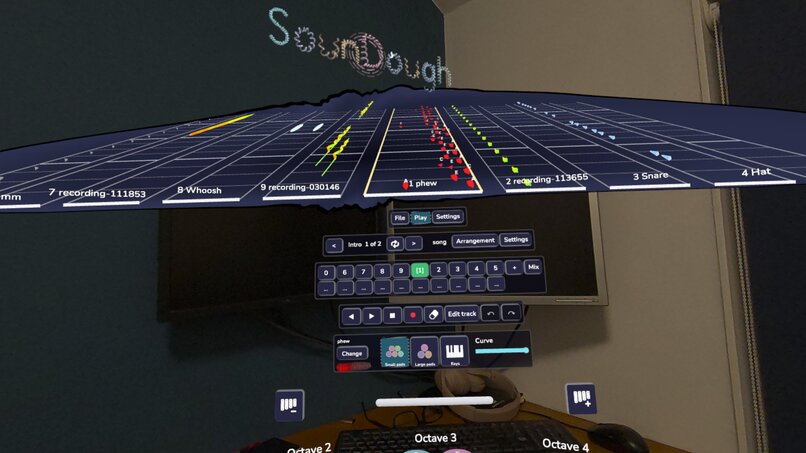
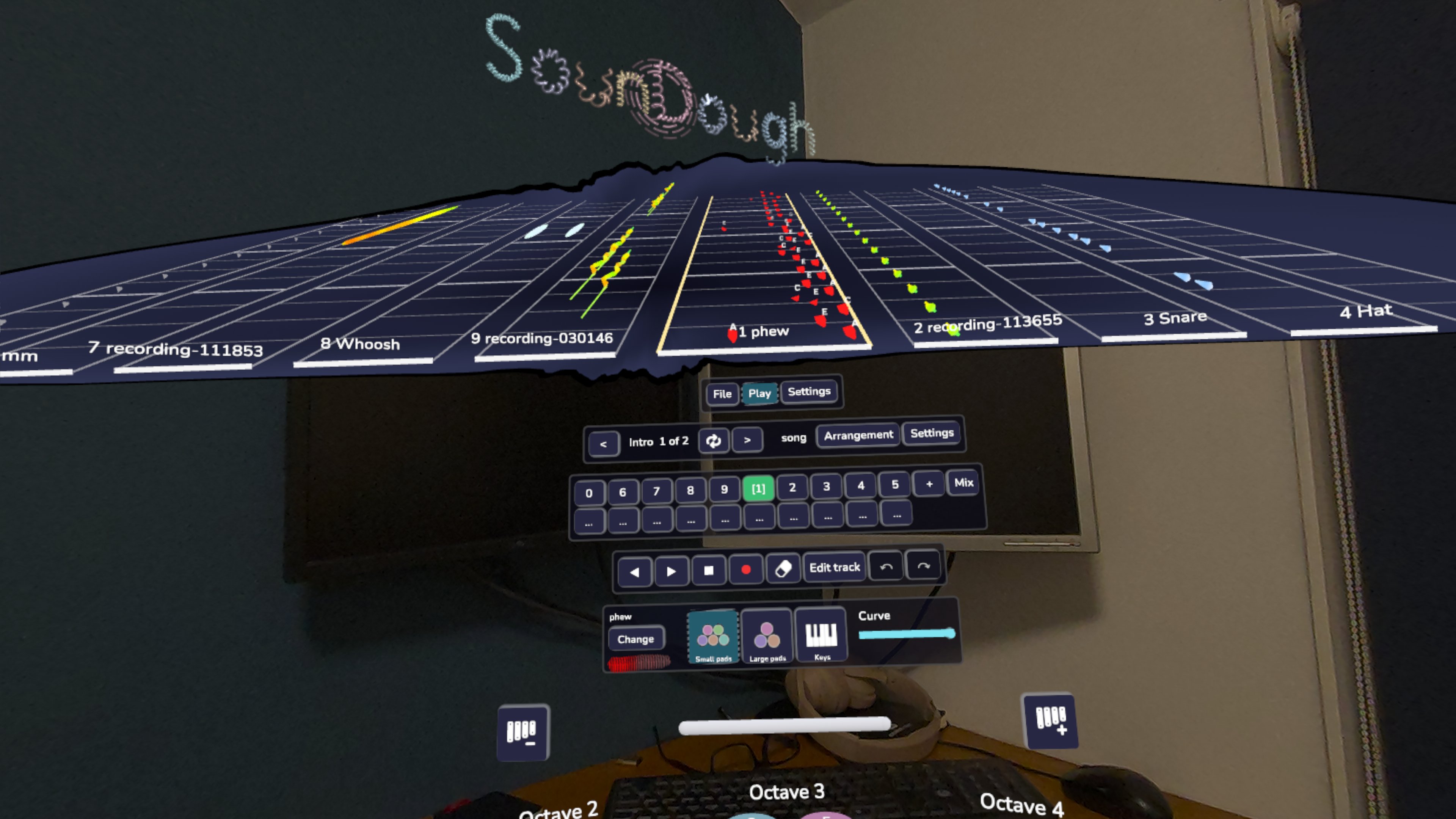
Music tracks flow into your room from a portal in your walls
-
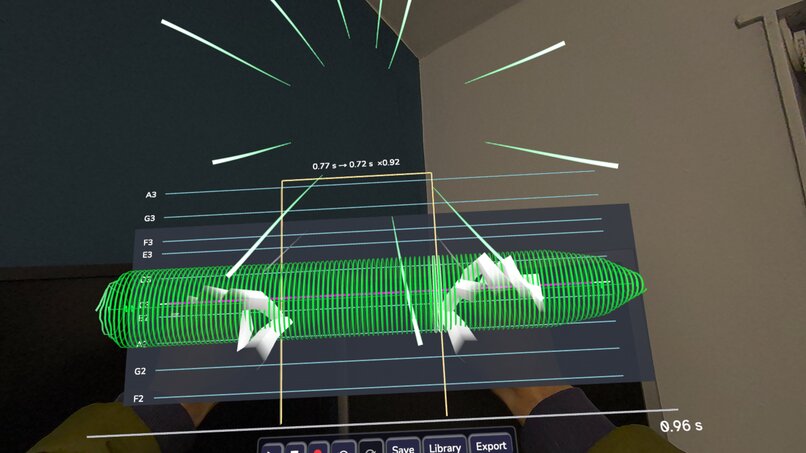
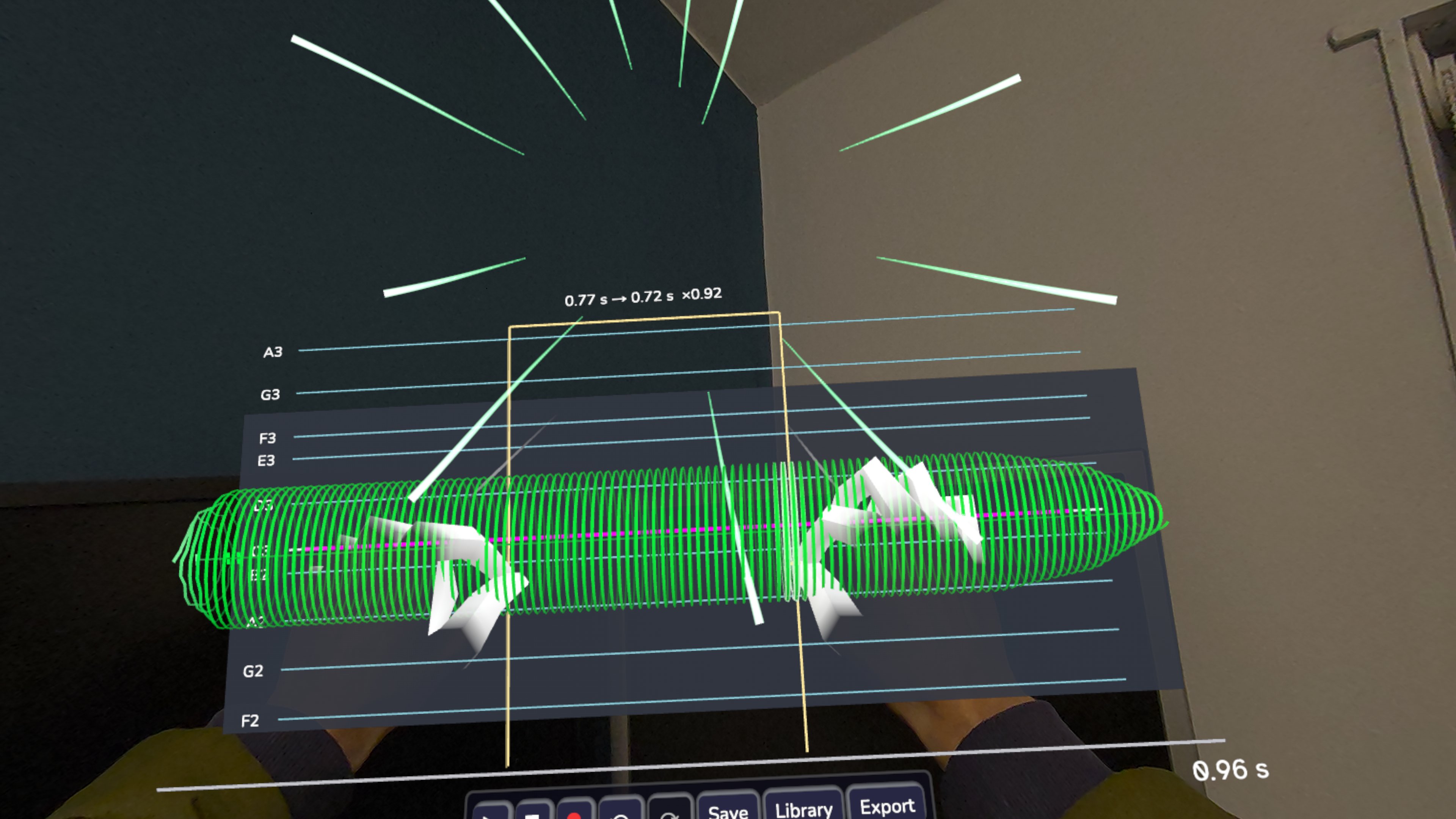
Pinch and drag to stretch / compress time
-
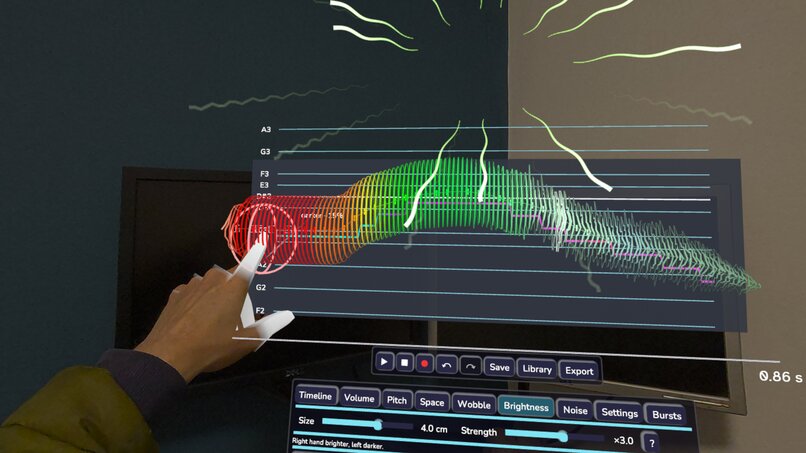
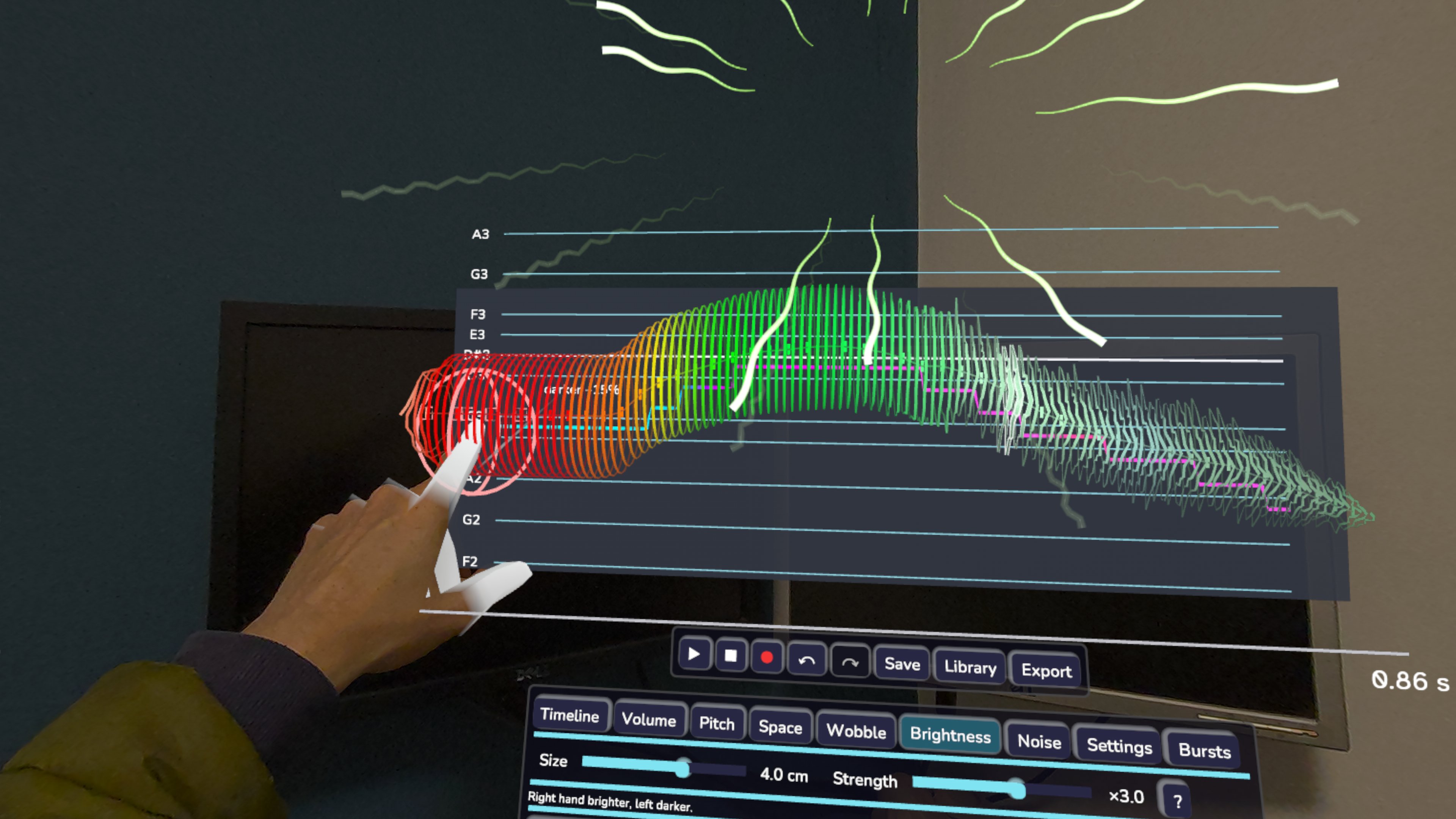
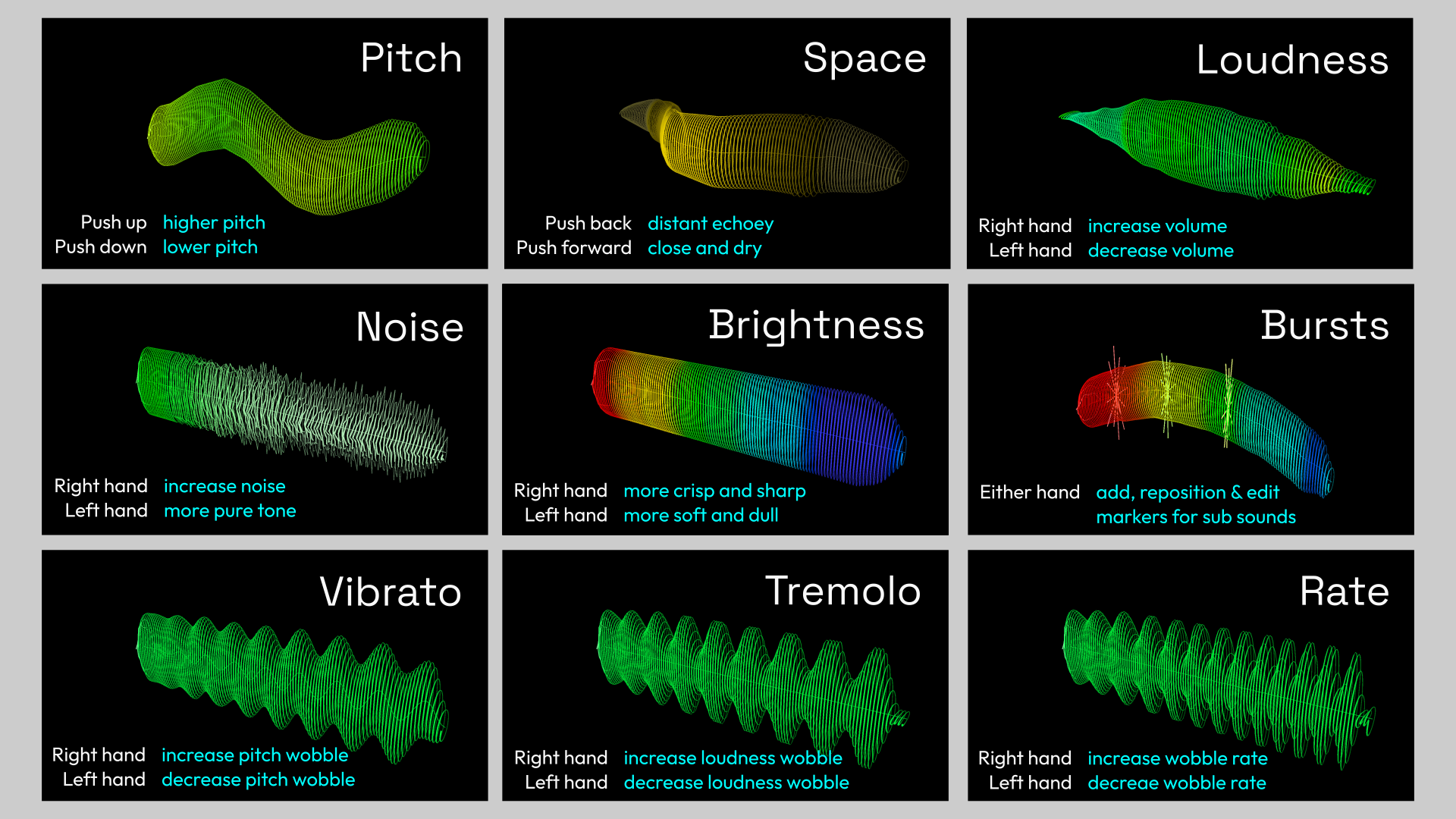
Mixing brightness, pitch and noise on a sample
-
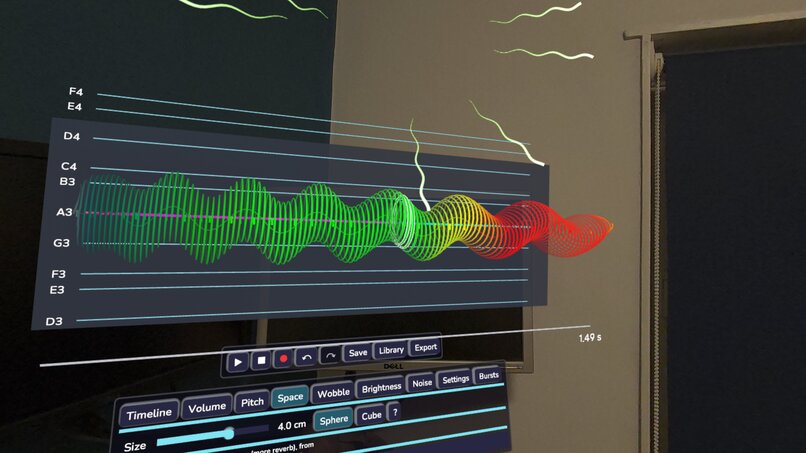
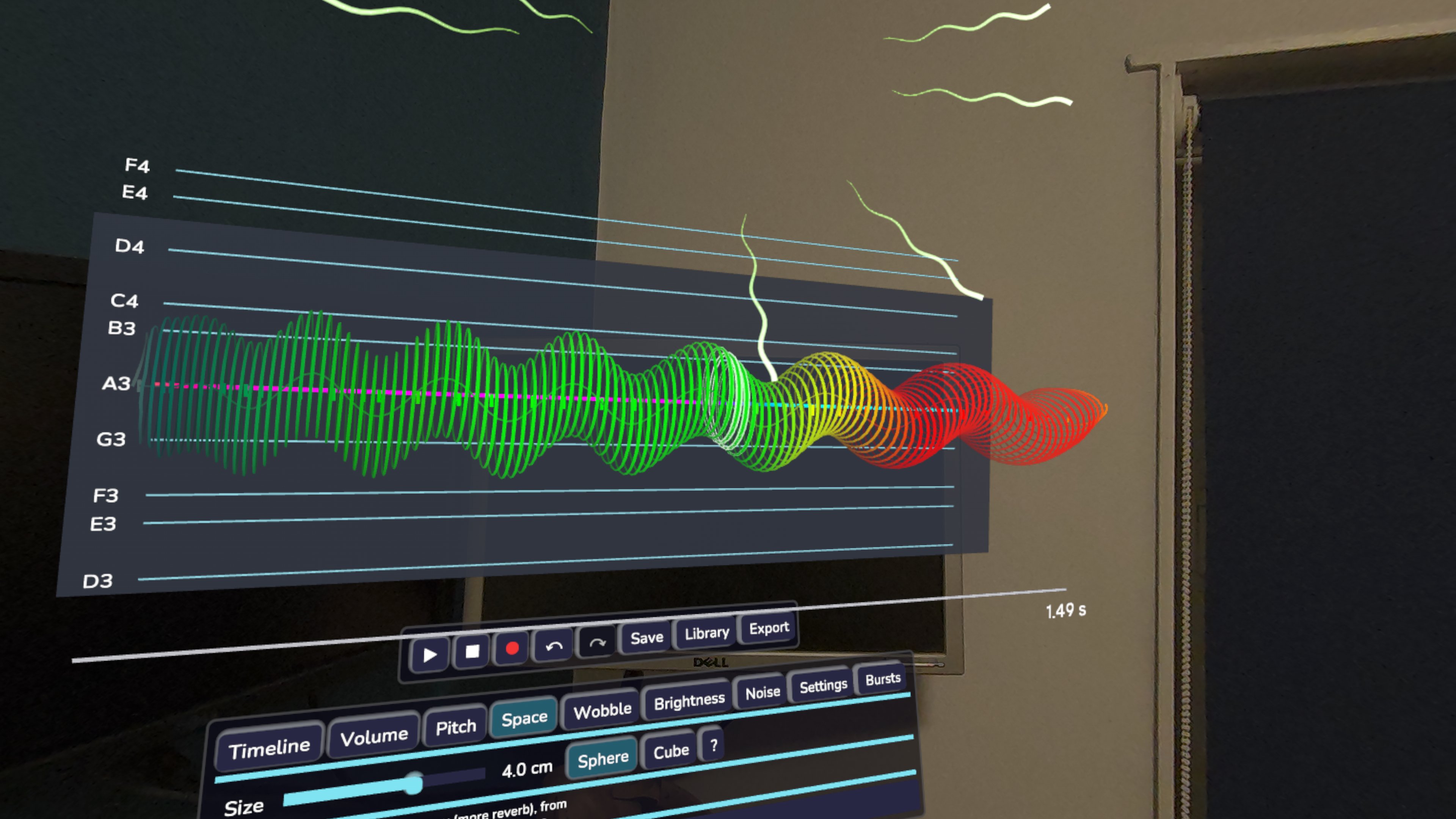
Pitch wobble
-
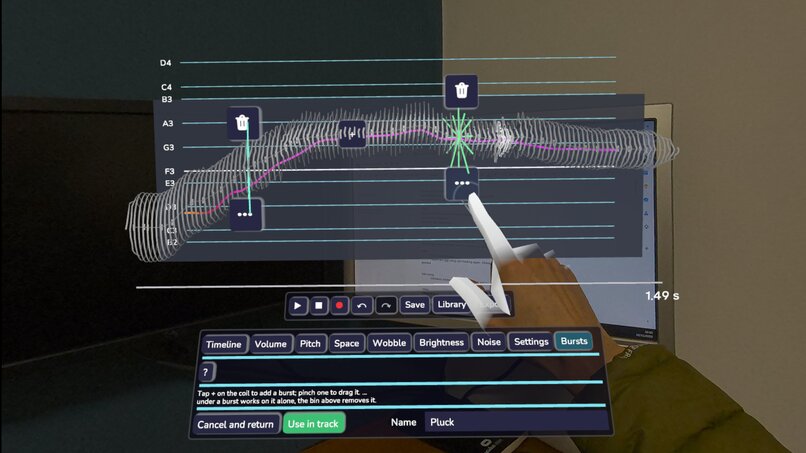
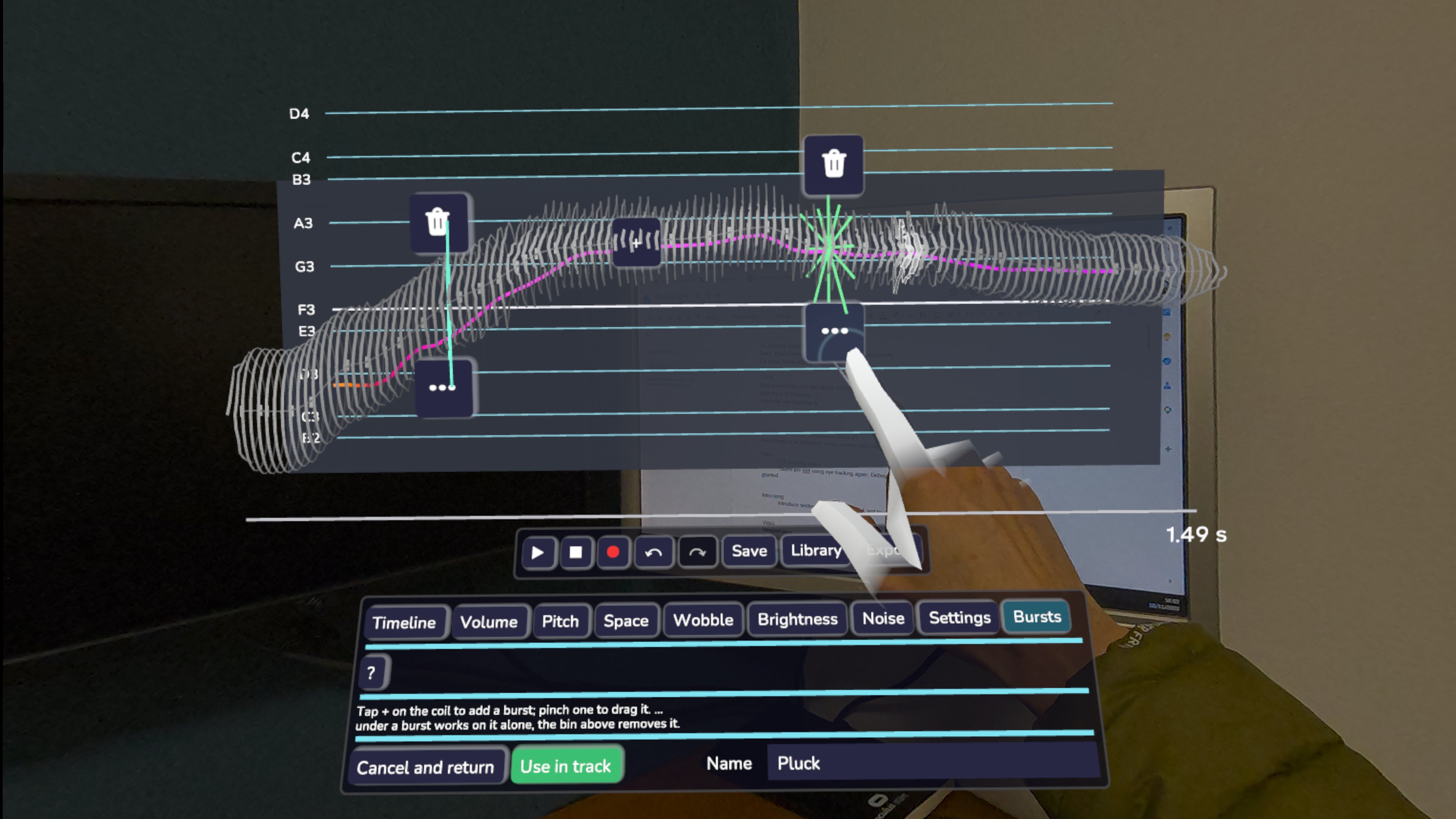
Bursts add sub-sounds to a sample - great for sound effects
-
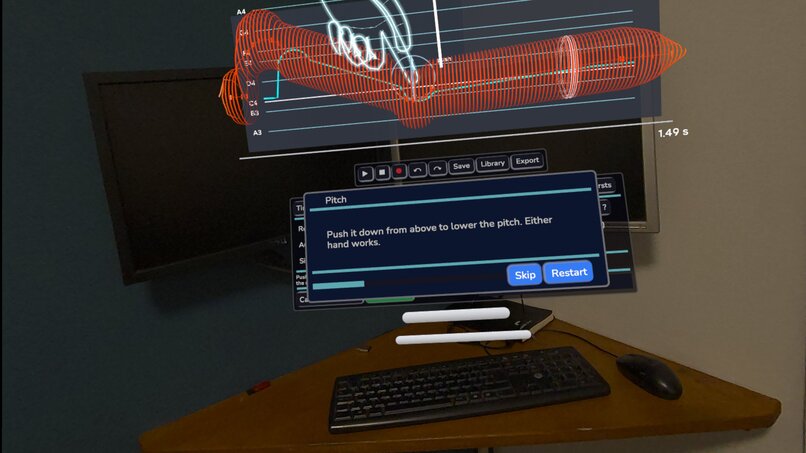
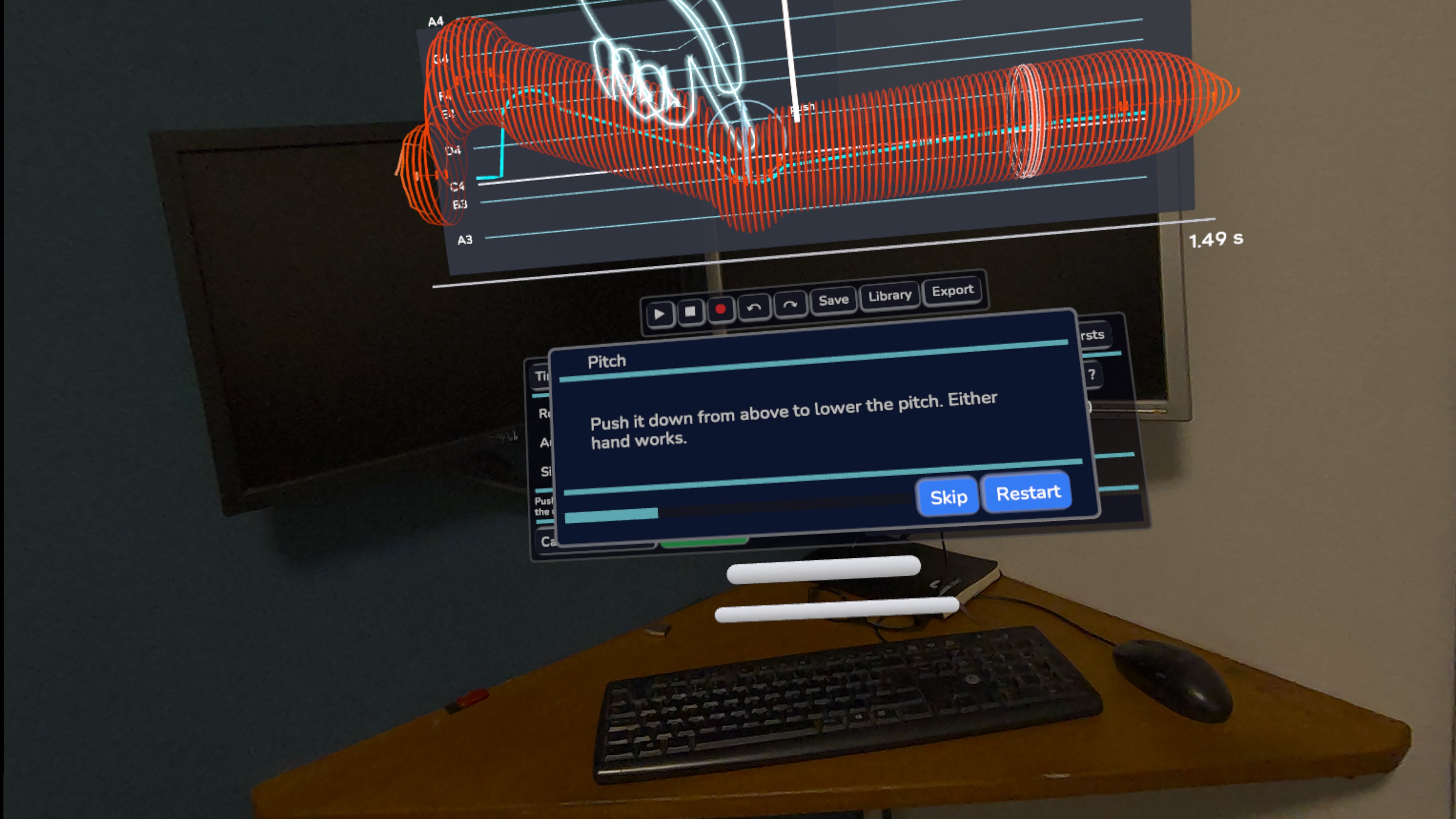
Animated hands show you exactly what to do, accompanied by audio and text.
-
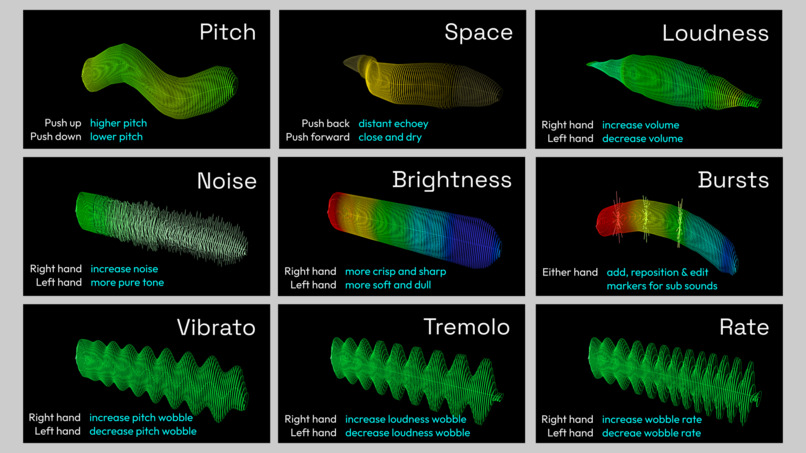
Mix these modifiers by hand in variable amounts
-
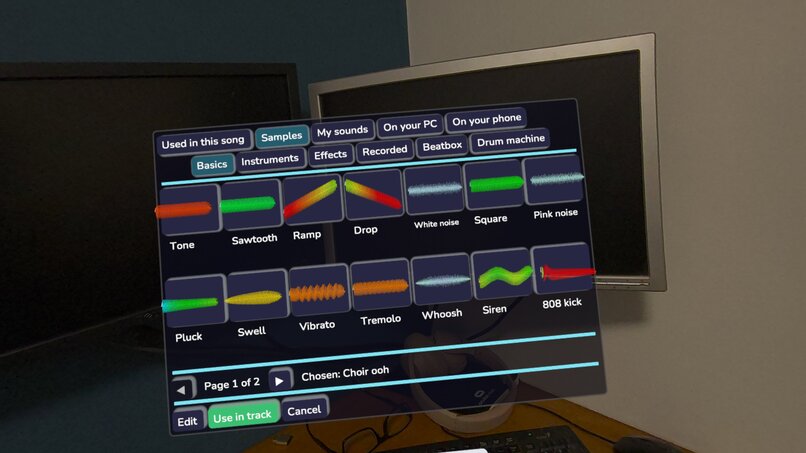
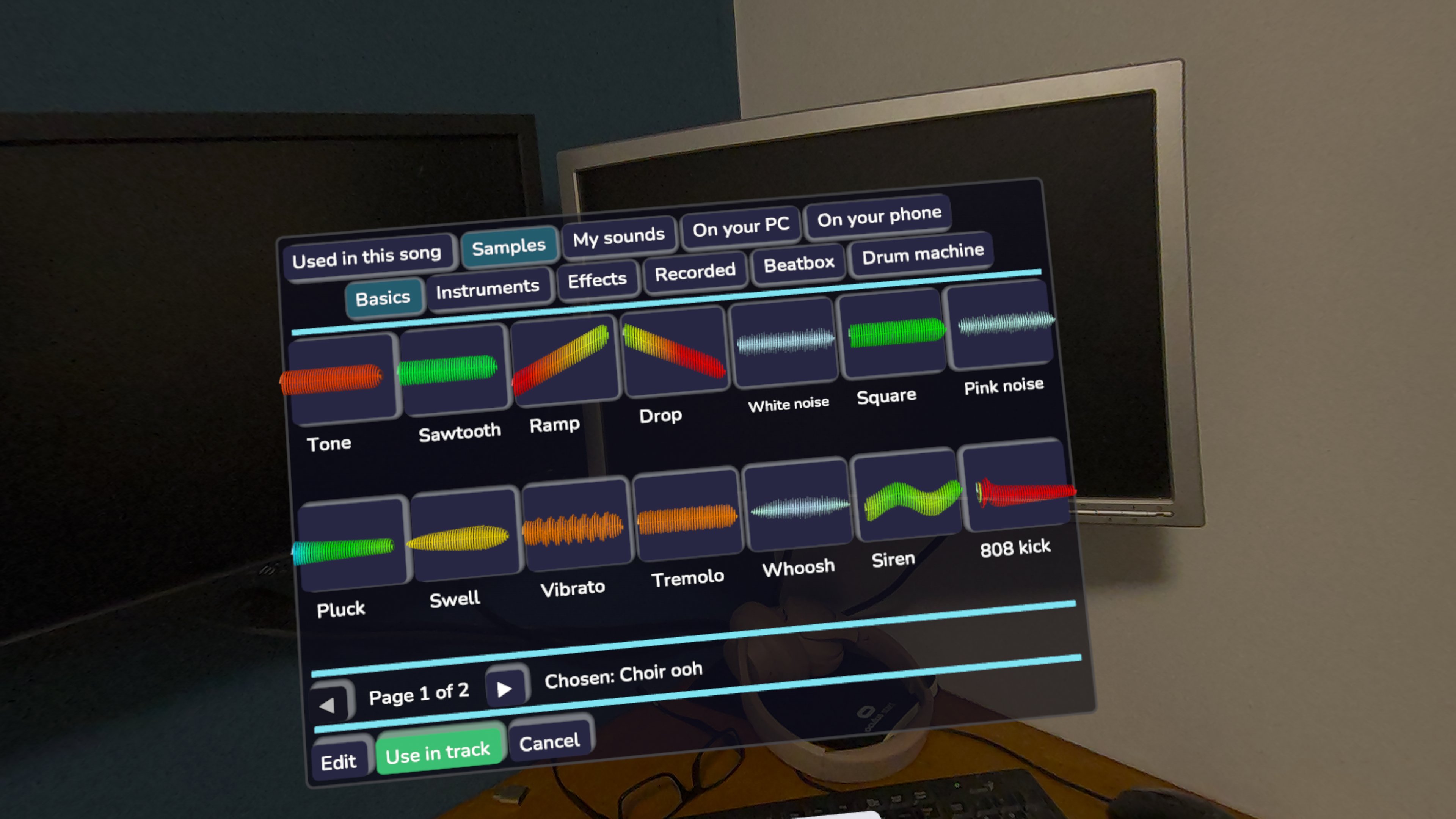
Build your library of sound samples
-
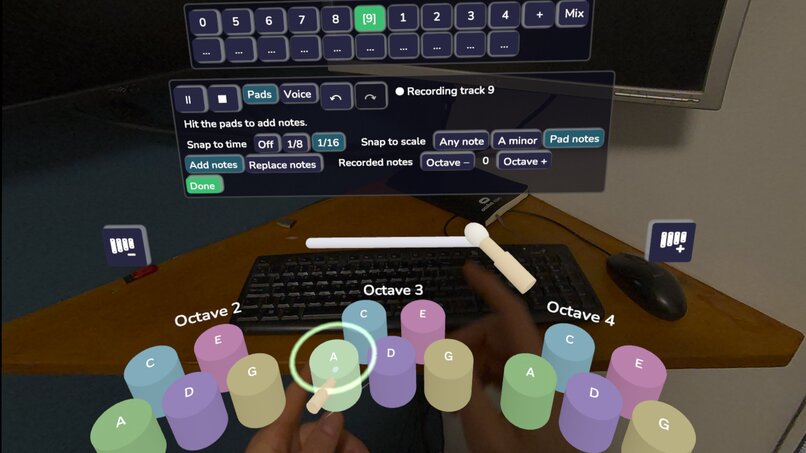
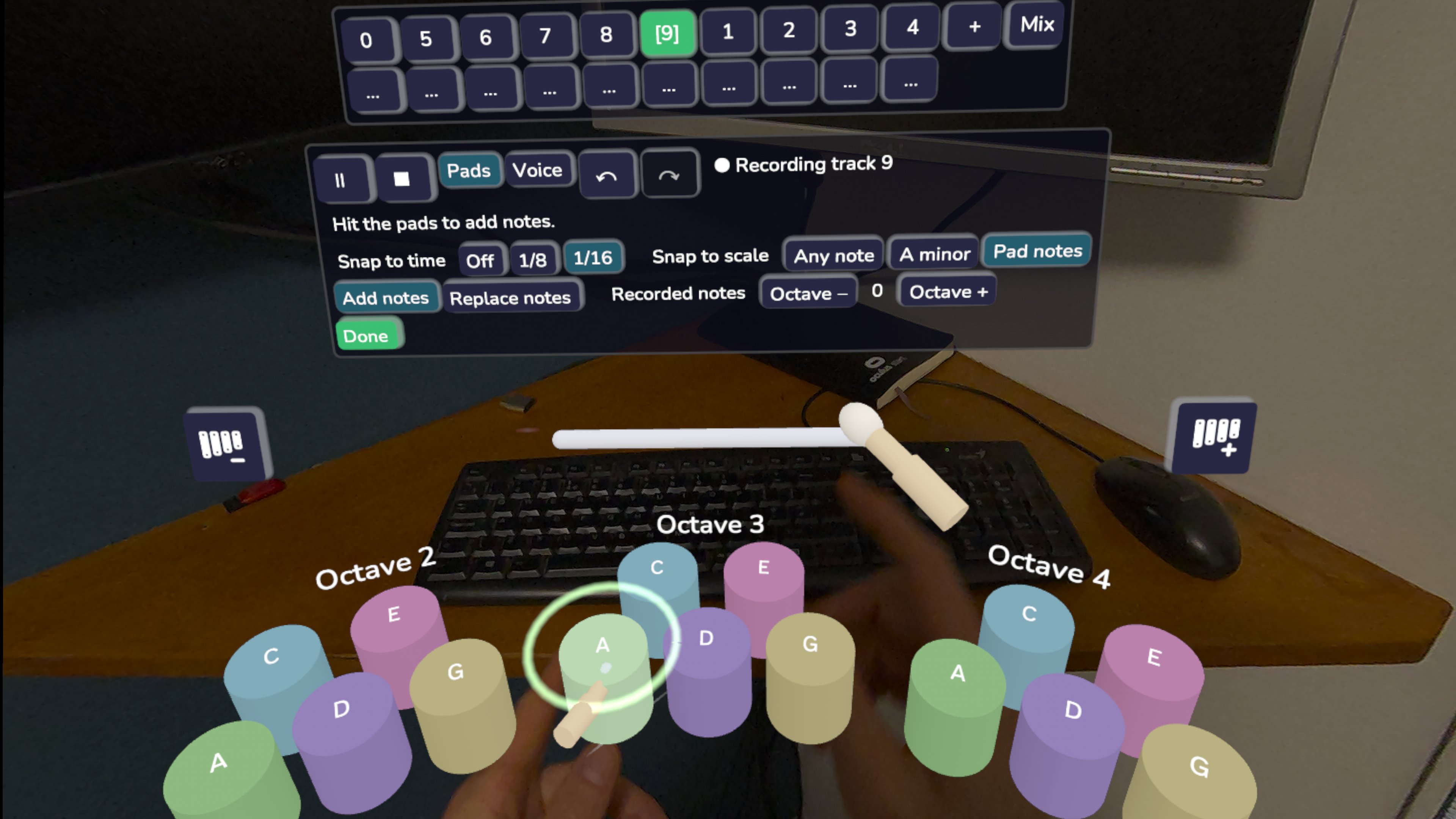
Hit pads to record notes, or use your voice. A full keyboard is also available.
-
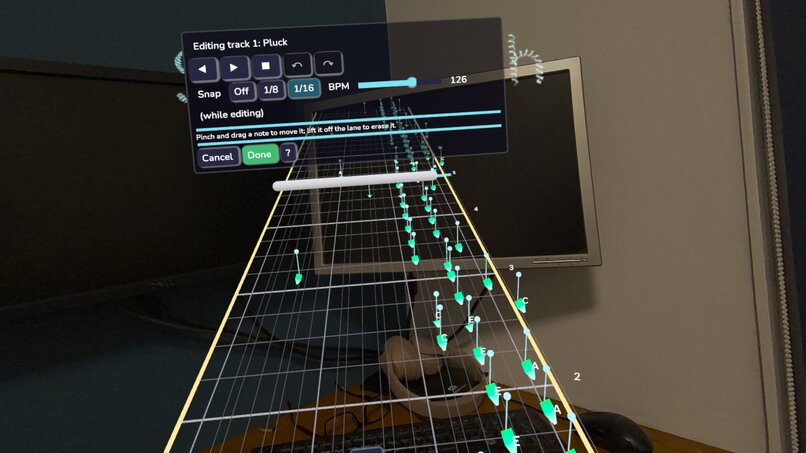
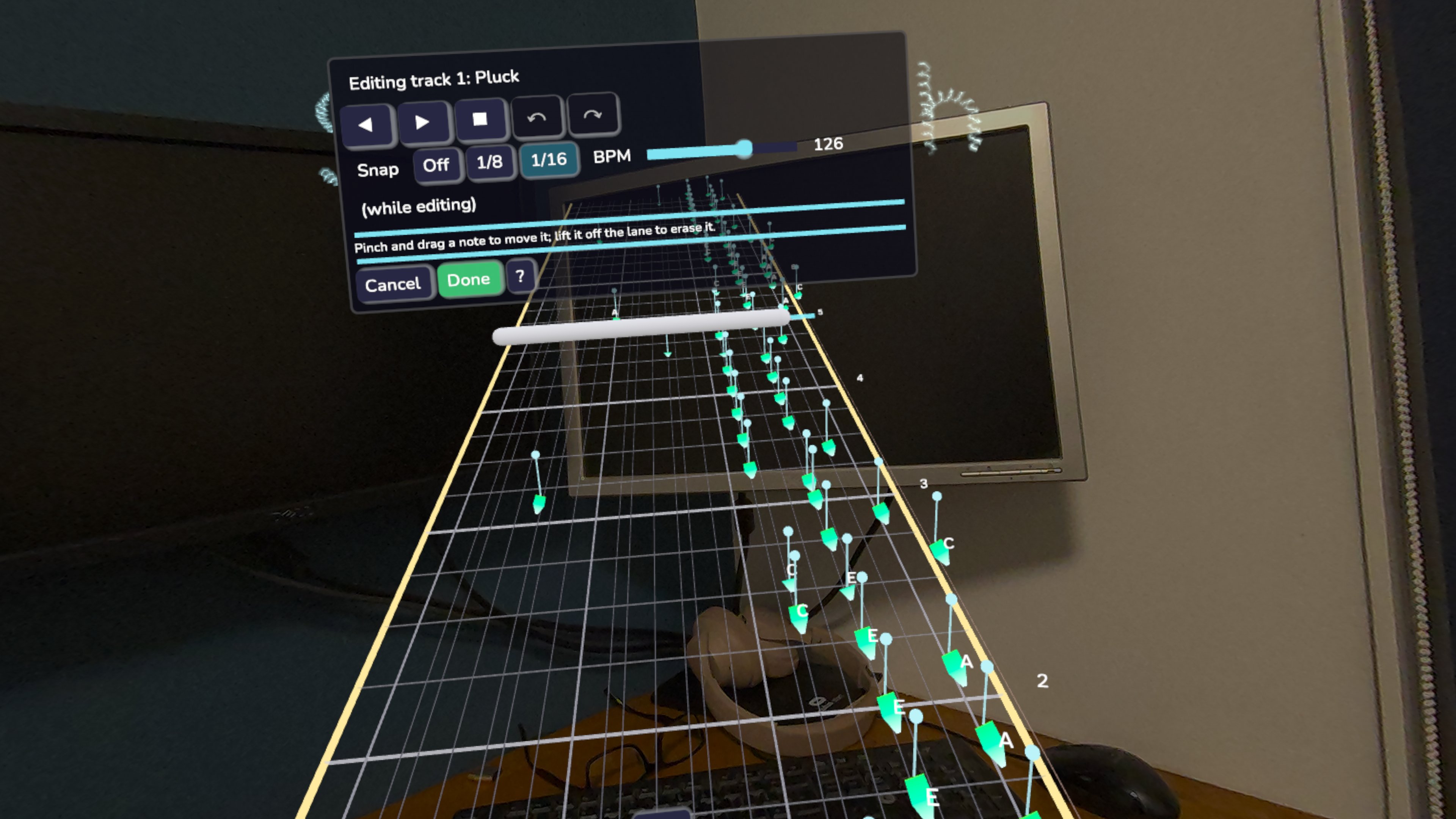
Manually edit a track after recording
-
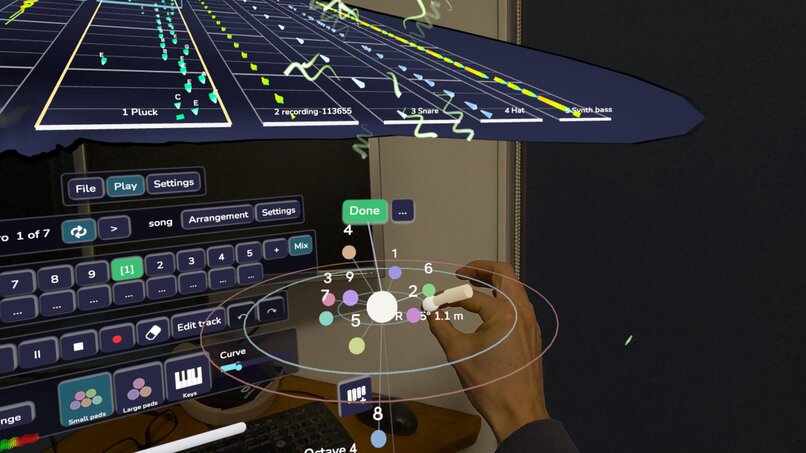
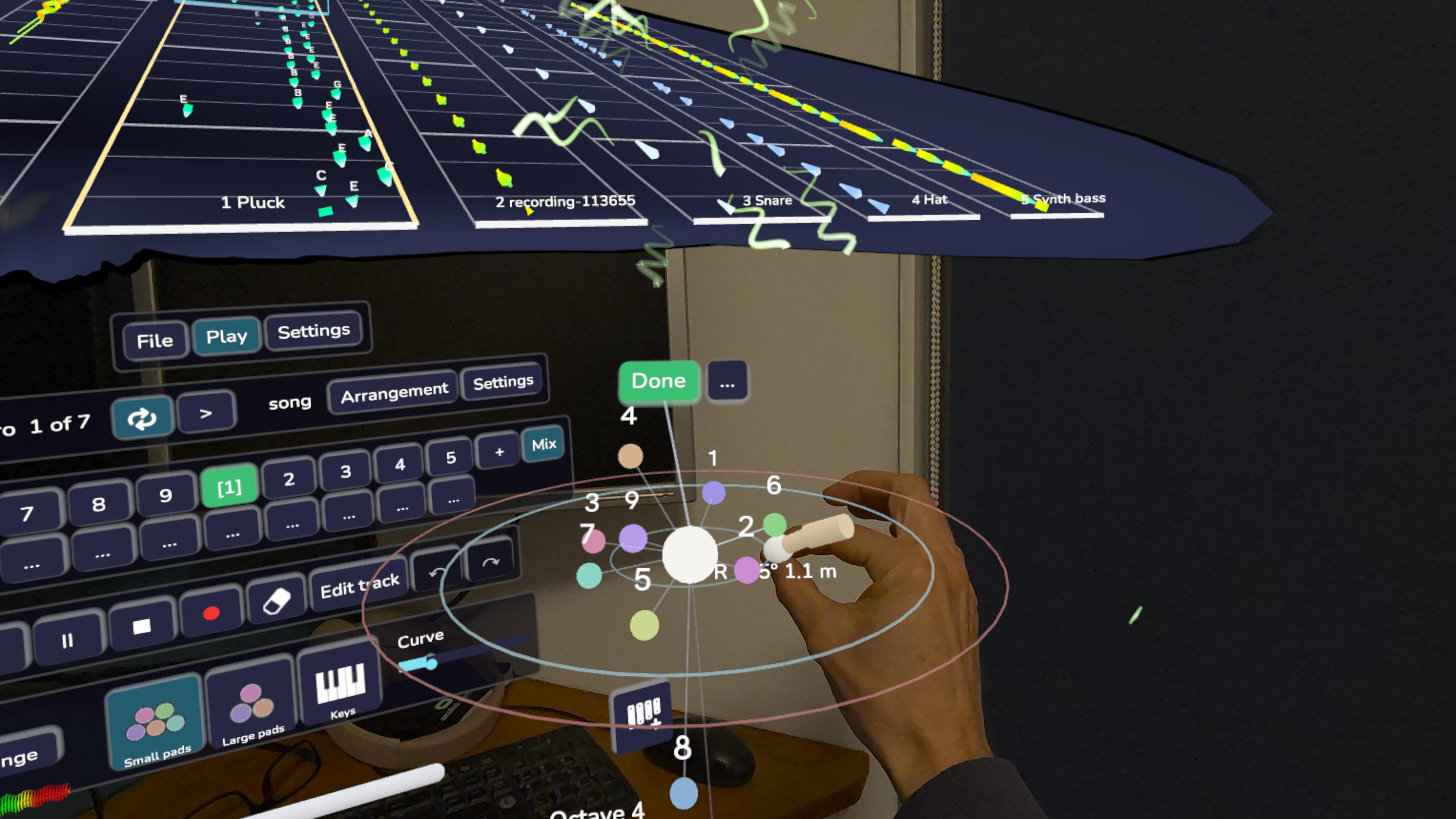
Set the position and distance of your sounds in 3d space
-
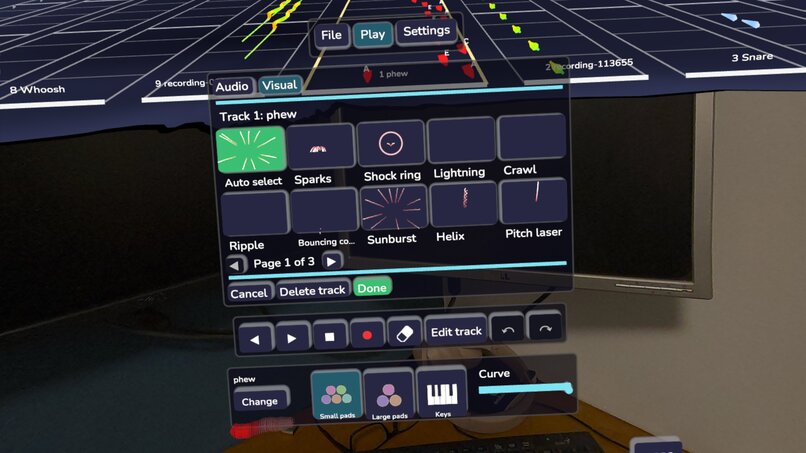
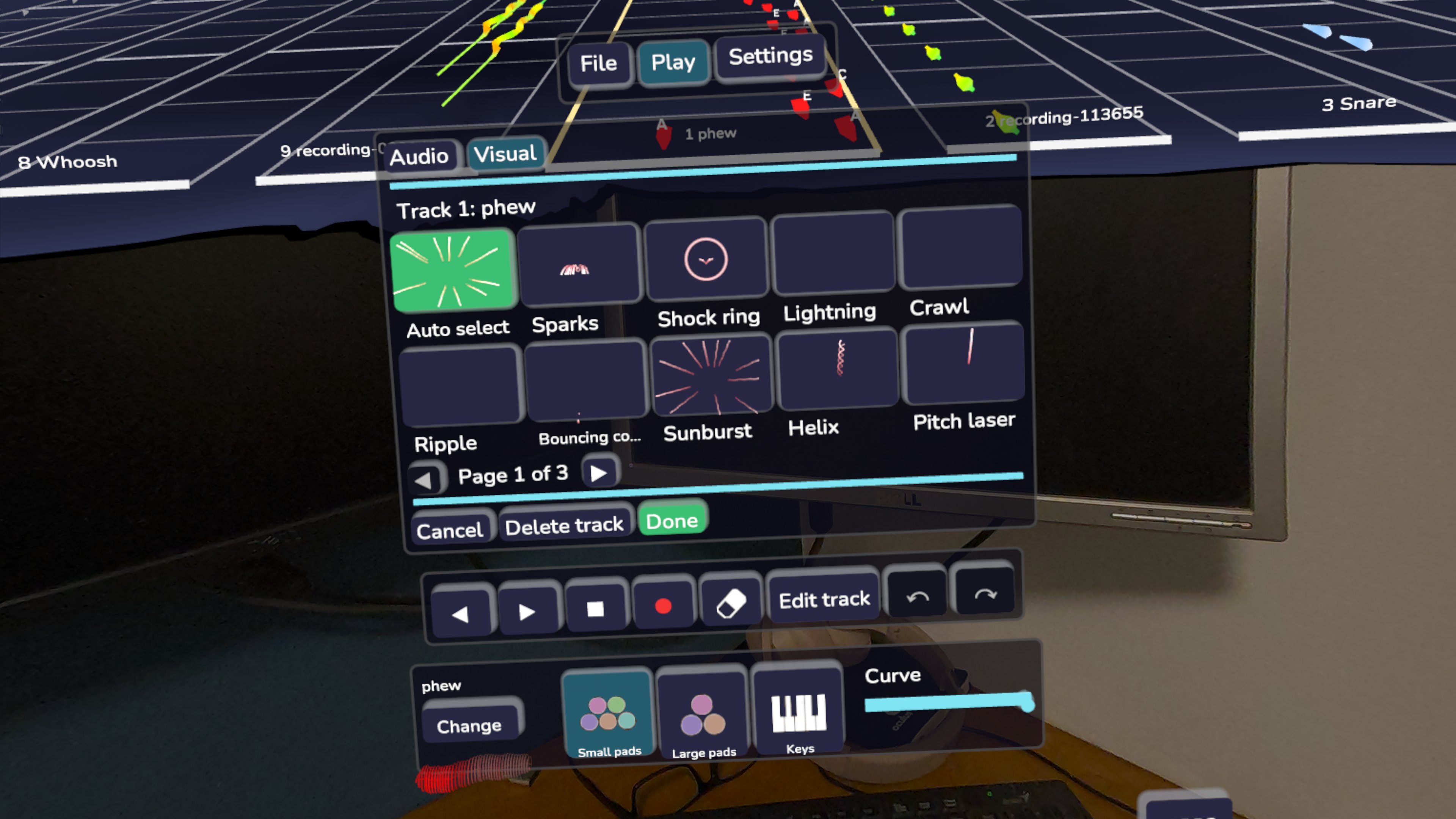
Override visual effects for music tracks
-
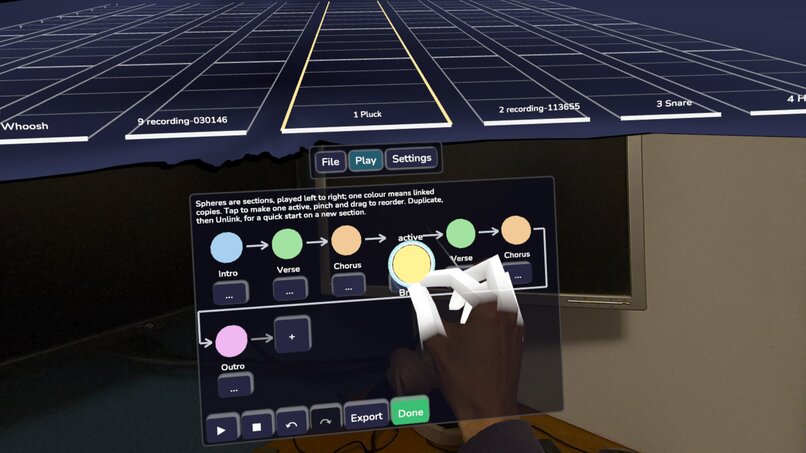
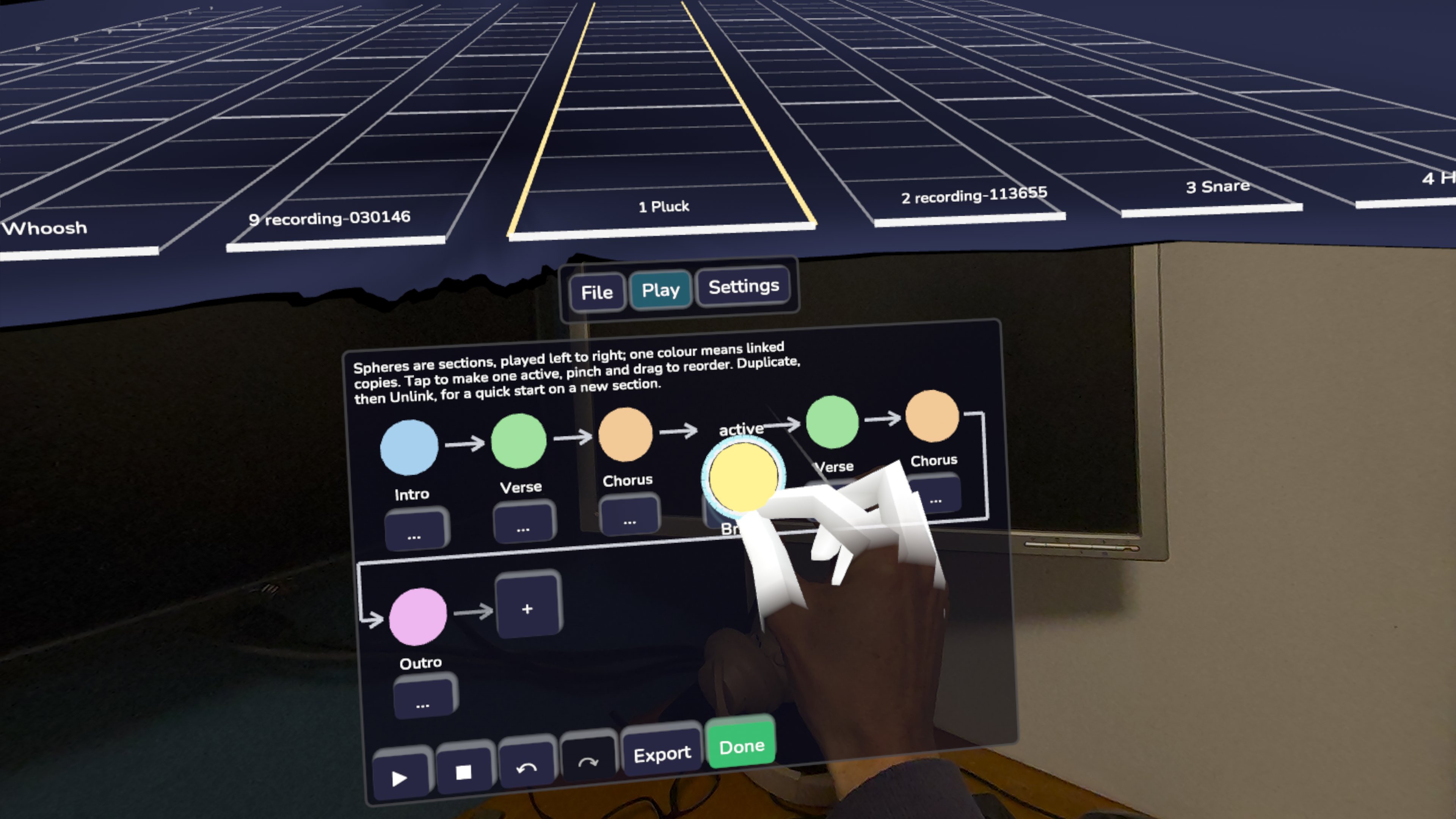
Pinch and drag to arrange song sections
-
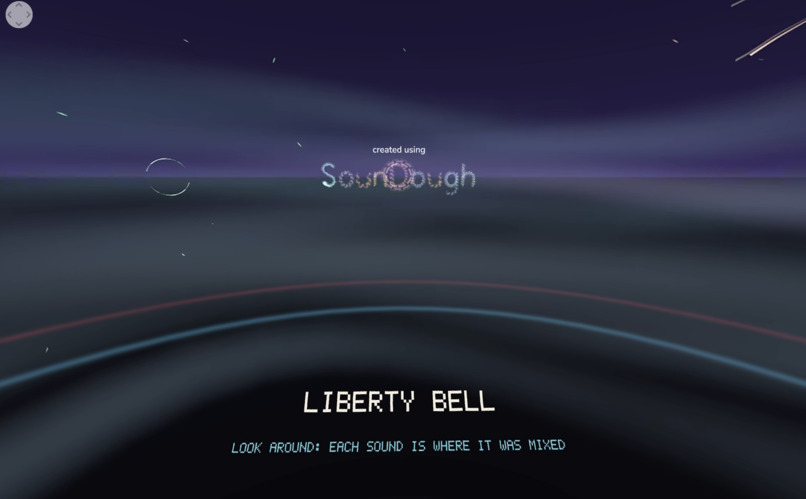
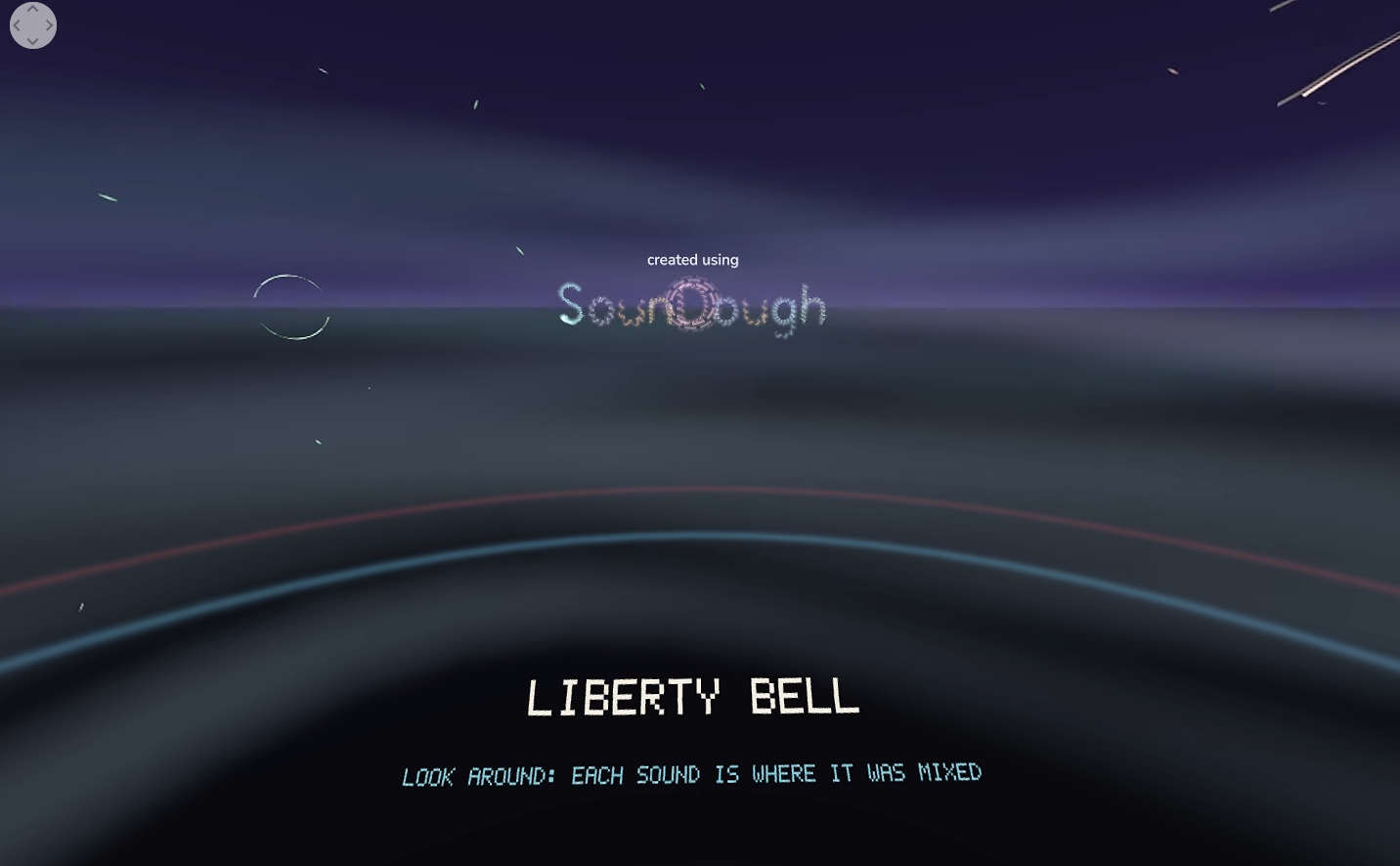
Exported 360 ambisonic video on YouTube running in browser
Inspiration
Technical - Images can be conveyed through detailed bitmaps, or more simplistic vector formats. I had wondered for a while if the same idea could be applied to sound. SounDough is my solution for audio vectors - scalable, morphable, visual and easy to edit in real-time.
Personal - AI can generate music with a single prompt, but I want to encourage novice users to be creative by making the process fun, and centered around them. In SounDough, you record your voice, and then mold it into instruments and sounds using your hands. Your voice. Your hands. Your music.
What it does
Designed to work well when seated at a desk. A hands only experience with a focus on keeping a complex UI within a workable field of view.
You begin by recording your voice that represents the sound you're looking for. The analysis creates an abstract sample in SounDough's vector format. It's not intended to sound exactly like your voice - it's a simplified version (like vector vs bitmap images). This allows us to display the sound as a 3d coil where the shape describes its sound. Volume is shown through size, noise is rough, brightness is coloured, tremolo and vibrato are seen as wobbles, pitch is height and space (reverb) is depth. Mix all this in various proportions for endless possibilities. You can also add bursts. These are sounds within sounds that erupt where you place them. Bursts are often created automatically if you ask the app to analyse your recording as a sound effect, rather than a voice, but you can add them manually too.
Various modes allow you to use hand tracking to manipulate the coil to create interesting sounds.
| Hand interactions | Description |
|---|---|
| Insert index finger into coil | Preview selected part of sound, or loop between index fingers of both hands |
| Pinch and drag with both hands | Stretch or compress selected parts of the sound |
| Pinch and release | Set start end markers for delete or crop operations |
| Push coil up / down | Change pitch |
| Push coil back / forward | Change space (distant echoey, close dry - i.e. reverb) |
| Sweep with right hand | Add more noise, brightness, loudness, tremolo, vibrato, wobble rate |
| Sweep with left hand | Remove more noise, brightness, loudness, tremolo, vibrato, wobble rate |
To stop all this manipulation getting clumsy, you select a modification mode first and then act on one aspect of the sound at a time. Undo and redo protect you from undesirable edits.
Add your sounds to the library, export them to use as sound effects (WAV or MP3), or use them straight away in your tracks.
Music editor
Once you're happy with your sample, you can drop into our music editor and use it on a track. You can currently have up to 16 tracks, with each having its own sample. Tracks can have different lengths, with shorter tracks looping until longer tracks finish. You can record into tracks using pads, or a full music keyboard, positioned via spatial anchors, or use your microphone and hum or whistle to add notes. Note snapping ensures you keep in key and time. You can drop into edit mode to add, remove or correct notes on the active track using drag and drop.
Scene understanding allows a portal to rip through your walls and furniture for the tracks to pour through. You will see them all playing at once. Your active track is the central one.
Tracks are grouped into sections. The arrangement page allows you to use pinch, drag and drop to reorder sections to build your full song (intro, chorus, verse etc.)
Ambisonic music
SounDough creates spatial, ambisonic music rather than a conventional stereo mix. The track mixer allows you to drag and drop tracks around a central point, providing a direction where the sound comes from. Move the sound closer or further away to adjust the loudness. The position of sounds is reinforced by the visualisations that appear in the direction of each track. Because we have so much data about each sample, suitable effects can be auto selected and then modified to better reflect the individual sounds. You will see the pitch, noise, tremolo, reverb, brightness etc. within the effects. Notice the tiny "note motes" that break off from sounds and float around the room.
Sharing
| Device | Description |
|---|---|
| Phone | Connect your phone to the web host in SounDough, then upload or download WAV, MP3 and SounDough files (to allow friends to remix your work). Share via email. |
| PC | Download the free companion app SounDough Share. You can upload / download as with the phone, but you can also create a 360 degree ambisonic video for your music track, complete with the visualisations. Share the video with friends. They can watch it in their browser or in full 3d with spatial sound using the MetaQuest YouTube app. |
360 video Sample 1, 360 video Sample 2
Onboarding
With such a wealth of functionality, I needed clear onboarding instructions. I instruct the user via animated hands that actually interact with the scene to demonstrate what to do. This is backed up with text and audio.
How I built it
I used AI as my primary developer, leaving me more time for designing concepts, UI, UX and experimentation. This allowed me to cram a massive amount of complexity into the competition timescales. The code is built using native code and OpenXR, utilising StereoKit open source software for the XR components.
Hand tracking is used for intuitive interactions that feel like the natural way to get the task done. You won't miss controllers.
Scene Understanding is used to build a mesh of the surfaces to make the app more immersive within your own space. This allows:
- A portal to tear through your walls and monitors and allow the music tracks to flow through.
- Music visualisations for each track appear on your surfaces. Particles bounce off your floors and tables.
Spatial anchors are used to store your kit position so you can quickly get back to playing in your next session. They also keep your portal and UI locked in place when the headset re-centers.
Passthrough is used to allow you to position your music pads on your desk or table (or floating in the room) and swing away at them without fear of collisions. We dim the room to better see the visualisation (you can change effect amount in settings). Passthrough together with scene understanding provide a much more grounded experience that feels more personal in your own space. Nothing drifts through your walls, breaking the illusion. Visualisations appear on your real surfaces, and music tracks flow into your room via a portal. The portal means you are not limited by your available area. The portal is only opened if tracks collide with your walls, so in a large room you may not need or see one. I work in a tiny desk in the corner so my portal tears through my monitors and multiple walls.
Challenges we ran into
The main challenges I had were:
- Creating the portal that used scene understanding to adapt to any space. It has to go around corners and obstacles to form a complex 3d shaped portal that correctly enclosed the tracks. In my case I sit at a tiny desk in a corner with two monitors in front of me. The portal wraps around the monitors and walls to create the opening required.
- Making vocal based recordings sound in tune. I tried various approaches and in the end added auto-tune correction at the sample level and encouraged users (via training) to consider what pitches their sound was using while editing. A shadow of the coil's center line is drawn on a back plate that shows over lines marking the notes in your song's scale, so you can try to keep more parts in tune.
Accomplishments that I'm proud of
- I'm pleased how well the onboarding works. Using animated hands that interact to demonstrate the features make it a lot easier to take in, along with the voice overs and text.
- I'm proud of my mapping of sound properties onto the coil. You can look at a coil and understand what it will sound like, with noise having jagged edges, warm reds being soft, and bright blues being crisp, visual wobbles in pitch (height) and volume (size). I think it makes sense and is fun to play around with.
- The ambisonic sound and 3d mixer providing the positional sound, further strengthened by the visualisations is one of the app's stand-out features.
- Users want to share their creations. I support this via YouTube videos, and by exporting / importing audio and SounDough files to their phones and PCs. Hopefully this will keep users coming back.
What I learned
I learned a lot about sound. The challenges of simplifying it while keeping elements that made it unique. That retaining formants can make it sound too human (see the slider on sound analysis). I also learned that ambisonic sound can deliver far more natural spatial music for little processor cost.
What's next for SounDough
- Early access for feedback and community building.
- I will continue to keep testing and tweaking import analysis, tuning and editing.
- Multiplayer is already partially complete. Co-location and remote play will be supported. SounDough music files are very small, so it will be fast to transfer and synchronise play over networks.
- Import externally recorded vocal tracks to include singing.
- More visualisation effects and tuning.
- An extended sample library.
- I could extend the sound positioning to allow it to be animated.
- I would ideally allow music to be shared and rated via a SounDough server.
Built With
- ambisonics
- c#
- hand-tracking
- openxr
- passthrough
- scene-understanding
- spatial-anchors
- stereokit


