-
-

SoundCoaster app icon — 1024 × 1024, uncropped
-
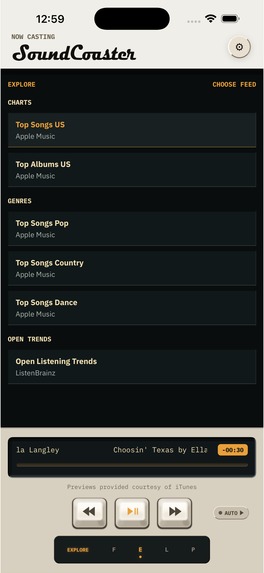
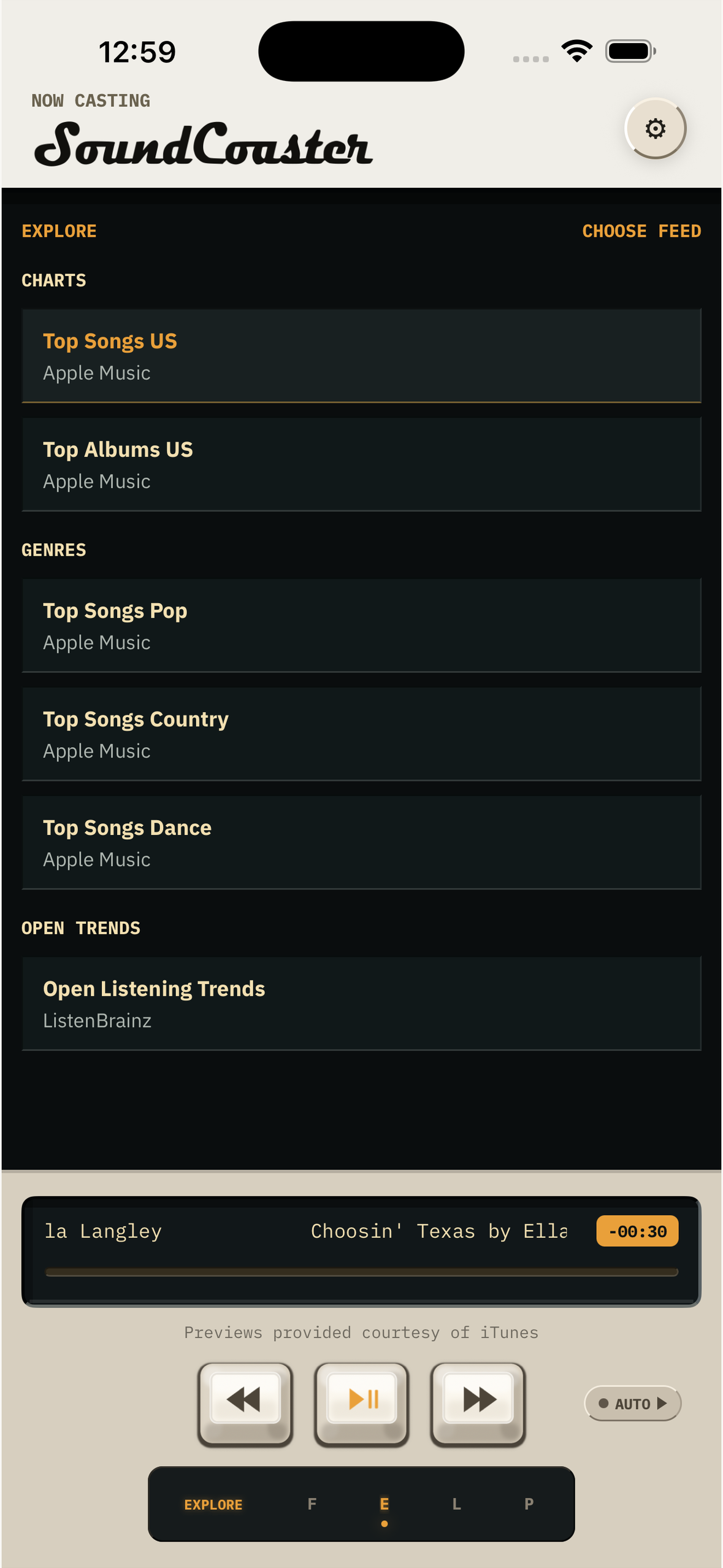
Explore music feeds and listen to previews — 1179 × 2556, no device frame

Inspiration
Many of us share music with friends via text, but because of our limited attention spans, more often than not, it's hard-pressed to find three to four minutes to sit down and just listen to a song in its entirety. SoundCoaster drops listeners right into the best part of the song, a sound byte, in a user experience we're already familiar with -- a scrollable feed. Music can carry a feeling that is hard to put into words. SoundCoaster gives people a way to share the song and the thought behind it: a Current Vibe for right now, or a Mixtape assembled for someone else. The aesthetics of the app is a bit retro harking back to a time where things were simpler and more analog.
What it does
Any user can create a profile and start collecting sound bytes of their favorite songs of the moment and be able to see a chronology of their taste change through the seasons.
Create a Mixtape, put the tracks in order, customize its cassette, and add a personal note to each song. Recipients can open a shared Mixtape in their browser, read the notes, and listen to available previews without installing the app or creating an account. Full listening opens the destination music service.
Current Vibe is a smaller expression of what you are feeling now. Its creation flow opens SoundCoaster's web composer. The iOS app also brings together music discovery, Casts with personal notes, and Profiles where people can explore someone's taste.
You can begin composing and previewing a Mixtape in the app before signing up. Sign-in is required to finish saving or publishing it and to use account features.
How it was built
The iOS app uses Expo, React Native, and TypeScript. Next.js powers the shared web experience. The native and browser surfaces share the Mixtape model and cassette rendering work, while playback uses available provider-hosted previews and links out for full tracks.
RevenueCat's React Native Purchases SDK powers five optional, repeatable consumable support tips through Apple's in-app purchase system. The app loads the products from the soundcoaster_support offering and shows prices returned by the App Store. Selecting an amount does not start a purchase; a separate button opens Apple's confirmation.
Challenges and what we learned
As software engineer, primarily backend and distributed systems by trade, having never built an iOS app before, but had always wanted to presented its challenges. Before I became a codesmith or code craftsman, I moonlighted as a graphic designer in my teenage years.
Designing an application with the right feel, aesthetically with skeuomorphic elements and detail required a lot of design rounds. It took hours upon hours of finding inspiration and details I wanted to bake into SoundCoaster. Thoughts and ideas included: vinyl records, bulb amps, synthesizers, record players, jukeboxes, CDs, and much more, before the distillation you see now.
Some of the biggest technical challenges included distributed systems work and trying to choose the proper cost-effective solution that would work for right now and the estimate scale of burst traffic. This app is more than just the iOS client. It includes modeling and implementing a social network where you can follow friends, like their content, and more. This required understanding how to data-model to represent this correctly, how to propagate likes and keep them synced across many users, caching search requests such that we don't overload our third-party providers, and more.
The final challenge remains: distribution and marketing. I'm learning so much about a space I did very little of in my career.
What we are proud of
The overall look and feel, the animated photo-realistic cassette that can be customized by a user. It carries the creator's choices; the notes explain why each song belongs. A recipient can hear the music while reading its context, and a new creator can try assembling something before committing to an account.
RevenueCat support flow
All SoundCoaster features stay free. Support tips are one-time consumable purchases, with no subscription, entitlement, or extra features.
To reach the purchase flow in the iOS app:
- Open the Settings cog from Feed, Explore, or Profile and sign in.
- In Settings, scroll to Support SoundCoaster.
- Tap Choose an amount.
- Select a displayed amount, then tap Support with [amount].
- Apple's purchase confirmation opens. Selecting a preset alone does not purchase anything.
Use Settings for this walkthrough; the occasional Feed support invitation is not required.
What's next
Complete the first public release, then learn from people making and receiving Mixtapes: whether the notes are useful, where sharing feels awkward, and what brings them back to make another.
SoundCoaster. Hear what I mean.
Built With
- expo.io
- next.js
- react-native
- revenuecat
- typescript

Log in or sign up for Devpost to join the conversation.