-
-
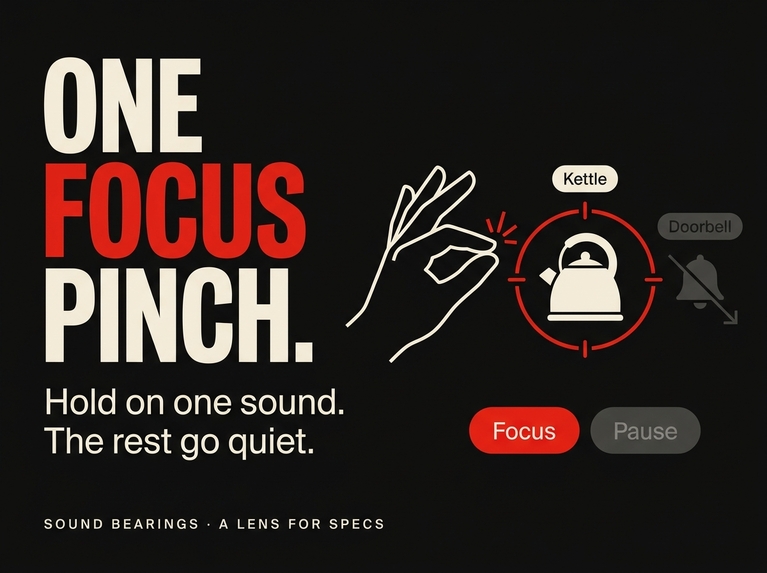
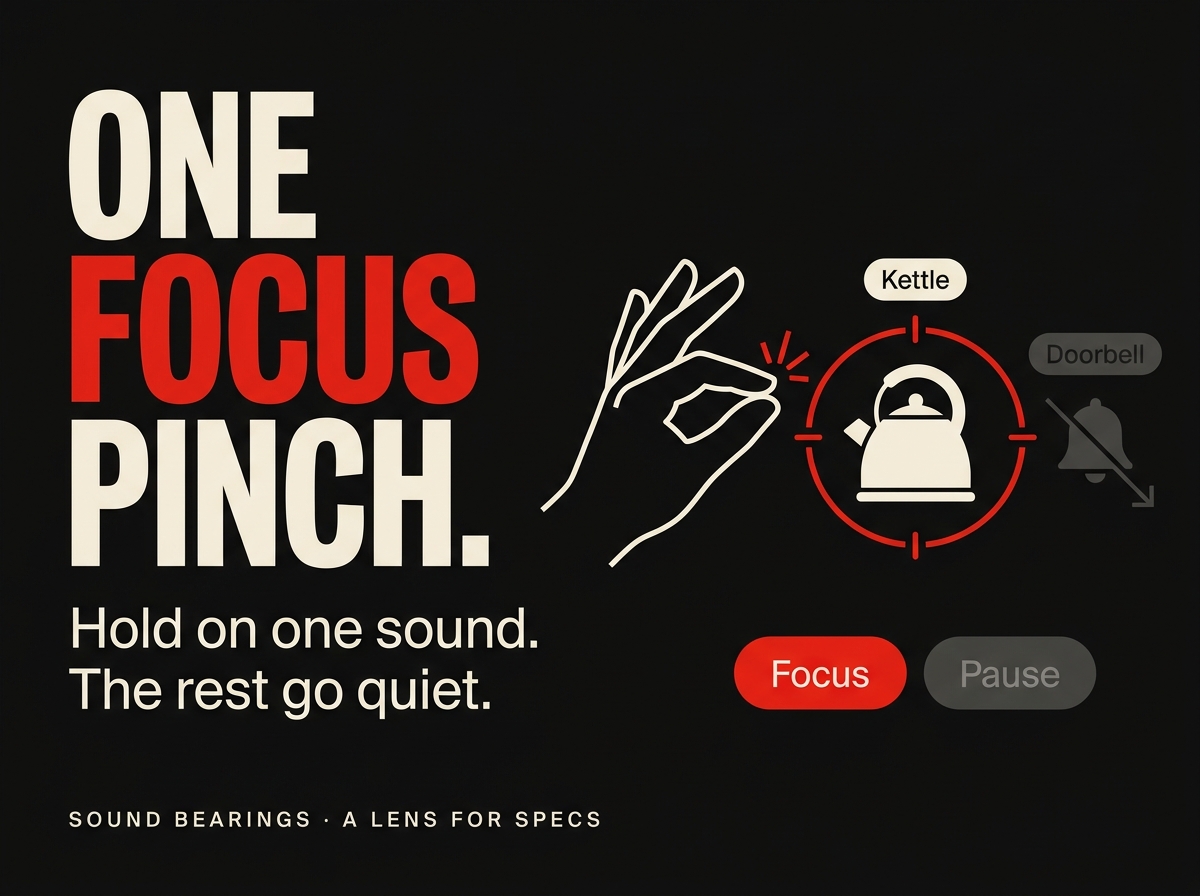
One Focus pinch holds the sound you care about. The others drop to 30 percent brightness and volume.
-
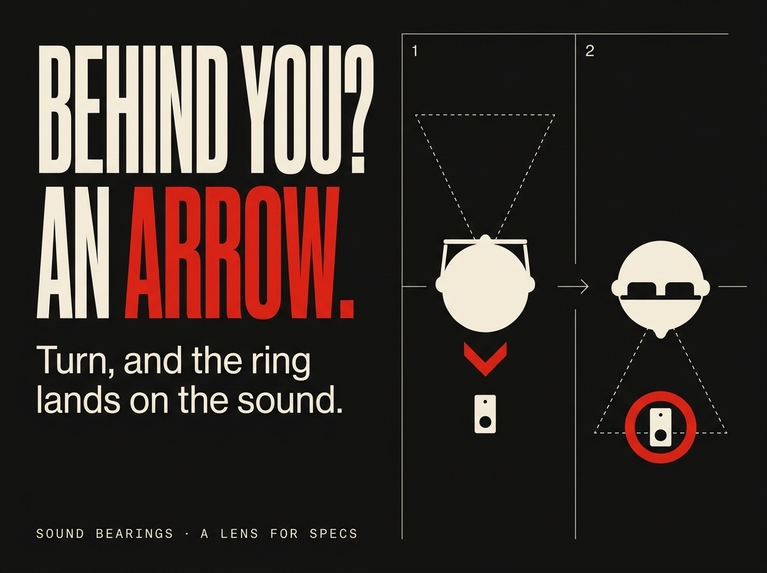
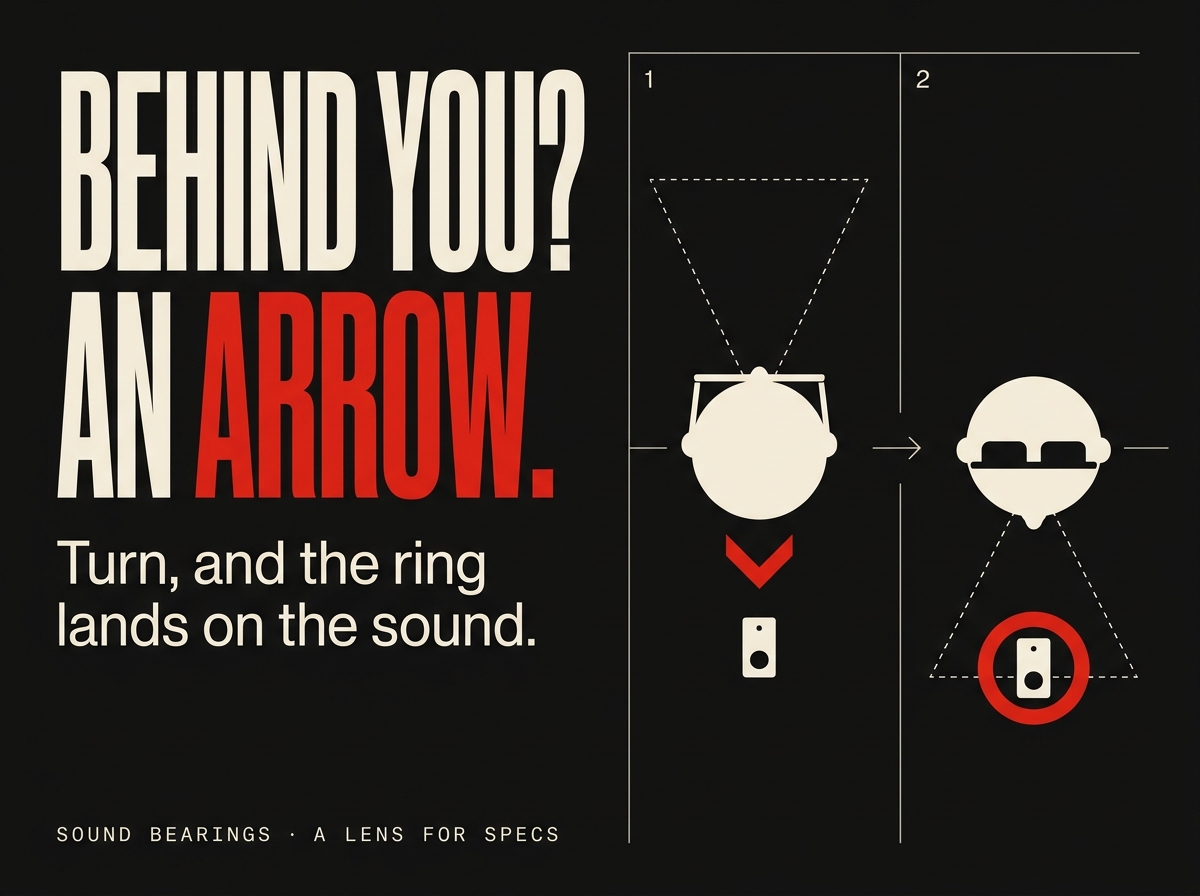
Behind you? An arrow at the edge of the view, on the side of the shorter turn. Turn, and it becomes the ring.
-
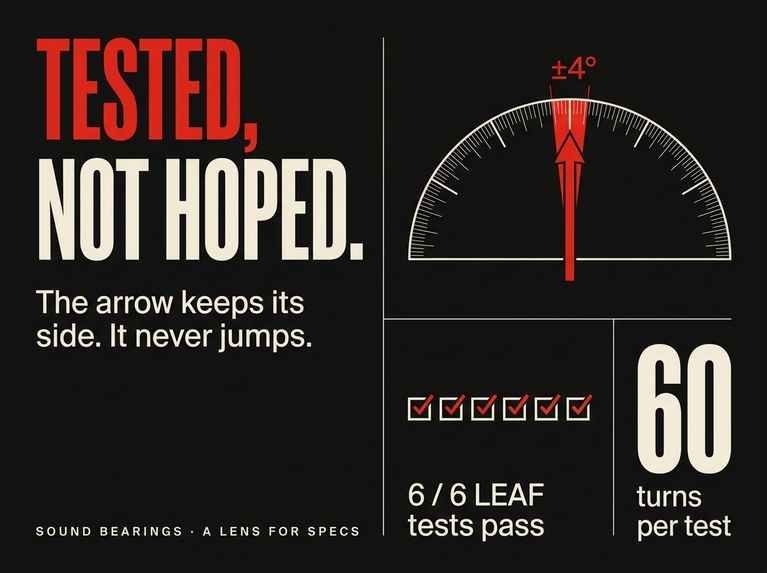
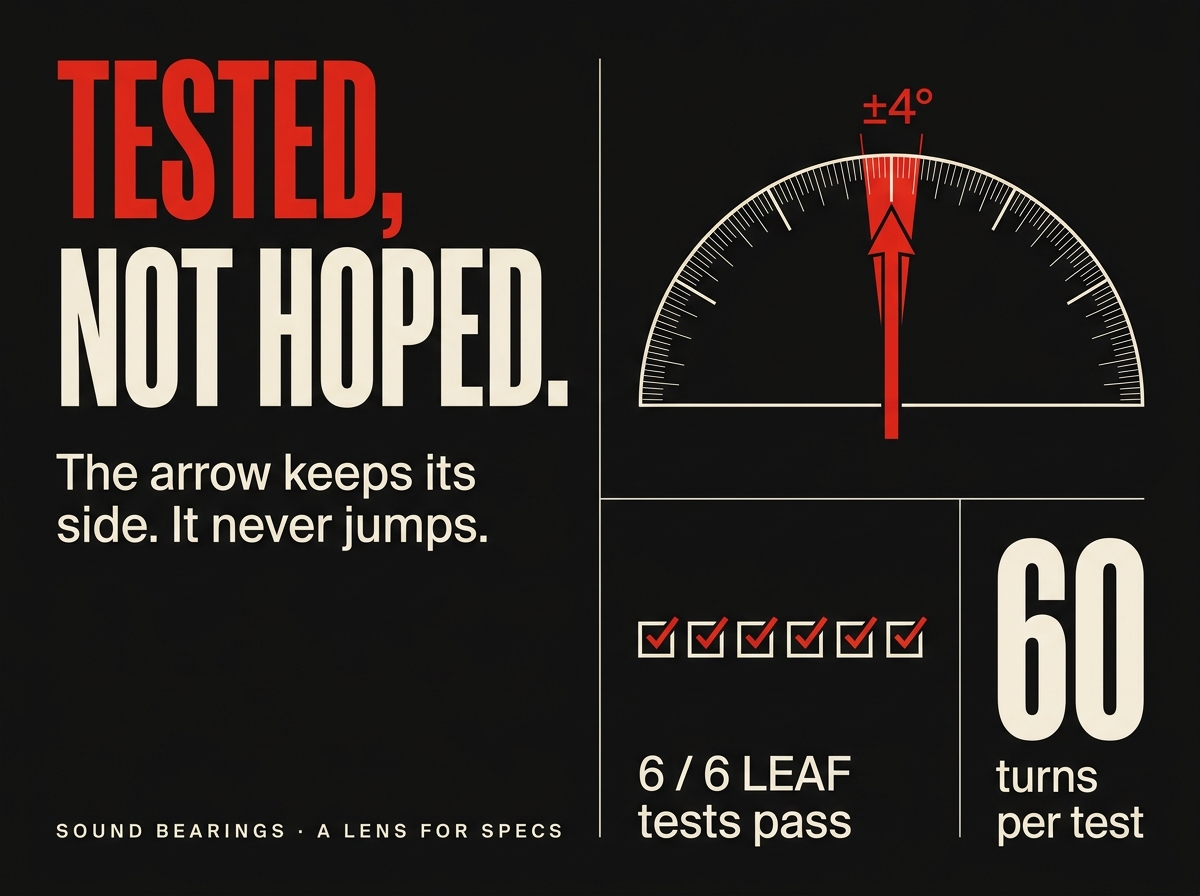
Tested, not hoped: six LEAF scenarios press the real buttons; the arrow keeps its side through 60 turns of four degrees.
-
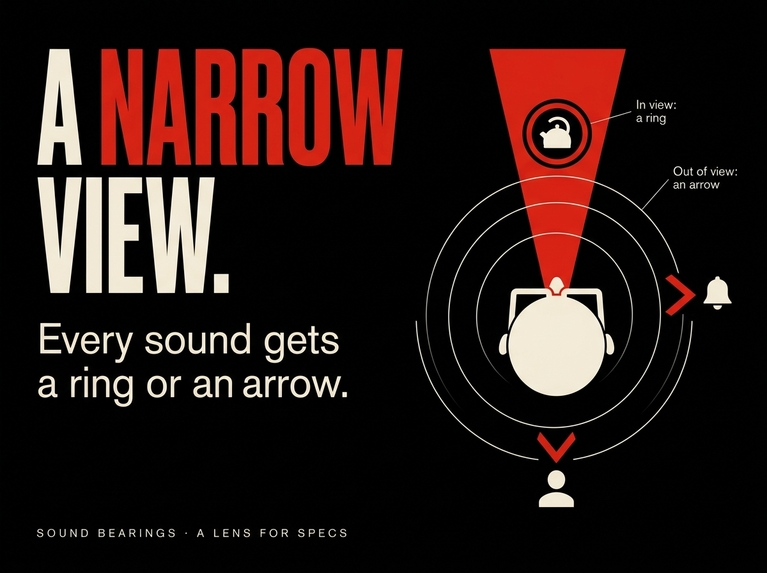
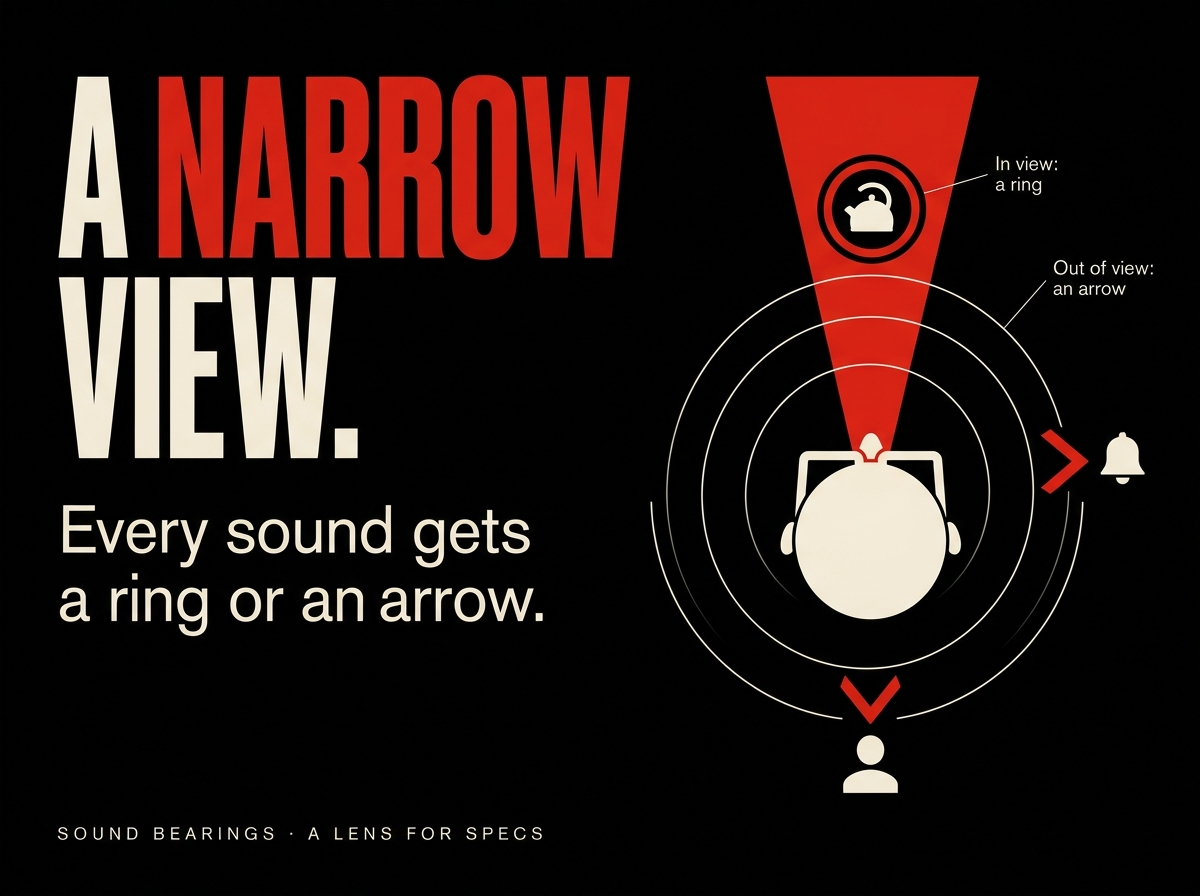
The glasses see a narrow slice of the room. Every sound gets a ring inside it or an arrow at its edge.
-
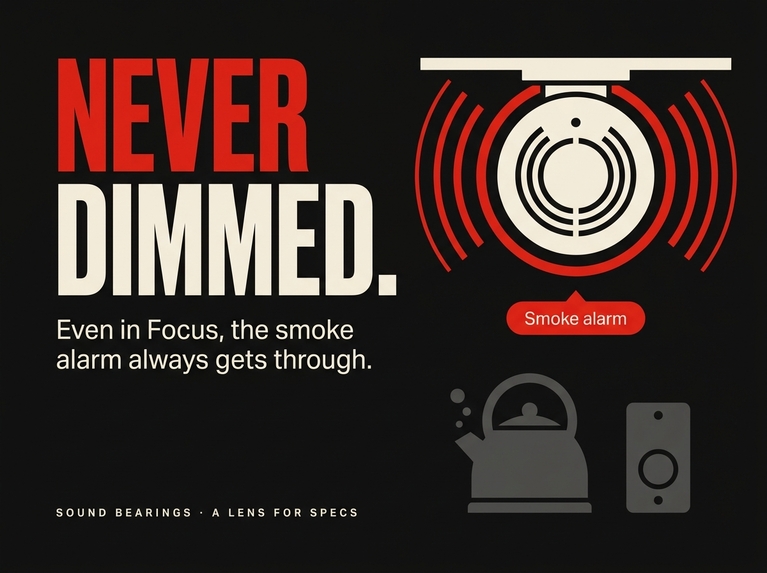
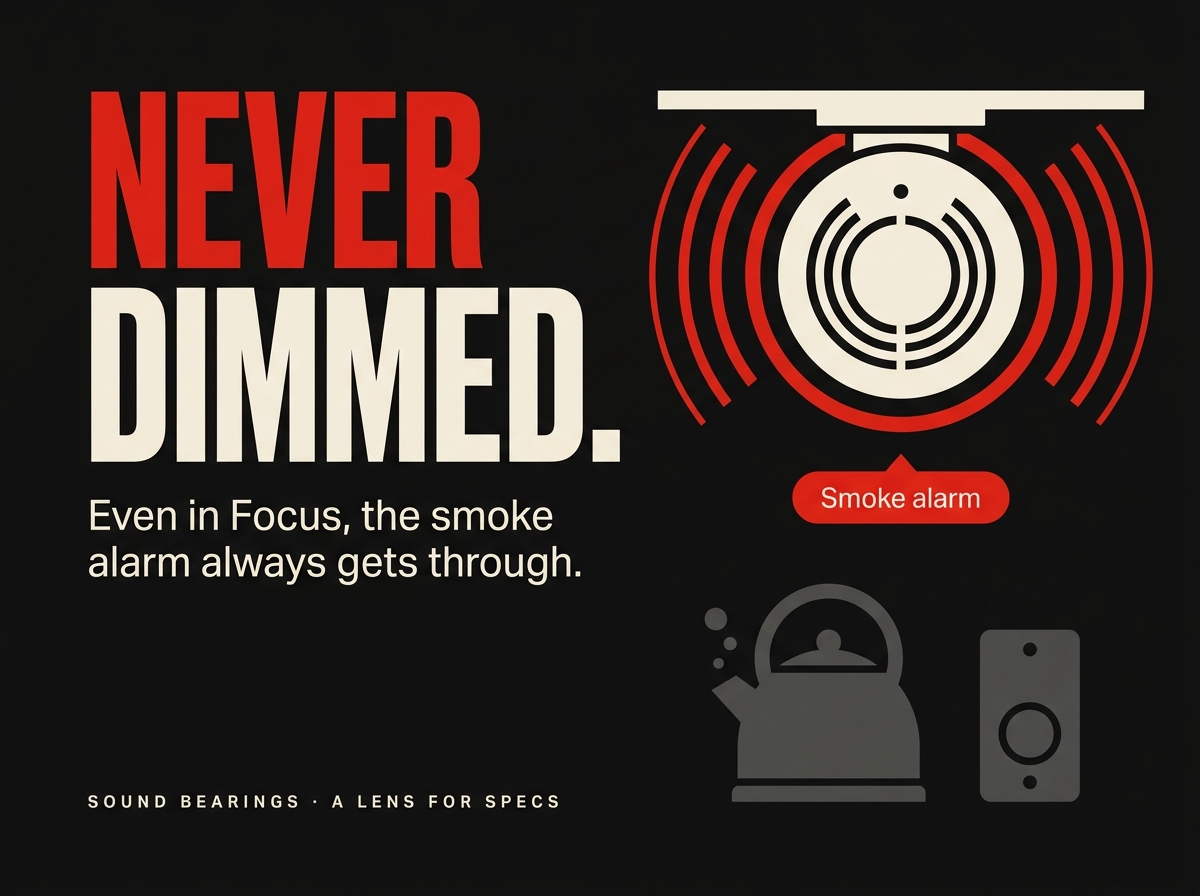
Never dimmed: the smoke alarm always breaks through, even under Focus. Simulated in the preview; not a safety device.
-
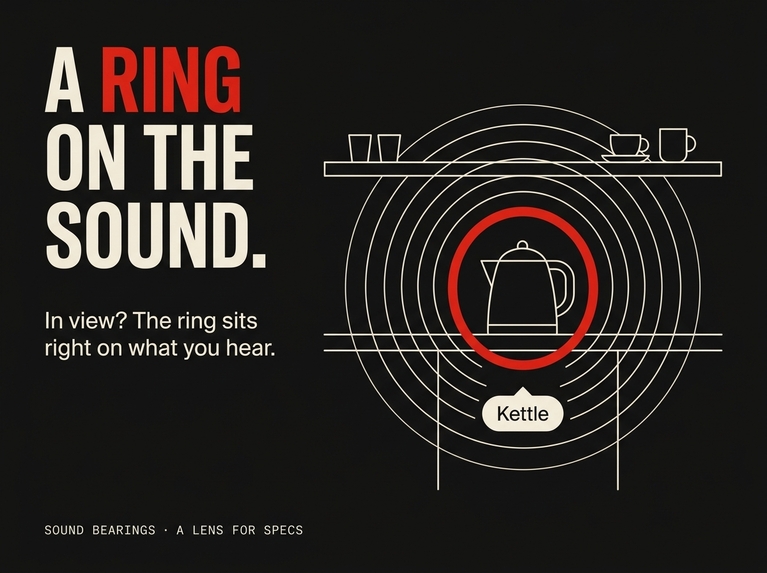
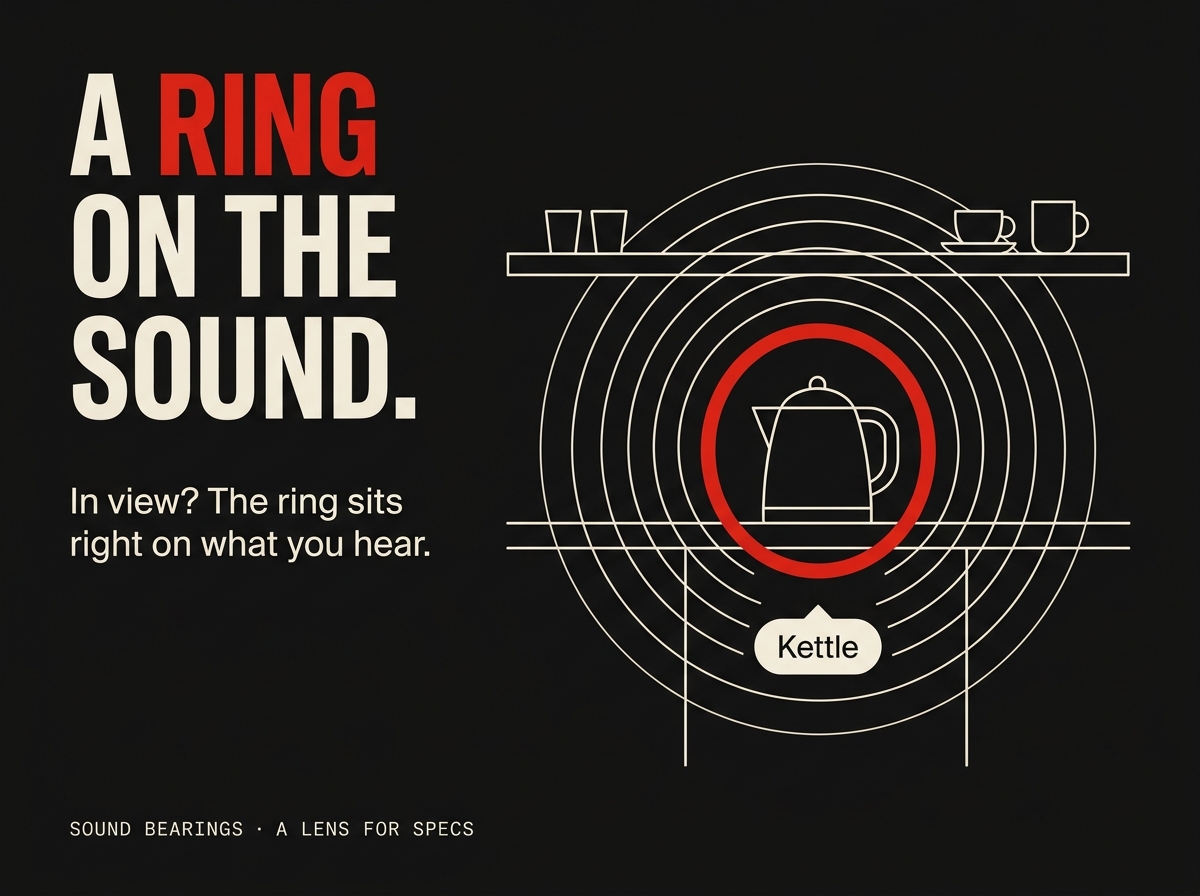
A ring on the sound: when the source is in view, the ring sits on it with a short tag and pulses with the loudness.
-
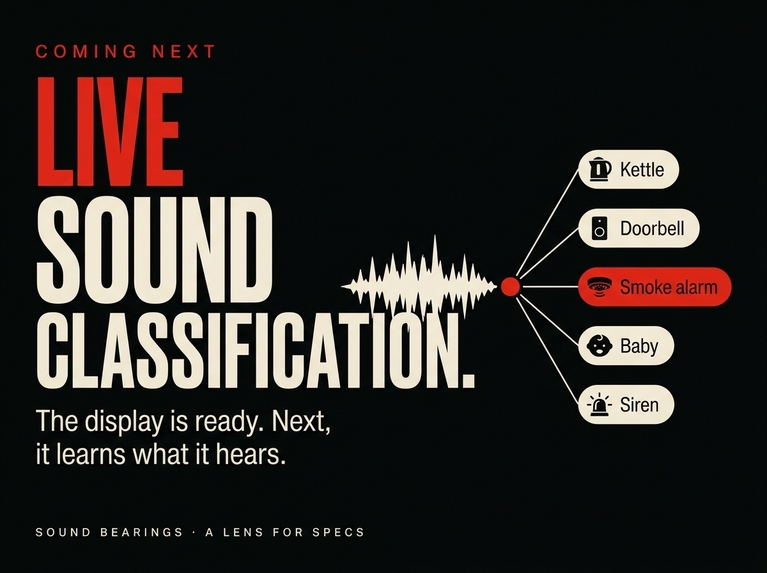
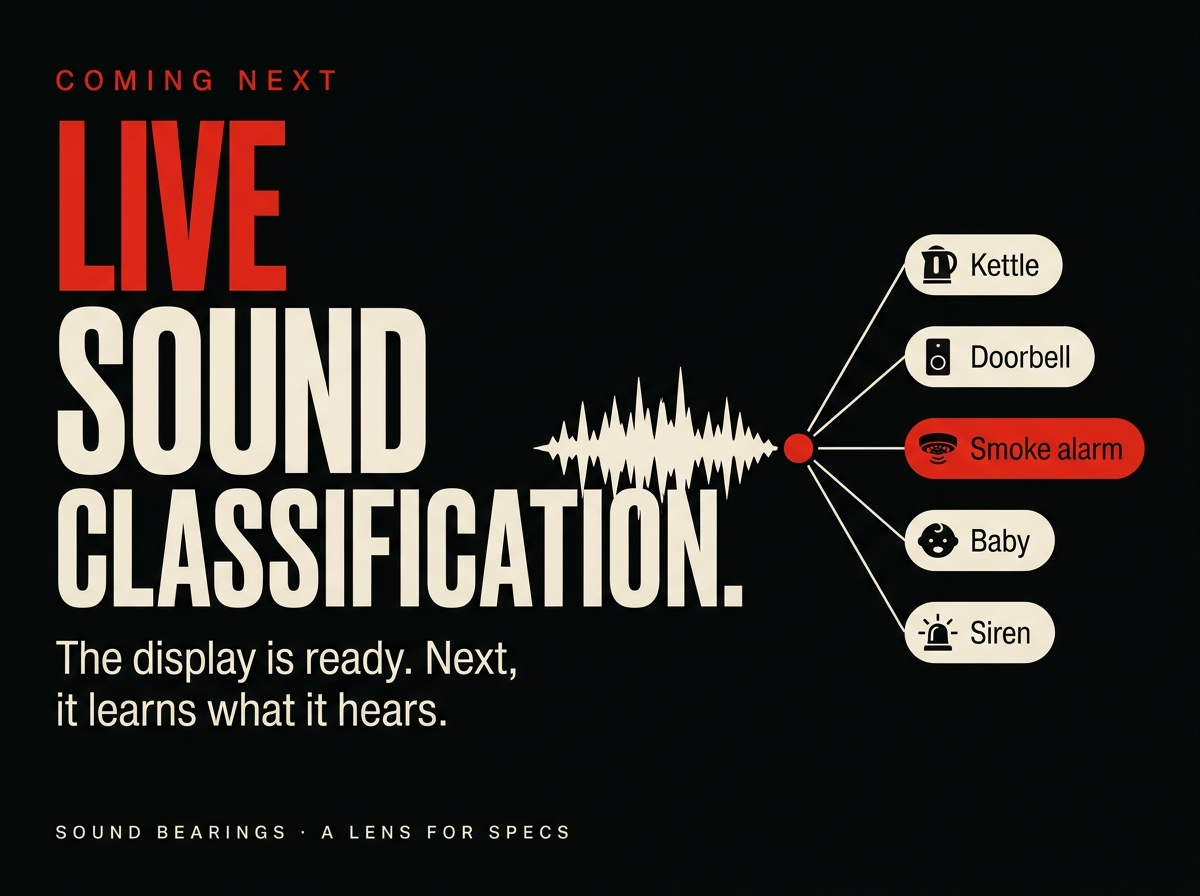
Coming next: live sound classification on the glasses' microphones. Today the sounds are scripted; the display is ready.
-
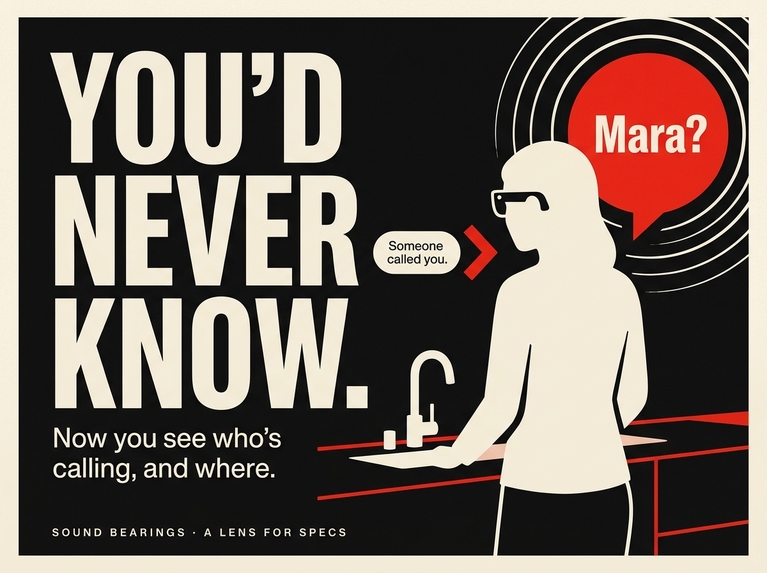
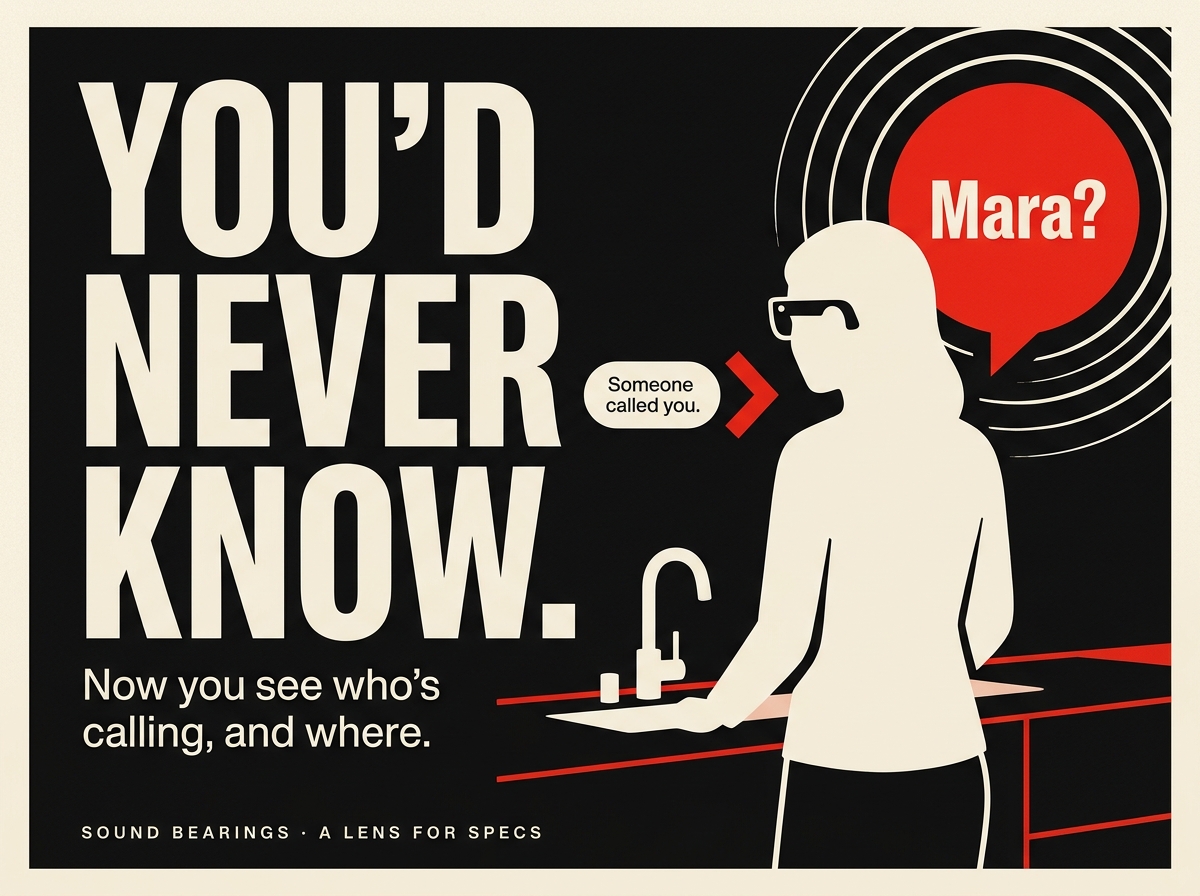
Someone calls from the doorway behind her. Without direction, she would never know. Illustration.
Inspiration
Hearing aids give back volume. What they do not give back is the thing hearing people never notice they have: knowing where a sound comes from (checked against a first-person account, D-01). Mara, the person this Lens is built for, is hard of hearing, cooks with her back to the room, and turns the wrong way first, every time: the kettle, the doorbell and a voice from the doorway all arrive as "somewhere". Her phone can already tell her what a sound is, a doorbell, a siren, a baby (checked against Apple's Sound Recognition page, D-04). It cannot tell her where. Glasses can, because they share her view: they know which way she is looking, they can draw the marker in the world on the kettle itself, and her hands stay in the dough. That gap is the whole idea.
What it does
Sound Bearings puts one visual marker on each sound the wearer cannot place by ear, inside the narrow view of the glasses:
- A ring on the source when it is in view, with a short tag ("Kettle"). The ring pulses with the loudness.
- An arrow at the edge of the view when the sound is beside or behind her, on the side of the shorter turn, with the tag. As she turns, the arrow slides along the edge and becomes the ring: one element changing shape, not a swap. A sound directly behind her never makes the arrow jump sides.
- One Focus pinch: pinch the Focus button while a ring is in view and sounding, and that sound is held. The others drop to 30 percent brightness and 30 percent volume. Pinch again to release.
- The smoke alarm always breaks through, in its own red, with the caption "Smoke alarm (simulated). Not a safety device." Focus never dims it (the wording follows Apple's own warning not to rely on sound recognition where you may be harmed, D-05).
The key moment: someone at the doorway behind her calls "Mara?". The arrow pulses at the left edge with "Mara?", she turns, and it becomes a ring on the person with the tag "Someone called you". The control strip steps back while a ring is on screen and returns when she reaches for it.
Today the sounds are scripted. The display is real: direction inside a narrow field of view, the Focus pinch, the safety override. Live sound classification on the glasses' microphones is the next step.
How we built it
Planned with the Devpost Learn skill pack: the plan-lens skill interviewed the idea against AR design practice and the preview's limits and wrote devpost/design-brief.md (five done criteria, one per behaviour). Built by CLAD, an AI coding agent, working through the Lens Studio MCP server from that brief, with a person reviewing the preview after each stage and sending design notes back ("move the tag above the ring when a caption shows", "hold the call ring for two seconds"). Tools: Lens Studio 5.23.2 on the SPECS Base Template, Spectacles Interaction Kit 2.0.0 for the two buttons (hover and pinch, driven by the mouse in the preview), Spectacles UI Kit 2.0.0 for tags and captions, AudioComponent spatial audio with one Audio Listener on the camera, LEAF 2.0.2 for the tests. Three scripts: SoundSources.ts (the 45-second timeline, loudness envelopes, Focus state, Replay), Bearings.ts (the view cone of 14 degrees with 5 degrees of hysteresis, the arrow-to-ring morph, tags, captions, the alarm priority), Focus.ts (the control strip). Six LEAF scenarios press the real Focus and Replay buttons through the LEAF interactor and assert the ring, the arrow side, the slide, the dimming, the alarm override and the 60-frame no-flip rule; all six pass in the preview. The kitchen is a stand-in built from primitives and four generated models simplified to about 8,000 vertices.
Challenges we ran into
- The preview's field of view is about 17 degrees to each side, so a 20-degree ring cone put the ring off screen; the cone and the edge arrow are 14 degrees.
- The display is additive: black is transparent. Every plate, ring and tag is light, and the room is built from light boxes.
- The editor preview does not render an audible left/right pan even on headphones, so the demo never depends on hearing a direction; every sound has a visual indicator and the video says the sounds are simulated.
- In the preview the first click after a Lens start only hovers the button; the second pinches. We kept SIK's behaviour and wrote a recording rule instead of a workaround.
- Two arrows on the same edge: when the doorbell rings again under Focus and the alarm fires, both sit on the right edge. The alarm's upward tilt keeps them about 45 degrees apart; checked frame by frame at 36.5 s.
Accomplishments that we're proud of
- The whole 45-second scene reads with the sound off, which is the point of a Lens for someone who cannot hear.
- The arrow becomes the ring as one continuous element, and a sound straight behind the wearer never flips sides (asserted over 60 frames).
- The control strip recedes while a ring is on screen and returns on hover; tags never sit under a caption plate.
- Six LEAF scenarios that press the real buttons, run on every change: green across every review round.
What we learned
- Build for the preview you have: measure its field of view, its audio, its click behaviour, then design inside them.
- What can be tested is the response, not the sensing. Because the sounds are scripted, the tests check exactly what the Lens does with a sound it is told about: ring, arrow, turn, Focus, alarm. We say so in the README and in the first caption.
- A person carries the key moment; appliances carry the mechanism. "Kettle" explains the ring; "Mara?" explains why it matters.
- Signifiers over instructions: no "turn left" text anywhere. The arrow shows, the person decides.
What did not work
- Positioned audio in the preview: no perceivable pan on headphones. Spatial audio stays enabled for the device, and the visuals carry the demo.
- An earlier "failure picture" for the video (an arrow pointing the long way round) was dropped: the display logic does not produce it, so the video shows the real no-flip test running instead.
- The first design put the control strip at full brightness all the time; it competed with the ring on the figure. It now recedes to 40 percent while any ring is on screen.
- The Focus panel still covers the figure's hands in the doorway frame; a lower panel or a higher tag is on the list after the hackathon.
What's next for Sound Bearings
Live sound classification on the glasses' microphones, so the display responds to the real kitchen instead of a script; a sound history; settings for which sounds get a ring. The display, the hard part on glasses, is built and tested.
Honesty note
The sounds in the preview are simulated and the Lens has no microphone input yet; nothing here is a safety device. The demo video's technical narration is generated with an ElevenLabs clone of the maker's own voice, and its music was made by the maker with Suno. The Lens was written with AI coding tools as the hackathon asked.
Built With
- clad
- devpost-learn-skill-pack
- elevenlabs
- leaf-tests
- lens-studio
- lens-studio-mcp
- spatial-audio
- spectacles-interaction-kit
- spectacles-ui-kit
- typescript

