-
-
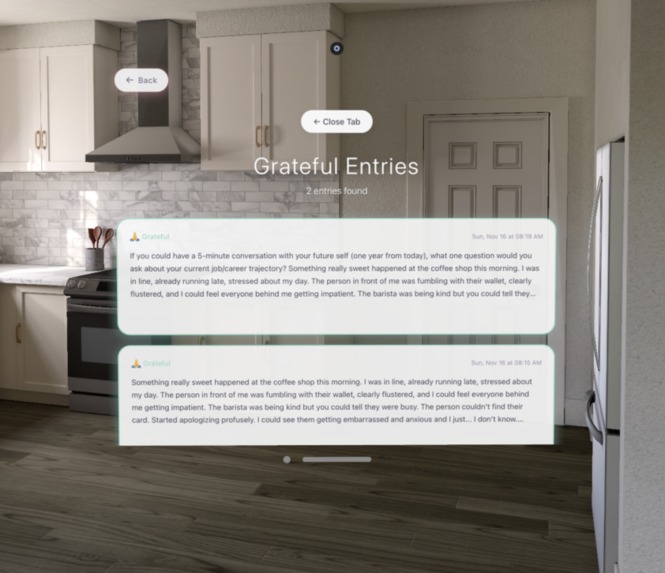
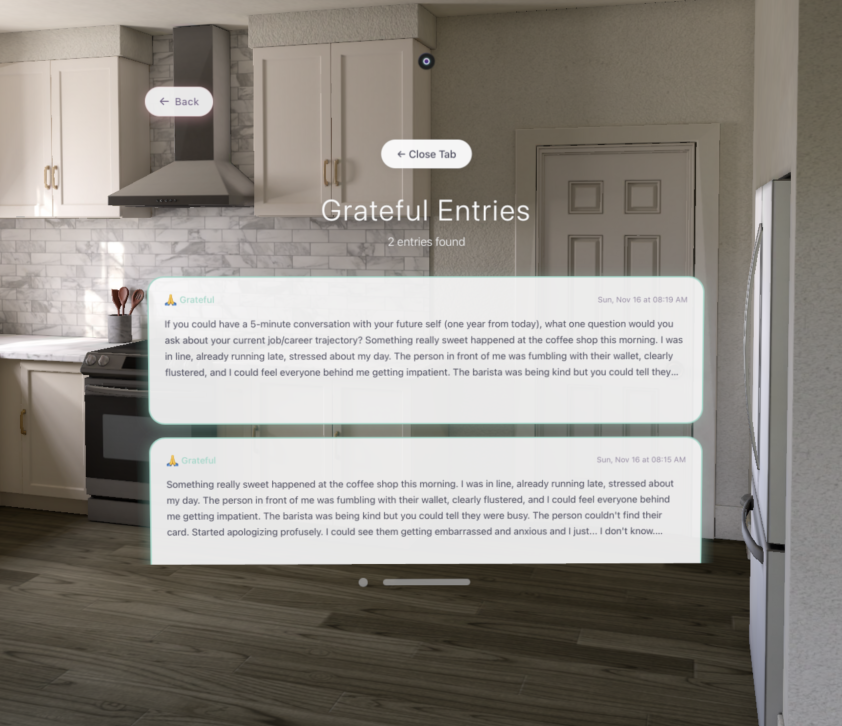
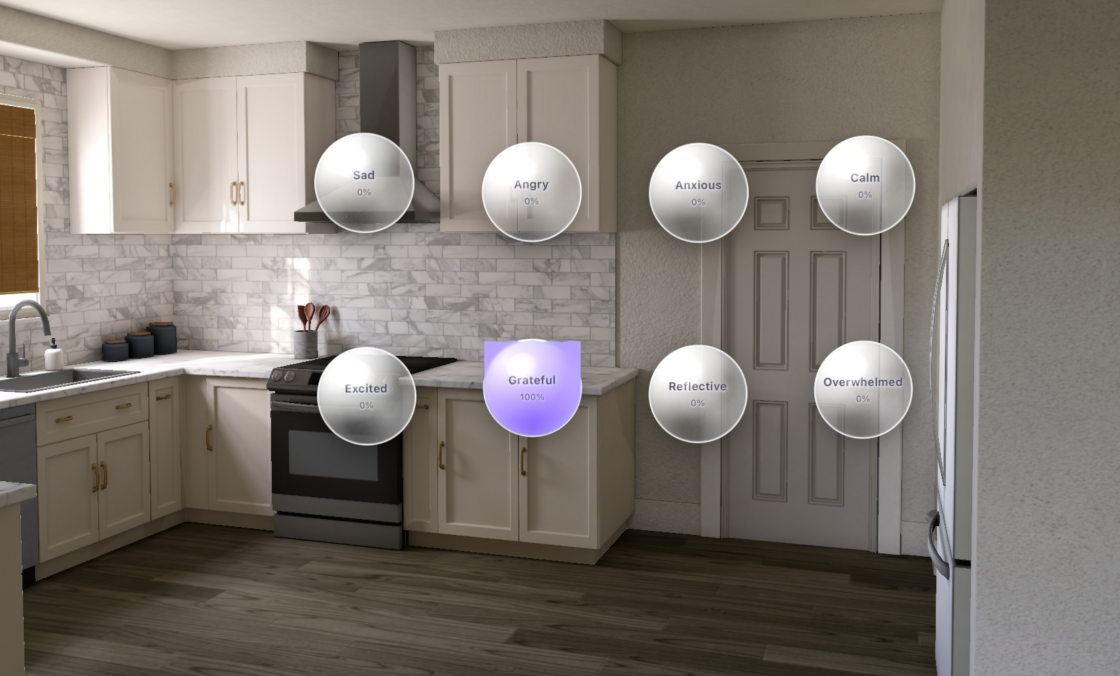
The user can click on each emotion bubble which will lead to a new tab of all journal entries related to that emotion
-
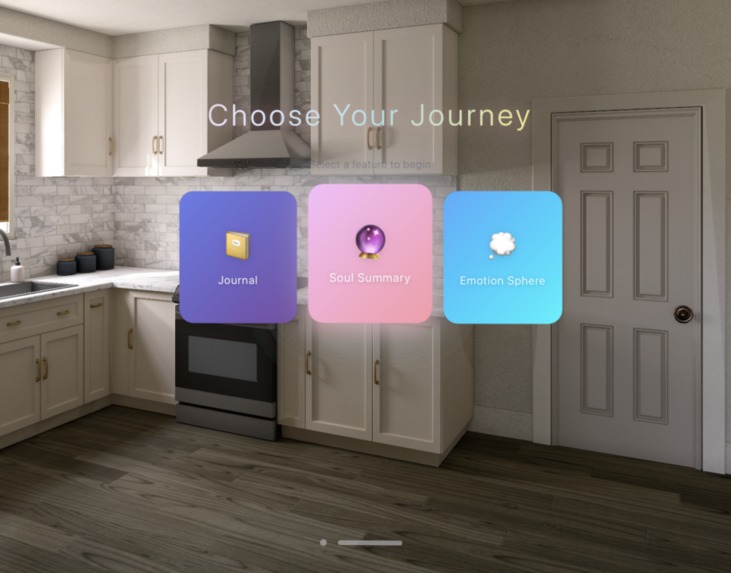
Three main features
-
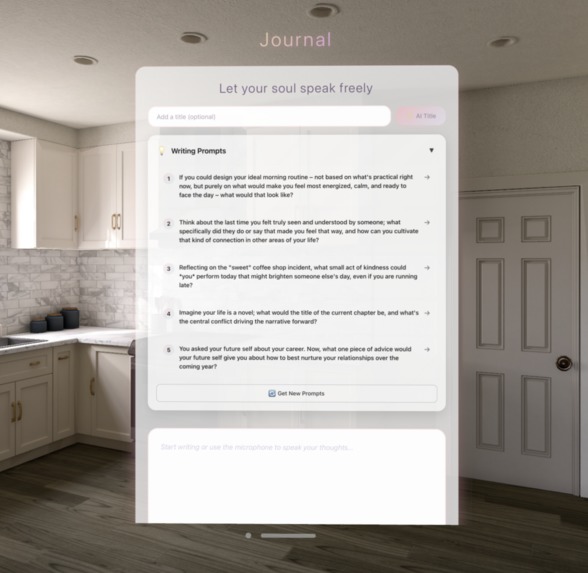
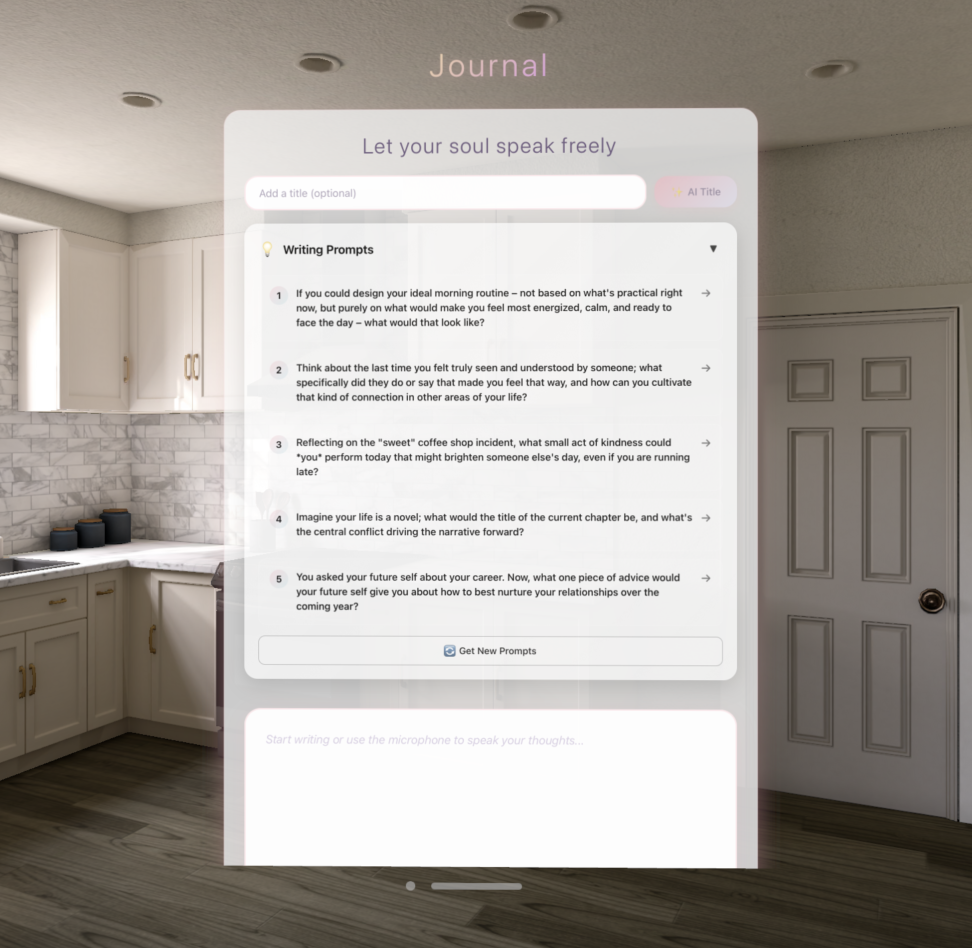
Journal entry tab where the user can freely write with ai-generated prompts and ai-feedback
-
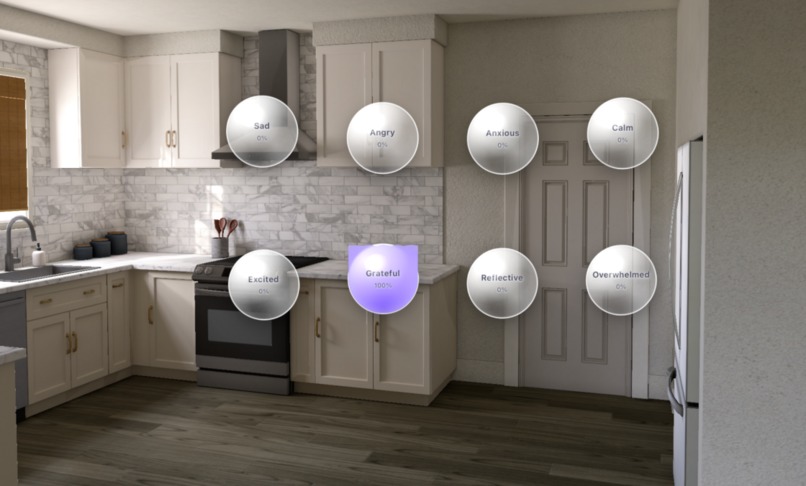
visualization of the user's emotions with colors
-
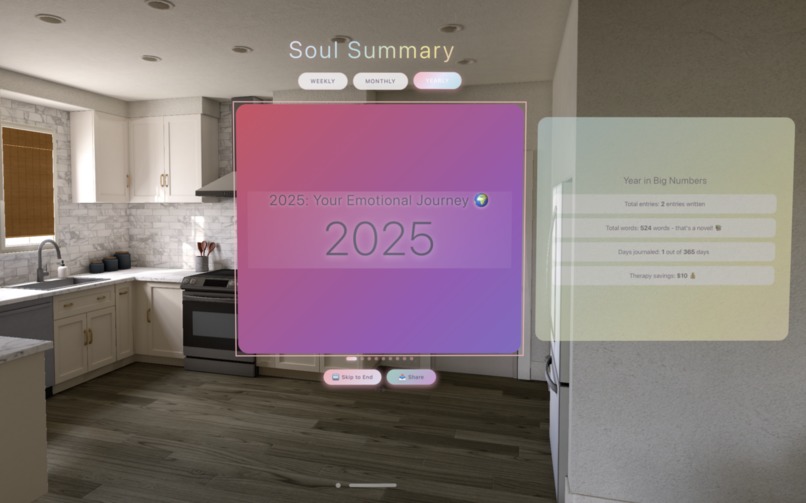
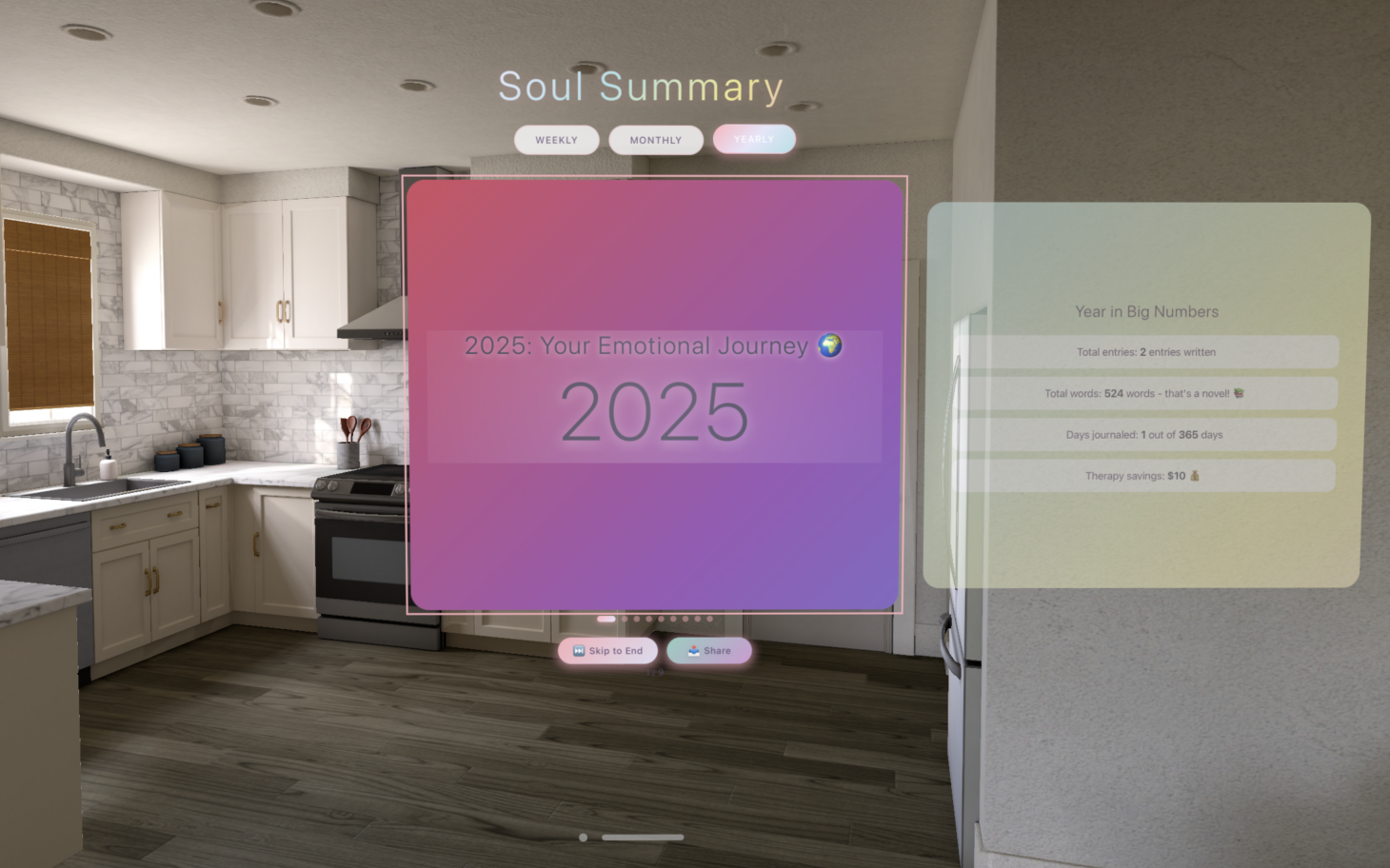
Yearly recap
-
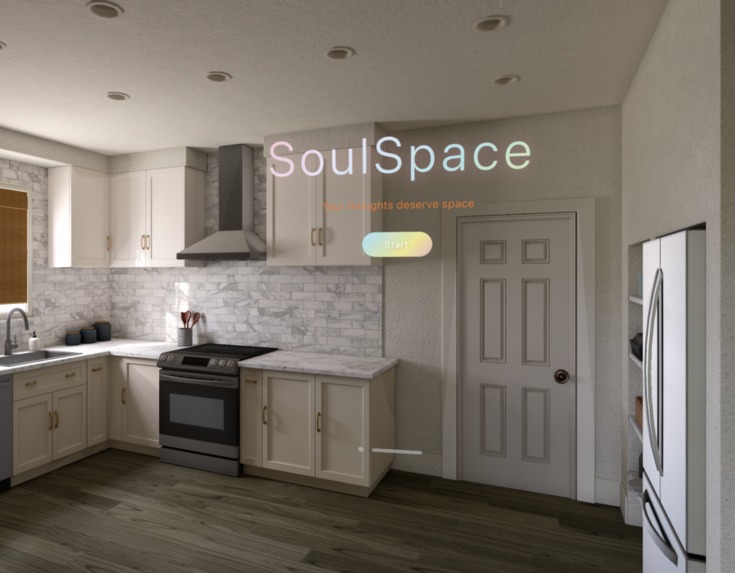
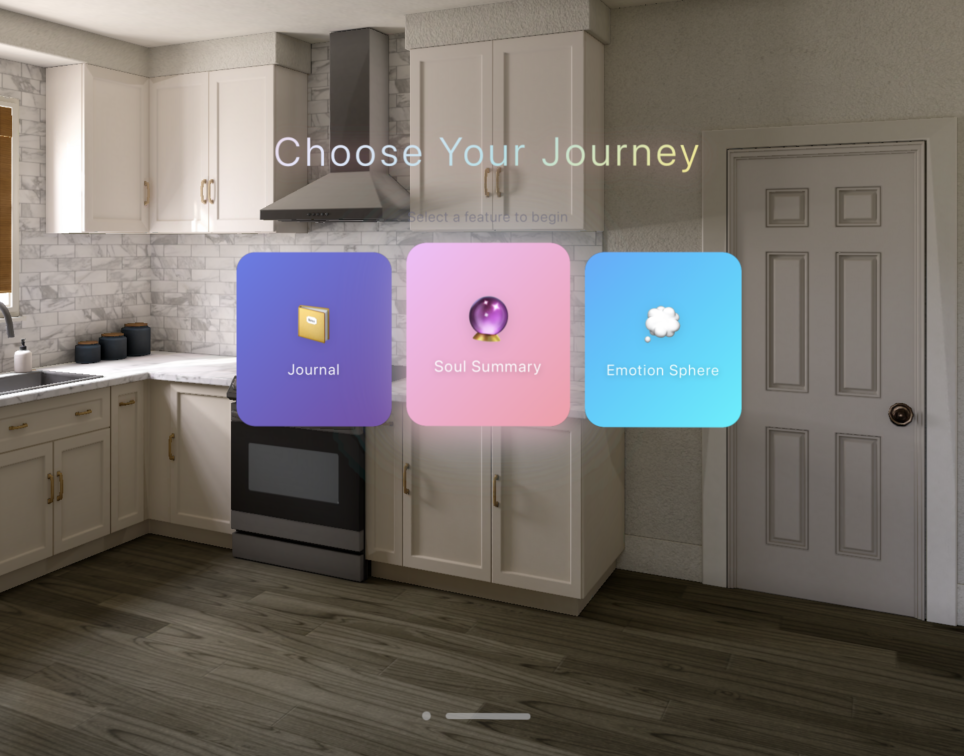
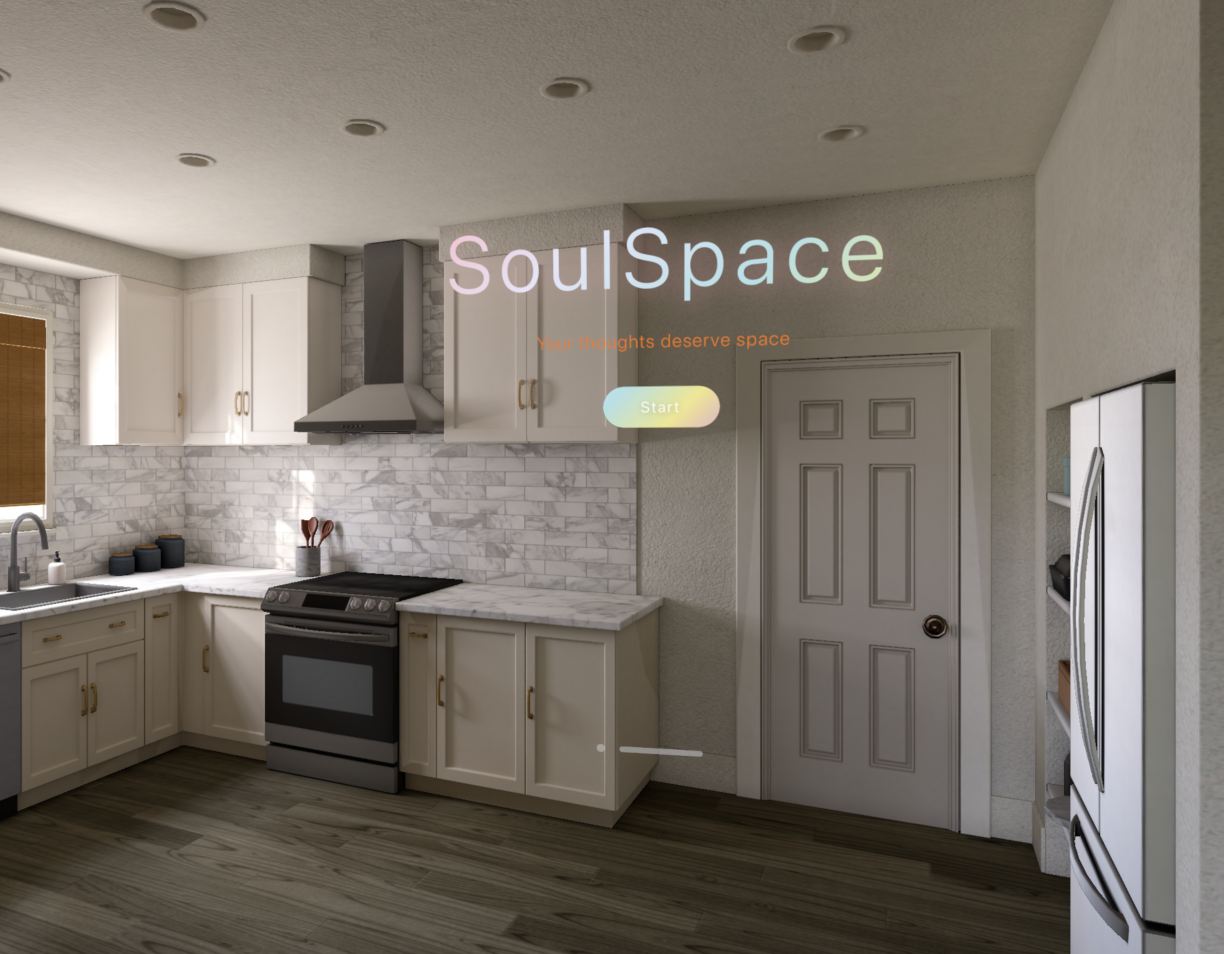
Our landing page
-
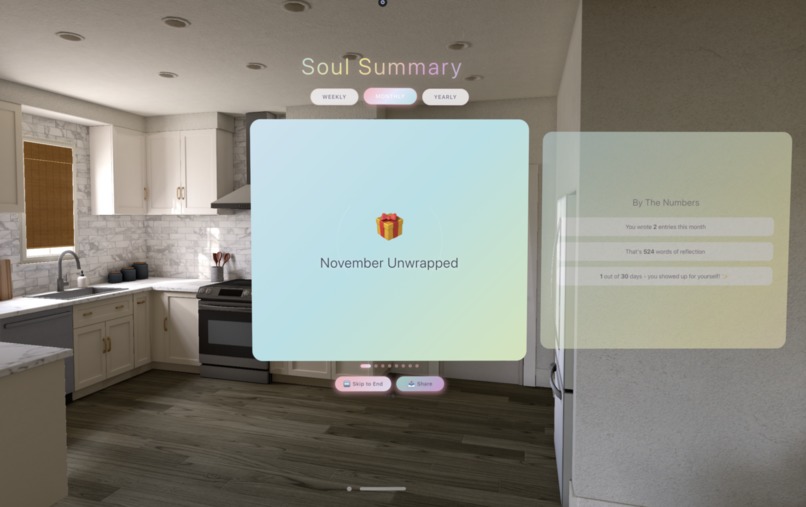
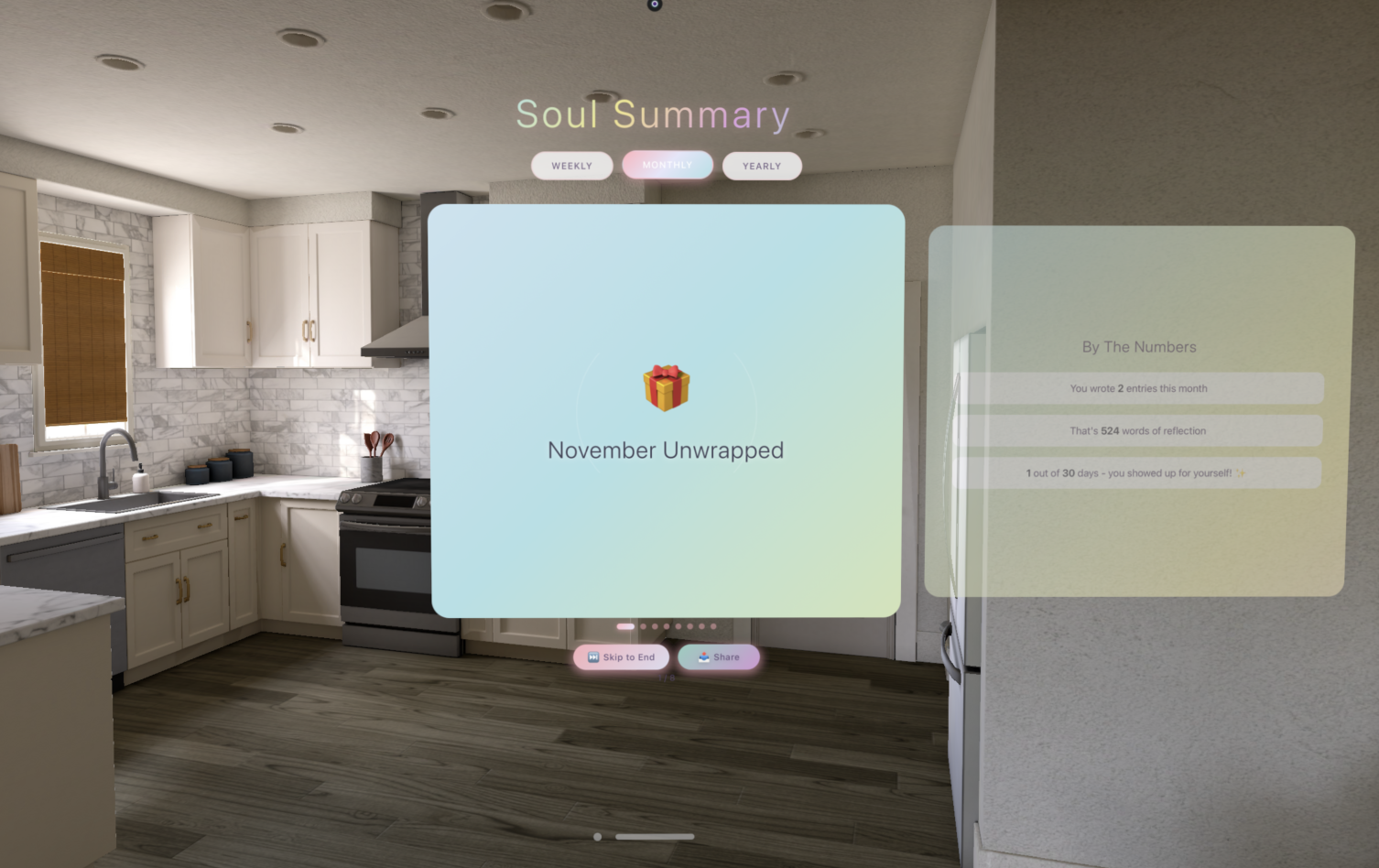
Monthly summary of the user's emotions
-
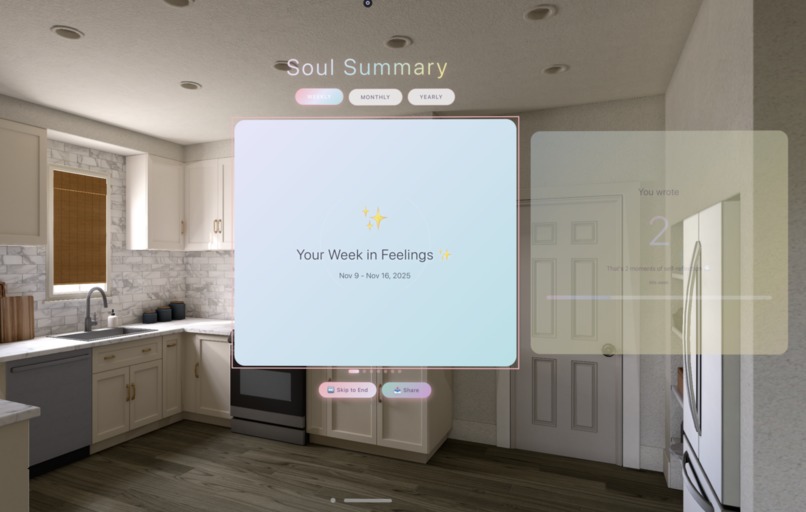
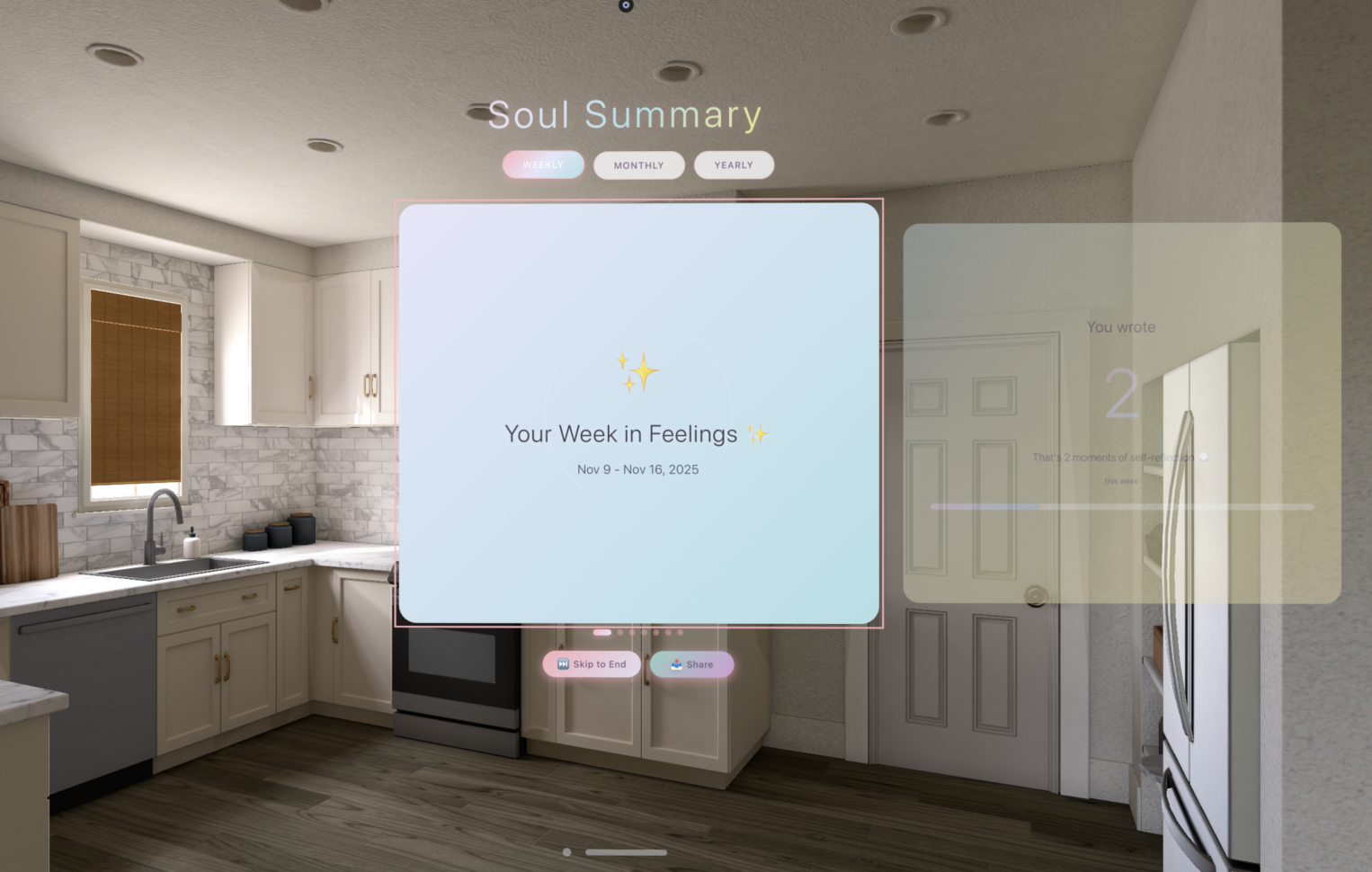
Weekly emotion "wrap"
✅ SECTION 1 — Core Story
- What problem does your project solve?
Most people want to journal but stop quickly because it feels passive and repetitive. Entries disappear into a scroll of text, moods aren’t easy to track, and reflection becomes a chore. In spatial computing, we saw an opportunity to turn emotional wellness into something tangible — visual, interactive, and rewarding to revisit.
- What inspired the idea?
We were frustrated with traditional journaling apps and curious whether XR could make emotions feel more “real.” Once we experimented with Vision Pro and WebSpatial, we realized we could place emotions in the user’s physical space. That, combined with the cultural impact of things like Spotify Wrapped, inspired us to reimagine emotional reflection as a visual, personal experience.
- One-sentence description
SoulSpace is an AI-powered spatial journaling app that transforms your emotions into immersive 3D visuals and personalized insights in mixed reality.
✅ SECTION 2 — What the App Does
- What the user experiences
Users open the app and land on a clean glassmorphic hub with three options:
Create a journal entry using voice or text
View their Soul Summary, a set of dynamic emotional analytics
Explore the Emotion Sphere, a 3D display of all their moods over time
AI generates prompts, analyzes emotional tone, and gives gentle feedback. The analytics feel like a personal emotional highlight reel. The 3D sphere lets users literally walk through their emotional history.
- Core features
AI-assisted journaling — contextual prompts, mood detection, automatic titles
Soul Summary analytics — weekly/monthly/yearly emotional patterns, word clouds, streaks
Emotion Sphere — eight emotion categories visualized as floating glass jars sized by frequency
AI feedback companion — insights, suggestions, and optional text enhancement
Spatial UI — WebXR layout, transparent panels, spatial audio effects, Vision Pro compatibility
- Interaction model & UX flow
We designed around simplicity: a single hub → three major pathways. Navigation uses gaze + pinch or direct clicking. Panels float at comfortable distances, and swiping through analytics mimics flipping physical cards. Emotion jars respond to hover or gaze with subtle animations, keeping the interaction intuitive and playful.
✅ SECTION 3 — Technical Architecture
- System architecture
The app is a client-side React SPA with clear layers:
Presentation Layer: React + TypeScript UI
Service Layer: AI integrations and analytics logic
Persistence Layer: localStorage data storage
User input flows into React state, triggers AI services, and updates localStorage before re-rendering.
- SDKs, APIs & frameworks
Frontend: React, TypeScript, Vite
Spatial Computing: WebSpatial SDK (core, react, builder, VisionOS plugin)
AI: Claude (analysis, enhancement), Gemini (mood detection, prompts)
3D: Three.js, model-viewer
Utilities: html2canvas, Web Speech API, Web Audio API
- Key modules
claudeService.ts — all Claude requests with retry + streaming
moodDetection.ts — Gemini mood analysis
moodWrapService.ts — analytics engine
Core pages: journaling interface, mood summary, emotion sphere
Components: voice input, AI assistant, mood selector, slide components
- How WebSpatial was used
WebSpatial handled XR session management and allowed us to build spatial UI using standard React. Panels automatically became floating spatial windows on Vision Pro. The Vite plugin packaged everything for VisionOS without manual native configuration.
- Spatial UI structure
Glass panels float in front of the user with adjustable depth. The Emotion Sphere uses a Three.js canvas placed inside a spatial window. All elements use transparent backgrounds for passthrough and maintain accessible tap targets for gaze/pinch.
- ML / CV integration
Gemini handled mood detection and prompt generation. Claude provided emotional insights and enhancements via streaming. Models were accessed through API calls for speed during the hackathon.
- Backend
None — everything is local, enabling instant load and offline support.
- State management
useState for UI, custom hooks for stored entries, useEffect for voice listeners, and memoized analytics for performance.
✅ SECTION 4 — Implementation Details
- What worked well
Voice journaling required almost no setup and felt natural. Gemini’s mood detection was surprisingly accurate once we added structured prompts. WebSpatial preserved glassmorphism beautifully in spatial mode, making the interface feel native.
- Performance issues
AI latency (solved with streaming + loading messages)
JSON parse/stringify lag with large journals
Frame drops with heavy particle effects
Word cloud calculations blocking the main thread
- Time-constraint tradeoffs
Simplified analytics formulas
Basic error handling
Minimal animations
- Part of code we’re proud of
The analytics engine powering MoodWrap — it cleanly computes trends, streaks, emotional evolution, and word frequencies from raw entries. The AI service abstractions also provided robust, reusable patterns.
✅ SECTION 5 — Lessons for Developers
- Key lessons
Start with spatial layout early; test regularly on-device; sound feedback matters; keep panels small and interactions simple; don’t overthink 3D elements if flat panels work.
- What we’d improve
Add a backend, implement full streaming AI responses, cache analytics results, experiment with more spatial gestures, and focus on accessibility.
- Advice for WebSpatial/SecureMR beginners
Use templates, rely on the Vite plugin, keep UI modular, test scale frequently, and join the community early for help.
✅ SECTION 6 — Open-Source Plans
- Open-source plan
Clean the repo, add proper docs, publish a .env example, extract reusable components, enable strict TypeScript, and add unit tests for analytics.
- Future features
Syncing, authentication, exporting, more emotions, dark mode, calendar view, social journaling, voice-only mode, and on-device AI for privacy.
- Most reusable parts for devs
The AI service architecture, the analytics engine, the modular slide system, and the voice input abstraction.
✅ SECTION 7 — Team Quote
- Meaning to you
Building the app was personally therapeutic — visualizing emotions in 3D made journaling feel alive and gave reflection a new sense of meaning.
- Exciting part of spatial computing
It turns abstract data into something you can physically walk around, interact with, and feel emotionally connected to.
- How WebSpatial unlocked this
It removed all the native XR complexity and let us build a Vision Pro app with the tools we already knew — React, TypeScript, and the web ecosystem.
- Why now is the moment
Great hardware, mature frameworks, and AI breakthroughs are converging. Mixed reality is becoming the next mainstream interface, and developers today get to shape that future.
Built With
- google-genai
- webspatial


Log in or sign up for Devpost to join the conversation.