-
-
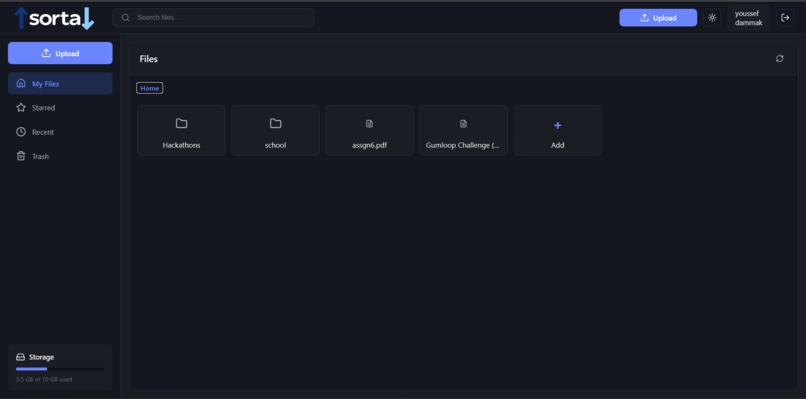
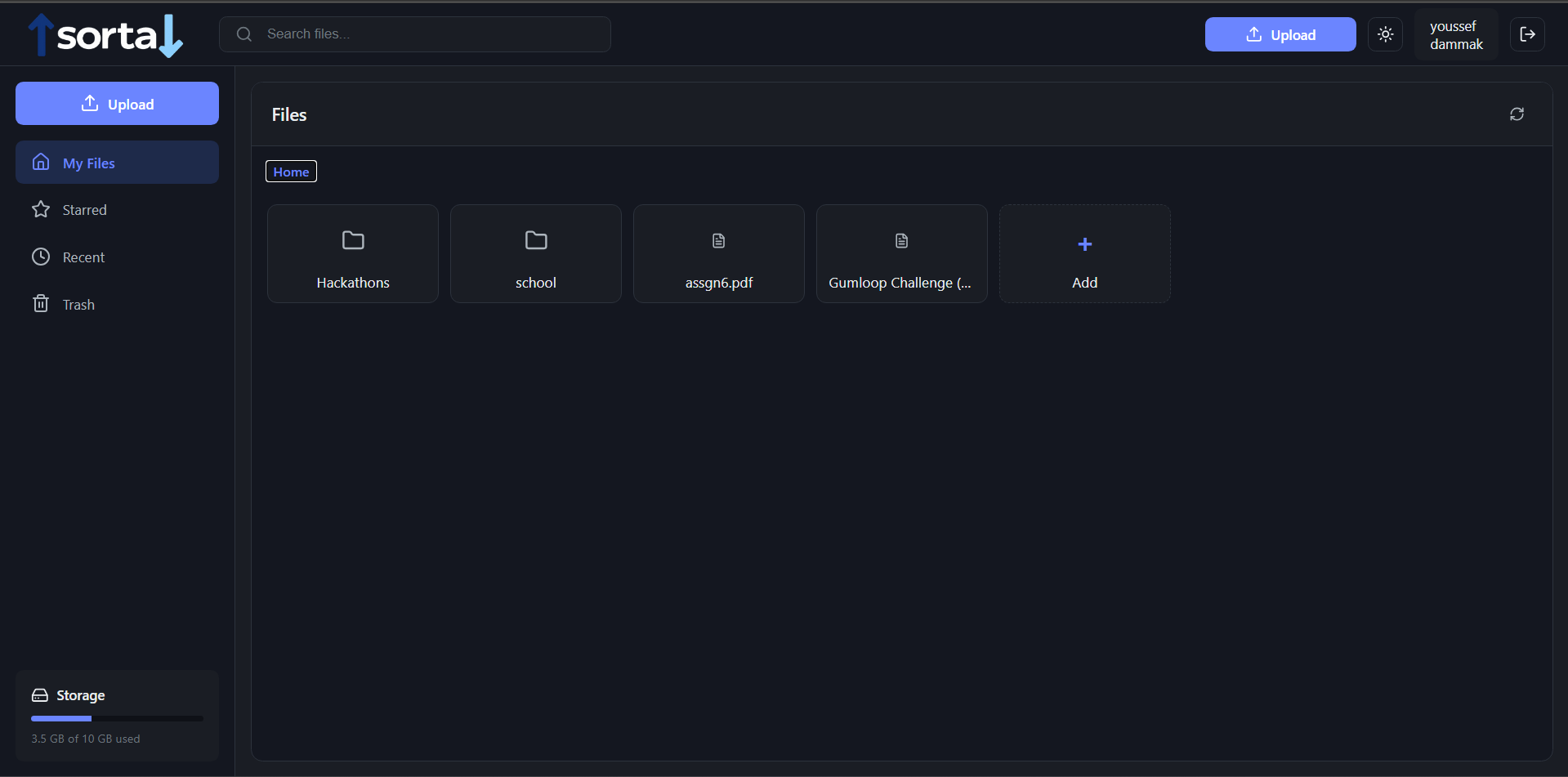
home screen
-
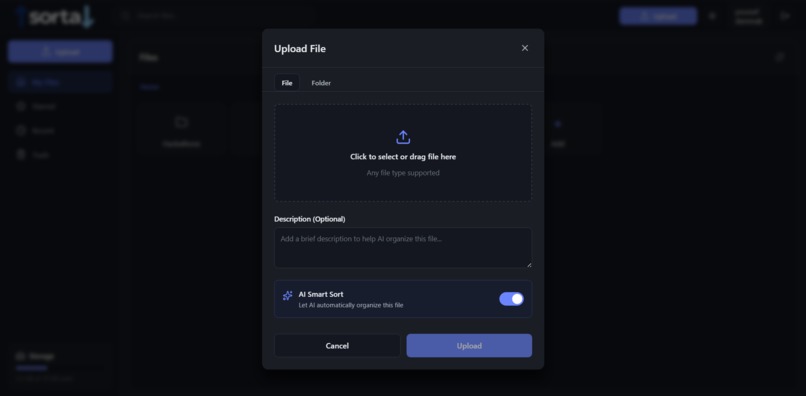
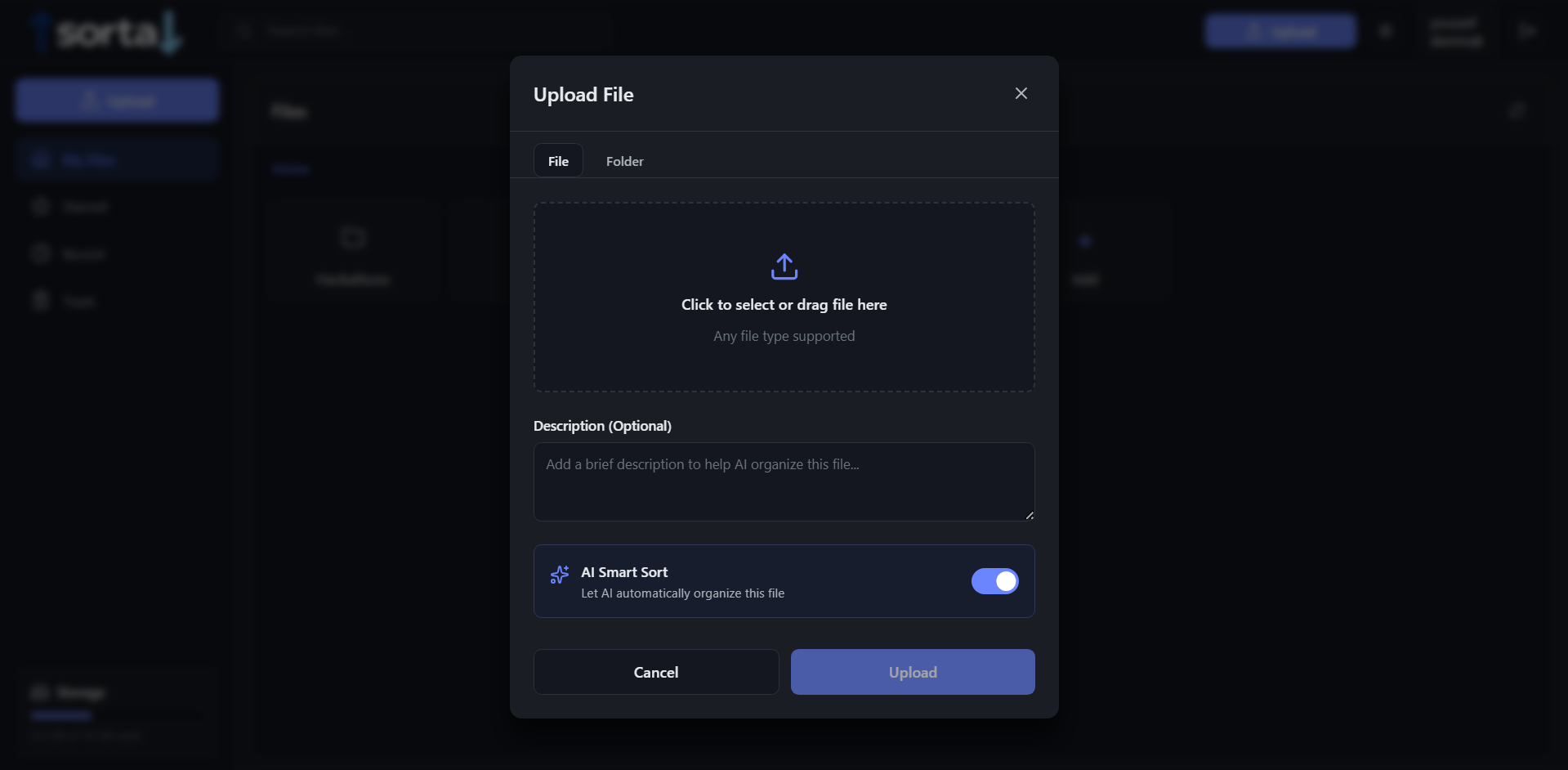
adding a file
-
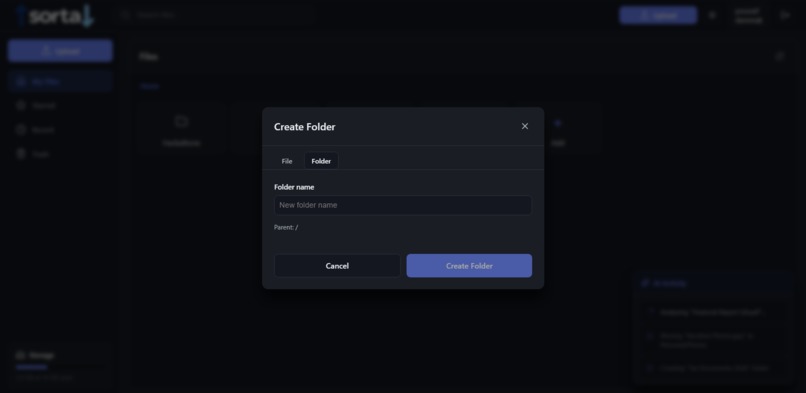
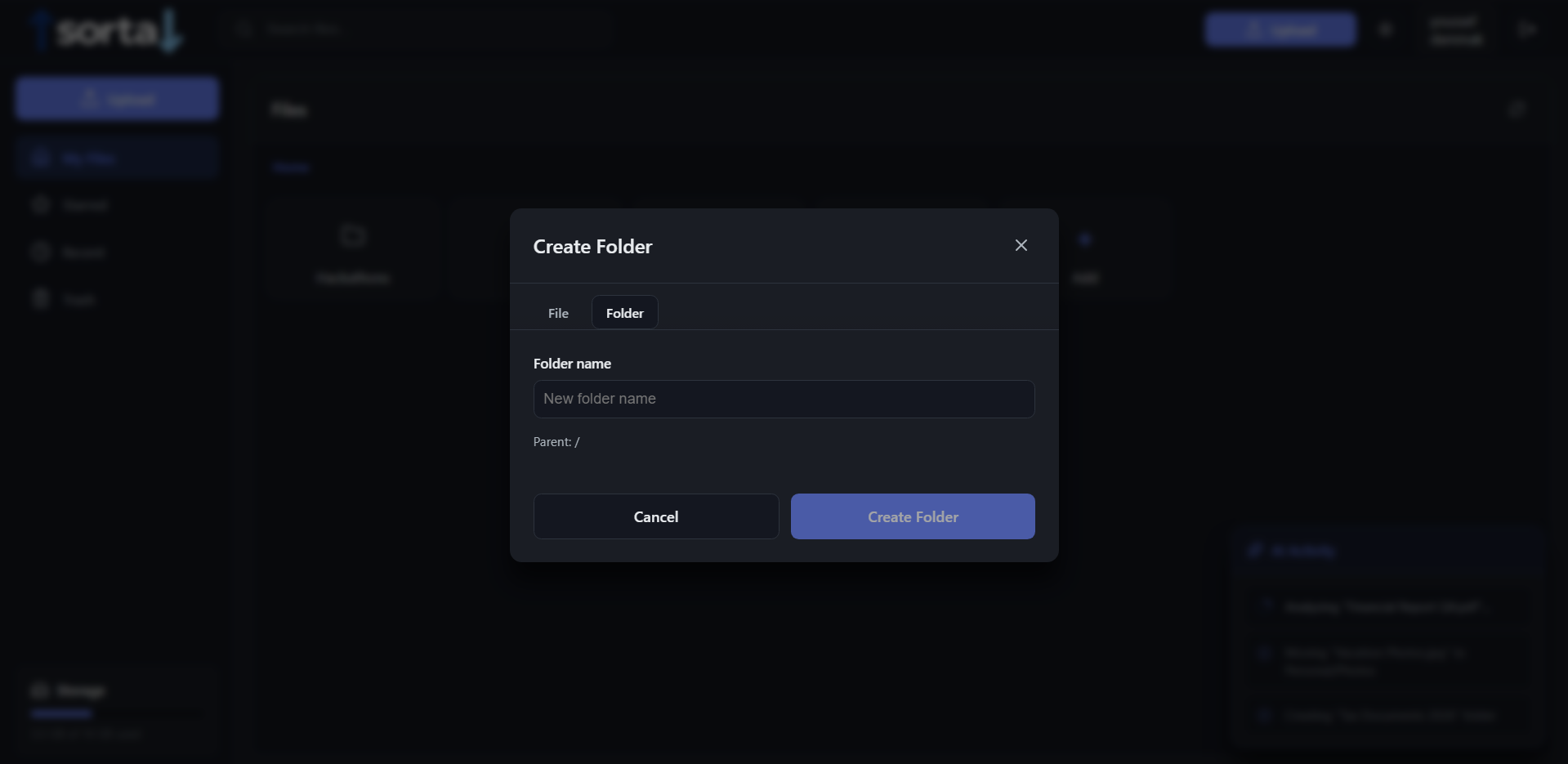
adding a folder
-
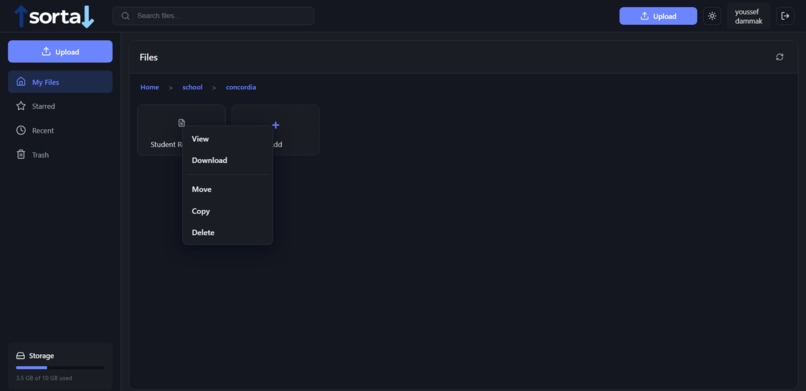
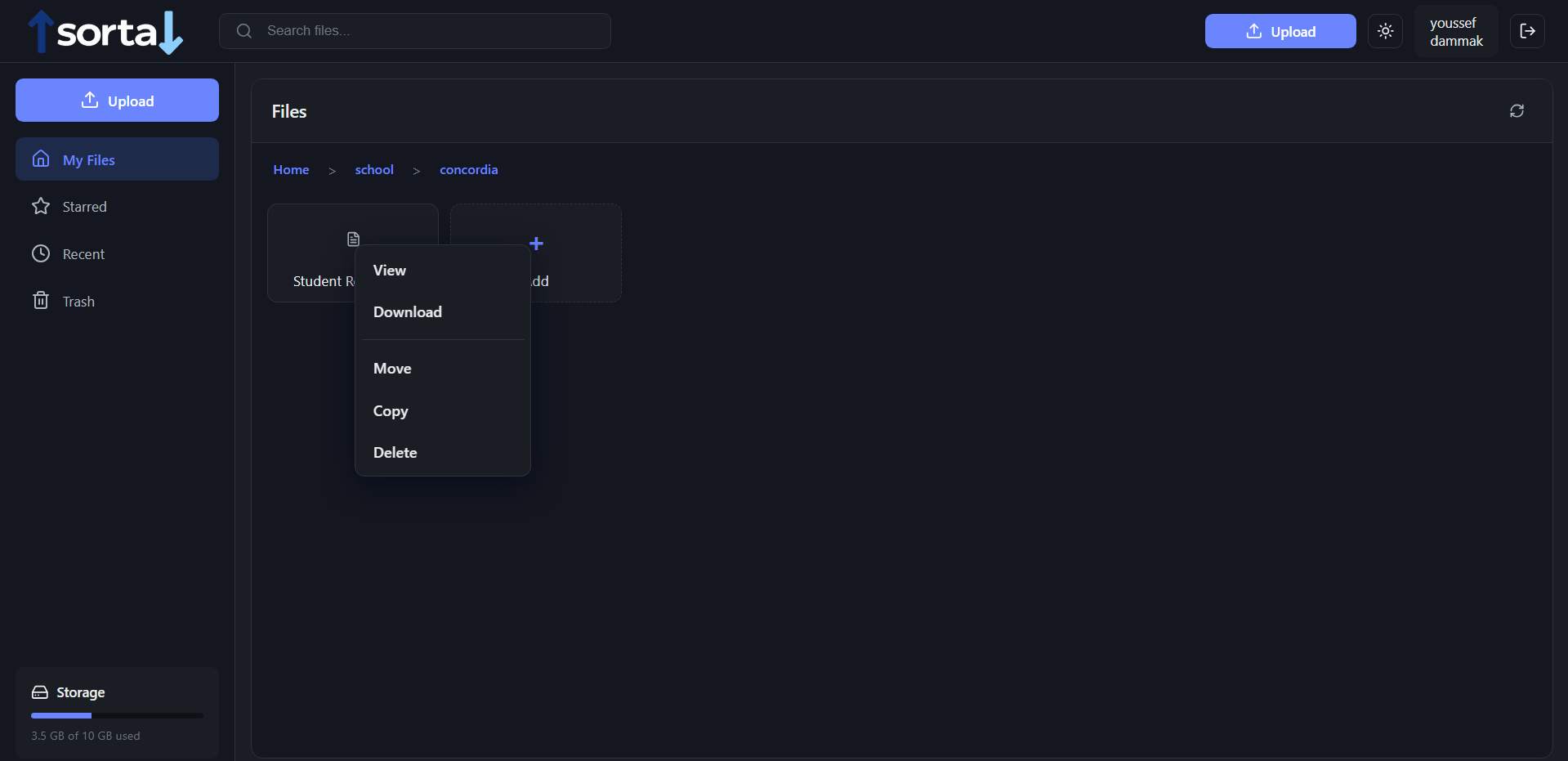
file path/operations on a file
-
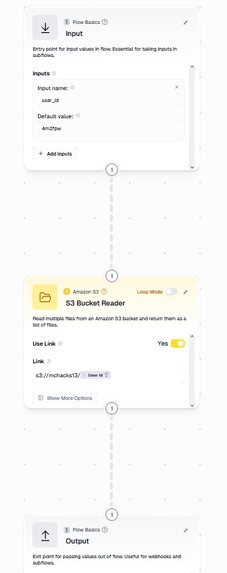
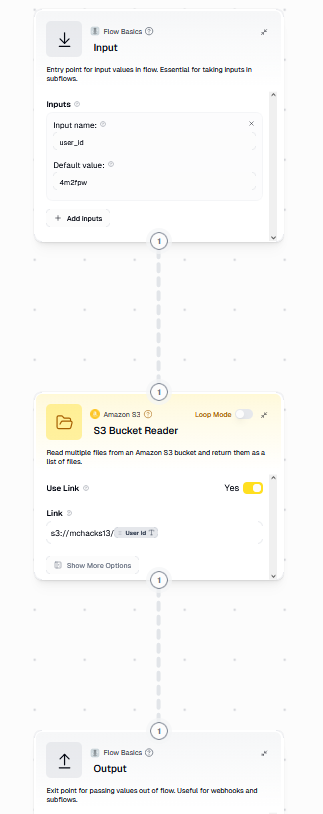
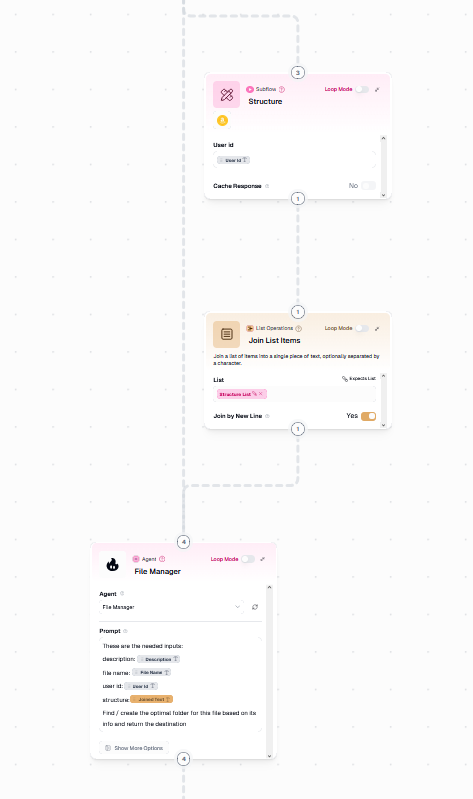
gumloop structure flow
-
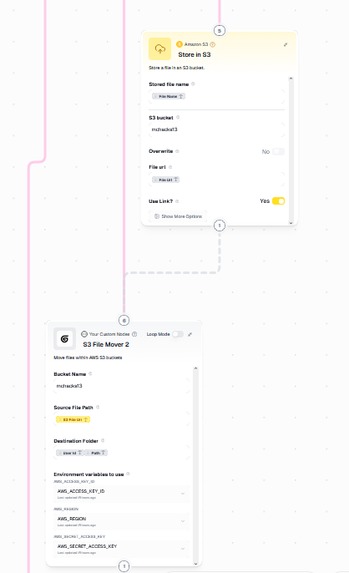
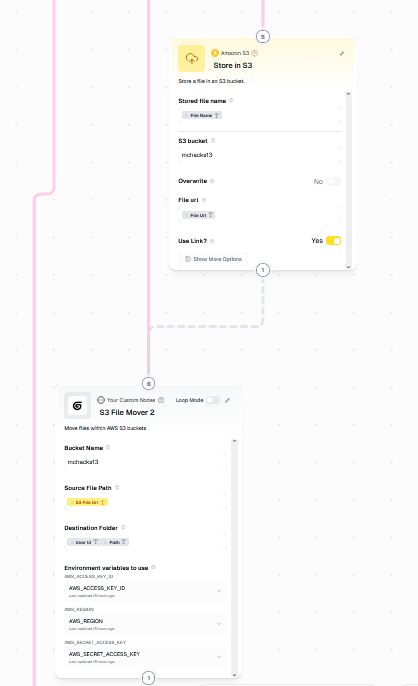
gumloop upload flow
-
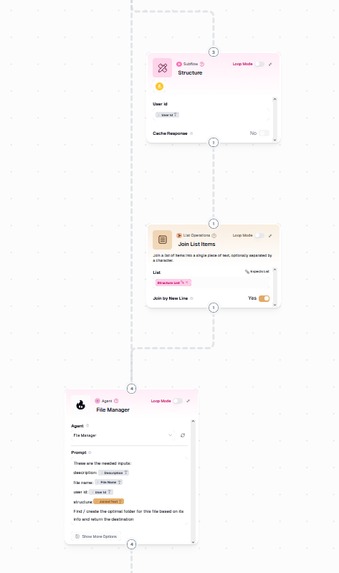
gumloop agent sort flow
Project Summary
Sorta is an AI-enabled personal cloud storage prototype that uploads files to Amazon S3, allows users to preview and download items, and uses Gumloop pipelines to automate folder creation, AI-driven sorting, and file operations (move, copy, delete).
The frontend is a React + TypeScript application, while the backend is Express + TypeScript. The backend securely holds secret keys, generates S3 presigned URLs, and starts/polls Gumloop workflows. Authentication is JWT-based, and users are identified with short 6-character IDs.
Inspiration
Do you also suffer from a messy cloud drive, with files dumped into a single folder, random names, and no idea what’s what or where anything lives? That frustration is what inspired Sorta — a smarter way to automatically organize your files so your storage stays clean, searchable, and stress-free without manual effort.
The goal was to build a modern, minimal storage UX where the heavy lifting—file analysis, sorting logic, and folder operations is handled by server-side workflows instead of the client.
Gumloop pipelines offered a clean way to encapsulate AI and storage logic as staged, debuggable flows. This made it possible to combine a polished, card-based frontend with secure backend orchestration, ensuring users never need to manage credentials or trust the browser with secrets.
What I Learned
- How to safely integrate third-party pipeline APIs (Gumloop) without exposing keys to the browser
- Practical S3 presigned URL flows:
- Presigned PUT for uploads
- Presigned GET for secure previews and downloads
- Handling S3 object lookup edge cases (naming differences, timestamps, alternate buckets)
- Client patterns for long-running server tasks: start → poll → update UI
- Managing TypeScript across frontend and backend and resolving JSX/TS parsing issues
- UX strategies for async work: busy states, disabled controls, and confirmation modals
How I Built It
Architecture (High Level)
Frontend — React + TypeScript
- Components
FileTreeUploadModalDestinationModalDeleteConfirmModal- Header
- Auth and theme contexts
- Services
storageApi.ts
Handles presigning, upload/download, polling, folder creation, and file operations
Backend — Express + TypeScript
- Routes
/api/storage/presign/download/upload/manual/upload/auto/folder/structure/delete/move/copy/run/poll/kill/init
- Infrastructure
- Gumloop client wrapper (
gumloop.ts) for starting and polling pipelines - AWS SDK v3 for S3 presigned URLs
- Secondary bucket fallback logic for mismatched objects
- Gumloop client wrapper (
Data & Tooling
- Database: PostgreSQL (Neon) for user metadata
- IDs:
nanoidfor short 6-character user IDs - Dev tools: small scripts for configuring S3 CORS and listing object prefixes
Key Flows Implemented
Upload Flow
- Frontend requests a presigned PUT URL
POST /api/storage/presign (user_id, file_name, content_type) - Client uploads the file directly to S3 using the presigned URL
- Frontend starts a Gumloop pipeline (
/upload/manualor/upload/auto) and passes the object reference so Gumloop can fetch and process the file
Preview / Download
- Backend
/downloadaccepts:s3_uri, or(user_id, path)
- Resolves the actual bucket and key (with fallback logic)
- Returns a presigned GET URL
disposition=inlinefor previewdisposition=attachmentfor download
Folder Creation
POST /api/storage/foldertriggers a GumloopcreateFolderpipeline
Delete / Move / Copy
POST /api/storage/delete | move | copy- Starts Gumloop pipelines using the
saved_item_id - Frontend polls until completion, then refreshes the file tree
Challenges and Solutions
S3 Object Not Found / Bucket Mismatch
Symptom: Preview or download returned NoSuchKey
Fix:
- Parse
s3://and HTTPS URIs - List objects under
user_id/prefixes - Normalize filenames (decode
%20, strip timestamps) - Select best match
- Added a
SECONDARY_S3_BUCKETfallback
CORS Issues with Presigned PUT
Symptom: Browser blocked uploads
Fix:
- Created a script to set S3 CORS rules for
http://localhost:3000 - Applied rules to both buckets
Avoid Exposing Gumloop API Keys
Approach:
- All Gumloop interactions occur server-side
- Frontend only receives run IDs and presigned URLs
Long-Running Gumloop Pipelines
Approach:
- Start pipeline
- Poll using a server helper
- Expose
/run/pollendpoint - Frontend disables UI and shows busy indicators until completion
CSS Not Applying
Symptom: Context popover appeared unstyled
Fix:
- Found and fixed a malformed CSS block (missing closing brace)
JSX / TypeScript Parser Errors
Symptom: CRA build failures during iteration
Fix:
- Carefully reconstructed JSX return blocks
- Verified fragment/tag balance
- Made incremental, testable changes
Implementation Notes
Polling Pattern
- Client starts a pipeline and receives a
run_id - Client calls
/api/storage/run/poll?run_id=... - Server polls until
DONEorFAILED - Client updates UI on completion
What I’d Do Next (Future Work)
- Richer destination picker with nested folder trees and inline folder creation
- More detailed pipeline progress UI (step status, logs)
- Persist file metadata in the database immediately after upload
- More robust retry and error reporting with backoff strategies
- Improved security: tighter IAM policies and key rotation
Final Thoughts
Building Sorta combined secure server-side orchestration, cloud storage plumbing, and a responsive frontend that handles async workflows gracefully.
The most rewarding part was making long-running server workflows feel fast through polling, busy indicators, and thoughtful UX. The hardest challenges were not algorithmic but infrastructural—CORS, object-key mismatches, and defensive storage logic—where careful engineering mattered more than complexity.
What's Next for Sorta
The next phase of Sorta focuses on scalability, collaboration, and richer in-browser functionality.
On the infrastructure side, the system can be extended to support larger user volumes, higher file throughput, and more concurrent Gumloop pipeline executions. This includes improving database indexing, optimizing polling strategies, and tightening IAM policies for safer, more scalable presigned operations.
On the product side, planned features include secure file sharing (shareable links, permissions, and expirations), a fully featured in-browser file viewer for common formats (PDFs, images, video, audio, and text/code), enable file upload in bulk (multiple files at once), and more advanced search and filtering powered by AI-generated metadata.
Additional improvements include better real-time pipeline progress feedback, collaborative folder structures, and persistent file metadata to enable faster listings and smarter organization over time.


Log in or sign up for Devpost to join the conversation.