Inspiration
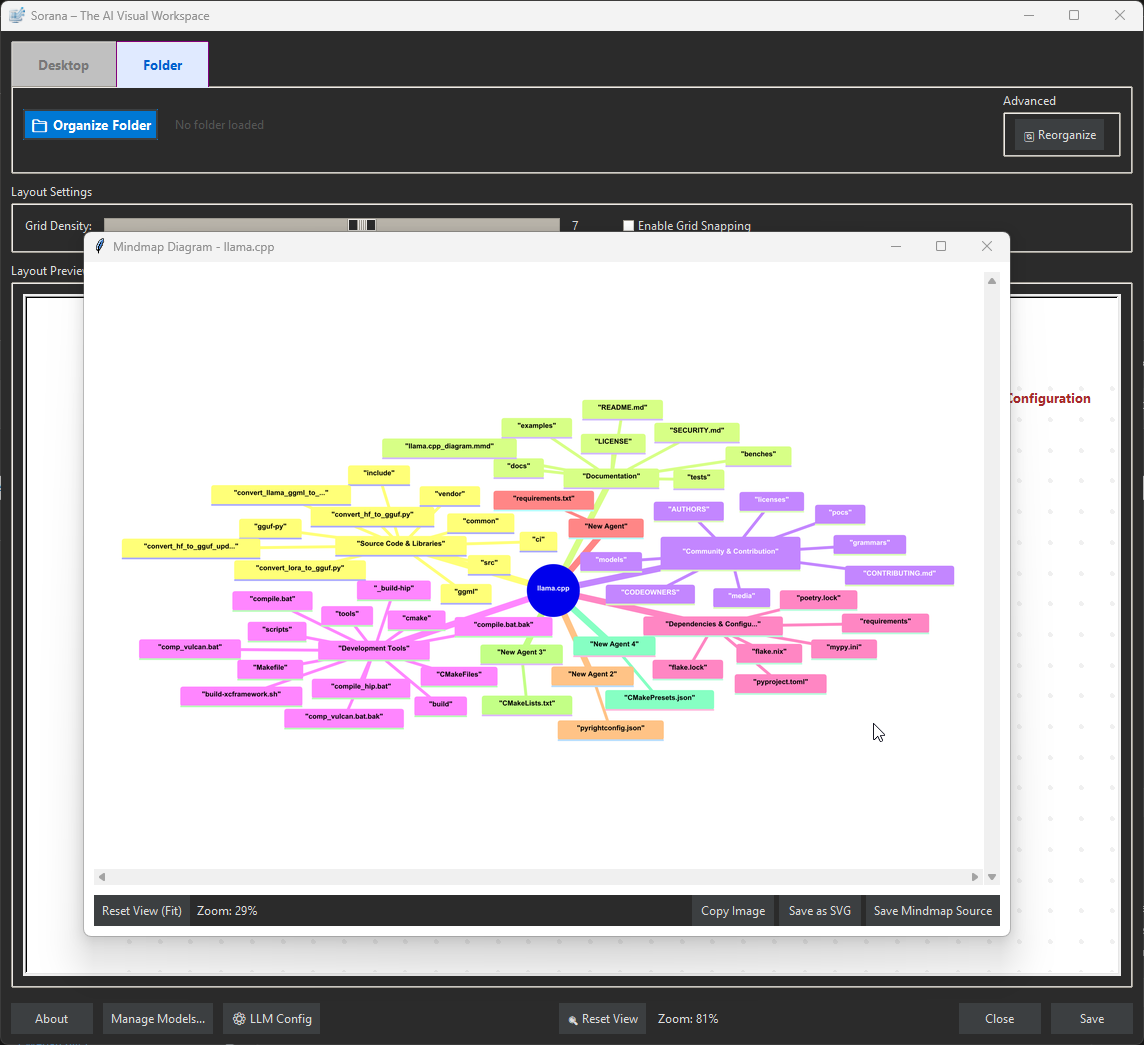
We were frustrated by the limitations of traditional file managers. For decades, we've been forced to organize digital lives into rigid, list-based hierarchies and nested folders that hide information rather than reveal it. Our brains don't work in lists; they work through associations and spatial relationships. We wanted to build a system that reflects this—moving away from "where did I save that file?" to "what is this project about?" by using semantic and visual grouping to reveal the hidden structure of our data.
What it does
Sorana is an AI-powered visual workspace that fundamentally transforms how you interact with digital files.
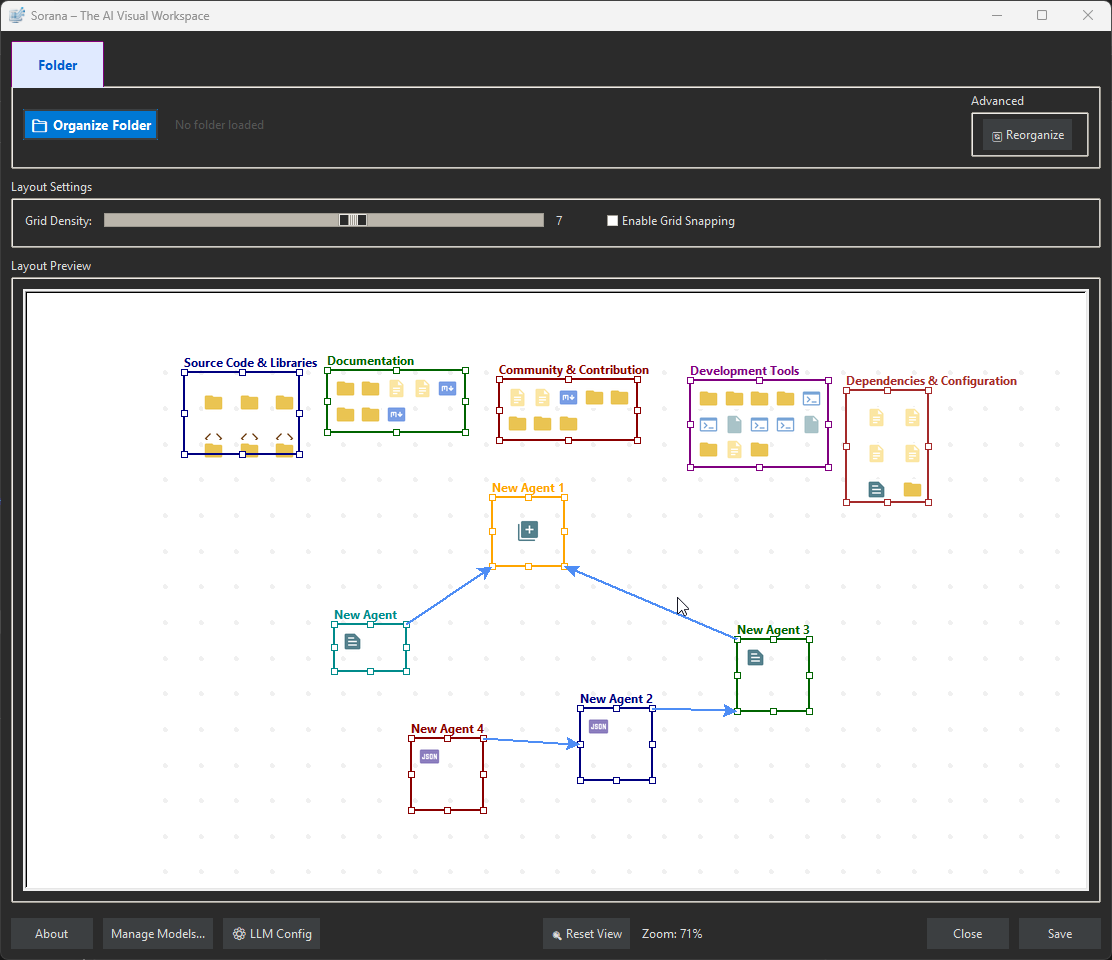
Spatial AI Organization: Instead of lists, it uses semantic AI analysis to automatically group related files and folders onto a spatial 2D canvas.
Interactive WYSIWYG Canvas: It provides a true "What You See Is What You Get" editor where you can drag and drop files between groups, create new categories, and adjust boundaries manually.
No-Code Agent Pipelines: Users can build intelligent workflows by connecting agents using a simple drag-and-drop interface, allowing agents to pass insights and documents from one to another to solve complex problems.
Contextual Chat & OCR: It includes powerful OCR for PDFs and code files , enabling users to chat directly with their documents to extract information.
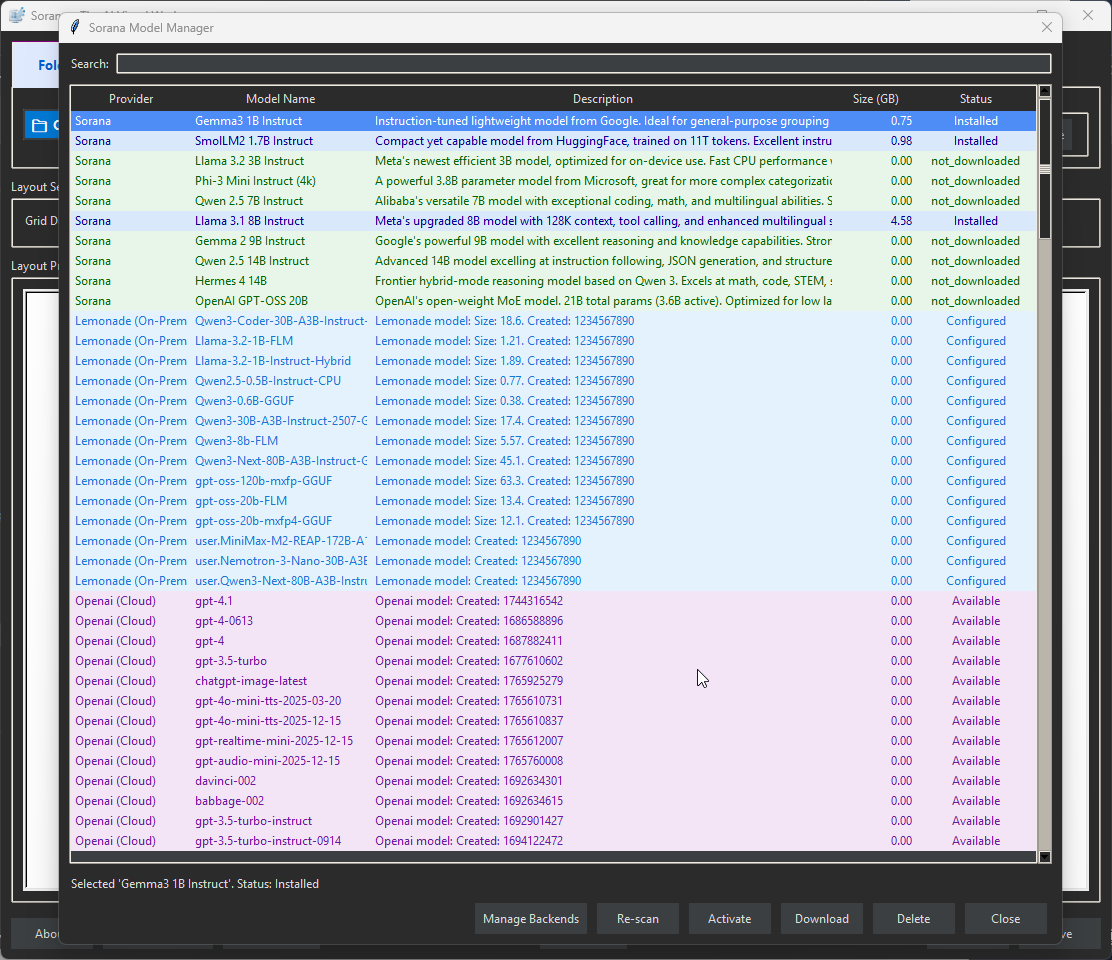
Privacy & Control: It connects to both on-prem (Ollama, Llamacpp) and cloud backends (OpenAI, Mistral) while keeping data under user control.
How we built it
We developed the core application using VS Code paired with Gemini Code Assist to accelerate development. The backend architecture was designed to be modular and agnostic, allowing us to integrate a wide range of inference engines.
🚀 We Built Sorana with Gemini 3 via VS Code Code Assist Every core module of Sorana — including the semantic clustering engine, agent orchestration logic, file parsing pipelines, and UI state management — was co-developed using Google Gemini 3 through the official VS Code Code Assist extension. Over 70% of our codebase was generated or significantly refined using Gemini’s real-time suggestions, multi-line completions, and context-aware refactoring. We did not use any other AI coding assistant during development.The backend architecture was designed to be modular and agnostic, allowing us to integrate a wide range of inference engines.
AI Integration: We built a flexible "Multi-Service AI Integration" layer that creates a unified interface for connecting to local servers (like Ollama and Llamacpp) and cloud APIs (OpenAI, Lemonade).
OCR Engine: We integrated Tesseract OCR to handle image-heavy PDFs and built custom parsers for code files (Python, C++, Java, etc.) to ensure the AI can "read" the actual content of the user's workspace.
Challenges we ran into
Grid Snapping and Layout Algorithms: One of the hardest technical hurdles was mapping high-dimensional semantic data onto a 2D plane without creating a chaotic mess. We experimented with space-filling curves to handle the grid snapping. The challenge was ensuring that files that are semantically related stayed visually close together, while adhering to a strict grid system that prevents items from overlapping. Balancing the AI's desire for "semantic clustering" with the UI's need for a clean, non-overlapping layout required significant tuning.
Accomplishments that we're proud of
True Free-Form Positioning: We are most proud of the "Interactive Canvas". Many AI tools generate a static visualization that you can look at but not touch. We built a fully editable environment where the user has the final say. You can drag files, rename items, and adjust group boundaries. It isn't just a visualization; it is a functional workspace where the AI does the heavy lifting, but the user retains the freedom to structure their thoughts.
What we learned
Agent Orchestration and Context Flow: We learned that a single AI agent is often insufficient for complex workflows. The real power comes from "No-Code Agent Orchestration". We figured out how to make agents collaborate by establishing "pipelines" where a parent agent can pass instructions and documents to a child agent via a visual interface (holding CTRL+ALT to link agents). This "passthrough" capability allows for much more sophisticated problem-solving than simple one-off prompts.
What's next for Sorana
REST API Integration: Currently, Sorana excels at local file management and connecting to LLM backends. The next step is to expand its connectivity by implementing full REST API support. This will allow Sorana agents to not only read local files but also fetch data from the web, interact with external services, and become a truly universal interface for digital work.
Built With
- gemini-3
- gemini-code-assist-vs-code-plugin
- python
- vs-code

Log in or sign up for Devpost to join the conversation.