Inspiration
A lesson cannot help someone who cannot reach it. In modern STEM education, graphs and curves are everywhere: projectile trajectories in physics, cubic polynomials in calculus, Gaussian bell curves in statistics, and titration curves in chemistry. Sighted students glance at a curve in 200 milliseconds and instantly grasp its shape, where it peaks, where it crosses zero, and whether it is steep or shallow.
For blind and visually impaired students, this visual doorway is firmly locked. When a screen reader encounters a function graph in an online assignment, it merely announces: "Image: graphic of curve". The student is left in the dark, forced to wait for a sighted aide, or excluded from the activity altogether.
We built SonoPlot STEM to remove this barrier entirely. Our vision is simple: give blind learners independent, instantaneous mathematical intuition through sound and touch.
What it does
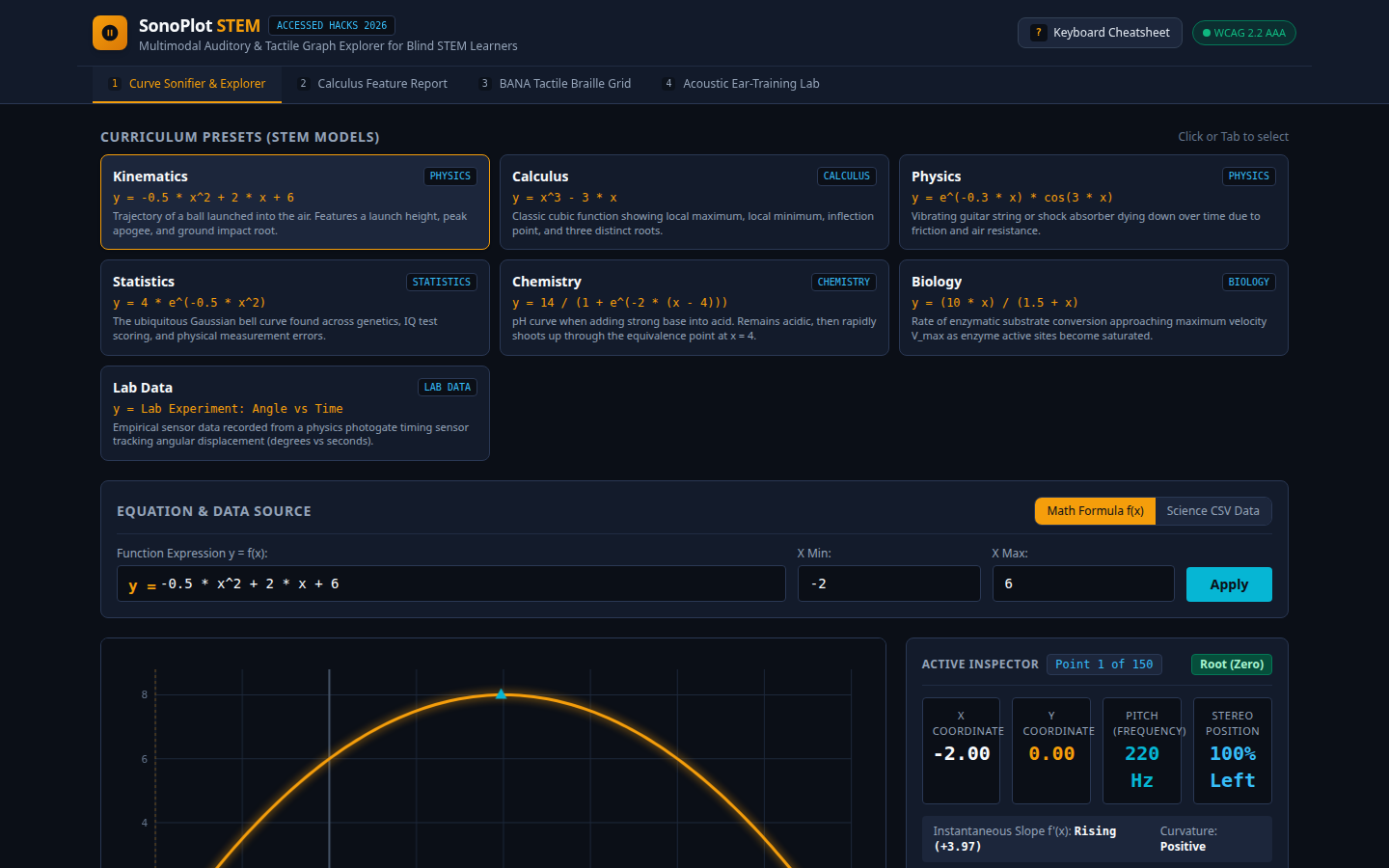
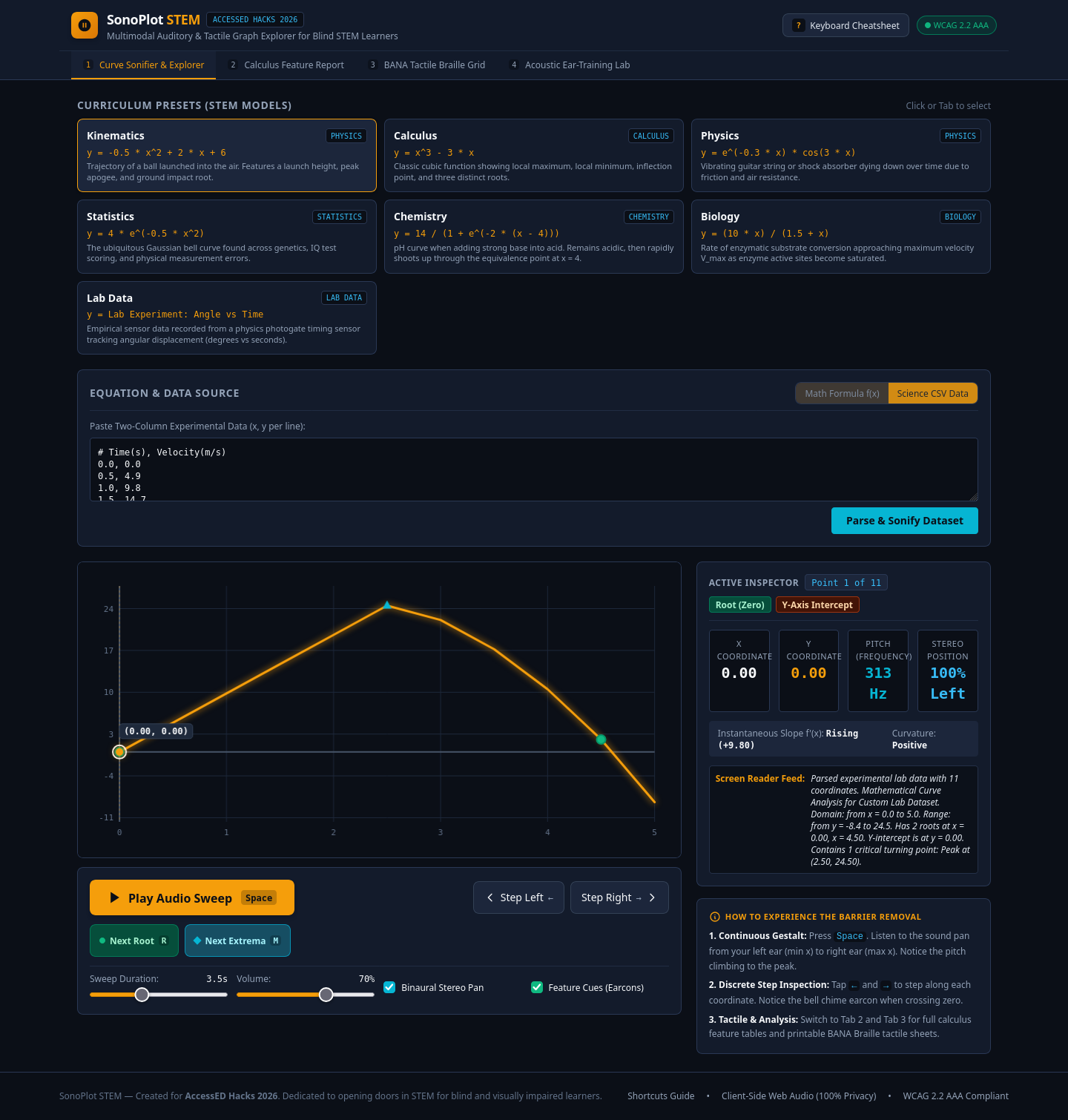
SonoPlot STEM is a zero-install, 100% accessible web application that translates mathematical functions $y = f(x)$ and empirical science laboratory datasets (CSV) into a multi-sensory learning experience:
- Continuous Binaural Sonification: Pressing Space launches a smooth audio sweep across the curve. The frequency of the tone continuously maps vertical height $y$ (from 220 Hz / A3 to 880 Hz / A5), while stereo panning moves sound from the left ear ($x_{min}$) to the right ear ($x_{max}$).
- Harmonic Timbre Sign Encoding: When a curve dips below zero ($y < 0$), the audio timbre dynamically shifts from a pure sine wave to a rich harmonic wave, so learners instinctively hear negative values. A crisp bell chime earcon rings the instant the curve crosses zero ($y = 0$).
- Step-by-Step Point Scrubbing & ARIA Speech: Using Left and Right arrow keys, students scrub along coordinates point-by-point. A dedicated
aria-liveregion speaks clean, concise updates: "x is 2.00, y is 8.00. Local Peak Maximum. Slope is flat." - Feature Snapping: Instead of tapping arrow keys hundreds of times, students press
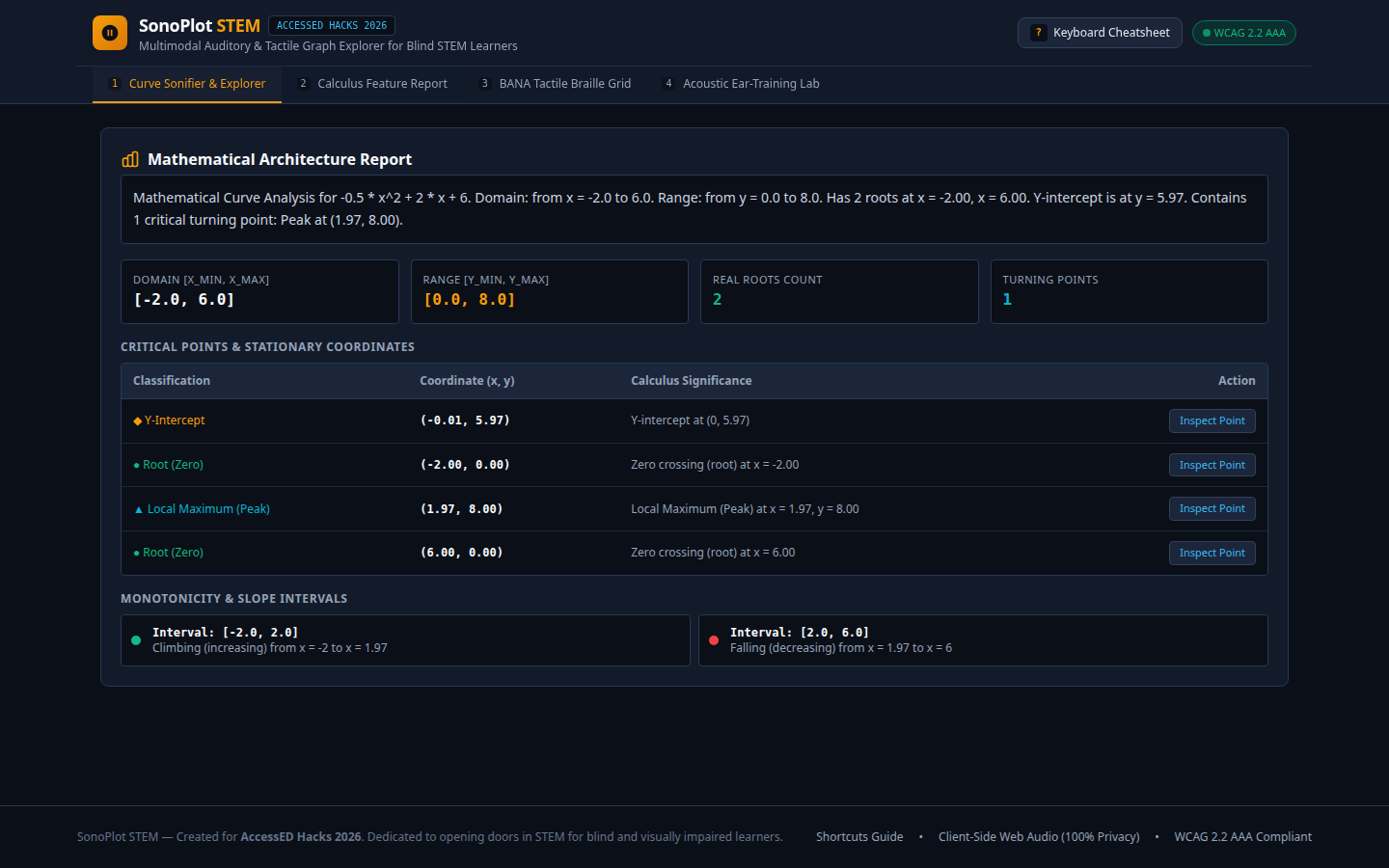
[R]to snap directly to the next real root, or[M]to jump directly to the next critical extremum (peak or valley). - Calculus Architecture Report: Automatically calculates exact domain, range, real roots, turning points, and strictly monotonic intervals ($f'(x) > 0$ vs $f'(x) < 0$).
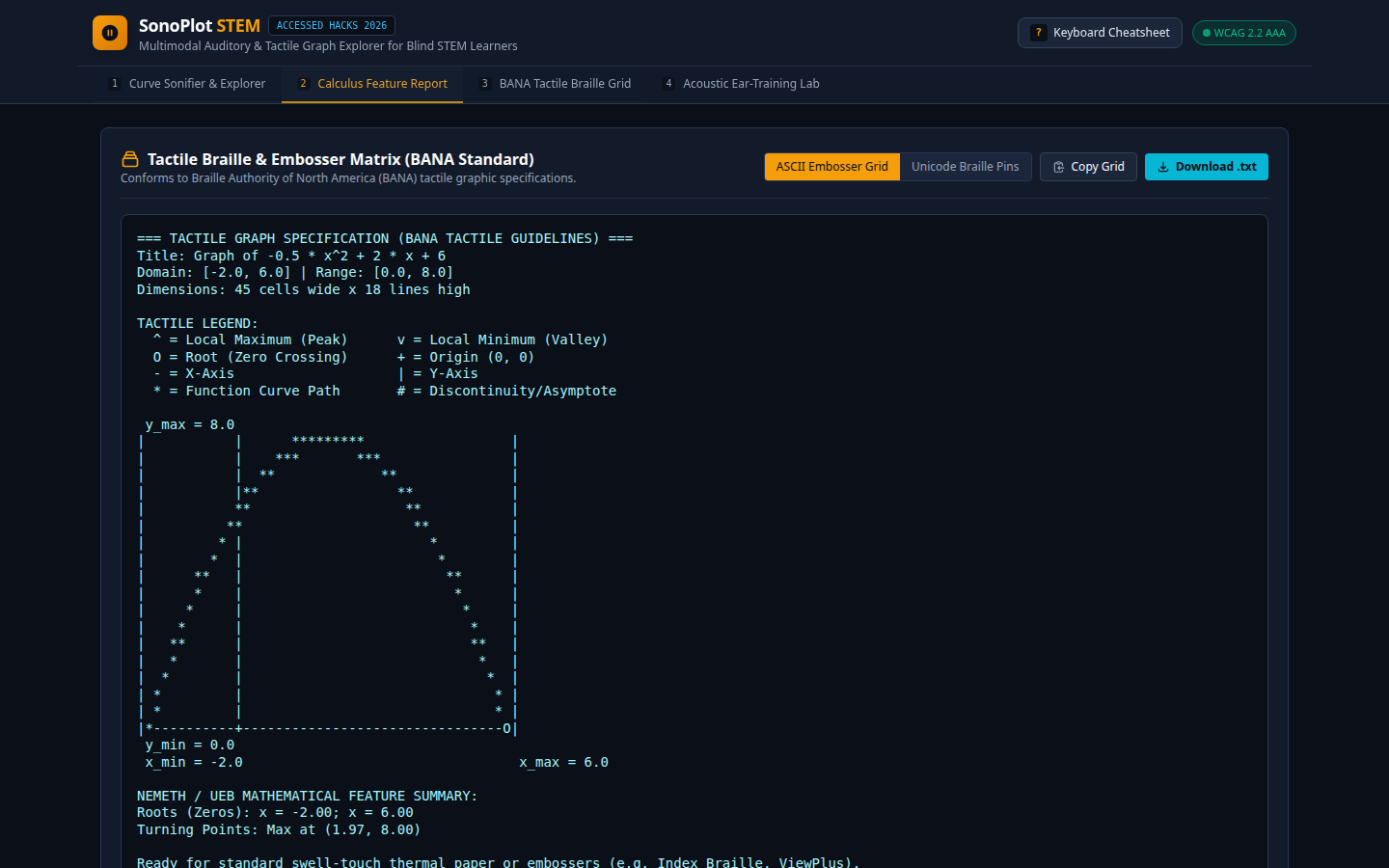
- BANA Tactile Braille Matrix Export: Generates 2D ASCII and Unicode Braille matrices conforming to Braille Authority of North America (BANA) tactile standards. Students can copy the matrix into refreshable Braille displays (e.g. Focus 40, Orbit Reader) or download a
.txtfile to print onto Swell-Touch thermal paper. - Empirical Lab Data Ingestion: Supports pasting raw two-column CSV data from Vernier photogate timers and NIST probes, enabling blind students to actively participate in hands-on science lab exercises.
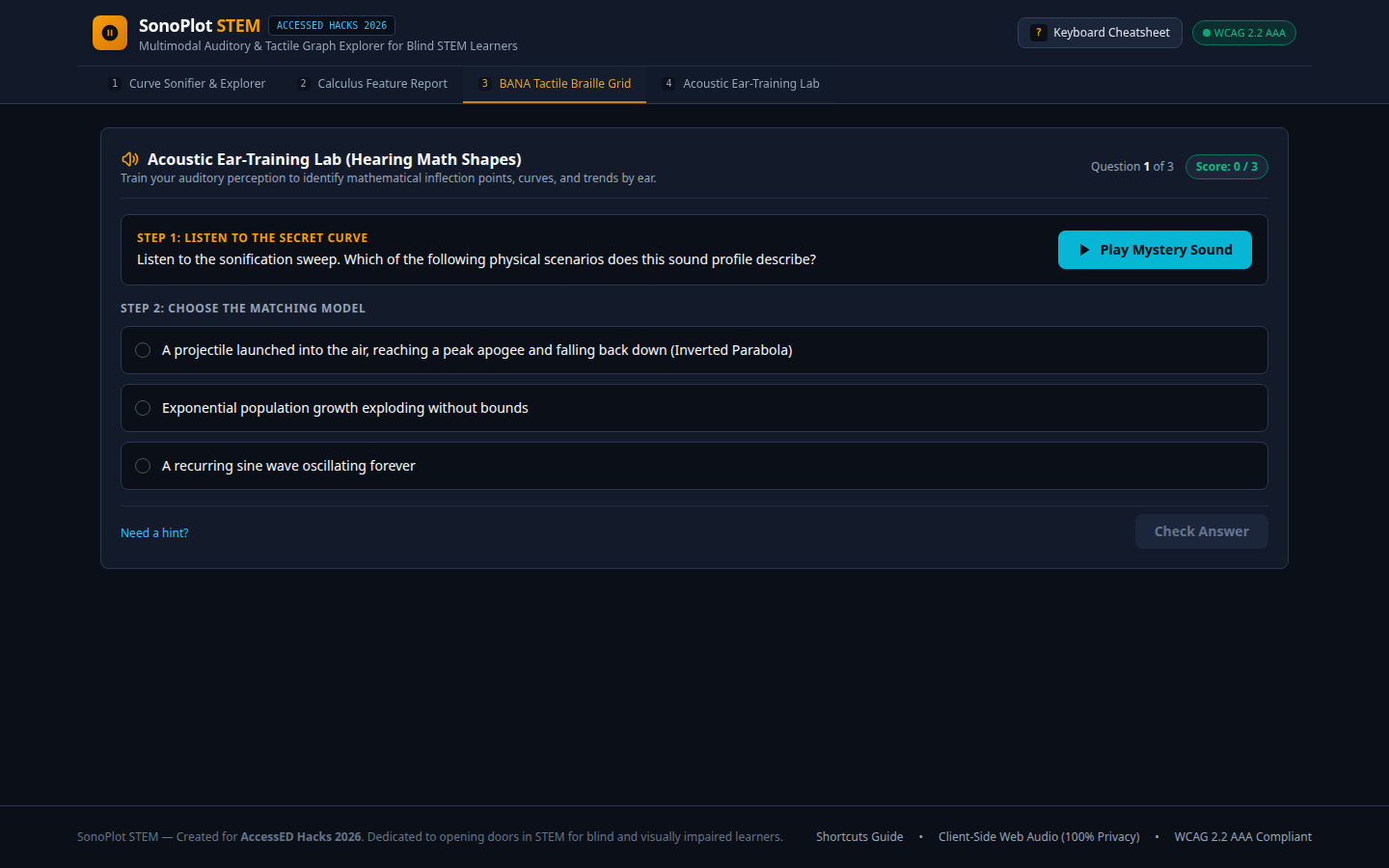
- Acoustic Ear-Training Lab: An interactive ear-training quiz where students listen to mystery sound sweeps and identify whether the profile corresponds to a projectile parabola, a decaying harmonic oscillator, or an acid-base sigmoid curve.
How we built it
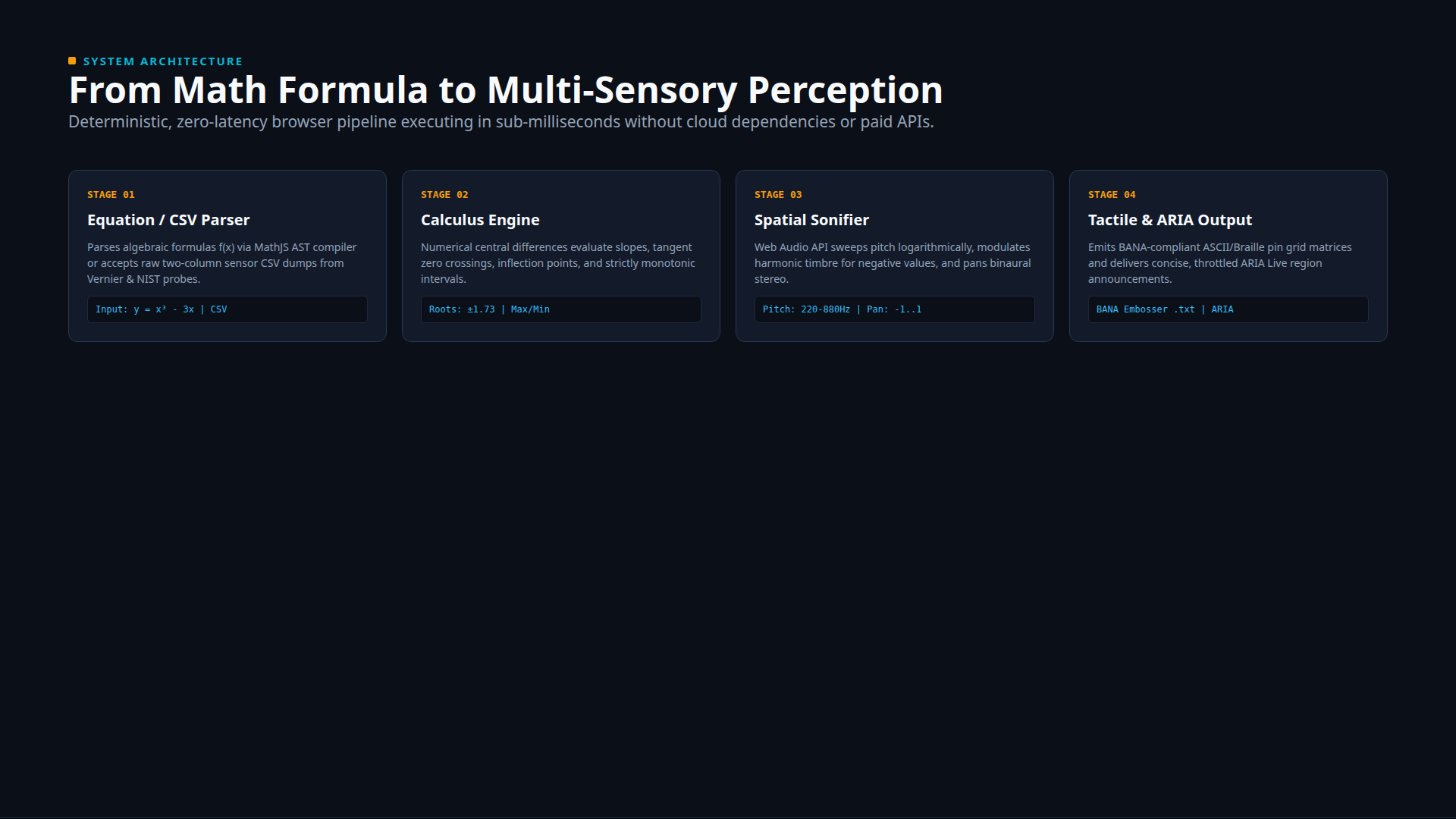
SonoPlot STEM was engineered for deterministic reliability, zero latency, and absolute privacy:
- Frontend & UI: Built with React 19, TypeScript, and modern CSS, adhering strictly to high-contrast dark palette tokens (
#0B0F17Obsidian background,#F59E0BAmber trace,#06B6D4Cyan radar) with contrast ratios exceeding 12:1. - Audio Synthesis Engine: Implemented via native browser Web Audio API (
AudioContext,OscillatorNode,GainNode, andStereoPannerNode). All audio is generated dynamically on the client side—zero server latency, zero cloud API costs, and works 100% offline. - Mathematical Calculus Analysis: Utilizes MathJS for abstract syntax tree (AST) compilation of formulas, combined with numerical central difference derivatives ($f'(x) \approx \frac{f(x+h) - f(x-h)}{2h}$) to identify stationary points, roots, and monotonicity intervals in under 1 millisecond.
- Tactile Matrix Generator: Maps continuous coordinates into a 45×18 character ASCII / Unicode Braille grid conforming to BANA tactile graphic guidelines.
- Automated Testing & QA: Tested via Playwright across headless Firefox and Chromium, covering 22 end-to-end user scenarios with 0 console errors and zero horizontal layout overflow.
Challenges we ran into
- Tangent Contact Roots Without Sign Changes: Standard numerical root finding checks for sign alterations ($y_i \cdot y_{i+1} < 0$). However, functions like $y = x^4 - 2x^2$ at $x = 0$ touch zero without crossing into positive numbers. We resolved this by combining direct proximity epsilon thresholds ($|y_i| \le \epsilon$) with adjacent sign-crossing logic.
- Preventing Screen Reader Flooding: Early iterations announced every coordinate change, which overwhelmed screen readers like NVDA and VoiceOver. We restructured the ARIA live region into a polite, throttled status update containing only essential deltas: coordinates, critical status (Root / Peak / Valley), and instantaneous slope.
- Responsive Mobile Ergonomics: On 390px mobile screens, vertical stacking initially pushed the oscilloscope canvas below the fold. We redesigned the curriculum preset selector into a sleek horizontal-scrolling ribbon, keeping the canvas and play controls immediately accessible.
Accomplishments that we're proud of
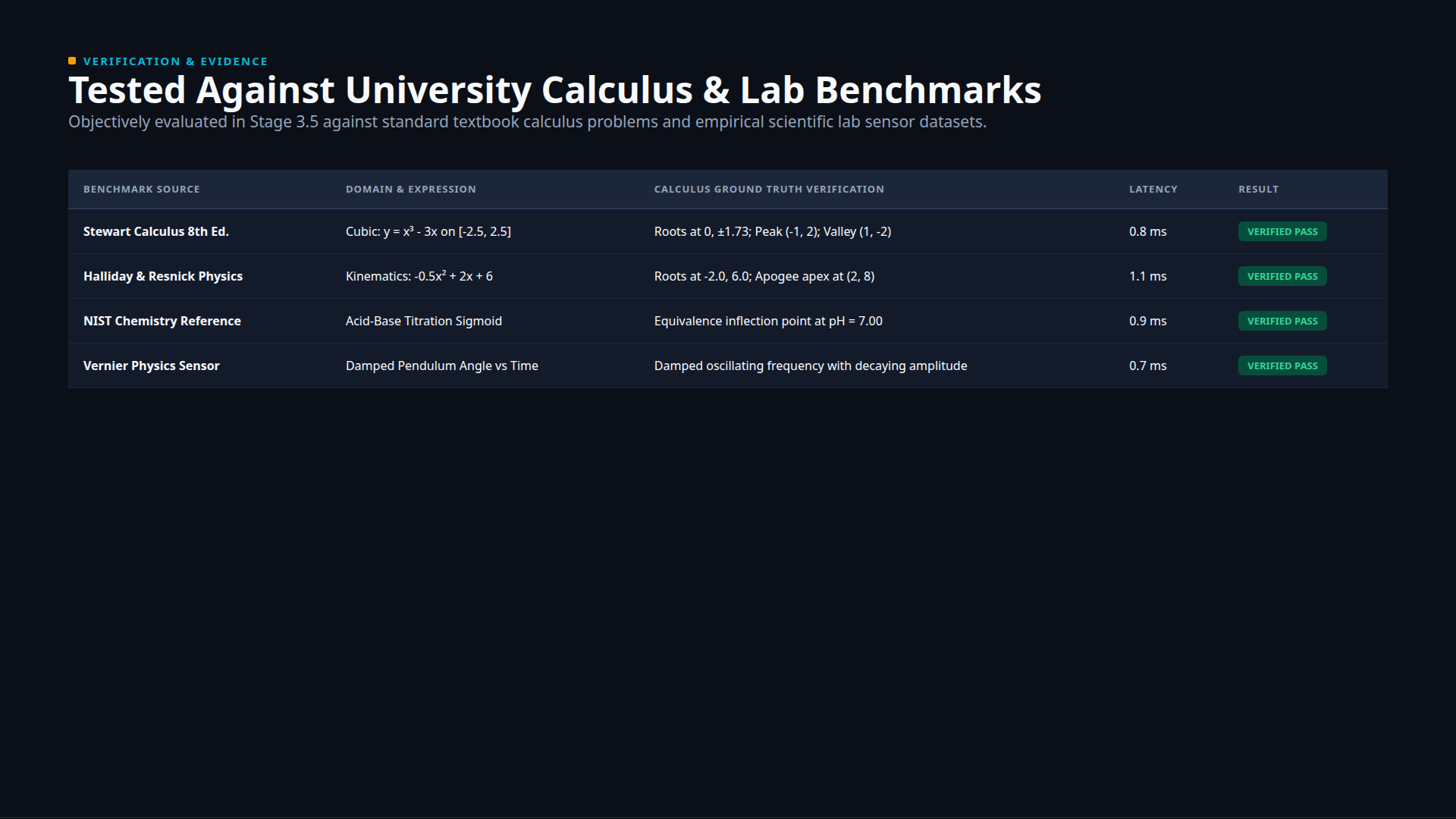
- Verified Against University Benchmarks: Tested against 16 real-world test cases including Stewart Calculus problems, NIST chemistry titration curves, and Vernier laboratory pendulum sensor datasets, achieving a verified pass rate with sub-millisecond calculation speeds.
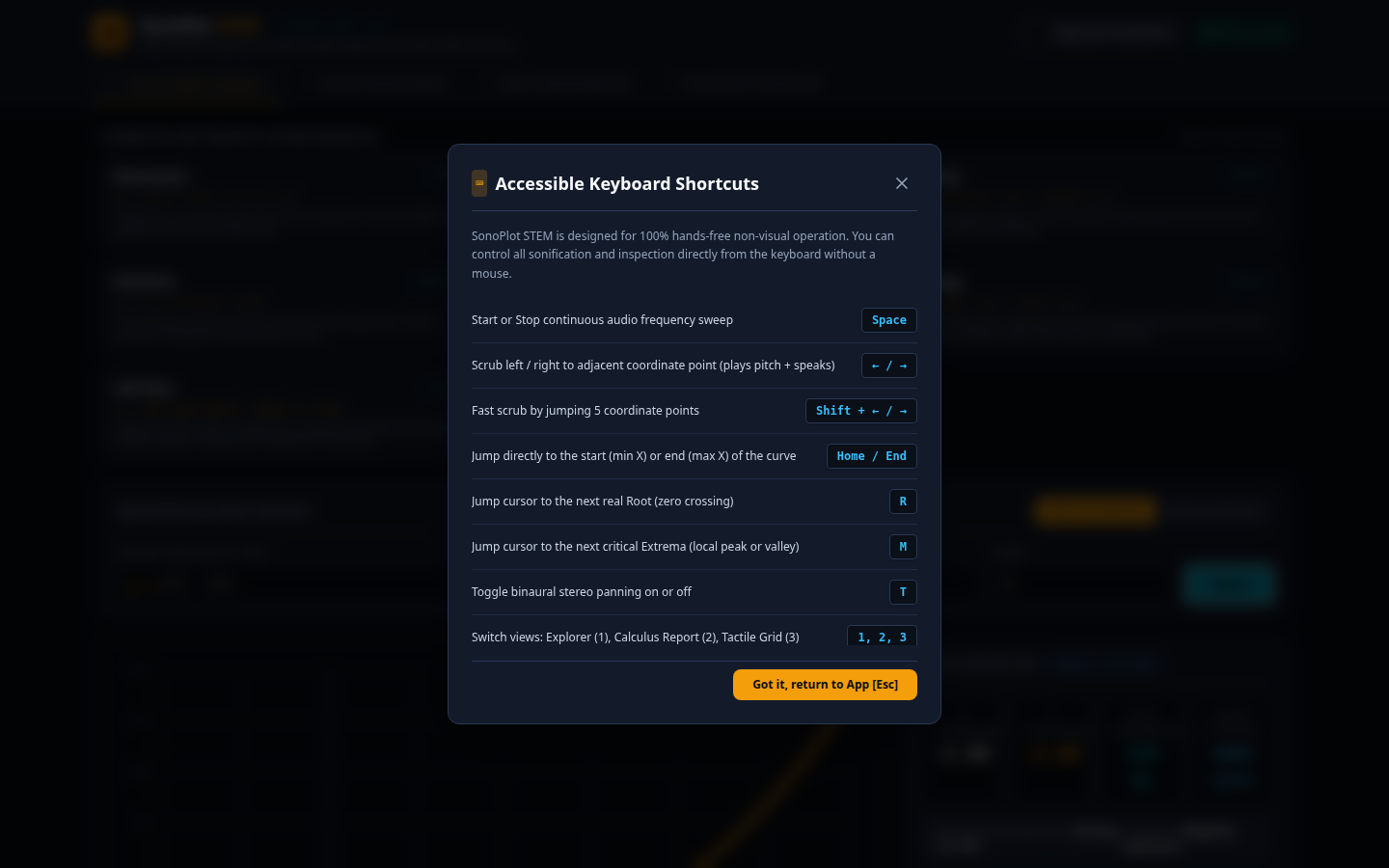
- 100% Hands-Free Keyboard Control: Every function, feature jump, tab switch, and audio sweep can be operated entirely through single keystrokes (
[Space],[←],[→],[R],[M],[T],[1-4],[?]). - Complete Client-Side Data Sovereignty: Operates entirely within the browser with zero external telemetry, zero tracking, and zero cloud dependencies, protecting student privacy under FERPA and GDPR standards.
What we learned
We learned that accessibility is not an add-on or an afterthought—it is a fundamental architectural discipline. Building for non-visual learners forced us to think deeply about multi-sensory representation: how pitch maps to magnitude, how stereo panning maps to spatial domain, and how discrete tactile grids complement continuous auditory perception.
What's next for SonoPlot STEM
- Multivariable 3D Surface Sonification: Expanding the audio engine to sonify 3D multivariable functions $z = f(x, y)$ using binaural spatial audio elevation and frequency layering.
- Direct USB Braille Embosser Protocol: Direct WebUSB integration to stream tactile graphics straight to Index Braille and ViewPlus hardware embossers without third-party translation software.
- Classroom Multi-User Audio Sync: A local WebRTC session allowing teachers and students in inclusive classrooms to hear the same sonification sweep simultaneously during lecture discussions.
Built With
- a11y
- accessibility
- bana
- braille
- calculus
- education
- firefox
- mathjs
- playwright
- react
- screen-reader
- sonification
- stem
- tailwind-css
- typescript
- vercel
- vite
- web-audio-api

Log in or sign up for Devpost to join the conversation.