Inspiration
Most falls in old age happen when the person is alone. In a study of people over 90, 82% of falls happened with nobody else around, and most of the people who lay on the floor for a long time never used the alarm button they had (Fleming and Brayne, BMJ 2008).
A camera would catch this, but people fall and sleep in bedrooms and bathrooms, and nobody wants a camera there. A button or a keyboard only helps if you can reach it.
Almost every room already has a laptop, and every laptop has speakers and a microphone. We wanted to see if a normal laptop, with nothing added, could watch over a room and take a call for help without a camera.
What it does
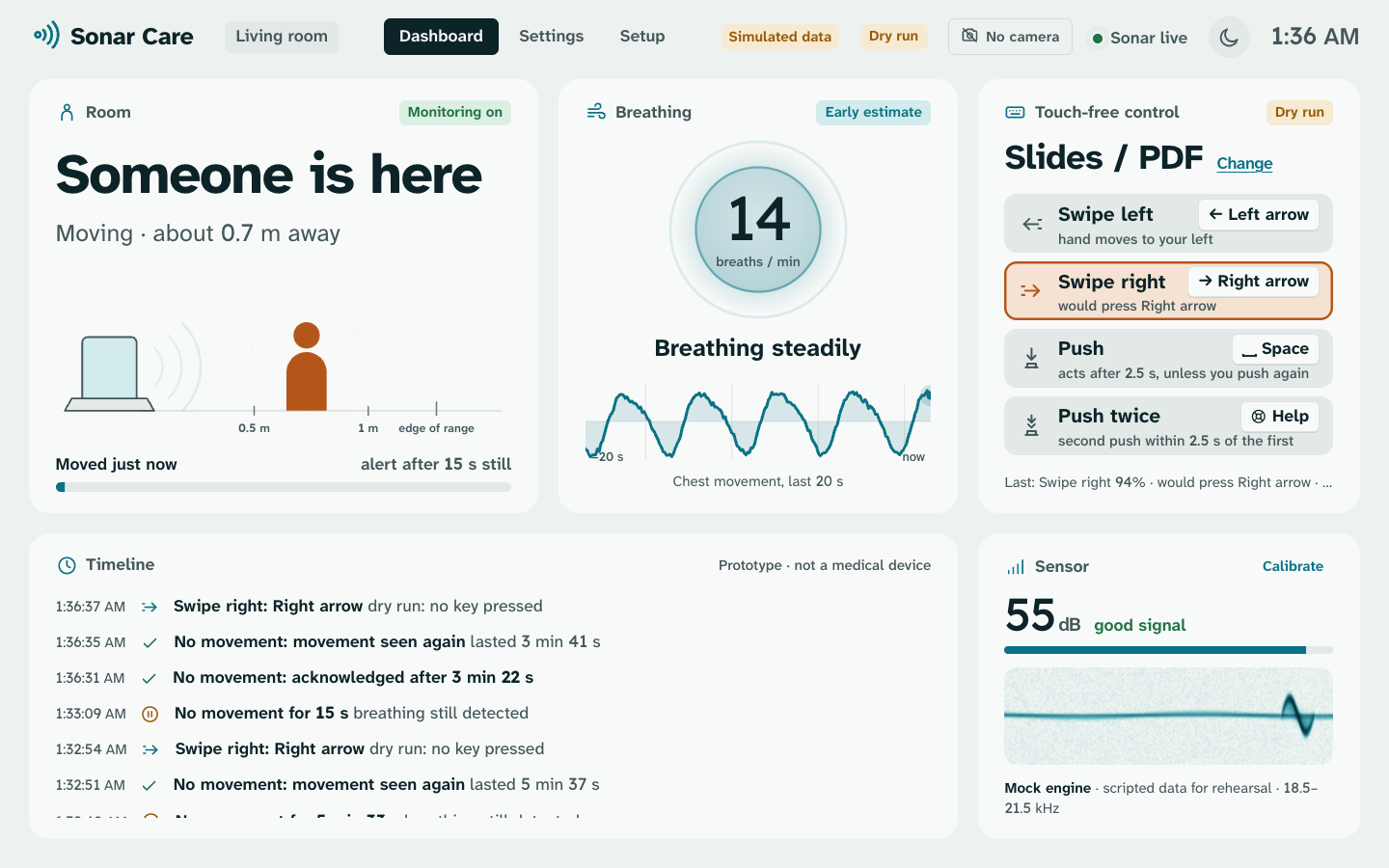
Sonar Care turns a MacBook into a sonar. The speakers play a sound too high for most adults to hear, and the microphone listens to the echoes. When something in the room moves, the echo changes, and the laptop reads that change.
It does four things:
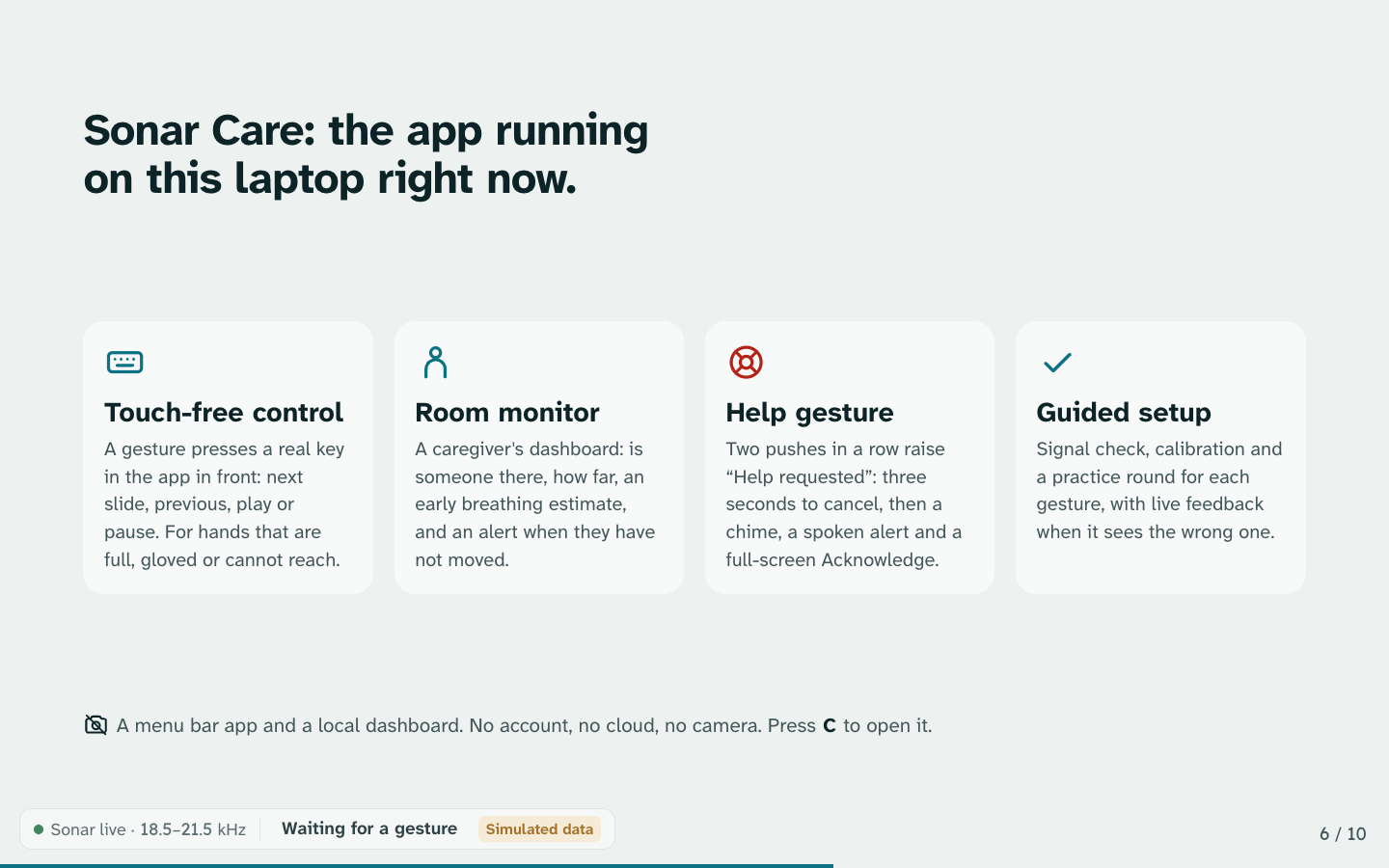
- Hands-free control. Wave your hand at the laptop to control it. Swipe right for the next slide or song, swipe left to go back, and push toward the screen to pause or play. It works in any app.
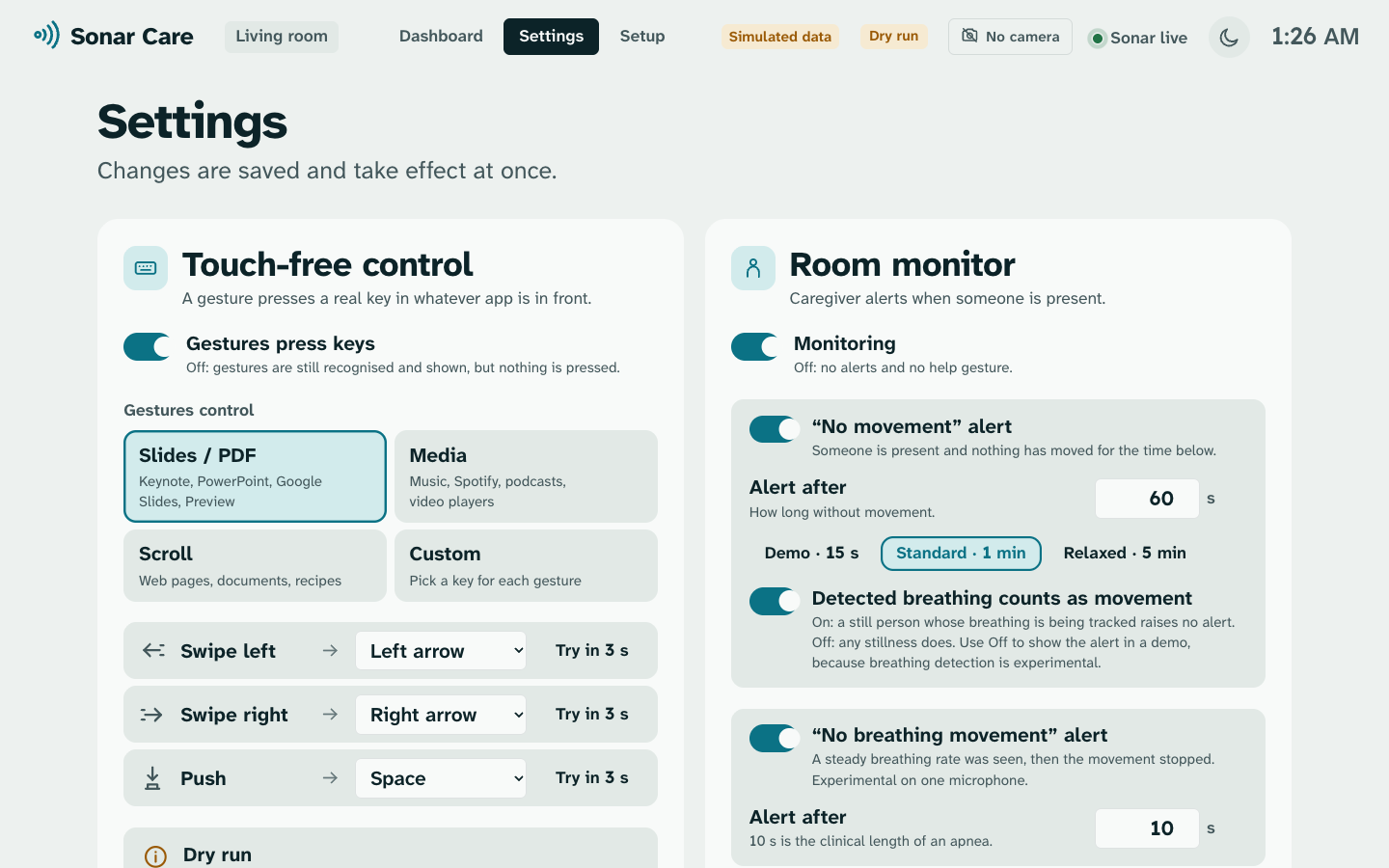
- Room monitor. A dashboard shows whether someone is near the laptop. If a person is there but hasn't moved for 60 seconds, it raises a "No movement" alert. It also shows an early guess at their breathing rate.
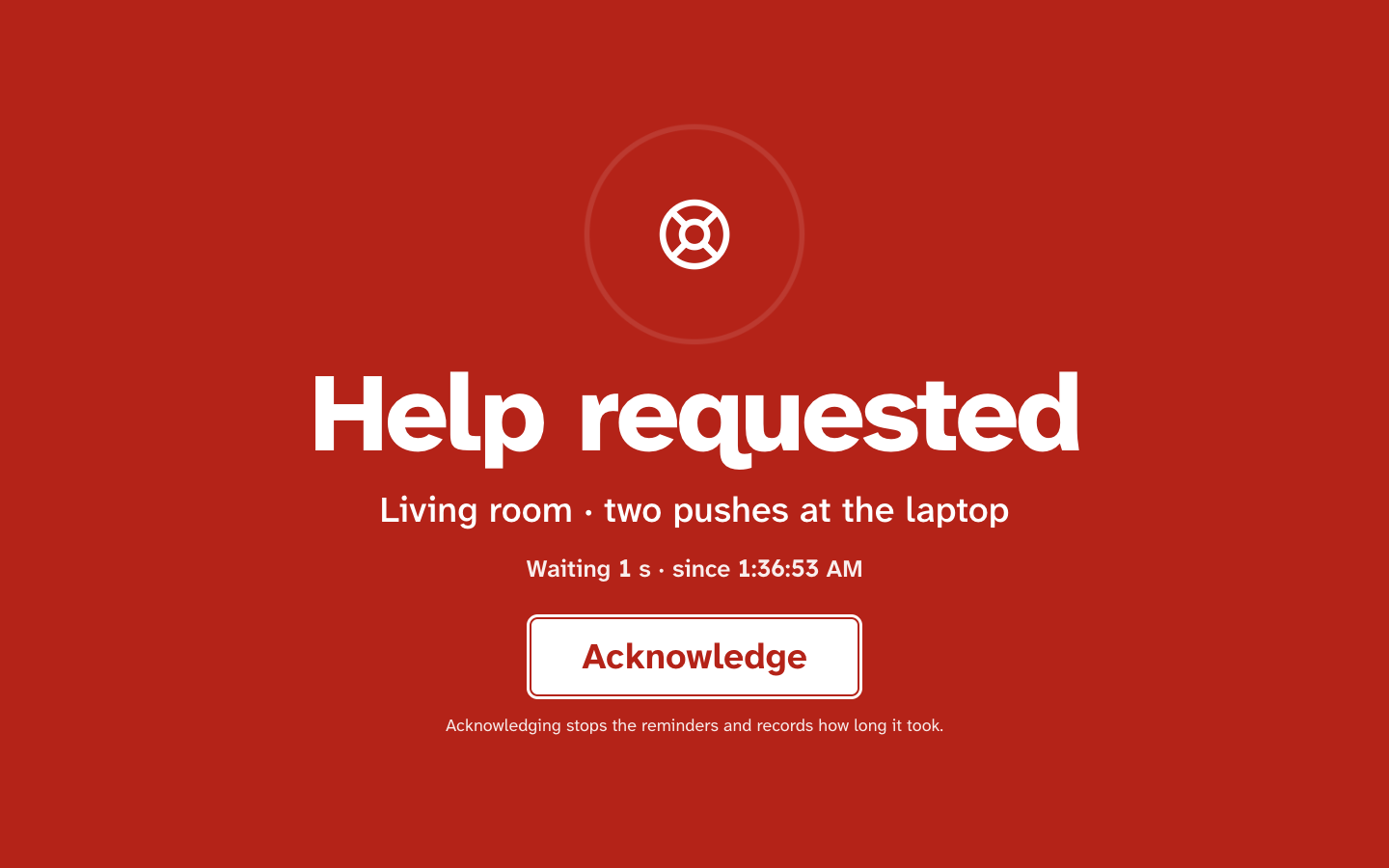
- Help gesture. Push twice and the laptop calls for help. It shows a big alert on screen, plays a sound and says "Help requested" out loud. You get 3 seconds to cancel it if it was a mistake.
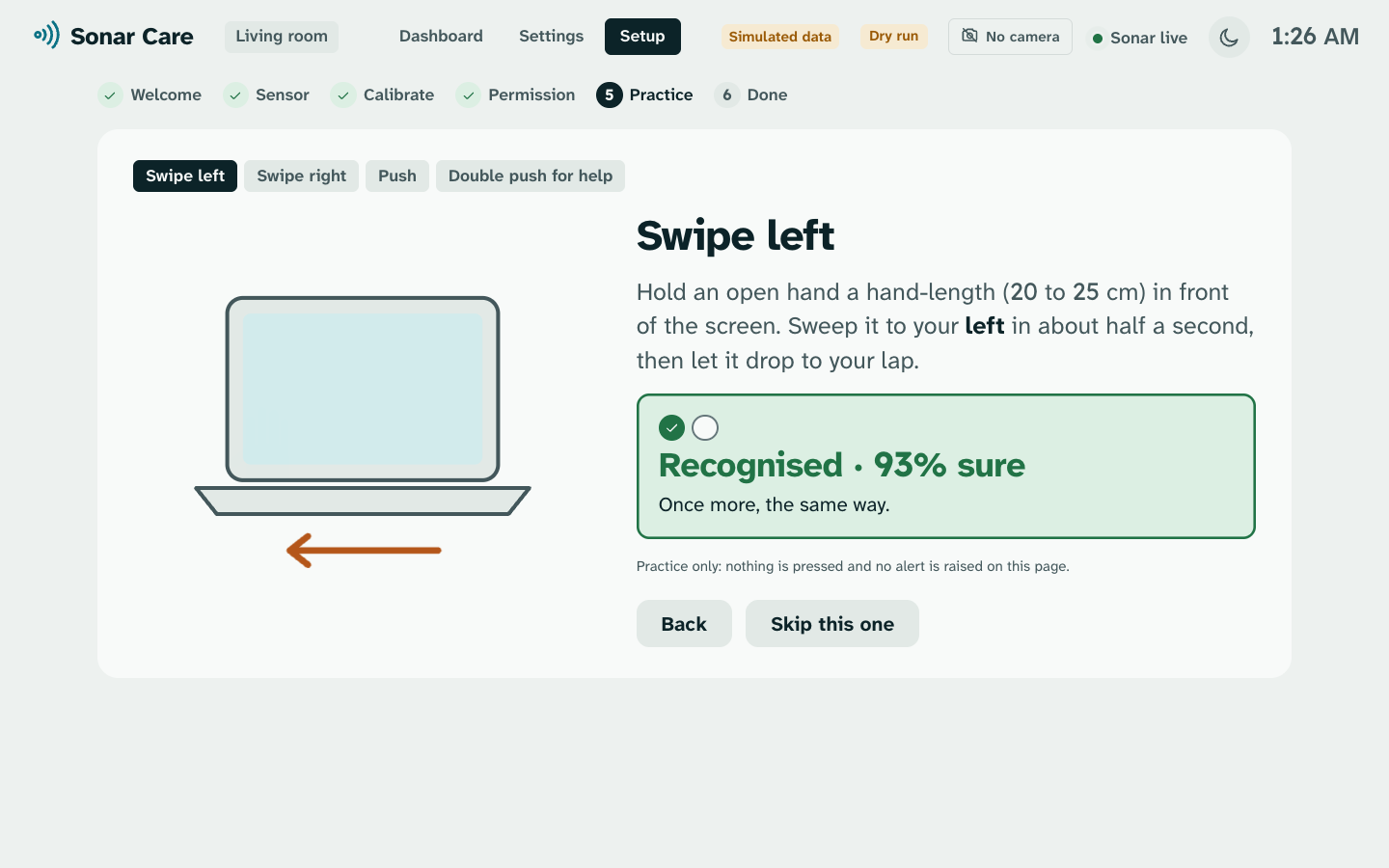
- Setup guide. The first time you open it, it checks the sound, asks for the permissions it needs and lets you practise each gesture.
The camera stays covered the whole time. Nothing is recorded or sent to the internet. Everything runs on the laptop.
What it can't do yet: the gesture model only works on the MacBook we trained it on. Breathing is a rough estimate. There is an early fall alert in the app, but it's off by default because we haven't tested it on real falls.
How we built it
The sound. The left speaker plays a steady 18.5 kHz tone and the right speaker plays 19.0 kHz. A short sweep from 19.5 to 21.5 kHz repeats 50 times a second. When your hand moves toward the laptop, the echo's pitch goes up a little. When it moves away, the pitch goes down. This is the Doppler effect, the same thing that makes a passing siren change pitch. The sweep tells us how far away things are.
Left and right with one microphone. The MacBook only has one microphone, so we use its two speakers instead. Each speaker plays its own tone. A hand moving across the screen gets closer to one speaker while it moves away from the other, so the two tones change in opposite directions. That tells us which way the hand went.
Recognising gestures. We turn the echoes into a picture of how the pitch changes over time, 50 times a second. A small neural network looks at each picture and decides if it's a swipe left, a swipe right, a push, or nothing. It runs on the laptop's processor in a few milliseconds.
Training data. Three of us recorded gestures on the MacBook. That isn't much data, so we also wrote a simulator that fakes the echoes of a moving hand, arm and body in different rooms. We trained on the real recordings and the simulated ones together.
Breathing and presence. These don't use the neural network. When you breathe, your chest moves a few millimetres. That's too small to change how loud the echo is, but it does shift the echo's timing, and we track that shift. If the laptop isn't confident, it shows a dash instead of a number.
The app. Sonar Care is a menu bar app written in Python, with a dashboard in plain HTML and JavaScript. One command starts everything and restarts the sonar if it crashes. The dashboard only works on the laptop itself, so no website can control it.
How well it works. We tested the model on people it had never seen during training, taking each of the three of us out in turn. It recognised 133 of 206 gestures (65%). Out of 499 ordinary movements that weren't gestures, 22 were wrongly read as gestures (4.4%). For the person it worked best on, it got 70 of 81 gestures (86%). These numbers come from three people on one laptop, so they're a first result.
Challenges we ran into
- One push looked like two. When you push toward the screen, pulling your hand back also looks like a push. In our recordings, 28 of 69 single pushes showed up as two. We fixed most of this by ignoring a second push that comes within 1 second, but about 1 in 12 still look like a double push. That's why a help call waits 3 seconds and can be cancelled.
- Our first score was 24 out of 81. Most of that came from one mistake: in one recording session, left and right were swapped. We also had too little real data compared to fake data, and the software was cutting off long gestures. Fixing those took us to 59 of 81, and better simulated data took us to 70 of 81.
- Fast hands are hard. One of us swipes very fast, and the model never caught more than half of his gestures. A slower half-second swipe works well.
- The alarm could fool the sonar. The alert sound comes out of the same speakers the sonar uses. We made the app ignore movement while the alert sound plays, so the alarm can't cancel itself.
Accomplishments that we're proud of
- One command starts the whole app. No camera, no extra hardware and no internet needed.
- A hand gesture can press a real key in any app, and the laptop tells left from right with one microphone.
- We measured our own mistakes, like the push that looks like two, and designed the help gesture around them.
- We report the honest score on unseen people (65%), not just our best result.
What we learned
- Check your labels before blaming the model. One session with left and right swapped ruined 30 of our 81 test gestures.
- More people helps more than more tweaking. We tried 49 different training setups on the same three people, and the best ones were all about the same.
- A health tool that says "I'm not sure" is better than one that always shows a number.
What's next for Sonar Care
- Record many more people, including fast swipers, to make gestures work for everyone.
- Make one model that works on any laptop, not just this MacBook.
- Test breathing against a real breathing monitor.
- Test the fall alert properly, with volunteers falling safely onto mattresses.
- Send alerts to a caregiver's phone.
Built With
- css3
- html5
- javascript
- macos
- numpy
- onnx
- onnxruntime
- portaudio
- pytest
- python
- pytorch
- rumps
- scipy
- sounddevice
- websockets

