-
-
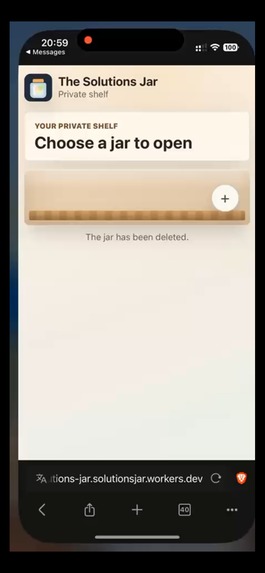
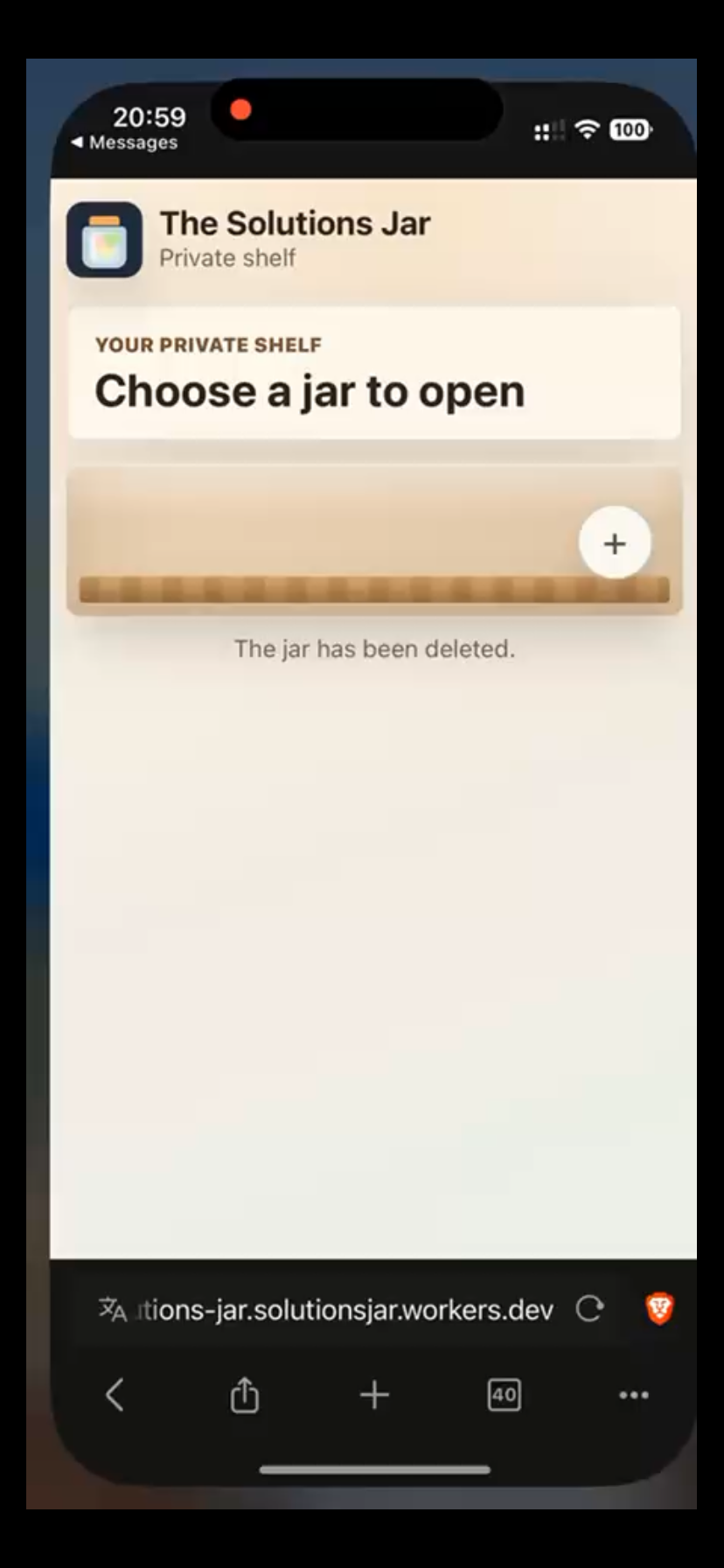
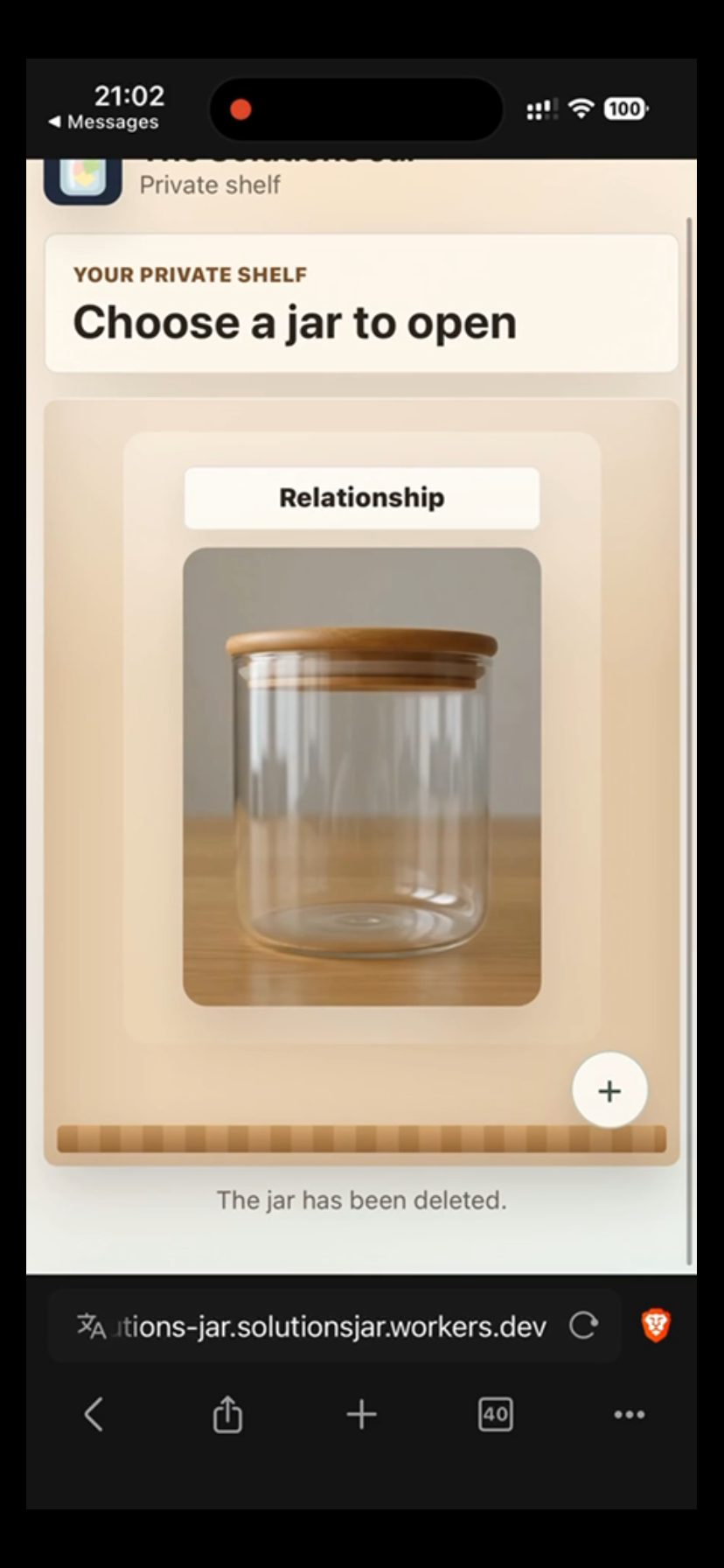
The private shelf after a jar is deleted. Users can select “+” to create a new jar.
-
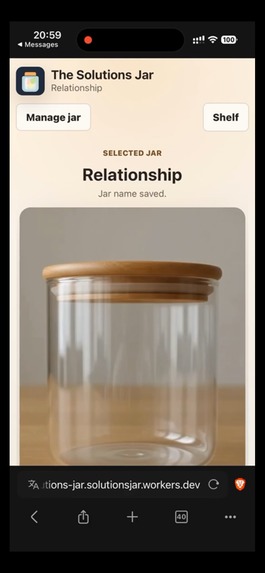
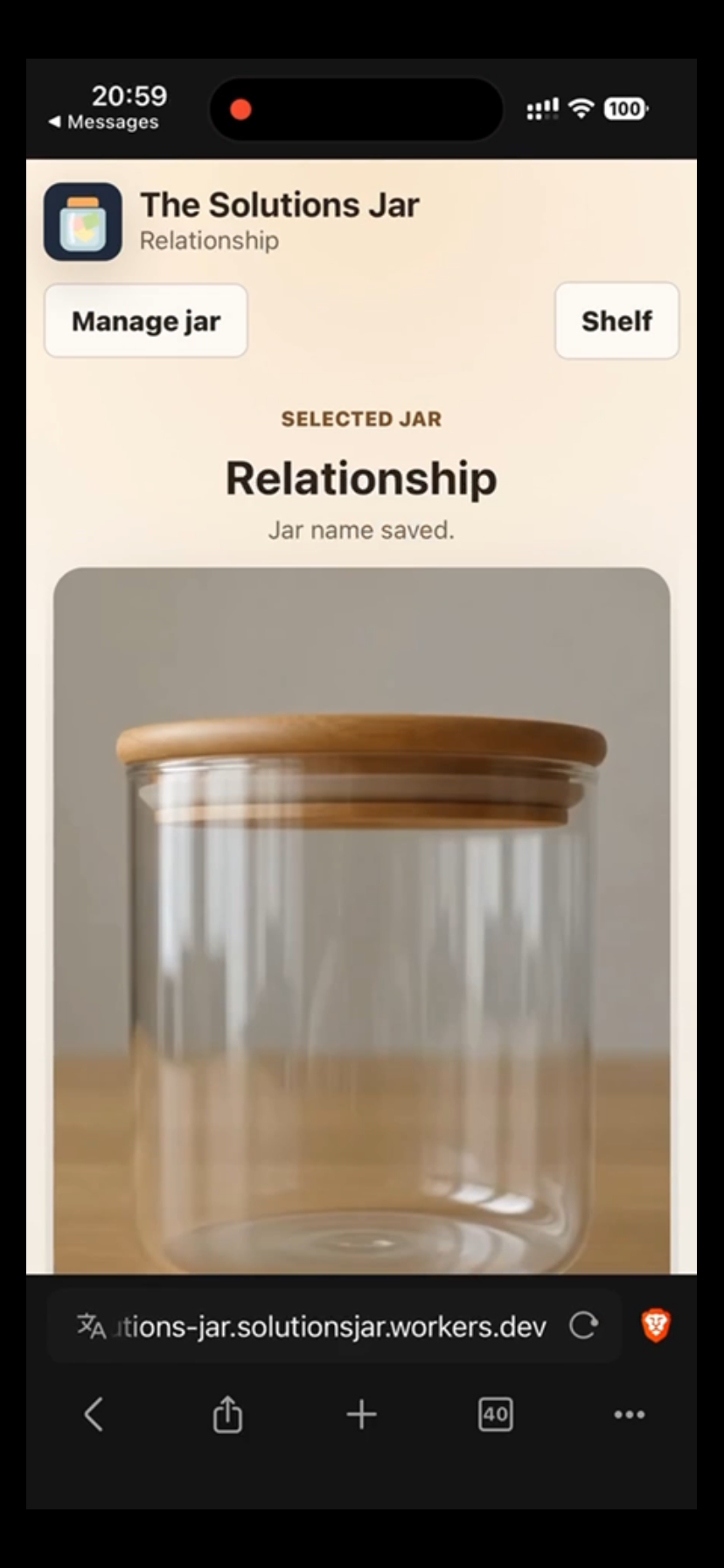
An individual jar page. “Manage jar” opens rename and delete options, while “Shelf” returns to the user’s other jars.
-
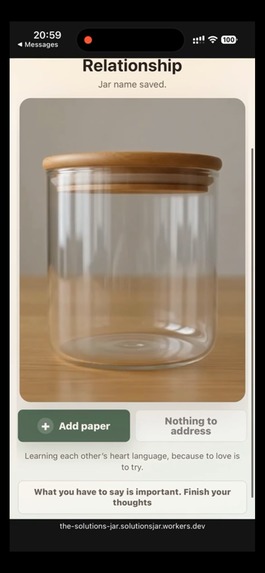
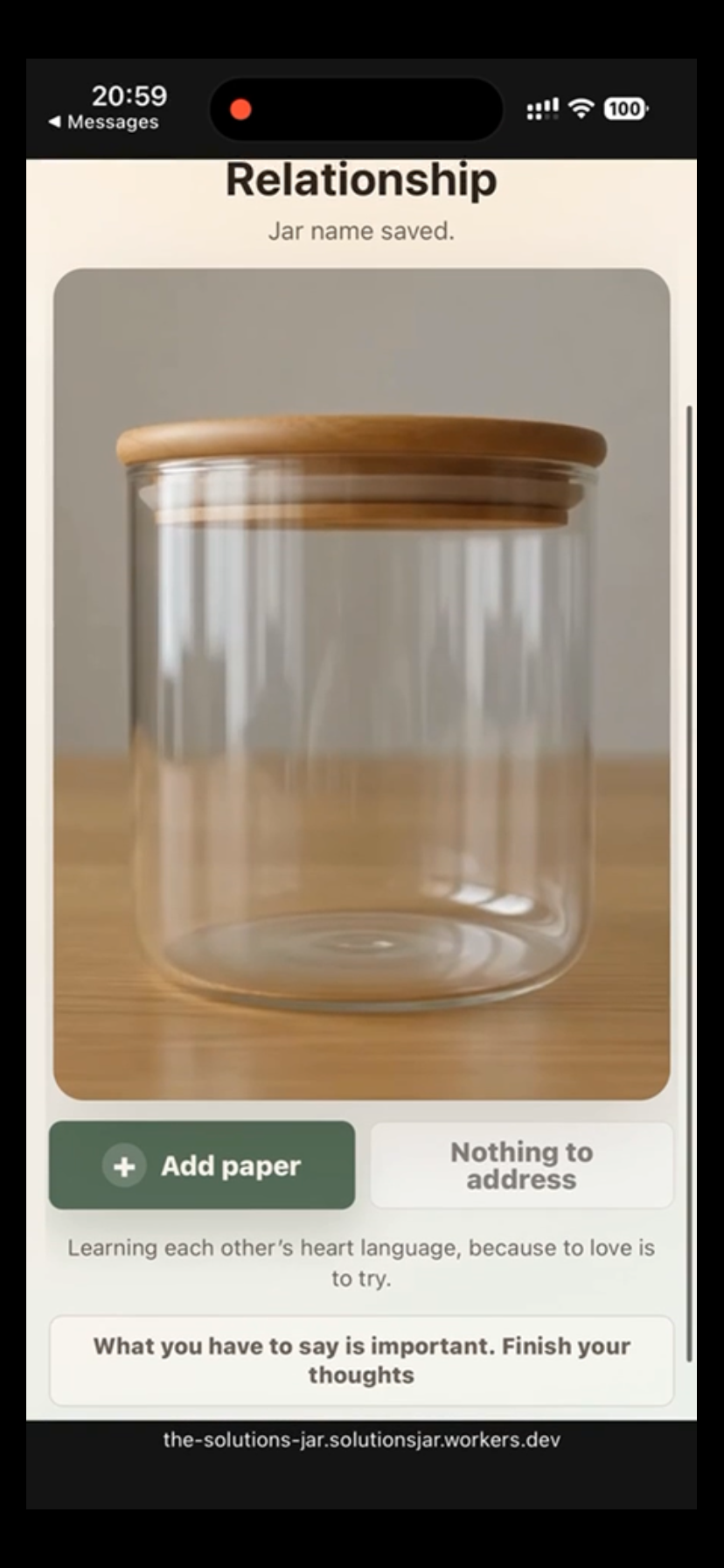
A newly renamed empty jar. “Add paper” begins a note, while “Nothing to address” confirms that no papers are waiting.
-
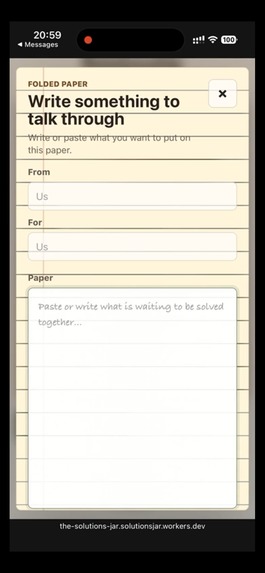
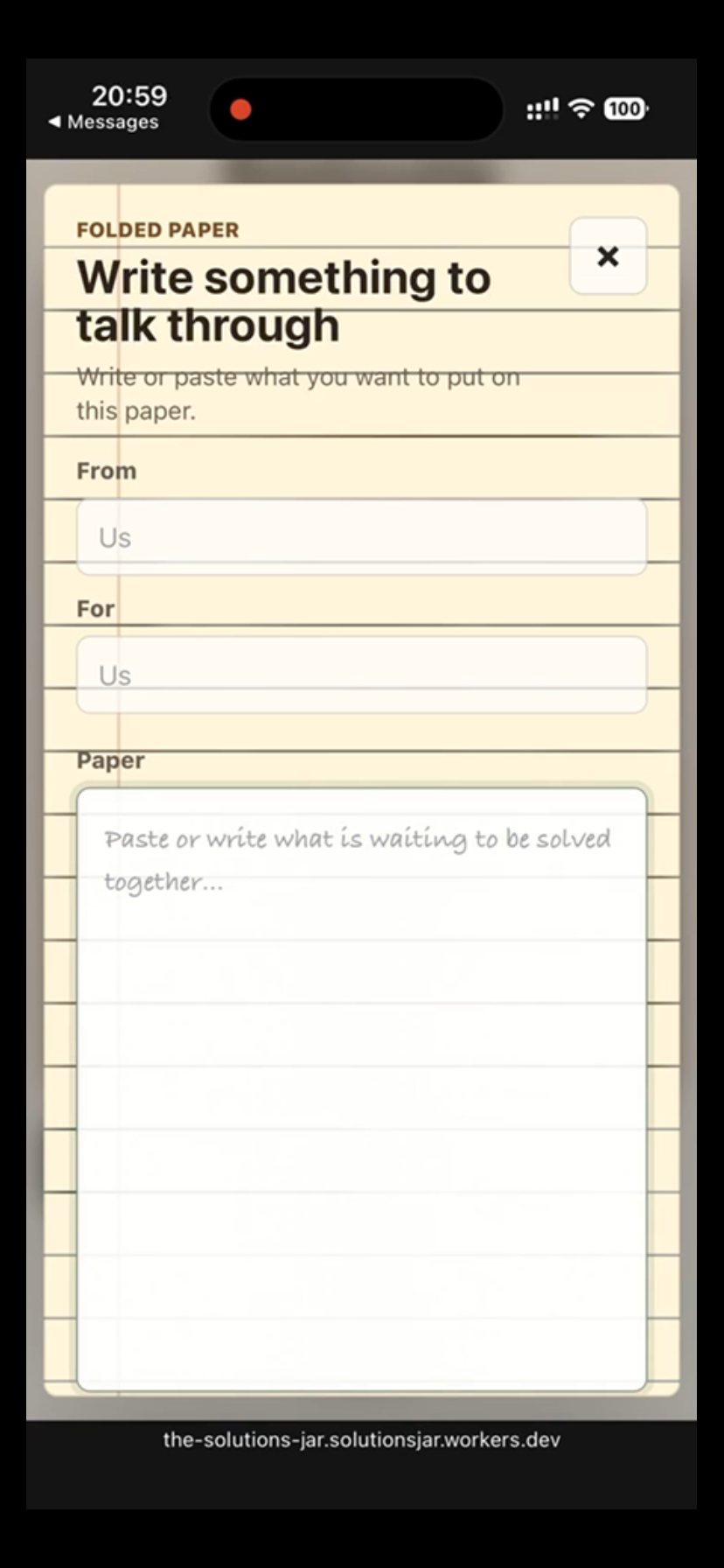
The writing screen where users can describe what they want to discuss. The “From” and “For” fields are optional.
-
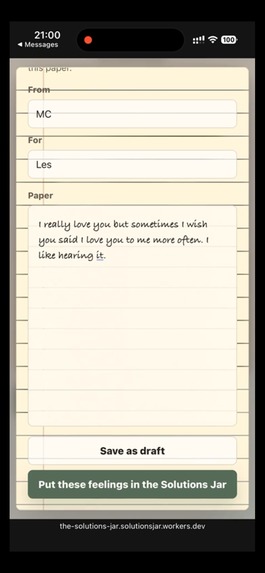
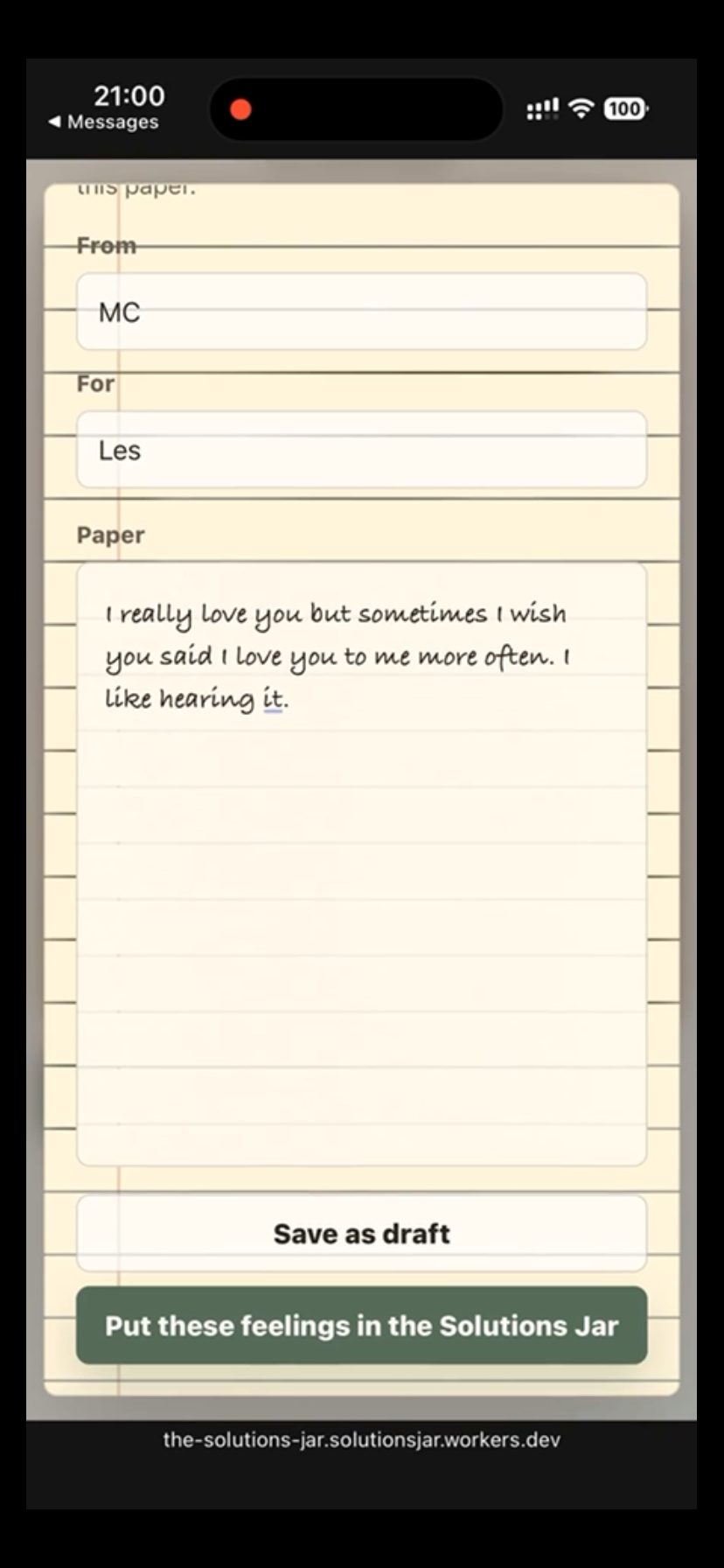
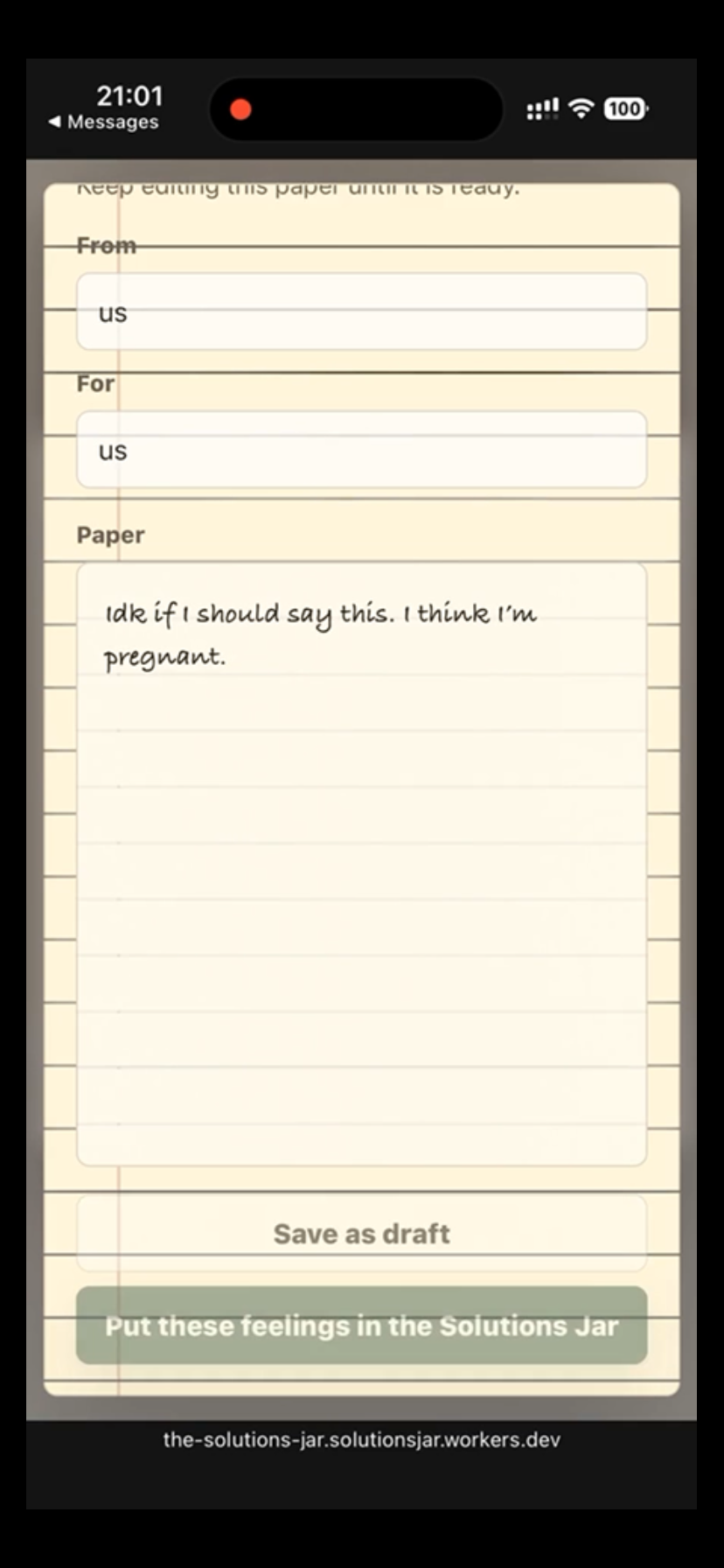
A completed paper can be saved privately as a draft or intentionally placed into the shared Solutions Jar.
-
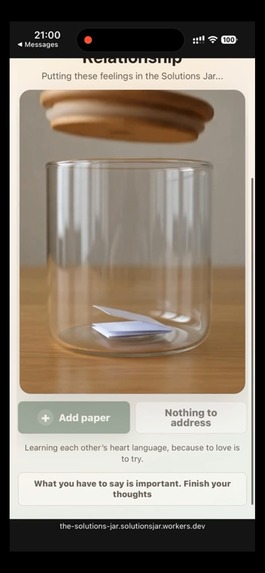
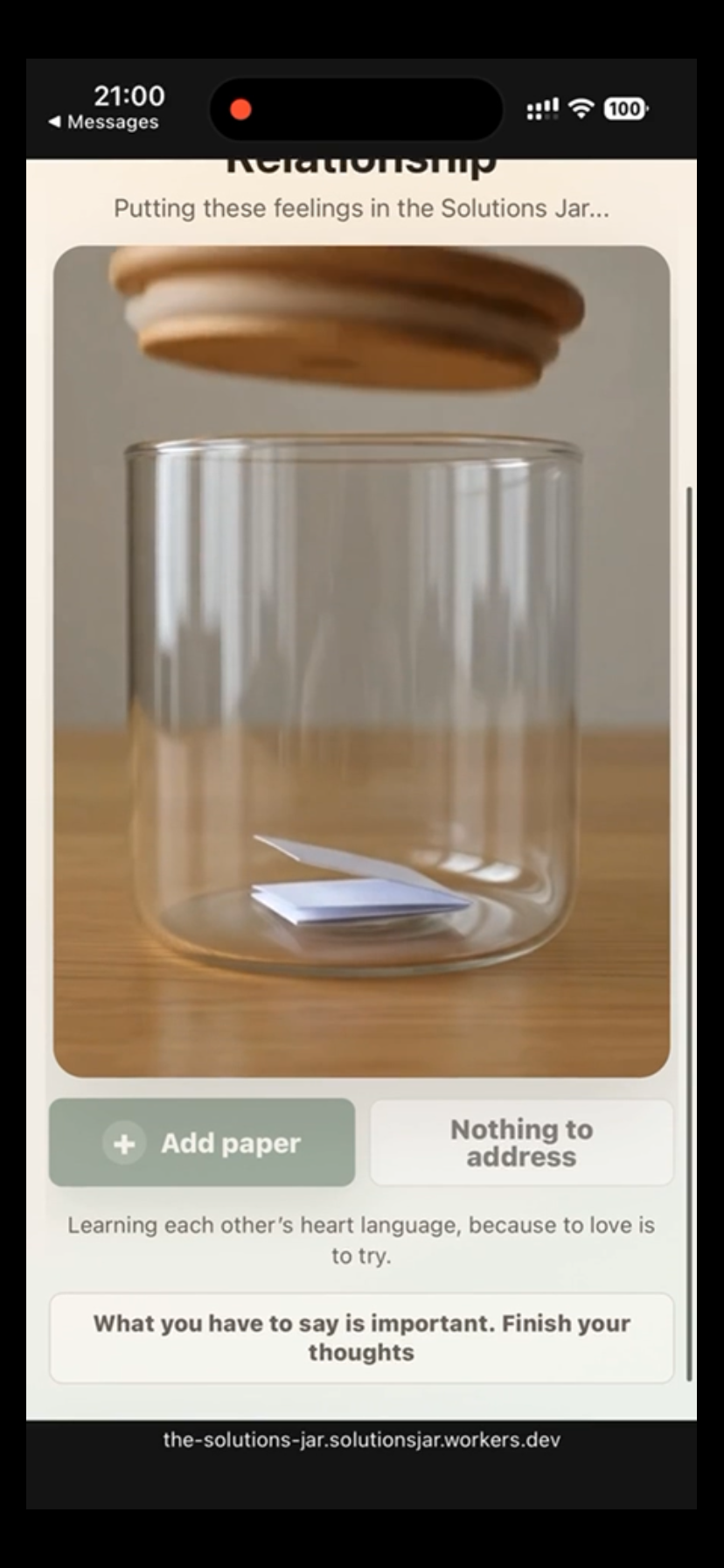
The paper-drop animation begins: the lid lifts, the paper enters the jar, and the interface updates the shared state.
-
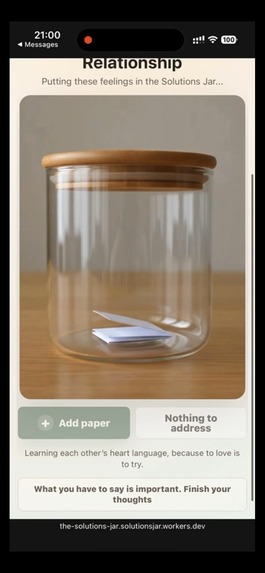
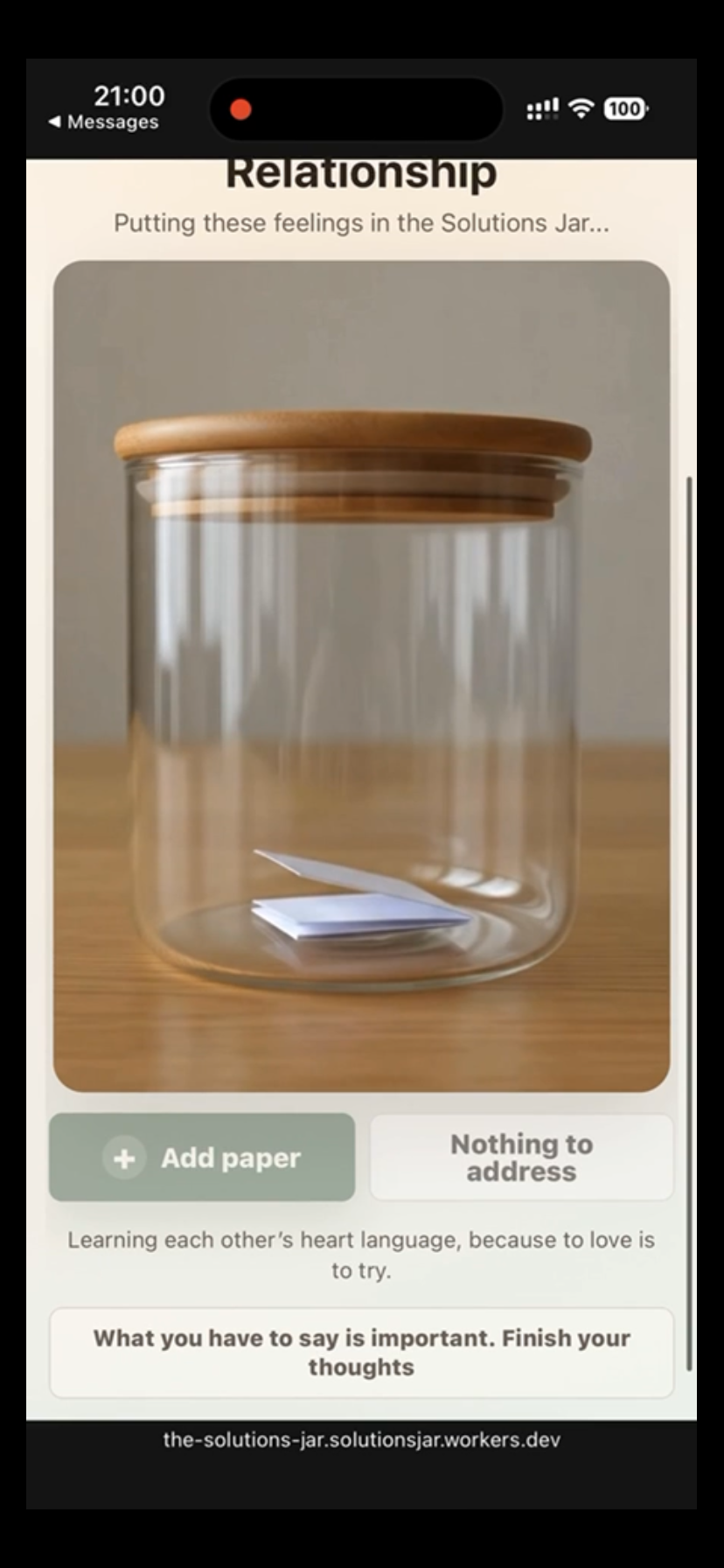
After the animation, the paper remains visible inside the jar and the jar’s image reflects the updated paper count.
-
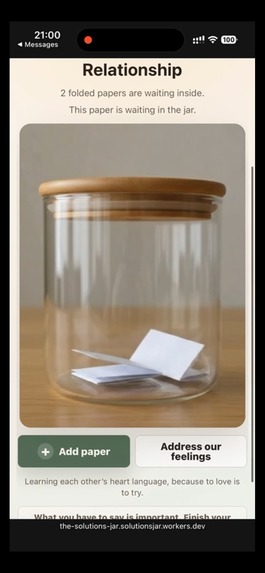
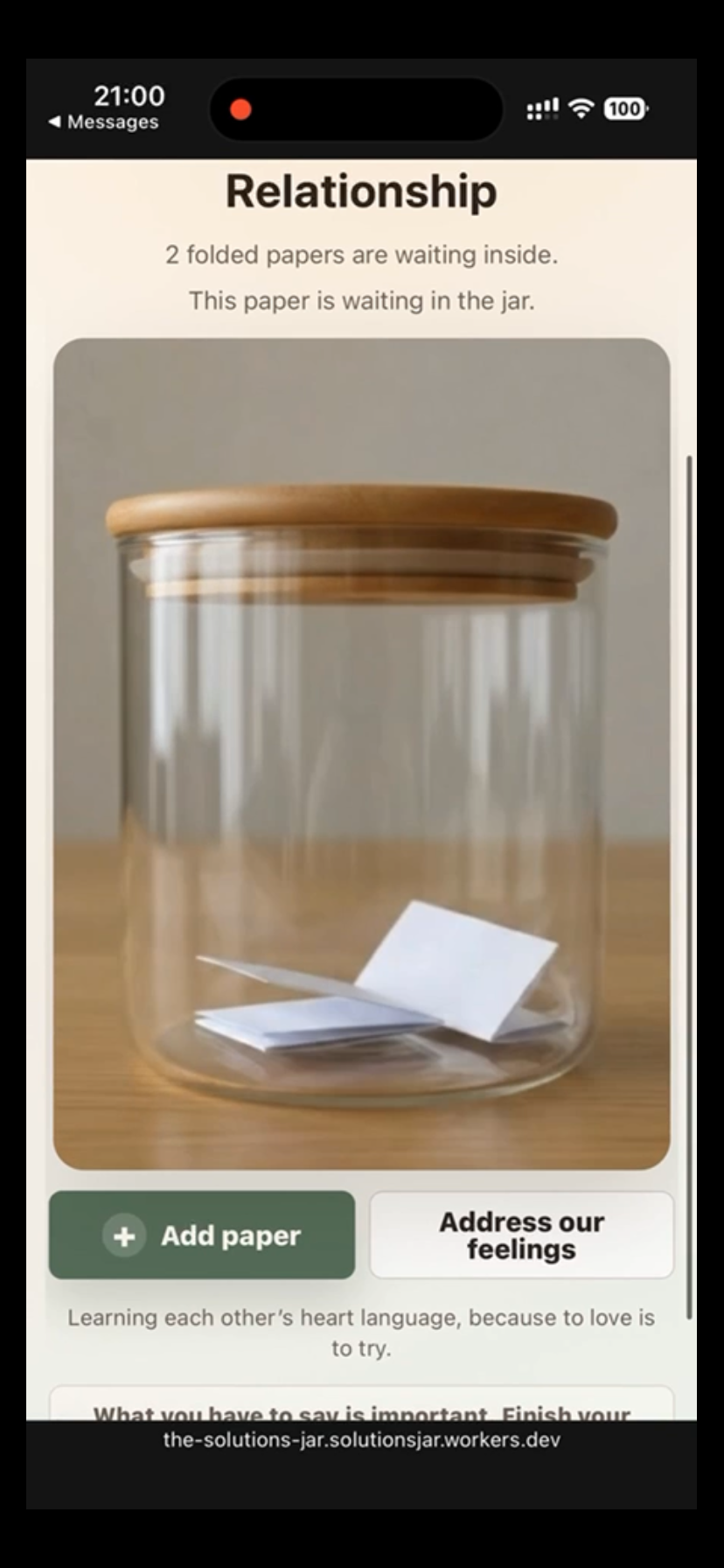
A jar with two papers waiting. “Address our feelings” opens one paper at a time for a focused conversation.
-
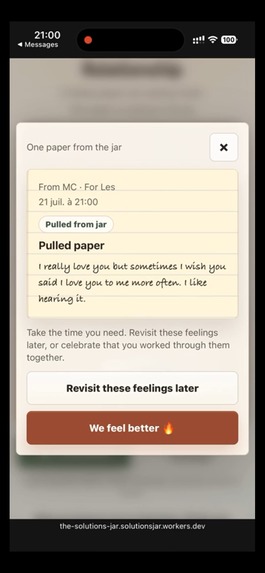
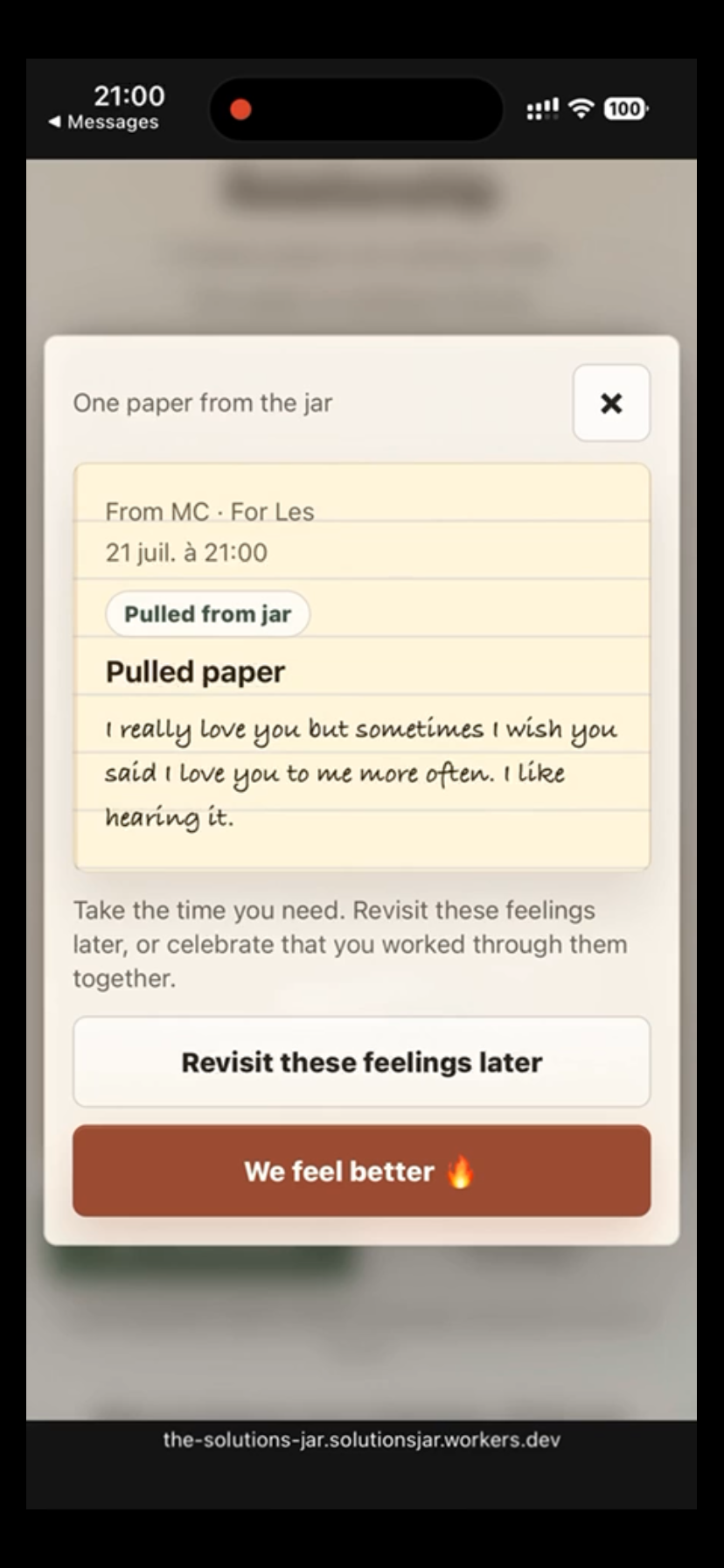
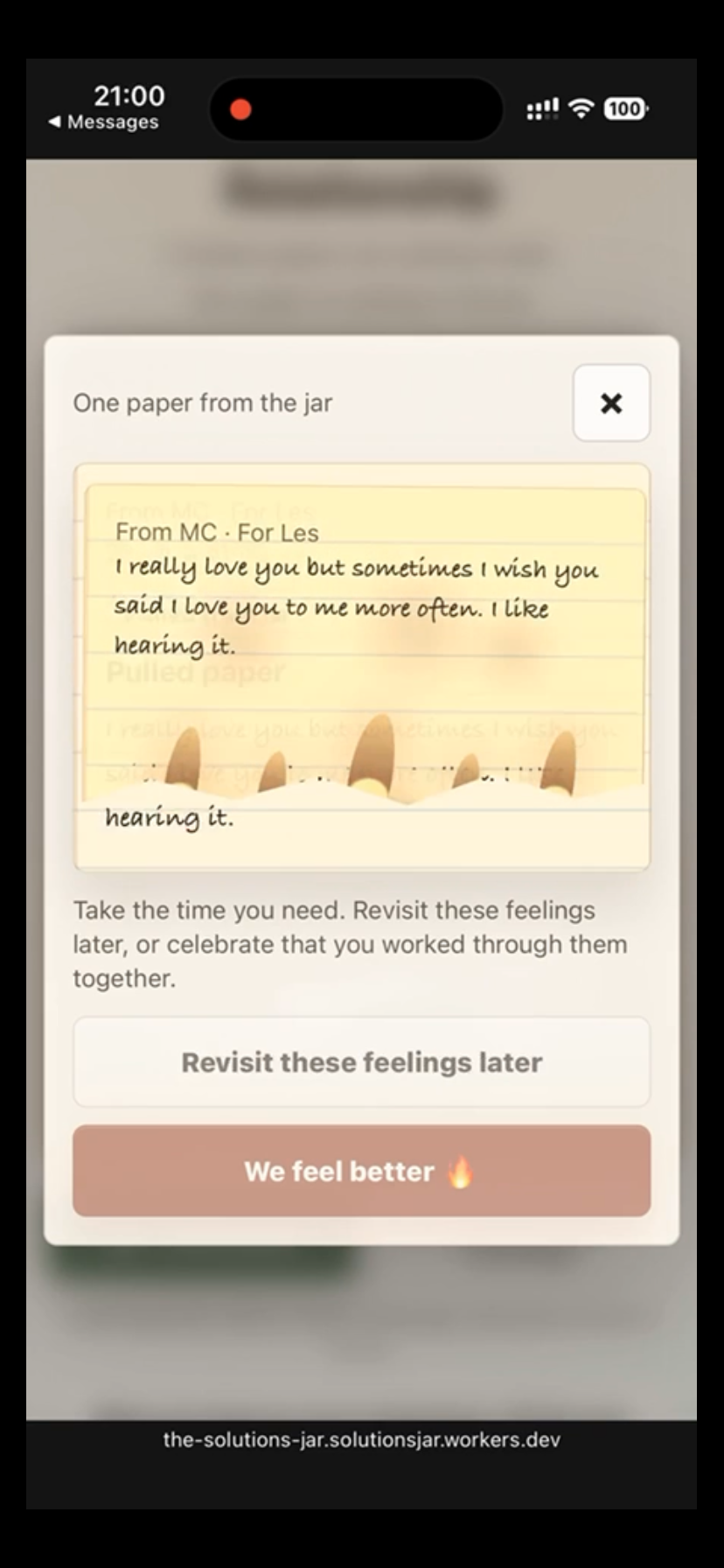
A paper pulled from the jar. Users can revisit the feelings later or select “We feel better” after working through them.
-
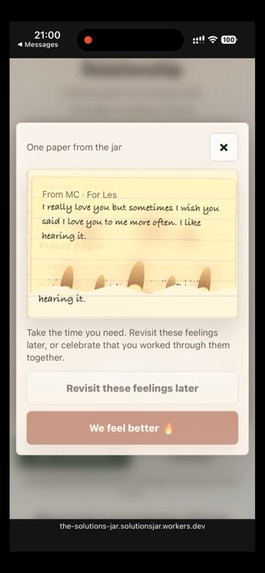
Selecting “We feel better” begins the release ritual, symbolizing that the concern has been discussed and resolved.
-
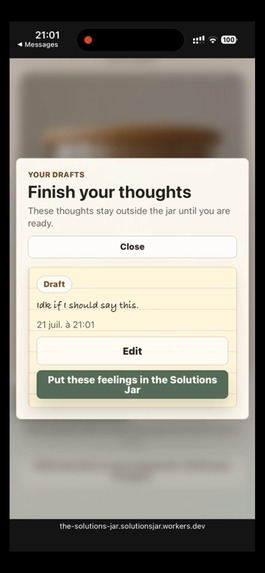
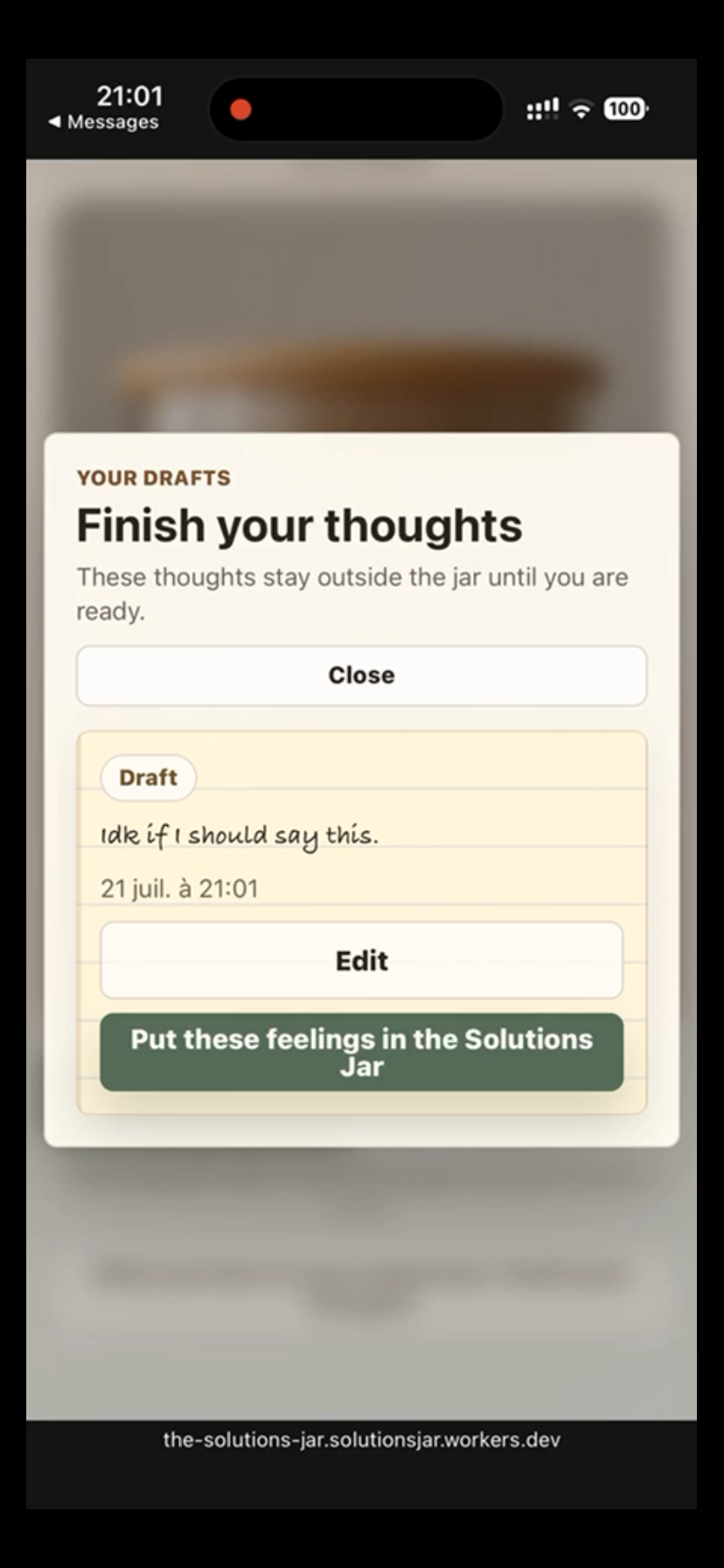
The Drafts view keeps unfinished thoughts outside the shared jar until the writer is ready to edit or submit them.
-
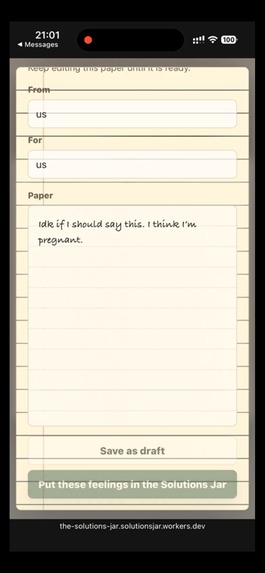
A user can write a sensitive thought and choose whether to save it privately as a draft or place it in the shared jar.
-
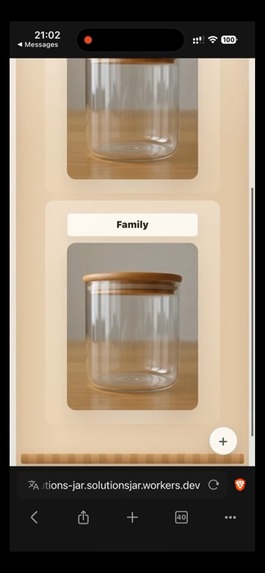
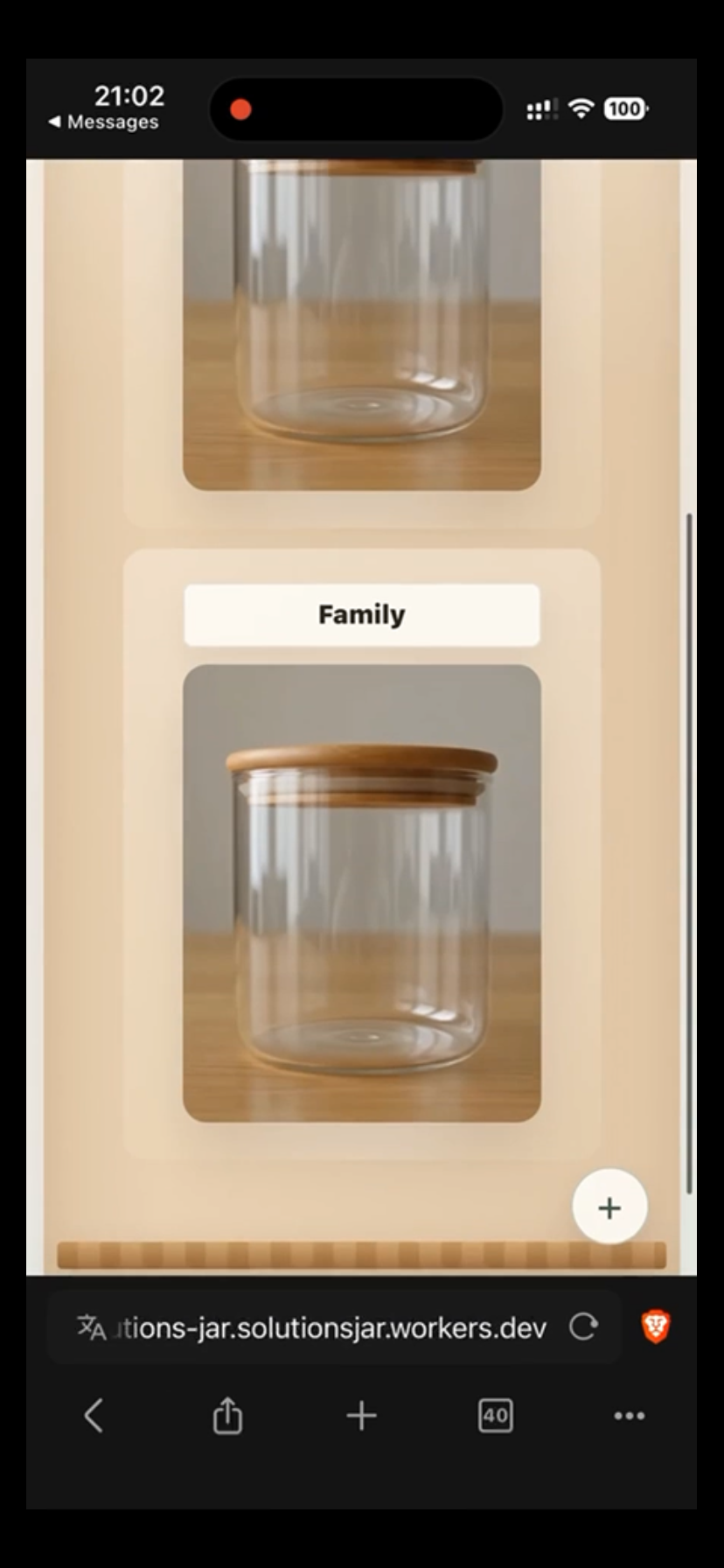
The private shelf can hold multiple jars for different relationships or contexts. The “+” button creates another jar.
-
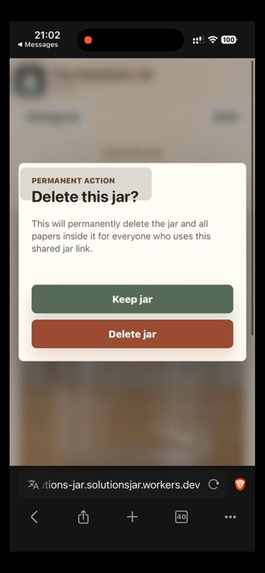
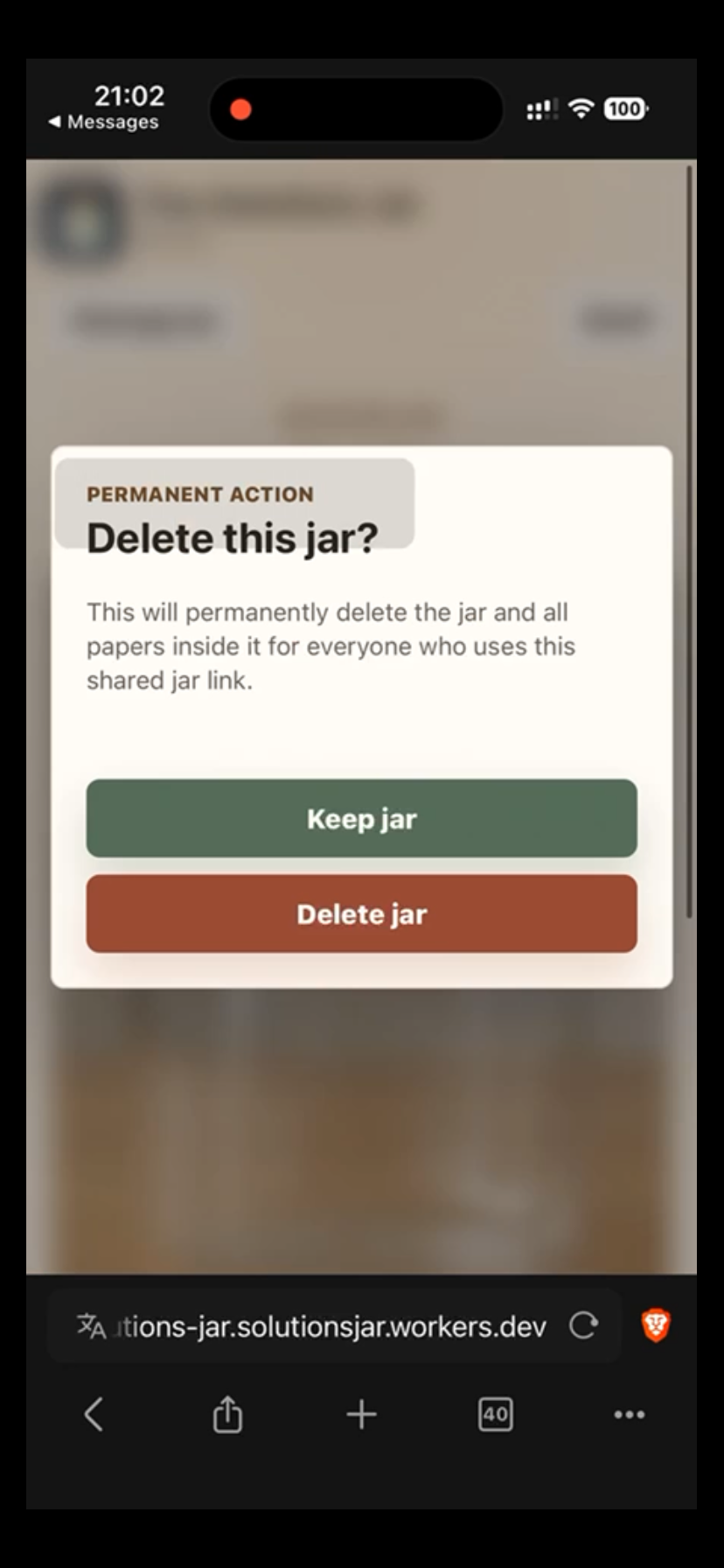
Deleting a shared jar requires confirmation and clearly warns that the jar and all papers will be removed for everyone.
-
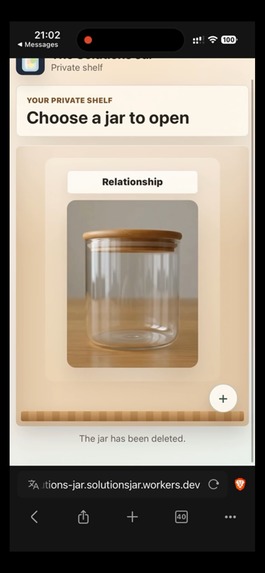
After deletion, the jar disappears from the shelf immediately and the application confirms that it was removed.
Inspiration
I come from a family where abuse and unhealthy dialogue were common, making communication a struggle in my adult life. Even after years of therapy, I learned that knowing how to communicate healthily does not always make it easy, especially when emotions are high. I was prone to shutting down, while my partner wanted to discuss issues immediately and felt that taking space meant we were distancing ourselves from each other.
Although therapy helped, our different communication styles continued to clash until I came up with the idea for a Solutions Jar. We purchased a notebook, a jar, and a pen and placed them on our bookshelf. Instead of arguing in the moment, we wrote down our feelings and placed them in the jar. At the end of the day, every few days, or whenever we were ready, we would check it for concerns that needed a solution, and the person receiving the message would read it aloud.
This allowed the person who wrote the note to see their feelings being acknowledged. It also gave the reader an opportunity to show that they valued their partner’s perspective by taking the time to listen, process what was written, and respond thoughtfully. The method worked so well that our therapist asked whether she could introduce it to other couples.
Later, my partner and I took a long trip abroad and left the physical Solutions Jar at home. Without that consistent way to communicate, the arguments gradually returned. We were adjusting to life in an unfamiliar country and kept postponing buying another jar until, after a major argument, we finally purchased notebooks and pens and used a crockpot as our temporary jar. Once again, our arguments began turning into healthier discussions.
That experience inspired me to create a digital version of the Solutions Jar. We may not always have access to the physical jar, but regardless of the country we are in, we have our phones. As humans, we crave connection, but we often respond to conflict based on how we were raised. Solutions Jar gives people a shared space to express themselves with an open heart and trust that their loved one will return to discuss their concerns. Technology does not have to divide us; it can help us connect with one another in healthier ways.
What it does
The Solutions Jar is a private, mobile-first communication app that helps people express difficult feelings, return to them when they are emotionally ready, and work through them together.
The app turns the physical ritual of writing a feeling on paper, folding it, placing it in a jar, and opening it later into a digital experience. It is not meant to feel like a messaging app, relationship dashboard, or task manager. The jar itself is the center of the experience.
Each person has a private shelf that can hold up to five jars. A jar can represent a relationship, family, friendship, shared living situation, or even a private space for personal reflection. The app does not decide what the jar means. The people using it do.
A user can begin writing a paper and choose either to save it as a draft or place it into the shared jar. Beginning to write something does not mean a person is ready to share it. Drafts can be reopened and edited until the writer is prepared to put those feelings into the jar.
When a paper is added, the user sees it fold and enter the jar. The permanent jar image then changes based on the actual number of active papers inside. An empty jar remains visually empty, while a jar containing unresolved feelings visibly fills with papers. The papers are not decorative; the visual state represents real application data.
When the people sharing the jar are ready, they can select “Address our feelings.” One paper is removed and shown in a focused reading view. After discussing it, they can choose:
- “Revisit these feelings later” to fold the paper and place it back into the jar.
- “We feel better” to complete the ritual and remove it from the active jar.
The app does not automatically pull out the next paper. Each concern must be addressed intentionally rather than turning the experience into a queue of problems to complete.
Jars are shared through private, difficult-to-guess links. There are no public profiles, advertisements, discovery pages, or social feeds. The shelf is remembered on each device, while the actual jar and paper data are stored online so people can access the same jar even when they are in different countries.
Papers follow a 21-day lifecycle. Drafts, active papers, and completed records are automatically removed after 21 days, with a notice appearing during the final two days. The Solutions Jar is not intended to become a permanent archive of every painful thing someone has ever said. It is meant to help people address what they are feeling while it is still relevant and then let it go.
How I built it
I built The Solutions Jar as a lightweight, mobile-first web application using HTML, CSS, and JavaScript. I wanted people to be able to open it from a phone, tablet, or computer without first downloading an app or creating a complicated account.
I used GPT-5.6 and Codex throughout the development process. Codex helped me translate the emotional flow of the physical jar into application logic: writing a paper, deciding whether it is ready to be shared, placing it into the jar, pulling it out, returning it for further discussion, or completing the ritual.
I also used Codex to help build and revise the interface, manage application state, troubleshoot animations, structure the database, debug deployment issues, and simplify features that were making the product feel too administrative.
The public application and API are hosted through Cloudflare Workers, and the shared data is stored in Cloudflare D1, a serverless SQL database. The data model separates jars, paper information, and paper content so that the application can manage drafts, active papers, completed conversations, and expiration rules.
Long notes are stored in smaller chunks instead of being forced into one oversized database value. This allows users to write a short sentence or fully explain what they are feeling without being stopped by an artificial word limit.
The application periodically checks the server for updates so that two people using the same private jar can see newly added papers. Those checks pause during important visual transitions so that a refresh does not interrupt the experience of placing a paper into the jar.
The 21-day deletion policy is enforced both when a jar is opened and through a scheduled Cloudflare cleanup process. This prevents sensitive writing from remaining in the database indefinitely simply because nobody reopened the jar.
The Solutions Jar is also structured as a Progressive Web App. It includes a web app manifest, home-screen information, icons, and a service worker that caches the application interface and visual assets. Users can open it in a mobile browser and add it to their home screen, allowing it to feel closer to a native application.
For the visual design, I used warm neutral colors, notebook-inspired writing pages, wooden surfaces, realistic glass jars, and restrained controls. Early versions used CSS and SVG illustrations, but those jars looked too flat and animated for something carrying this much emotional meaning. I eventually created realistic jar images for different paper counts and added a short video to show the moment a folded paper enters the jar.
As I continue developing The Solutions Jar, I want to perfect this animation so that the paper enters the jar, lands naturally, and transitions smoothly into the jar image that reflects the updated paper count. Because the act of placing a feeling into the jar is central to the ritual, I want that moment to feel as realistic and intentional as possible.
Challenges I ran into
One of the greatest challenges was translating a meaningful physical ritual into a digital interaction without losing its emotional weight.
A standard notes application would have been much easier to build, but it would not have represented what made the physical Solutions Jar effective. Writing the note, deciding to share it, folding it, placing it inside, and returning to it later are all intentional parts of the process.
The first versions also felt too much like software. There were too many panels, statuses, counters, archive controls, settings, and administrative choices. Those features may have made sense technically, but they distracted from the emotional purpose of the product. I repeatedly had to remove features and return to the core ritual.
The jar itself was another major challenge. CSS and SVG could produce the shape of a glass jar, but it continued to look illustrated and unrealistic. Moving to photography connected to the emotional tone, but each image then needed consistent lighting, size, positioning, paper placement, and framing.
Keeping the jar synchronized with the application data also required careful state management. Drafts cannot appear inside the jar. Completed papers must disappear. A paper being read should feel temporarily removed. A paper marked for later discussion must visibly return. The database, permanent jar image, temporary animation, and live updates all have to agree about what is happening.
The paper-drop motion created its own problems. Earlier versions allowed the animation to replace the permanent jar state, which caused visual jumps and inconsistent paper counts. I learned to separate motion from state: the animation explains that a change is happening, while the static jar shows the lasting result.
Deployment was another major turning point. During early development, The Solutions Jar ran on 127.0.0.1, which meant it existed only on the computer running the local server. It could not be opened from my partner’s phone or shared with someone in another location. Moving the application to Cloudflare Workers and D1 turned it from a local prototype into a product that remains accessible even when my computer is turned off.
The service worker also introduced challenges because Progressive Web Apps can continue showing an older cached version after a new deployment. I added versioned caches and update handling so that new HTML, CSS, JavaScript, and visual assets reach users more reliably.
Privacy required a difficult balance between simplicity and stronger security. For the current MVP, a private link acts as the key to a jar. This makes sharing easy, but it is not the same as having authenticated users, device-level permissions, or end-to-end encryption. Those protections are important next steps.
Accomplishments that I am proud of
I am proud that The Solutions Jar now feels like what we experienced in real time when we first purchased a jar, instead of a database.
The core experience is understandable without needing a long explanation: write what you are feeling, decide whether you are ready to share it, place it in the jar, address it together, and either revisit it or let it go.
I am especially proud of the distinction between drafts and papers inside the jar. The app preserves a person’s control over when a private thought becomes part of a shared conversation. Starting to write is not the same as agreeing to share.
The empty jar is another accomplishment that means a lot to me. It is not treated like an error, an unfinished setup, or missing data. It is allowed to represent peace. When the jar is empty, nothing needs to flash on the screen or tell the user what to do next.
I am also proud that the jar is visually truthful. It does not contain decorative sample papers. Its appearance changes according to the actual number of feelings waiting to be addressed.
The language became an important part of the product. Buttons such as “Address our feelings,” “Revisit these feelings later,” and “We feel better” communicate emotional intention more clearly than technical labels such as open, change status, or archive.
Moving the project from a local computer to a cloud-hosted application was another major accomplishment. Multiple people can now access the same jar from separate devices and separate countries, which directly addresses the experience that inspired me to build the digital version.
What I learned
The most important thing I learned while building The Solutions Jar was how powerful Codex can be when it is given more than a technical instruction. Codex became most effective when I explained the human experience I was trying to create, why each interaction mattered, what felt wrong, and what could not be compromised.
As someone completing a Master of Engineering in Artificial Intelligence at Johns Hopkins, preparing to pursue a Doctor of Engineering, and building VUGA, an NLP-based language application, I already understood how much work can go into turning an idea into a functional technical system. Even with that background, Codex exceeded my expectations.
The animation was one of the most difficult parts of the project. I wanted a paper to enter from outside the screen, move naturally toward the jar, pass through the opening without being blocked by the lid, land in a believable way, and then transition into a permanent jar image that accurately reflected the new paper count. A small issue with timing, layering, positioning, caching, or application state could make the entire interaction feel artificial.
Codex helped me work through those problems with an impressive level of depth. I could explain that the writing panel needed to close so the user could actually see the paper entering the jar, that the lid needed to move completely out of the way, or that the animation and database count were becoming unsynchronized. Codex helped trace those problems across the interface, animation logic, state management, visual assets, and deployment environment.
What impressed me most was that Codex did not only help generate isolated pieces of code. It helped me investigate why something was not working, compare possible solutions, revise earlier decisions, protect existing functionality, and continue iterating without rebuilding the application from the beginning.
I learned that working effectively with Codex requires clear product judgment. Asking it to “add an animation” was not enough. I needed to explain what the user should see, how the action should feel, what state the application should enter afterward, and why that moment was emotionally important. The more clearly I communicated the intention behind a feature, the more effectively Codex could help translate it into working software.
Codex also helped me learn that subtraction can be more valuable than adding features. Early versions of The Solutions Jar included too many statuses, panels, histories, counters, and administrative controls. Codex helped me revise and simplify those systems while preserving the underlying data. Removing those features brought the emotions back to the center of the application.
I also learned that language is part of product architecture. Changing a button from “Pull paper” to “Address our feelings” did not change the underlying function, but it changed how the user understood the experience. The same was true when replacing technical status language with choices such as “Revisit these feelings later” and “We feel better.”
From a technical perspective, I also learned that deployment changes the meaning of a project. A product running only on 127.0.0.1 is still a local prototype. A cloud-hosted application with persistent data, private sharing, scheduled deletion, public HTTPS access, and support across multiple devices is something real people can begin using.
Most importantly, I learned that Codex can dramatically shorten the distance between an idea and a functioning product. It gave me the ability to move through frontend development, database design, animation, debugging, deployment, state management, and product iteration while continuing to focus on the people the application was meant to serve.
What's next for The Solutions Jar
The next step for The Solutions Jar is improving the visual experience. The paper entering the jar, landing naturally, being pulled out, unfolding, returning to the jar, and being released through fire are emotionally important parts of the application. I want each motion to feel realistic and intentional without making the interface distracting or overly complicated.
Privacy will remain one of the most important areas of development. The current private-link system keeps the experience simple, but future versions could include optional accounts, private invitations, approved devices, link rotation, and controls for removing someone’s access.
Another future direction is optional AI-supported reflection. The AI would not diagnose the relationship, decide who is right, or replace a person’s voice. Instead, it could help someone organize their thoughts, identify the feeling beneath the first reaction, explain why something affected them, or communicate honestly without using language that may unnecessarily harm the person receiving it.
Over time, shared jars could move from periodic server updates to real-time synchronization. A custom domain and eventually native mobile applications could also make The Solutions Jar easier to find, trust, and use. The existing Cloudflare architecture gives the product a foundation that can continue supporting those future versions.
The larger goal is not to create another application where painful feelings are stored forever. The goal is to create a private and intentional space where people can express what is difficult to say, return to it when both people are emotionally ready, and experience the relief that can come from feeling heard and trying to understand one another.
Built With
- cache-storage-api
- cloudflare-cron-triggers
- cloudflare-d1
- cloudflare-workers
- cloudflare-workers-static-assets
- codex
- css3
- fetch-api
- gpt-5.6
- html5
- html5-video
- javascript
- mobile-first
- openai
- progressive-web-app-(pwa)
- responsive-web-design
- rest-api
- serverless
- service-workers
- sql
- vanilla-javascript
- web-app-manifest
- web-crypto-api
- web-storage-api

Log in or sign up for Devpost to join the conversation.