-
-
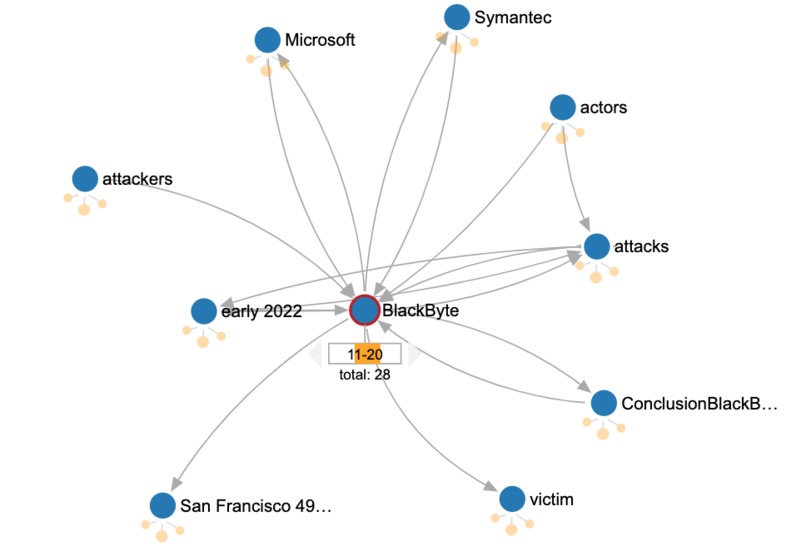
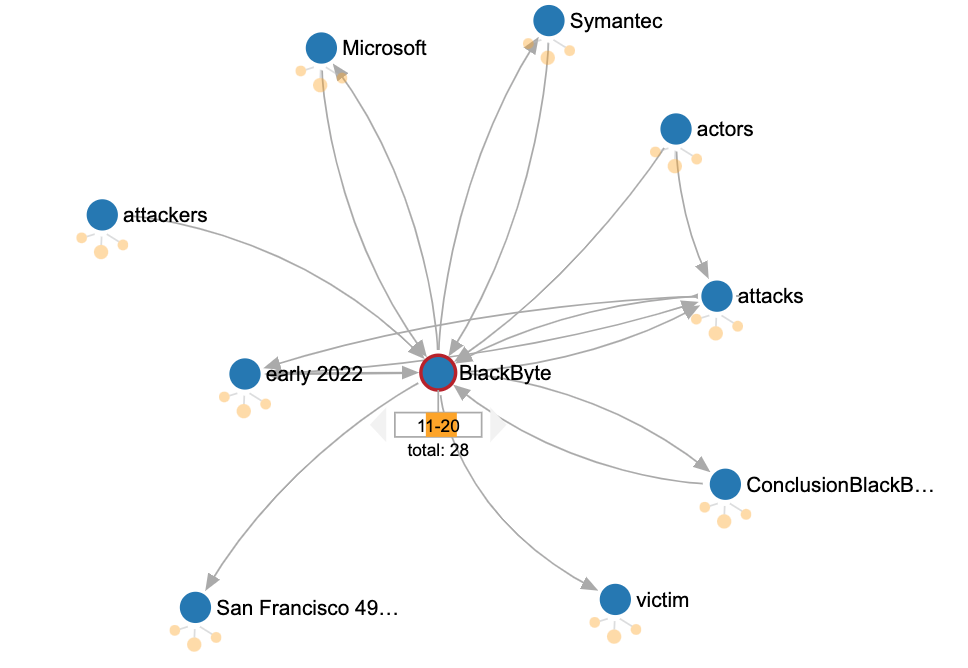
Relationships between Blackbyte and other entities
-
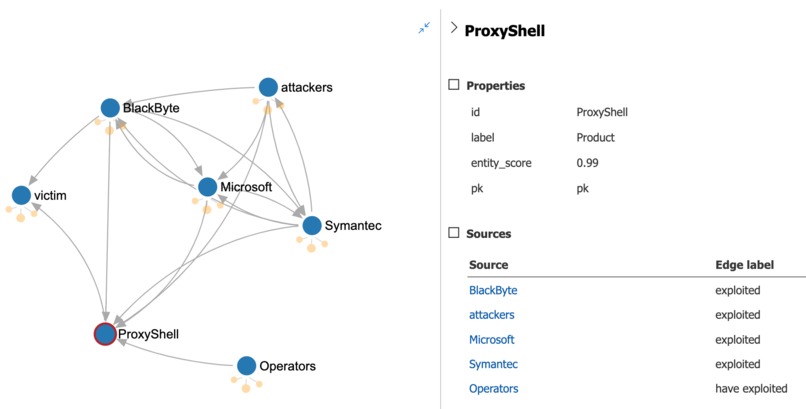
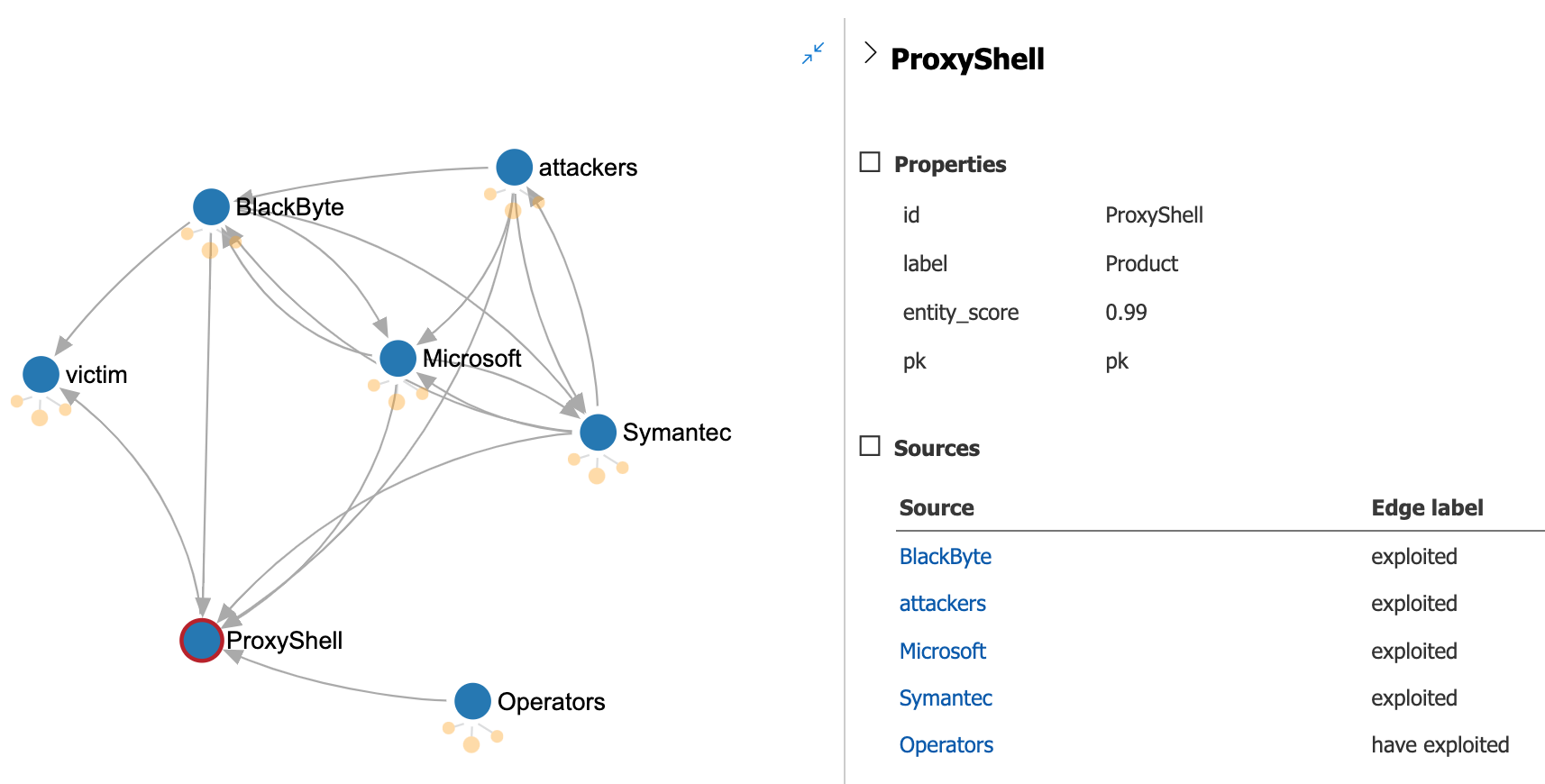
ProxyShell and how attackers use it
-
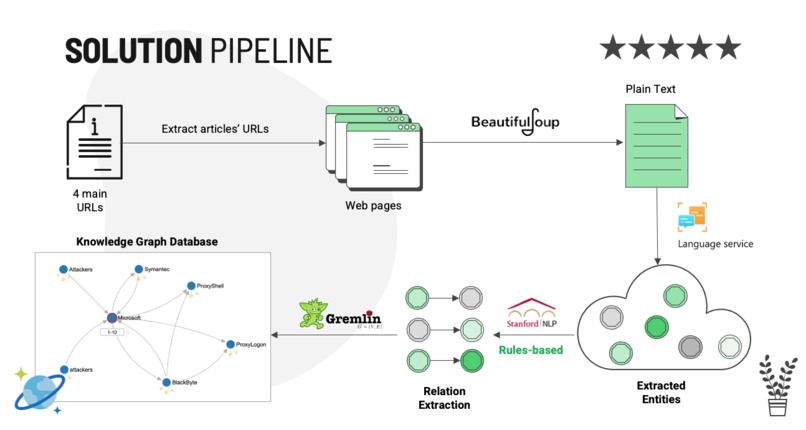
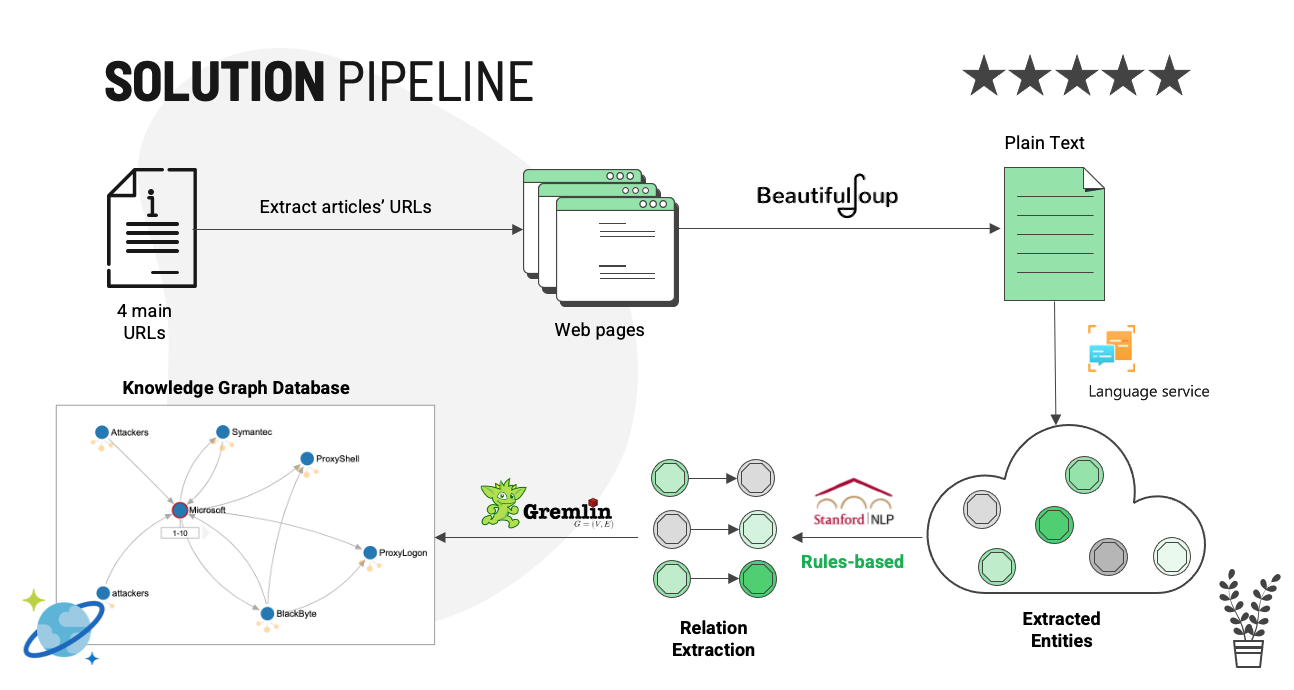
Solution pipeline
-
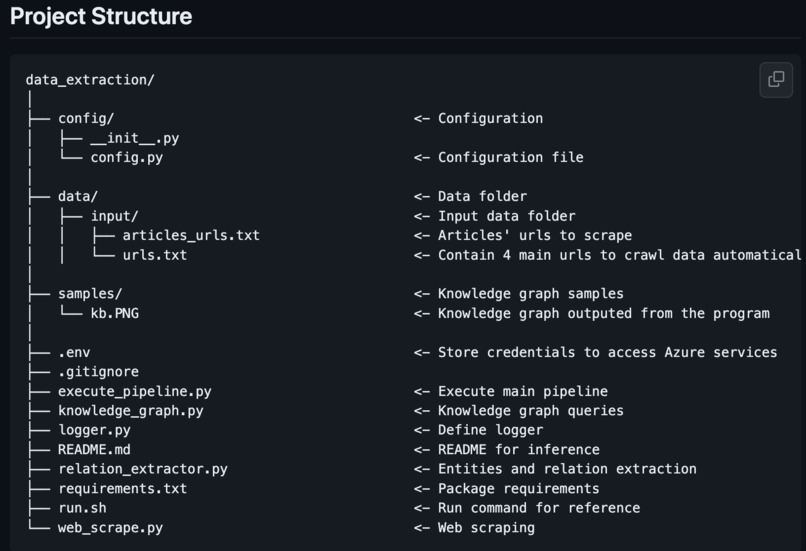
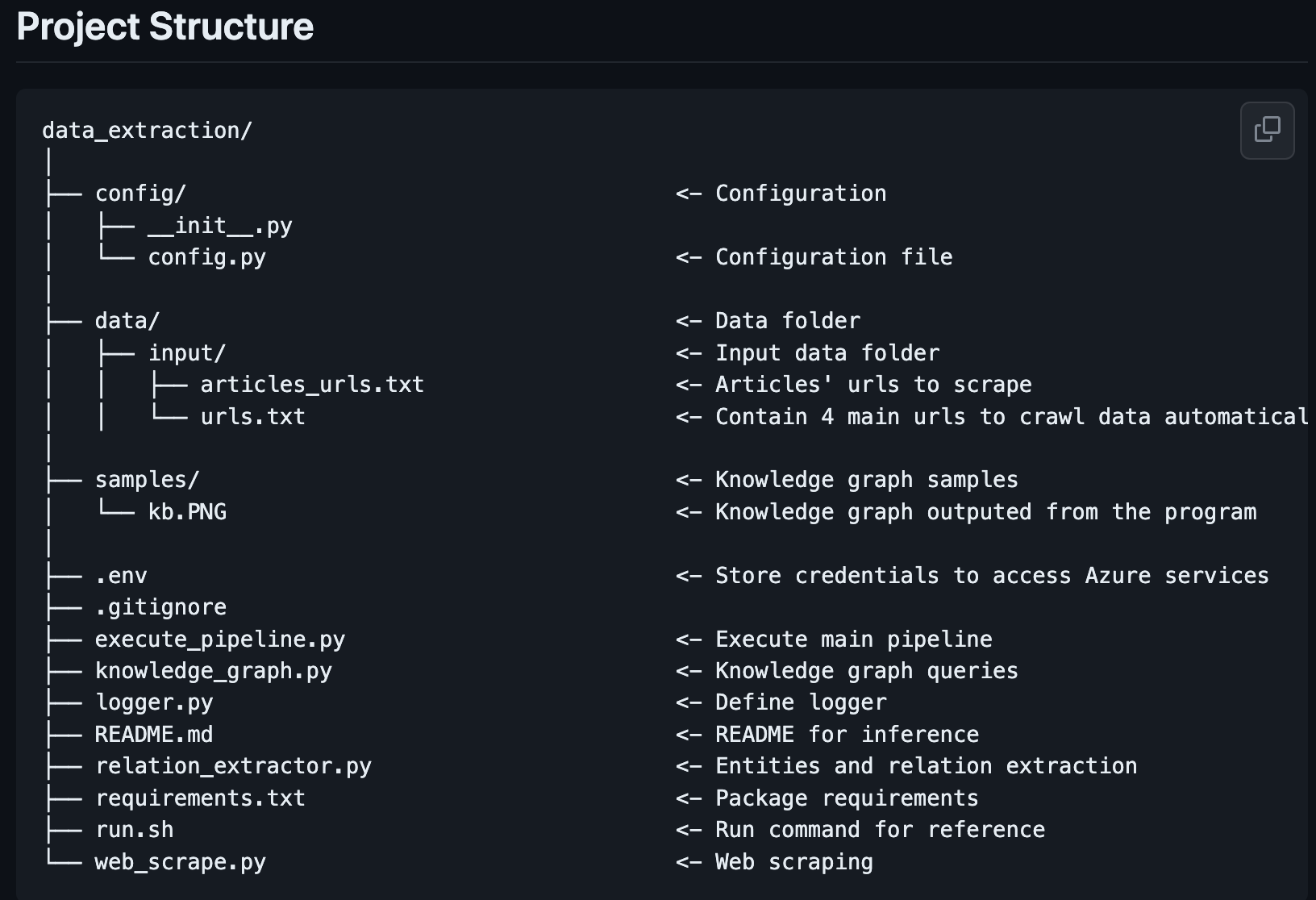
Project Source code structure
Inspiration
New data on cyberattack trends cites a 38% increase in global attacks in 2022, and this number would continue each year. Information about threat actors come from different sources, a single threat actor is described in different names. This results in the commonalities being missed, and the relations between those things are not clear. Data inconsistency prevents researchers, and security practitioners from obtaining insights into the most dangerous threats, being capable of analyzing new information from past incidents, and identifying non-obvious connections among them. A threat actor graph database is built to provide a tool to be possible to see how everything is related on a big level, which should be focused on, and to define the right tactics to deal with.
What it does
The project provides a solution for the BAE Systems problem 1, which is create a knowledge graph to represent threat actors entities extracted from online intelligent security blogs/ articles and the relationship between them. The knowledge graph is stored in a CosmosDB graph database named threatactor-database.
How I built it
The project includes four main steps:
- Scrape data from articles by using Beautifulsoup
- Extract entities from extracted paragraphs by using Azure Text Analytics Prebuilt Model
- Extract relations between pairs of two entities by using triple extraction from Stanford Openie
- Build knowledge by using Gremlin queries and storing the vertex and edges into Azure Cosmos DB
Challenges we ran into
Relation extraction from entities extracted by Azure Text Analytics
Getting a list of entities extracted from Azure Text Analytics is halfway to be done only. Another important part is how can we link those entities together. I started with a simple logic that the structure of a sentence would be "Subject + Verb + Object", then used spaCy Matcher to find the main verb - ROOT of a sentence. Based on the ROOT's offset/ location, I linked entities before and after the main verb together. Unfortunately, in most cases, the main verb/ ROOT is located at the end of a complex sentence, so it returns a few relations and I have to change it to stanford_openie.
With stanford_openie, it can return a triple in the form of "Subject + Verb + Object", and based on those extracted subjects/ objects, I developed my logic to link them with entities extracted by Azure Text Analytics.
Blocked from a website to be recognized as an Autobot
I've tried to set a schedule to automatically get all new links from 4 provided websites to run the script daily to extract entities from new URLs and update the graph database. Since running in a batch, the Microsoft security blog has blocked my IP as being detected as an Autobot.
Accomplishments that I would be proud of
I've completed the project in time, the graph looks reasonable at a certain level. Some struggles have been got over and the whole pipeline has been completed. I have been enjoying the journey I have taken.
What we learned
I have been enjoying the journey of this hackathon. This opportunity has given me so much as I could learn about the impact of threat actors, and how the knowledge graph is important in this domain. Technically, a knowledge graph is more suitable rather than a relational database as so many inter-connections, and many non-obvious connections here. I could also learn Gremlin, a new query language with me, to learn how to present a topic in 3-5 minutes and how to make a good presentation. They all are very helpful for my career. I would like to say Thank you so much for giving me such a golden opportunity.
What's next for Solution for BAE SYSTEMS Problem 1
As mentioned in the presentation, I leveraged Azure's services and open sources to speed up the implementation, here is a list of things that would be added to improve accuracy:
- Increase the number of relation extractions by using some relation extraction deep learning models
- Add post-processing to refine entities (e.g., unify entities)
- Find a mechanism to avoid being detected as Autobot by the webpage
- Add a crontab or schedule to run the script daily
Built With
- azure
- beautiful-soup
- cosmosdb
- gremlin
- knowledgegraph
- python
- spacy
- stanford-openie
- textanalytics

Log in or sign up for Devpost to join the conversation.