-
-
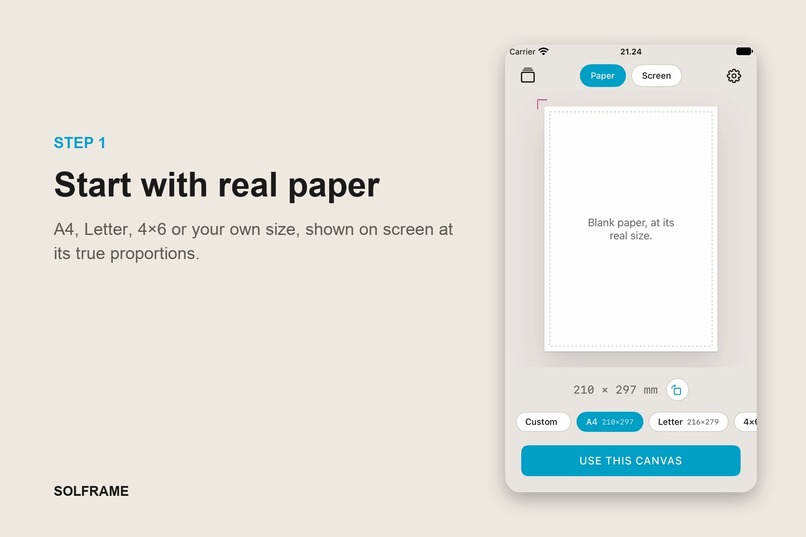
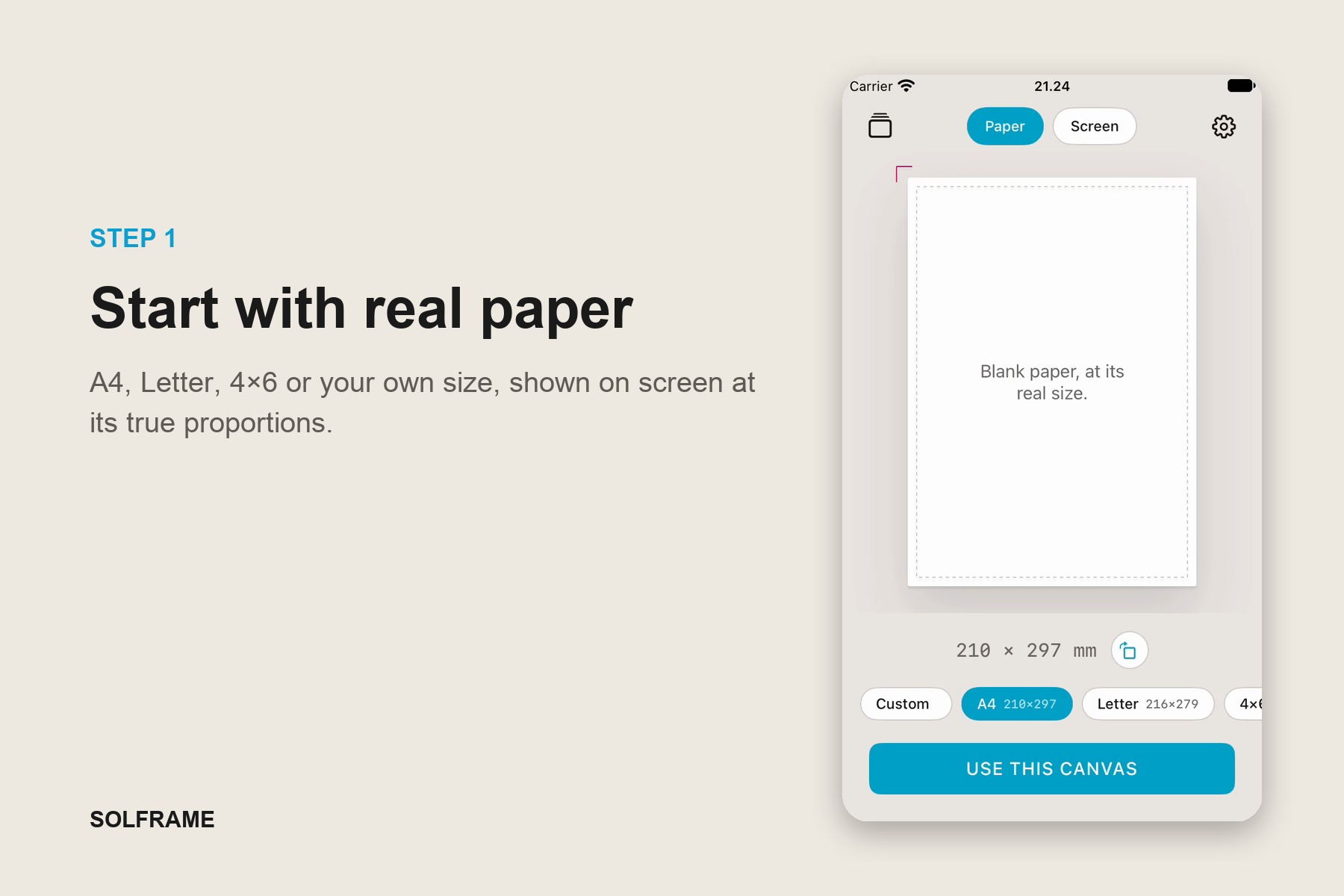
Start with real paper. A4, Letter, 4×6 or a custom size, shown on screen at its true proportions so what you see is what prints.
-
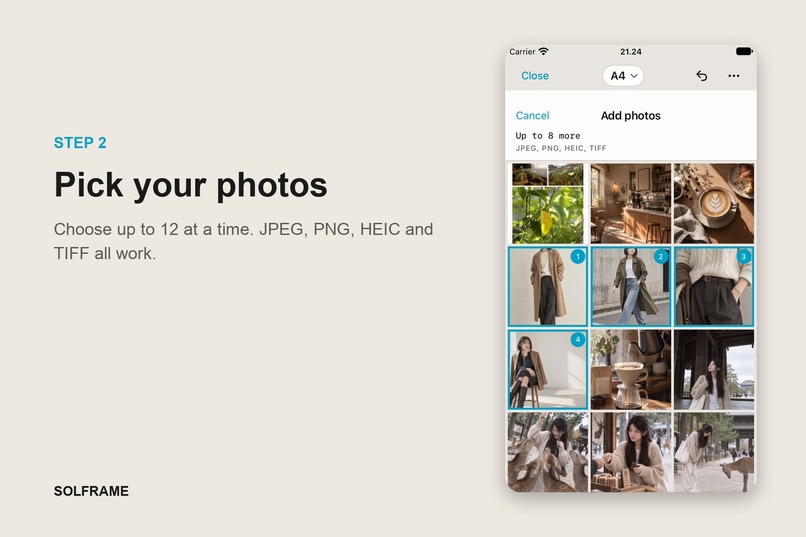
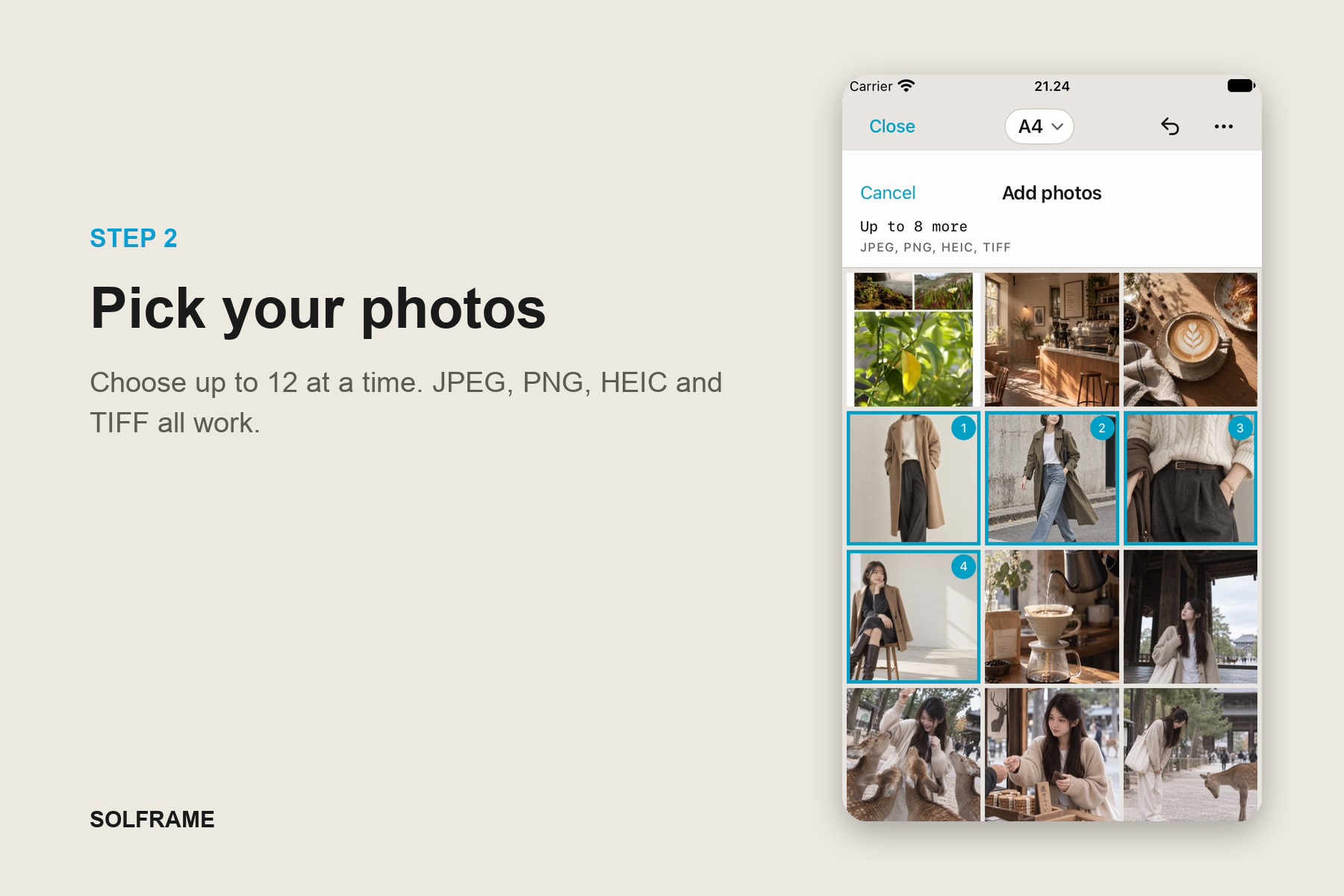
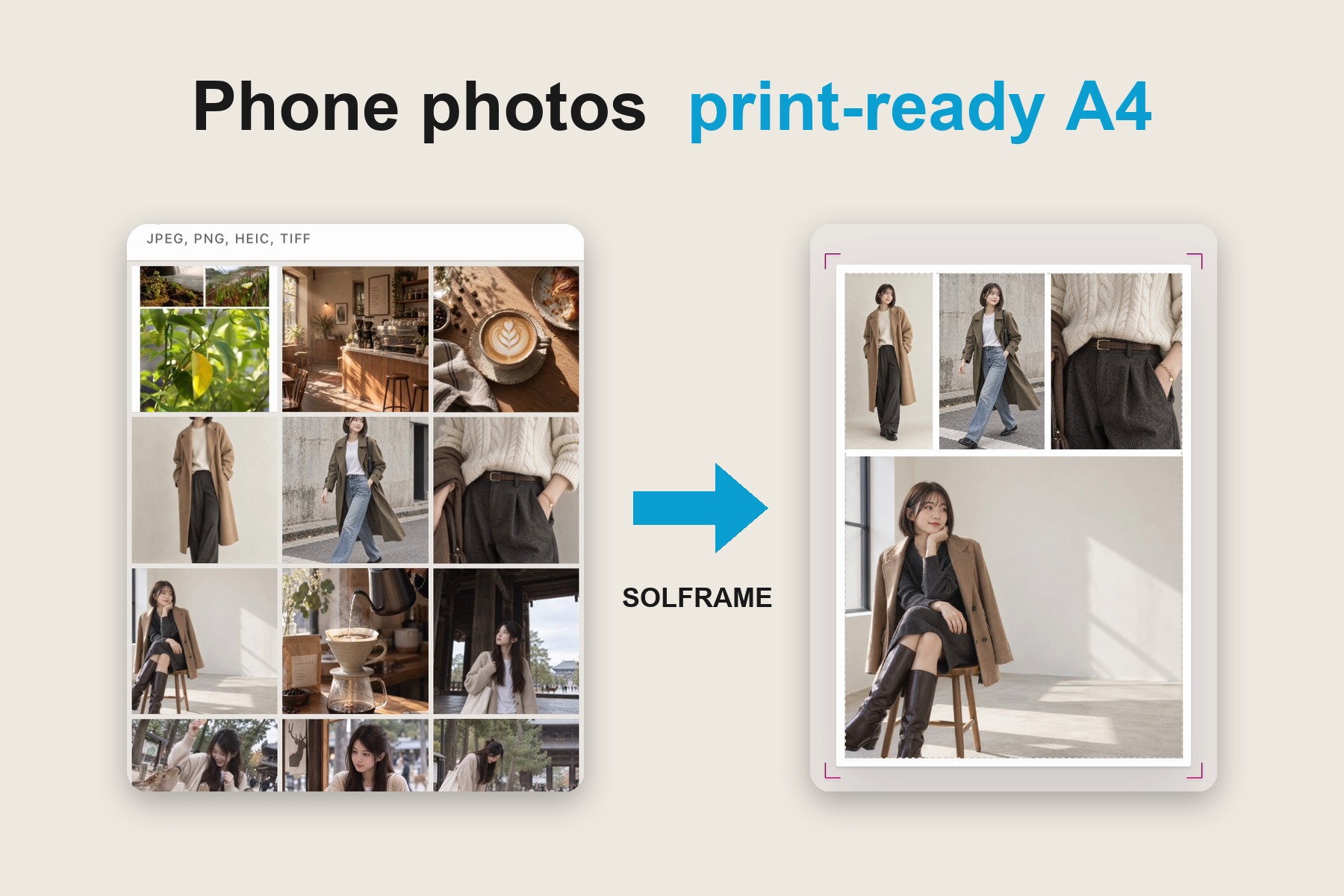
Pick up to 12 photos at a time straight from your library. JPEG, PNG, HEIC and TIFF all work.
-
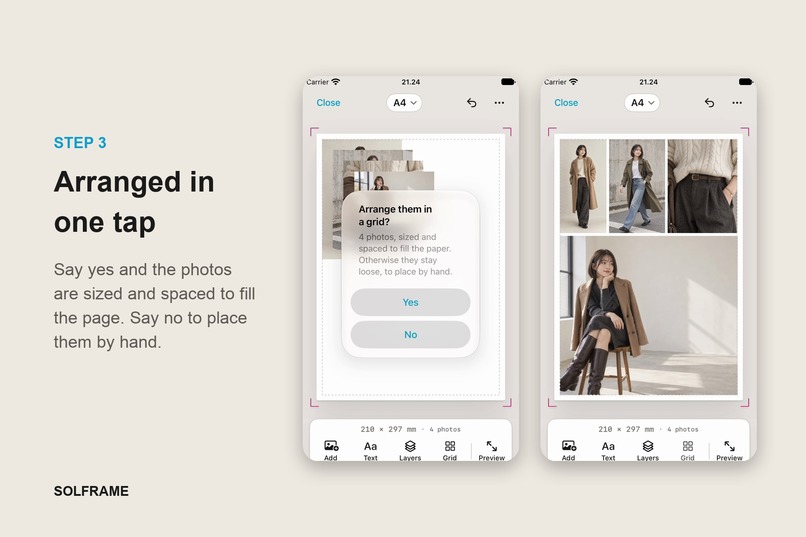
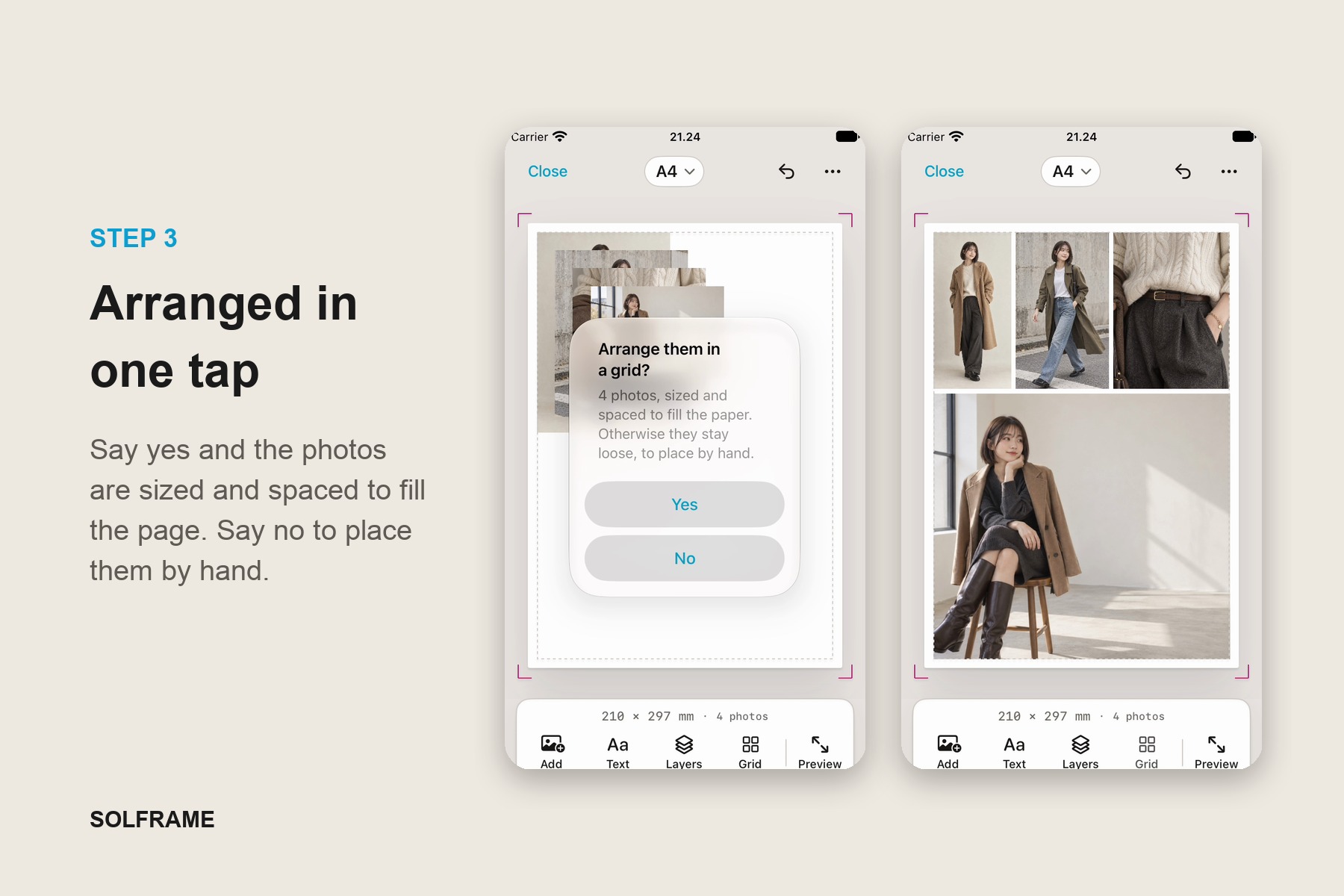
Say yes and Solframe sizes and spaces your photos to fill the page in one tap. Say no and they stay loose to place by hand.
-
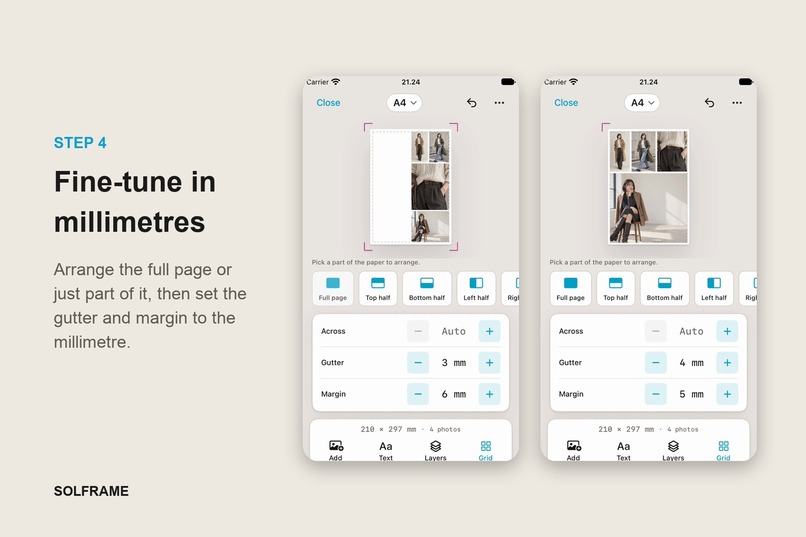
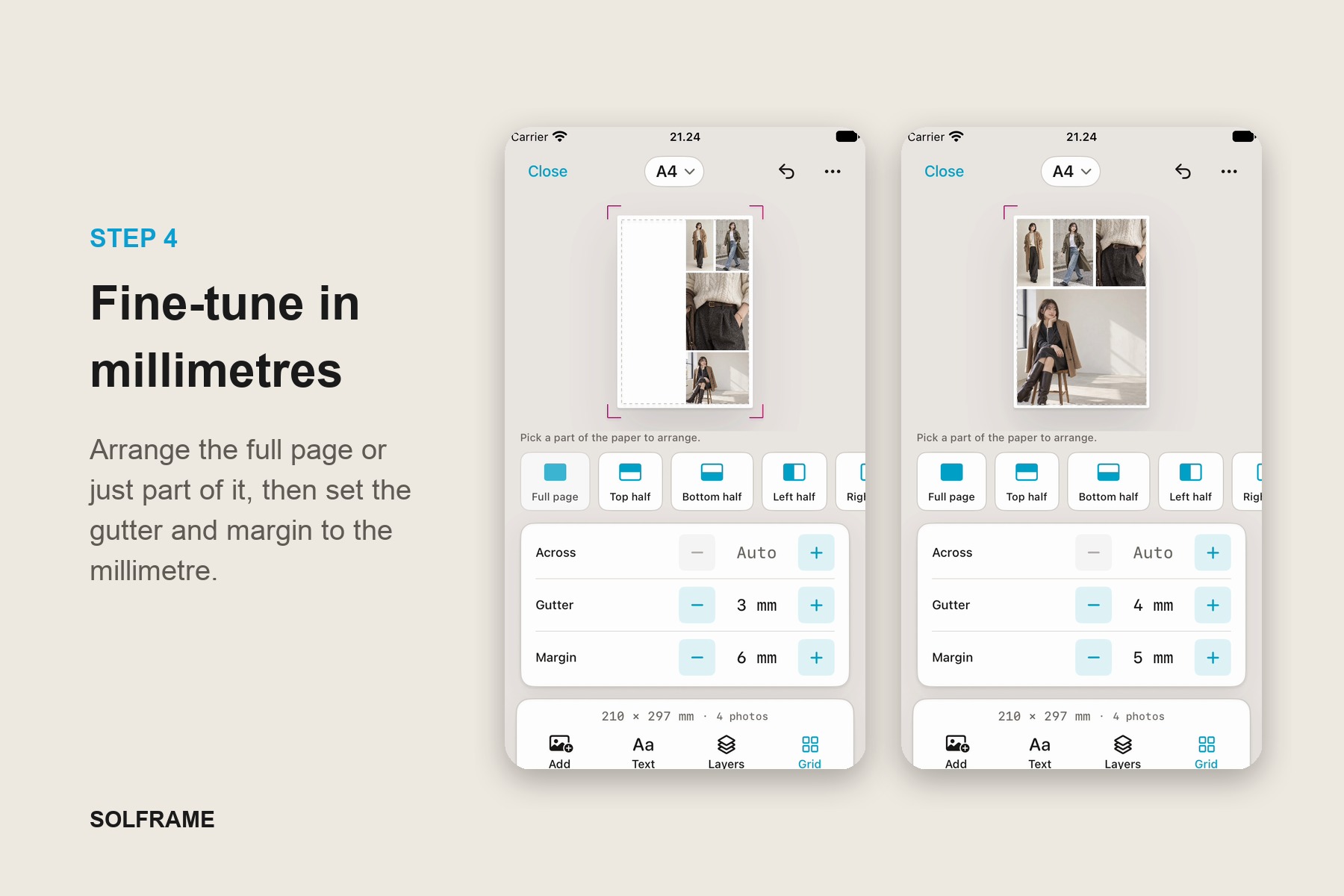
Arrange the full page or just part of it, like the top or left half. Then set the gutter and margin to the millimetre.
-
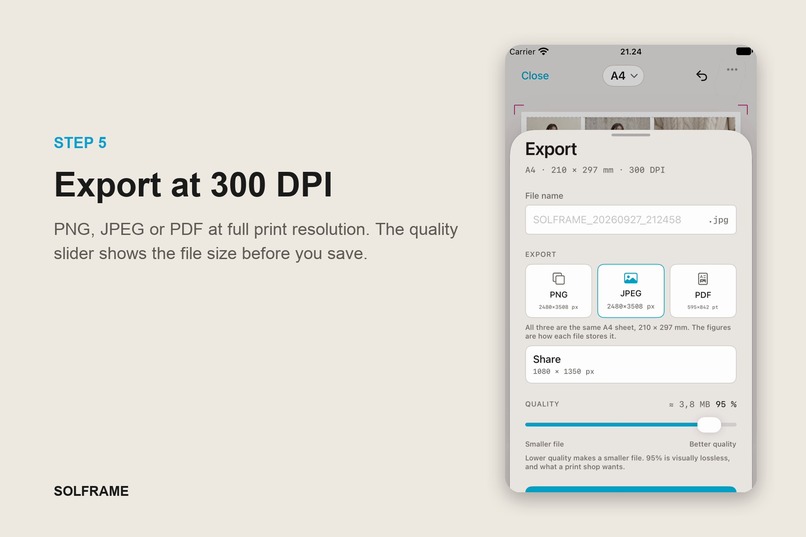
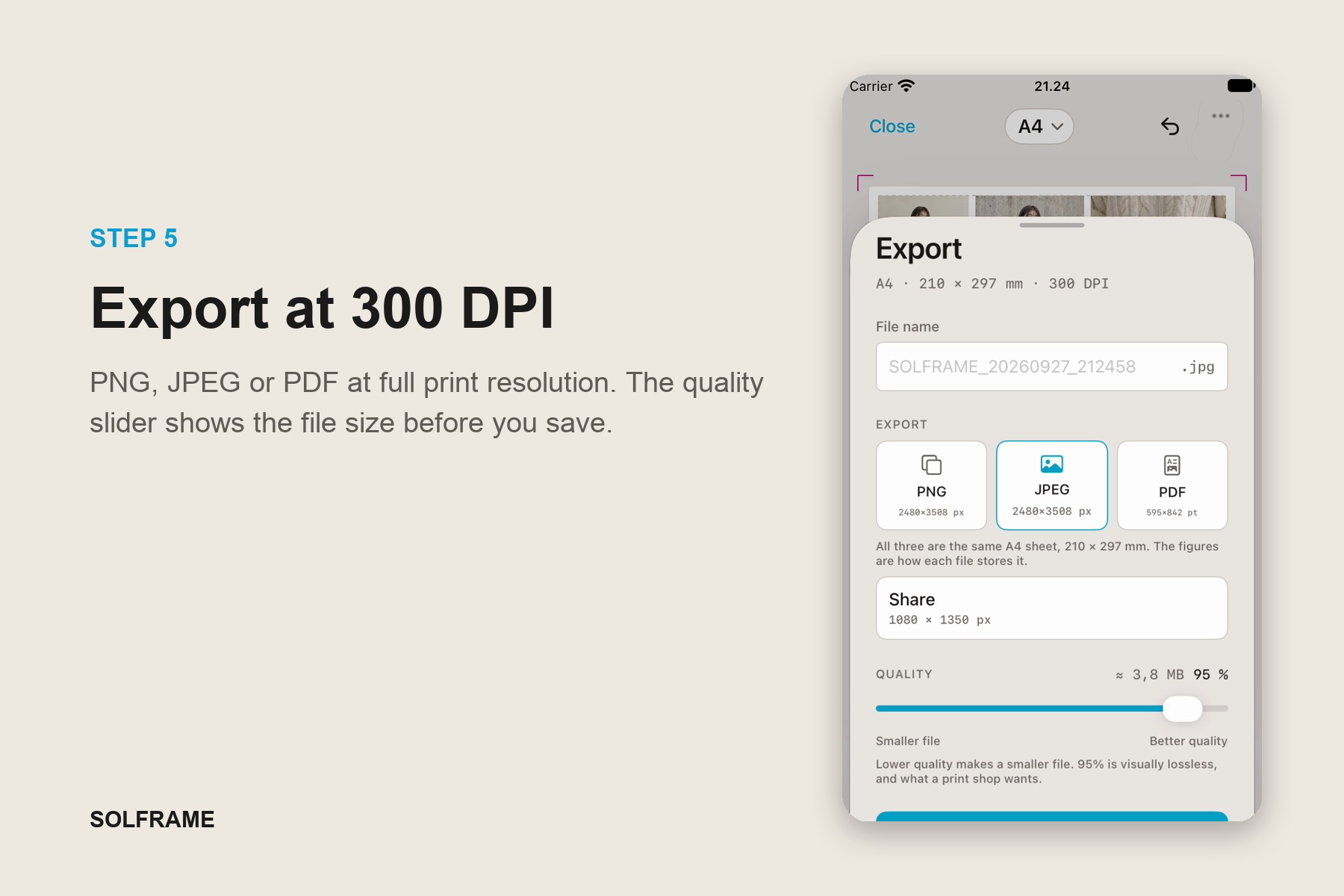
Export as PNG, JPEG or PDF at 300 DPI. The quality slider shows the file size before you save, and 95% is visually lossless.
-
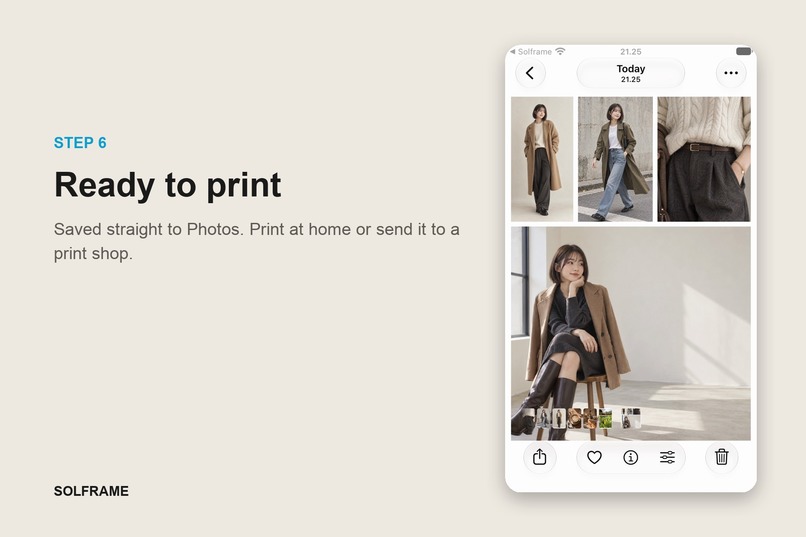
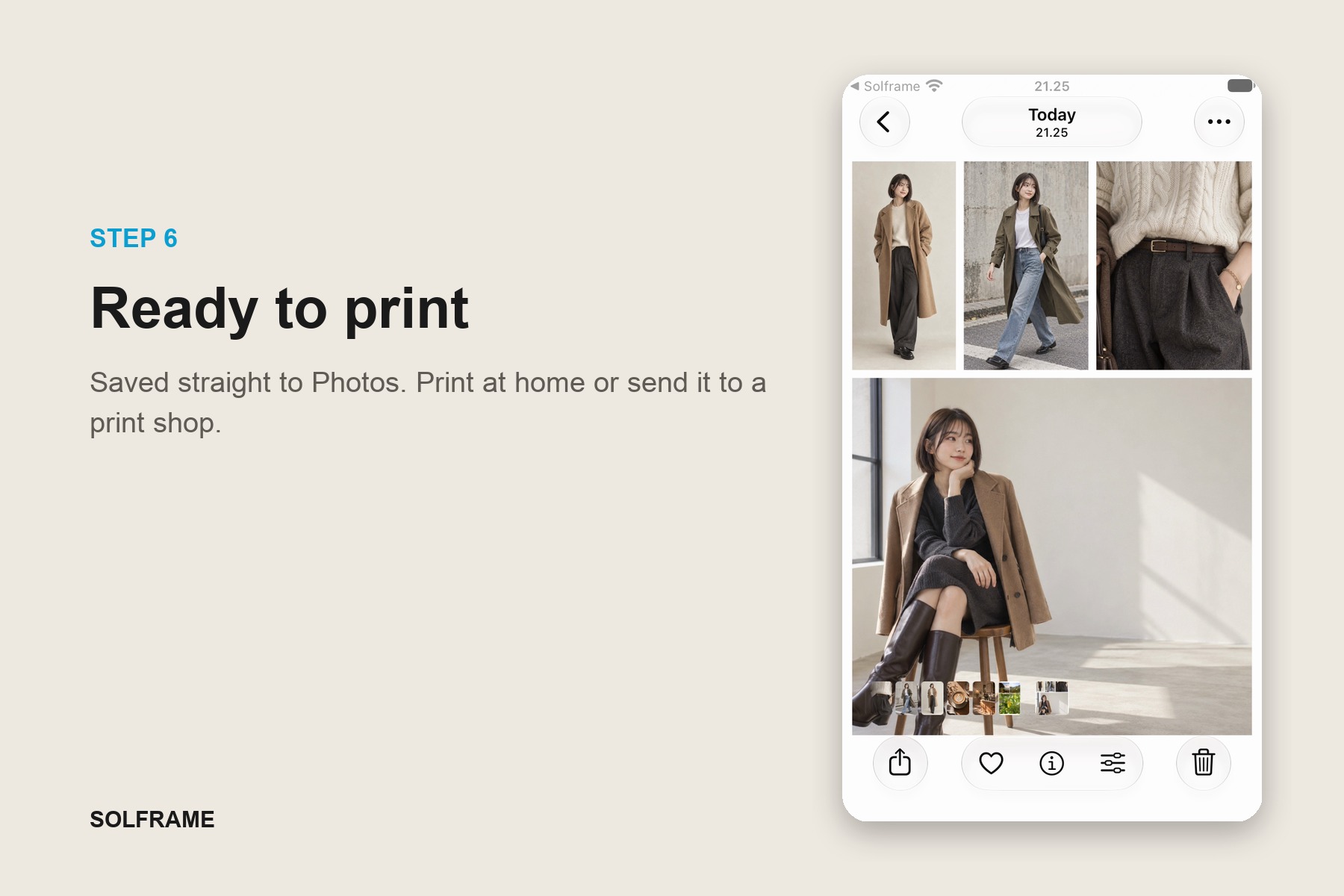
Your sheet saves straight to Photos at full print resolution. Print it at home or send it to a print shop.
-
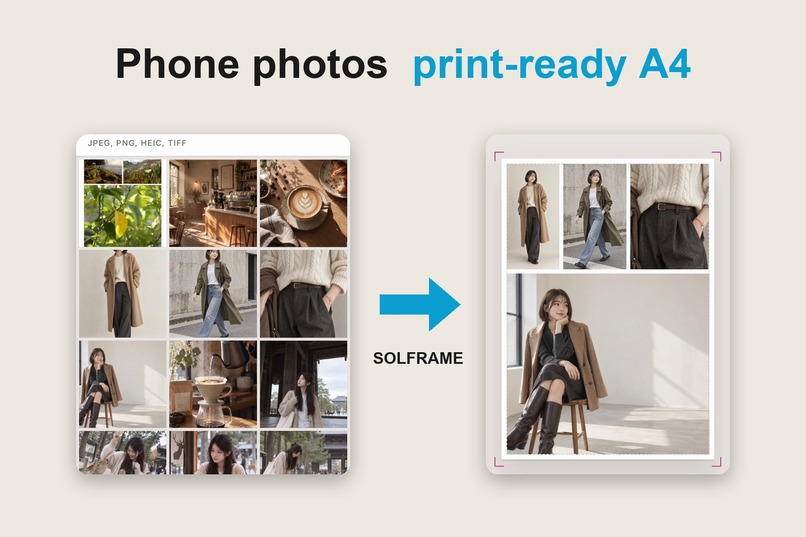
Solframe turns a pile of phone photos into one print-ready sheet. Lay them out at true paper size, then print.
Inspiration
It started with my aunt.
She wanted to print a few photos from the family WhatsApp group. I found her in Microsoft Word, pasting them in one by one and dragging the corners around, trying to fit eight pictures on a page. Half of them were stretched. One was sideways. The printer chopped off the bottom row.
We all have thousands of photos on our phones and almost none on our walls. Collage apps are built for Instagram. Printing apps want you to order prints online. Nobody was building for the person who just wants a nice page of photos from their own printer, or the corner photocopy shop.
So I built Solframe. It's a collage maker that makes something you can actually hold.
What it does
Pick your photos, draw a shape, done.
- 📸 Collages that arrange themselves. No dragging corners, no stretched faces. Your photos just fall into place.
- ✏️ Draw your own layout. Sketch a heart, a star or a split page, and the photos flow around it. Draw a wobbly star and Solframe offers you a clean one.
- 🔤 Make it yours. Captions in hundreds of Google Fonts, plus backgrounds and borders.
- 🖨️ Real paper, real size. A4, 4×6, 5×7, square or Story. It prints at exactly the size it says.
- 🧱 Go big. Split one collage across several pages and tape it together into a poster.
- 📤 Share it or print it. Post it to your story, send it to the group chat, or stick it on the fridge.
No account, no cloud and no uploads. Your photos never leave your phone.
Who it's for
Not influencers. It's for the people who still print things:
- Families making photo walls and birthday boards
- Scrapbookers and journal lovers
- Teachers putting together classroom displays
- Small shops printing a product menu
- Anyone whose "print pipeline" is the photocopy shop down the street
How I built it
Solframe is a native iOS app built with SwiftUI. Everything runs on the device, and RevenueCat handles subscriptions.
A few decisions shaped it:
A look that isn't the usual AI look. The easy route for a print app is cream paper, a fancy serif and a terracotta accent, and every other app looks like that right now. I went with the press sheet instead: cool grey like a light table, cyan and magenta taken from real printer registration marks, and measurements in millimetres. It feels precise, not nostalgic.
Mock first, code second. Every screen started as a quick HTML mock. I could try ten ideas in a browser before writing one line of Swift.
Speaking the customer's language. Solframe launches in English, Indonesian, Japanese, Korean and Chinese, because the people who print the most aren't always English speakers.
A paywall that doesn't feel like a trap. Making collages is free. The free tier includes a weekly print allowance, so you get to fall in love with the result before you're ever asked to pay.
A promo site where you can see the before and after for yourself.
Challenges
Saying no. Filters, stickers, AI generation, cloud sync, a social feed. They were all tempting, and every one would have made Solframe look like every other collage app. Cutting them was the hardest part of the build.
Printers are liars. Every printer is off by a percent or two, and you only notice when your print doesn't fit the frame. So Solframe has a one-time calibration: print a strip, measure it with a ruler, and every print after that is spot on. Asking people to grab a ruler felt risky, but "it actually fits" is the whole promise.
Making it feel effortless. A hand-drawn shape should look designed, not sloppy. Getting shapes to snap cleanly and photos to flow smoothly took far more polish than any headline feature did.
Doing it solo. Design, code, copy, translations, the paywall and the website, all by myself during Shipaton.
What I learned
- Your best marketing is a real story. "My aunt was printing photos in Word" says more than any feature list.
- Pick a lane. Going after "people who print" instead of "people who post" gave me a market nobody's fighting over.
- Design is a differentiator. Deliberately not looking like everyone else is a feature in itself.
- Small details sell the product. Snapping, clean shapes, a low-resolution warning before you waste paper. Nobody lists them, but everybody feels them.
And my aunt? She doesn't open Word for photos anymore. 💛
Built With
- revenuecat
- swift


Log in or sign up for Devpost to join the conversation.