-
-
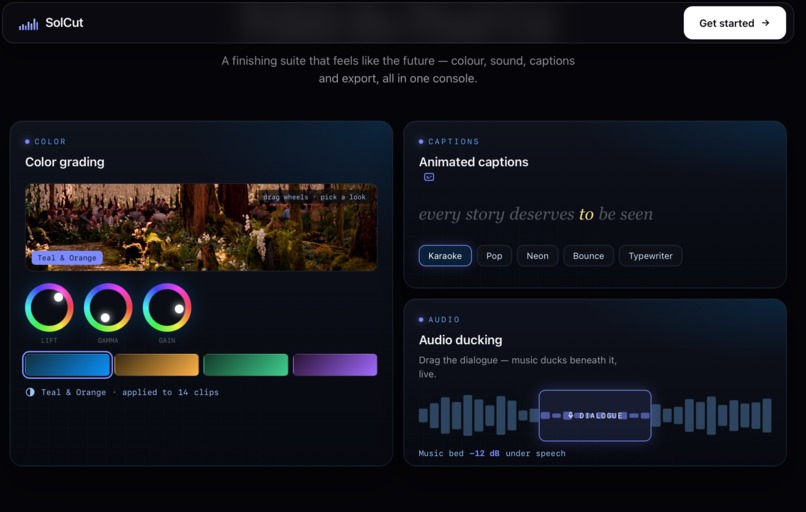
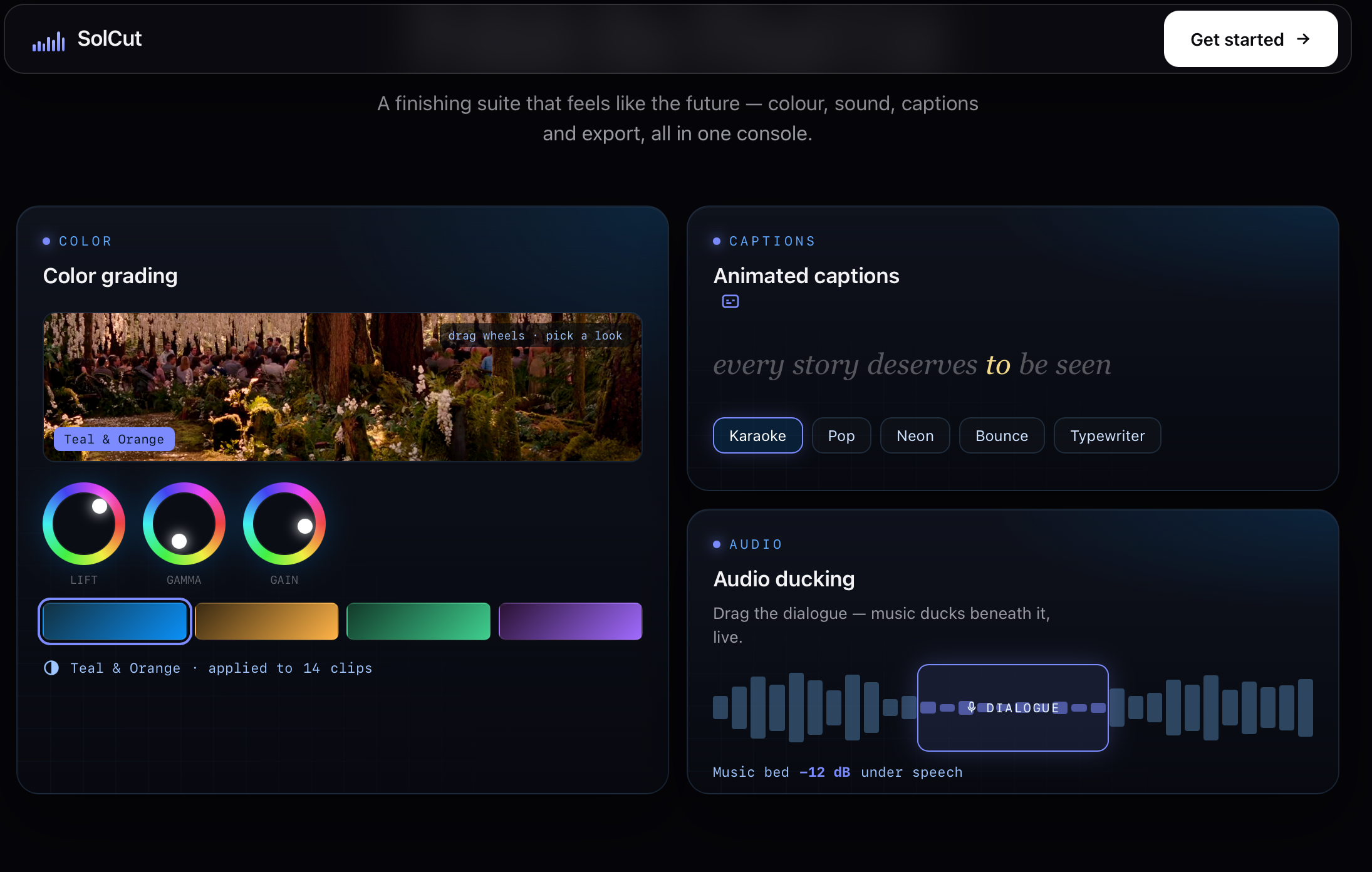
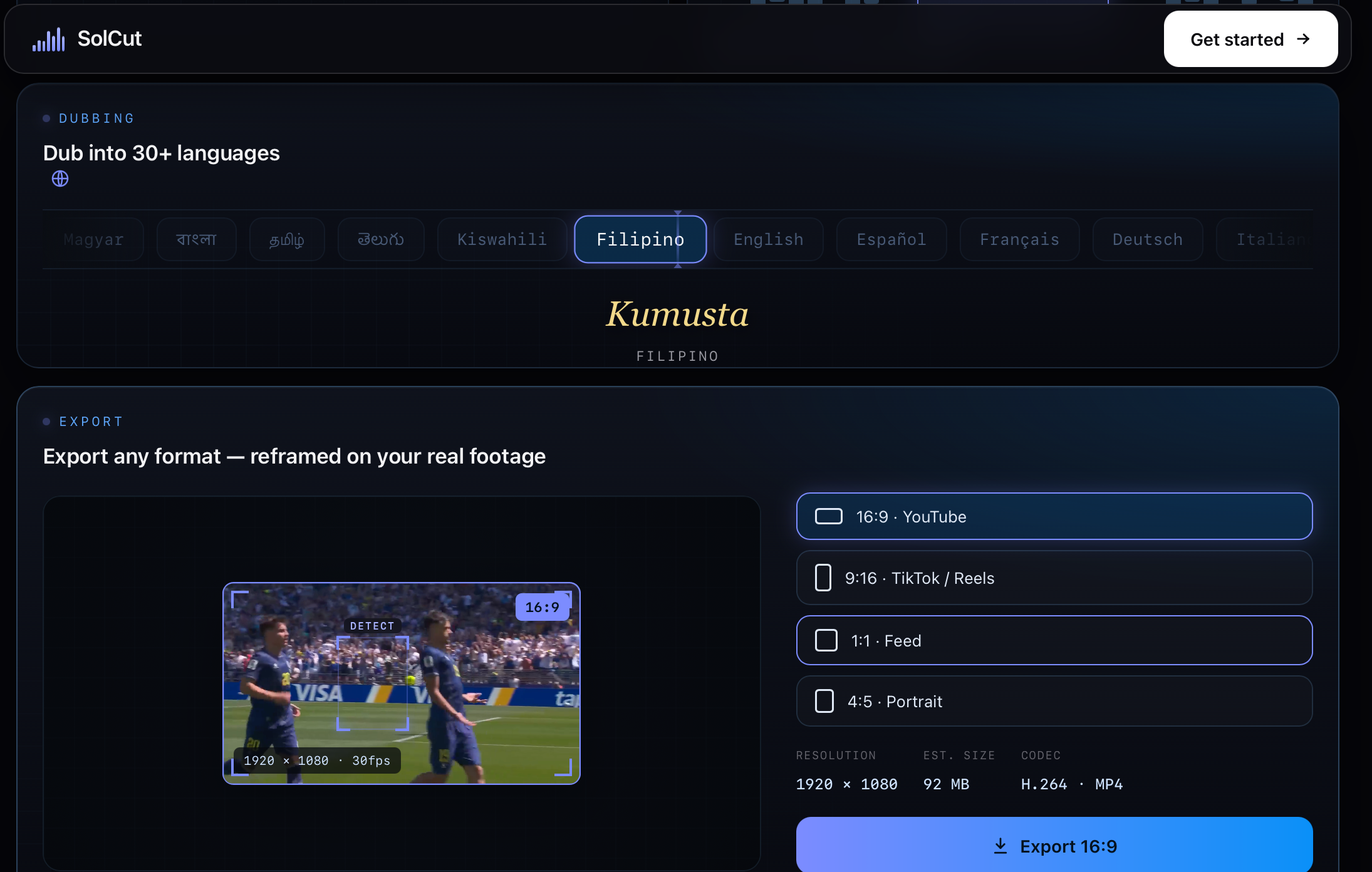
finishing suite features
-
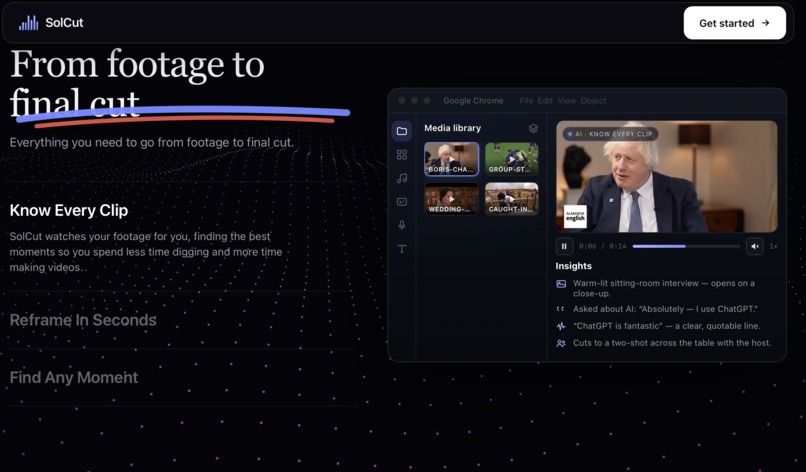
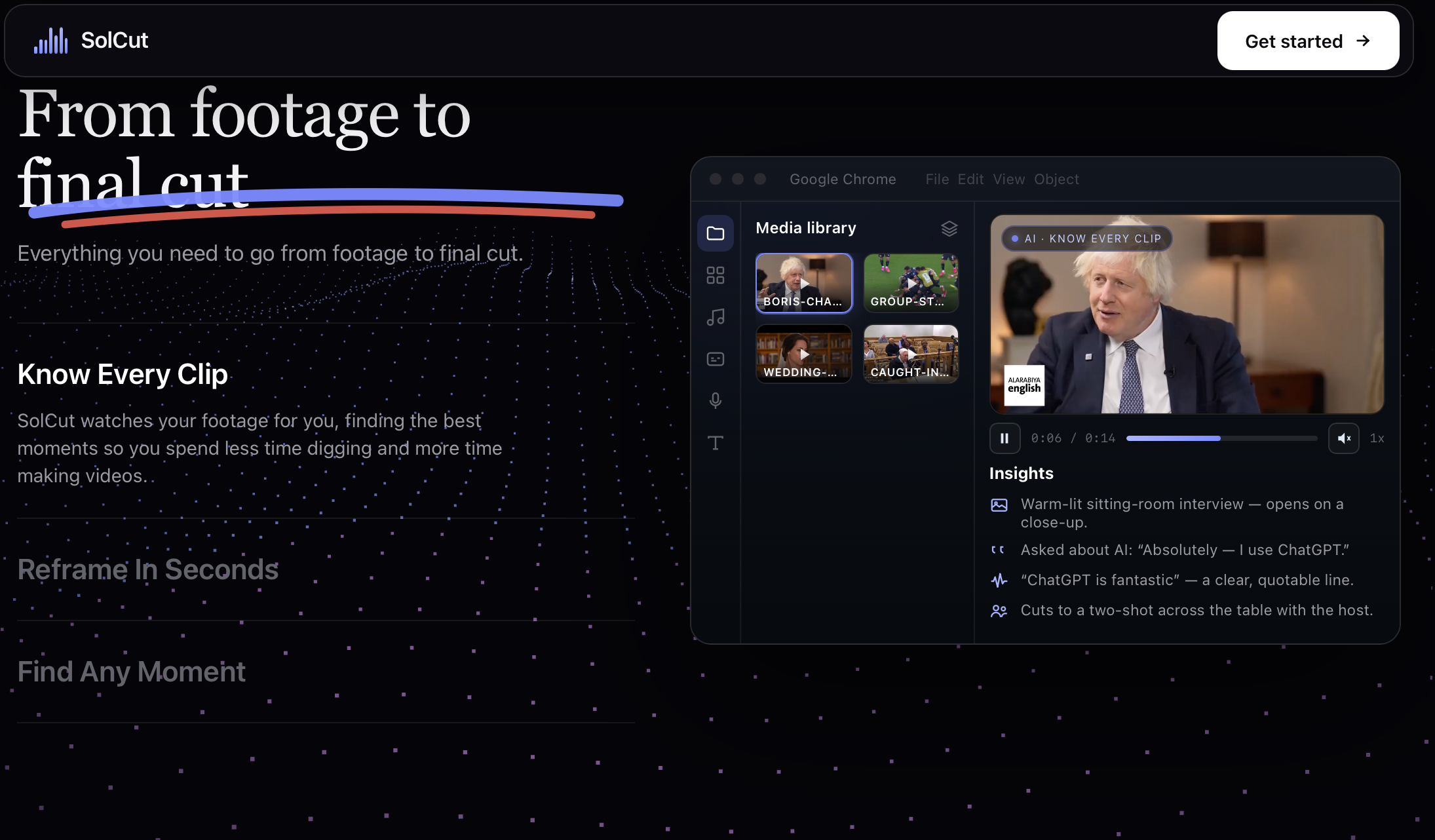
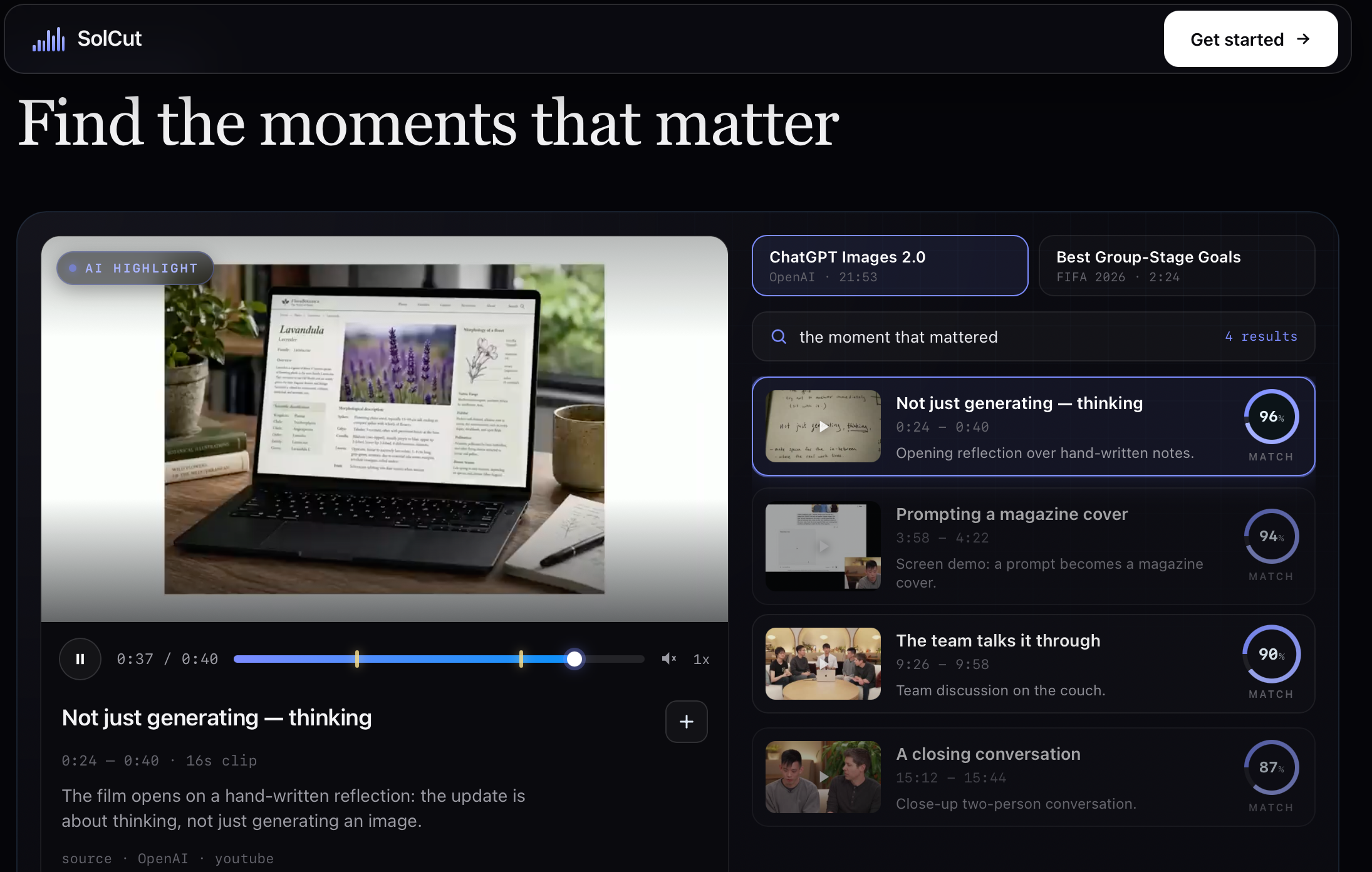
clip insights
-
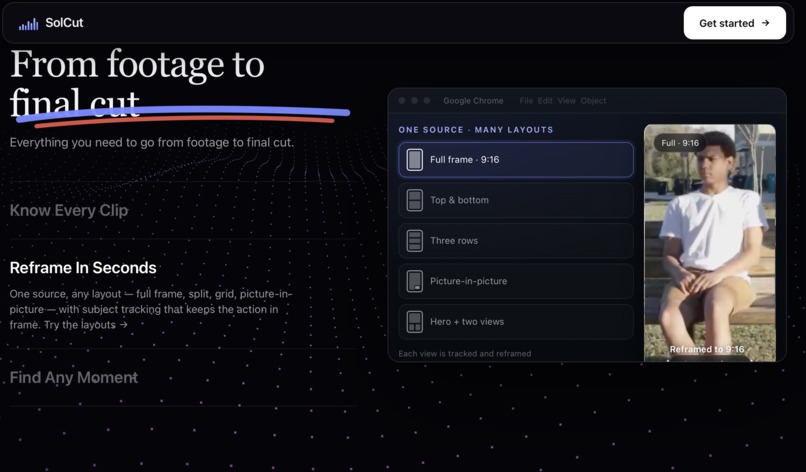
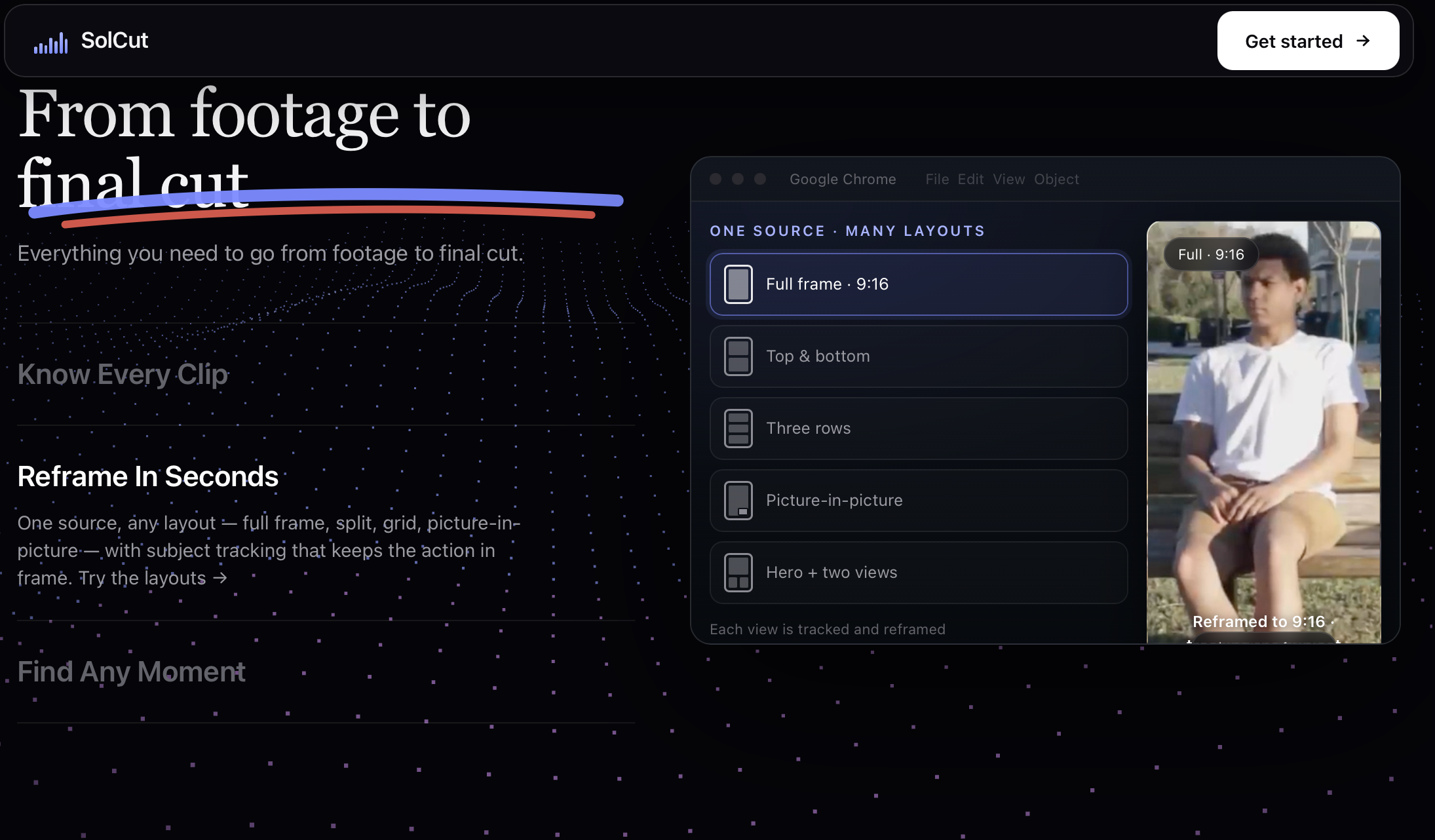
auto-reframe
-
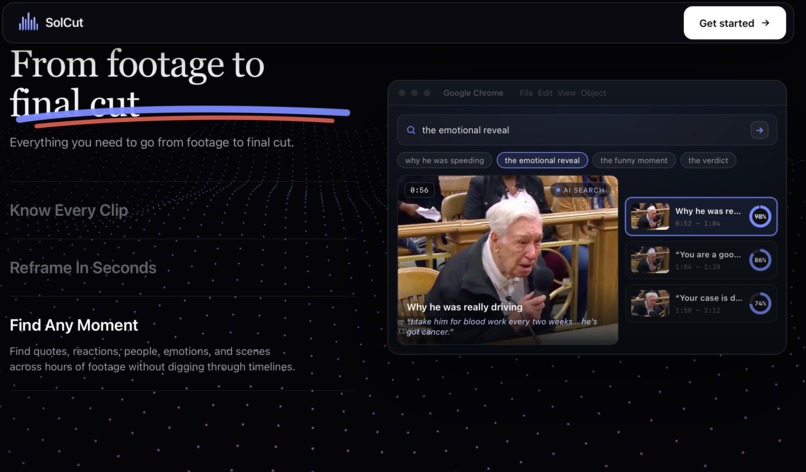
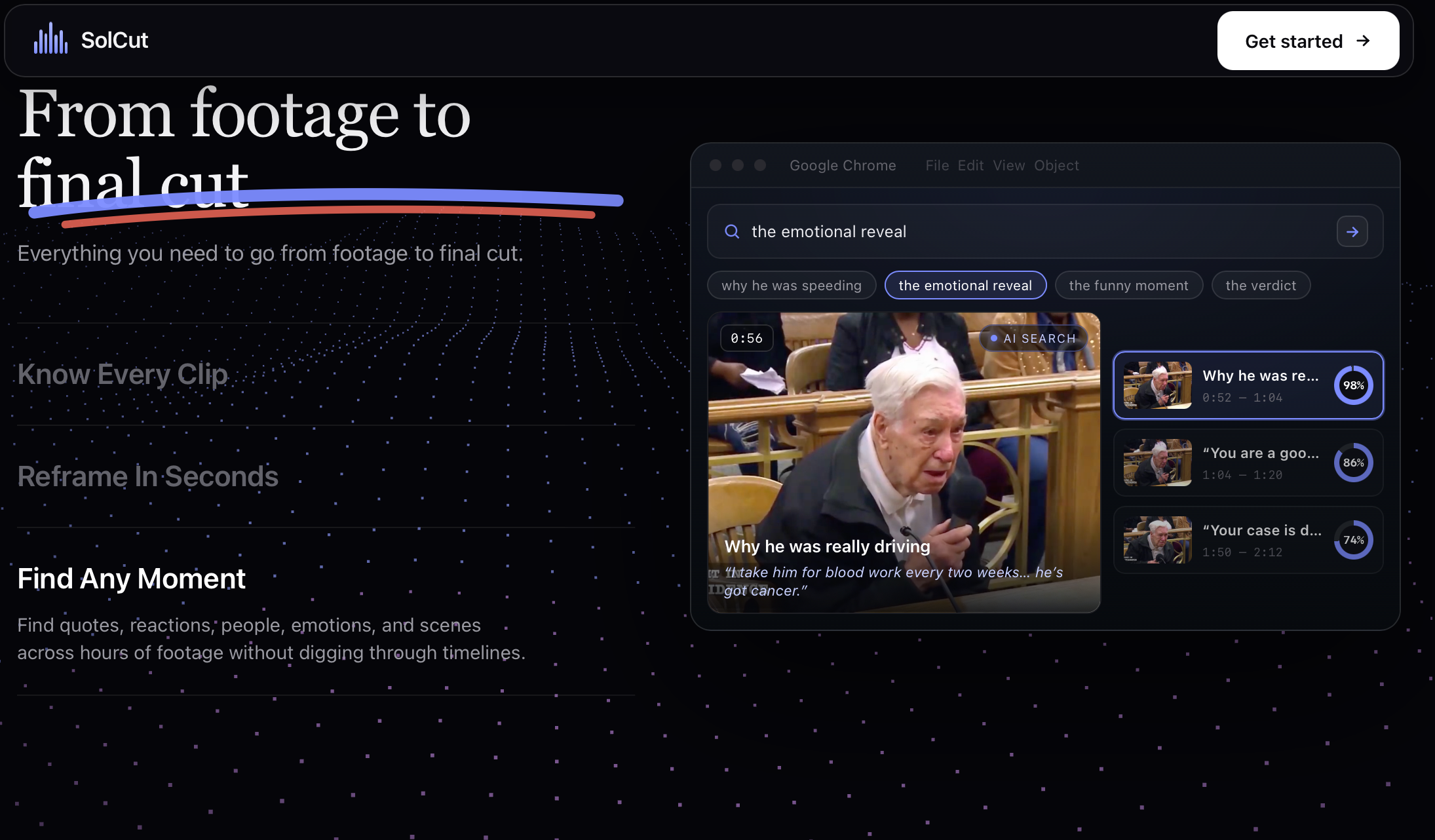
find the best moments from AI
-
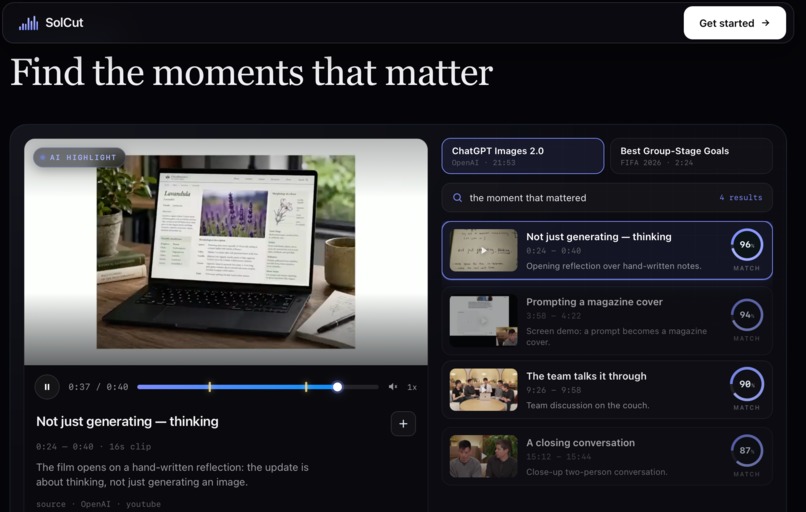
find the moment that matters - highlights
-
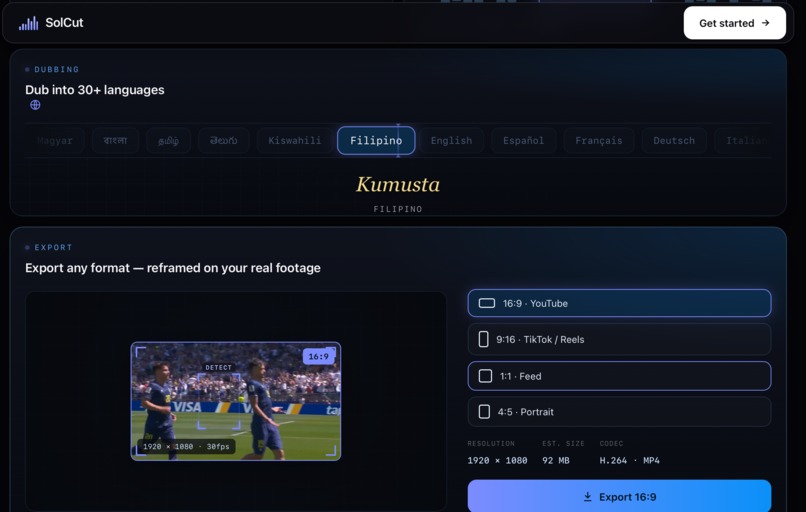
reframing
-
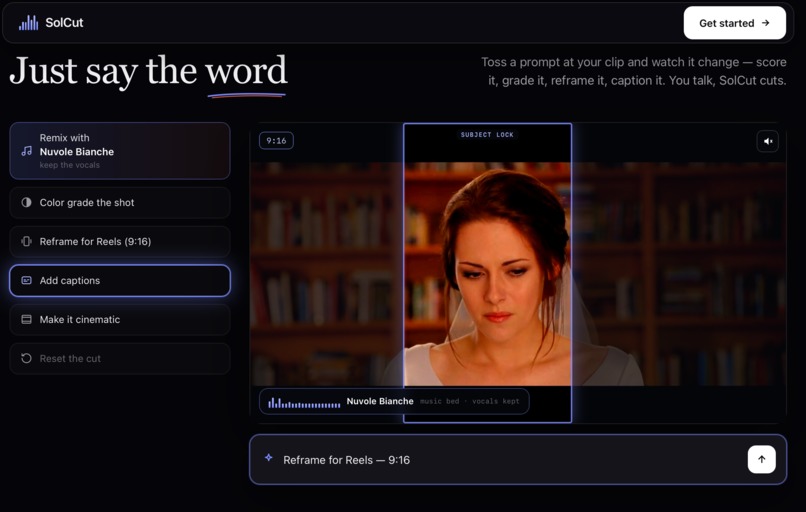
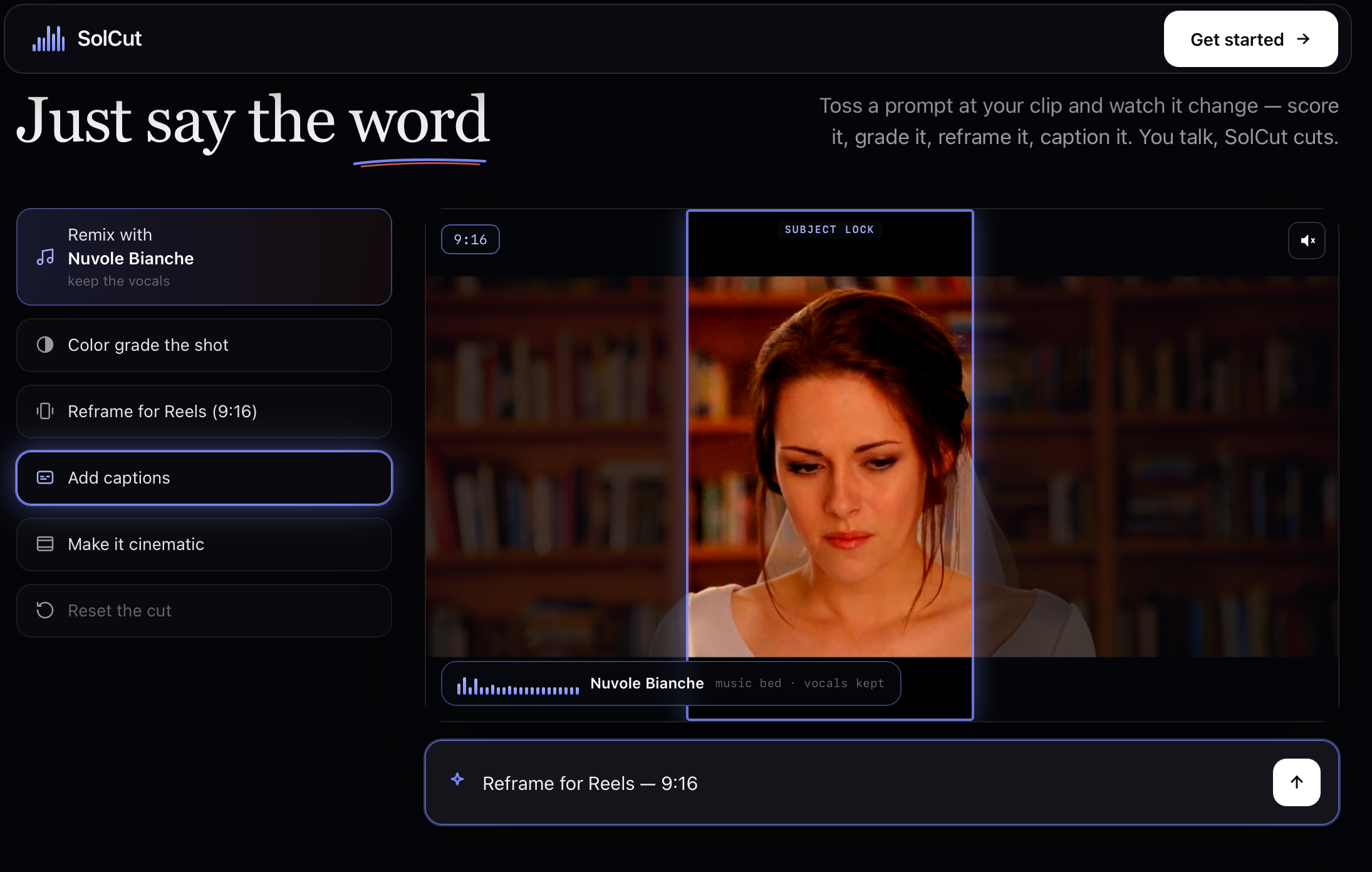
SolCut- Actions
-
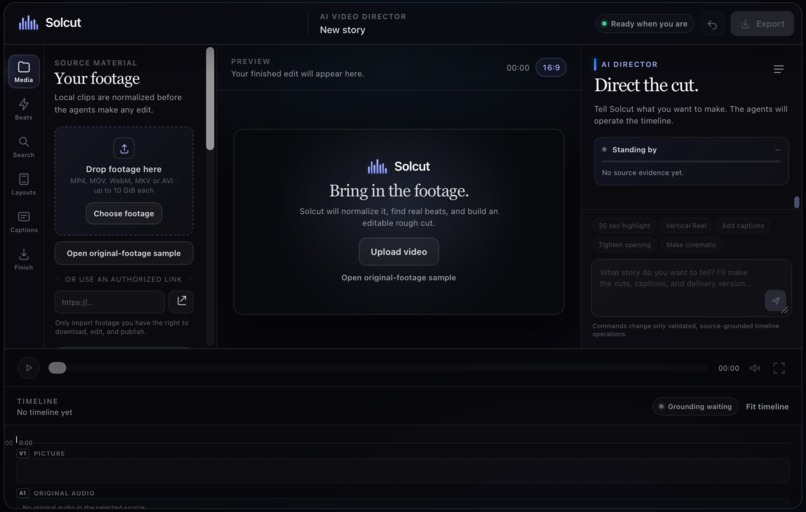
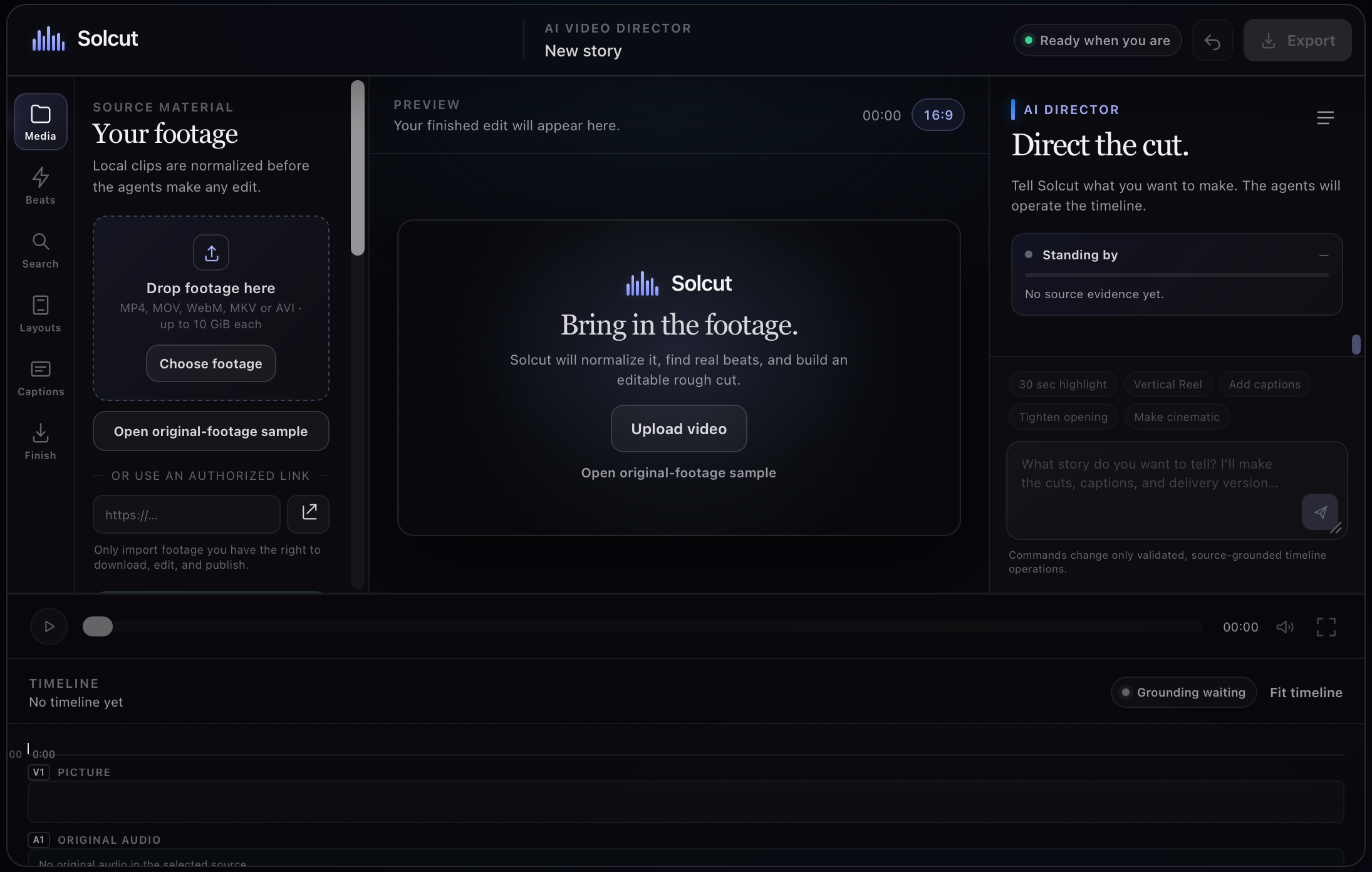
editor suite
SolCut — Direct the Cut with AI
Raw footage in. Finished cuts out—with an AI director.
SolCut removes the editing-software bottleneck between having footage and publishing a video. Creators bring their media, describe the story they want, and remain in control while specialised agents operate an auditable timeline.
Inspiration
I kept encountering the same problem while building projects: I could build the product, record the screen, and gather footage—but creating a clear demo video still became its own difficult project. Timelines, keyframes, captions, audio balance, reframing, and export presets are each sensible tools; together, they turn “I have the footage” into a specialised job.
I wanted the editor I needed myself: a tool for indie builders, students, hackers, founders, and creators who can direct a story but should not need a professional editing career just to ship it.
Why this matters now
| Signal | What it means |
|---|---|
| 3M+ creators in the YouTube Partner Program | The creator audience is already enormous. YouTube, March 2026 |
| $37B projected U.S. creator-economy ad spend in 2025 | The category was projected to grow 26% year over year—about 4× faster than the media industry overall. IAB |
| 50M global creators; 10–20% CAGR | Goldman Sachs Research’s creator-population outlook shows the workflow problem is expanding, not shrinking. Goldman Sachs |
| 19% of non-video marketers cite lack of time | The bottleneck is not only creativity; it is the work required to get from raw media to a publishable story. Wyzowl |
More people can make footage than ever. Finishing it—quickly, well, and in the right format—remains the skill-heavy step.
What it does
SolCut is a local-first AI video director. A creator uploads clips or imports an authorised source link, keeps the original media available for inspection, then directs the edit in plain English:
- “Make a 30-second highlight.”
- “Turn this into a vertical reel.”
- “Add animated captions.”
- “Tighten the opening.”
The result is not a black-box template. It is a working editor with source insights, a responsive preview, linked video/audio/caption tracks, caption editing, timeline actions and undo, aspect/layout controls, and local FFmpeg delivery to MP4, SRT, ASS, and an edit manifest.
From footage to final cut
| Agent / system | Responsibility | Guardrail |
|---|---|---|
| Ingest Agent | Retains the source, creates an edit-safe proxy, records media facts | The original is never overwritten by a highlight or reel. |
| Visual Agent | Finds scene and visual-beat evidence | Cuts are based on observable source moments. |
| Transcript Agent | Produces timestamped, speaker-aware speech evidence; accepts hotwords/context | Captions retain source timecodes and do not invent word timing. |
| Reframe Agent | Uses verified subject-focus paths for Auto Reframe | No silent fallback to an untracked centre crop. |
| Editor Agent | Applies source-grounded timeline operations | Video, original audio, and captions stay linked through edit actions. |
| FFmpeg delivery | Renders the creator-approved timeline locally | Outputs remain traceable to the original source ranges. |
The key product decision is that agents operate the timeline; the creator directs the story. Every edit can be reviewed, undone, or reset back to the retained original.
How we built it
I started with a PRD and worked milestone by milestone. The first two Build Week days were spent on product ideation, deciding which features to include or defer, and crafting the landing-page prototype with GSAP and Three.js motion. I built that initial prototype on my laptop, transferred it into this workspace, then restructured it into a modular React/Vite editor backed by a local FastAPI media pipeline.
| Layer | Implementation |
|---|---|
| Editor | React + Vite workspace for media, preview, captions, layouts, timeline, and AI Director controls |
| Orchestration | FastAPI project state, validated operations, source evidence, and recovery-safe jobs |
| Media | Retained originals, edit-safe proxies, timeline-linked tracks, and local FFmpeg rendering |
| Evidence | Visual-beat analysis, timestamped transcription, recognition context/hotwords, and verified focus paths |
| Quality | Python unit suite plus Playwright browser coverage for actual user workflows |
I used Codex as an implementation collaborator: it accelerated the FastAPI backend, FFmpeg render pipeline, agent orchestration, React editor UI, source-grounded data model, and test harness. I made the product, architecture, and design decisions; Codex helped me iterate through each milestone rapidly and validate the difficult edges instead of stopping at a visual prototype.
GPT-5.6 Ultra was used to develop test cases and edge-case coverage for the editor workflow: source retention after a highlight cut, playback over source-cut boundaries, linked track actions, caption timing driven by the video clock, reframe evidence and smoothing, local caption rendering, export capability gates, responsive timeline behaviour, and recovery from interrupted ingest/export work.
Challenges we ran into
| Challenge | Why a shortcut fails | How SolCut handles it |
|---|---|---|
| Original media | Generating a highlight must not destroy the source needed for a later edit. | Retains originals and proxies separately; Reset restores full sources and native framing. |
| Playback continuity | A nice-looking timeline is not enough if pause, seek, or resume break at cuts. | Tests normal playback and exact cut-boundary handoff across source ranges. |
| Honest captions | Edited text cannot pretend it still has the original ASR word timings. | Preserves source evidence; word-synchronised styles require verified alignment. |
| Reliable Auto Reframe | A centre crop can look plausible while losing the speaker or subject. | Requires verified focus-path evidence and bounds camera smoothing. |
| Creator control | A black-box “AI edit” is difficult to trust or correct. | Every operation is represented on an undoable, source-grounded timeline. |
Accomplishments that we're proud of
- Built a runnable local editor rather than stopping at a landing page or visual prototype.
- Kept original media, proxies, source ranges, captions, and final delivery outputs traceable.
- Made the AI director operate an editable, undoable timeline instead of returning an opaque template.
- Connected responsive media, preview, layout, caption, timeline, and export workflows into one product experience.
- Verified the core workflows with 60 Python unit tests and 20 Playwright end-to-end tests passing locally.
What we learned
The strongest AI creative tools do not replace the creator’s judgement; they remove the mechanical work between intent and output. I also learned that AI editing only earns trust when it can show its evidence: where a caption came from, which source range is used, why a frame follows a subject, and how the final export relates to the original footage.
SolCut is built around that principle: the creator directs; the agents operate the timeline.
What's next for SolCut
The next goal is to make SolCut more production-ready without giving up creator control:
- Pluggable local and hosted transcription, visual-analysis, and subject-tracking workers.
- Multilingual captions, dubbing, and consent-first voice workflows.
- More creator-controlled caption, colour, motion, and layout presets.
- Quality scoring for cuts, framing, caption readability, and audio ducking.
- Background job queues, progress recovery, scalable rendering, and collaborative review links.

Log in or sign up for Devpost to join the conversation.