-
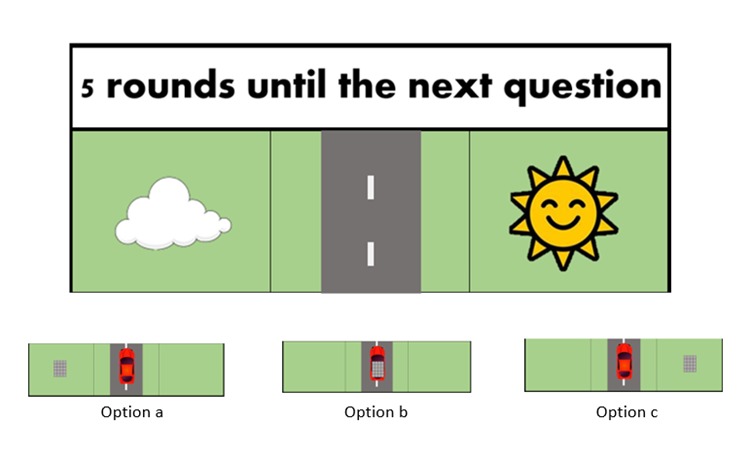
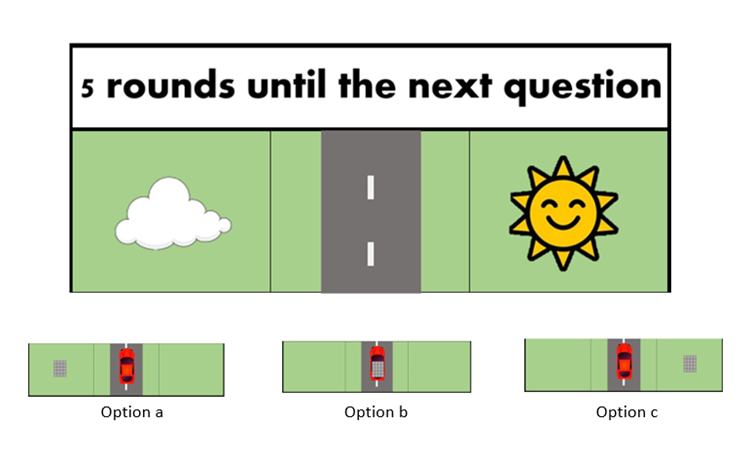
Solar Panel Positions
-
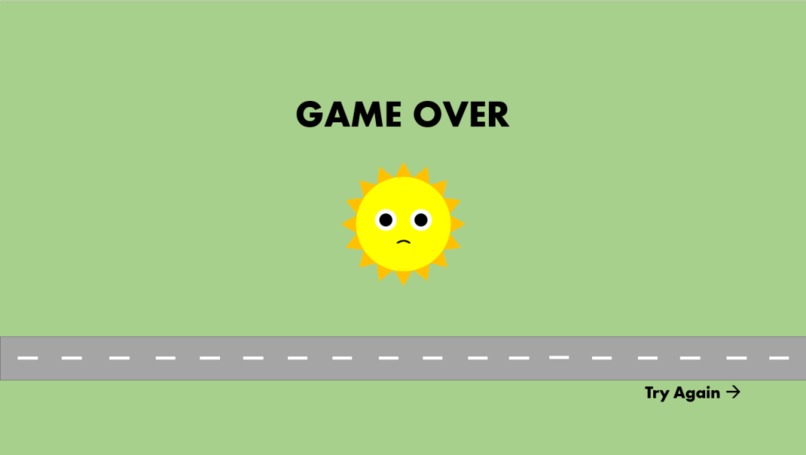
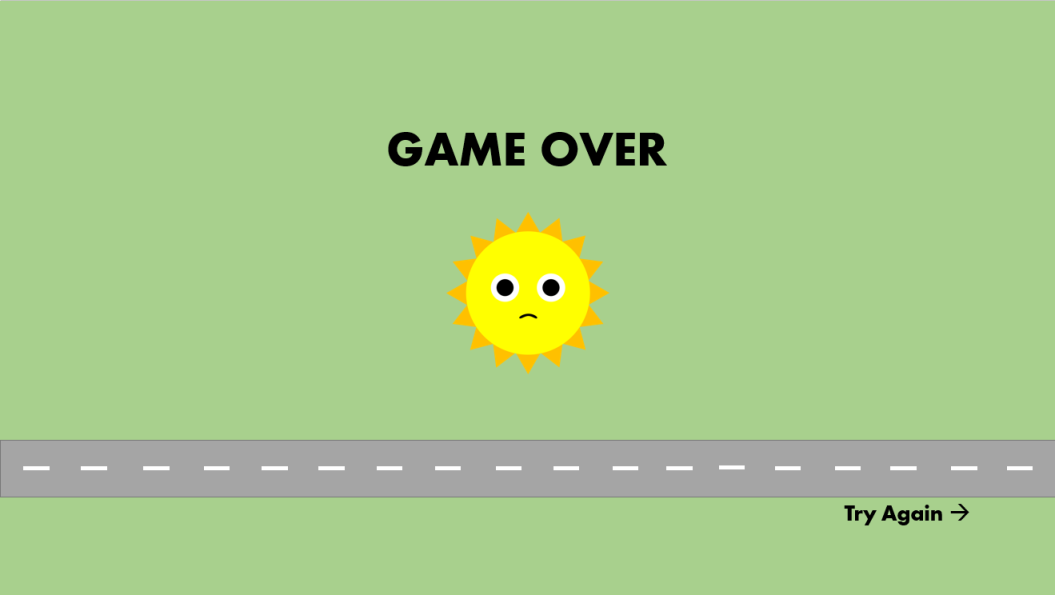
Game Over Screen
-

Success Screen
-
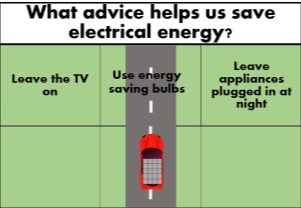
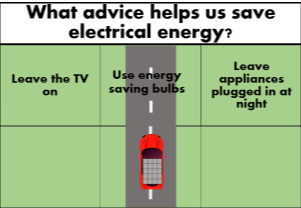
Example Quiz Question
-

Introduction and Inspiration
Our team is called High Views and we decided to make a project focusing on the environment and renewable energies. We knew that we wanted to make an educational game, and as EE students we wanted to use an Arduino and hardware within our project. As a result, we combined the two ideas of a physical game and an educational web based game, to create a project that uses joysticks to control both the physical solar panel and its associated images on the computer.
What it does
The game begins with a car driving down a path with a solar panel on its roof. A sun is in the top half of the screen, moving into different positions. The player must move the solar panel into the grid that corresponds with the position of the sun, using a potentiometer connected to the Arduino as a joystick.
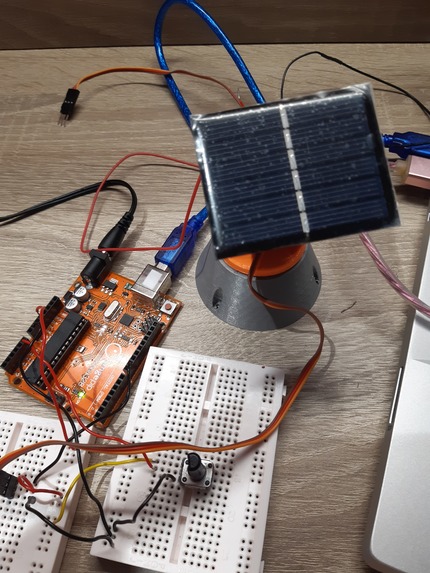
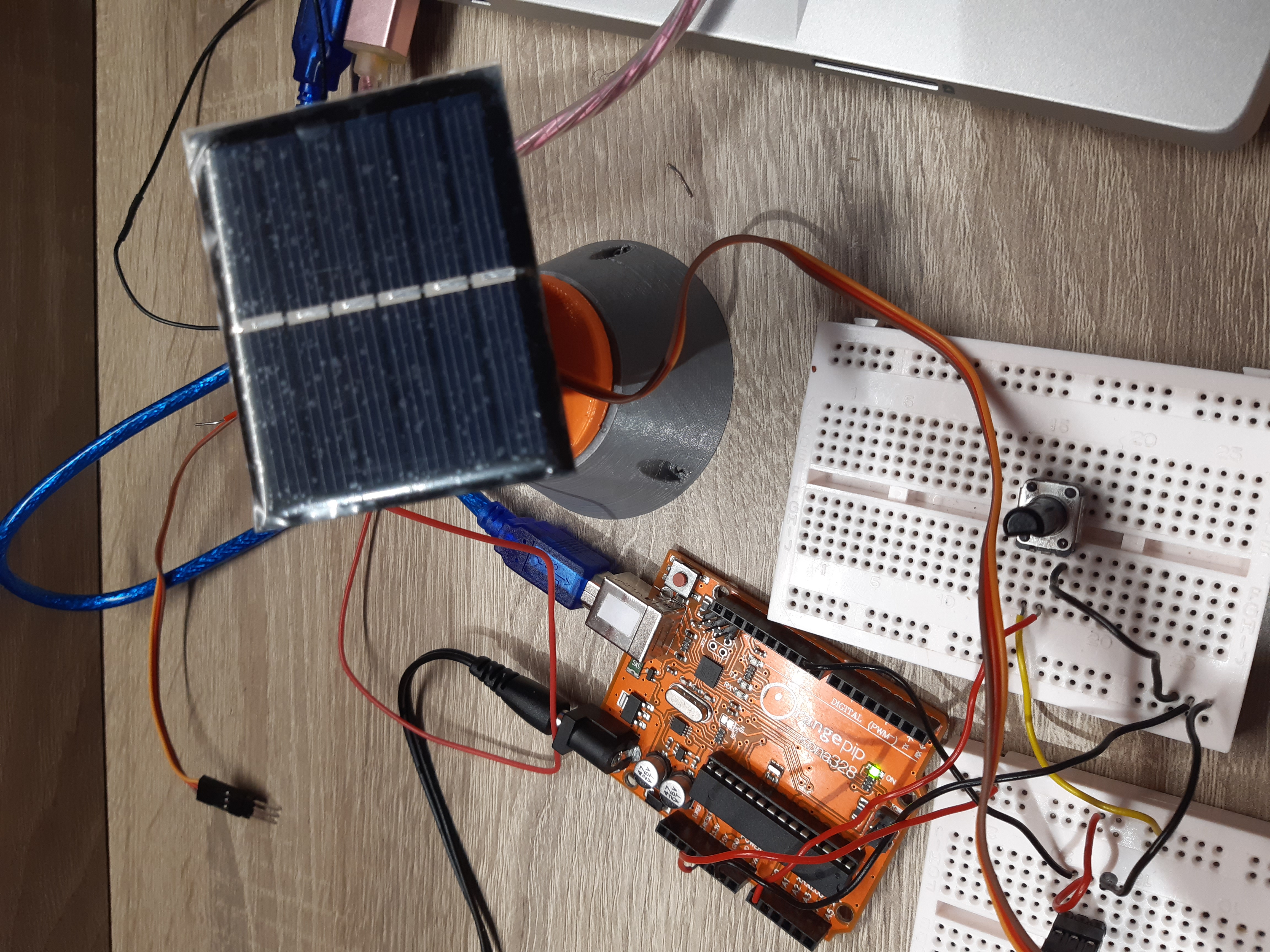
As the player turns the potentiometer, a physical representation of the solar panel ( a solar panel connected to a servo motor) will also move in a pan and tilt manner.
At the start of the game, a panel on the screen shows three suns. This is the car's power. As the game continues, whenever the player moves the solar panel into the right position in time and 'catches' the sun's rays, the number of suns in this panel will increase by one. If they miss the sun, the number of suns will decrease. If the player reaches zero suns in their power panel, the car will breakdown and the game is over.

If a player survives a level without breaking down, a multiple choice quiz question will appear at the top of the screen. This question will be related to the environment or renewable energy. The three different grids at the top of the screen correspond to the different multiple choice options: a, b, c.

The player must use the potentiometer joystick to move the direction of the solar panel towards the correct multiple choice option. They will have 10 seconds to do so. If the panel is in the correct position when the time ends, they will be able to progress to the next level. If they get the answer incorrect, they will lose a sun before progressing to the next level. In each new level, the sun will change position faster, increasing the difficulty.
There are 5 levels, and so the game will end either when the player completes all the levels or when they lose all their suns. When the game is over, a fun fact will pop up on the screen, such as how much energy the player would have saved.
How we built it
We have used an Arduino for creating a physical joystick and board for the game, the arduino sends the state of the joystick by using serialport and transmits it with a js script to the html webpage that shows the questions and answers. The final aim was to have the slideshows of the levels which would show the graphics of the game, however, due to problems connecting the serial port to the webpage, we only succeeded in getting the questions and answers written on the webpage.
Potentiometer Joystick and Solar Panel
We built a circuit connecting an Arduino to a potentiometer and a servo motor using a breadboard. To build the pan and tilt module with the solar panel, we fit the motor to a pan bracket and a tilt bracket using screws, then stuck the solar panel to the tilt bracket using a Velcro pad.
We programmed the Arduino so that turning the potentiometer would change the angle of the solar panel, using an analogRead function.
Quiz
We researched useful information about the environment and renewable energy that were suitable for a primary school child, and used them to create multiple choice questions for the quiz part of the game.
To program the Arduino to associate each range of positions of the potentiometer with the three multiple choice options: a, b, c, we used if loops. We combined this with a while loop for the servo motor, so that there was a ten second countdown between each question for the player to turn the joystick.
We used Serial.println to display all player interaction on the Arduino serial monitor (all quiz questions, the player's answers, and the number of correct answers are displayed here).
Levels
We drew the graphics of each level, displaying the grass and road background, the cloud, the car and the sun.
*We created a slide show of each level using HTML, so that when the Arduino sent the flag signalling the questions had been answered, and whether the response was correct or incorrect, the slide would change to the corresponding image required.


The slide also changes based on the position of the joystick: the bottom part of the slide will change, corresponding to the desired location of the solar panel
Challenges we ran into
One of the first challenges was setting the Arduino as a server for the webpage, but after lots of help from mentors, I learned that the arduino's memory is not enough to hold the server by itself and we would need a external memory. Thus we changed the idea to having the arduino as a serial port and send all the data to a html/javascript webpage.
Combining the quiz program with the potentiometer program on Arduino. Initially, the quiz would only recognise the initial position of the potentiometer, therefore not giving the player a chance to answer each question. We resolved this by changing the position of the if and while loops of the potentiometer, so that the answer variable a, b or c would change after the timer had finished counting down.
Another challenge was setting the webpage to keep refreshing at every change of the serial port outputs. This way I had to set a live server that will refresh it constantly but checks for repeated text.
The JavaScript isn't letting us to display the quiz questions onto the webpage, so we have worked closely with the mentors to debug the code.
Accomplishments that we're proud of
Getting the Arduino hardware to work with the quiz programming: creating this physical aspect of the game was very important to us, since it made the game so much more interactive and engaging, as well giving the player a visual representative of the direction that they were pointing the solar panel, allowing them to be more accurate with their answers.
This project consolidates our skills on coding and debugging with an arduino serial monitor (all game players interaction). In addition to the code, we're very proud of ourselves that we have built a circuit with the potentiometer acting as a joysticks, and it works nicely with the solar panel in the game. On the other side, we also had a touch on graphic design of the game and it works with a slide show with HTML.
We are also proud of learning how to combine the Arduino to the web page as this was a very steep learning curve to get the web page to change with the Arduino
What's next for Solar Car Game
THE APP STORE!!! Well maybe not just yet.
Some improvements we thought of: Making the front-end work better as in having the design edited by the code instead of us making numerous copies. For example, the position of the cloud and sun would be randomly assigned and the title at the top saying how many rounds until the next question would be counted by the code and then output for each round. Also, as it’s a kid’s game we could add in some audio. For example, when you get a sun you hear a ‘happy’ ding and when you miss a sun it’s a ‘sad’ ding. Something we initially thought of but didn’t have time to put in was on the end screen a bar of empty trees which filled up depending on how far through the game you got. Underneath this bar would be outputted ‘you saved x number of trees’ through using a solar powered car not a normal one. This would be calculated by the code and we would research into how much carbon a normal car produces.
Built With
- arduino
- c++
- html
- javascript
- serial-port
- server
- webpage

Log in or sign up for Devpost to join the conversation.