-
-
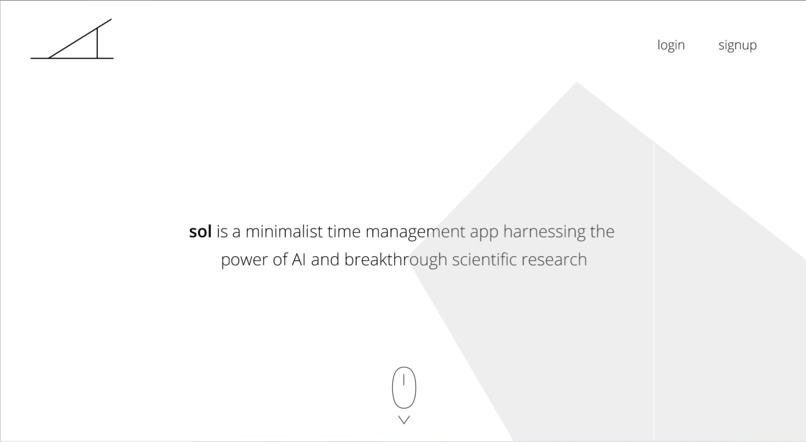
Desktop App
-
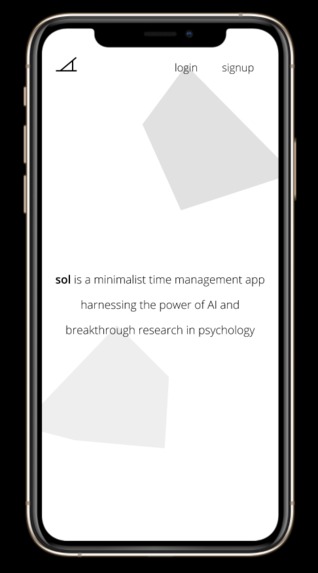
Mobile App
-
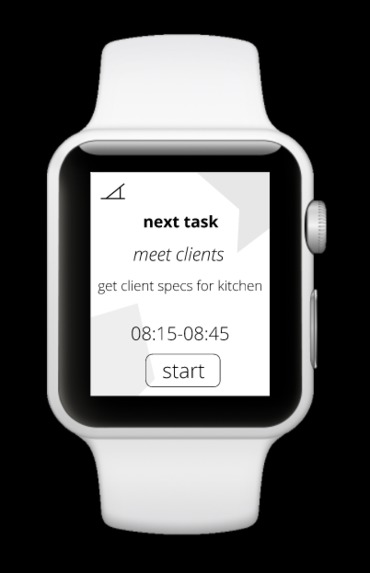
Apple Watch App
-
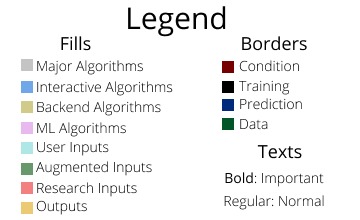
ML Schematics Legend
-
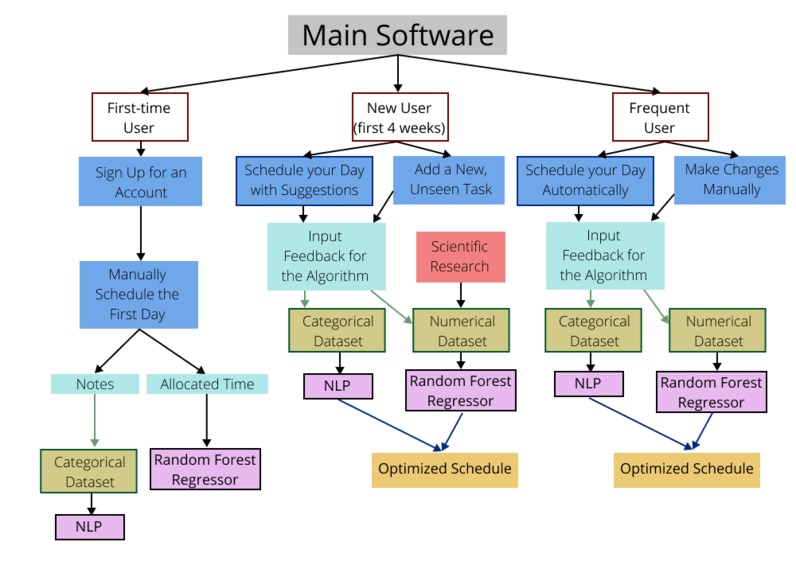
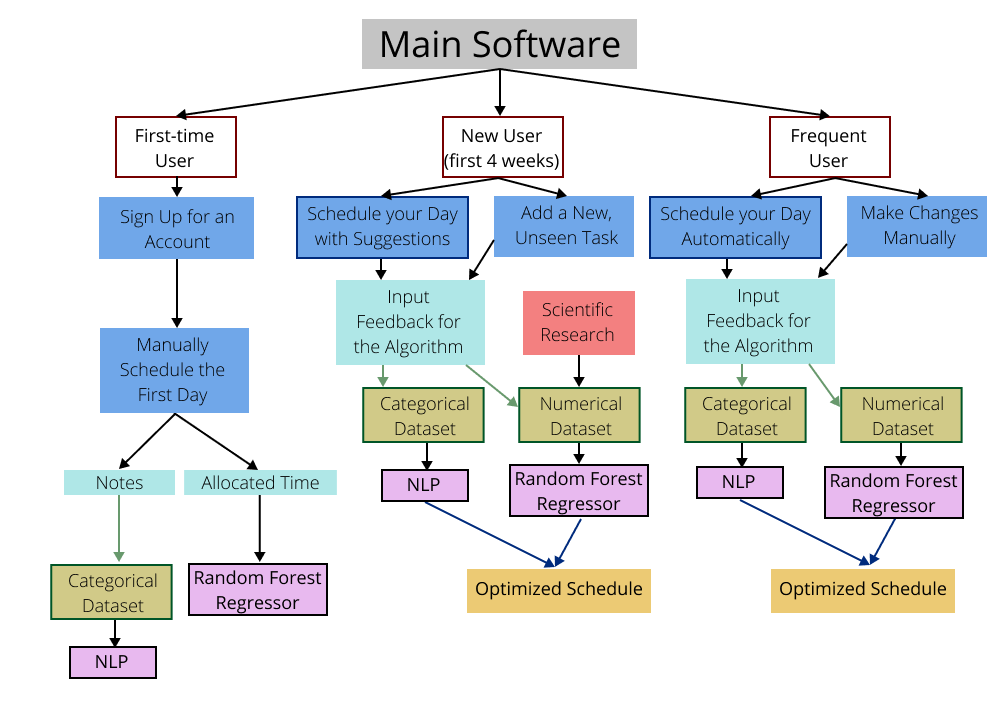
General ML Schematics
-
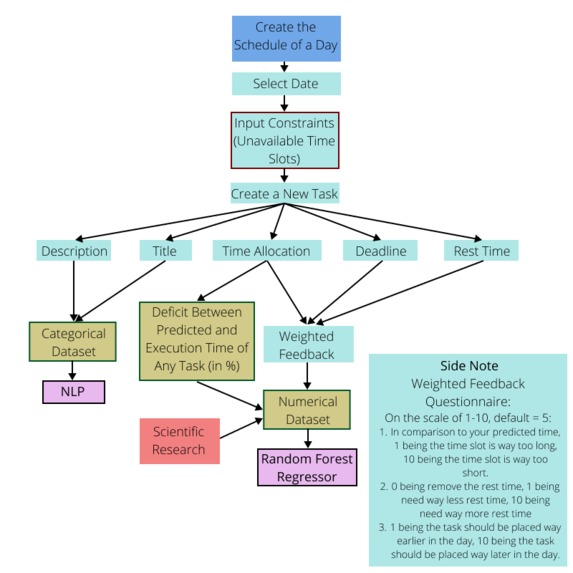
Manual Scheduling
-
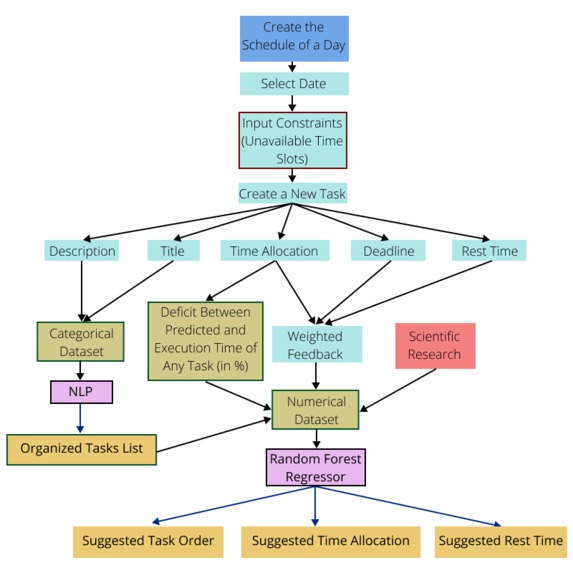
Semi-Automatic Scheduling
-
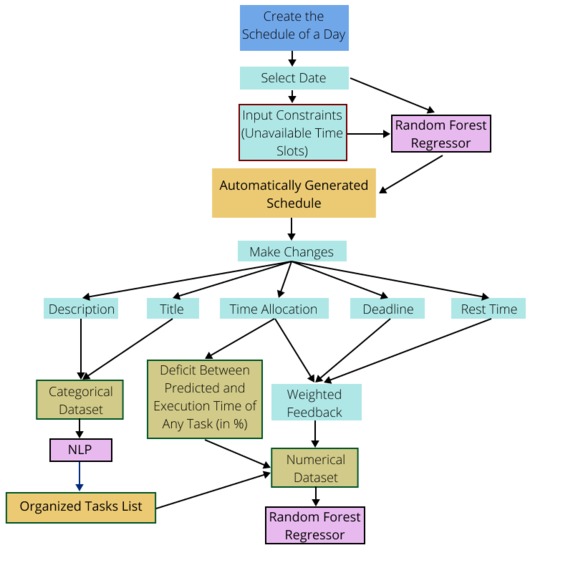
Automatic Scheduling
-
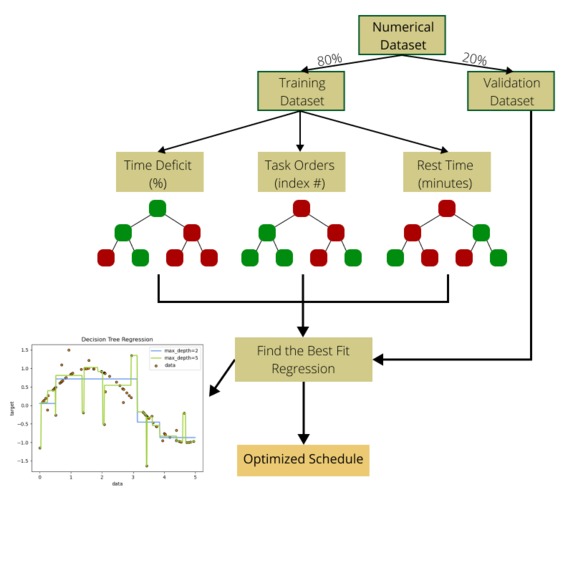
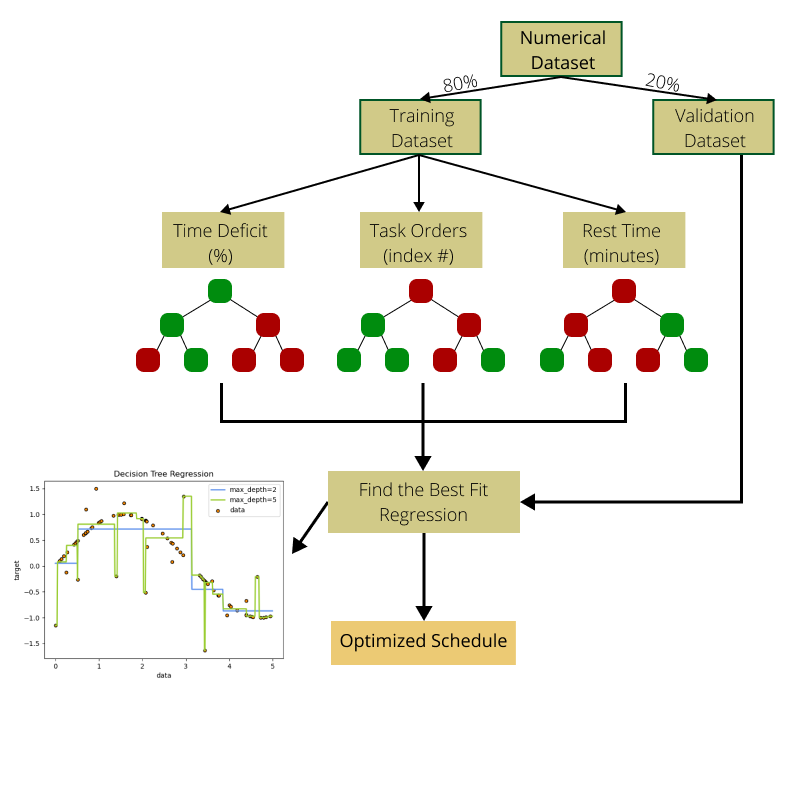
Random Forest Regressor
-
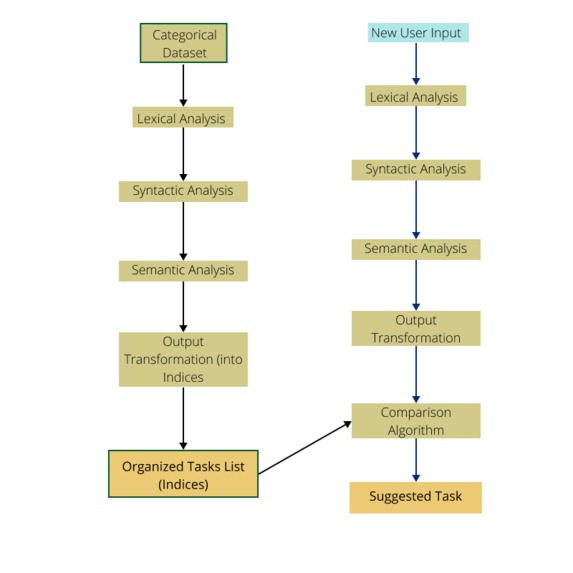
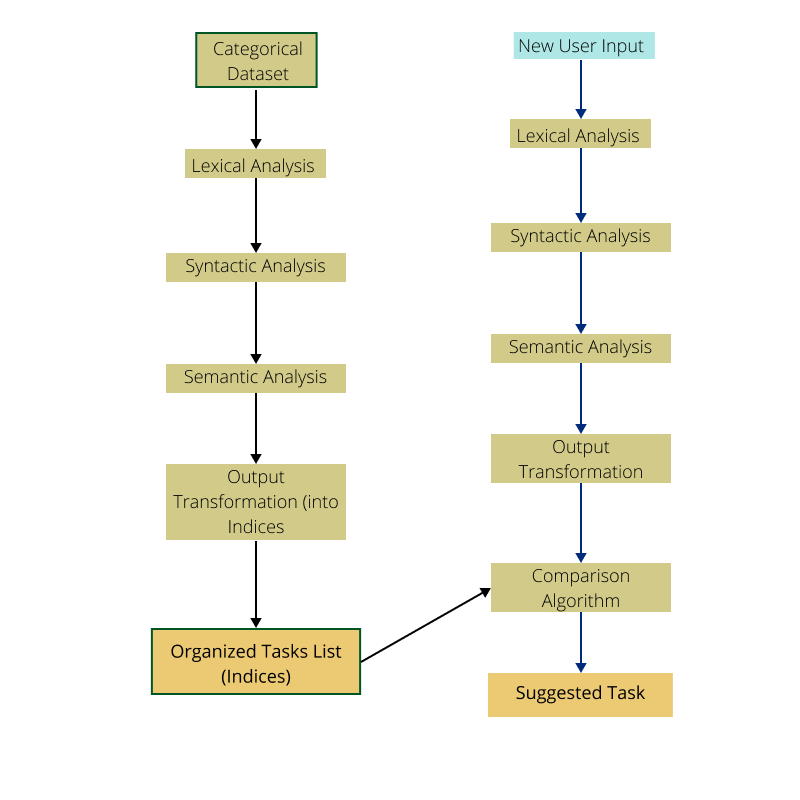
NLP
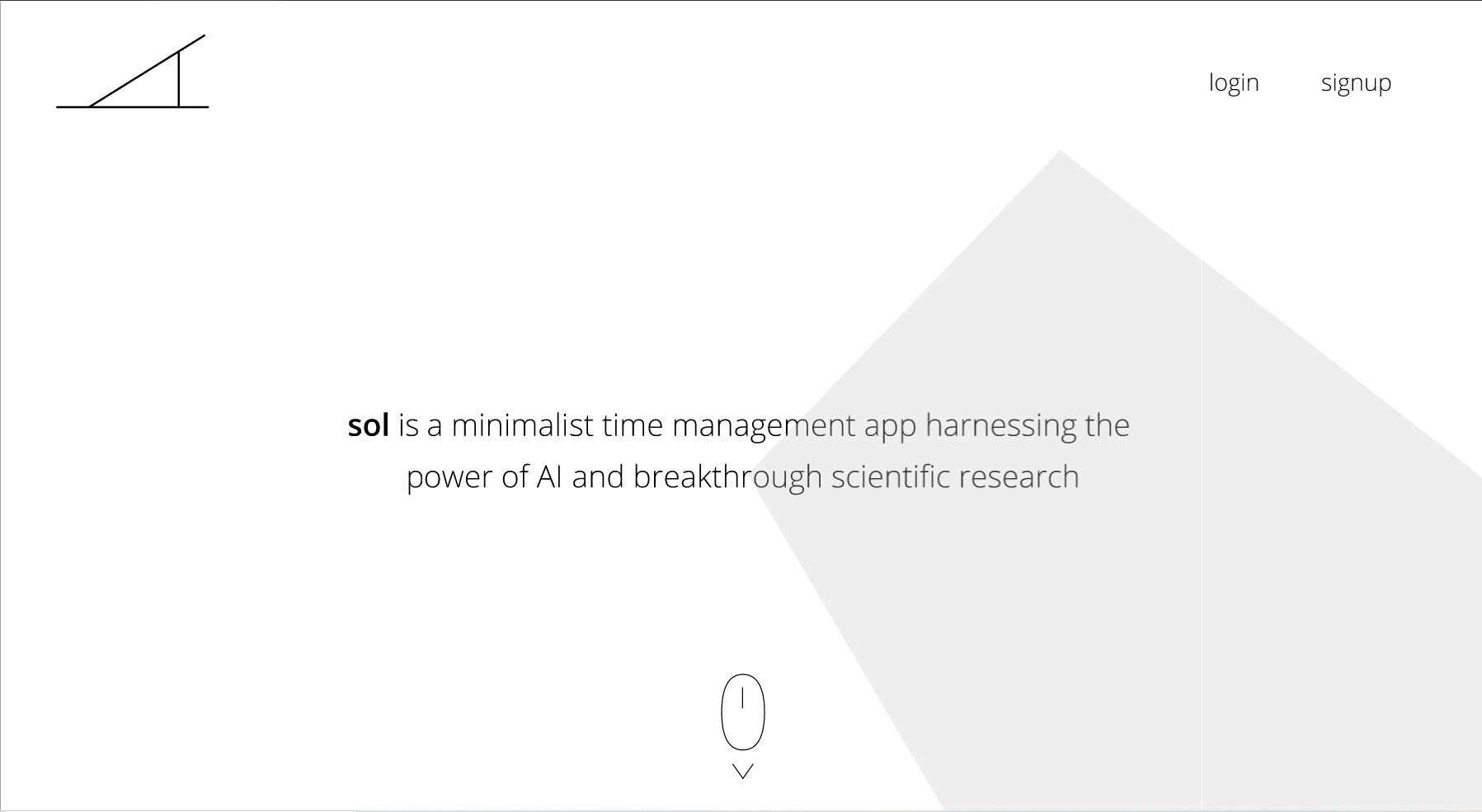
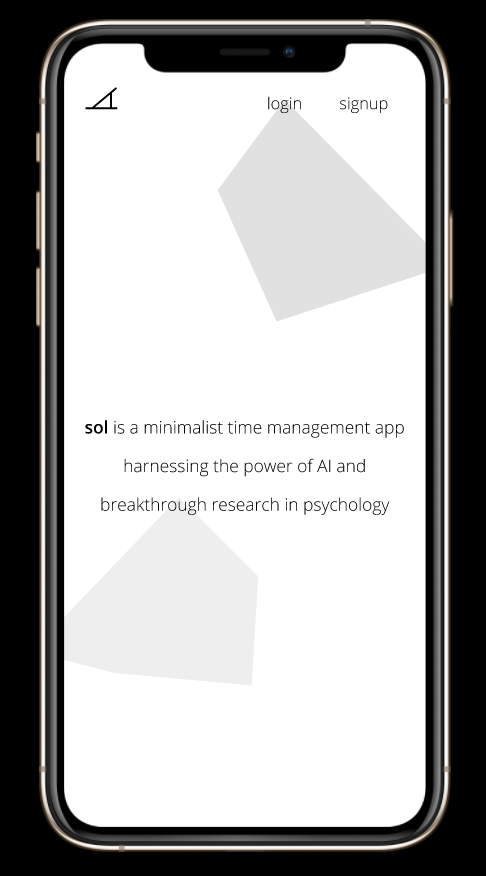



Concepts/Designs
View images above to see schematics for the Machine Learning system.
Click to view the Desktop, Mobile and Apple Watch UI/UXs for sol.
Click to view the pitch deck.
Inspiration and Problem
As school nears, the horror stories we heard of all the suffering endured by past students in our school’s International Baccalaureate program have returned to mind. Every student, teacher and parent has told us rising juniors that the key to success (aka reducing the suffering) in IB is to manage your time well. What every IB student forgets is that this is just the beginning. Succeeding in post-secondary education and working life require even better time management. In fact, scheduling your time and tasks is one of the key indicators for success in life. Studies have shown that if you spend 10-12 minutes effectively planning your day, you’ll save up to 2 hours of time that would have otherwise gone to waste. In fact, effective scheduling on average increases productivity by 15% and increases free time by 33%. In essence, the market for a time management app is as large as there are people that have devices in the world, and is one of the most important applications in a person’s life because, if done well, it can completely change the way they interact with their most valuable asset: time.
Anyways, back to our story. After testing out different calendars and time/task management apps for weeks in preparation for the school year, we’ve found issues that make every calendar app frustrating to use and often utterly pointless. Most apps are packed with an endless number of features we never use and ALL of them are simply containers for user input, which increases the time needed to create daily schedules and decreases the effectiveness of the schedule due to human fallibility. In the status quo, the user works for the app. Our goal became to create an app that works for the user. The end result is sol.
What it does
sol is a minimalist, artificially intelligent scheduling app that automatically schedules your day using the latest scientific research and machine learning to extract patterns from the user. Initially, the app will require manual input to construct backend datasets and extract patterns from your daily activities. After two weeks, the app will provide suggestions for your schedule, further collecting data while simplifying the scheduling process. After a month, you will have the option to take the advantage of a fully automated scheduler.
Just like any scheduling app, you have full ability to customize all tasks. However, instead of making manual assignments, the automated process will help you efficiently create a daily schedule which optimizes the length, spacing and order of tasks according to your behavior and scientific research. The app uses the user inputs in a natural language processing algorithm and a random forest regressor to extract insight and output recommendations for the ordering of tasks, the amount of time allocated to each task, and the length and number of breaks throughout the day. In addition, the user will have the option to answer three quick questions after each task to improve suggestion accuracy. Triangulating the suggestions from the machine learning algorithms, the weighted user inputs, and other external research, an optimized schedule will be presented to the user.
For ease of use, sol is available for both mobile and desktop users. In addition, owners of smart watches may download a companion app that offers simplistic yet effective time tracking. sol employs a minimalist philosophy that focuses on making the user experience as simple as possible by abstracting all the backend algorithms and removing unused features while maintaining a high degree of functionality and variability.
Why it’s called sol
sol, the first time management app to work for the user, is named after the sundial, the earliest timekeeping device created.
How it’s unique
The wide array of calendar apps currently on the market all have one or both of the following problems: (1) imprecise and slow to enter user input is left as is, and (2) there are many cluttering, distracting and unnecessary features. sol solves both by integrating machine learning to automatically create schedules based on user behavior, preferences and scientific research, that are built (1) faster than a human could and (2) more effective to complete tasks efficiently, and by using a minimalist design philosophy to concentrate all attention on the tasks themselves.
How we built it
We first identified some issues that we have in our lives. After brainstorming solutions for each problem, we decided that the lack of time management is a highly prevalent issue and current applications geared towards this problem are ineffective. To think of a better solution, we researched existing solutions and potential avenues to improve their usability and effectiveness, writing notes on a shared document to collaborate. The end result of this brainstorming process is the app concept sol.
We designed the machine learning portion of the application by creating schematics outlining the backend functions of the app and how each Machine Learning model would work (using Figma). The UI/UX for desktop, mobile phone and watch were created with Figma as well.
sol could realistically be built in the future using a Python backend for Machine Learning, Django as the middleware and HTML/CSS for the frontend. The mobile and watch versions would be built differently depending on the platform (IOS/Android/Chrome).
Challenges we ran into
Our lack of experience in machine learning made it difficult to choose the best fitting model. After conducting extensive research, we decided that Random Forest Regressors would be the best fit to process all numerical data due to its lower computational cost and ability to extract accurate insight from sparse datasets. In addition, we chose to incorporate natural language processing algorithms for transforming categorical data into numerical data due to its ease of use and superior flexibility than other traditional approaches.
Accomplishments that we're proud of
Given the time constraint, we are proud of how we created an aesthetically pleasing UI while maintaining and guiding users towards all important functionalities. In addition, this was our first time making a feasible plan to integrate a machine learning model into an application. What makes us most proud is that nothing we designed or created during this hackathon we had done before. We’ve never used Figma, didn’t know how to apply machine learning algorithms, never created a mockup of a UI, and never done research into the field of time/task management apps.
What we learned
In addition to gaining machine learning related knowledge, our main takeaway from this hackathon is learning how to use Figma. Throughout the hackathon, we used it to make flowcharts and design user interfaces, which allowed us to become fluent in most of Figma’s features.
What's next for sol
A next step for sol could be allowing users to schedule larger units of time. For example, adding the ability to schedule a full week may allow the user to add tasks that may take multiple days to complete. Another potential feature of sol may be collaborative schedules, potentially increasing the effectiveness of sol and its usefulness to larger corporations. To increase its prediction accuracy, a potential next step may be including industry specific extensions. For example, for a mechanic, we may develop a smart booking extension in sol.
Built With
- figma
- scikit-learn


Log in or sign up for Devpost to join the conversation.