-
-
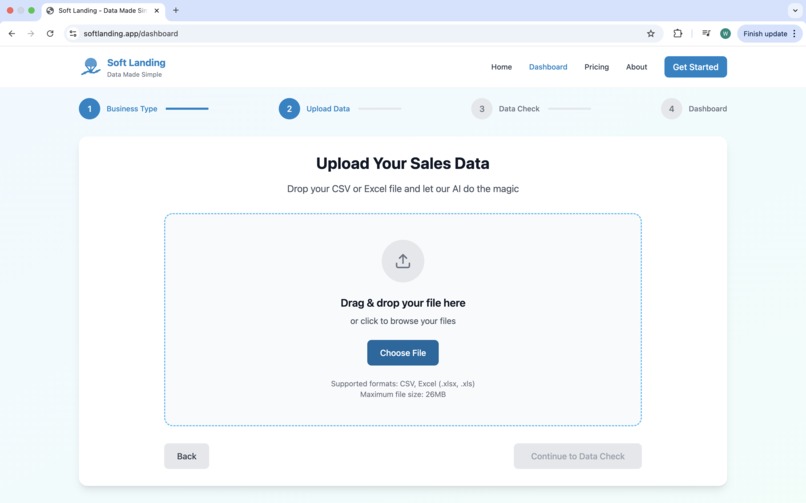
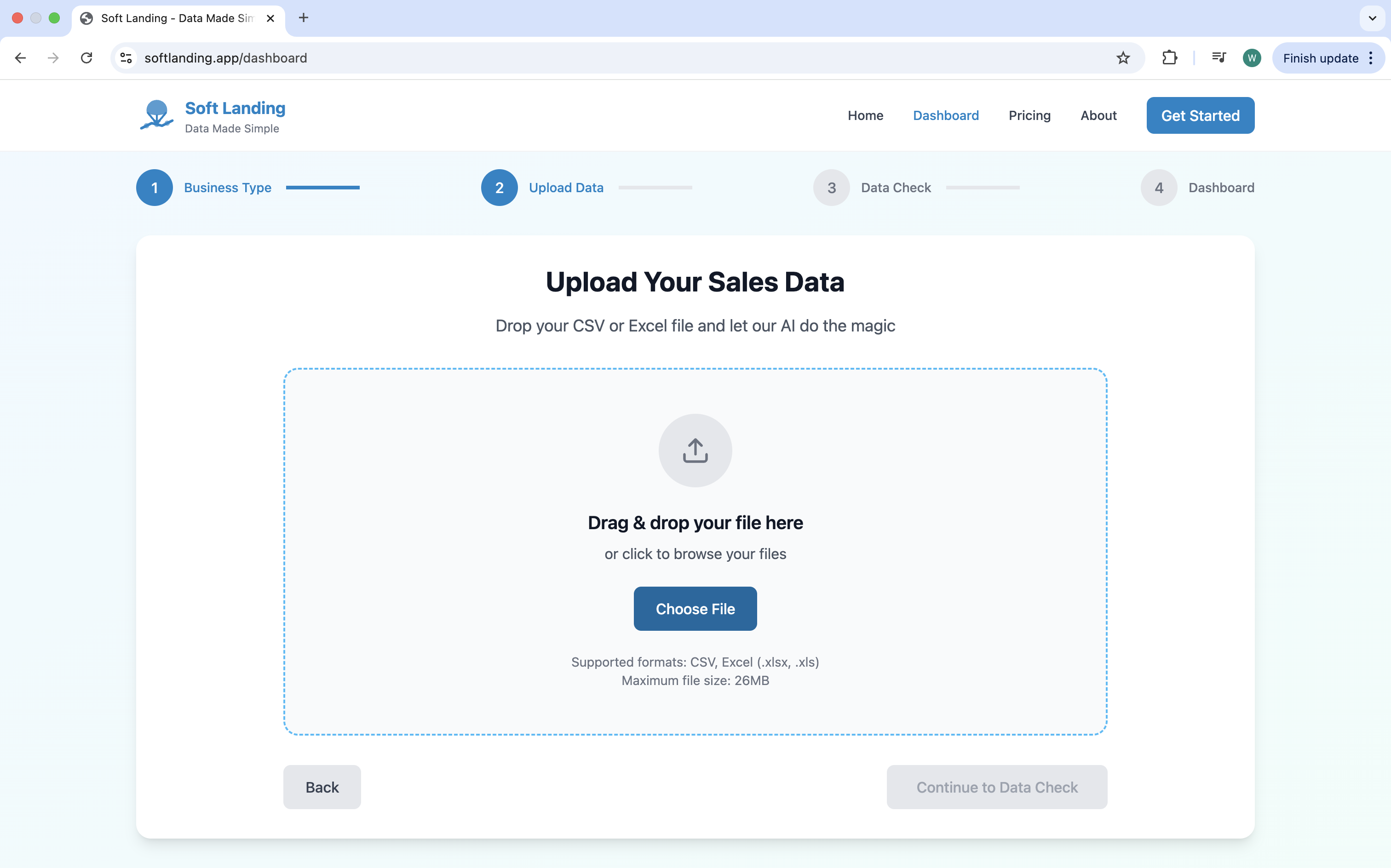
Upload Page
-
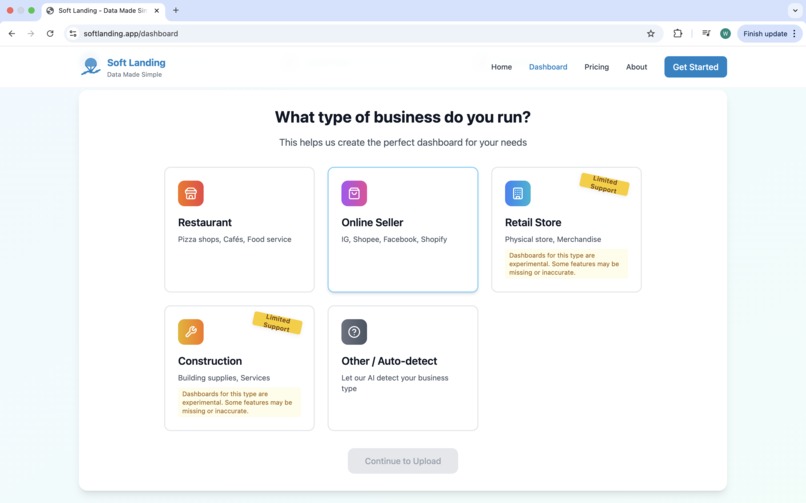
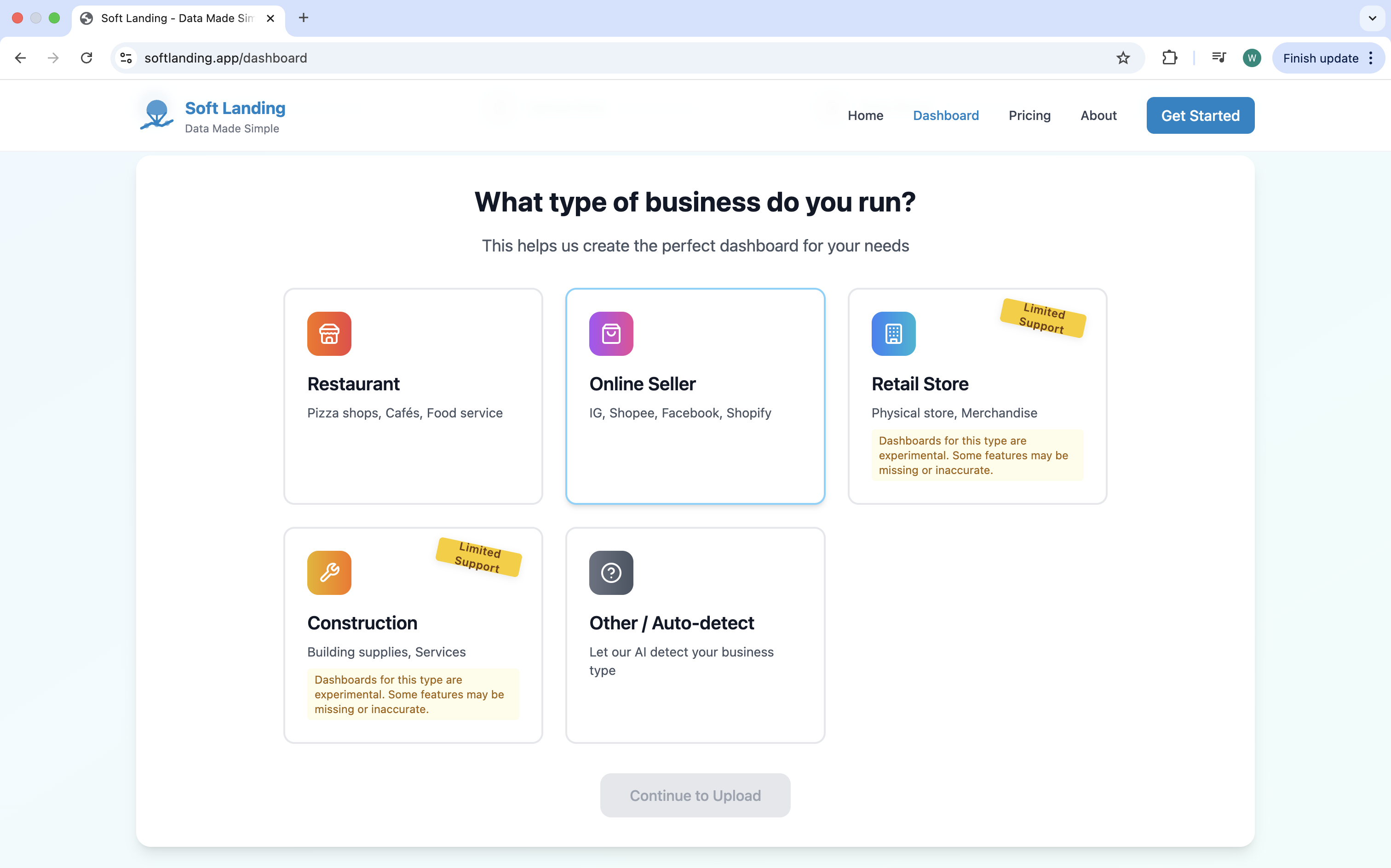
Business Type Selector
-
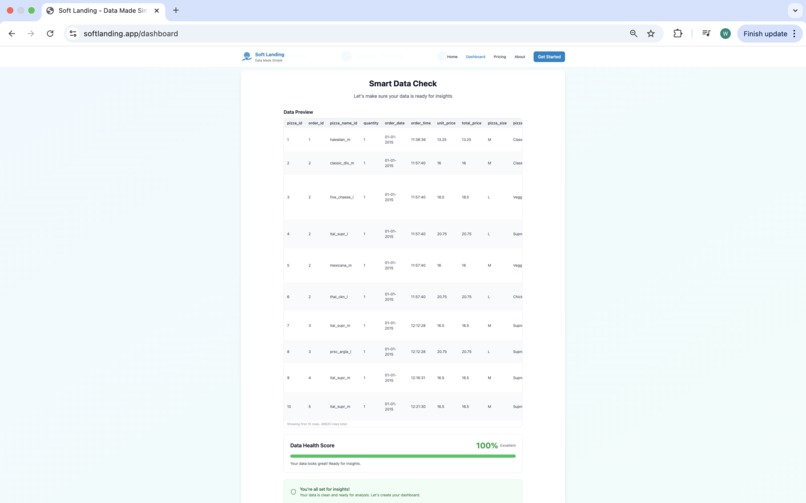
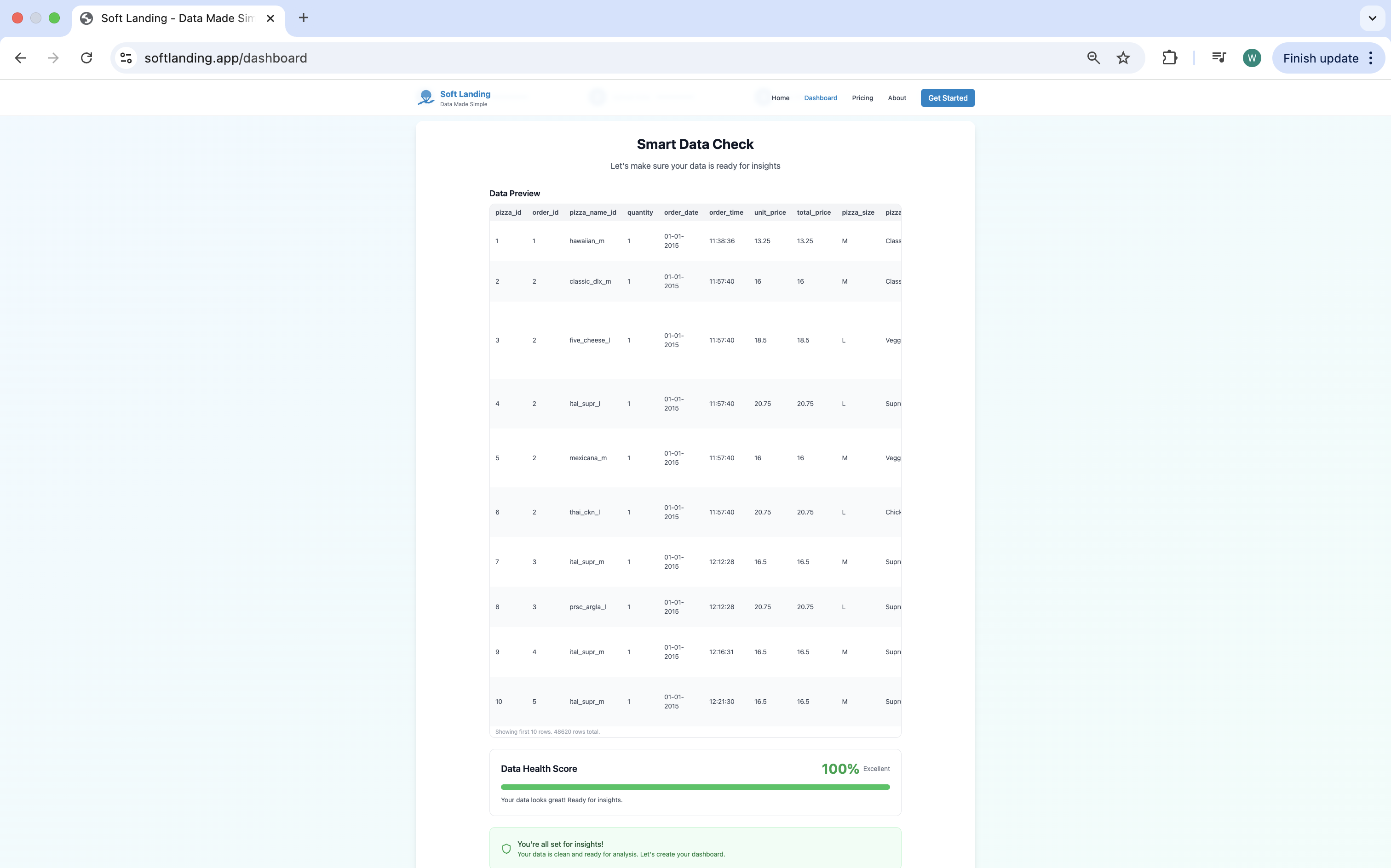
Data Health Check Page
-
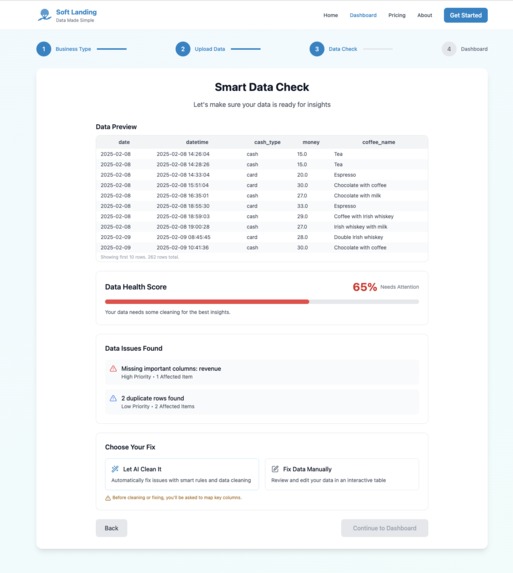
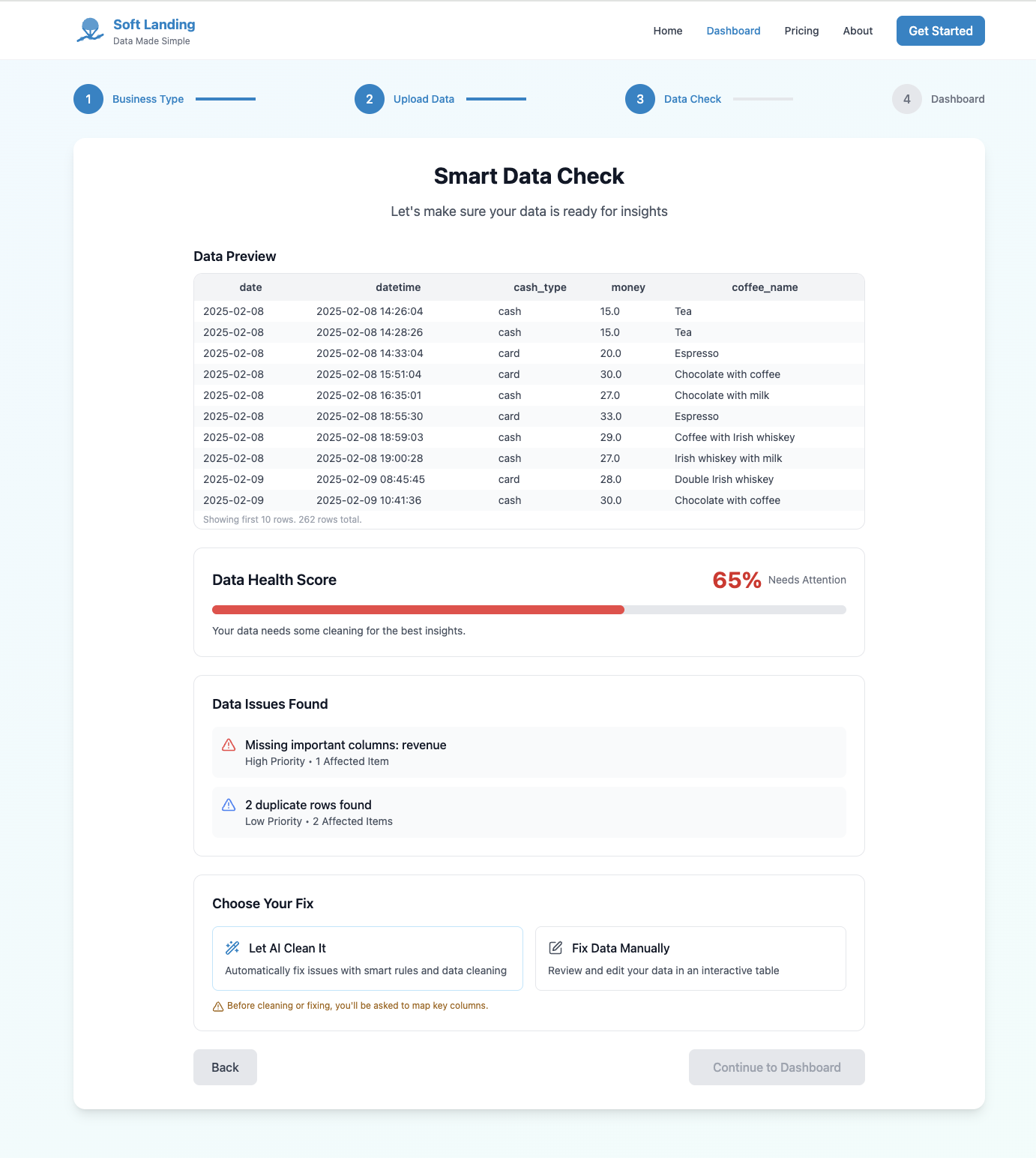
Data Health Check Page with Errors
-
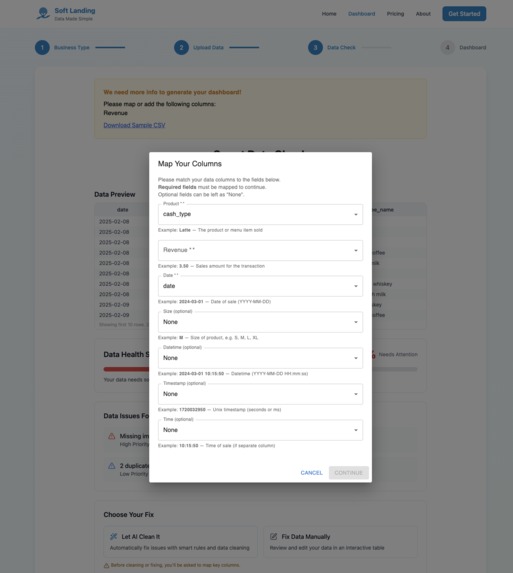
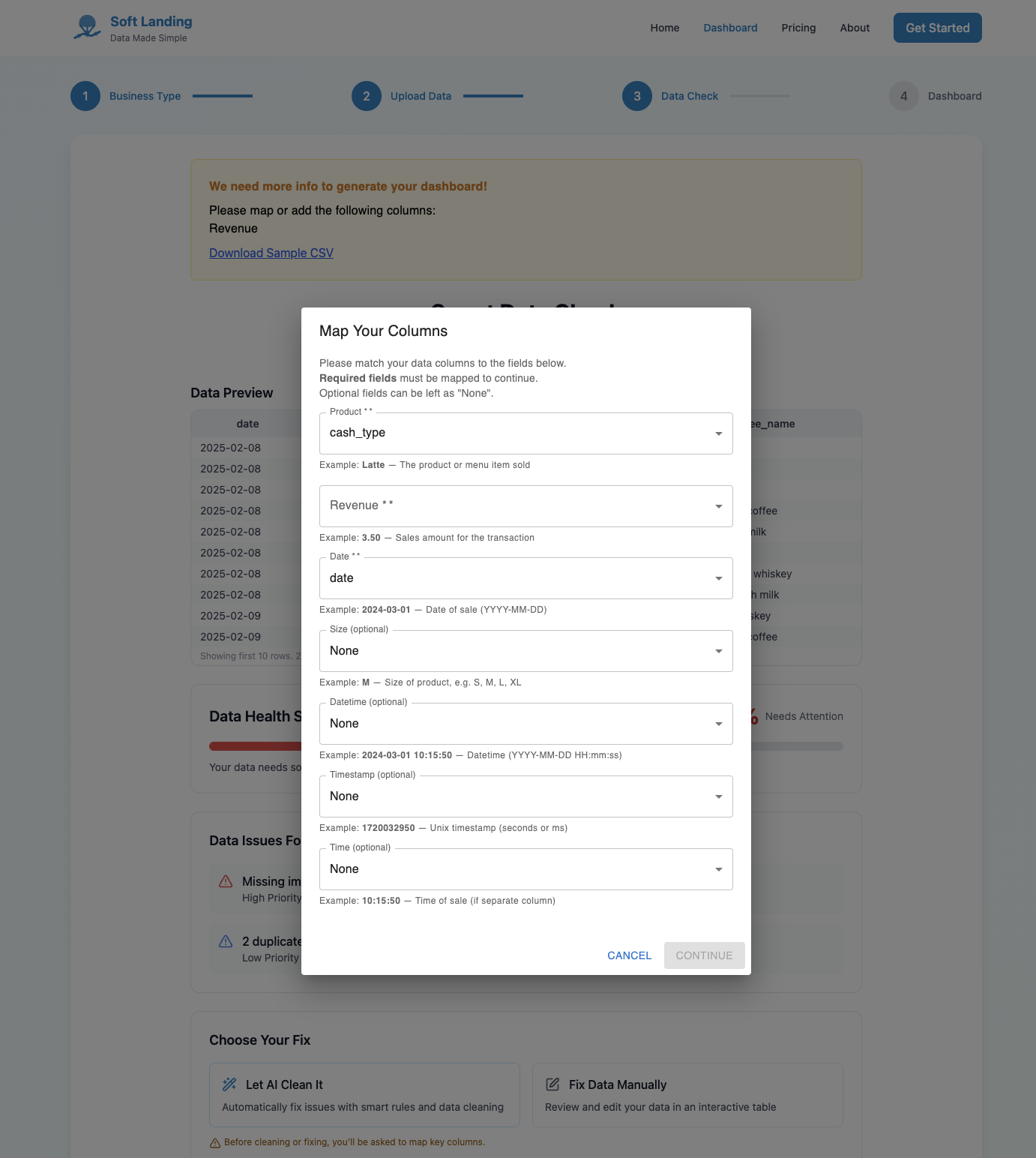
Data Cleaning (AI/manual)
-
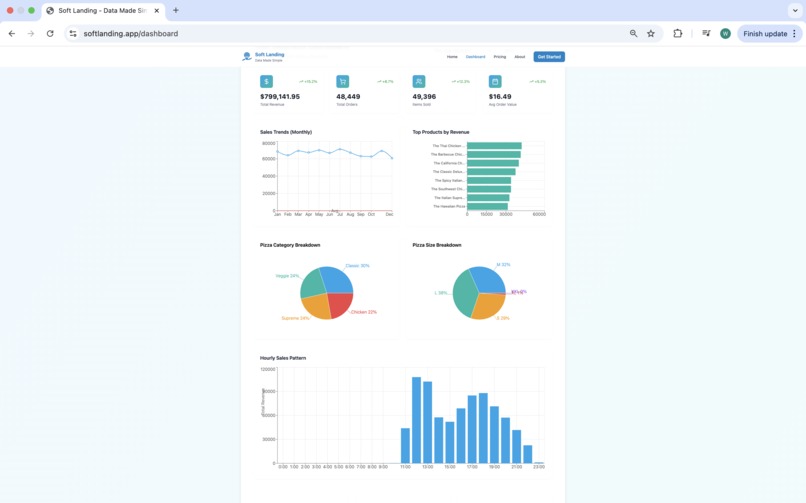
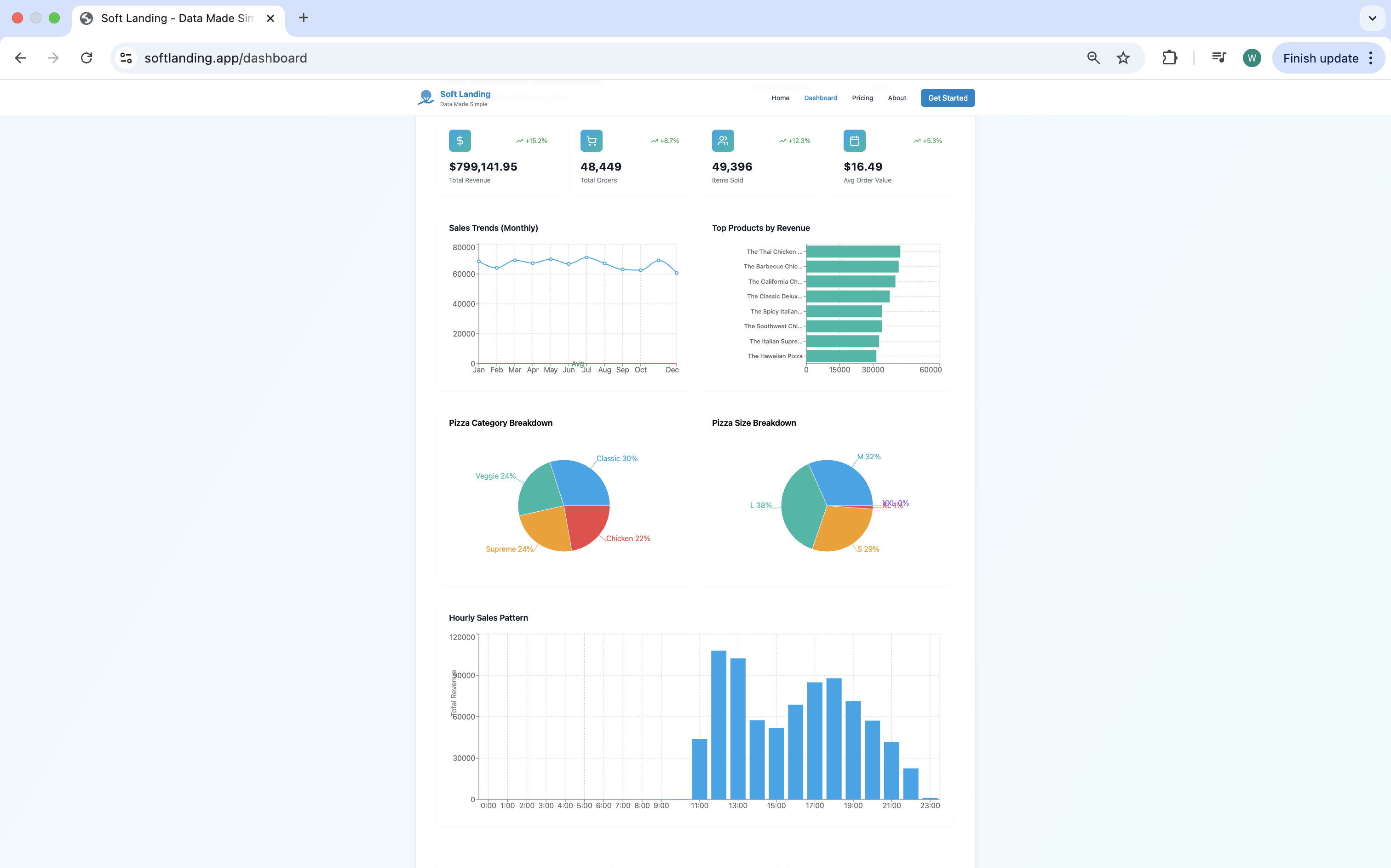
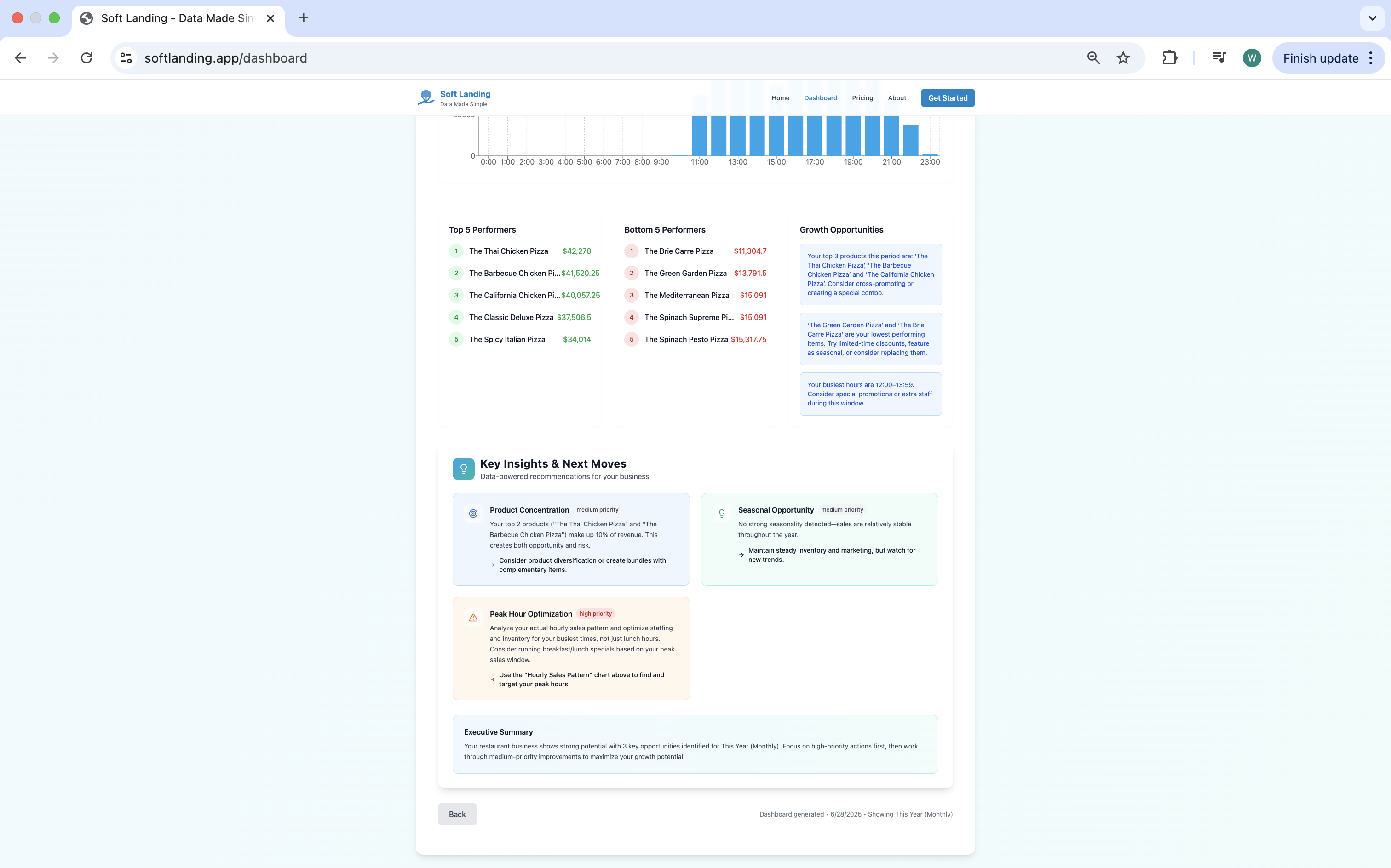
Dashboard View
-
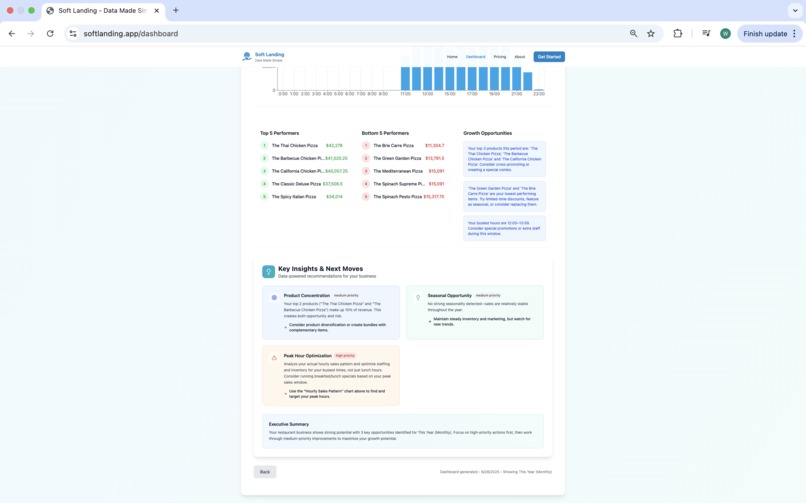
AI Recommendations
-
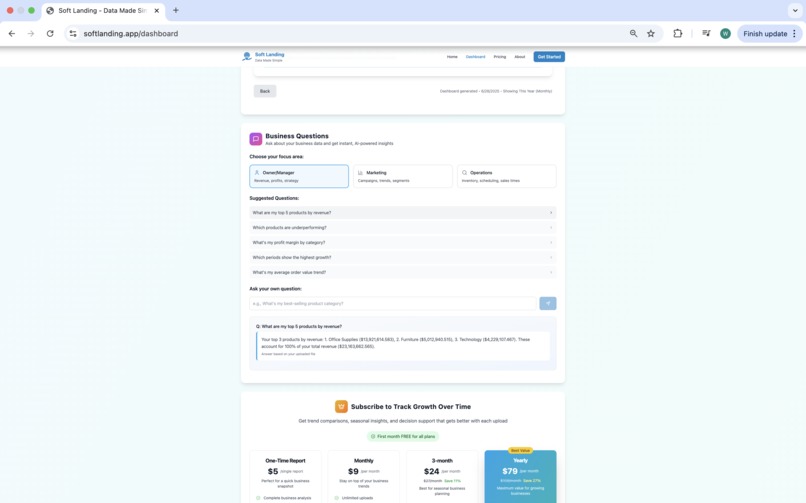
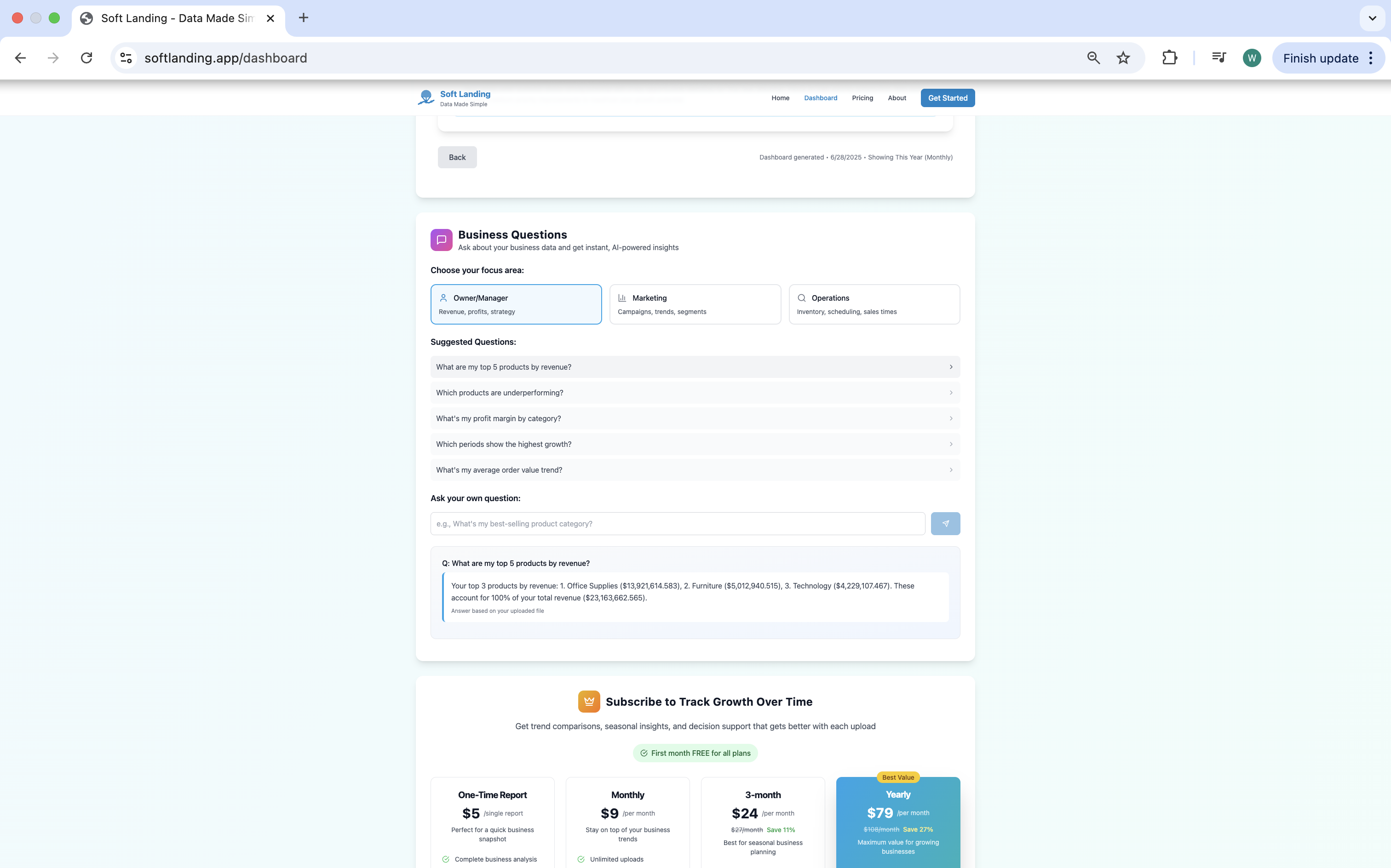
AI Q&A
-
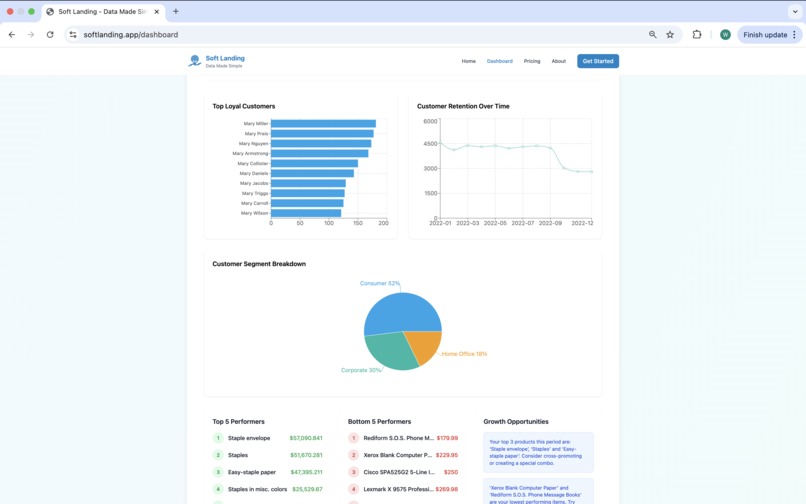
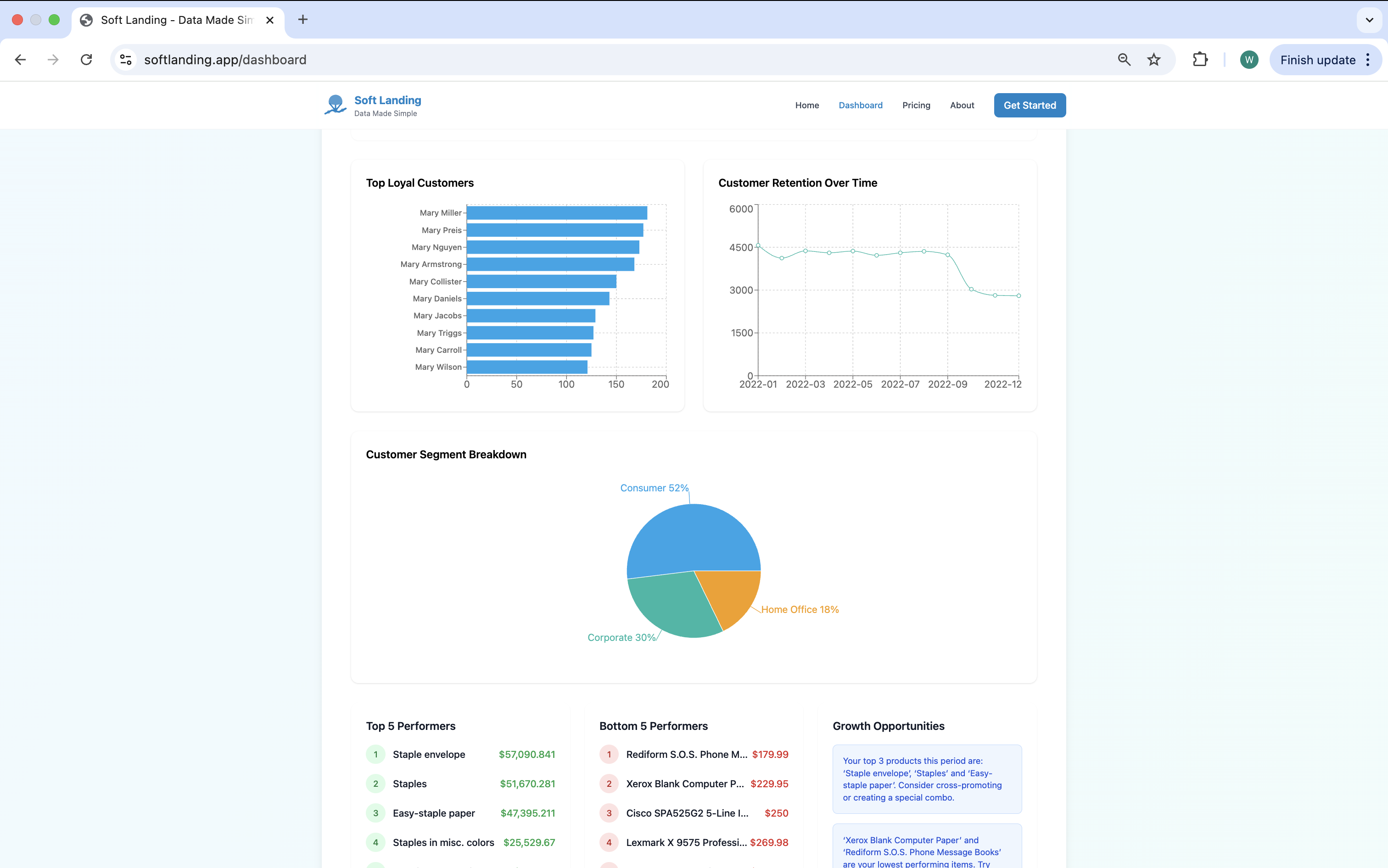
Example of Loyalty & Retention dashboard view showing loyal customer insights (if data provided).
-
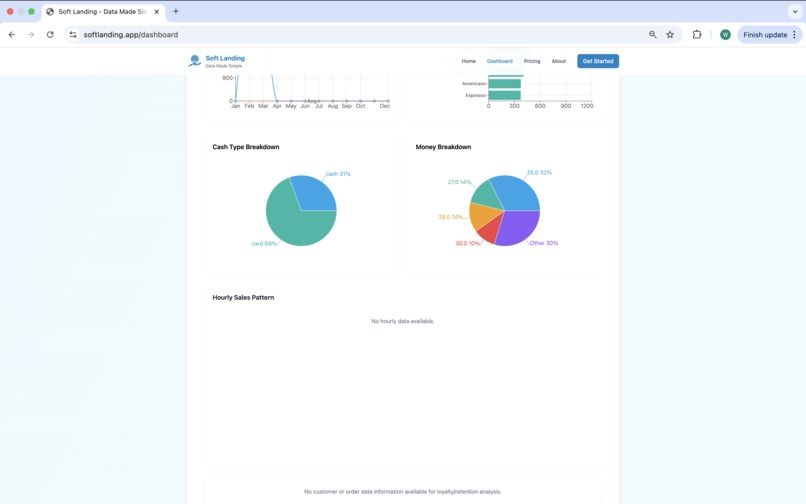
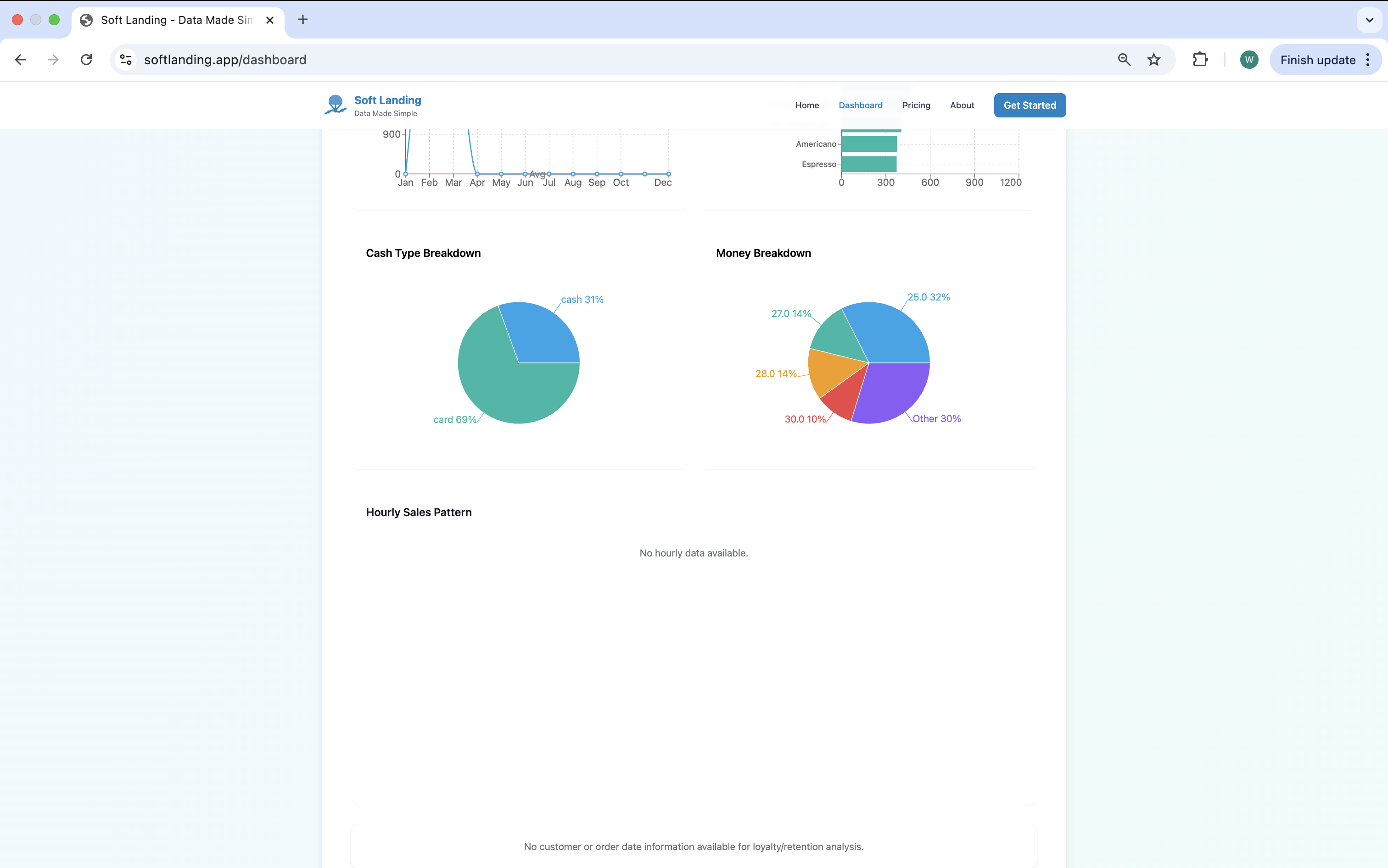
Example of a Fallback Dashboard View - When required columns are missing, Soft Landing adapts gracefully.
Inspiration
As someone who believes in the power of data — and comes from a consumer insight background — I’ve always seen how valuable data can be when used right. Back when I worked in analytics, I mainly used Excel with formulas and pivot tables to uncover insights. As I expanded my skill set to include SQL, Python, Power BI, and Tableau, I saw how powerful these tools can be — but also how time-consuming and technical they are to use effectively.
At the same time, I noticed a clear gap: many small business owners — including some of my friends — already collect a lot of data through POS systems or spreadsheets but rarely use it. They’re overwhelmed. Even when tools or basic dashboards are available, the data often feels too complex to act on. Most business owners end up just glancing at total revenue and moving on.
That got me thinking: having data isn’t enough. If it’s not accessible, clean, or actionable — it’s as good as unused. And let’s be honest — most small business owners don’t have time to learn DAX or Python just to understand their numbers.
That’s why I created Soft Landing – Data Made Simple — a tool that turns messy spreadsheets into clean dashboards and AI-generated tips in seconds. Just upload a file, and let the dashboard do the rest. No formulas. No setup. No overwhelm.
This project is my way of making data feel useful — not scary — for the people who need it most.
What it does
Soft Landing is an AI-powered dashboard platform that helps small business owners understand their sales data—no technical skills required.
Just upload a CSV or Excel file, and Soft Landing will:
- Detect the business type (e.g., café, online store)
- Check data quality and show a health score
- Clean missing or messy data (AI or manual options)
- Generate clear dashboards with key insights
- Provide AI-generated suggestions for next steps (e.g., promote bestsellers, manage inventory)
How we built it
- Frontend: Built using React, Recharts, and Tailwind CSS via Bolt.new
- Backend: Connected to Supabase (PostgreSQL) for secure data storage and authentication
- Deployment: Hosted on Netlify, with a custom domain at softlanding.app
- Implemented logic for CSV/Excel parsing, KPI computation, trend detection, and responsive mobile-first design
- Built-in fallback behavior for incomplete datasets
Challenges we ran into
- Building a flexible column-mapping system that works across different business types
- Handling messy and inconsistent sales data (e.g., missing product names, mixed date formats)
- Generating AI insights in a way that feels genuinely useful and human-like
- Debugging charts and fallback logic under time pressure
- Making the interface clean and intuitive while supporting multiple business types
Accomplishments that we're proud of
- Created a working MVP where users can upload real sales files and see dashboards instantly
- Designed fallback logic for missing columns (e.g., if "category" is missing, default to "product")
- Integrated Supabase Auth and Row Level Security to ensure user privacy
- Successfully deployed with a custom domain and live demo: https://softlanding.app
What we learned
- How to build a SaaS-style dashboard app from scratch using Bolt.new
- How to handle real-world messy data with a mix of AI and logic fallbacks
- The importance of focusing on user simplicity (“just upload a file”) over feature-heavy complexity
- That you don’t need a huge team or long development cycles to solve real pain points
What's Next for Soft Landing
High Priority / Foundational
- Universal data import: Expand support for more file types, POS systems, and data schemas so users can analyze data from any platform or multiple sources—enabling all other analytics and reporting features.
- Seamless account management: Enable secure account creation and login so users can revisit, organize, and manage their dashboards—core for user retention and advanced features.
- Flexible data storage: Allow users to securely save dashboards and data for long-term tracking, or opt for privacy-first, instant analysis—fundamental for user trust and future analytics.
Core Analytics & User Experience
- Long-term analytics: Track trends, performance, and KPIs over time, empowering users to spot growth opportunities and make smarter decisions.
- Customizable dashboards: Allow users to personalize dashboards by selecting columns, reordering KPIs, and creating business-specific views.
- Industry-specific solutions: Launch pre-made dashboards for retail, food & beverage, and other industries, offering targeted and relevant insights.
Advanced & Differentiators
- Conversational, AI-powered insights: Integrate ChatGPT/OpenAI for natural language explanations, business advice, and proactive recommendations.
- Unified, multi-source reporting: Combine data from multiple POS systems and sales channels into a single, comprehensive dashboard.
- Advanced subscription features: Implement robust payment and plan management (RevenueCat/Stripe) for premium analytics, storage, and support.
- Self-serve onboarding & education: Provide easy guides, templates, and onboarding flows for all users, regardless of technical background.
- Mobile-first design & accessibility: Continue improving mobile usability and accessibility for insights on any device.
Built With
- bolt
- netlify
- react
- rechart
- supabase
- tailwind

Log in or sign up for Devpost to join the conversation.