-
-
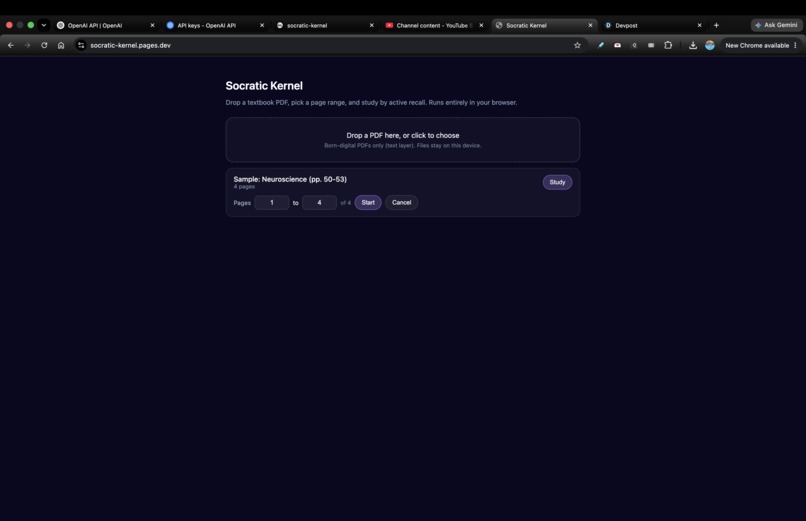
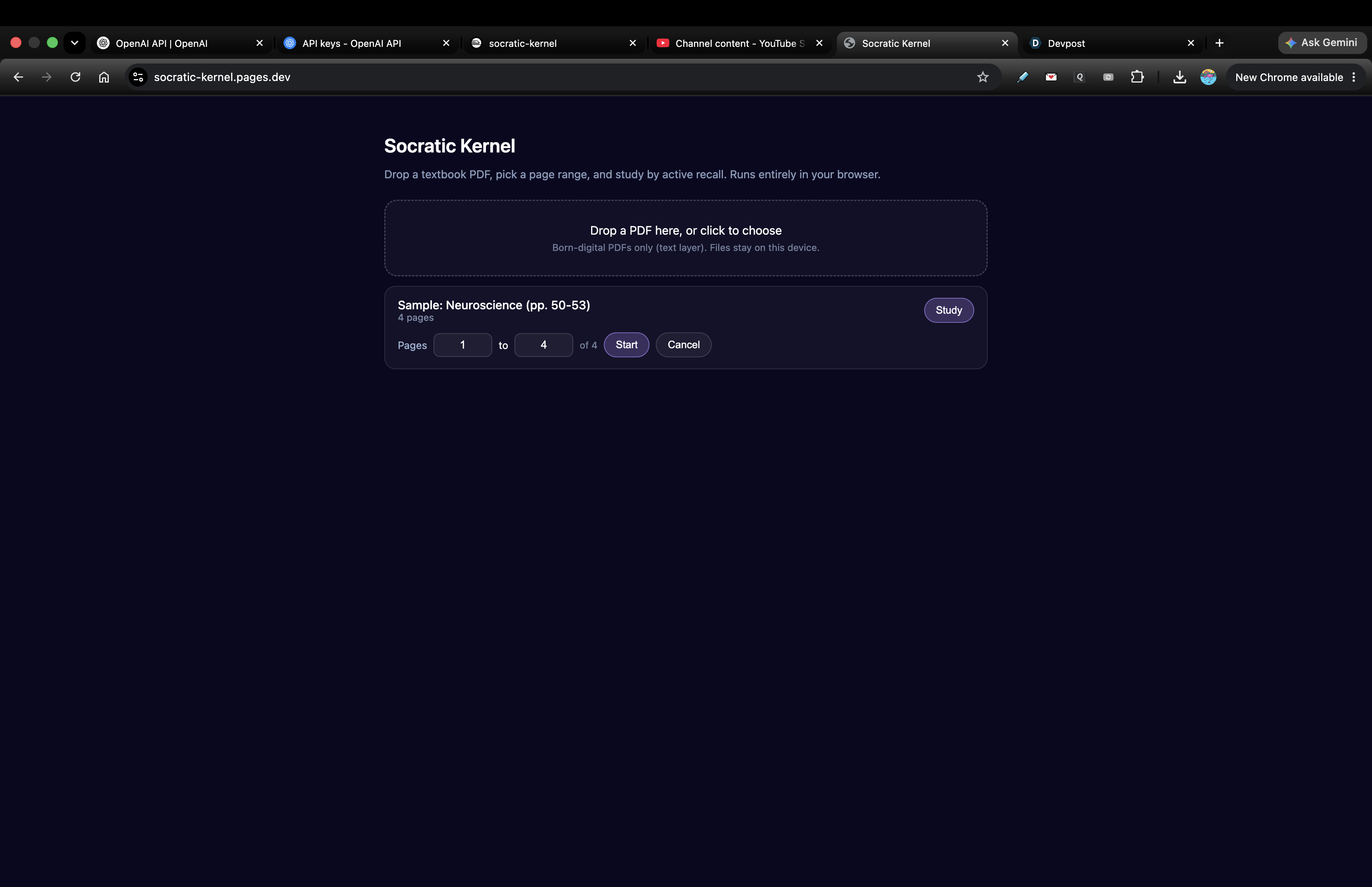
Drop in any born-digital PDF, pick a page range, and study by active recall — the whole app runs in your browser, no account.
-
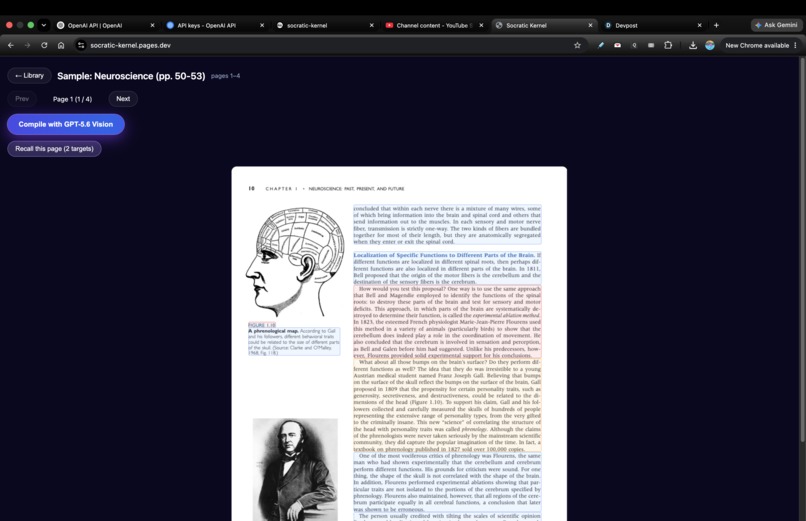
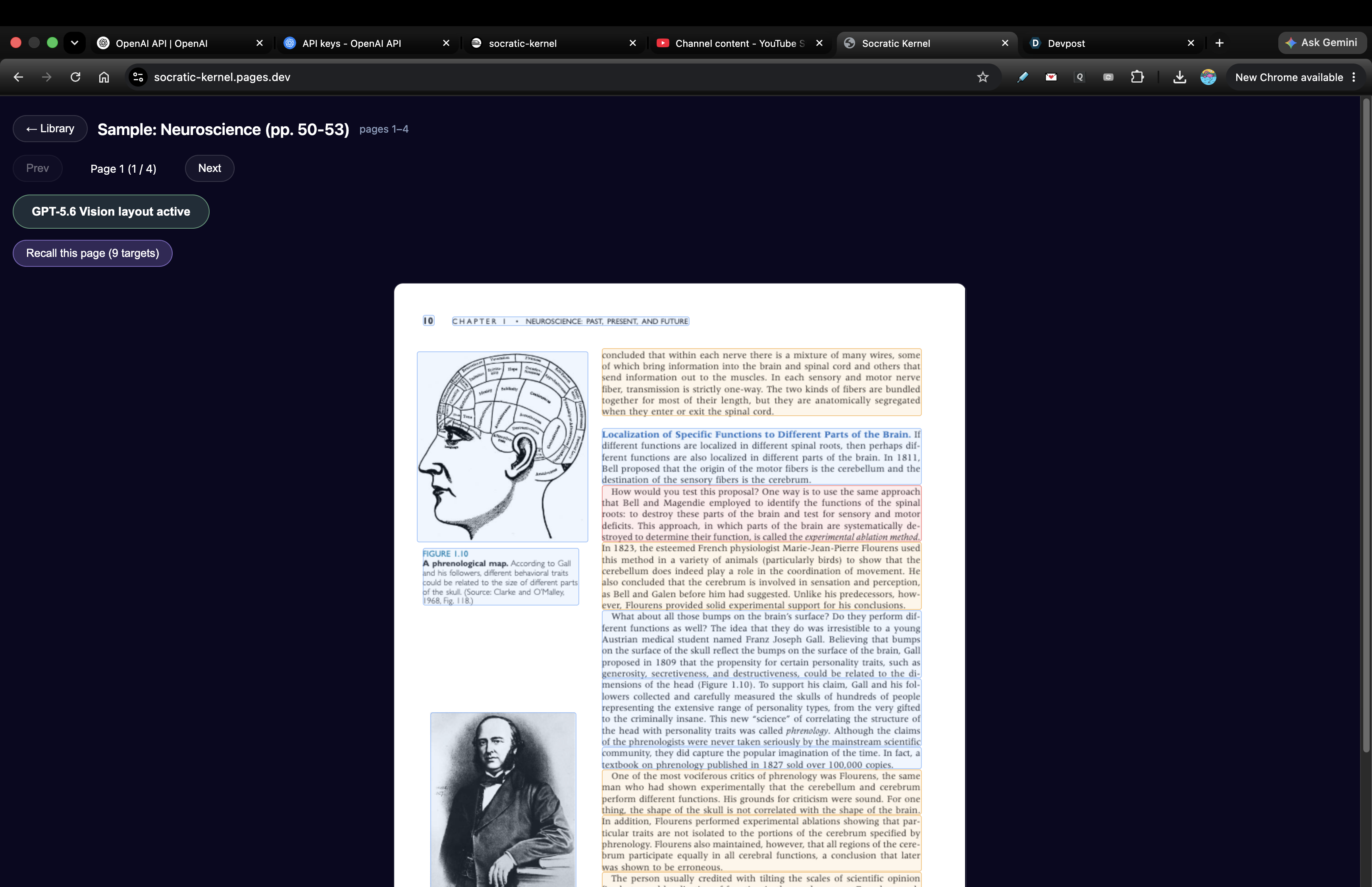
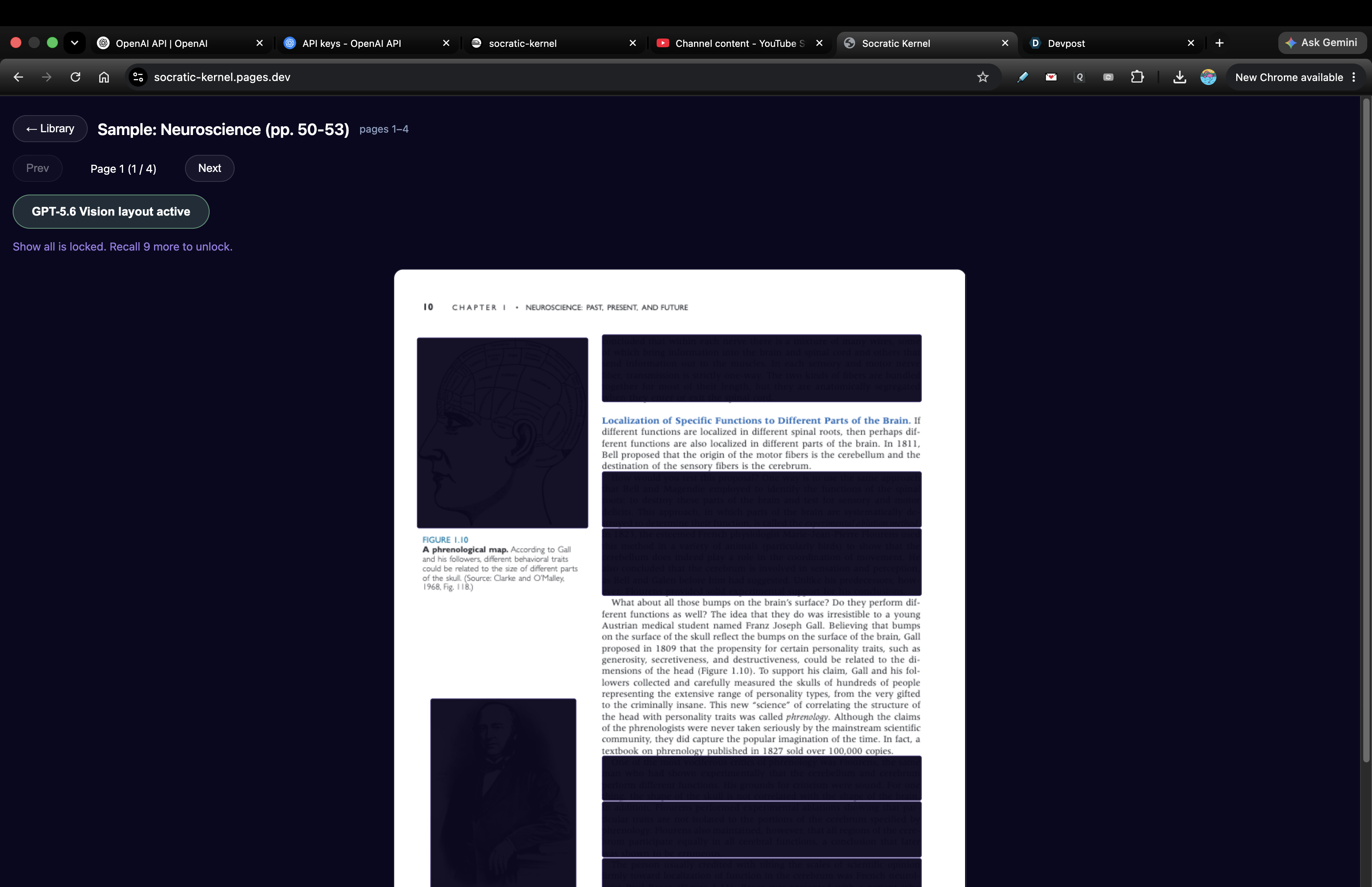
One click runs the real GPT-5.6 Vision compiler: semantic recall tiers, tight figure boxes, and equations tagged by role.
-
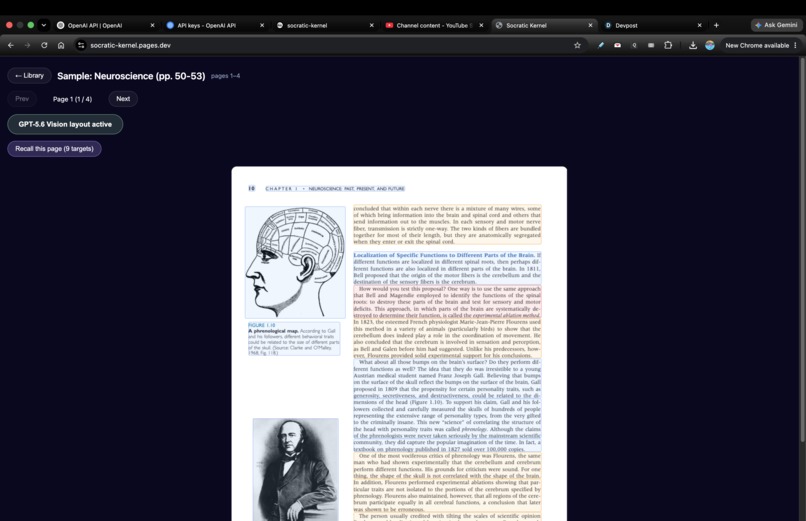
Masks land on the exact text and figures on any book — coordinates come straight from the PDF itself, never from the model.
-
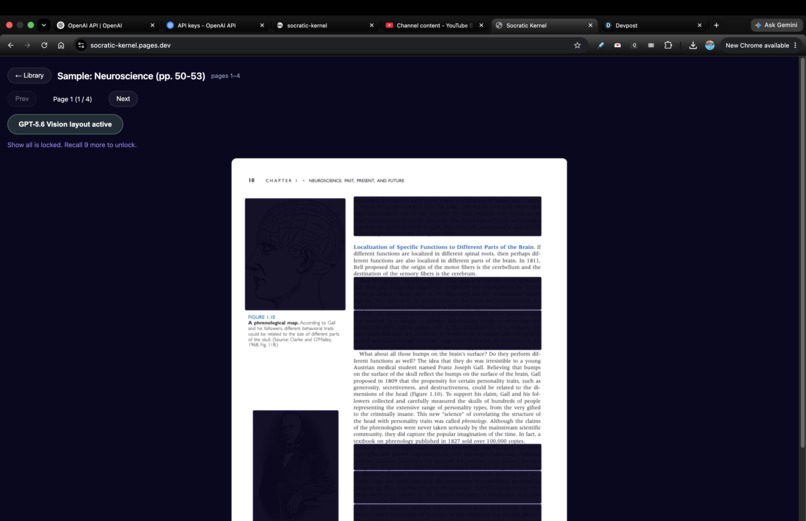
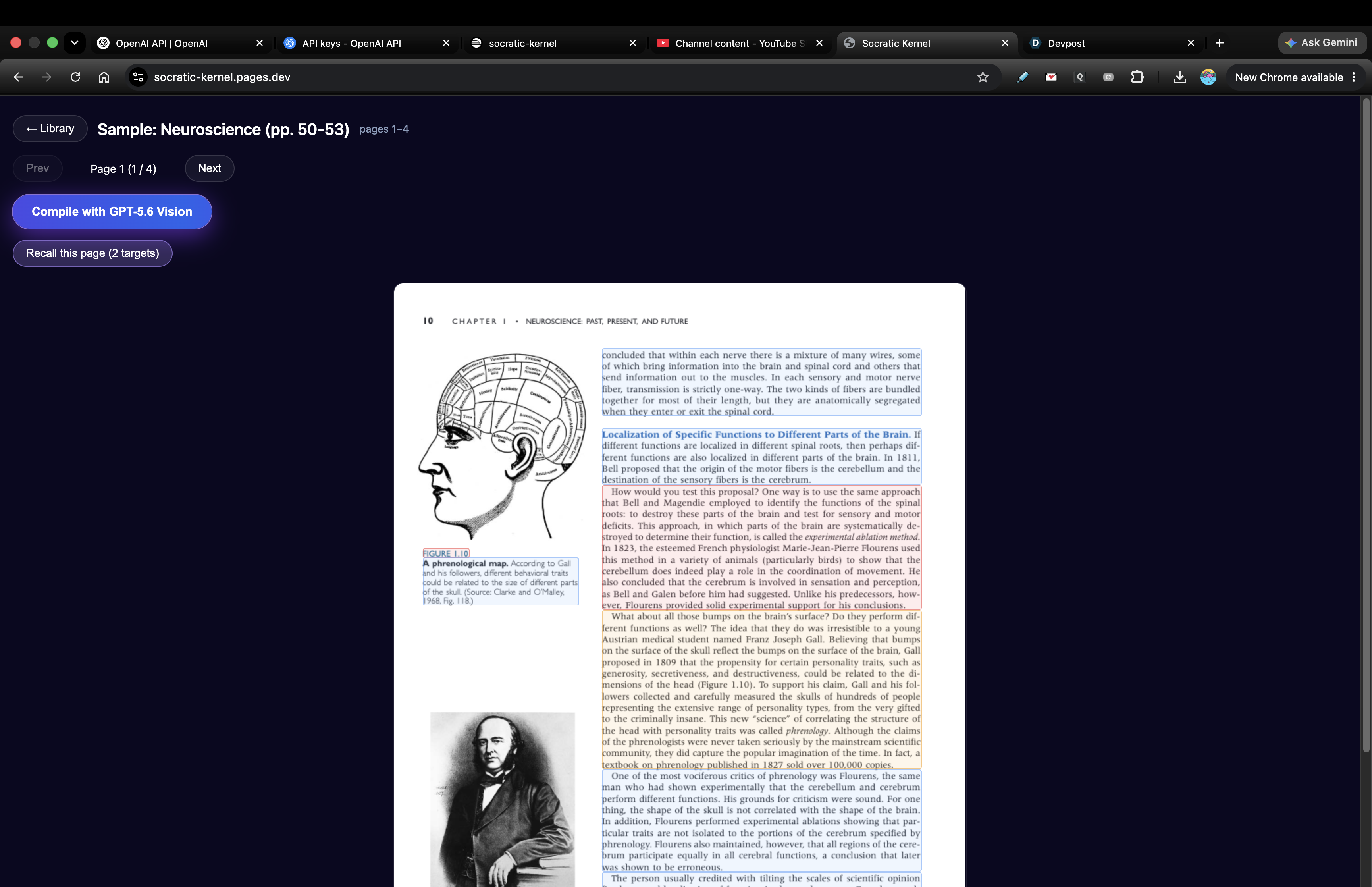
Recall mode masks the high-value ideas — claims, definitions, figures — and keeps ordinary prose visible as the context you recall from.
-
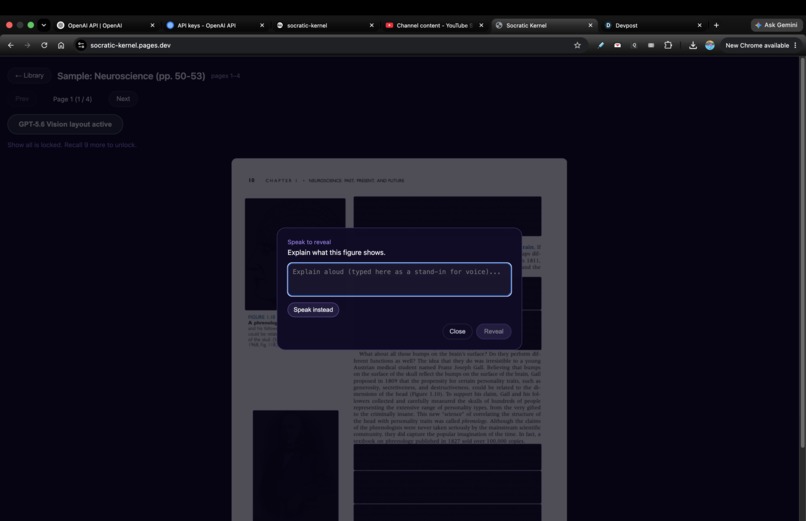
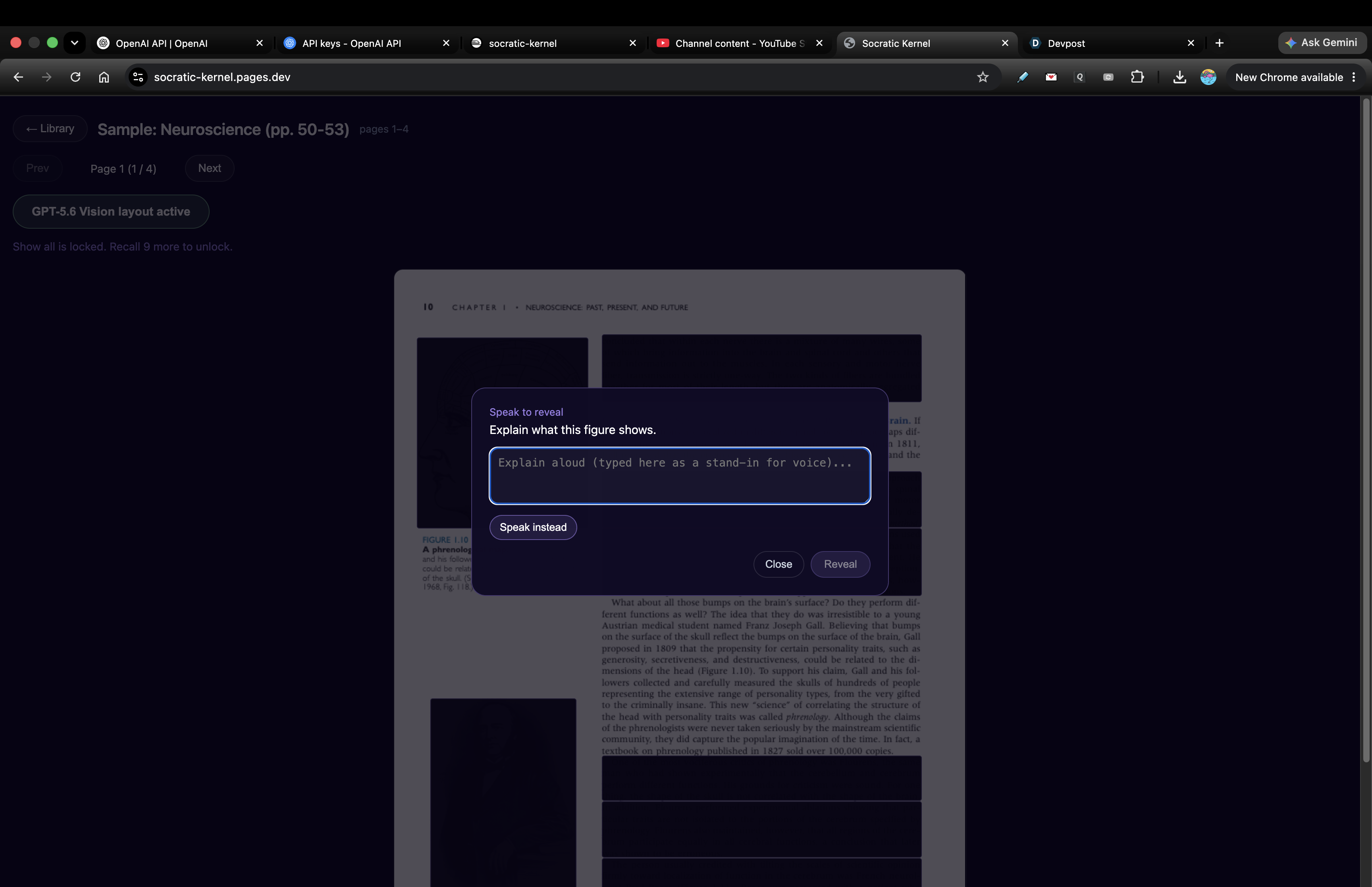
Speak-to-reveal: click a masked idea, explain it aloud, and a GPT-5.6 semantic arbiter unmasks it only when your meaning is right.
Inspiration
I got into medical school, but I could not afford to go. Still, I really wanted to study medicine by myself. But studying alone was very hard. The Latin words would not stay in my head, and everything I read got mixed up. I could not remember any of it. I tried many ways. I even built my own tool, TaskFlow AI, but it did not really help. Then I tried a small version of this idea inside TaskFlow AI, just as a test, and it actually worked for me. When I got a recall wrong, it gave me a hint and let me keep trying instead of just failing me. And it helped me put the big picture in my head first, before the exact words. That was the part that really helped. So this time, I wanted to build it the right way.
What it does
You drop in a PDF, choose a page range, and it hides the important parts right on the page — the key ideas, definitions, and equations. The rest of the text stays visible, so you still have context. To open a hidden part, you explain it out loud. A GPT-5.6 model checks if you got the meaning, not the exact words. If you are right, it opens. If you are wrong, it gives you a small hint and stays closed. Each idea you recall also comes back later, right before you would forget it.
How we built it
The hard part is hiding the right thing, on any book, without breaking. I split it into three jobs and built the hard parts with Codex and GPT-5.6. First, the positions never come from the model. They come from the PDF's own text layer, so a mask can never slip off the words. Second, GPT-5.6 Vision decides what matters — not by how big the text looks, but by meaning. It reads the page, tags each part (heading, definition, equation, figure), and gives it a recall priority. So a big title can stay open, while one small but important sentence becomes the thing you have to recall. Third, anything the model guesses is checked against the PDF before I trust it. For voice, the browser sends the audio to my server, which turns it into text and grades it. The API keys never leave the server.
Challenges we ran into
The surprising part was that the model was often smarter than my code. Many of the errors were actually my bugs, not its. And the fix was usually not a longer prompt. It was changing how I asked. When I stopped telling it exactly what to do, and instead told it to think again and judge for itself, it kept finding the bug. The best example was the vision part. Once GPT-5.6 really looked at the page image and thought about it, it found layout problems I could not even put into words. Some bugs were scary and live — the whole backend crashed the first time I used the mic, and the masks got mixed up on a two-column paper — but even those came down to me pointing it at the right place.
Accomplishments that we're proud of
It works on any digital PDF, live, with no special setup for each book. The masks land on the exact text, because the PDF owns the positions. GPT-5.6 Vision does the layout and the "what matters" part in one call. In my last project, I needed Azure Document Intelligence plus a separate reasoning model just to get close, and a two-page test cost me 22 cents. I was too scared to ever run a whole book. This one costs a few cents for the whole book. Equations are handled by role — definition, law, result, and so on — and the voice check accepts your meaning, not your exact words.
What we learned
A few things I did not expect. The biggest thing about GPT-5.6 is the vision — letting it look at the image and think its way to the answer, not just reading text, is where it is really strong. Codex also surprised me. It puts the good parts of a CLI, an IDE, and something like Colab into one tool, so I did not need to open anything else. One tool ran the whole thing. My favorite part was "more detail." Instead of explaining an idea with a wall of text, it drew it out and broke it down step by step. That actually helped me understand it. Not just words.
What's next for Socratic Kernel — AI Active Recall and Voice Study from PDF
First, I want to add Lemon Squeezy so it can make money. The billing code is already in the backend, so I just need to turn it on. After that: hiding single table cells and figure panels, whole-book study plans that change based on what you keep getting wrong, an OCR path for scanned books, and a class mode, so a teacher can prepare a chapter once and share it with a whole class.
Built With
- cloudflare-pages
- codex
- deepgram
- express.js
- gpt-5.6
- gpt-realtime-whisper
- headroom
- indexeddb
- javascript
- next.js
- node.js
- openai
- openai-realtime-api
- openai-responses-api
- pdf.js
- poppler
- railway
- react
- typescript
- web-audio-api
- websocket


Log in or sign up for Devpost to join the conversation.