-
-
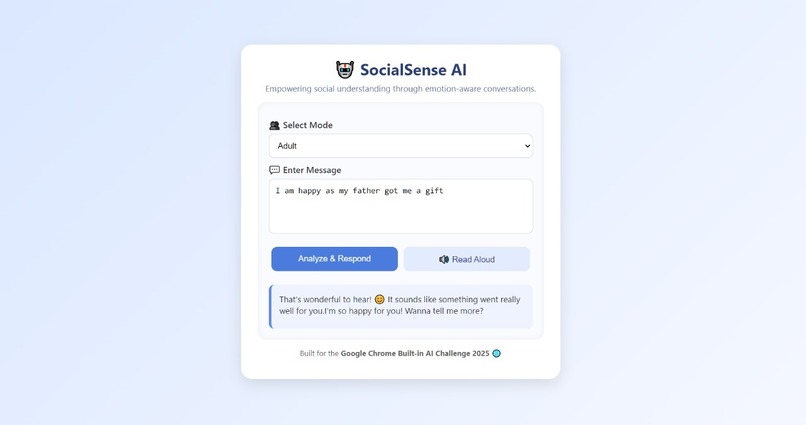
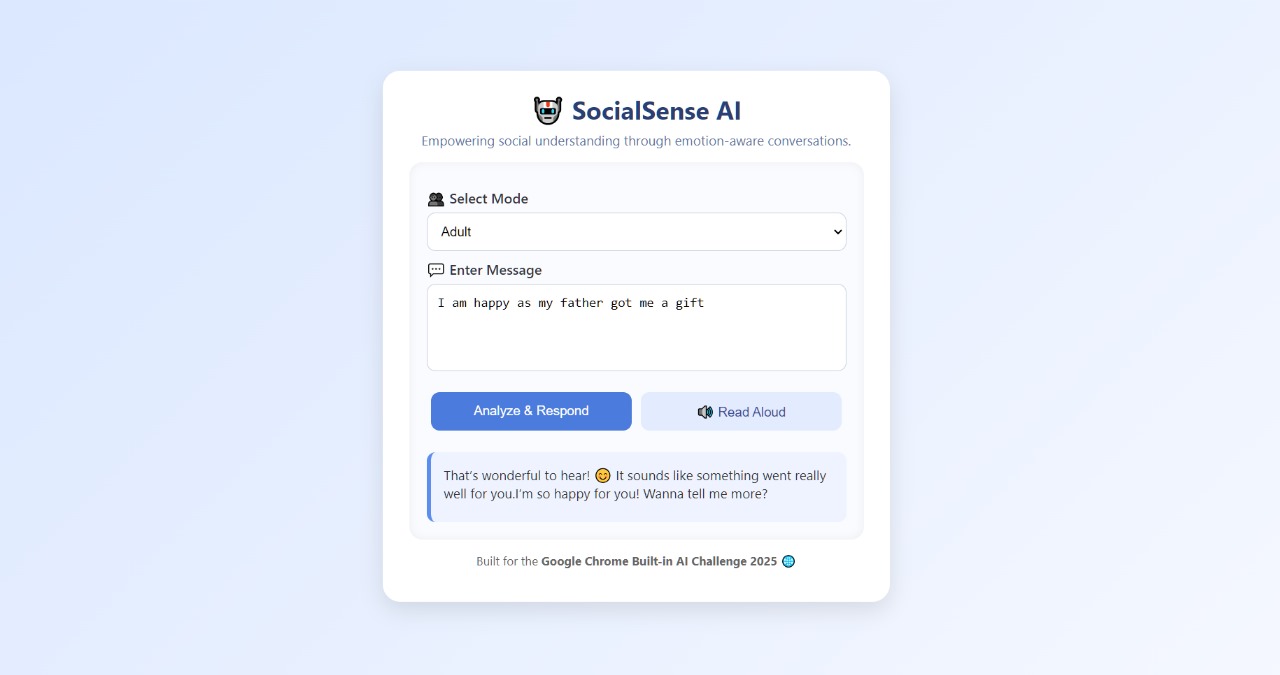
response from adult
-
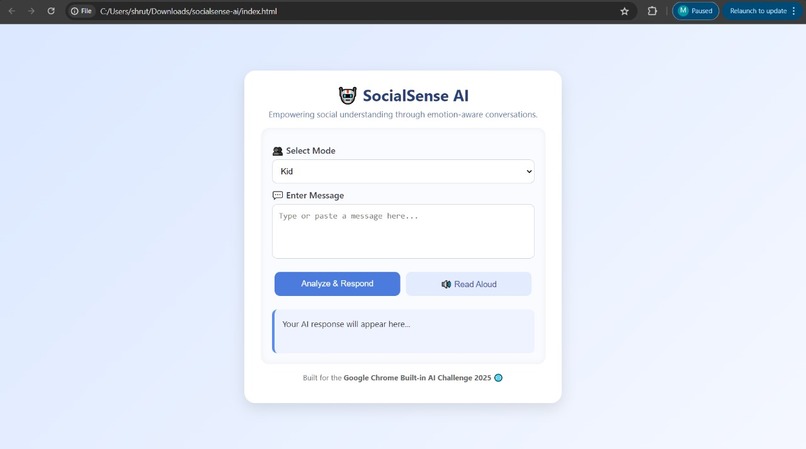
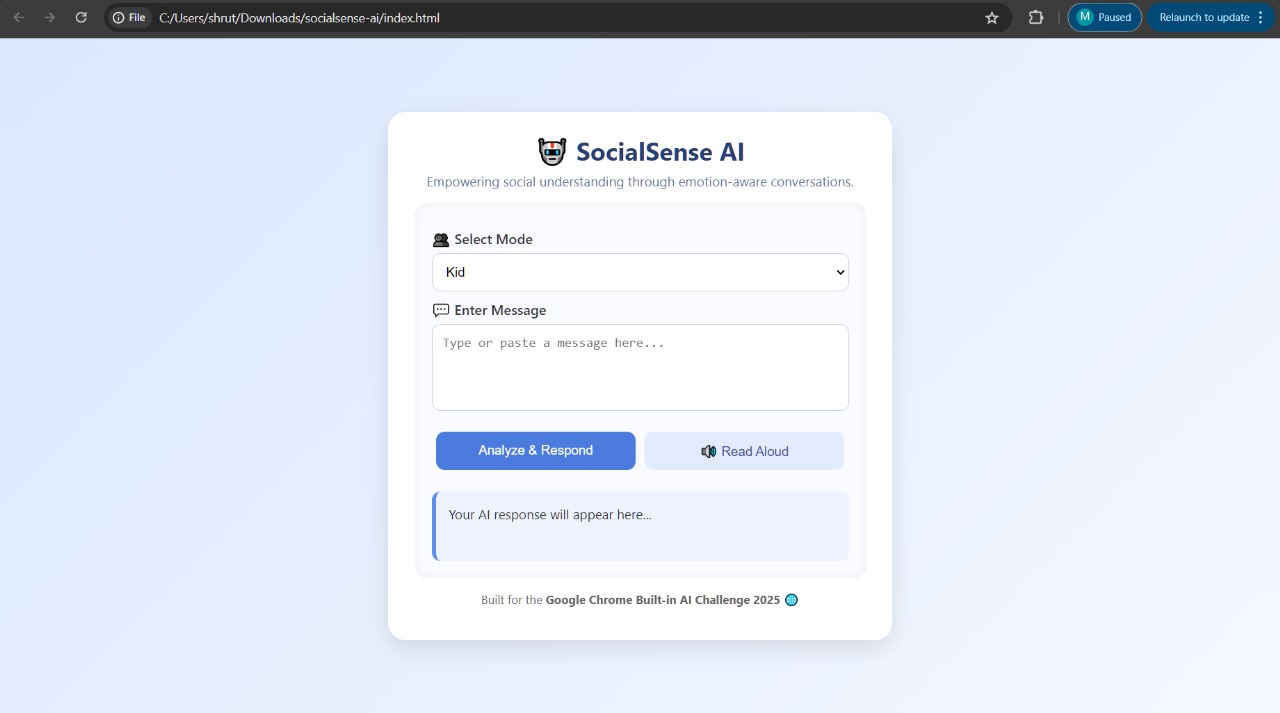
outline of project
-
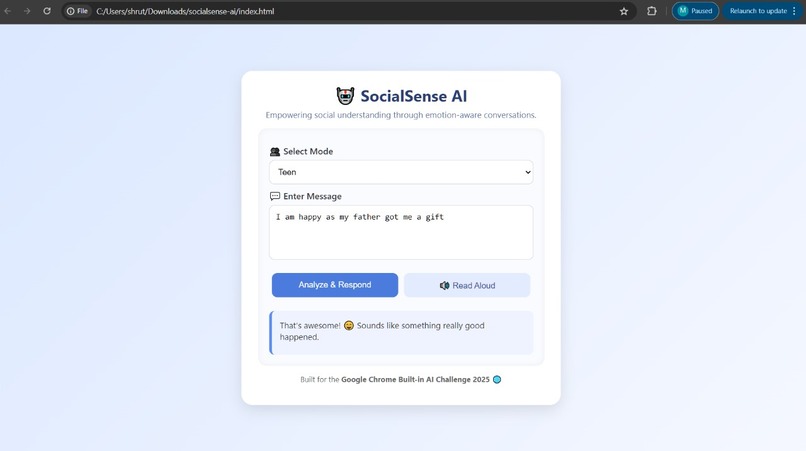
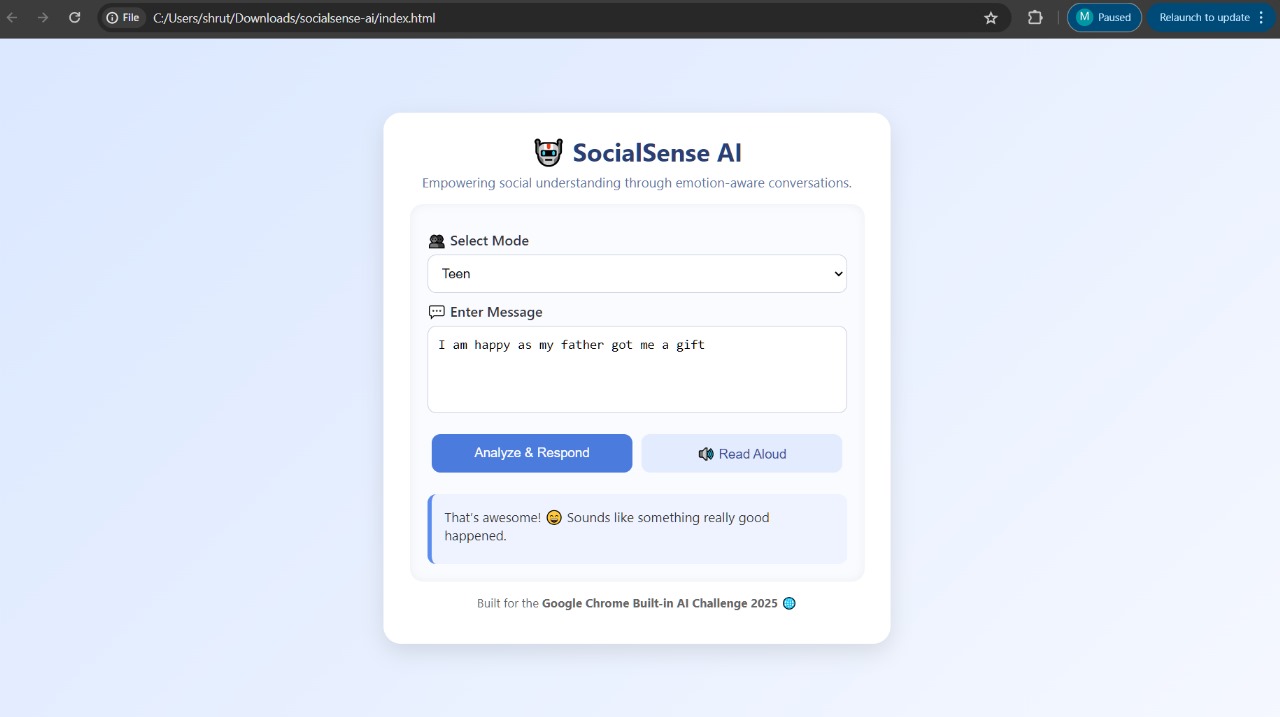
response from teen
-
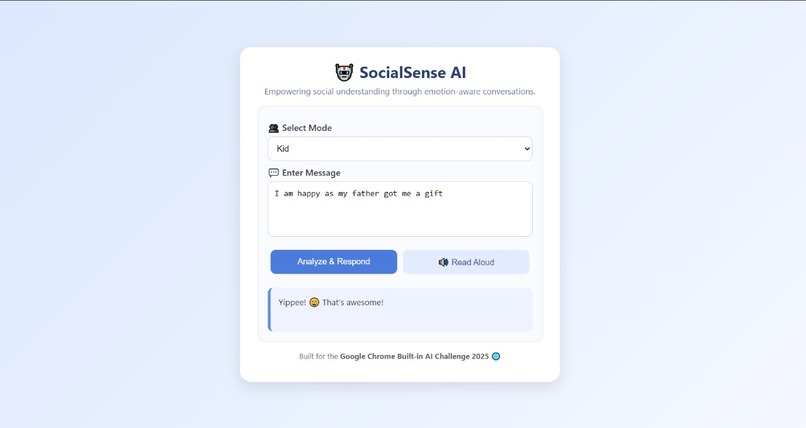
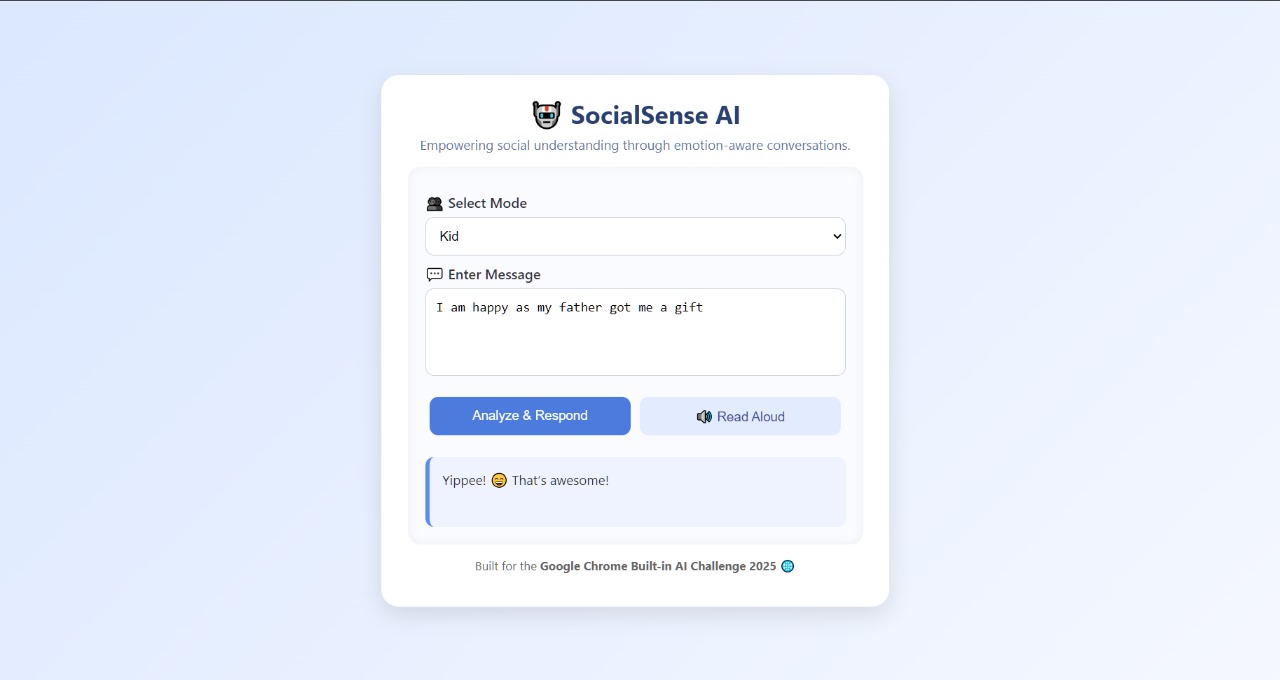
response from kid
SocialSense AI – Development Story
Inspiration
Autistic users of all ages often struggle with understanding emotions and responding appropriately in online or social interactions. While many existing tools teach communication skills, they depend heavily on cloud AI — raising privacy concerns and limiting offline access.
I was inspired to build SocialSense AI after noticing how a small nudge or feedback in real time can boost social confidence for neurodiverse users. My goal was to create an offline, privacy-first, and age-adaptive AI companion that helps users interpret emotions and practice social communication safely.
What it does
SocialSense AI is a lightweight web app and Chrome Extension that:
- Analyzes text (and optionally speech) to understand emotional tone using the Prompt API.
- Generates socially appropriate and age-tailored responses with the Writer API.
- Refines messages into calm, kind, or formal tones using the Rewriter API.
- Summarizes conversations with key emotional insights via the Summarizer API.
- Offers accessibility with speech-to-text and text-to-speech using the Web Speech API.
Users can select Kid, Teen, or Adult modes to receive responses that match their communication style and comprehension level. All processing runs locally on Gemini Nano, ensuring complete privacy and offline functionality.
How we built it
We built the entire project using HTML, CSS, and JavaScript, keeping it simple and lightweight.
*Frontend: * HTML, CSS, JavaScript *AI APIs: * Chrome Built-in AI APIs
- Prompt API → Detect emotions and intent
- Writer API → Generate appropriate replies
- Rewriter API → Adjust tone and empathy level
- Summarizer API → Condense conversations
- Proofreader API → Optional grammar correction
*Speech: Web Speech API for text-to-speech and voice input
*Storage: Local Storage to remember mode and preferences
*Hosting: GitHub Pages (for public demo)
- AI Engine: Gemini Nano, running fully client-side within Chrome
Challenges we ran into
- Integrating multiple built-in AI APIs seamlessly on-device.
- Calibrating emotional tone detection across different age groups.
- Keeping the interface accessible yet simple for all users.
- Testing and validating offline mode with Gemini Nano’s local runtime.
Accomplishments that we're proud of
- Built a fully offline AI-powered web app that runs natively inside Chrome.
- Created age-adaptive communication modes for Kids, Teens, and Adults.
- Integrated speech accessibility for users who prefer listening or speaking.
- Combined multiple AI APIs to provide real-time emotion analysis, rewriting, and summarization — all locally.
What we learned
- How to use Chrome’s client-side AI APIs effectively with Gemini Nano.
- How to design privacy-first AI tools that don’t rely on cloud servers.
- How multimodal AI (text + voice) can enhance accessibility and inclusivity.
- How to simplify complex AI workflows using plain JavaScript and local APIs.
What's next for SocialSense AI
- Add image and audio emotion recognition using the multimodal Prompt API.
- Create guided conversation practice modules for real-world social training.
- Build a mobile-friendly PWA version for universal accessibility.
- Add gamified challenges that reward users for improving social communication skills.
- Collaborate with autism educators and therapists to expand scenario libraries.

Log in or sign up for Devpost to join the conversation.